
Google Hotels Scraper: Prices, Ratings & Booking Sites
Pricing
from $1.90 / 1,000 hotels
Google Hotels Scraper: Prices, Ratings & Booking Sites
Scrape Google Hotels for any city worldwide: nightly and total prices for your dates, any currency, star class, ratings and review aspects, GPS, photos, and prices from every booking site (Booking.com, Agoda, Expedia, official site).
Pricing
from $1.90 / 1,000 hotels
Rating
0.0
(0)
Developer

Smoldesk Studios
Maintained by CommunityActor stats
0
Bookmarked
2
Total users
1
Monthly active users
6 days ago
Last modified
Features
Share
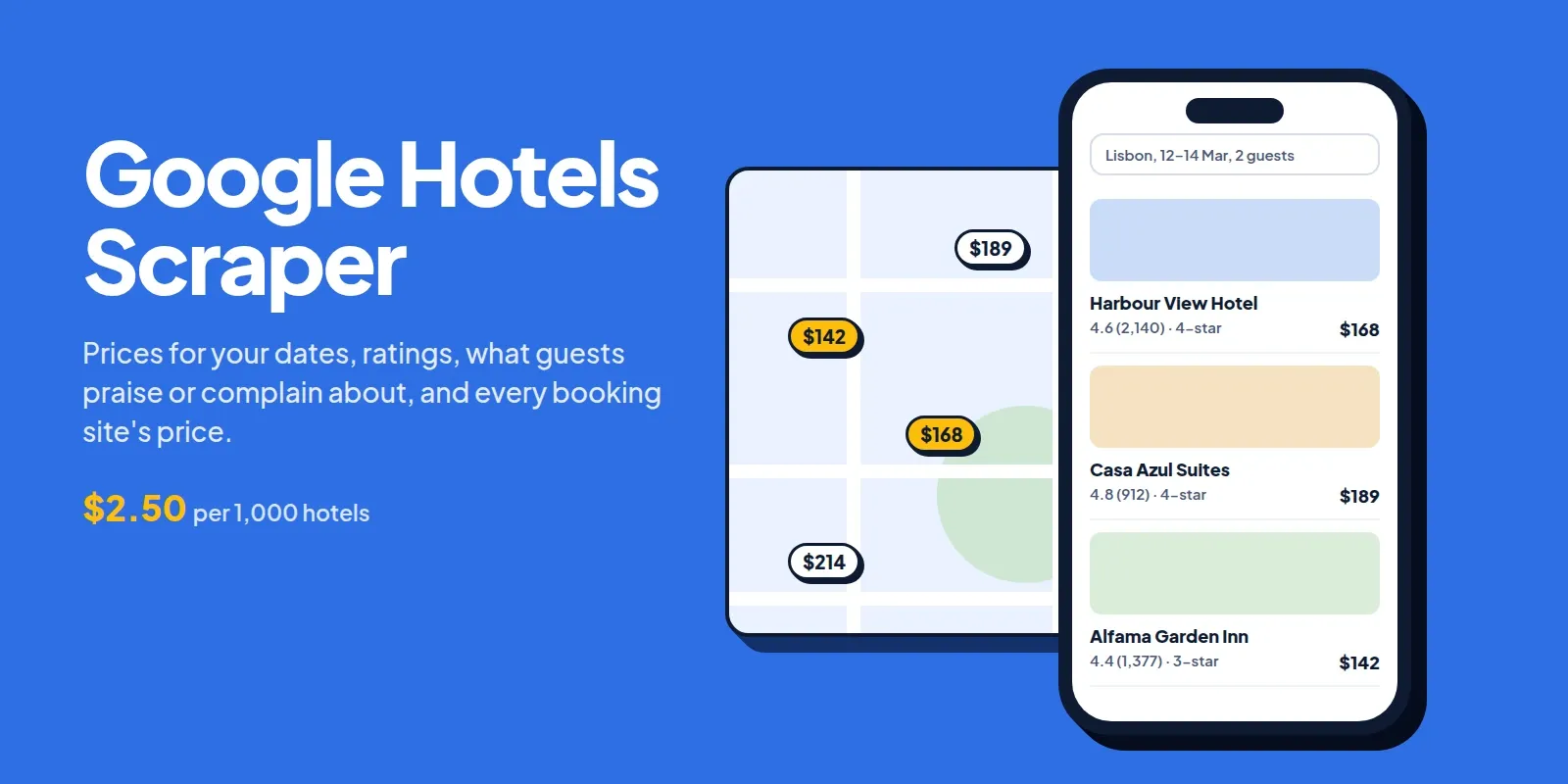
Scrape Google Hotels for any city, neighborhood or landmark worldwide. For your exact dates, guests and currency you get each hotel's nightly price, total stay price with taxes and fees, star class, Google rating with the 1 to 5 star breakdown, what guests praise or complain about (location, service, cleanliness…), GPS coordinates, website, check-in/out times, nearby landmarks and photos. Optionally add the prices Google lists from booking sites (Expedia, Booking.com, Hotels.com, Priceline, Agoda, Trip.com, official site) with free-cancellation deadlines and direct booking links, the hotel's ratings on Tripadvisor and other sites, and guest reviews with the full text of Google reviews and the owner's replies.
Use Google Hotels' own filters and sort order: lowest price, highest rating or most reviewed; amenities (pool, free Wi-Fi, spa, pet-friendly, EV charger and 14 more); star classes; free cancellation; deals only; eco-certified; property type (hostels, B&Bs, apartment hotels…). Google applies them before it lists the hotels, so "the 20 cheapest 4-star hotels with a pool" really is that. Every hotel also comes with its amenities, address, phone, Google Maps link and deal label ("19% less than usual"). Switch to vacation rentals for apartments and houses with sleeps, bedrooms, bathrooms and beds.
Fast and cheap: 800 hotels across 8 cities in about a minute. $2.50 per 1,000 hotels, no start fee, no API key.
What you get
With Booking-site prices on, each hotel also gets:
With Reviews per hotel set, each review is its own row:
Vacation rentals also get sleeps, bedrooms, bathrooms and beds.
What you can use it for
- Hotel price monitoring & revenue management: track your hotel and competitors' rates for future dates, every day.
- Travel apps & comparison sites: hotel lists with prices, ratings, photos and coordinates for any destination.
- Market research: average nightly rates, star mix and ratings by city or neighborhood.
- Lead generation: hotel names, addresses, phone numbers, websites, star class and size of review base for B2B sales to hotels.
- Guest sentiment and reputation: full review texts and owner replies for a hotel and its competitors, plus their Tripadvisor scores.
- Deal hunting: the cheapest hotels with free cancellation, or only the ones Google marks as a deal.
- AI travel agents: give an LLM live hotel options for a trip.
Why this scraper
| This Actor | Other Actors on the Store | |
|---|---|---|
| 1,000 hotels with price for your dates, ratings and location | $2.50 ($1.90 on Business) | $0.08 to $5; the most-used one is $4.99 ($2.99 on Business) |
| Booking-site prices per hotel | +$2.00 per 1,000, only when Google lists some | Often a separate event at $2 to $5 |
| Google's own filters and sort (amenities, free cancellation, deals, cheapest first) | Included | Few offer them |
| Guest reviews with full text and owner replies | $0.60 per 1,000 reviews | $0.60 to $5 per 1,000 |
| Any currency, worldwide | Yes | |
| Hotels Google doesn't return | Not charged |
Competitor prices checked on the Apify Store in November 2026 (Free plan price first). Store prices change, so check the Pricing tab of any Actor before you compare.
How to scrape Google Hotels prices
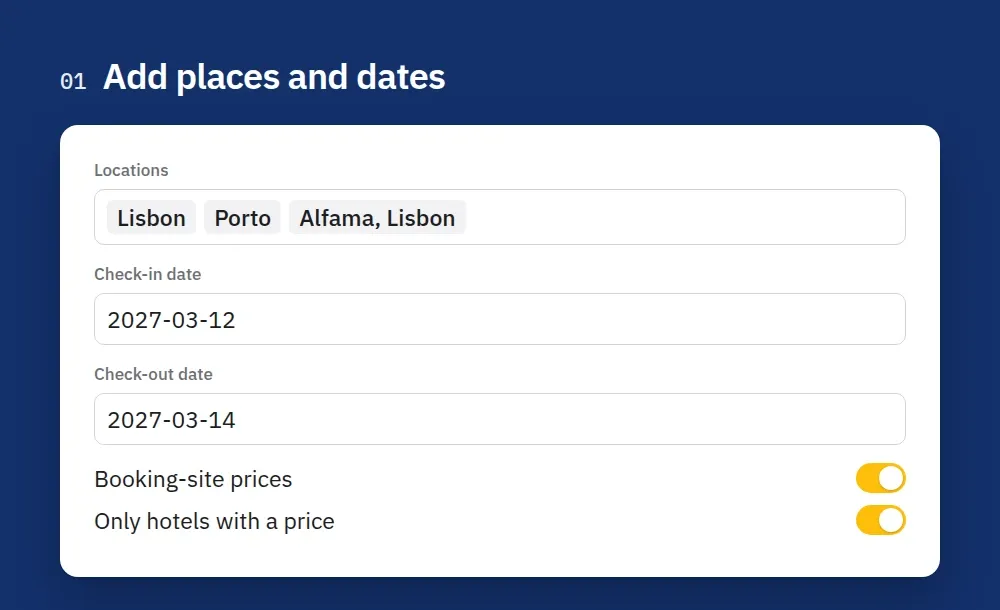
1. Add places and dates. Type cities, neighborhoods or landmarks, pick your check-in and check-out dates, guests and currency.
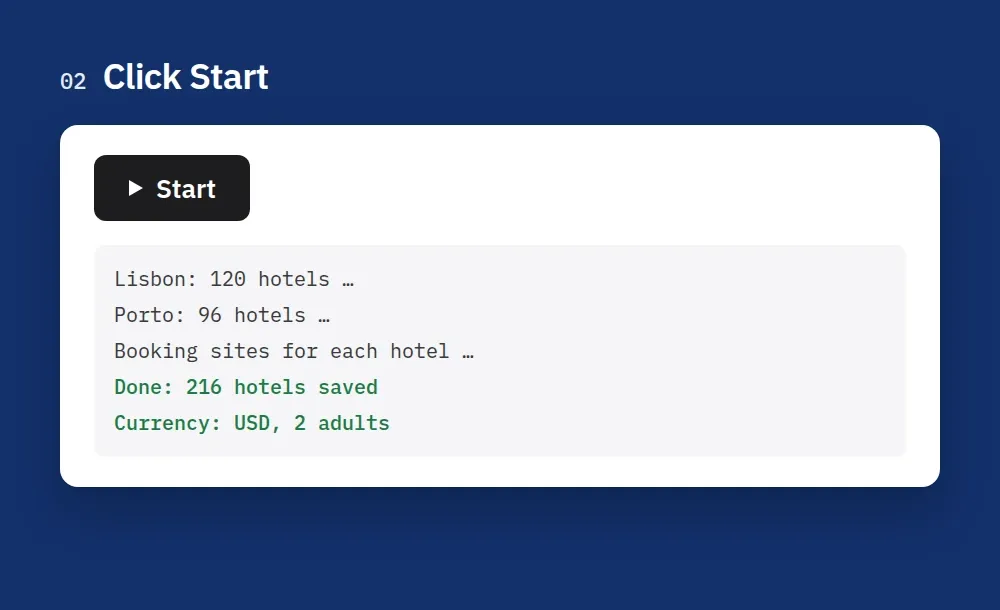
2. Click Start. Each location returns up to a few hundred hotels. Booking-site prices add one request per hotel.
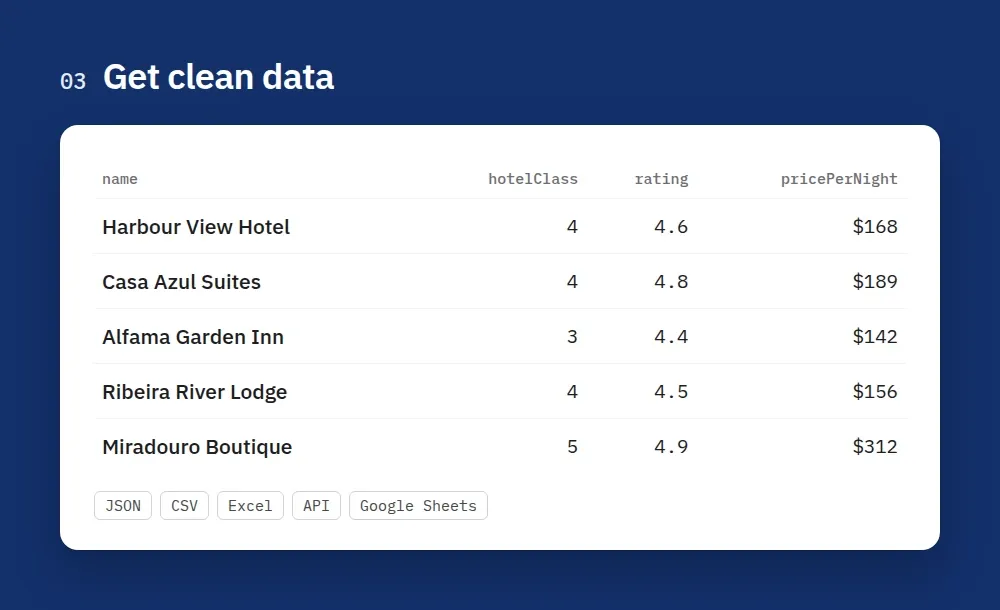
3. Get clean data. One row per hotel with the star class, rating, nightly price and total with taxes. Export it as JSON, CSV or Excel, or read it through the API.
Tips
- Leave the dates empty for a quick look: the Actor then uses a stay of 2 nights starting 14 days from today. Set your own dates for the real price of your trip.
- Set Currency to the one your customers use; Google converts all prices for you.
- For a daily rate tracker, use relative dates like
+30 daysand+32 days: every scheduled run then looks the same distance ahead. - Sort by Lowest price plus a small Max results per location gives you the cheapest hotels that match your filters, without paying for the rest.
- Google chooses which booking sites to list (often 3 to 6), so the lowest price may come from a site that isn't in the list.
Input
- Locations: any place Google understands, in any language: cities, districts, landmarks, airports or full queries like "hotels near Eiffel Tower".
- Dates: a date, or relative to the run day (
+30 days,+2 weeks,+1 month). Leave empty for a stay 14 days from now (2 nights). - Stay type: hotels, or vacation rentals (apartments and houses).
- Google's filters: sort order, amenities, star classes, free cancellation, deals only, eco-certified, property types. Google applies them before listing, so limits and costs only count matching hotels.
- Currency: any three-letter code (USD, EUR, GBP, JPY, AUD, SGD, INR, AED, …). Prices come back in that currency whatever country you target.
- Extra filters: max nightly price, only hotels with a price.
- Reviews per hotel: 0 for none, or how many reviews to save per hotel (10 per request, charged per review).
- Hotel links: paste Google Hotels links or
entityIds from earlier runs to re-check their booking-site prices (e.g. a daily rate tracker).
Pricing
| Result | Free & Starter | Scale | Business |
|---|---|---|---|
| Hotel (price, ratings, location, photos and more) | $2.50 / 1,000 | $2.20 | $1.90 |
| Booking-site prices for a hotel (optional) | +$2.00 / 1,000 | +$1.75 | +$1.50 |
| Review (optional, Reviews per hotel) | $0.60 / 1,000 | $0.50 | $0.40 |
No start fee, no monthly rental. Hotels Google doesn't return are not charged, and booking-site prices are only charged when Google lists some. Filters, sort, amenities, contact details, deal labels and other-site ratings are included in the hotel price. Example: 50 hotels with booking-site prices and 20 reviews each = $0.125 + $0.10 + $0.60 = $0.83.
Use with AI agents (Claude, ChatGPT, Cursor, MCP)
Add the Actor as a tool through the Apify MCP server: https://mcp.apify.com?actors=smoldesk/google-hotels-scraper. Then paste this into your agent's system prompt or tool notes, so it knows when to call it:
Questions an agent can answer with it:
- Find 4-star hotels in Kyoto under $200 a night for Dec 20 to 23, sorted by rating.
- Which booking site is cheapest for these hotels on my dates?
- Compare average hotel prices in Paris and London for the same weekend.
- What do guests complain about at this hotel, and does the owner reply?
Your agent can pay for its own runs. This Actor is approved for agentic payments on Apify, so an agent with a Skyfire token or an x402 wallet can call it and pay per result without an Apify account. Skyfire: use https://mcp.apify.com?payment=skyfire. x402: buy a prepaid Apify token with USDC. Setup: Apify agentic payments docs.
Want every Smoldesk scraper as agent tools in one connection? See the full list on our publisher page.
Use with AI (LangChain / LlamaIndex / CrewAI)
CrewAI / Claude / MCP clients: add the Actor as a tool through the Apify MCP server: https://mcp.apify.com?actors=smoldesk/google-hotels-scraper.
Limitations
- Prices are what Google Hotels shows for your dates. The nightly price is Google's lowest listed rate. Some hotels show no price (sold out or not bookable through Google); they still appear unless you turn on Only hotels with a price.
- Booking-site prices: Google decides which sites to list, and the selection varies (often 3 to 6 sites). The lowest nightly price on the search result may come from a site that isn't in that list.
- Google lists up to a few thousand hotels per location. Use neighborhoods for deeper coverage of big cities.
- Reviews: Google shows how long ago a review was written ("4 weeks ago"), not the exact date. Reviews from other sites (Tripadvisor, Trip.com) come as Google shows them; their full text stays on those sites, which this Actor doesn't visit.
- Address and phone: some search results carry no address; the full postal address is filled from the hotel's page when Booking-site prices is on.
- Direct booking links (
bookingUrl) are filled when Google gives the booking site's own link; for paid placements Google only gives its ad-click link, which the Actor never opens, sobookingUrlisnullthere. - Vacation rentals have no booking-site price list on Google.
FAQ
Is there an official Google Hotels API? Not for the public. This Actor reads the same public Google Travel pages a visitor sees, with no login or API key.
Can I get prices in my currency? Yes, set currency. Google converts all prices.
How do I track prices every day? Schedule the Actor in Apify with the same locations or hotel links and future dates, and compare pricePerNight across runs.
Do I need proxies? No. Requests go out from the run's own IP; you can switch on an Apify datacenter proxy in the input if you prefer. If Google starts answering with captcha pages, the Actor slows down and stops early with what it has rather than hammering the site.
Is it legal? It only collects publicly shown hotel information and prices. Follow the website terms and the laws that apply to your use.
Feedback
Found a bug or missing a field? Open an issue in the Issues tab. If the Actor saved you time, a short review on this page helps other people find it.
Code examples and a quick reference are also on GitHub: smoldesk/google-hotels-scraper.
More Actors from Smoldesk Studios
- Google Hotels Price Calendar: the cheapest nightly rate for every check-in date up to a year ahead, for any hotel, with taxes and booking-site prices
- Airbnb Scraper: Airbnb listings with the price for your dates, full details (amenities, host, house rules, ratings), guest reviews and the 12-month availability calendar, no login
- Google Maps Scraper: places with phones, websites, ratings and hours from any search, plus emails and social profiles from each business website, lead filters and new-place monitoring
- Google Trends Scraper: interest over time, by region and city, related queries and Trending now, no API key
- Contact Details Scraper: emails, phone numbers, social profiles and contact forms from any list of websites, with email domains checked and junk removed, charged only when contacts are found
- All Smoldesk Studios Actors


