

Google Hotels Price Calendar – Nightly Rates by Date
Pricing
from $1.00 / 1,000 date prices
Google Hotels Price Calendar – Nightly Rates by Date
Hotel price calendar from Google Hotels: the cheapest nightly rate for every check-in date up to a year ahead, for any hotel by name or link, any currency and stay length. Optional prices per booking site (Booking.com, Expedia, official site…) for each date.
Pricing
from $1.00 / 1,000 date prices
Rating
0.0
(0)
Developer

Smoldesk Studios
Maintained by CommunityActor stats
0
Bookmarked
2
Total users
1
Monthly active users
3 hours ago
Last modified
Categories
Security
Limited permissionsShare
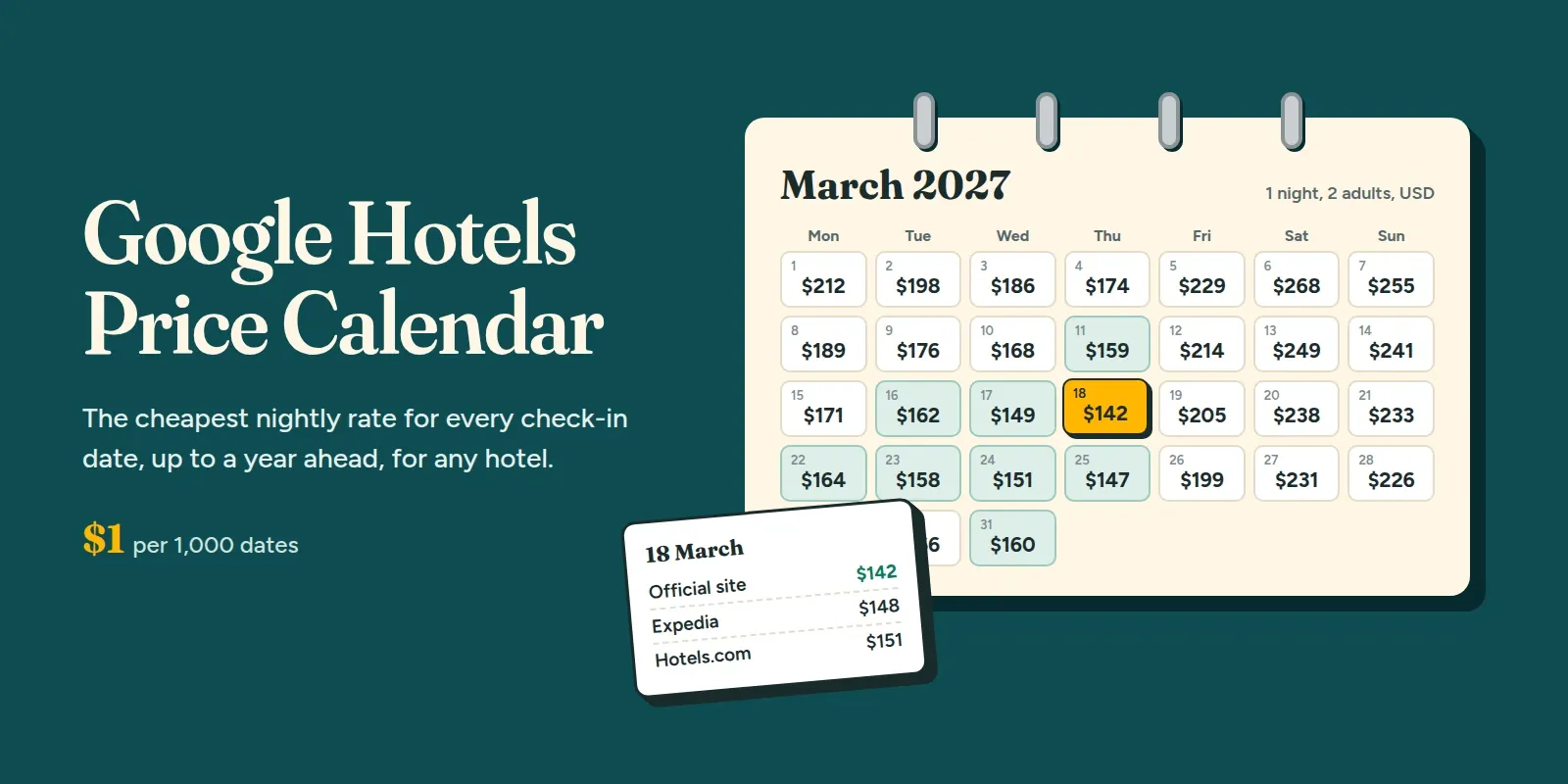
Get a hotel price calendar from Google Hotels: the cheapest nightly rate for every check-in date, up to a year ahead, for any hotel in the world. Type a hotel name (or paste its Google Hotels link), pick the dates, nights, guests and currency, and get one row per date with the price per night, stay total, taxes and fees, the weekday and a flag on the cheapest date. Turn on booking-site prices to also see what Booking.com, Expedia, Hotels.com, Agoda, Trip.com or the hotel's official site charge for each date. No API key, no login.
A full year for one hotel takes a few seconds.
What you can use it for
- Find the cheapest dates to book a hotel, or the cheapest weekend in the next six months
- Revenue management and rate shopping: track a competitor hotel's rates for every night of the season
- Price monitoring: schedule a daily run and watch how rates for future dates move as they get closer
- Seasonality research: compare weekday vs weekend, high vs low season, events and holidays across cities
- Travel apps and AI agents: show a price calendar or let an agent pick the best dates to stay
- OTA parity checks: compare the official site against Booking.com, Expedia and others, date by date
How to use it
1. Add hotels and dates. Type a hotel name or paste its Google Hotels link, then pick the first check-in date, how many dates, nights and guests.
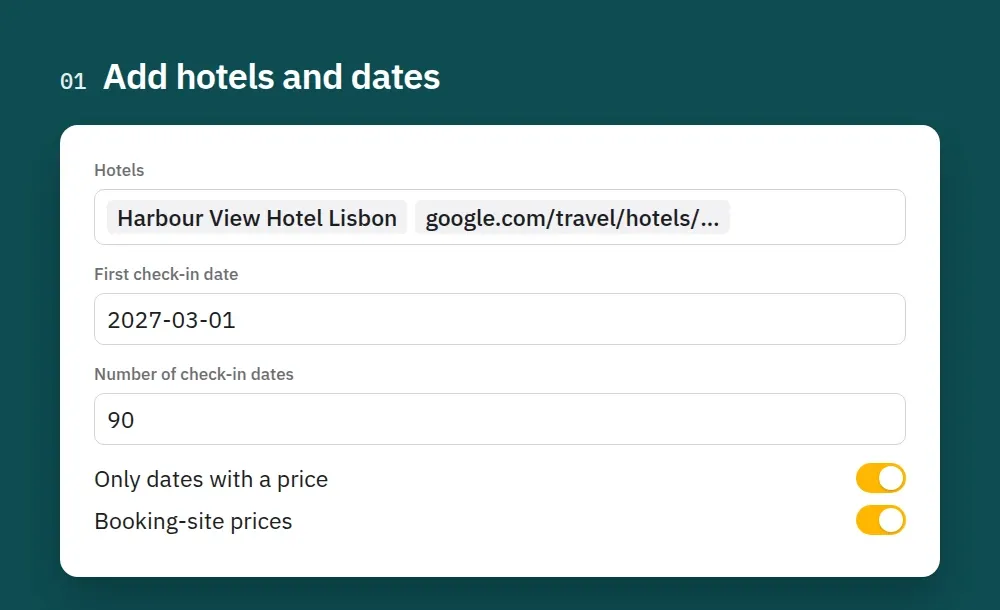
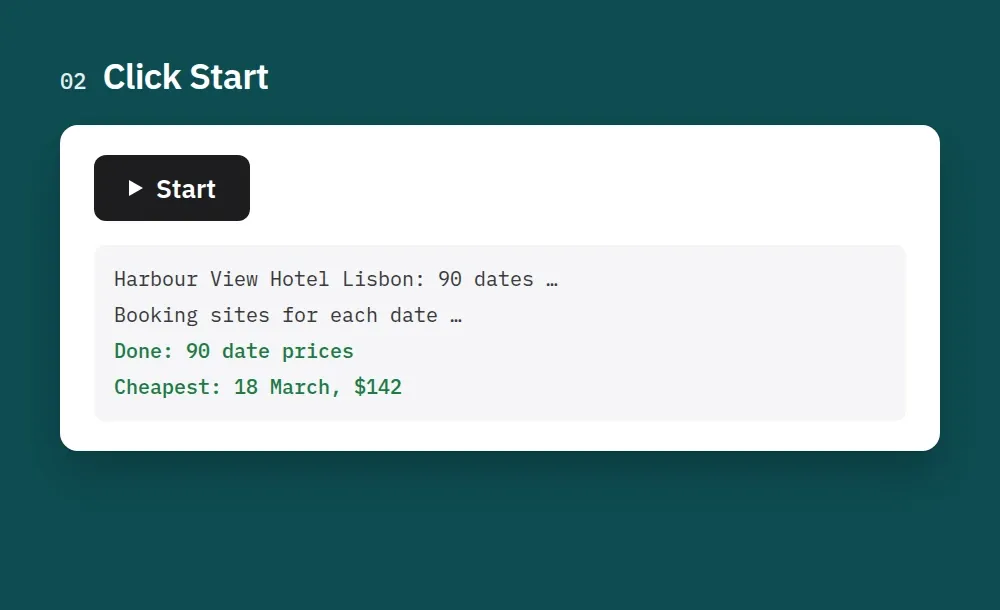
2. Click Start. One hotel's whole calendar comes back in seconds. Booking-site prices add one request per date.
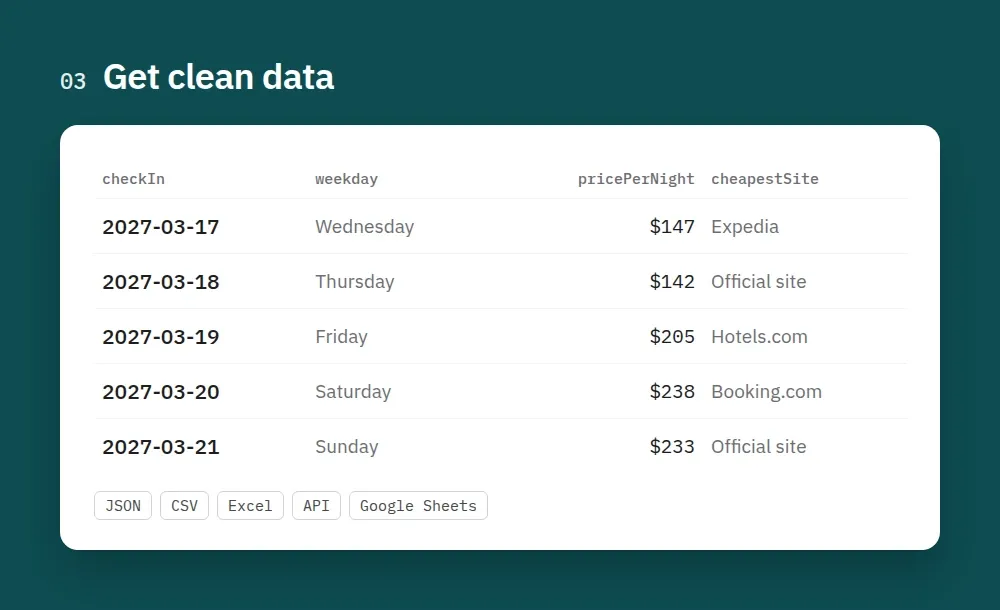
3. Get clean data. One row per check-in date with the nightly price, total, taxes and the cheapest booking site. Export it as JSON, CSV or Excel, or read it through the API.
How to scrape a Google Hotels price calendar
- Create a free Apify account (no credit card needed).
- Open this Actor and add your Hotels: a name like
Hilton Paris Opera, a Google Hotels link (https://www.google.com/travel/hotels/entity/Ch…) or an entity ID. - Set the first check-in date (empty = tomorrow), the number of check-in dates (up to 366), nights per stay, guests and currency.
- Optional: turn on Booking-site prices for each date.
- Click Start. Download the results as JSON, CSV, Excel or HTML, or fetch them through the Apify API.
- To track prices over time, schedule the run (daily or weekly) in Apify Console.
Tips:
- Common hotel names? Add the city:
Ibis Kuala Lumpur City Centre,Hilton Paris Opera. If a name doesn't match a single hotel, the Actor tells you so and charges nothing. A Google Hotels link always works. - Stays of 1 to 28 nights are supported; prices are per night and the total covers the whole stay.
- Dates without a rate (sold out, closed, not bookable through Google) are skipped and not charged. Turn off Only dates with a price to get a row for every date and track sell-outs.
Output: one row per hotel and check-in date
isCheapestDatemarks the lowest all-in nightly rate in the dates you asked for (ties are all marked).- Taxes: Google shows the nightly rate with or without taxes depending on the visitor's country (from US IPs, usually without).
pricePerNight/pricePerNightTextare the rate exactly as Google displays it anddisplayedPriceIncludesTaxestells you which one it is. For comparisons usepricePerNightWithTaxes/totalPrice(all-in) orpricePerNightBeforeTaxes/totalBeforeTaxes. These come from Google's tax breakdown and are filled in whenever Google provides it.
With booking-site prices
Google usually lists 3–6 sites per date. Site prices are per night as the site shows them, totalPrice is the site's total for the stay with taxes. Which sites appear depends on the Country setting and on what Google shows for that hotel. The calendar price is Google's lowest rate for the date and can differ a little from the sites listed.
Input
| Field | What it does |
|---|---|
hotels | Hotel names, Google Hotels links or entity IDs |
startDate / days / endDate | Check-in dates to price: from startDate (default tomorrow) for days dates (max 366), or up to endDate |
nights | Stay length, 1–28 |
adults, childrenAges | Guests; prices follow the room Google would offer for that party |
currency | Any three-letter code: USD, EUR, GBP, JPY, AUD, SGD, MYR, INR… |
onlyAvailableDates | Skip (and don't charge) dates with no rate. On by default |
includeBookingSites | Prices per booking site for each date |
maxBookingSiteDates | Fetch booking-site prices only for the first N dates of each hotel |
language, country | Google hl / gl |
Pricing
Pay per result, no subscription. You only pay for dates that are saved.
| Event | Price |
|---|---|
| Date price (one hotel, one check-in date) | $1.00 per 1,000 dates |
| Booking-site prices for a date (all sites listed for that date) | $1.50 per 1,000 dates |
| Actor start | $0.00005 per run |
Examples: a full year for one hotel (366 dates) costs about $0.37. Thirty dates with booking-site prices cost $0.075. Apify's free plan includes $5 of monthly usage, enough for about 5,000 dates.
Use with AI agents (Claude, ChatGPT, Cursor, MCP)
Add the Actor as a tool through the Apify MCP server: https://mcp.apify.com?actors=smoldesk/google-hotel-price-calendar. Then paste this into your agent's system prompt or tool notes, so it knows when to call it:
Questions an agent can answer with it:
- What's the cheapest weekend to stay at Marina Bay Sands in the next two months?
- How much more does this hotel cost on Fridays and Saturdays than midweek?
- Track this hotel's price for every date in December and tell me when it drops.
Your agent can pay for its own runs. This Actor is approved for agentic payments on Apify, so an agent with a Skyfire token or an x402 wallet can call it and pay per result without an Apify account. Skyfire: use https://mcp.apify.com?payment=skyfire. x402: buy a prepaid Apify token with USDC. Setup: Apify agentic payments docs.
Use with AI (LangChain / LlamaIndex / CrewAI)
Each row is a flat record that an LLM or agent can read directly (hotel, date, weekday, price, taxes, cheapest flag). With LangChain (pip install langchain-apify):
Already have a run? Use ApifyDatasetLoader(dataset_id="<run's dataset ID>", dataset_mapping_function=...). LlamaIndex: ApifyActor from llama-index-readers-apify. CrewAI: use the Apify MCP server above.
Limitations
- Calendar prices are Google's lowest rate per date, not a list of every room type. For per-site rates, turn on booking-site prices.
- Some hotels don't show prices on Google at all (they aren't bookable through Google). The Actor reports this and charges nothing for them.
- Google's calendar covers about a year ahead and stays of up to 28 nights.
- If Google starts answering with captcha pages, the Actor slows down and stops early with what it has (shown in the status message) rather than hammering the site.
FAQ
Is it legal to scrape Google Hotels? The Actor collects only public prices that Google shows any visitor, with no login. Check the rules that apply to your use and don't republish data in ways the source forbids.
Do I need a Google account, API key or proxies? No. Requests go out from the run's own IP. You can switch on an Apify datacenter proxy in the input if you prefer.
How is this different from the Google Hotels Scraper? That Actor lists the hotels in a city for one set of dates. This one takes specific hotels and prices them across many dates.
Can I get prices for a whole city across dates? Run the Google Hotels Scraper for the city, take the entityId of the hotels you want, and pass them here.
Feedback
Missing a field or found a bug? Open an issue on the Issues tab. We usually answer within a day. If the Actor saved you time, a short review on this page helps other people find it.
More Actors from Smoldesk Studios
- Contact Details Scraper: emails, phone numbers, social profiles and contact forms from any list of websites, with email domains checked and junk removed, charged only when contacts are found
- Google Maps Scraper: places with phones, websites, ratings and hours from any search, plus emails and social profiles from each business website, lead filters and new-place monitoring
- WeChat Articles Scraper: WeChat Official Account (公众号) articles from keyword search, full text as Markdown, images, account IDs and publish dates, no login
- Google Hotels Scraper: hotel prices for your dates in any currency, ratings, review aspects and booking-site prices, worldwide
- Google Trends Scraper: interest over time, by region and city, related queries and Trending now — no API key
- Google Ads Transparency Scraper: every ad a competitor runs on Google Search, YouTube and Shopping — creatives, landing pages, countries, EU impressions and new-ad alerts
- YouTube Scraper: videos, Shorts, channels and comments from search, channels and playlists — exact views, likes, publish dates and durations, no API key
- YouTube Comments Scraper: comments and replies from videos, channels, playlists or keyword searches, with likes, pinned/hearted flags and authors
- YouTube Channel Scraper: subscribers, exact total views, join date, country and social links of any channel, plus its latest videos
- Weibo Scraper: Weibo search with date ranges, posts, comments, profiles and hot search (热搜), no login
- Toutiao Scraper: Toutiao (今日头条) news search with dates, comments and the hot board, no login
- Bilibili Scraper: videos, stats, danmaku, comments and creators from China's video site, no login
- Tennis Scraper: ATP, WTA, Challenger and ITF results and fixtures with odds from 15 bookmakers, H2H, players and rankings, back to the 2000s
- Telegram Channel Scraper: public channel posts, views, reactions and subscribers
- Substack Scraper: newsletters, subscriber counts and posts
- Shopify Store Analyzer: apps, contacts and products of any Shopify store
- Career Site Jobs Scraper: live jobs from 12,000+ company career sites (Greenhouse, Lever, Workday, Ashby) with salary and seniority
- SEEK, JobStreet & JobsDB Scraper: jobs and salaries across Australia and Southeast Asia


