

LinkedIn Post Comments & Engagements Scraper - Cheapest
Pricing
from $1.00 / 1,000 results
LinkedIn Post Comments & Engagements Scraper - Cheapest
LinkedIn Post Comments & Engagements Scraper pulls LinkedIn post comments with text, exact UTC time, commenter name, profile URL and reactions, plus the post's author, text and totals. Runs logged out by default; an optional li_at cookie adds nested replies. Export JSON, CSV or Excel.
Pricing
from $1.00 / 1,000 results
Rating
0.0
(0)
Developer

Social Data API
Maintained by CommunityActor stats
0
Bookmarked
1
Total users
0
Monthly active users
12 days ago
Last modified
Categories
Features
Share
LinkedIn Post Comments & Engagements Scraper — Comments and Reactions
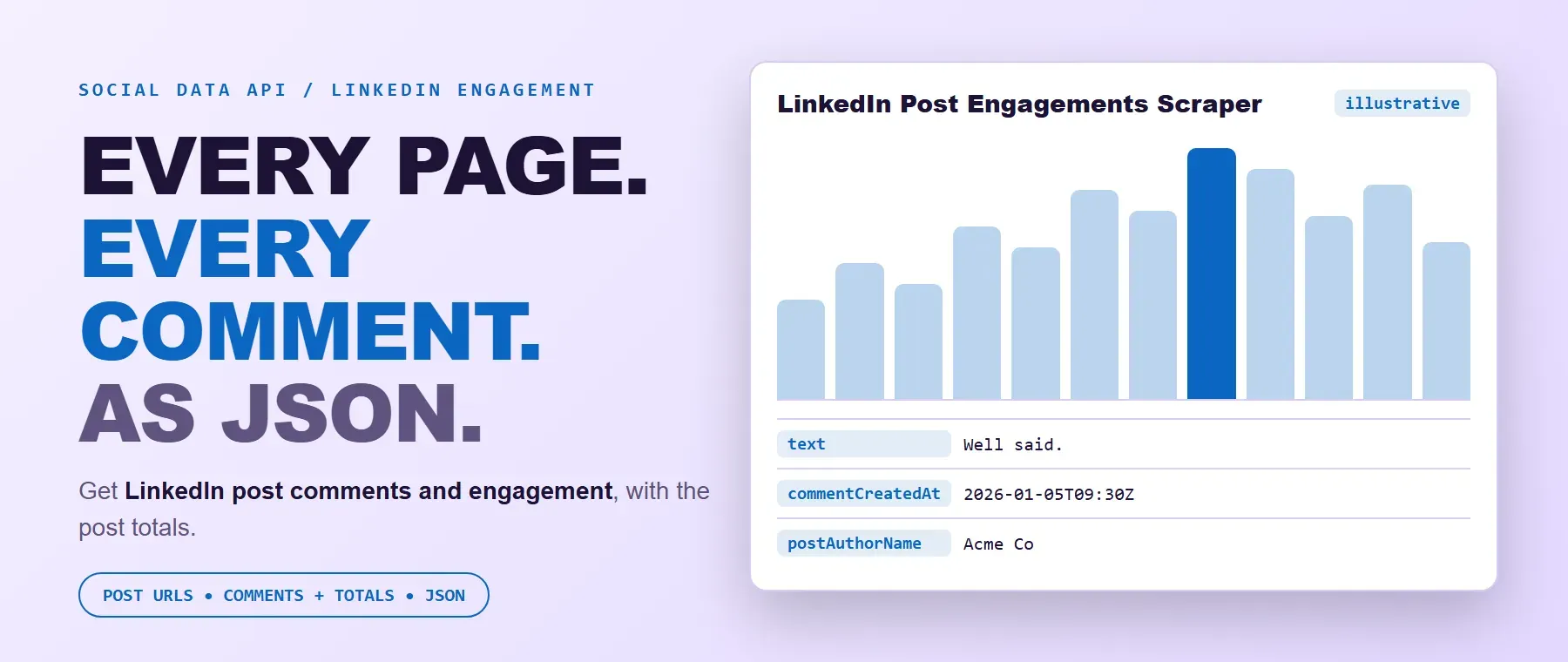
LinkedIn Post Comments & Engagements Scraper pulls the comments on LinkedIn posts with the engagement around them: comment text, exact comment time, commenter name, profile link and photo, the reaction count on each comment, and the post's own author, text, reaction and comment totals. Every response is structured JSON — ready to pass directly to an LLM, index into a vector store, or feed an engagement analysis pipeline. No LinkedIn account or cookies needed for the default run. Start with one post, then track every post you publish.
What data can I extract with LinkedIn Post Comments & Engagements Scraper?
Using this LinkedIn Post Engagement API, you will be able to extract the following LinkedIn comment data:
| 💬 Comment text | 🕐 Exact comment time (UTC) and relative age | 👤 Commenter name | 🔗 Commenter profile link |
|---|---|---|---|
| 🖼️ Commenter photo | 👍 Reaction count on the comment | 🔗 Direct comment link | 📊 Comments returned vs comments on the post |
| 📝 Post text and headline | ✍️ Post author, profile link, photo and followers | ❤️ Post reaction count | 🗨️ Post comment count |
| 📅 Post publish date | 🎞️ Post format and image or video cover | ↩️ Nested replies (with cookie) | 💼 Commenter headline, edited and pinned markers (with cookie) |
How to use LinkedIn Post Comments & Engagements Scraper
Social media managers and growth teams use it to see who engaged with a post and how much, with the post's own numbers next to every comment.
Copy to your AI assistant:
LinkedIn Post Comments & Engagements Scraper MCP Server: use these Actors from ChatGPT, Claude or Cursor
Point your AI assistant at this Actor and it can read LinkedIn post engagement on its own: comments, commenters, reaction counts and post totals. No glue code, no scraping logic in your prompts.
Step by step
- Create a free Apify account.
- Open LinkedIn Post Comments & Engagements Scraper in the Apify Store.
- Paste the LinkedIn post URL, URN or activity ID.
- Click Start (or send your API request).
- Download or stream your results in JSON, CSV or Excel.
How to get your LinkedIn li_at cookie
- Log in to linkedin.com in Chrome, Edge or Firefox.
- Open DevTools (F12) > Application (Storage in Firefox) > Cookies > https://www.linkedin.com.
- Copy the value of the cookie named li_at.
- Paste it into the LinkedIn li_at cookie field; it is stored as a secret input.
- If a run says LinkedIn rejected the cookie, log in again and copy a fresh value.
How to scale LinkedIn Post Comments & Engagements Scraper to bulk
To run this LinkedIn post engagement scraper on many posts, put every post into the post list, one per line; the Actor reads them one after another with a short pause between posts and saves each post's comments as soon as that post is read, so the table fills during the run. Comments per post applies to each post separately. To export LinkedIn post engagement for every new post, save the input as a task and schedule it, or call the API from your own code after you publish.
✨ Features
LinkedIn Post Comments & Engagements Scraper fetches clean, structured comments from LinkedIn ⚡. It works as a LinkedIn engagement scraper, a LinkedIn comment engagement scraper and a LinkedIn post stats scraper in one: ideal for engagement reports, lead lists from commenters, sentiment analysis and competitor post tracking.
It extracts, per comment:
- Comment text – the full comment, whitespace cleaned
- Comment time – the exact UTC time plus the relative age LinkedIn shows
- Commenter – name, profile link and photo (headline with the cookie)
- Reaction count – how many reactions the comment received
- Comment link – a direct link to the comment
- Coverage – comments returned next to the total comments on the post
- Post context – post author with follower count, post text, publish date, format, cover image, reaction and comment totals
⚡ Failed and empty results are saved as free accounting rows, so you only pay for real comments.
Use cases 💡
- Social media manager — scrape LinkedIn post engagement weekly and compare reaction counts per post.
- Sales rep — list LinkedIn commenters and reactions per comment on a competitor post.
- Agency analyst — use it as a LinkedIn post analytics scraper for client reports.
- Community manager — track LinkedIn comment engagement to find the most-liked replies.
- AI agent builder — send comment text to an LLM for sentiment and topic summaries.
Building an AI agent? Connect LinkedIn Post Comments & Engagements Scraper over MCP and let it call the actor on its own.
Why choose this actor?
- Comments in seconds, no login. A recorded run read 3 public posts without a cookie and saved 28 comment rows in 6.8 seconds; the first row was in the dataset after 1.6 seconds.
- The numbers behind each comment. A recorded comment on a Microsoft post came back with 20 reactions, an exact time of 2026-07-14 07:55 UTC, and the post's 629 reactions, 45 comments and 29,476,604 author followers on the same row.
- 32 fields, 6 inputs, 2 depths. Comment, commenter, coverage and post context on every row; add your own cookie for more comments, nested replies, headlines and edited or pinned markers.
⬇️ Input
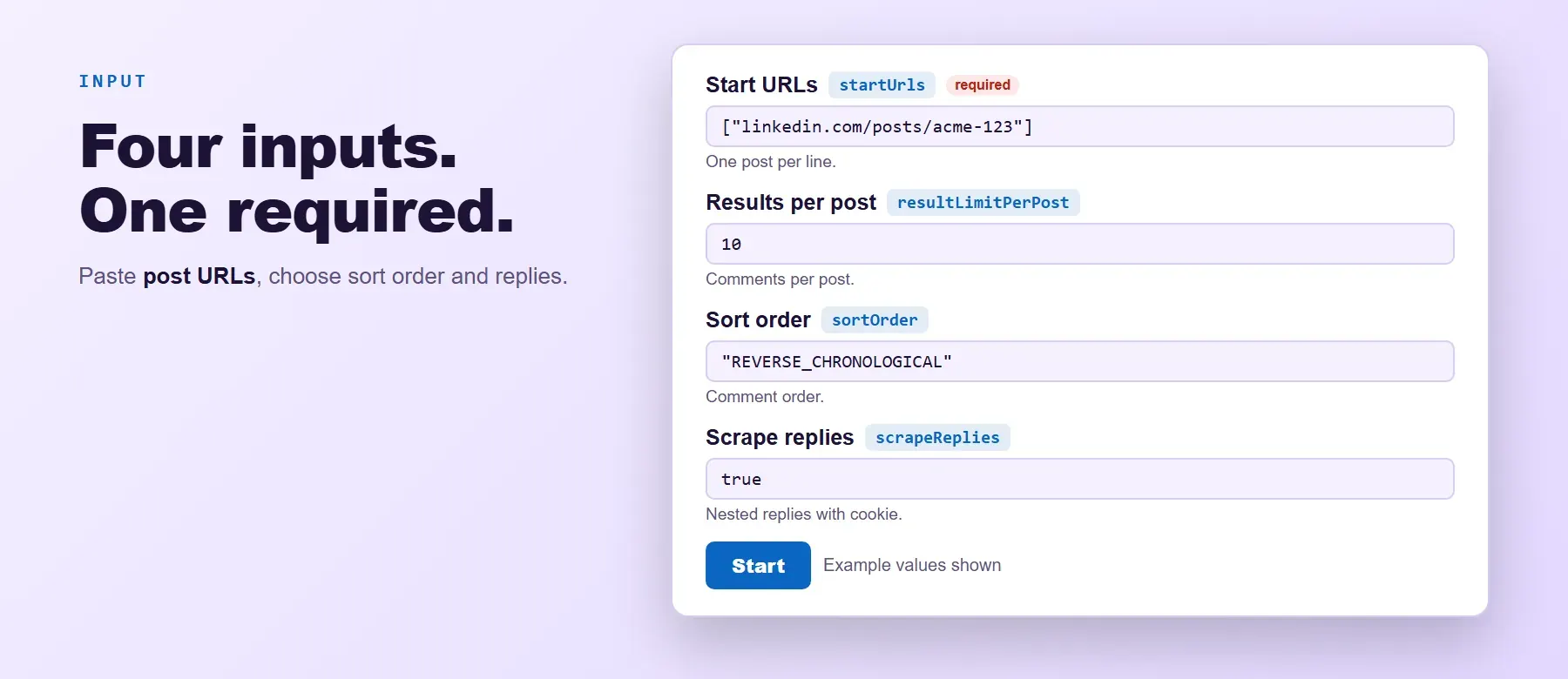
The Actor takes a list of LinkedIn posts (required): post URLs, URNs or numeric activity IDs. Everything else is optional.
| Parameter | Required | Type | Description | Example value |
|---|---|---|---|---|
startUrls | Yes | array of strings | One post per line: post URL, urn:li:activity or urn:li:ugcPost URN, or numeric activity ID. Anything else gives a free invalid_input row. | ["https://www.linkedin.com/feed/update/urn:li:activity:7483582759836336130/"] |
resultLimitPerPost | No | integer | Comments per post, 1-500. Default 100. Logged out, LinkedIn shows about the first 9-10. | 100 |
sortOrder | No | string | "REVERSE_CHRONOLOGICAL" (most recent, default) or "RELEVANCE" (most relevant). Used with the cookie. | "REVERSE_CHRONOLOGICAL" |
scrapeReplies | No | boolean | Nest replies inside each comment row. Default true. Needs the cookie. | true |
liAt | No | string (secret) | Your own LinkedIn li_at cookie. Adds more comments, replies, commenter headline and edited/pinned markers. | AQEDAR... |
proxyConfiguration | No | object | Optional proxy. Default off; the Actor switches to a proxy on its own when LinkedIn blocks a request. | {"useApifyProxy": false} |
Accepted post formats:
https://www.linkedin.com/feed/update/urn:li:activity:7483582759836336130/https://www.linkedin.com/posts/name_topic-activity-7320867199693246465-AbCd/urn:li:activity:7483582759836336130orurn:li:ugcPost:74824884324060651527483582759836336130(numeric activity ID)
Free plan limits
Users on the Apify free plan can fetch up to 20 comments per run (all posts together) and 200 comments per month. When the limit is reached, the run finishes successfully with a status message explaining the limit. Upgrade to any paid Apify plan to remove these limits.
Example input
⬆️ Output
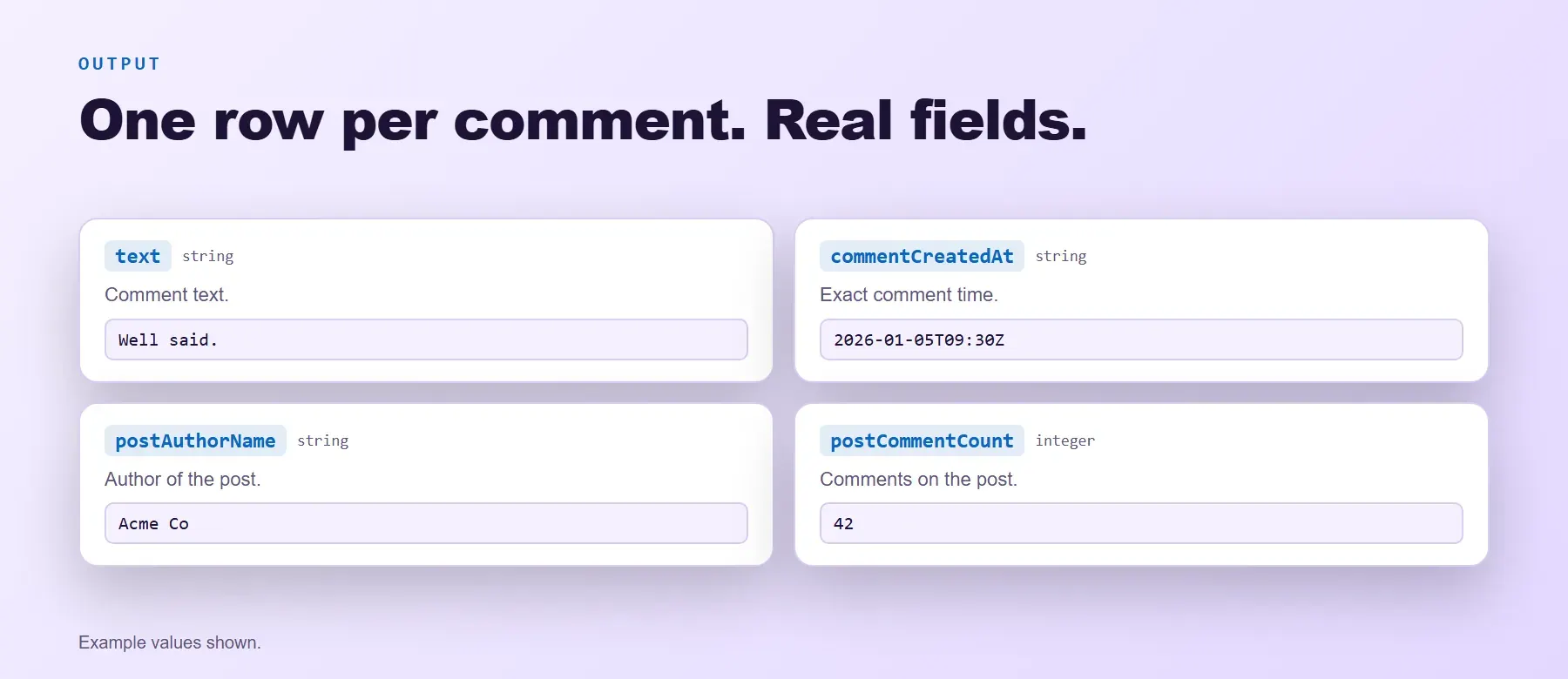
Every comment is one typed, normalized JSON item with the same schema on every run; export it as JSON (default), CSV or Excel. Rows with isError true are free accounting rows: they keep the same fields, explain the problem in errorReason and errorMessage, and are never charged. LinkedIn post comments and reactions come as counts: the reaction total on each comment and on the post, because LinkedIn does not show a per-type breakdown (the per-type reactions object stays empty).
Example output
The accounting row also carries the post-context fields, all empty; they are cut here for length.
How does it work?
By default the Actor reads each public LinkedIn post page the way a logged-out visitor sees it, with plain web requests and no browser. From that one page it takes the comments LinkedIn shows (about the first 9-10), each commenter's public details and reaction count, and the post's own author, text and totals. It returns only publicly visible data.
Requests start without a proxy; when LinkedIn rate-limits or blocks a request, the Actor retries with growing pauses and moves to a proxy with a fresh IP on its own. Posts are read one after another with a short pause between them. If you add your own li_at cookie, the Actor opens each post in a browser with your session to load more comments, nested replies, headlines and edited or pinned markers. The team that maintains this Actor keeps the output schema stable when LinkedIn changes its pages.
How do you integrate LinkedIn Post Comments & Engagements Scraper into your stack?
It works with what you already use: the REST API from any language, MCP for AI agents, and no-code tools.
Using LinkedIn Post Comments & Engagements Scraper with the Apify API
Works in Go, Ruby, Node.js, cURL — any language that can make an HTTP request.
MCP integration for AI agents
Add the Actor to your agent with one command:
This registers LinkedIn Post Comments & Engagements Scraper as a tool your agent can call directly. It works in Claude Code, Cursor and Windsurf; the agent passes post links and gets back every comment with its commenter, reaction count and post totals as JSON.
No-code tools (n8n, Make, LangChain)
- n8n — use the Apify node with "Run an Actor" and pick
socialdataapi/post-comments-engagements-scraper-linkedin, or point the HTTP Request node at the run-sync endpoint above with your token. - Make — add the Apify app's "Run an Actor" module, then "Get Dataset Items" to send each comment to a sheet or CRM.
- LangChain — install
langchain-apifyand useApifyActorsTool("socialdataapi/post-comments-engagements-scraper-linkedin")as a tool in your agent.
Is it legal to scrape LinkedIn data?
Collecting comments that LinkedIn shows publicly is generally lawful, but how you store and use them is regulated. By default LinkedIn Post Comments & Engagements Scraper returns only publicly available data — what any visitor sees on a post without logging in. With your own cookie it reads the same post as your account sees it; keep volumes reasonable and respect LinkedIn's terms. Under GDPR, scraping public data is generally permissible, but storing and using it must comply with local data-protection law. Consult legal counsel if your use case involves bulk storage of personal data.
Frequently asked questions
What fields does LinkedIn Post Comments & Engagements Scraper return?
It returns the comment text, the exact comment time, the commenter's name and profile link, the reaction count on the comment and the post's reaction and comment totals, plus the post author, post text and coverage numbers. See the data fields section.
Does LinkedIn Post Comments & Engagements Scraper require a LinkedIn account or login?
Yes. Your own li_at cookie is required: it adds more comments per post, nested replies, commenter headlines and edited or pinned markers. If LinkedIn rejects it, the public comments are still saved.
How fast does LinkedIn Post Comments & Engagements Scraper run?
A recorded run without a cookie read 3 posts and saved 28 comment rows in 6.8 seconds, with the first row saved after 1.6 seconds. Every run reads live pages, nothing is cached.
What happens if a comment is private or doesn't exist?
You get a free accounting row instead of a silent gap: errorReason says invalid_input, login_required, http_999 (rate-limited), fetch_failed, no_comments or empty_comment_row, and errorMessage explains it. Filter on isError false in your code to keep only real comments.
Can I scrape multiple LinkedIn comments at once?
Yes. Put as many posts as you need into the post list and set Comments per post; the Actor reads the posts one after another and saves each post's comments as soon as it is read.
Does LinkedIn Post Comments & Engagements Scraper work with Claude, ChatGPT, and other AI agent tools?
Yes — LinkedIn Post Comments & Engagements Scraper is available as an MCP tool. Register it in Claude Code, Cursor or Windsurf with:
Any agent that can call an HTTP endpoint can use the REST API directly.
Does LinkedIn Post Comments & Engagements Scraper return data in a format LLMs can use directly?
Yes. Every row is typed, normalized JSON with the same field names on every run. No HTML parsing and no selectors: pass it straight to an LLM, index it into a vector store or hand it to an agent tool.
What happens when LinkedIn changes its layout or updates its anti-bot system?
The team that maintains this Actor updates it when LinkedIn changes. Your calls keep returning the same JSON schema with no changes on your end.
Can I use LinkedIn Post Comments & Engagements Scraper without managing proxies or browser infrastructure?
Yes. Retries and the switch to a proxy with a fresh IP run on the Actor's side, and the default run needs no browser. You send one request and get structured JSON back.
Which LinkedIn comment fields work best for AI training data and RAG indexing?
For RAG, index the comment text with the post text and headline. For training data or scoring, use the reaction count on each comment, the post's reaction and comment counts and the post author's follower count. Counts are integers and times are ISO 8601 strings, so no normalization is needed.
Related scrapers
| Scraper | What it extracts |
|---|---|
| LinkedIn Post Comments Scraper | Comments on LinkedIn posts |
| LinkedIn Post Scraper | LinkedIn post details |
| LinkedIn Profile Post Scraper | Posts from a LinkedIn profile |
| LinkedIn Profile Scraper | LinkedIn profile details |
| LinkedIn Company Scraper | LinkedIn company pages |
Your feedback
Found a bug or missing a field? Let us know in the Issues tab of this Actor's page in the Apify Store. The team that maintains this Actor reads every report and ships fixes.


