

YouTube Comments Scraper
Pricing
from $1.50 / 1,000 results
YouTube Comments Scraper
YouTube Comments Scraper — Extract YouTube comments with usernames, comment text, likes, replies, timestamps, channel details, and video URLs. Useful for audience research, sentiment analysis, content insights, competitor analysis, and social media monitoring.
Pricing
from $1.50 / 1,000 results
Rating
0.0
(0)
Developer

Social Data API
Maintained by CommunityActor stats
0
Bookmarked
2
Total users
1
Monthly active users
a day ago
Last modified
Categories
Share
YouTube Comments Scraper — Text, Likes, Replies and Creator Hearts
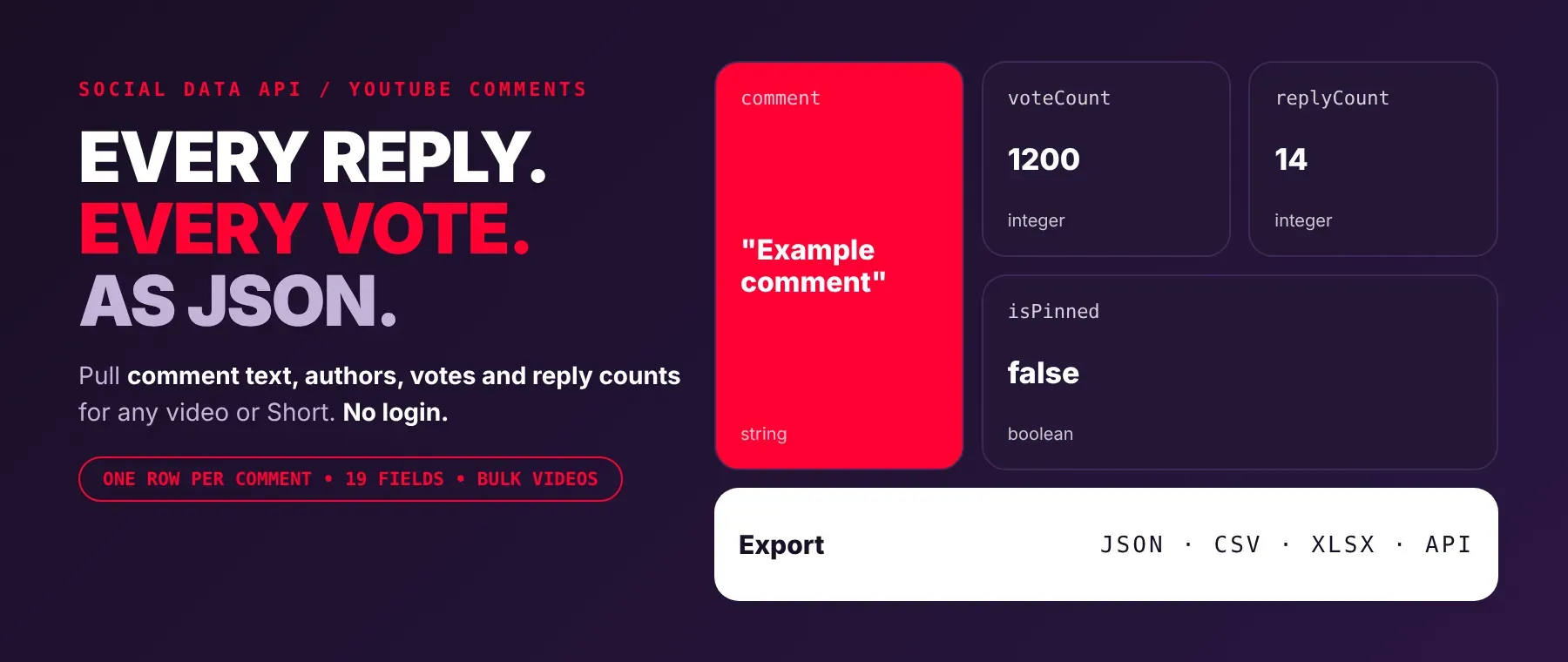
YouTube Comments Scraper collects the public comments of any YouTube video and returns the comment text, author handle and avatar, like and reply counts, posting time, pinned status, creator hearts, verified and channel-owner badges, and the video's title and comment count. Every response is structured JSON — ready to pass directly to an LLM, index into a vector store, or feed a social listening pipeline. No YouTube account or cookies needed. Start with one video, then add every upload you want to follow.
What data can I extract with YouTube Comments Scraper?
Using this YouTube Comments API, you will be able to extract the following YouTube comment data:
| 💬 Comment text | 👤 Author handle | 🖼️ Author avatar | 👍 Like count |
|---|---|---|---|
| ↩️ Reply count | 📅 Posting time (as YouTube shows it) | 📌 Pinned status | ❤️ Creator heart |
| ✅ Verified author badge | 🎙️ Channel-owner badge | 🆔 Comment ID | 🔗 Direct comment link |
| 🏷️ Comment or reply | 🧵 Parent comment ID (for replies) | 🎥 Video ID | 🌐 Video link |
| 📺 Full video title | 📊 Total comment count (as shown on the video) |
How to use YouTube Comments Scraper
Marketers, creators and researchers who need to scrape YouTube comments get one clean row per comment from a single run.
Copy to your AI assistant:
YouTube Comments Scraper MCP Server: use these Actors from ChatGPT, Claude or Cursor
Point your AI assistant at Apify's MCP server with this Actor as a tool, and it can run YouTube Comments Scraper on its own through the server's call-actor tool. No glue code, no scraping logic in your prompts.
Step by step
- Create a free Apify account.
- Open YouTube Comments Scraper in the Apify Store.
- Paste the YouTube video URL or video ID (one per line for several videos).
- Click Start (or send your API request).
- Download or stream your results in JSON, CSV or Excel to export YouTube comments wherever you need them.
How to scale YouTube Comments Scraper to bulk
Put every video you need into the video list: the actor reads them one after another in the same run and saves each comment as soon as it is read. Set the maximum comments per video to cap each video, or to 0 to take all top-level comments. For a bulk YouTube comments scraper workflow, schedule the run in Apify to repeat on your video list, or start it from your own code through the Apify API and loop over batches of videos. Only saved comment rows are billed, so a video with comments turned off adds no billed rows.
✨ Features
YouTube Comments Scraper fetches clean, structured comments from YouTube ⚡. It's ideal for audience research, brand monitoring, community management and feeding AI agents with real viewer opinions. As a YouTube comment extractor, it returns per comment:
- Comment text – the full text the viewer wrote
- Like count – likes as a plain number
- Reply count – how many replies the comment has
- Creator heart – whether the video's creator hearted it
- Pinned status – whether the channel pinned it
- Author handle and badges – the @handle, avatar, verified badge and channel-owner flag
- Posting time – as YouTube shows it, in the language you choose
- Video context – video ID, link, full title and total comment count
⚡ A recorded run returned 205 comments from 3 videos in 11.3 seconds, with no account, cookies or browser.
Use cases 💡
- Brand manager — track like counts on comments under product review videos.
- Creator — find hearted and pinned comments to see what the community rewards.
- Market researcher — run YouTube comment sentiment analysis on newest comments after a launch.
- Community manager — use it as a YouTube comment downloader for weekly moderation reviews.
- AI engineer — feed comment text into a RAG index so agents quote real viewers.
Building an AI agent? Connect YouTube Comments Scraper over MCP and let it call the actor on its own.
Why choose this actor?
- Many videos, one run. A recorded run returned 205 comments from 3 videos in 11.3 seconds, and a second run returned 40 comments from 2 videos in 2.7 seconds.
- The numbers behind each comment. A recorded pinned comment came back with 193,000 likes, 767 replies, verified and channel-owner badges, on a video showing 162,000 comments.
- 19 fields, 2 sort orders. Every row has the same 19 fields, including creator hearts and a direct comment link, and you can sort by top or newest, also when the interface language is not English.
⬇️ Input
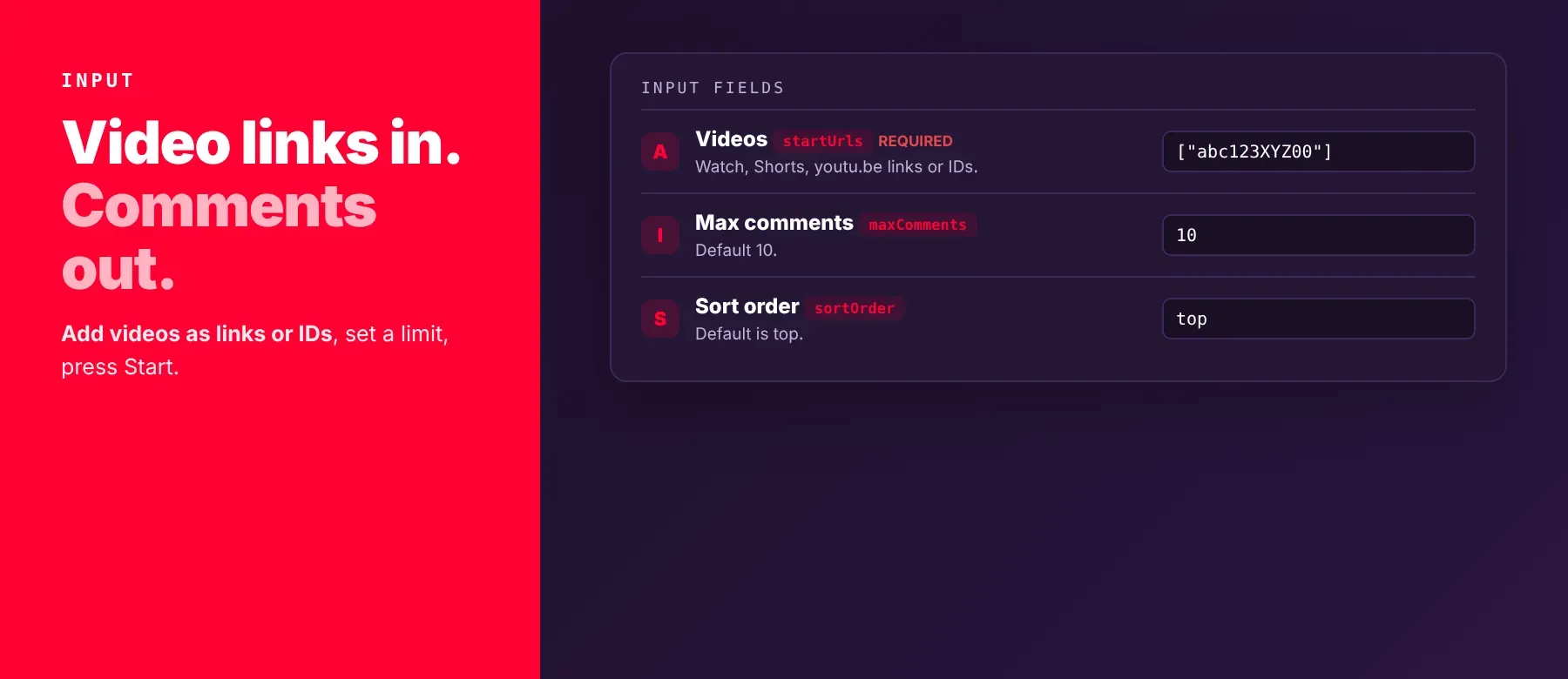
The actor accepts one YouTube video or a list of videos, as links or 11-character video IDs. The video list is the only required field.
| Parameter | Required | Type | Description | Example value |
|---|---|---|---|---|
startUrls | Yes | array | Videos to read: watch, youtu.be, embed, Shorts or live links, or bare video IDs. Processed one after another. | ["https://www.youtube.com/watch?v=KrLj6nc516A"] |
maxComments | No | integer | Comments to collect per video. 0 = all top-level comments. Default 50, minimum 0. | 20 |
sortOrder | No | string | top (most liked and relevant first) or newest (most recent first). Default top. | "newest" |
language | No | string | Interface language: pick one from the list (58 languages shown by full name) or type any language code. Sets the language of the posting time and of translated titles. Default en-GB, English (United Kingdom). | "pt-BR" |
region | No | string | Country: pick one from the list (57 countries shown by full name) or type any two-letter country code. Can change which comments YouTube shows first. Default US, United States. | "GB" |
proxyConfiguration | No | object | Apify Proxy settings. Default: no proxy; the actor switches to a proxy by itself when blocked. | {"useApifyProxy": false} |
Free plan limits
Users on the Apify free plan can fetch up to 20 comments per run (all videos together) and 200 comments per month. When the limit is reached, the run finishes successfully with a status message explaining the limit. Upgrade to any paid Apify plan to remove these limits.
Accepted video formats:
https://www.youtube.com/watch?v=VIDEO_IDhttps://youtu.be/VIDEO_IDhttps://www.youtube.com/shorts/VIDEO_IDandhttps://www.youtube.com/live/VIDEO_IDhttps://www.youtube.com/embed/VIDEO_IDVIDEO_ID(11 characters)
Example input
⬆️ Output
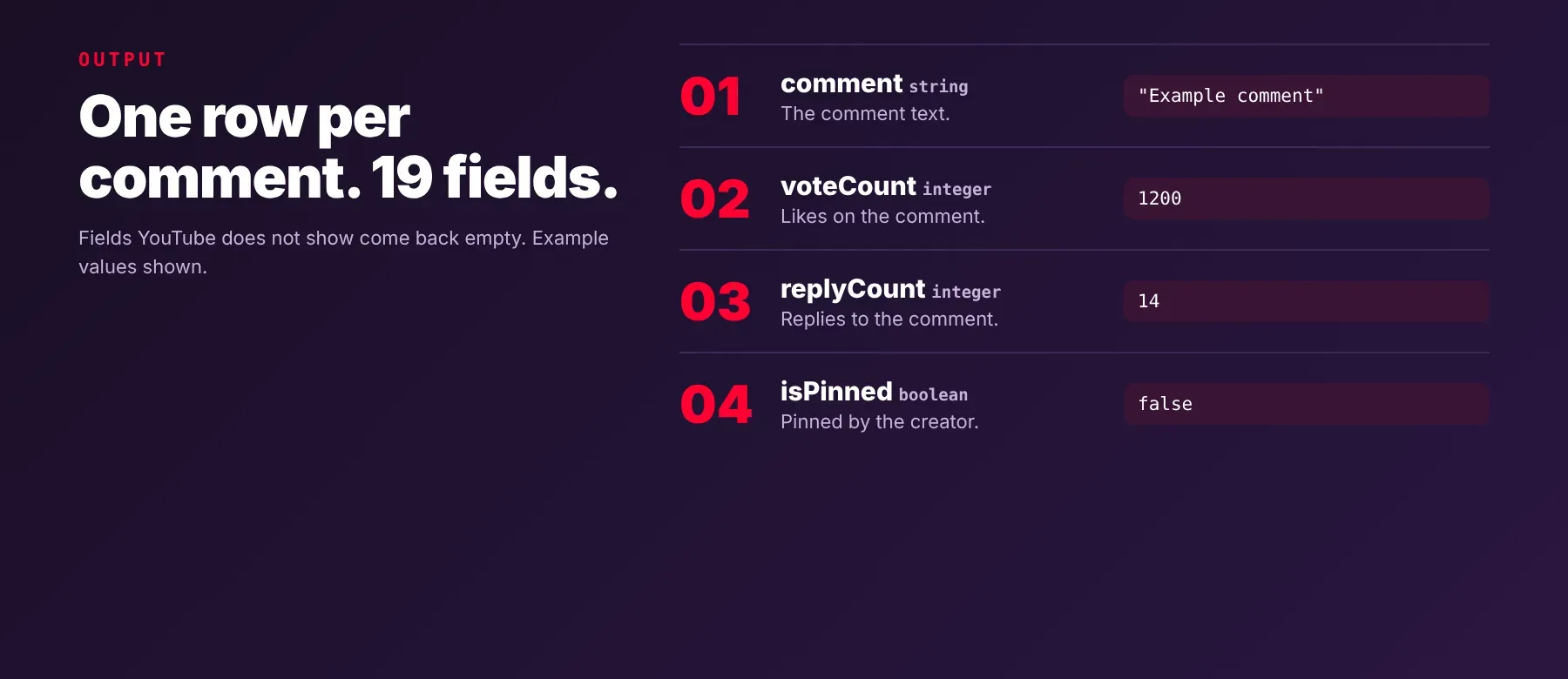
Every comment is one typed, normalized JSON item with the same 19 fields on every run; there are no summary or error rows. Export the dataset as JSON (default), CSV or Excel, so YouTube comments to CSV takes one click.
Example output
How does it work?
The actor reads the same public comment data the YouTube website shows to any visitor who is not logged in. It uses plain HTTP requests, with no browser and no YouTube account, so there is nothing to log in to and no cookies to manage. Videos are read one after another, page by page, until your comment limit is reached or the video has no more comments. By default it connects directly; if YouTube blocks a request, it retries and switches to a datacenter proxy and then a residential proxy on its own, and you can also turn on Apify Proxy yourself. Only publicly visible comments are returned. The output schema stays the same: every row has the same 19 fields, and a value YouTube does not show (for example a title that could not be read) comes back empty or null instead of a made-up value.
How do you integrate YouTube Comments Scraper into your stack?
It works with what you already use: the REST API from any language, MCP for AI agents, and no-code tools.
MCP integration for AI agents
Register Apify's MCP server once with this Actor already added as a tool, and your agent can call it with a list of videos, then read the comment rows it returns.
This registers Apify's MCP server with YouTube Comments Scraper (socialdataapi/youtube-comments-scraper) already available as a tool. Compatible clients include Claude Code, Cursor and Windsurf.
No-code tools (n8n, Make, LangChain)
- n8n — add the Apify node, choose "Run an Actor", pick this Actor and pass the video list as input. The next node receives the comment rows from the run's dataset.
- Make — use the Apify app's "Run an Actor" module with your video list, then the "Get Dataset Items" module to load the comments into the rest of your scenario.
- LangChain — install
langchain-apifyand wrap the Actor withApifyActorsTool, passing this Actor's ID (socialdataapi/youtube-comments-scraper). Your agent can then request comments for any video it is working on.
Is it legal to scrape YouTube data?
Scraping publicly visible YouTube data is generally lawful in many jurisdictions, as long as you collect only what any visitor can see. This Actor returns only publicly available data — what any user sees without logging in — and it cannot read private videos or anything behind a login. Comments include personal data such as handles, avatars and the text people wrote, so storing and using them must comply with data-protection laws such as the GDPR and CCPA. Consult legal counsel if your use case involves bulk storage of personal data.
Frequently asked questions
What fields does YouTube Comments Scraper return?
It returns the comment text, author handle, like count, reply count and posting time, plus pinned status, creator heart, author badges and video details. See the data fields section for all 19. It works as a YouTube replies scraper only for replies YouTube shows inline, so most rows are top-level comments with their reply count.
Does YouTube Comments Scraper require a YouTube account or login?
No. Only public comment data is extracted, and no credentials or cookies are needed, so there is no account to ban.
How fast does YouTube Comments Scraper run?
A recorded run returned 205 comments from 3 videos in 11.3 seconds; another returned 40 comments from 2 videos in 2.7 seconds. Every run reads live data from YouTube, nothing is cached.
What happens if a video is private or doesn't exist?
A video that is private, deleted, has comments turned off or cannot be read adds no rows; the log shows a warning for it and the run continues with the next video. Because no row is saved, such a video adds no billed rows. In code, check which video IDs from your list are missing in the results.
Can I scrape multiple YouTube comments at once?
Yes. Put as many videos as you like in the video list; the actor reads them one after another in the same run, with the comment limit applied to each video.
Does YouTube Comments Scraper work with Claude, ChatGPT, and other AI agent tools?
Yes — YouTube Comments Scraper can be used as an MCP tool through Apify's MCP server. Register it in Claude Code, Cursor or Windsurf with claude mcp add --transport http apify "https://mcp.apify.com?tools=socialdataapi/youtube-comments-scraper"; the server starts with this Actor already available as a tool, so the agent can call it right away. Any agent that can call an HTTP endpoint can also use the Apify REST API directly.
Does YouTube Comments Scraper return data in a format LLMs can use directly?
Yes. Every row is typed, normalized JSON with the same field names on every run. There is no HTML to parse and no selectors to maintain, so you can pass it straight to an LLM, index it into a vector store or hand it to an agent tool.
What happens when YouTube changes its layout or updates its anti-bot system?
The row format does not change: you keep getting the same 19 fields. If YouTube changes how a value is shown, that field can come back empty or null until the actor is updated; the actor was last checked against YouTube on 2026-10-03, and you can report breakage in the Issues tab.
Can I use YouTube Comments Scraper without managing proxies or browser infrastructure?
Yes. No browser is involved, and the actor retries and switches to a proxy on its own when YouTube blocks a request. You send one request with your video list and get structured JSON back, with no proxy accounts or headless browser setup to maintain.
Which YouTube comment fields work best for AI training data and RAG indexing?
For RAG, use the comment text, the video title and the author handle, which carry the meaning and the context. For training data, use the like count, reply count, creator heart, pinned status and verified badge as consistent numeric and true/false signals. All fields are plain strings, integers and booleans, so no normalization is needed.
Your feedback
Found a bug or missing a field? Let us know in the Issues tab on this Actor's page in Apify Console. Reports help keep the comment fields accurate as YouTube changes.


