

SAM.gov Contract Opportunities: Federal Bids & RFPs
Pricing
Pay per event
SAM.gov Contract Opportunities: Federal Bids & RFPs
Get open federal contracts and government bids from SAM.gov: solicitations, RFPs, RFQs, sources sought and award notices with contracting officer email and phone, NAICS, PSC, set-aside, deadlines, full text and attachments. No API key needed; daily new-only monitor mode.
Pricing
Pay per event
Rating
0.0
(0)
Developer

Detroit Web Agent - Open Data
Maintained by CommunityActor stats
0
Bookmarked
2
Total users
1
Monthly active users
12 hours ago
Last modified
Categories
Share
SAM.gov Contract Opportunities: Federal Bids, RFPs and Sources Sought with Contracting Officer Contacts

| Price per 1,000 opportunitys | Free plan | Starter | Scale | Business |
|---|---|---|---|---|
| This Actor | $2.50 | $2.50 | $2.50 | $2.50 |
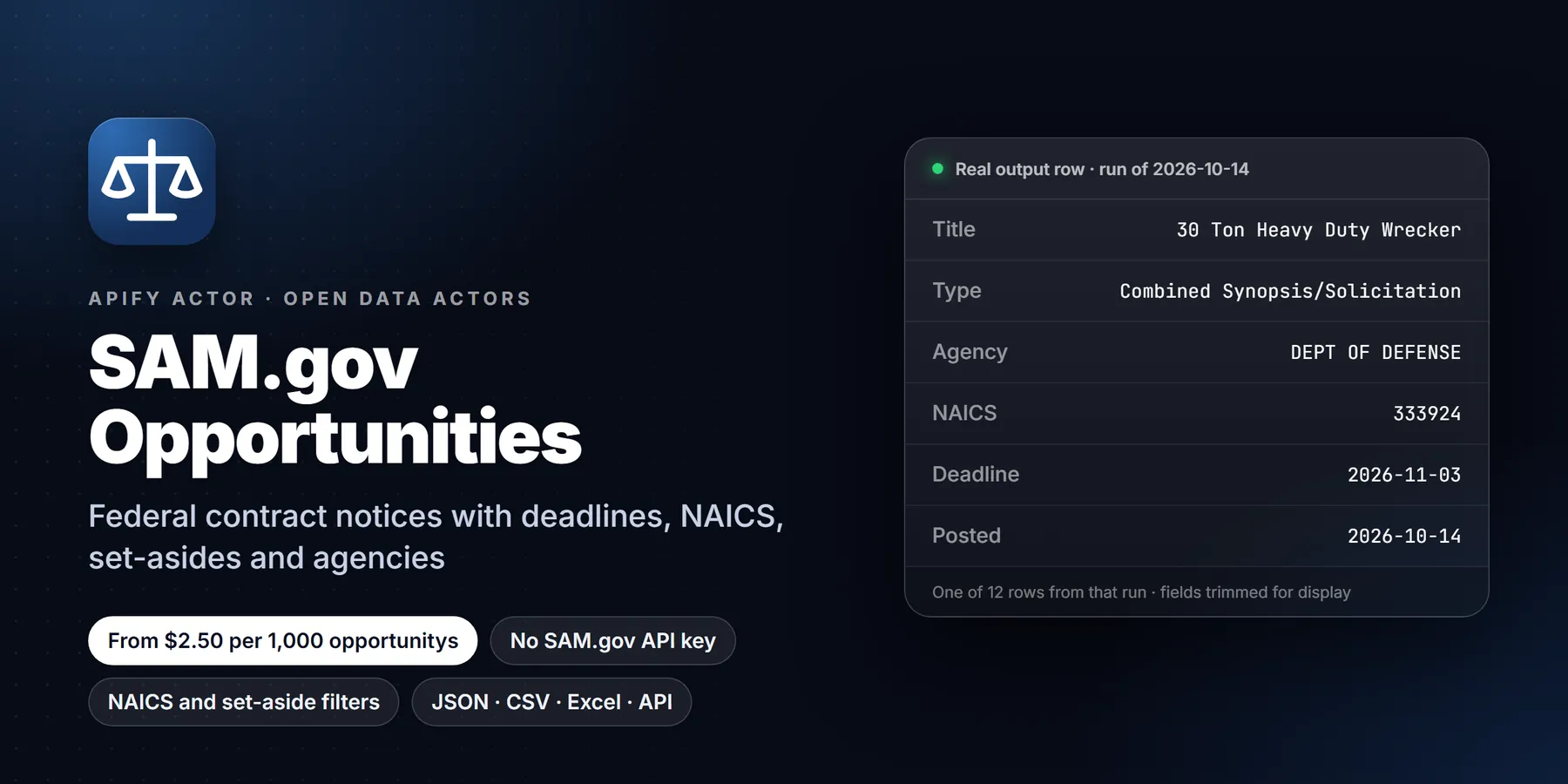
Search SAM.gov, the official US federal contract opportunities site, and get one clean row per notice: title, notice type, solicitation number, agency and office, NAICS and PSC codes, set-aside, posted date, response deadline, place of performance, the full description as plain text, the contracting officer and specialist contacts (name, email, phone), award details for award notices, and optionally every attachment with a download link. No SAM.gov account, no API key and no daily request quota are needed. If you have your own SAM.gov API key, you can switch to the official API with one field.
- In short: SAM.gov Contract Opportunities (Apify actor
transparent_meteorite/sam-gov-opportunities) returns open federal contract opportunities from SAM.gov (solicitations, RFPs, RFQs, combined synopsis/solicitations, sources sought, presolicitations, special notices, justifications and award notices) as flat, typed rows with contracting officer contacts. - Who it is for: small businesses and government contractors looking for bids, capture and business development teams, proposal writers, bid-matching and GovCon software, consultants who track federal demand in a niche.
- Input: keywords (anywhere or title only), NAICS codes, PSC codes, set-aside types, notice types, agency or office text, place of performance state, posted date range or last N days, response deadline range, active only, include description, contacts and attachments, max results (1 to 10,000), only-new monitor mode, optional SAM.gov API key.
- Output: notice id, title, solicitation number, notice type, posted, modified and response deadline dates, time zone, archive date, department, sub-tier agency, office and office code and address, NAICS and PSC, set-aside code and description, place of performance, full description, all points of contact plus flattened primary contact, award details (awardee, UEI, CAGE, amount, date, contract number), attachments, SAM.gov link.
- Price: $0.0025 per opportunity delivered plus $0.00005 per run start. Pay per result, no subscription. Notices skipped by monitor mode are never charged.
- Limits: only what SAM.gov publishes on each notice; contacts are the government points of contact listed on the notice, not company contacts. The keyless source is the JSON interface the SAM.gov website uses; it is not a documented API and may change.
Key facts
- Actor name: SAM.gov Contract Opportunities
- Actor ID:
transparent_meteorite/sam-gov-opportunities - Store page: https://apify.com/transparent_meteorite/sam-gov-opportunities
- Data source: SAM.gov Contract Opportunities (US General Services Administration), keyless website search by default, or the official Get Opportunities Public API with your own key
- Pricing model: pay per event (
apify-actor-start$0.00005,opportunity$0.0025) - Output formats: JSON, CSV, Excel, XML, HTML table, RSS (Apify dataset)
- Access: Apify Console, REST API, JavaScript/Python clients, schedules, webhooks, Apify MCP server
- Login or third-party API key needed: no, only an Apify account (a SAM.gov API key is optional)
- Also known as: SAM.gov scraper, SAM.gov API alternative, federal contract opportunities API, government bid finder, RFP finder, FedBizOpps (FBO) search, sources sought monitor
- Maintainer: transparent_meteorite (independent developer)
- Last updated: 2026-10-13
Why choose this over alternatives
- No API key, no quota. The official SAM.gov API needs a registered key, and personal keys get a small daily request allowance. This actor reads the same public JSON the SAM.gov website uses, so you can run it on a schedule without managing keys. If you prefer the official API, paste your key into
samApiKeyand the actor uses it instead. - Contacts in every row. Each opportunity carries the full list of points of contact published on the notice, plus
primaryContactName,primaryContactEmailandprimaryContactPhoneas flat columns, so a CSV export is usable straight away. Automated postings that put "Telephone: 7175551234" in the name field are cleaned up: the number moves to the phone column and the name is left empty. - Full text, not a snippet. The search results on SAM.gov show a truncated description. The actor opens each notice and returns the complete description converted to readable plain text, with lists kept as lists.
- Attachments on request. Turn on
includeAttachmentsto get each file's name, size, posting date and a direct download link for the solicitation documents, statements of work and Q&A files. - Precise keyword matching when you want it. SAM.gov's own keyword search also matches text inside attached documents, so a parts order with a standard cybersecurity clause can match "cybersecurity". Set
keywordScopetotitleto keep only notices whose title contains every word. - Monitor mode that does not charge twice. With
onlyNewSinceLastRun, notices you already received are skipped before any detail request and are never charged. A daily schedule becomes a feed of new bids only. - Clear failures. If SAM.gov changes its interface or is in maintenance, the run stops with a plain message that says what happened and what to try, instead of returning empty or malformed rows.
What it does and who it is for
The actor runs one SAM.gov search per keyword (or one search with no keyword) using your filters, reads the result pages sorted by most recently modified, opens each notice for the full record, and writes one row per opportunity to the dataset. Notices that match more than one keyword are delivered once.
Typical users:
- Small businesses and new government contractors who want a daily list of open bids in their NAICS codes and set-aside categories, without logging in to SAM.gov and saving searches by hand.
- Capture and business development teams who track sources sought and presolicitation notices, the early stage where a contracting office is still shaping a requirement and talking to industry.
- Proposal and bid consultants who watch several clients' niches at once and send each client a short list.
- GovCon software and bid-matching tools that need a steady, structured feed to load into a database or CRM.
- Market researchers who count how often agencies buy a product or service, which offices buy it and which set-asides they use.
For grants and for awards that were already made, use the sibling actor Federal Grants & Contracts Finder (Grants.gov opportunities and USAspending.gov awards). The two are complementary: this actor finds contracts that are still open for bids; that one covers grant funding and the spending history after award.
Run in 30 seconds
- Open the actor in Apify Console. The form is prefilled with the keyword
software, the last 7 days and 20 results. - Press Start. A run of 20 opportunities usually finishes in under a minute.
- Open the Output tab. The Opportunities view shows the key columns; the Contracting contacts view shows one line per notice with the primary contact. Export as CSV, Excel or JSON.
To narrow it down, add your NAICS codes, choose set-aside types such as Total Small Business or SDVOSB, pick notice types (Solicitation and Combined synopsis/solicitation for open bids, Sources sought for market research) and set responseDeadlineFrom to today so notices that already closed are left out.
What you get: output fields
| Field | Type | Meaning |
|---|---|---|
noticeId | string | SAM.gov notice id (32 characters); part of the SAM.gov link |
title | string | Notice title |
solicitationNumber | string | Solicitation or notice number set by the agency |
noticeType, noticeTypeCode | string | For example Solicitation / o, Sources Sought / r, Award Notice / a |
postedDate, modifiedDate | ISO date-time | First posted and last modified |
responseDeadline, responseTimeZone | ISO date-time, string | Offers or responses due, with the agency's time zone |
archiveDate | date | When SAM.gov plans to archive the notice |
active, cancelled | boolean | Status flags from SAM.gov |
department, subTier, office, officeCode | string | Contracting organisation, for example DEPT OF DEFENSE / DEPT OF THE NAVY / NAVSUP FLT LOG CTR NORFOLK / N00189 |
officeAddress | object | City, state, ZIP and country of the contracting office |
naicsCode, naicsCodes | string, array | Primary NAICS code and all NAICS codes on the notice |
pscCode | string | Product or service code (classification code) |
setAside, setAsideDescription | string | Set-aside code and its name, for example SBA / Total Small Business Set-Aside (FAR 19.5); empty when unrestricted |
placeOfPerformance | object | Street, city, state code and name, ZIP and country where the work is done |
description, descriptionTruncated | string, boolean | Full notice text as plain text |
contacts | array | Every point of contact: type (primary or secondary), name, title, email, phone, fax |
primaryContactName, primaryContactEmail, primaryContactPhone | string | The primary contact, flattened for CSV |
awardInfo | object | For award notices: awardee, awardee UEI and CAGE code, awardee location, amount, award date, contract number |
attachments | array or null | With includeAttachments: name, type (file or link), download URL, access, size in bytes, file type, posted date. null when not requested |
parentNoticeId | string | The earlier notice this one follows, when SAM.gov links them |
samUrl | string | Link to the notice on SAM.gov |
sourceApi | string | Which source produced the row (keyless website search or the official API with your key) |
matchedKeyword | string | The keyword search that found the notice |
retrievedAt | ISO date-time | When the row was produced |
Empty values are null, never an empty string or a made-up value.
Sample output
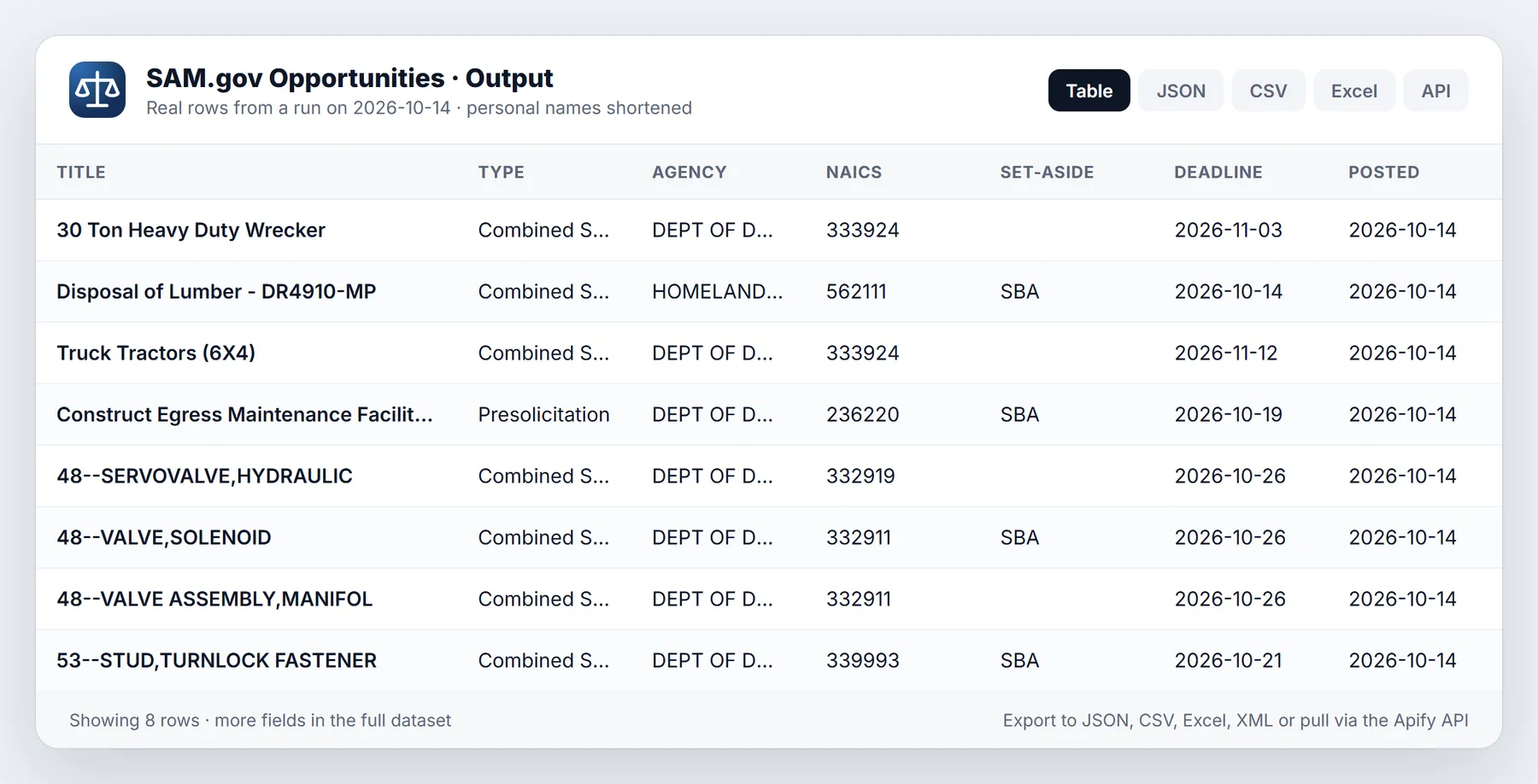
These rows come from a real local test run on 2026-10-13 with keywords cybersecurity, cloud and software, title-only matching, the last 14 days and attachments turned on. It returned 45 opportunities in 56 seconds; 44 had a contact email and 40 had attachments.
| Notice type | Title | Agency | NAICS | Set-aside | Response due | Primary contact |
|---|---|---|---|---|---|---|
| Sources Sought | TAC Federal Healthcare and Medical Device Cybersecurity Acquisition Training | VETERANS AFFAIRS, DEPARTMENT OF | 611430 | 2026-10-21 | Meryl Czaplinski | |
| Special Notice | Communications, Network, Engineering, Cybersecurity, and Information Technology Services (CNECTS) | DEPT OF THE AIR FORCE | 517810 | SBA | 2026-12-23 | Rosalind Davis |
| Solicitation | Enterprise Cloud Support Services | DEPT OF THE NAVY | 518210 | SBA | 2026-10-27 | Alexandria McCune |
| Sources Sought | Commercial Cloud-to-Ground (CG) Lightning Data Feed | NATIONAL OCEANIC AND ATMOSPHERIC ADMINISTRATION | 518210 | 2026-10-23 | Paul Thomas | |
| Award Notice | Cloud-Based GRC / Cyber Risk Compliance Automation Platform (FISMA High SaaS) | OFFICE OF THE SECRETARY (Commerce) | 513210 | Jameka Anderson |
One full row (description shortened here, one of the attachments shown):
The place of performance city "E" is exactly what the agency entered on SAM.gov; the actor does not correct agency data. An award notice from the same run carries the award block:
Input options
| Field | Default | What it does |
|---|---|---|
keywords | none | One search per keyword; results are merged and de-duplicated. Quote a phrase for an exact match |
keywordScope | anywhere | anywhere behaves like the SAM.gov search box (title, text and attachments). title keeps notices whose title contains every word |
naicsCodes | none | 2 to 6 digit NAICS codes; a shorter code matches every code under it |
pscCodes | none | Product or service codes; a prefix such as R4 matches every code under it |
setAside | none | SAM.gov set-aside codes: SBA, SBP, 8A, 8AN, HZC, HZS, SDVOSBC, SDVOSBS, WOSB, WOSBSS, EDWOSB, EDWOSBSS, LAS, IEE, ISBEE, BICiv, VSA, VSS |
noticeTypes | all | solicitation, combined_synopsis_solicitation, presolicitation, sources_sought, special_notice, award_notice, justification, intent_to_bundle, sale_of_surplus_property |
agency | none | Keep notices whose department, agency or office name or code contains this text; comma-separate several |
placeOfPerformanceState | none | Two-letter state codes |
postedWithinDays | 7 | Posted in the last N days (US Eastern dates); 0 means no limit |
postedFrom, postedTo | none | Exact posted date range, YYYY-MM-DD; overrides postedWithinDays |
responseDeadlineFrom, responseDeadlineTo | none | Response deadline range, YYYY-MM-DD |
activeOnly | true | Only notices SAM.gov lists as active |
includeDescription | true | Full notice text |
includeContacts | true | Points of contact |
includeAttachments | false | Attachment list with download links (one extra request per notice) |
maxResults | 50 | Stop after this many delivered opportunities (1 to 10,000) |
onlyNewSinceLastRun | false | Monitor mode, see below |
stateStoreName | sam-gov-opportunities-seen | Named store that remembers delivered notices |
redeliverUpdated | false | In monitor mode, deliver a notice again when it is amended |
samApiKey | none | Optional key for the official SAM.gov API (stored as a secret input) |
Input examples
Open small-business IT bids that close at least a week from now:
Sources sought for janitorial work in Texas and Oklahoma, early-stage market research:
Daily feed of new Veterans Affairs construction notices for a service-disabled veteran-owned firm:
Pricing
Pay per event. There is no subscription and no rental fee for this actor.
| Event | Price (all Apify plans) |
|---|---|
| Opportunity delivered (one per row) | $0.0025 |
| Actor start (one per GB of run memory, minimum one) | $0.00005 |
The default memory is 256 MB, so each run pays one start event of $0.00005.
| Opportunities delivered | Cost |
|---|---|
| 20 (the prefilled run) | 20 x $0.0025 + $0.00005 = $0.05005 |
| 100 | $0.25005 |
| 1,000 | $2.50005 |
| 10,000 | $25.00005 |
A daily monitor run that finds 15 new notices a day delivers 450 notices in 30 days: 450 x $0.0025 + 30 x $0.00005 = $1.1265.
What is not charged: notices skipped by monitor mode, the same notice found by a second keyword in the same run, notices removed by the agency or title filters, and notices whose detail record could not be read. To cap spend, set Maximum cost per run in the run options; the actor checks the remaining budget before each row and stops cleanly when it is reached. Apify platform usage (compute) for this actor is included in the event prices.
How to run it
In Apify Console
Fill in the form and press Start. Save the input as a task to reuse it, and add a schedule to the task for a daily feed.
From the API or a client library
Run synchronously and get the rows back in one call:
Python:
JavaScript:
On a schedule
Create a task with your filters, turn on onlyNewSinceLastRun with a store name of your own, and add a daily schedule. Each run then delivers only notices you have not received before. Add a webhook or an integration to send the new rows to email, Slack or a spreadsheet.
With n8n, Make, Zapier or AI agents
Use the Apify app in n8n, Make or Zapier: choose "Run Actor", pick transparent_meteorite/sam-gov-opportunities, pass the input JSON, then map the dataset items to your CRM, sheet or notification step. For AI assistants, add the actor to the Apify MCP server (https://mcp.apify.com?actors=transparent_meteorite/sam-gov-opportunities), and the assistant can search open bids for you with the same input fields.
Monitor mode (new notices only)
Turn on onlyNewSinceLastRun and keep the same stateStoreName between runs. The actor stores the id of every notice it delivers in that named key-value store. On later runs, notices already in the store are skipped before their detail record is fetched, and they are never charged.
- Use one store name per saved search, for example
va-it-bids. Two searches sharing a store would hide each other's overlaps. - A notice is recorded only after its row is pushed and charged. The store is saved every 25 rows, at the end of the run, and when a run is aborted.
- Agencies amend notices often (new deadline, Q&A, new attachment). By default an amended notice is not delivered again. Turn on
redeliverUpdatedto receive it again whenever SAM.gov shows a newer modified date; each re-delivery is charged as one opportunity. - Entries older than 365 days are pruned automatically.
Each run also writes a summary record named OUTPUT to its key-value store: the filters used, each keyword's total matches on SAM.gov and rows delivered, rows skipped as already seen, duplicates, rows removed by filters, detail failures, charge counts, request and retry counts, and plain-language warnings.
Limits and honest caveats
- Undocumented source. The keyless mode reads the JSON interface that the SAM.gov website itself calls. It is public and needs no login, but it is not a documented API, and GSA can change it without notice. When that happens the run stops with a message that names the problem; the official API (
samApiKey) is the fallback while the actor is updated. - 10,000 records per search. SAM.gov never pages past 10,000 results for one query. For very broad searches, split by date range, NAICS code or keyword.
- Speed. The actor is deliberately polite: requests start at least 0.6 seconds apart, at most two at a time, with backoff on rate limits and server errors. It makes one request per notice, two with attachments. The test run above delivered 45 rows with attachments in 56 seconds.
- Keyword matching. In
anywheremode SAM.gov also matches text inside attachments, which brings in notices that only mention a word in boilerplate. Intitlemode words are matched as text, socloudalso matches "St. Cloud VA Medical Center". Use quotes or more specific words when that matters. - Agency data as entered. Some fields are incomplete or inconsistent on SAM.gov (a city entered as "E", a contact name entered as "Last, First", an empty NAICS code). The actor passes them through rather than guessing. When a search result has no agency hierarchy, the actor looks up the contracting office in the public federal hierarchy so the agency columns are still filled.
- Contacts are government contacts. The contact fields are the contracting officers and specialists listed on the notice. The actor does not output the SAM.gov staff accounts that created or edited a notice.
- Official API differences. With
samApiKey, keywords match titles only, posted dates are limited to a one-year window, and some filters accept one value per request (the actor runs one request per NAICS code and filters the rest after the response). Personal API keys have small daily request limits; a 429 response stops the run with a clear message. - Attachments are links, not files. The actor lists attachments and their download links; it does not download or parse the files. Controlled (non-public) attachments are listed with their access level, and downloading them needs a SAM.gov login.
New to Apify? Create a free account and run this Actor in under a minute. Some links are affiliate links.
Related actors
More tools from the same publisher that fit this workflow:
- Federal Grants & Contracts Finder: Grants.gov and USAspending awards in one place
- OFAC Sanctions Screening: fuzzy-match names against OFAC, EU, UN and UK lists
- New Business Filings: newly registered LLCs and corporations
- SEC Form D Startup Funding Leads: recently funded startups from SEC Form D
- FMCSA New Motor Carrier Leads: new motor carriers with contact details
- Building Permits Leads: city building permits and violations as leads
Use from AI agents: every actor here is callable through the Apify MCP server (mcp.apify.com).
FAQ
Do I need a SAM.gov account or API key? No. The default mode needs only an Apify account. The API key field is optional.
Is this the same data as on SAM.gov?
Yes. Every row comes from SAM.gov at run time, and samUrl links to the notice so you can check it.
How do I get only bids I can still respond to?
Choose the notice types Solicitation and Combined synopsis/solicitation and set responseDeadlineFrom to today or later.
Can I search by set-aside, such as 8(a), HUBZone, SDVOSB or WOSB?
Yes. Use the setAside field; several codes can be combined.
Does it include FedBizOpps (FBO) notices? FedBizOpps moved into SAM.gov in 2019, so Contract Opportunities on SAM.gov is where those notices are published now.
Does it include grants? No. Grants are published on Grants.gov; use Federal Grants & Contracts Finder for grants and USAspending awards.
Why did my keyword return unrelated notices?
SAM.gov's search also reads attachments. Set keywordScope to title.
Troubleshooting
- No results. The run log explains which filters were active. Widen the posted date range, remove a filter, or check that NAICS and PSC codes are correct. Set-aside and notice type values must be from the lists above.
- "SAM.gov may be in maintenance or the endpoint changed". SAM.gov returned a web page instead of data. SAM.gov has occasional maintenance windows; try again later, or set
samApiKeyto use the official API. - "api.sam.gov rejected samApiKey". Check the key in your SAM.gov account under Account Details, or clear the field to use the keyless source.
- "daily request limit" with an API key. Your key's daily quota is used up. Clear
samApiKeyto use the keyless source, or wait until the next day. - The run stopped early. Check the
OUTPUTrecord:chargeLimitReachedmeans your maximum cost per run was reached;reachedMaxResultsmeansmaxResultswas reached. - Some rows were skipped with a warning. A notice's detail record was not available (for example it was deleted between search and fetch). Those rows are not charged.
Terms and responsible use
Contract opportunity notices on SAM.gov are public information published by the US government so that businesses can compete for federal work. Works of the US federal government are not subject to copyright in the United States. The keyless mode reads only public JSON endpoints under sam.gov/api/, which SAM.gov's robots.txt does not disallow; it never logs in, never bypasses a captcha or access control, identifies itself with an honest user agent, and spaces its requests. Controlled attachments that need a SAM.gov login are listed but not downloaded.
The contact details are published on each notice so that vendors can ask questions about and respond to that opportunity. Use them for that purpose. Do not load contracting officers into bulk marketing campaigns, and follow the CAN-SPAM Act and any other law that applies to you. You are responsible for how you use the data. This actor is not affiliated with, endorsed by or sponsored by the US General Services Administration or SAM.gov.
Changelog
- 0.1 (2026-10-13): First release. Keyless SAM.gov search with full notice detail, contacts, award details, attachments, title-only keyword matching, federal hierarchy fallback for missing agency data, monitor mode, and the optional official API with your own key.
Support
Open an issue on the actor's Issues tab with the run id and what you expected to see. Requests for new filters or fields are welcome.


