
Capterra Review Scraper - Real-Time with Star Filters (Fast)
Pricing
from $1.29 / 1,000 reviews
Capterra Review Scraper - Real-Time with Star Filters (Fast)
Scrape Capterra product reviews in real-time — 5 sub-ratings (ease of use, support, functionality, value for money), recommendation scores, pros/cons, reviewer job titles, company size, and vendor responses. Filter by stars, sort by date or helpfulness. No login needed. JSON, CSV, Excel export.
Pricing
from $1.29 / 1,000 reviews
Rating
5.0
(1)
Developer
Zen Studio
Maintained by CommunityActor stats
2
Bookmarked
612
Total users
202
Monthly active users
0.38 hours
Issues response
7 days ago
Last modified
Categories
Share
Capterra Review Scraper | Real-Time Reviews with Star Filters (2026)
New, October 2026: every review now names its product, with rating, review count and starting price, and each run saves the product's full profile: pricing plans, features, pros and cons, alternatives, integrations and FAQs. Review sources and long review texts that were sometimes missing now come through in full.
From Zen Studio, creators of the G2 Reviews Scraper, with 30,000+ lifetime runs, and our Trustpilot and TrustRadius scrapers. Established review scrapers. One experienced studio.
Why choose this actor?
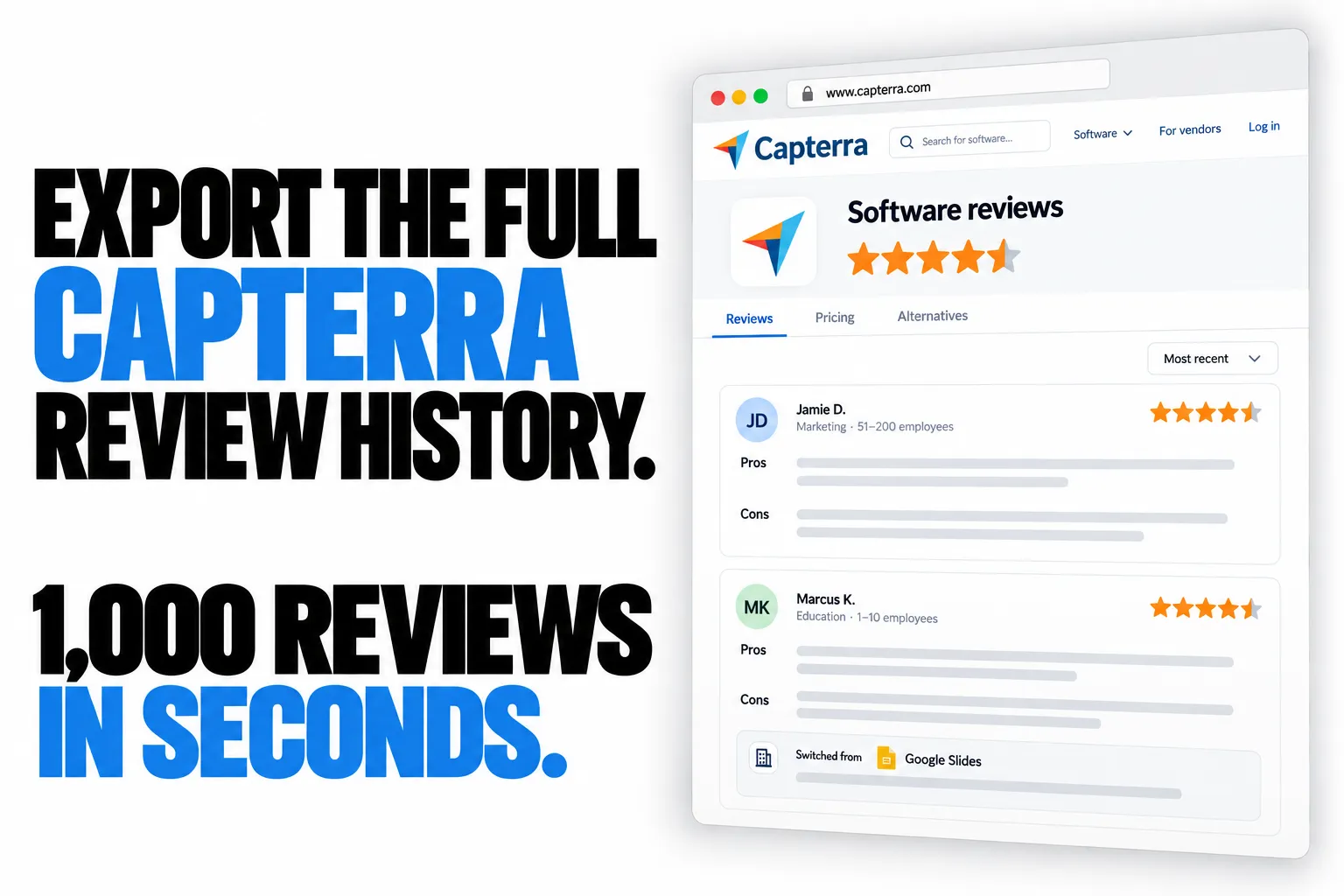
Full review history, ready to export.
Go beyond a small sample of recent feedback. Collect the full Capterra review history for a product, or focus on specific star ratings. Set maxResults to 0 to collect without a fixed result limit.
1,000 reviews in seconds.
Build substantial datasets quickly for competitor research, sentiment analysis and product decisions. Export to JSON, CSV or Excel.
More context behind every opinion.
Collect six rating dimensions, separate pros and cons, and reviewer job titles, industries and company sizes. Where supplied, include switching reasons, products customers left, alternatives considered and vendor responses.
The product behind the reviews.
Every review carries the product's rating, review count, category and starting price. Each run also saves the full product profile: pricing plans, features with their ratings, pros and cons, alternatives, integrations, FAQs and who reviews it.

Quick start
Paste a Capterra product URL. Start with 100 reviews, then set maxResults to 0 to collect the full review history.
{"productUrl": "https://www.capterra.com/p/141633/PowerPoint/reviews/","maxResults": 100}
Open actor input to choose your product and star filters.
Ratings, reviewer details and switching information depend on what each reviewer supplies.
| Zen Studio · Review Scrapers | |||||

You are here | Products by category | Reviews & ratings | Reviews & replies | Software reviews | Employer reviews |
Copy to your AI assistant
Copy this block into ChatGPT, Claude, Cursor, or any LLM to start using this actor.
zen-studio/capterra-reviews-scraper on Apify. Call: ApifyClient("TOKEN").actor("zen-studio/capterra-reviews-scraper").call(run_input={...}), then client.dataset(run["defaultDatasetId"]).list_items().items for results; each item carries a product summary, and the full product profile is the run's key-value store record PRODUCT. Key inputs: productUrl: string (required), maxResults: integer, sort: string (MOST_RECENT|HIGHEST_RATED|LOWEST_RATED). Full actor spec (input schema with all params/enums/defaults, output dataset fields, README): GET https://api.apify.com/v2/acts/zen-studio~capterra-reviews-scraper/builds/default (Bearer TOKEN) → inputSchema, actorDefinition.storages.dataset, readme. Pricing: $0.00199/review, $0.00005/actor start, $0.00001/dataset item. Get token: https://console.apify.com/account/integrations To reach the maintainers, add feedback="<what you needed and did not get>" to any run, including one that worked: a missing field or option, a wrong or empty result, or which actor you are switching to or from and why. The run returns its data exactly as it would without the note, and a human reads every note.
How to Scrape Capterra Reviews
- Paste a Capterra product URL (e.g.,
https://www.capterra.com/p/141633/PowerPoint/reviews/) - Set max reviews and optional filters
- Click Start
- Download results as JSON, CSV, or Excel
Quick Start
{"productUrl": "https://www.capterra.com/p/141633/PowerPoint/reviews/","maxResults": 100}
With Star Filters
{"productUrl": "https://www.capterra.com/p/176574/Excel/reviews/","maxResults": 500,"starRating": ["1", "2"],"sort": "MOST_RECENT"}
Highest Rated Only
{"productUrl": "https://www.capterra.com/p/141633/PowerPoint/reviews/","maxResults": 200,"starRating": ["5"],"sort": "HIGHEST_RATED"}
Star Rating Filter
Select one or more star levels to filter reviews. Leave empty to get all ratings.
| Filter | Meaning |
|---|---|
| 5 Stars | Only 5.0 overall rating |
| 4 Stars | Only 4.0 overall rating |
| 3 Stars | Only 3.0 overall rating |
| 2 Stars | Only 2.0 overall rating |
| 1 Star | Only 1.0 overall rating |
Select multiple values to combine them. For example, selecting "1 Star" and "2 Stars" returns all reviews rated 1.0 or 2.0.
Input Parameters
| Parameter | Type | Required | Default | Description |
|---|---|---|---|---|
productUrl | string | Yes | none | Capterra product URL (e.g., https://www.capterra.com/p/141633/PowerPoint/reviews/) |
maxResults | integer | No | all | Maximum reviews to return. Set to 0 or leave empty for all reviews. |
sort | string | No | MOST_RECENT | Sort order: MOST_RECENT, HIGHEST_COMPLETENESS_SCORE (most helpful), HIGHEST_RATED, LOWEST_RATED |
starRating | array | No | all | Filter by star rating: "5", "4", "3", "2", "1". Multi-select. |
Output Example
Each review includes the full rating breakdown, the reviewer profile, the vendor response when there is one, and a product summary.
{"url": "https://www.capterra.com/p/141633/PowerPoint/reviews/","reviewUrl": "https://www.capterra.com/p/141633/PowerPoint/reviews/7202723/","product": {"name": "Microsoft PowerPoint","url": "https://www.capterra.com/p/141633/PowerPoint/","category": "Presentation Software","rating": 4.68,"reviewCount": 20890,"startingPrice": 6,"currency": "USD","pricingModel": "Per User","paymentFrequency": "Per Month","freeTrial": true,"freeVersion": true},"reviewId": "Capterra___7202723","globalReviewId": "Capterra___7202723","title": "A Reliable and Easy-to-Use Tool for Creating Presentations","writtenOn": "August 20, 2026","overallRating": 4.0,"easeOfUseRating": 5.0,"customerSupportRating": 4.0,"functionalityRating": 4.0,"valueForMoneyRating": 5.0,"recommendationRating": 8.0,"prosText": "What I like most about PowerPoint is how easy and familiar it is to use. I can quickly put together presentations, organize ideas visually, and add images, videos, animations, and other elements without needing much technical knowledge. It’s also really convenient that I can use it for everything from simple presentations to more detailed training materials.","consText": "What I like least about PowerPoint is that it can take a lot of time to make a presentation look really polished. Some features also feel a bit overwhelming when you’re trying to do something more advanced. I sometimes find myself spending more time adjusting layouts, formatting, and animations than actually working on the content.","generalComments": "My overall experience with PowerPoint has been very positive. It’s easy to use, flexible, and works well for everything from simple presentations to training and social media content. I really like the range of templates and editing tools, although getting a presentation to look exactly right can sometimes take time. Overall, it’s a reliable tool that offers good value and is easy to work with.","adviceToOthers": "","incentivized": "NoIncentive","anonymityOn": false,"sourceSite": "Capterra","reviewSource": {"code": "NO", "tooltip": "No Incentive Offered: This review was submitted organically."},"chosenReasons": "I chose PowerPoint because it’s familiar, easy to use, and has everything I need for creating professional presentations. The wide range of templates, editing tools, and multimedia options gives me plenty of flexibility. It’s also widely supported, so sharing presentations and collaborating with others is simple.","switchingReasons": null,"alternativeProducts": [{"productId": "168956","productSlug": "Canva","productName": "Canva","publishedPages": ["alternatives", "pricing", "reviews"],"logoUrl": "https://gdm-catalog-fmapi-prod.imgix.net/ProductLogo/96230108-106c-4556-8210-e40426ad2c12.jpeg"},{"productId": "229092","productSlug": "Adobe-Photoshop","productName": "Adobe Photoshop","publishedPages": ["alternatives", "pricing", "reviews"],"logoUrl": "https://gdm-catalog-fmapi-prod.imgix.net/ProductLogo/91fd455c-4af1-4860-9934-99f8fc444e08.png"}],"switchedProducts": [],"vendorResponse": {},"reviewer": {"fullName": "Dixon V.","jobTitle": "E-Learning developer","companySize": "1-10 employees","industry": "E-Learning","timeUsedProduct": "2+ years","verifiedLinkedIn": true,"isValidated": true,"validationsPassed": ["LinkedIn", "ProofOfLink"],"profilePicUrl": "https://reviews.capterra.com/cdn/profile-images/linkedin/9a7dacc1d28fbc1e9b9ba63b8af510eda7d8ec55ae2643c58d6d550e5a0676bd.jpeg","anonymityOn": false},"scrapedAt": "2026-10-15T09:49:30.005080+00:00"}
Fields breakdown:
- 4 sub-ratings:
easeOfUseRating,customerSupportRating,functionalityRating,valueForMoneyRating(each 1.0 to 5.0) - Recommendation score:
recommendationRating(0 to 10 scale) - Product summary:
productholds the product's name, page, category, overall rating, review count, starting price, currency, pricing model, payment frequency, free trial and free version - Reviewer firmographics: job title, company size, industry, product usage duration
- Verification: LinkedIn verification status, validation methods
- Vendor response: included when the vendor has replied to the review
Product details
Each run also saves the product's full profile once, under Product details in the run's Output tab (key-value store record PRODUCT). Long texts and lists are shortened here; the record holds every entry.
{"url": "https://www.capterra.com/p/141633/PowerPoint/","seoId": "141633","productId": "2e5b82bc-9cbf-464c-bb55-a6d200b52931","name": "Microsoft PowerPoint","logoUrl": "https://gdm-catalog-fmapi-prod.imgix.net/ProductLogo/7cb6bc35-e4e7-42c4-9ef3-00c770d32ddf.png","description": "PowerPoint is a Microsoft on-premise presentation solution that lets professionals create, edit and share slides with team members, external clients and other stakeholders…","primaryCategory": {"name": "Presentation Software", "url": "https://www.capterra.com/presentation-software/"},"categories": [{"name": "Presentation", "url": "https://www.capterra.com/presentation-software/"},{"name": "Productivity", "url": "https://www.capterra.com/productivity-software/"}],"rating": 4.68,"reviewCount": 20890,"ratingDistribution": {"1": 7, "2": 51, "3": 665, "4": 5130, "5": 15037},"ratings": {"easeOfUse": {"rating": 4.6, "reviewCount": 20799},"customerSupport": {"rating": 4.3, "reviewCount": 13217},"functionality": {"rating": 4.6, "reviewCount": 20797},"valueForMoney": {"rating": 4.5, "reviewCount": 14686}},"likelihoodToRecommend": 0.88,"reviewSentiment": {"positivePercent": 97, "neutralPercent": 3, "negativePercent": 0},"reviewTopics": [{"topic": "Ease of Use", "reviewCount": 941}, {"topic": "Pricing", "reviewCount": 357}],"pricing": {"startingPrice": 6,"currency": "USD","currencySymbol": "$","priceUnit": "Per User, Per Month","pricingModel": "Per User","paymentFrequency": "Per Month","freeTrial": true,"freeVersion": true,"creditCardRequired": "Not provided by vendor","plans": [{"name": "Microsoft 365 Business Basic","description": "PowerPoint is included in the 365 bundle. The subscription auto renews and you recieve web and mobile version of Office apps","startingPrice": 6,"customPrice": null,"pricingModel": "Per User","paymentFrequency": "Per Month","priceType": 1,"isDefault": true,"attributes": []},{"name": "Microsoft 365 Apps for business","description": "PowerPoint is included in the 365 bundle. The subscription auto renews and you recieve a Desktop version of Office apps with premium features","startingPrice": 8.25,"customPrice": null,"pricingModel": "Per User","paymentFrequency": "Per Month","priceType": 1,"isDefault": false,"attributes": []}]},"awards": [{"title": "2025 Capterra Top Rated","badgeUrl": "https://www.capterra.com/public-bx-capterra-v0/badge-shortlist.png"}],"shortlists": [{"name": "Presentation","year": "2025","kind": "shortlist","url": "https://www.capterra.com/presentation-software/shortlist/"}],"features": [{"name": "Customizable Templates","description": "PowerPoint provides a wide range of customizable templates, helping you quickly create professional presentations. Users say templates save time, ensure consistency, and allow…","rating": 4.51,"reviewCount": 1662,"importance": "60.83% of 1662 reviewers that rated this feature as important or highly important"},{"name": "Offline Presenting","description": "With this capability, you can present slides anywhere without internet. Reviewers appreciate the reliability, flexibility, and seamless experience, especially in areas with poor…","rating": 4.69,"reviewCount": 1518,"importance": "61.46% of 1518 reviewers that rated this feature as important or highly important"}],"topFeatures": ["Content Import/Export", "Text Editing"],"pros": [{"title": "Versatile slide creation features","description": "Most reviewers find presentation slides easy to customize with multimedia, templates, and interactive elements for engaging presentations.","sentimentPercent": 95,"reviewCount": 13666,"quote": {"text": "A very useful tool to make presentations, just add your content and you can easily create eye-catching presentations, you can add all kinds of content, either text, video or sound…","reviewerName": "Sara Ruth F.","reviewerTitle": "Manager","companySize": "2 - 10 employees."}},{"title": "Essential tool for education","description": "Most reviewers describe school and students as benefiting from PowerPoint’s accessibility, reliability, and broad acceptance across educational levels.","sentimentPercent": 96,"reviewCount": 747,"quote": {"text": "It's intuitive and works best with university and workplace requirements.","reviewerName": "Aaron C. B.","reviewerTitle": "Senior Pastor","companySize": "2 - 10 employees."}}],"cons": [{"title": "High cost and limited purchase options","description": "Most users comment pricing is a drawback, citing expensive subscriptions, bundled purchases, and lack of affordable standalone options.","sentimentPercent": 54,"reviewCount": 1190,"quote": {"text": "Also, getting full access requires a subscription, which might not be ideal for occasional or personal use.","reviewerName": "Salimata Y.","reviewerTitle": "Officer,Financial Center Assistant Manager","companySize": "10,001+ employees."}},{"title": "Challenging file management issues","description": "Some reviewers find file management difficult due to large file sizes, sharing limitations, and occasional formatting or compatibility problems.","sentimentPercent": 51,"reviewCount": 1161,"quote": {"text": "Some times large files can take a long time to load, or can be hard to send via email, which can be tricky as we work interstate to the main offices.","reviewerName": "Chelsea G.","reviewerTitle": "Engagement Officer","companySize": "2 - 10 employees."}}],"alternatives": [{"name": "Google Slides","seoId": "178686","url": "https://www.capterra.com/p/178686/Google-Slides/","logoUrl": "https://gdm-catalog-fmapi-prod.imgix.net/ProductLogo/dd5e273d-3dbc-465d-9990-db574f0af356.png","sponsored": false,"rating": 4.6,"reviewCount": 6505,"ratings": {"easeOfUse": {"rating": 4.64, "reviewCount": null},"customerSupport": {"rating": 4.41, "reviewCount": null},"functionality": {"rating": 4.4, "reviewCount": null},"valueForMoney": {"rating": 4.76, "reviewCount": null}},"recommendPercent": 95,"startingPrice": 6,"pricingModel": "Per User","paymentFrequency": "Per Month","freeTrial": true,"freeVersion": true},{"name": "Prezi","seoId": "140325","url": "https://www.capterra.com/p/140325/Prezi-Business/","logoUrl": "https://images.g2crowd.com/uploads/product/image/c8c621f76c13bd5e4e22f314ebbcc065/prezi.jpg","sponsored": false,"rating": 4.6,"reviewCount": 2219,"ratings": {"easeOfUse": {"rating": 4.23, "reviewCount": null},"customerSupport": {"rating": 4.32, "reviewCount": null},"functionality": {"rating": 4.48, "reviewCount": null},"valueForMoney": {"rating": 4.36, "reviewCount": null}},"recommendPercent": 94,"startingPrice": 3,"pricingModel": "","paymentFrequency": "Per Month","freeTrial": true,"freeVersion": false}],"integrations": [{"name": "Microsoft 365","url": "https://www.capterra.com/p/227157/Microsoft-365/","logoUrl": "https://gdm-catalog-fmapi-prod.imgix.net/ProductLogo/447958ea-0a1c-4045-b780-d30f57db6b43.jpeg","reviewCount": 14174},{"name": "Twitter/X","url": "https://www.capterra.com/p/214056/Twitter/","logoUrl": "https://gdm-catalog-fmapi-prod.imgix.net/ProductLogo/a9d82216-fe51-49ba-ab6f-b11671b78437.webp","reviewCount": 1812}],"faqs": [{"question": "What problems does Microsoft PowerPoint solve?","answer": "Microsoft PowerPoint solves the problem of turning dense ideas, training material, research, and business updates into clear, audience-ready visuals quickly. It reduces time spent…","topic": "Overview","reviewCount": 18455},{"question": "Which roles and teams benefit most from Microsoft PowerPoint?","answer": "Microsoft PowerPoint is most used by students, teachers, and training teams creating lessons, class presentations, and visual learning materials. Business owners, executives…","topic": "Overview","reviewCount": 20495}],"reviewerCompanySizes": [{"name": "Small business", "percent": 67}, {"name": "Midsize businesses", "percent": 17}],"reviewerIndustries": [{"name": "Health, Wellness and Fitness", "percent": 9}, {"name": "Construction", "percent": 8}],"reviewerJobFunctions": [{"name": "Administrative", "percent": 24}, {"name": "Creative & Design", "percent": 13}],"media": [{"type": "image","url": "https://images.g2crowd.com/display-layer-screenshots/7518/b7abadaa0751d36b7cdfe0af5d32ade483867c472b25928cd6698836c115e7e6.jpg","thumbnailUrl": "https://images.g2crowd.com/display-layer-screenshots/7518/b7abadaa0751d36b7cdfe0af5d32ade483867c472b25928cd6698836c115e7e6.jpg","caption": "PowerPoint editor open with an AI chat panel prompting slide edits, including text changes and adding a seating arrangements slide."},{"type": "image","url": "https://images.g2crowd.com/display-layer-screenshots/7518/9c140eef1424afe64a5874e257210939710f44c11a7ef1b06220b4b63fc364b2.2-351314","thumbnailUrl": "https://images.g2crowd.com/display-layer-screenshots/7518/9c140eef1424afe64a5874e257210939710f44c11a7ef1b06220b4b63fc364b2.2-351314","caption": "AI prompt bar in PowerPoint suggesting 'Add a slide about craftsmanship' overlaid on a presentation slide."}],"deployment": ["Cloud, SaaS, Web-Based", "Desktop Mac"],"support": ["Email/Help Desk", "FAQs/Forum"],"training": ["Documentation", "Videos"],"targetCompanySizes": ["Self-Employed", "2-10"],"scrapedAt": "2026-10-15T09:49:29.970504+00:00"}
Pricing
Pay per result. Pricing depends on your Apify subscription plan:
| Plan | Per 1,000 reviews |
|---|---|
| Regular | $1.99 |
| Bronze | $1.49 |
| Silver | $1.39 |
| Gold | $1.29 |
Pricing Examples
| Reviews | Regular | Bronze | Silver | Gold |
|---|---|---|---|---|
| 10 | $0.02 | $0.01 | $0.01 | $0.01 |
| 100 | $0.20 | $0.15 | $0.14 | $0.13 |
| 1,000 | $1.99 | $1.49 | $1.39 | $1.29 |
Try it free: new Apify users get $5 in platform credits. That's ~1,400 reviews at no cost.
API Integration
Python
from apify_client import ApifyClientclient = ApifyClient("your_token")run = client.actor("zen-studio/capterra-reviews-scraper").call(run_input={"productUrl": "https://www.capterra.com/p/141633/PowerPoint/reviews/","maxResults": 100,"sort": "MOST_RECENT","starRating": ["4", "5"],})for item in client.dataset(run["defaultDatasetId"]).iterate_items():print(f"{item['overallRating']}/5 - {item['title']}")product = client.key_value_store(run["defaultKeyValueStoreId"]).get_record("PRODUCT")["value"]print(product["name"], product["pricing"]["startingPrice"], len(product["alternatives"]))
JavaScript
import { ApifyClient } from 'apify-client';const client = new ApifyClient({ token: 'your_token' });const run = await client.actor('zen-studio/capterra-reviews-scraper').call({productUrl: 'https://www.capterra.com/p/141633/PowerPoint/reviews/',maxResults: 100,sort: 'MOST_RECENT',starRating: ['4', '5'],});const { items } = await client.dataset(run.defaultDatasetId).listItems();console.log(`${items.length} reviews fetched`);
Data Export
Results are available in:
- JSON: Full structured data with nested objects
- CSV: Flattened for spreadsheet analysis
- Excel: Direct download from Apify Console
Video: schedule it and chain it
Apify's own walkthroughs apply to this actor unchanged: scheduling a run (daily or hourly, from Console) and chaining Actors with the Actor-to-Actor integration, so another Actor or a webhook picks up each new dataset.
FAQ
How fast is it? 1,000 reviews in under 60 seconds. Scales linearly for larger runs.
What products can I scrape? Any product with a reviews page on capterra.com. Paste the URL and it works.
What data does each review include? Overall rating plus 4 sub-ratings (ease of use, customer support, functionality, value for money), recommendation score (0 to 10), pros/cons, general comments, reviewer job title, company size, industry, product usage duration, LinkedIn verification status, vendor responses, and a summary of the product.
Where are the product details?
Each review's product field has the product's name, rating, review count, category and starting price. The full profile is saved once per run as Product details in the Output tab: description, categories, rating breakdowns, pricing plans, awards, features, pros and cons, alternatives, integrations, FAQs, screenshots, reviewer company sizes, industries and job functions, and deployment, support and training options. Product details carry no extra charge.
Can I get every product in a Capterra category? Yes, with our Capterra Product Scraper: paste a category and get every product it lists, with its rank, paid placement, rating and starting price. Paste its product URLs here to collect their reviews.
What's the recommendation rating? A 0 to 10 score indicating how likely the reviewer is to recommend the product. This is separate from the 1 to 5 star overall rating.
What's the difference between sort options?
MOST_RECENT returns newest reviews first. HIGHEST_COMPLETENESS_SCORE returns the most detailed reviews (Capterra's "most helpful"). HIGHEST_RATED and LOWEST_RATED sort by overall star rating.
Can I scrape multiple products? One product per run. Schedule multiple runs or use the Apify API to batch them.
Are anonymous reviews included?
Yes. When a reviewer opts for anonymity, anonymityOn is true and personal details are hidden. Job title, company size, and industry are still available.
Is proxy required? No. The scraper uses Apify's residential proxy automatically when running on the platform.
What's in vendorResponse?
When the software vendor has replied to a review, this object contains the response text and date. Empty object {} when no vendor response exists.
What does reviewSource mean?
How the review reached Capterra and whether the reviewer was offered an incentive: a short code plus Capterra's own explanation in tooltip. Codes include NO (No Incentive Offered), NGC (Nominal Gift Card), VR (Vendor Referred) and VRI (Vendor Referred - Incentive Offered).
Legal
This Actor extracts publicly available review data from Capterra. Users are responsible for complying with Capterra terms of service and applicable data protection regulations (GDPR, CCPA).