
WooCommerce Scraper — Bulk Products & CSV API
Pricing
from $0.90 / 1,000 product scrapeds
WooCommerce Scraper — Bulk Products & CSV API
Collect supported public WooCommerce catalogs and export source-returned products and price fields. Bulk export: JSON, CSV, Excel and API. PPE: $0.9/1K products; start fee extra.
Pricing
from $0.90 / 1,000 product scrapeds
Rating
0.0
(0)
Developer

Apivault Labs
Maintained by CommunityActor stats
0
Bookmarked
33
Total users
3
Monthly active users
a day ago
Last modified
Categories
Share
WooCommerce Scraper — products, variants & Shopify CSV mapping
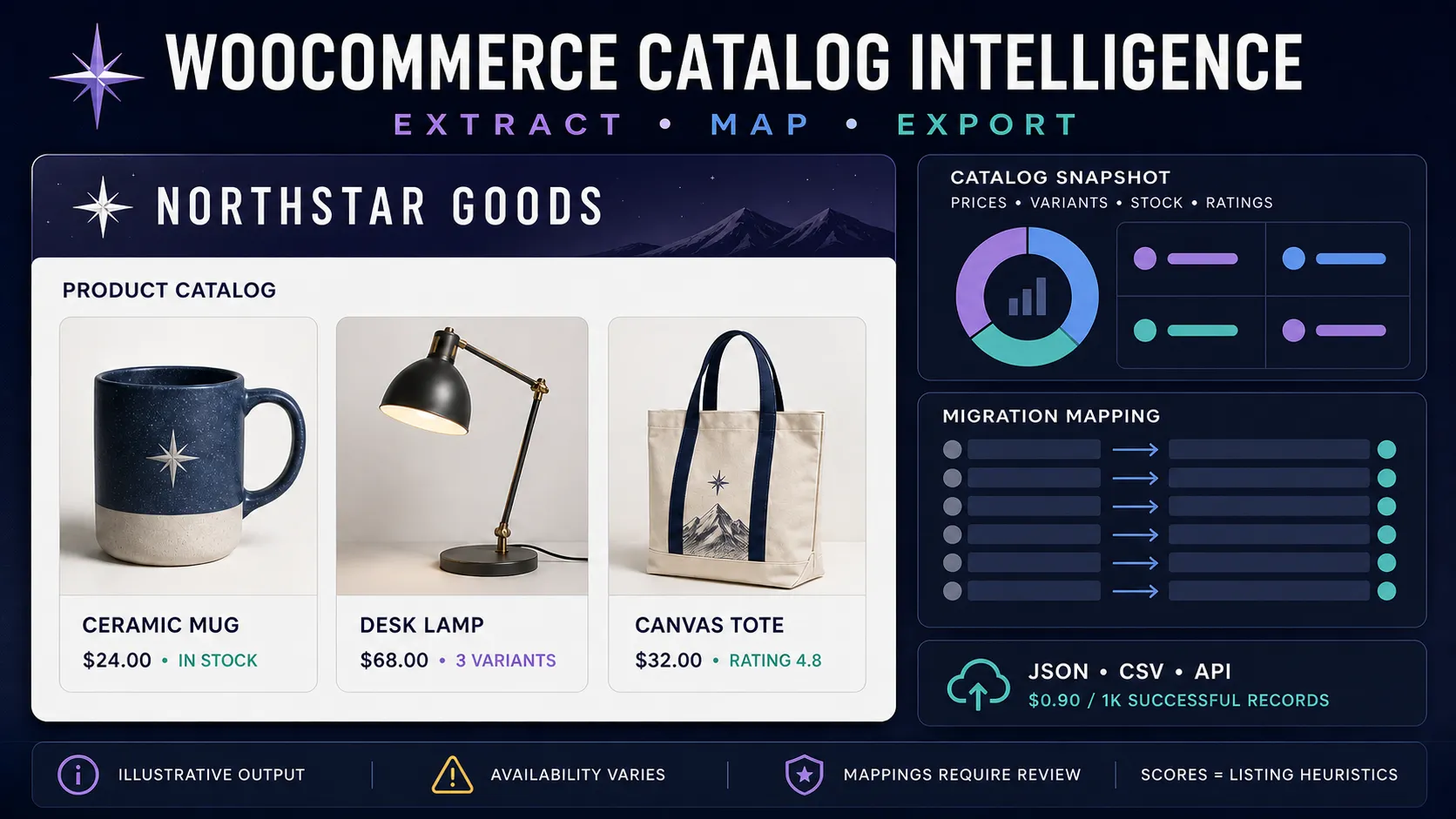
Extract available public WooCommerce catalog data into structured product, variant, or store-snapshot records. Collect prices, stock status, ratings, images, categories, attributes, optional reviews, and draft Shopify CSV or Google Merchant mappings for downstream review.
The Actor costs $0.0009 per successful Dataset record ($0.90 per 1,000) plus a $0.00005 run-start event. A run-wide maxResults cap makes the maximum record charge predictable.
What you get
- Store-root and exact
/product/{slug}/input modes. - Product IDs, canonical public URLs, titles, descriptions, SKUs, prices, sale signals, currency, images, categories, and attributes when exposed.
- Stock, purchasability, rating, review count, variation IDs, and optional enriched variant details when available.
- Optional displayed review text and reviewer information.
- Product, flattened-variant, custom-field, migration-mapping, product-feed, and catalog-snapshot output modes.
- Stable source-store metadata, record type, source mode, and UTC collection timestamp.
- Free
SUMMARYandFAILED_SOURCESreports outside the paid Dataset. - Strict public URL, DNS, and redirect validation to reject private networks and unsafe inputs.
Field availability varies by store configuration, plugins, theme, permissions, product type, and time. A store can use WooCommerce without exposing the catalog data required by this Actor.
Quick start
An exact public product URL can be mixed with store roots:
Replace the fictional .example domains with public WooCommerce stores you are authorized to process.
Input reference
| Field | Type | Default | Description |
|---|---|---|---|
storeUrls | string[] | [] | Up to 20 public store roots or exact product URLs. |
maxResults | integer | 250 | Hard run-wide cap of 1–1,000 paid Dataset records. |
maxProducts | integer | 250 | Source products fetched per store before filtering and flattening, 1–1,000. |
perPage | integer | 100 | Requested catalog page size, 1–100. |
onlyInStock | boolean | false | Deliver only records explicitly reported as in stock. Unknown stock is excluded. |
category | string | empty | Optional source category slug. |
flattenVariants | boolean | false | Deliver one record per available variant; can increase Dataset rows. |
enrichVariants | boolean | false | Request available variant details and related-product IDs. |
extractReviewsText | boolean | false | Request displayed reviews for each product. |
reviewsPerProduct | integer | 5 | Maximum displayed reviews requested per product, 1–50. |
exportFormat | string | default | Structured, mapping, custom subset, or snapshot output. |
customColumns | string | empty | Comma-separated output fields for custom-csv. |
convertToCurrency | string | empty | Optional ISO target currency for a point-in-time reference conversion when available. |
extract* | boolean | true | Select individual product field groups. |
maxConcurrency | integer | 3 | Public sources processed in parallel, 1–10. |
timeout | integer | 30 | Per-request timeout, 10–120 seconds. |
Output modes
| Mode | Paid Dataset unit | Intended use |
|---|---|---|
default | One successful product or flattened variant record | Analysis, JSON/CSV/API workflows |
shopify-csv | Product record with an embedded mapping | Inspect source data beside draft migration fields |
shopify-csv-only | One draft mapped row | Prepare a Shopify-compatible import workflow |
google-merchant | Product record with an embedded mapping | Inspect source data beside draft feed fields |
google-merchant-only | One draft mapped row | Prepare a product-feed workflow |
custom-csv | One selected-field record | Smaller exports for downstream tools |
catalog-snapshot | One non-empty store snapshot | Compare bounded catalog samples across stores |
Mappings are generated from available source fields and require review before import. They do not guarantee acceptance by Shopify, Google Merchant Center, or another destination. Required identifiers, taxonomy, inventory, tax, shipping, policy, and image requirements remain your responsibility.
Example product record
The example is fictional. Empty or null fields mean the source did not expose a usable value.
Catalog snapshots and heuristic fields
catalog-snapshot summarizes only the products returned within maxProducts, filters, and source availability. It can include price range, sale share, known stock coverage, freshness coverage, categories, ratings, images, and listing-completeness signals.
productIntelligenceScoremeasures listing completeness using available content signals. It is not product quality, demand, seller reliability, or a commercial recommendation.autoCategoryis a text heuristic, not an official product taxonomy.aov_estimateis explicitly labeled withaovEstimateMethod=median_available_product_price_x_1_5_heuristic. It is not observed order data or revenue.isNewArrivalisnullwhen no usable source timestamp exists.- Currency conversions are point-in-time reference values and should not be used as accounting or settlement rates.
Pricing and billing safety
- Actor start: $0.00005.
- Successful Dataset record: $0.0009.
maxResultscaps paid records across every store and flattened variant.- Invalid, duplicate, unavailable, empty, and insufficient records do not enter the paid Dataset.
- A non-empty catalog snapshot is one paid Dataset record; an empty snapshot is not delivered.
- Review
SUMMARYafter each run to reconcile delivered rows and limit status.
API example
Responsible use
Use public catalog data only for lawful purposes and respect store terms, rate expectations, copyrights, trademarks, and database rights. Product reviews may contain personal data and copyrighted text; collect only what you need and avoid republishing large bodies of review content without permission. Verify prices, stock, variants, identifiers, and mapped fields against the source before operational use.
WooCommerce, WordPress, Shopify, and Google are trademarks of their respective owners. This independent Actor is not affiliated with or endorsed by them.
Reliability notes
- Source stores can disable, customize, restrict, or remove public catalog access.
- Redirects and DNS are revalidated, but public websites can still change after a run.
- Product availability, pricing, stock, reviews, and currency values are point-in-time observations.
- Optional enrichment adds requests and can increase runtime.
- A successful run can contain zero paid rows; inspect
SUMMARYandFAILED_SOURCESfor the reason.


