

Bulk PageSpeed Insights: Core Web Vitals and Lighthouse
Pricing
$1.60 / 1,000 measured urls
Bulk PageSpeed Insights: Core Web Vitals and Lighthouse
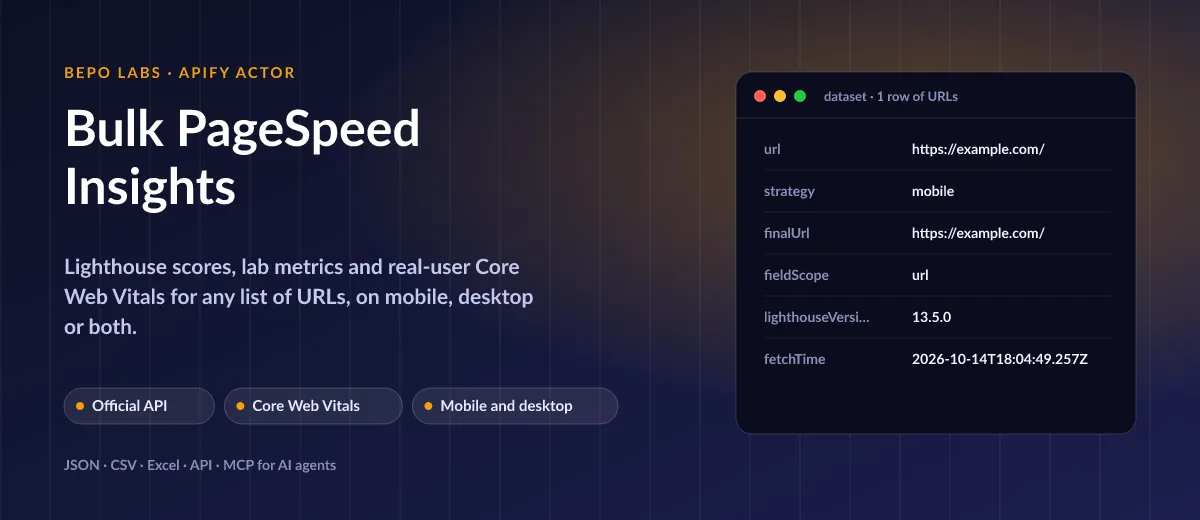
Paste URLs, add your API key and receive performance, accessibility and SEO ratings plus LCP, INP and CLS. One row per page and strategy, for mobile or desktop.
Pricing
$1.60 / 1,000 measured urls
Rating
0.0
(0)
Developer

BEPO Labs
Maintained by CommunityActor stats
0
Bookmarked
2
Total users
1
Monthly active users
2 days ago
Last modified
Categories
Security
Limited permissionsShare
⚡ What is Bulk PageSpeed Insights?
PageSpeed checks for load time across a long list of pages. Each entry joins the Lighthouse marks, detailed timings and the Core Web Vitals real Chrome visitors experienced, along with the biggest savings Lighthouse found.
- SEO audits: measure every important page of a client site in one run instead of one by one in the browser
- Monitoring: schedule a weekly run and track Core Web Vitals after every release
- Competitor benchmarks: compare your landing pages with your rivals' on mobile and desktop
- Agency reports: export scores and savings to Google Sheets or Looker Studio
✨ Why use this Actor?
- ✅ Official Google data: the same API behind pagespeed.web.dev, no proxy needed
- ✅ Lab and field in one row: Lighthouse timings next to real-user Chrome UX Report data;
fieldScopesays whether it describes the URL or its origin - ✅ Mobile, desktop or both:
strategy: bothgives two rows per URL - ✅ What to fix first: the largest Lighthouse opportunities with their savings in milliseconds
- ✅ Retries: backoff on 429 and 5xx; API errors are not charged
📦 What data can you get with Bulk PageSpeed Insights?
| 🏎️ Performance score | ♿ Accessibility score | ✅ Practices score |
| 🔍 SEO score | 🧪 Lab FCP, LCP, TBT, CLS | ⏱️ Speed Index, TTI, TTFB |
| 👥 Real-user LCP, INP, CLS, FCP, TTFB | 🚦 Category per metric | 💡 Top opportunities and savings |
Real-user data exists only for pages and origins with enough Chrome traffic; otherwise
fieldis null and the lab metrics still come back.
🚀 How to use Bulk PageSpeed Insights
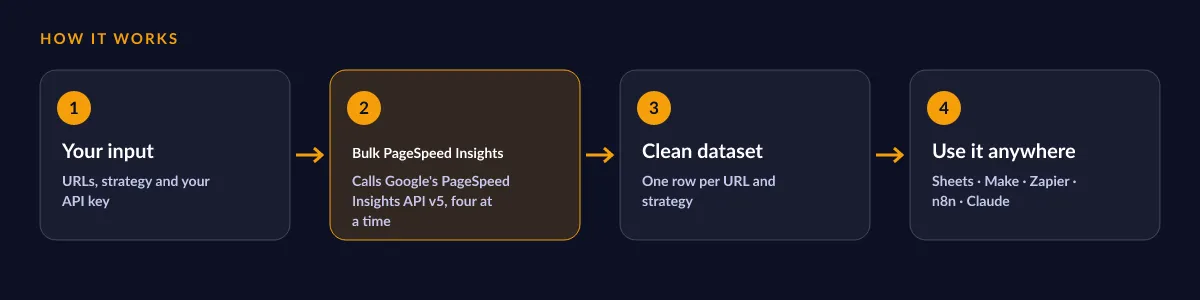
Bulk PageSpeed Insights works in a few clicks, no coding needed:
- Create a free Apify account (the free plan includes 5 USD of monthly credit).
- Open Bulk PageSpeed Insights and click Try for free.
- Paste your URLs, pick mobile, desktop or both, and enter your free PageSpeed Insights API key.
- Click Start and wait for the run to finish (most runs take seconds).
- Download your data as JSON, CSV, Excel, XML or HTML, or send it straight to Google Sheets, Make, Zapier or your AI agent.
⬇️ Input
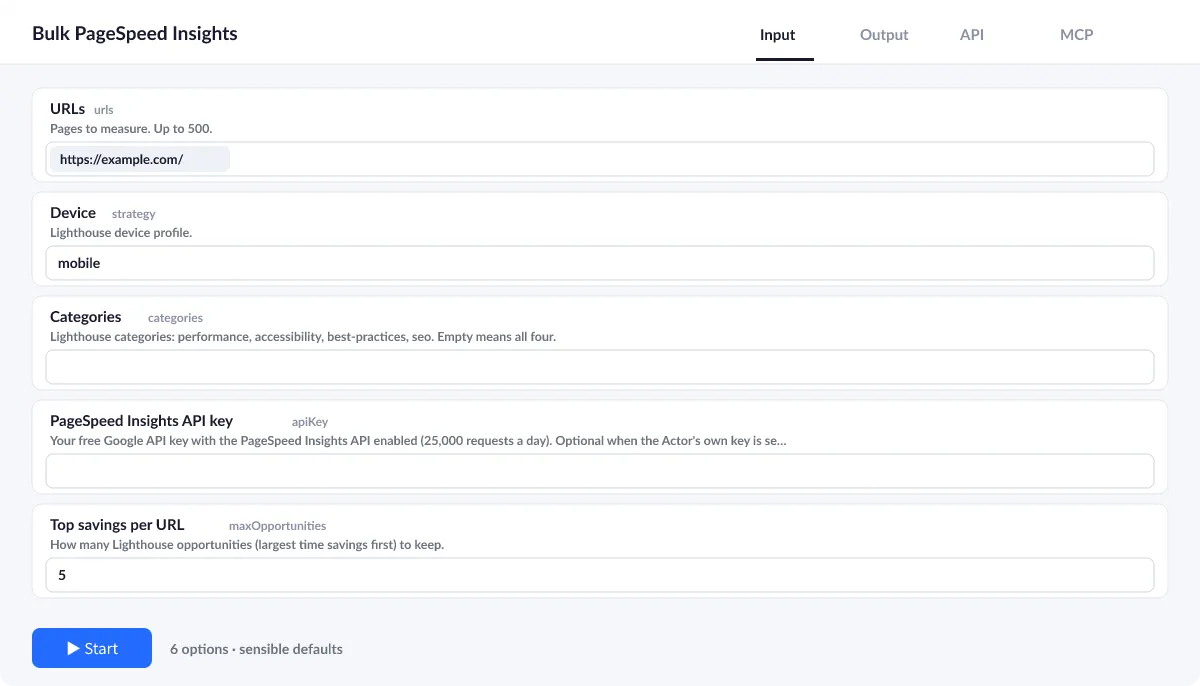
Enter the URLs and your own PageSpeed Insights API key; the rest has defaults (mobile, all four categories, the top 5 opportunities).
API key
Free in the Cloud console: APIs, PageSpeed Insights API, Credentials. Google's free quota is generous for daily audits.
Strategy
mobile (default), desktop or both. With both every URL gives two rows and two events.
Speed
Each call takes 10 to 30 seconds at Google; the Actor runs four at a time.
| Field | Type | What it does | Default |
|---|---|---|---|
URLs (urls) | array | Pages to measure. | ["https://apify.com/"] |
Device (strategy) | string | Lighthouse device profile. | "mobile" |
Categories (categories) | array | Lighthouse categories: performance, accessibility, best-practices, seo. | [] |
PageSpeed Insights API key (apiKey) | string | Your free Google API key with the PageSpeed Insights API enabled (25,000 requests a day). | |
Top savings per URL (maxOpportunities) | integer | How many Lighthouse opportunities (largest time savings first) to keep. | 5 |
Maximum retries (maxRetries) | integer | Retries per request with exponential backoff on network errors, 429 and 5xx. | 2 |
Input example
⬆️ Output
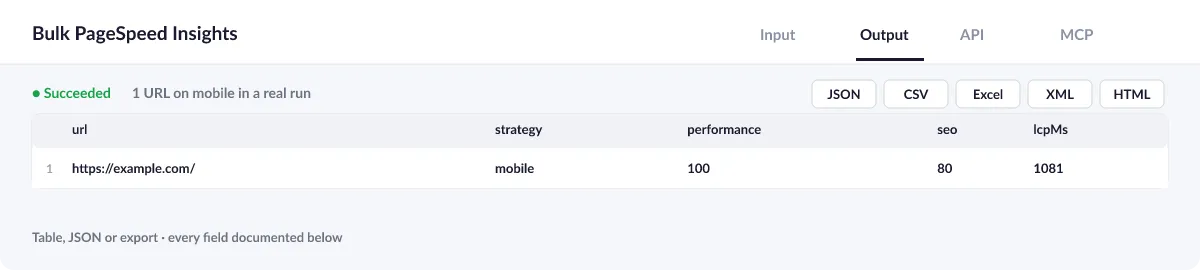
Every URL and strategy becomes one row with scores, lab and field metrics and the top opportunities.
Output example
One row of the dataset (example.com on mobile, a real local run of 2026-10-14):
View the results as a table or JSON in the Output tab and download them as JSON, CSV, Excel, XML, HTML or RSS, all fields or only those you pick.
💰 How much does Bulk PageSpeed Insights cost?
Bulk PageSpeed Insights is priced per event: 1.6 USD per 1,000 URLs (0.0016 USD per URL), with no monthly rental. API errors cost nothing.
| You get | You pay |
|---|---|
| 100 URLs | 0.16 USD |
| 1,000 URLs | 1.6 USD |
| 10,000 URLs | 16 USD |
| 100,000 URLs | 160 USD |
💡 Apify's free plan gives you 5 USD of credit every month, enough for about 3,125 URLs at no cost. Set a spending limit per run and the Actor stops there.
⚖️ Bulk PageSpeed Insights vs. the alternatives
| Bulk PageSpeed Insights | pagespeed.web.dev | Browser-based audit tools | |
|---|---|---|---|
| Many URLs in one run | ✅ | ❌ one at a time | ✅ |
| Real-user Core Web Vitals | ✅ | ✅ | rarely |
| Official data source | ✅ | ✅ | varies |
| Export, schedule, API and MCP | ✅ | ❌ | varies |
🔌 Integrations, API and MCP
Connect Bulk PageSpeed Insights to your AI agent (MCP)
Give Claude, ChatGPT, Cursor or any MCP client direct access to Bulk PageSpeed Insights through the Apify MCP server. Add this URL to its settings:
For Claude Desktop, add it under mcpServers in claude_desktop_config.json:
Then ask: "Check the mobile PageSpeed scores and Core Web Vitals of these 10 landing pages and tell me which ones fail LCP."
Run it from your code
Python (pip install apify-client):
JavaScript (npm install apify-client):
No-code integrations
Send results to Google Sheets, Slack, Airtable, HubSpot, Make, Zapier, n8n and more from the Integrations tab, start runs on a schedule, or trigger your own endpoint with a webhook when a run finishes. The Apify API gives you full control over runs and datasets.
❓ FAQ
Why do I need my own API key?
Google's PageSpeed Insights API asks for a key; it is free and its quota is yours, so your audits never share a limit with other users.
Why is field null for my page?
The Chrome UX Report has real-user data only for pages and origins with enough traffic. The lab metrics and scores are still measured.
Are the scores the same as on pagespeed.web.dev?
Both rely on one API and Lighthouse version, so numbers match within Lighthouse's normal run-to-run variance.
Is it legal to use Bulk PageSpeed Insights?
The Actor calls the public PageSpeed Insights API with your own key, under Google's APIs Terms of Service. It measures only the URLs you give it, as a browser visit would.
What if something is missing or does not work?
Open an issue on the Issues tab; we read each one and reply. Feature requests are welcome too.
💬 Your feedback
Tell us what Bulk PageSpeed Insights should add on the Issues tab or leave a review; your notes decide what we work on next.
🔗 Related Actors
| Actor | What it does |
|---|---|
| 🩺 SEO Audit | Any page to a 0 to 100 SEO score and grade, with the fixes that matter most first: on-page, links and Core Web Vitals. |
| 📸 Website Screenshot | Full-page PNG, JPEG or PDF of any URL, on desktop, tablet and phone, with cookie banners closed. |
| 🔗 Broken Link Checker | Every link and image on your pages checked: HTTP status, each redirect hop, final URL and response time. |
| 🗺️ Sitemap URL Extractor | Every URL of a website from its sitemaps, in one deduplicated list with lastmod, changefreq and priority. |
| 🌐 Domain RDAP and DNS | Domains to registrar, creation and expiry dates, age, status, nameservers, DNSSEC and DNS records from official RDAP, in bulk. |
| 📈 Google Trends Scraper | Interest over time for up to five keywords on one 0 to 100 scale, any country or worldwide, plus top and rising related queries. |
| 🧩 Tech Stack Detector | Any list of domains to the technologies behind each site: CMS, shop, framework, analytics, CDN and hosting. |
| 📈 Wikipedia Pageviews | Daily or monthly views of any Wikipedia article in any language, with totals and averages, from the official Wikimedia API. |


