

SEO Audit Tool: letter grade for every URL
Pricing
$32.00 / 1,000 audited pages
SEO Audit Tool: letter grade for every URL
Audit up to 200 website pages a run: a 0 to 100 score, technical, content and performance subscores, Lighthouse and Google's Core Web Vitals. Costs 0.032 USD per audited page; unreadable pages cost nothing.
Pricing
$32.00 / 1,000 audited pages
Rating
0.0
(0)
Developer

BEPO Labs
Maintained by CommunityActor stats
0
Bookmarked
2
Total users
1
Monthly active users
2 days ago
Last modified
Categories
Security
Limited permissionsShare
🩺 What is SEO Audit?
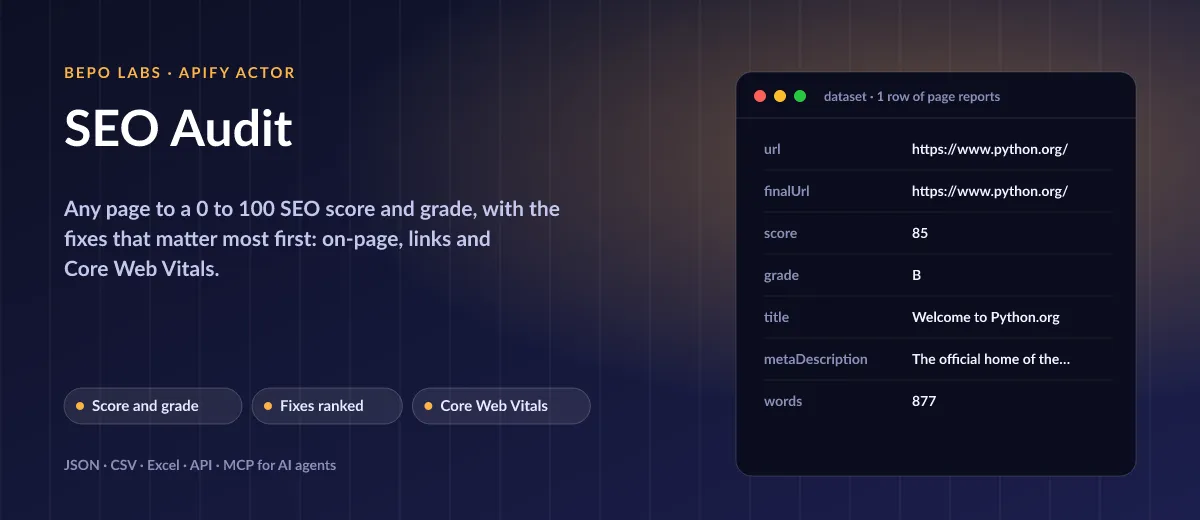
Paste a list of addresses and SEO Audit reads each one like a consultant would. Every website gets a report that puts the most damaging fixes on top, covering titles, headings, images, canonicals and load times. Schedule it weekly and watch what changes.
- Agencies and freelancers: audit a client's key pages in one run and send the ranked fix list as a report
- Site owners and marketers: check every landing page before a launch and after each release
- SEO monitoring: schedule weekly audits and get alerted when a score drops or links break
- Lead generation for SEO services: score prospects' homepages and open the conversation with their top three issues
- AI agents: let Claude or ChatGPT audit a page through MCP and explain the fixes
✨ Why use this Actor?
- ✅ One number, clear priorities: score, grade and four group scores, with issues sorted errors first, then by weight
- ✅ On-page, links and speed in one run: 19 checks from title length to unreachable targets and Core Web Vitals
- ✅ Real-user Core Web Vitals: Chrome user data first, lab values where it is missing, judged by Google's thresholds
- ✅ Fair scores: checks that did not run (links off, no PageSpeed key) are left out of the score instead of counting as failed
- ✅ Polite crawling: robots.txt respected for the page and every link, retries with backoff on 429 and 5xx
- ✅ Pay only for audited pages: unreadable ones get an error row and cost nothing
📦 What data can you get with SEO Audit?
| 💯 SEO score (0 to 100) | 🅰️ Grade (A to F) | 📊 Technical, content, links, performance scores |
| 🛠️ Issues to fix, ranked | 📰 Title and meta description | 🔠 H1 and heading outline |
| 🔗 Canonical URL | 📝 Word count | 🖼️ Images and missing alt text |
| 💔 Broken and redirected links | ⚡ Lighthouse performance, LCP, CLS, INP | ✅ Every check with pass, warning or error |
What is checked: HTTP status, HTTPS, noindex (meta robots and X-Robots-Tag), canonical, html lang, mobile viewport, title (one, 30 to 60 characters), description (70 to 160), exactly one H1, heading order, thin content (under 300 words), alt text, Open Graph tags, broken or redirected links, Lighthouse performance, LCP, CLS and INP.
🚀 How to use SEO Audit
SEO Audit works in a few clicks, no coding needed:
- Create a free Apify account (the free plan includes 5 USD of monthly credit).
- Open SEO Audit and click Try for free.
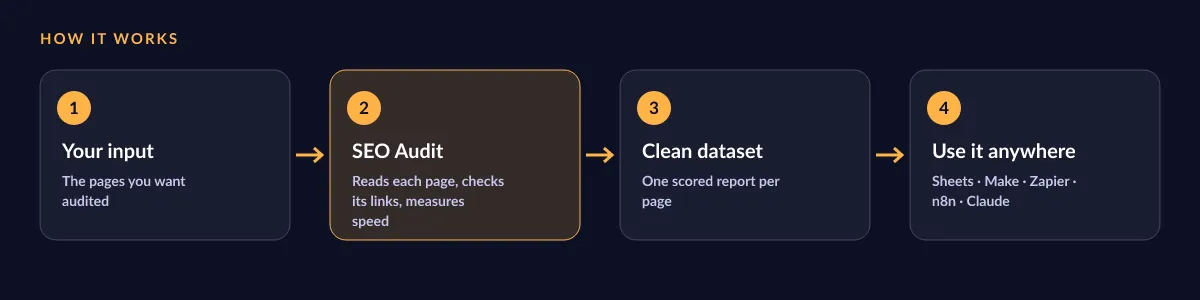
- Paste the pages you want audited, up to 200. Leave link checks and Core Web Vitals on for the full report.
- Click Start and wait for the run to finish (most runs take seconds).
- Download your data as JSON, CSV, Excel, XML or HTML, or send it straight to Google Sheets, Make, Zapier or your AI agent.
⬇️ Input
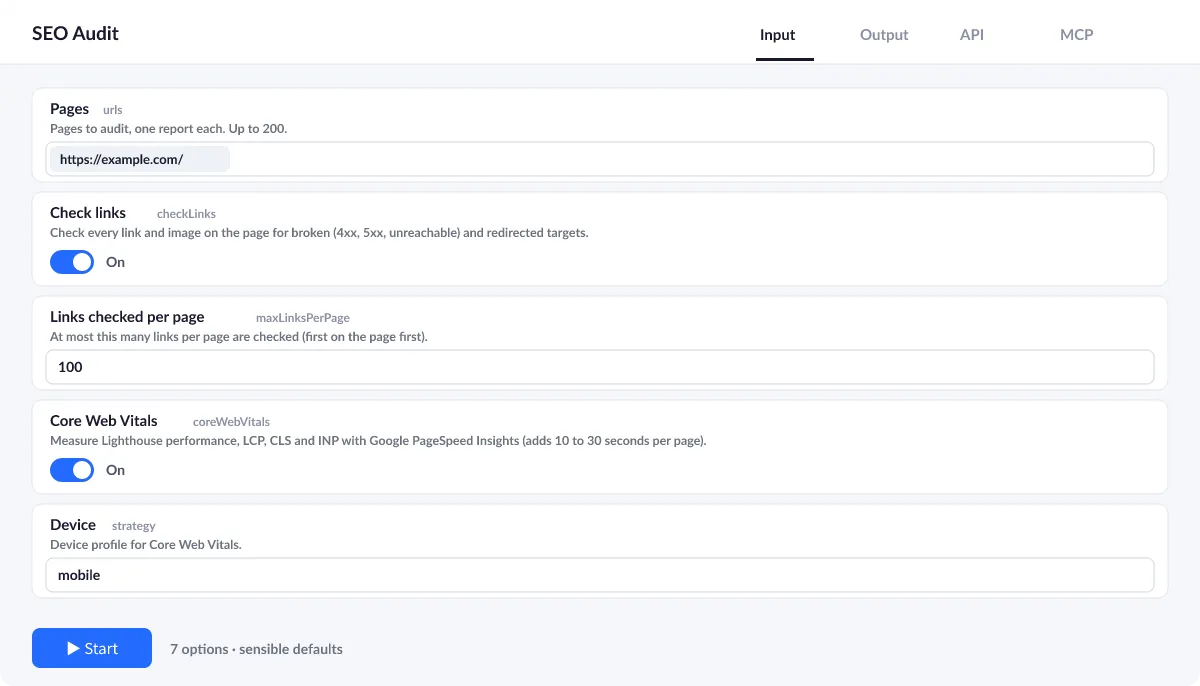
Add the pages to audit; everything else is optional and has sensible defaults.
Link checks
On by default, checkLinks tests up to maxLinksPerPage links and images of each page (100 unless changed, up to 500) for 4xx, 5xx, unreachable and redirected targets. Turn it off to skip this step; the group is then left out of the score.
Core Web Vitals
On by default, coreWebVitals measures each page with Google PageSpeed Insights on the strategy device (mobile or desktop) and adds 10 to 30 seconds to its audit. Your own free API key for it goes in apiKey.
How the score works
Every check is a pass (full points), a warning (half) or an error (none), weighted by importance. Grades: A from 90, B from 80, C from 65, D from 50, F below.
| Field | Type | What it does | Default |
|---|---|---|---|
Pages (urls) | array | Pages to audit, one report each. | ["https://apify.com/"] |
Check links (checkLinks) | boolean | Check every link and image on the page for broken (4xx, 5xx, unreachable) and redirected targets. | true |
Links checked per page (maxLinksPerPage) | integer | At most this many links per page are checked (first on the page first). | 100 |
Core Web Vitals (coreWebVitals) | boolean | Measure Lighthouse performance, LCP, CLS and INP with Google PageSpeed Insights (adds 10 to 30 seconds per page). | true |
Device (strategy) | string | Device profile for Core Web Vitals. | "mobile" |
PageSpeed Insights API key (apiKey) | string | Your own free Google API key with the PageSpeed Insights API enabled. | |
Maximum retries (maxRetries) | integer | Retries per request with exponential backoff on network errors, 429 and 5xx. | 2 |
Input example
⬆️ Output
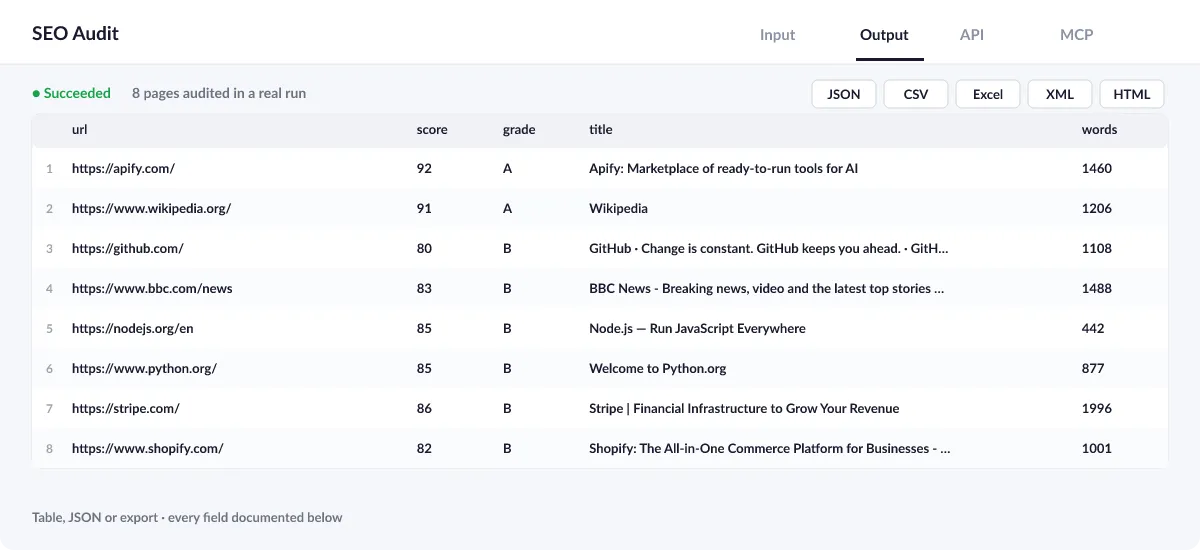
Every page becomes one row with its score, grade, group scores, ranked issues, on-page facts, link statuses, Core Web Vitals and every check with its result. A run summary in the key-value store (OUTPUT) counts the pages audited and lists any that failed.
Output example
One row of the dataset (python.org, mobile; lists shortened):
Broken links in the report
When a link is broken, links.broken names each one with its status (iana.org/help/example-domains in our test run, 3 of 26 checked):
View the results as a table or JSON in the Output tab and download them as JSON, CSV, Excel, XML, HTML or RSS, all fields or only those you pick.
⚠️ Error items
An input that cannot be read does not stop the run and is never charged: it gets a row with an error field so you can see exactly what failed.
| Error | Meaning |
|---|---|
HTTP 404 | The page answered with an error status (any 4xx or 5xx) |
Not an HTML page | The URL is a PDF, image or other file, not a web page |
blocked by robots.txt | The site's robots.txt does not allow the page to be read |
💰 How much does SEO Audit cost?
SEO Audit is priced per event: 32 USD per 1,000 audits (0.032 USD per audit), with no monthly rental. Each audited page is charged once; unreadable ones get an error row and cost nothing. Link checks and Core Web Vitals are included in the price.
| You get | You pay |
|---|---|
| 100 audits | 3.2 USD |
| 1,000 audits | 32 USD |
| 10,000 audits | 320 USD |
| 100,000 audits | 3,200 USD |
💡 Apify's free plan gives you 5 USD of credit every month, enough for about 156 audits at no cost. Set a spending limit per run and the Actor stops there.
⚖️ SEO Audit vs. the alternatives
| SEO Audit | Free browser SEO checkers | SEO suite subscriptions | |
|---|---|---|---|
| Score, grade and ranked fixes per page | ✅ | ✅ | ✅ |
| Broken link check on every page | ✅ up to 500 links | often a separate tool | ✅ |
| Real-user Core Web Vitals | ✅ | often lab only | ✅ |
| Bulk, scheduled, API and MCP | ✅ up to 200 pages a run | ❌ one page at a time | ✅ |
| Pay per page, no subscription | ✅ 0.032 USD per page | ✅ free | ❌ monthly plans |
🔌 Integrations, API and MCP
Connect SEO Audit to your AI agent (MCP)
Give Claude, ChatGPT, Cursor or any MCP client direct access to SEO Audit through the Apify MCP server. Add this URL to its settings:
For Claude Desktop, add it under mcpServers in claude_desktop_config.json:
Then ask: "Run an SEO audit of https://www.python.org/ and tell me the three fixes that would raise its score the most."
Run it from your code
Python (pip install apify-client):
JavaScript (npm install apify-client):
No-code integrations
Send results to Google Sheets, Slack, Airtable, HubSpot, Make, Zapier, n8n and more from the Integrations tab, start runs on a schedule, or trigger your own endpoint with a webhook when a run finishes. The Apify API gives you full control over runs and datasets.
❓ FAQ
What does the score mean?
It is the weighted share of checks the page passes: a pass counts fully, a warning half, an error not at all. 90 or more is an A, 80 a B, 65 a C, 50 a D, anything lower an F.
Why is the performance score empty?
Core Web Vitals need a Google PageSpeed Insights key (the Actor's own or yours in apiKey). Without one, or if the measurement fails, the other three groups are scored and coreWebVitalsNote says why.
Can it audit a whole website?
It audits the pages you list, up to 200 per run. To audit a whole site, get its URLs first, for example from its sitemap, and pass them in.
Mobile or desktop?
Core Web Vitals are measured for the device in strategy (mobile by default, as Google indexes mobile-first). Run twice to compare both.
How long does a run take?
Usually a few seconds per page for on-page and link checks, plus 10 to 30 more with Core Web Vitals. A target that never answers adds up to half a minute. Three pages are audited at a time.
Can I monitor my pages every week?
Yes: add a schedule in Apify and connect Slack, e-mail, Google Sheets or a webhook to get each new report.
Is it legal to use SEO Audit?
Yes, for your own sites and those of your clients. The Actor reads public pages the way a browser does, with its own user agent, one request per page and link, and obeys each site's robots.txt. Core Web Vitals come from the official PageSpeed Insights API under the Google APIs Terms of Service. No personal data is collected.
What if something is missing or does not work?
Open an issue on the Issues tab; we read each one and reply. Feature requests are welcome too.
💬 Your feedback
Tell us what SEO Audit should add on the Issues tab or leave a review; your notes decide what we work on next.
🔗 Related Actors
| Actor | What it does |
|---|---|
| 🔗 Broken Link Checker | Every link and image on your pages checked: HTTP status, each redirect hop, final URL and response time. |
| ⚡ Bulk PageSpeed Insights | Lighthouse scores, lab metrics and real-user Core Web Vitals for any list of URLs, on mobile, desktop or both. |
| 🗺️ Sitemap URL Extractor | Every URL of a website from its sitemaps, in one deduplicated list with lastmod, changefreq and priority. |
| 📸 Website Screenshot | Full-page PNG, JPEG or PDF of any URL, on desktop, tablet and phone, with cookie banners closed. |
| 📝 Website to Markdown | Any web page or docs site to clean Markdown for LLMs, RAG and AI agents, with headings, links and ready-made chunks. |
| 🌐 Domain RDAP and DNS | Domains to registrar, creation and expiry dates, age, status, nameservers, DNSSEC and DNS records from official RDAP, in bulk. |
| 📈 Google Trends Scraper | Interest over time for up to five keywords on one 0 to 100 scale, any country or worldwide, plus top and rising related queries. |
| 🧩 Tech Stack Detector | Any list of domains to the technologies behind each site: CMS, shop, framework, analytics, CDN and hosting. |


