

Website Screenshot Generator: PNG, JPEG or PDF
Pricing
$0.45 / 1,000 saved files
Website Screenshot Generator: PNG, JPEG or PDF
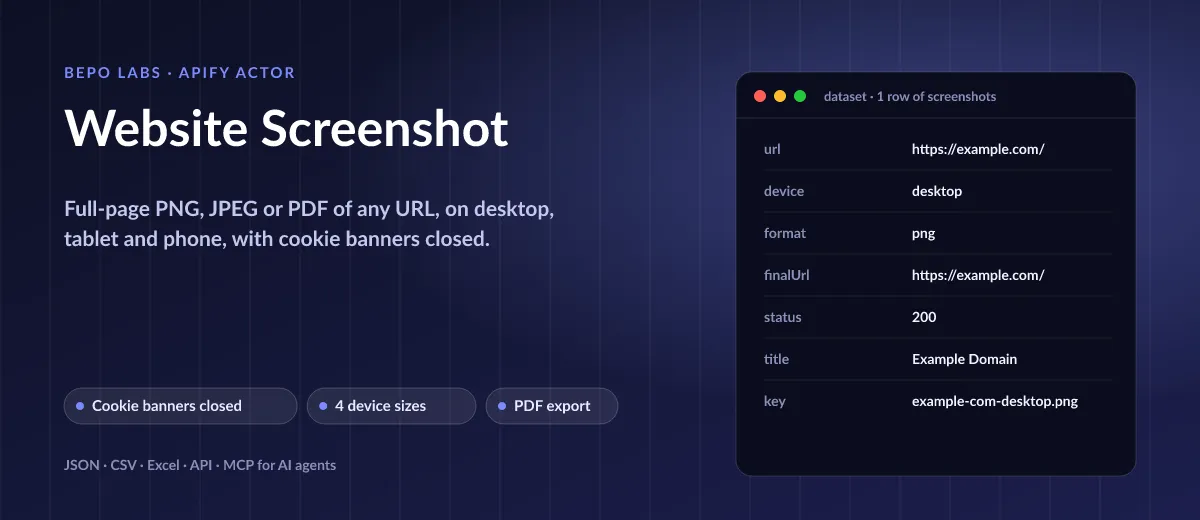
Runs each address in Chromium, scrolls so lazy images load, then stores the whole page or just the first view. Set a device (desktop, laptop, tablet or phone) and a mode. You pay per result; failures are free. Costs 0.45 USD per 1,000 saved screenshots.
Pricing
$0.45 / 1,000 saved files
Rating
0.0
(0)
Developer

BEPO Labs
Maintained by CommunityActor stats
0
Bookmarked
2
Total users
1
Monthly active users
6 days ago
Last modified
Categories
Security
Limited permissionsShare
📸 What is Website Screenshot?
Give this Actor a list of URLs and receive a website screenshot of each, or a print-ready PDF. A real browser loads every site, so what you see is what you get. Schedule runs to watch for visual changes.
- Monitor competitors and landing pages: capture pricing, home and campaign views on a schedule and keep a visual history
- QA and responsive testing: check how a page renders on desktop, laptop, tablet and phone in one run
- Archive and compliance: save dated, full-page PDFs of terms, ads or product pages as evidence
- Reports and clients: drop up-to-date screenshots into decks, audits and SEO write-ups automatically
- AI agents: let Claude or ChatGPT take a screenshot of any page through MCP
✨ Why use this Actor?
- ✅ Cookie banners closed automatically: OneTrust, Cookiebot, Didomi, Quantcast, Usercentrics, TrustArc, Google Funding Choices and Sourcepoint consent walls are clicked away before the shot
- ✅ Four devices in one run: desktop 1440 px, laptop 1280 px at 2x, tablet 820 px and phone 390 px at 3x
- ✅ Full page, viewport or one element: capture the entire scrolling view, the first screen, or a single CSS selector
- ✅ PDF as well as images: A4, Letter, A3 or Legal PDFs with backgrounds, ready to print or archive
- ✅ Clean shots: hide chat widgets, promos or anything else with your own CSS selectors
- ✅ Fair pricing: you pay only for files that were saved; failed pages are free
📦 What data can you get with Website Screenshot?
| 🖼️ Full-page PNG or JPEG | 📄 PDF (A4, Letter, A3, Legal) | 📱 Desktop, laptop, tablet, phone |
| 🔗 Download link per file | 🌐 Final URL after redirects | 🔢 HTTP status code |
| 📝 Page title | 📐 Width and height in pixels | 💾 File size in bytes |
| 🍪 Which cookie button was clicked | 🎯 Element-only capture | ⚠️ Error message per failed URL |
🚀 How to use Website Screenshot
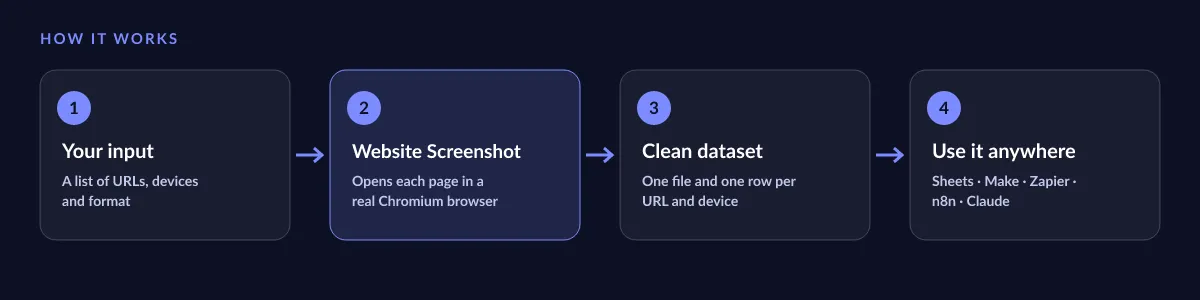
Website Screenshot works in a few clicks, no coding needed:
- Create a free Apify account (the free plan includes 5 USD of monthly credit).
- Open Website Screenshot and click Try for free.
- Paste the URLs you want to capture and pick the format (PNG, JPEG or PDF) and the devices.
- Click Start and wait for the run to finish (most runs take seconds).
- Download your data as JSON, CSV, Excel, XML or HTML, or send it straight to Google Sheets, Make, Zapier or your AI agent.
⬇️ Input
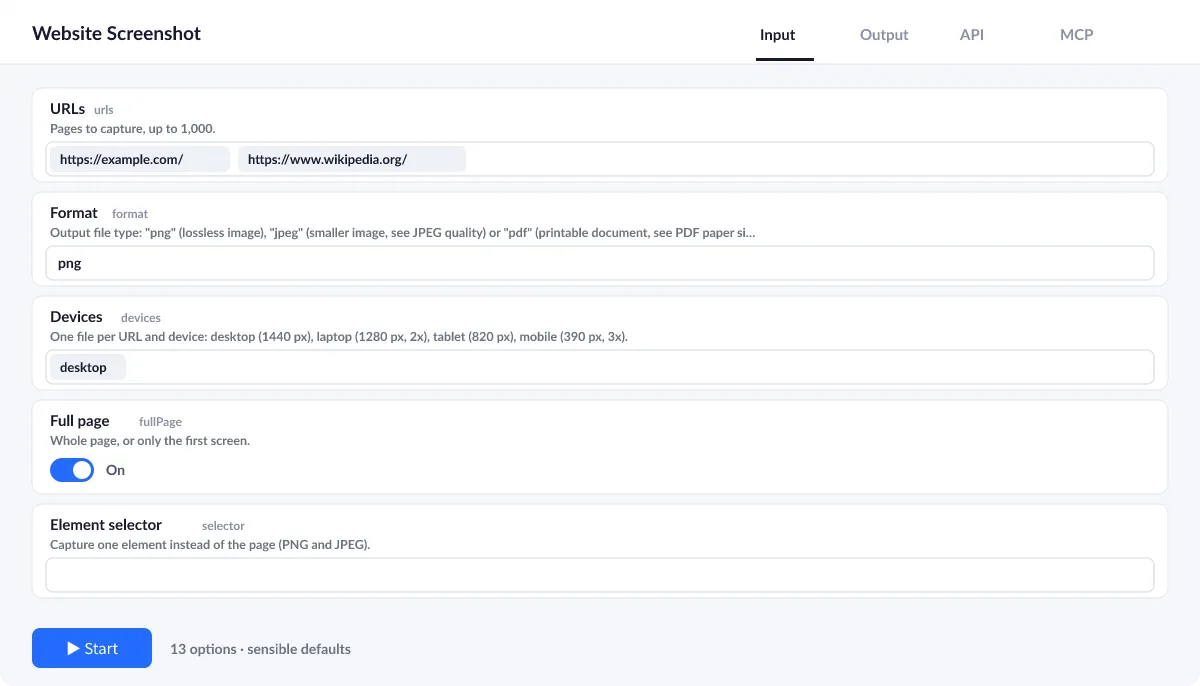
Give the Actor a list of URLs and choose how to capture them. Everything else has sensible defaults: full page, desktop, PNG, cookie banners closed.
Devices
Pick any of desktop (1440 px), laptop (1280 px, 2x), tablet (820 px) and mobile (390 px, 3x). You get one file per URL and device, so 10 URLs on 2 devices give 20 screenshots.
Full page, first screen or one element
fullPage captures the whole scrolling page (default). Switch it off for the first screen only, or set selector to capture just one element, for example #pricing.
Cleaner screenshots
Cookie banners are closed by default. Use hideSelectors to remove chat bubbles, promo bars or anything else, and delayMs to wait for animations.
| Field | Type | What it does | Default |
|---|---|---|---|
URLs (urls) | array | Pages to capture, up to 1,000. | ["https://apify.com"] |
Format (format) | string | Output file type: "png" (lossless image), "jpeg" (smaller image, see JPEG quality) or "pdf" (printable document, see PDF paper size). | "png" |
Devices (devices) | array | One file per URL and device: desktop (1440 px), laptop (1280 px, 2x), tablet (820 px), mobile (390 px, 3x). | ["desktop"] |
Full page (fullPage) | boolean | Whole page, or only the first screen. | true |
Element selector (selector) | string | Capture one element instead of the page (PNG and JPEG). | |
Close cookie banners (closeCookieBanners) | boolean | Click accept on common consent managers and buttons such as Accept all. | true |
Hide elements (hideSelectors) | array | CSS selectors to hide (chat widgets, promos). | |
Wait until (waitUntil) | string | Page load event to wait for. | "load" |
Extra delay (ms) (delayMs) | integer | Wait after load before the shot. | 1000 |
Timeout (seconds) (timeoutSecs) | integer | Maximum seconds to wait for each page to load before it is reported as failed (5 to 180). | 45 |
JPEG quality (jpegQuality) | integer | Image quality for JPEG output from 1 (smallest file) to 100 (highest quality). | 80 |
PDF paper size (pdfFormat) | string | Paper size used when the output format is PDF: "A4", "Letter", "A3" or "Legal". | "A4" |
Max concurrency (maxConcurrency) | integer | How many pages are captured in parallel (1 to 10). | 3 |
Input example
⬆️ Output
Each URL and device gives one dataset record and one file in the run's key-value store. It holds the download link (fileUrl), landing address, HTTP status, page title, size and which cookie button was clicked.
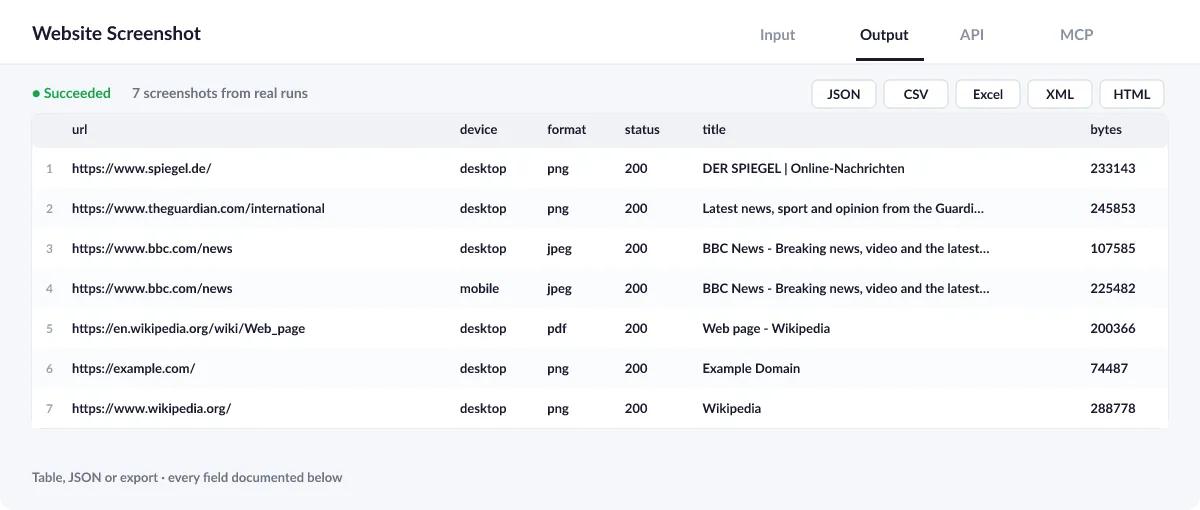
Output example
One row of the dataset (desktop PNG of example.com):
View the results as a table or JSON in the Output tab and download them as JSON, CSV, Excel, XML, HTML or RSS, all fields or only those you pick.
⚠️ Error items
An input that cannot be read does not stop the run and is never charged: it gets a row with an error field so you can see exactly what failed.
| Error | Meaning |
|---|---|
ERR_NAME_NOT_RESOLVED | The domain does not exist or cannot be reached |
Timeout | The page did not load within timeoutSecs (default 45 s) |
Selector not found | selector was set but the element is not on the page |
💰 How much does Website Screenshot cost?
Website Screenshot is priced per event: 0.6 USD per 1,000 screenshots (0.0006 USD per screenshot), with no monthly rental. You are billed for each saved file; failed URLs are not charged.
| You get | You pay |
|---|---|
| 100 screenshots | 0.06 USD |
| 1,000 screenshots | 0.6 USD |
| 10,000 screenshots | 6 USD |
| 100,000 screenshots | 60 USD |
💡 Apify's free plan gives you 5 USD of credit every month, enough for about 8,333 screenshots at no cost. Set a spending limit per run and the Actor stops there.
⚖️ Website Screenshot vs. the alternatives
| Website Screenshot | Free screenshot Actors | Screenshot API subscriptions | |
|---|---|---|---|
| Cookie banners closed | ✅ 8 consent managers + text buttons | ❌ usually not | ✅ on paid plans |
| Devices per run | ✅ 4 at once | 1 | 1 per request |
| PDF export | ✅ | ❌ often PNG only | ✅ |
| Pay only for saved files | ✅ | compute time | monthly plan |
| Works with Claude and AI agents (MCP) | ✅ | ✅ | ❌ custom code |
🔌 Integrations, API and MCP
Connect Website Screenshot to your AI agent (MCP)
Give Claude, ChatGPT, Cursor or any MCP client direct access to Website Screenshot through the Apify MCP server. Add this URL to its settings:
For Claude Desktop, add it under mcpServers in claude_desktop_config.json:
Then ask: "Take a full-page screenshot of stripe.com/pricing on desktop and mobile and show me the links."
Run it from your code
Python (pip install apify-client):
JavaScript (npm install apify-client):
No-code integrations
Send results to Google Sheets, Slack, Airtable, HubSpot, Make, Zapier, n8n and more from the Integrations tab, start runs on a schedule, or trigger your own endpoint with a webhook when a run finishes. The Apify API gives you full control over runs and datasets.
❓ FAQ
Does it close cookie banners?
Yes. It dismisses the common consent managers (OneTrust, Cookiebot, Didomi, Quantcast, Usercentrics, TrustArc, Google Funding Choices) and buttons labelled "Accept all" or "Alle akzeptieren". Sourcepoint walls inside an iframe, used by many news sites, are closed too. Use hideSelectors for anything else in the way.
How many URLs can I capture in one run?
Up to 1,000 URLs per run, three pages at a time by default (maxConcurrency). For more, start several runs or schedule them.
Do emojis show up in the screenshots?
Yes. Emojis render in full colour, never as empty boxes: the browser ships with the Noto Color Emoji font.
Can it capture pages behind a login?
No. It captures what a visitor without an account sees. It does not log in, bypass paywalls or solve CAPTCHAs.
Where are my files?
Every file is in the run's key-value store, and each dataset row has its fileUrl. Download them one by one, or fetch them through the API.
Can I run it on a schedule?
Yes. Create a schedule in Apify Console (for example every Monday at 8:00) and connect a webhook, Google Drive, Slack or email to get the new screenshots automatically.
Is it legal to use Website Screenshot?
Taking a screenshot of a public web page is generally allowed: the Actor loads it once, exactly like a visitor's browser. You are responsible for having the right to capture and use the sites you name, and for respecting copyright and trademarks when you publish screenshots. The Actor does not log in, bypass paywalls or solve CAPTCHAs.
What if something is missing or does not work?
Open an issue on the Issues tab; we read each one and reply. Feature requests are welcome too.
💬 Your feedback
Tell us what Website Screenshot should add on the Issues tab or leave a review; your notes decide what we work on next.
🔗 Related Actors
| Actor | What it does |
|---|---|
| ⚡ Bulk PageSpeed Insights | Lighthouse scores, lab metrics and real-user Core Web Vitals for any list of URLs, on mobile, desktop or both. |
| 🩺 SEO Audit | Any page to a 0 to 100 SEO score and grade, with the fixes that matter most first: on-page, links and Core Web Vitals. |
| 🔗 Broken Link Checker | Every link and image on your pages checked: HTTP status, each redirect hop, final URL and response time. |
| 🗺️ Sitemap URL Extractor | Every URL of a website from its sitemaps, in one deduplicated list with lastmod, changefreq and priority. |
| 🌐 Domain RDAP and DNS | Domains to registrar, creation and expiry dates, age, status, nameservers, DNSSEC and DNS records from official RDAP, in bulk. |
| 📈 Google Trends Scraper | Interest over time for up to five keywords on one 0 to 100 scale, any country or worldwide, plus top and rising related queries. |
| 🧩 Tech Stack Detector | Any list of domains to the technologies behind each site: CMS, shop, framework, analytics, CDN and hosting. |
| 📈 Wikipedia Pageviews | Daily or monthly views of any Wikipedia article in any language, with totals and averages, from the official Wikimedia API. |


