

Google Trends Scraper: keyword trends over time, per region
Pricing
$3.00 / 1,000 results
Google Trends Scraper: keyword trends over time, per region
Trending now or daily since 2004? Schedule runs, call it by API or hand it to an AI agent. Pick a period from the past hour to everything since 2004 and receive one row per date, to export into spreadsheets. Costs 3 USD per 1,000 results.

📈 What is Google Trends Scraper?
Tidy Google Trends tables: type in products, companies or ideas and see their keyword trends, how often people look them up, worldwide or in one place, across categories and custom ranges. No browser, login or key needed. Each result is verified before the run ends, and slowdowns on Google's side trigger repeated attempts.
- SEO and content planning: find out which topics grow and which related searches to write about next
- Market and product research: compare brands or categories next to each other over months or years
- Seasonality: see when demand for a product peaks, five years back or since 2004
- Investing and crypto: track public attention for a coin, a stock or a company
- Dashboards and reports: schedule a run and feed the rows into Google Sheets, Looker Studio or a database
✨ Why use this Actor?
- ✅ New: up to 50 keywords per run: list them all and the run compares them in batches of five, in your order; the
groupfield in each row tells which terms share one 0 to 100 scale - ✅ Interest by region: switch on
includeRegionsfor each keyword's 0 to 100 score per country, or per state of the chosen nation, highest first - ✅ Comparisons on one scale: up to five keywords in one run share the same 0 to 100 axis, exactly as on Google Trends
- ✅ Retries built in: every request is retried with exponential backoff when Google answers 429 or a server error
- ✅ Self-check on every run: a run only counts as good when every keyword has rows and real values; otherwise it fails with the reason
- ✅ Clean, stable rows: the same nine fields in every row, ready for spreadsheets, databases and AI agents
- ✅ No account, no key: no Google login, no proxy setup, nothing to configure but your keywords
- ✅ Pay per row: 3 USD per 1,000 rows, nothing per run or per keyword
📦 What data can you get with Google Trends Scraper?
| 🔤 Keyword | 📅 Date (ISO, start of the period) | 🏷️ Date label as Google shows it |
| 📊 Interest value (0 to 100) | ✅ Has data flag | ⏳ Partial flag for the running period |
| 🧮 Comparison group (same group, same scale) | 🌍 Country code or WORLD | 🕒 Time range |
| 🔍 Top related queries | 🚀 Rising related queries |
Related queries are stored once per run in the key-value store (
RELATED), not in every row.
🚀 How to use Google Trends Scraper
Google Trends Scraper works in a few clicks, no coding needed:
- Create a free Apify account (the free plan includes 5 USD of monthly credit).
- Open Google Trends Scraper and click Try for free.
- Enter up to 50 keywords, pick a country (or leave it empty for worldwide) and a time range.
- Click Start and wait for the run to finish (most runs take seconds).
- Download your data as JSON, CSV, Excel, XML or HTML, or send it straight to Google Sheets, Make, Zapier or your AI agent.
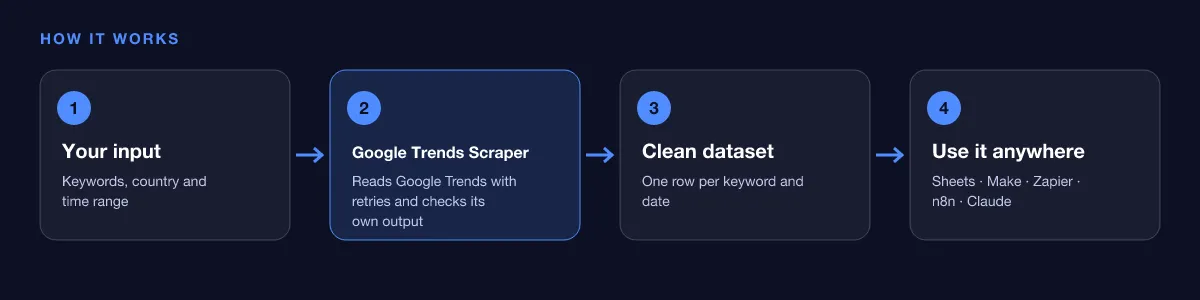
⬇️ Input
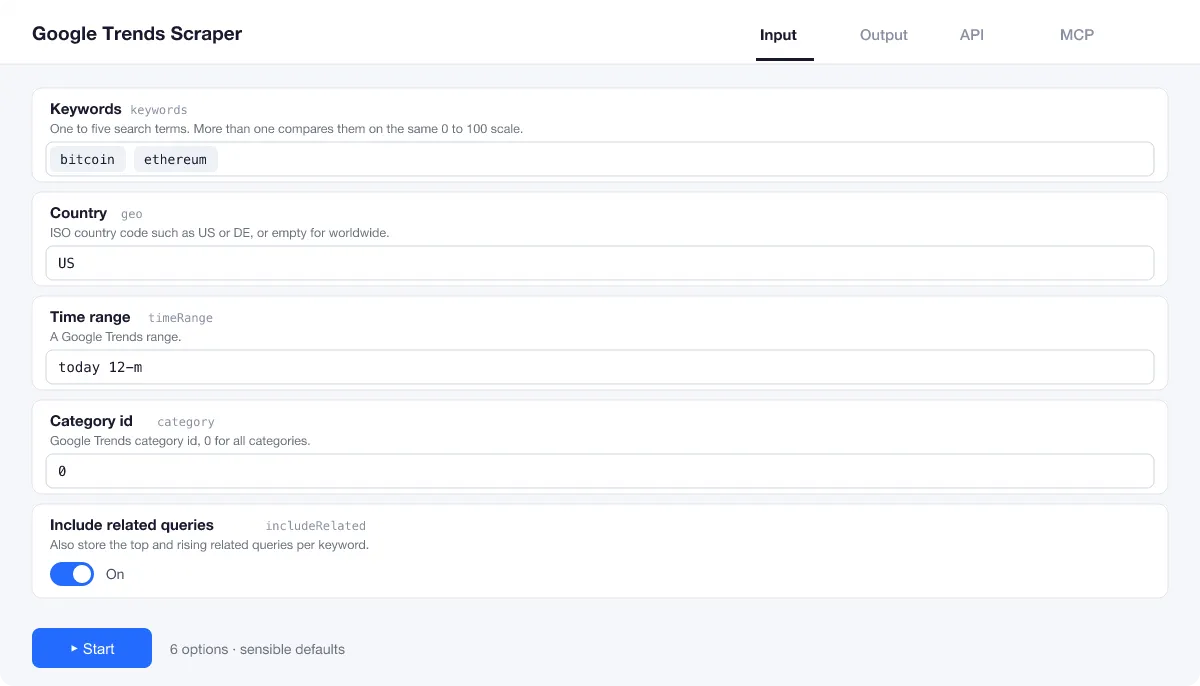
Only keywords is required. One keyword gives its own curve; two to five are compared on the same scale, and longer lists (up to 50) run as separate groups.
Country
Use an ISO country code such as US, DE or GB. Leave geo empty for worldwide; rows then show WORLD.
Time range
Any Google Trends range: now 1-H, now 4-H, now 1-d, now 7-d, today 1-m, today 3-m, today 12-m (default), today 5-y or all (since 2004). Google picks the step: hours, days, weeks or months.
Related queries
On by default. Switch includeRelated off when you only need the curve; the run then skips that lookup.
| Field | Type | What it does | Default |
|---|---|---|---|
Keywords (keywords) | array | One to 50 search terms. | ["bitcoin"] |
Country (geo) | string | ISO country code such as US or DE, or empty for worldwide. | "" |
Time range (timeRange) | string | A Google Trends range. | "today 12-m" |
Category id (category) | integer | Google Trends category id, 0 for all categories. | 0 |
Include related queries (includeRelated) | boolean | Also store the top and rising related queries per keyword. | true |
Include interest by region (includeRegions) | boolean | Also store each keyword's 0-100 interest per country (or per state or region of the chosen country) in the key-value store record REGIONS, highest first. | false |
Maximum retries (maxRetries) | integer | Retries per request with exponential backoff. | 4 |
Input example
⬆️ Output
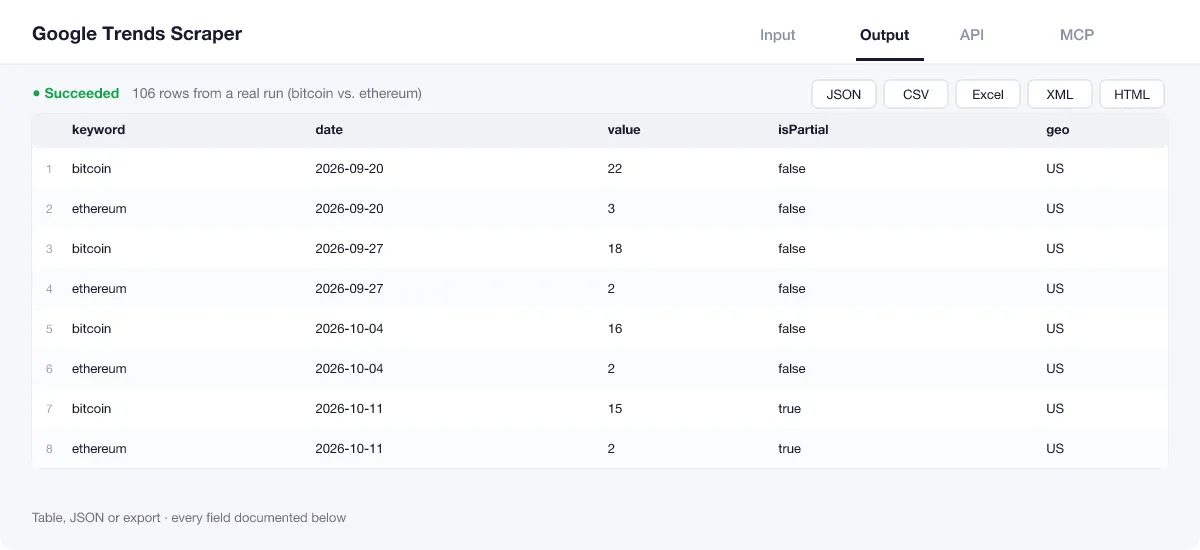
Every keyword gets one row per date. The last period of a range is usually still running and is marked with isPartial: true, so you can leave it out of charts. The run summary (OUTPUT in the key-value store) holds the self-check result and the input.
Output example
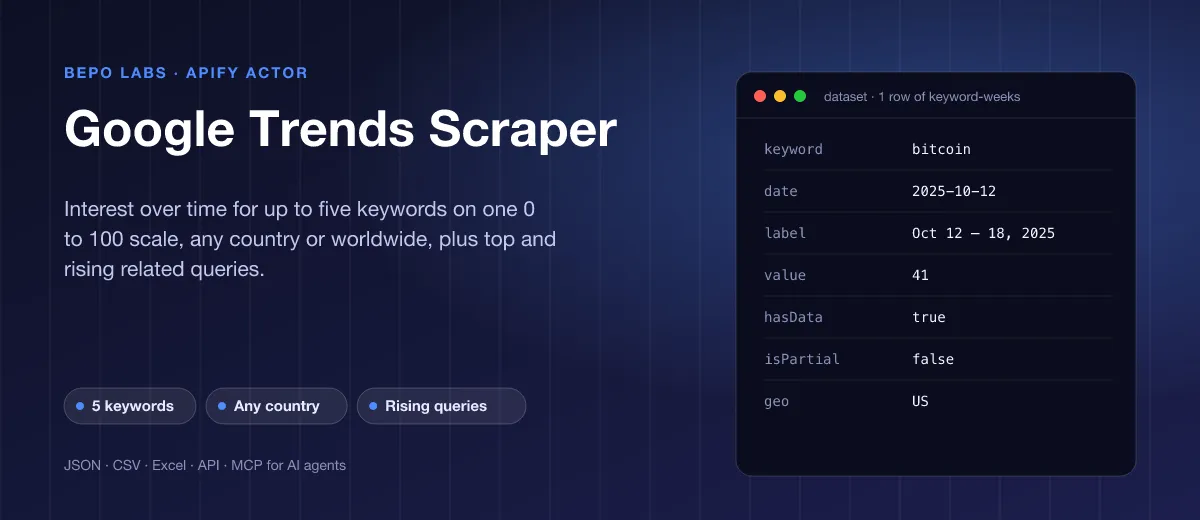
One row of the dataset (bitcoin, United States, last 12 months):
Related queries
The key-value store record RELATED lists the leading and rising searches for each keyword, with Google's value (0 to 100, or growth in percent, or Breakout). From the same run, shortened:
View the results as a table or JSON in the Output tab and download them as JSON, CSV, Excel, XML, HTML or RSS, all fields or only those you pick.
💰 How much does Google Trends Scraper cost?
Google Trends Scraper is priced per event: 3 USD per 1,000 rows (0.003 USD each), with no monthly rental. Related queries are included; a run that Google blocks is not charged.
| You get | You pay |
|---|---|
| 100 rows | 0.3 USD |
| 1,000 rows | 3 USD |
| 10,000 rows | 30 USD |
| 100,000 rows | 300 USD |
💡 Apify's free plan gives you 5 USD of credit every month, enough for about 1,666 rows at no cost. Set a spending limit per run and the Actor stops there.
⚖️ Google Trends Scraper vs. the alternatives
| Google Trends Scraper | trends.google.com | Other Trends scrapers | |
|---|---|---|---|
| Compare up to 5 keywords | ✅ | ✅ | often one at a time |
| Clean rows for Sheets, databases, AI | ✅ | CSV per chart | varies |
| Retries when Google slows down | ✅ | ❌ | often fail |
| Self-check of every run | ✅ | ❌ | ❌ |
| Schedules, API and MCP | ✅ | ❌ | ✅ |
🔌 Integrations, API and MCP
Connect Google Trends Scraper to your AI agent (MCP)
Give Claude, ChatGPT, Cursor or any MCP client direct access to Google Trends Scraper through the Apify MCP server. Add this URL to its settings:
For Claude Desktop, add it under mcpServers in claude_desktop_config.json:
Then ask: "Compare Google search interest for bitcoin and ethereum in the US over the last 12 months and tell me when each peaked."
Run it from your code
Python (pip install apify-client):
JavaScript (npm install apify-client):
No-code integrations
Send results to Google Sheets, Slack, Airtable, HubSpot, Make, Zapier, n8n and more from the Integrations tab, start runs on a schedule, or trigger your own endpoint with a webhook when a run finishes. The Apify API gives you full control over runs and datasets.
❓ FAQ
What do the values mean?
Google Trends values are relative: 100 is the highest interest in the chosen range, region and keyword set, 50 is half of that. They are not search counts.
Why do the numbers change when I add a keyword?
All keywords in one run share one scale. Adding a more popular keyword lowers the values of the others, exactly as on trends.google.com.
What does isPartial mean?
The last step of a range is often still running. Google marks it, and so does every row dated in it.
How far back can I go?
all goes back to 2004. Short ranges such as now 1-H or now 7-d give minute or hour steps.
What if Google blocks a request?
The Actor retries each request with growing pauses (maxRetries, default 4). If Google still refuses, the run fails with a clear message and costs nothing.
Does it list Google's trending searches?
No, not Google's daily trending-searches page. It reads the interest in the keywords you enter, plus leading and rising queries around each, saved in the RELATED record.
Is it legal to use Google Trends Scraper?
Google Trends shows aggregated, anonymous search interest to everyone without a login; the Actor reads the same public data, with no personal data in it. Check Google's terms for your use case, and cite Google Trends as the source when you publish charts.
What if something is missing or does not work?
Open an issue on the Issues tab; we read each one and reply. Feature requests are welcome too.
💬 Your feedback
Tell us what Google Trends Scraper should add on the Issues tab or leave a review; your notes decide what we work on next.
🔗 Related Actors
| Actor | What it does |
|---|---|
| 📈 Wikipedia Pageviews | Daily or monthly views of any Wikipedia article in any language, with totals and averages, from the official Wikimedia API. |
| 🔗 Broken Link Checker | Every link and image on your pages checked: HTTP status, each redirect hop, final URL and response time. |
| ⚡ Bulk PageSpeed Insights | Lighthouse scores, lab metrics and real-user Core Web Vitals for any list of URLs, on mobile, desktop or both. |
| 🩺 SEO Audit | Any page to a 0 to 100 SEO score and grade, with the fixes that matter most first: on-page, links and Core Web Vitals. |
| 🗺️ Sitemap URL Extractor | Every URL of a website from its sitemaps, in one deduplicated list with lastmod, changefreq and priority. |
| 📸 Website Screenshot | Full-page PNG, JPEG or PDF of any URL, on desktop, tablet and phone, with cookie banners closed. |
| ⭐ App Store Reviews | iOS App Store reviews with stars, text, app version and date, plus the app's rating and details, for any store country. |
| 🦋 Bluesky Posts | Bluesky posts for any search or handle with text, date, author, likes, reposts, replies, links and hashtags. No login. |


