

Website to Markdown Crawler: HTML to Markdown for LLM and RAG
Pricing
$0.40 / 1,000 pages
Website to Markdown Crawler: HTML to Markdown for LLM and RAG
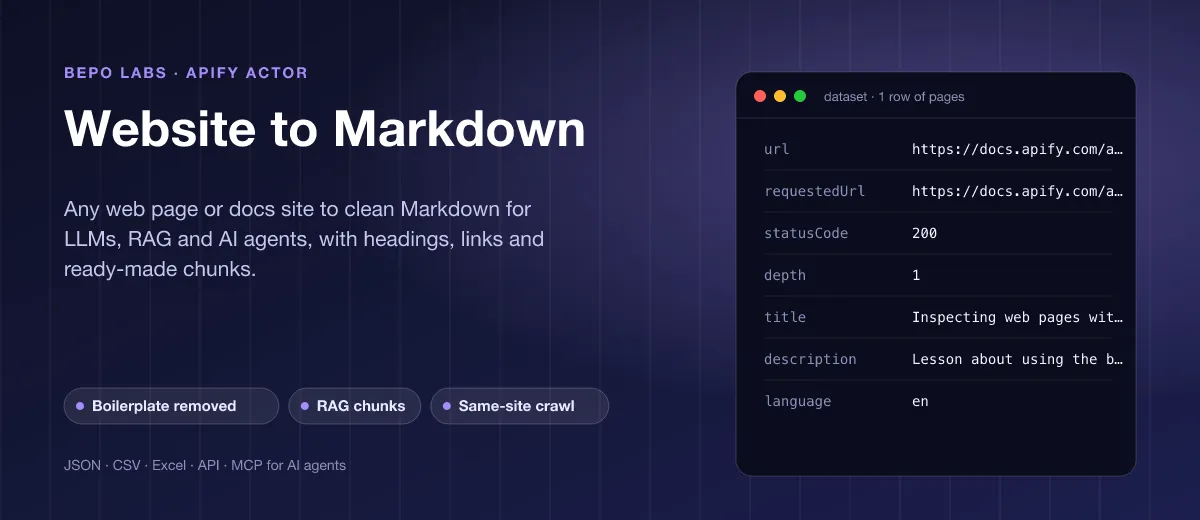
Paste URLs, get Markdown rows without menus, footers or cookie banners. Optional ready-made chunks for vector search and a depth setting to follow internal hyperlinks.
Pricing
$0.40 / 1,000 pages
Rating
0.0
(0)
Developer

BEPO Labs
Maintained by CommunityActor stats
0
Bookmarked
1
Total users
1
Monthly active users
2 days ago
Last modified
Categories
Security
Limited permissionsShare
📝 What is Website to Markdown?
Give any public URL to Website to Markdown and get the readable body converted from HTML to Markdown, ready for any LLM, RAG setup or agent. Tables, code, quotes and images keep their structure, with absolute addresses. Name, summary, language and timestamp come along for each result.
- RAG and vector databases: load documentation, help centers or blogs into Pinecone, Qdrant, pgvector or LangChain as ready-made chunks
- Prompting and AI agents: give Claude, ChatGPT or Cursor the readable text of any page instead of raw HTML
- Fine-tuning and datasets: collect clean, structured text of whole sites with word counts for filtering
- Content and SEO analysis: compare headings, word counts and links across your own and competitors' pages
- Archiving and migration: move pages of an old CMS to Markdown for a static site or a wiki
✨ Why use this Actor?
- ✅ New: sitemap discovery: switch on
useSitemapand the pages a site lists in its sitemap.xml (or the ones robots.txt names) join the queue, filtered by your globs, so orphans are found without deep crawling - ✅ Source metadata for citations: every page carries its
canonicalUrl,author,publishedAtandmodifiedAt, so RAG answers cite and filter by freshness - ✅ Only the main content: picks
<main>,role=mainor the longest<article>, and removes nav, header, footer, aside, cookie and newsletter boxes, share bars and hidden elements - ✅ RAG chunks built in: switch it on and every page is also cut at sections, then paragraphs, into pieces of up to
chunkSizecharacters, each with its heading path and word count - ✅ Crawl a whole section: follow links on the same host to the depth you set, with include and exclude globs such as
https://example.com/docs/** - ✅ Polite crawling: robots.txt honoured (can be switched off for your own sites),
noindexpages skipped andnofollowlinks not followed in crawls, retries on 429 and 5xx - ✅ Light on resources: plain HTTP requests and a built-in HTML parser, no browser to start and no proxy costs
- ✅ Pay as you go: 0.4 USD per 1,000 pages; failed and skipped ones cost nothing
📦 What data can you get with Website to Markdown?
| 📝 Markdown of the main content | 🏷️ Page title | 💬 Meta description |
| 🌐 Language | 🧭 Headings with level | 🔗 Links in the content, with link text |
| 🔢 Word count | 🧩 RAG chunks with heading path | ↪️ Final URL after redirects |
| ✅ HTTP status code | 🕸️ Crawl depth | 🕒 Crawl time |
🚀 How to use Website to Markdown
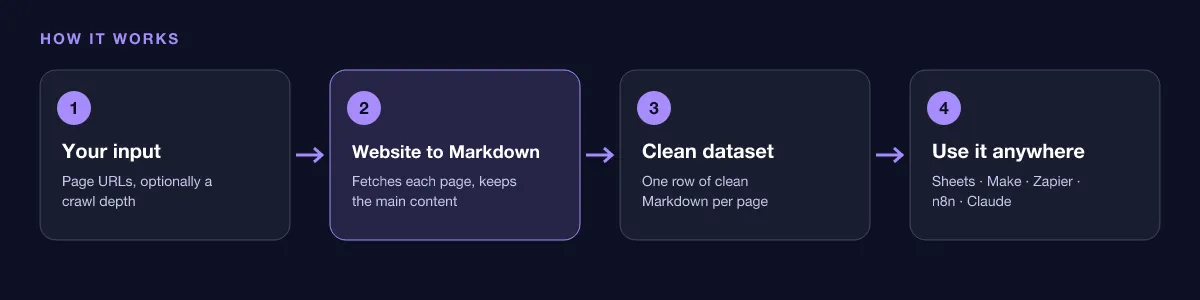
Website to Markdown works in a few clicks, no coding needed:
- Create a free Apify account (the free plan includes 5 USD of monthly credit).
- Open Website to Markdown and click Try for free.
- Paste the URLs of the pages you want. To convert a whole section, set a crawl depth of 1 or more and an include glob. Switch on RAG chunks if you feed a vector database.
- Click Start and wait for the run to finish (most runs take seconds).
- Download your data as JSON, CSV, Excel, XML or HTML, or send it straight to Google Sheets, Make, Zapier or your AI agent.
⬇️ Input
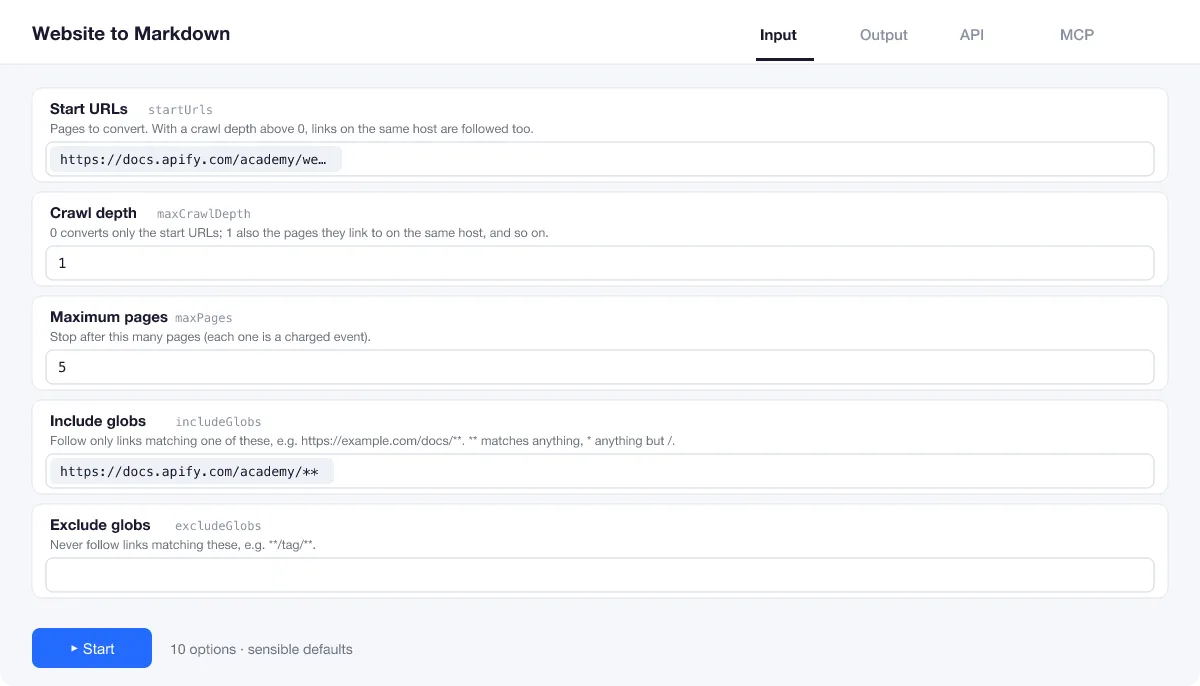
Add one or more start URLs. With the defaults the Actor converts exactly those pages; everything else is optional.
Pages no link reaches
Turn on useSitemap with a start URL such as https://docs.example.com/: the sitemap fills the queue, an include glob keeps one section, and maxPages caps the total.
Single pages or a crawl?
At maxCrawlDepth 0 (the default) only the start URLs are handled. At 1, the pages they link to on the same host follow, and so on, up to maxPages (10 unless changed).
Stay in one section
includeGlobs and excludeGlobs decide which links are followed: ** matches any depth, * a single level. Example: https://docs.example.com/guide/**.
Chunks for RAG
Switch on chunks and set chunkSize (200 to 20,000 characters, default 2,000). Each chunk keeps the headings above it, so your retriever knows where the text came from.
| Field | Type | What it does | Default |
|---|---|---|---|
Start URLs (startUrls) | array | Pages to convert. | [{"url":"https://docs.apify.com/academy/ |
Crawl depth (maxCrawlDepth) | integer | 0 converts only the start URLs; 1 also the pages they link to on the same host, and so on. | 0 |
Maximum pages (maxPages) | integer | Stop after this many pages (each one is a charged event). | 10 |
Use the sitemap (useSitemap) | boolean | Also queue the pages listed in each start host's sitemap (from robots.txt, else /sitemap.xml; sitemap indexes followed), filtered by the globs below. | false |
Include globs (includeGlobs) | array | Follow only links matching one of these, e.g. | [] |
Exclude globs (excludeGlobs) | array | Never follow links matching these, e.g. | [] |
RAG chunks (chunks) | boolean | Also split each page into chunks with their heading path. | false |
Chunk size (characters) (chunkSize) | integer | Maximum characters per chunk. | 2000 |
Honour robots.txt (respectRobotsTxt) | boolean | Skip pages robots.txt disallows. | true |
Concurrency (maxConcurrency) | integer | How many pages are fetched in parallel (1 to 20). | 5 |
Maximum retries (maxRetries) | integer | Retries per page on network errors, 429 and 5xx. | 2 |
Input example
⬆️ Output
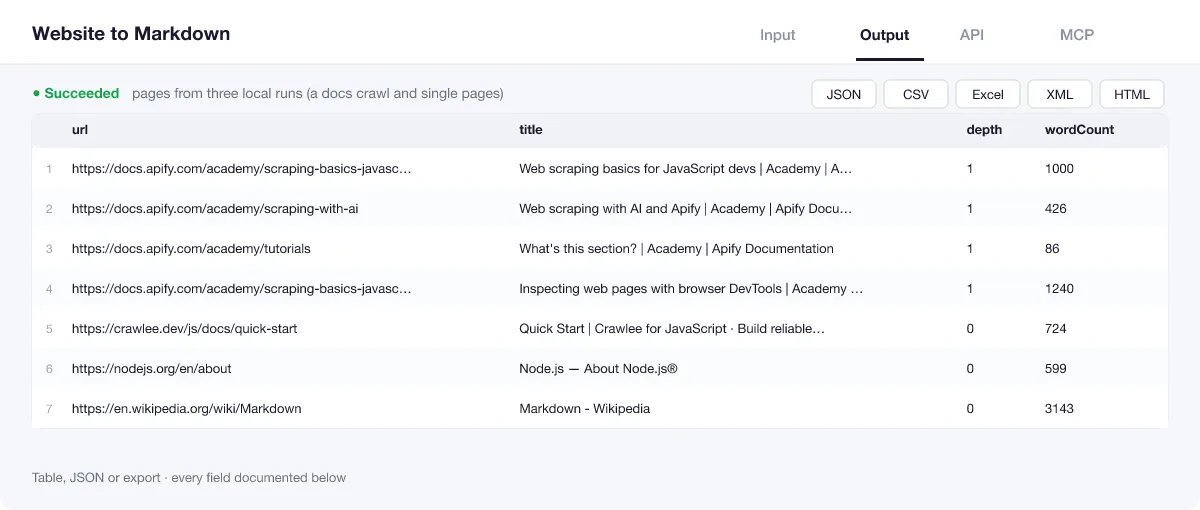
Each result is one row: Markdown plus metadata. The run summary in the key-value store (OUTPUT) holds the totals, every failed URL with its error in plain language, and the skipped pages (robots.txt, not HTML, noindex, duplicate after a redirect).
Output example
One row of the dataset (local crawl of the Apify Academy, 2026-10-16; Markdown and lists shortened):
RAG chunks
With chunks on, each row also has a list of pieces. Two of them for the Crawlee Quick Start page (local run with chunkSize 1,500, 2026-10-16; 16 in total):
View the results as a table or JSON in the Output tab and download them as JSON, CSV, Excel, XML, HTML or RSS, all fields or only those you pick.
💰 How much does Website to Markdown cost?
Website to Markdown is priced per event: 0.4 USD per 1,000 documents (0.0004 USD each), with no monthly rental. Failed or skipped inputs (robots.txt, not HTML, noindex, duplicates) cost nothing.
| You get | You pay |
|---|---|
| 100 documents | 0.04 USD |
| 1,000 documents | 0.4 USD |
| 10,000 documents | 4 USD |
| 100,000 documents | 40 USD |
💡 Apify's free plan gives you 5 USD of credit every month, enough for about 12,500 documents at no cost. Set a spending limit per run and the Actor stops there.
⚖️ Website to Markdown vs. the alternatives
| Website to Markdown | Browser-based crawlers | Copy and paste | |
|---|---|---|---|
| Menus, footers and cookie banners removed | ✅ | ✅ usually | ❌ by hand |
| RAG chunks with heading path | ✅ | some | ❌ |
| Headings, links and word count per page | ✅ | some | ❌ |
| Speed per page | ✅ plain HTTP, no browser | slower, a browser per page | minutes |
| Pages that need JavaScript to show text | ❌ not supported | ✅ | ✅ |
| API, schedules and MCP for AI agents | ✅ | ✅ | ❌ |
🔌 Integrations, API and MCP
Connect Website to Markdown to your AI agent (MCP)
Give Claude, ChatGPT, Cursor or any MCP client direct access to Website to Markdown through the Apify MCP server. Add this URL to its settings:
For Claude Desktop, add it under mcpServers in claude_desktop_config.json:
Then ask: "Convert the Getting Started pages of docs.example.com to Markdown and summarise how to install the product."
Run it from your code
Python (pip install apify-client):
JavaScript (npm install apify-client):
No-code integrations
Send results to Google Sheets, Slack, Airtable, HubSpot, Make, Zapier, n8n and more from the Integrations tab, start runs on a schedule, or trigger your own endpoint with a webhook when a run finishes. The Apify API gives you full control over runs and datasets.
❓ FAQ
Does it work on pages built with JavaScript?
It reads the HTML the server sends, which covers documentation sites, blogs, news, wikis and most marketing pages. Anything that shows its text only after JavaScript runs (some web apps) comes back nearly empty; the word count makes it easy to spot.
How do I convert a whole documentation site?
Give the docs home page as the start URL, set maxCrawlDepth to 2 or 3, raise maxPages, and add an include glob such as https://docs.example.com/** so the crawl stays inside that section.
Which chunk size should I use?
1,000 to 2,000 characters suits most embedding models. Chunks break at headings first, then at paragraphs, and never mix two sections.
What happens when a page fails?
The other pages still run. The failed URL and the reason (for example HTTP 404 or a timeout) are listed in the run summary, and it is not charged. The run fails only when no page could be converted.
Does it follow links to other websites?
No. The crawl stays on the host of each start URL. Links to other sites still appear in the links field.
Is it legal to use Website to Markdown?
Converting public web pages is generally legal, but the content belongs to its publishers. The Actor honours robots.txt by default, respects noindex and nofollow, and identifies itself with its own user agent. You are responsible for how you use and republish the text, for copyright and personal data, and for each site's terms; when in doubt, ask the owner.
What if something is missing or does not work?
Open an issue on the Issues tab; we read each one and reply. Feature requests are welcome too.
💬 Your feedback
Tell us what Website to Markdown should add on the Issues tab or leave a review; your notes decide what we work on next.
🔗 Related Actors
| Actor | What it does |
|---|---|
| 🔤 Image OCR | Extract text from images in 29 languages: plain text, clean Markdown and every word with its pixel box and confidence. |
| 🔗 Broken Link Checker | Every link and image on your pages checked: HTTP status, each redirect hop, final URL and response time. |
| 📄 PDF to Text and Markdown | PDFs to clean text and Markdown, per page, per document or as RAG chunks, with columns in reading order and headers and footers removed. |
| 🩺 SEO Audit | Any page to a 0 to 100 SEO score and grade, with the fixes that matter most first: on-page, links and Core Web Vitals. |
| 🗺️ Sitemap URL Extractor | Every URL of a website from its sitemaps, in one deduplicated list with lastmod, changefreq and priority. |
| 🌐 Domain RDAP and DNS | Domains to registrar, creation and expiry dates, age, status, nameservers, DNSSEC and DNS records from official RDAP, in bulk. |
| ⚡ Bulk PageSpeed Insights | Lighthouse scores, lab metrics and real-user Core Web Vitals for any list of URLs, on mobile, desktop or both. |
| 📰 RSS Feed Reader | Any RSS, Atom or JSON feed, or just a website URL, to one clean list of articles, with full text on request. |


