

RAG Web Search: Google Results as Clean Markdown
Pricing
from $1.70 / 1,000 readable pages
RAG Web Search: Google Results as Clean Markdown
Search Google and get the top result pages as clean Markdown, text or HTML for LLMs, RAG and AI agents. No login or API key. Blocked, login and paywall pages are free status rows.
Pricing
from $1.70 / 1,000 readable pages
Rating
0.0
(0)
Developer

Cliqto Media
Maintained by CommunityActor stats
0
Bookmarked
2
Total users
1
Monthly active users
3 days ago
Last modified
Categories
Share
Type a search query and get the top Google result pages as clean Markdown, plain text or HTML, one Dataset row per page. It is a RAG web search tool for LLM apps and AI agents: no login and no API key, and a typical run with 3 pages takes a few seconds and costs about $0.009.
Start with the prefilled query apify actors and 3 pages. Pages that block robots, ask for a login or sit behind a paywall are not bypassed: they come back as free status rows, and the Actor reads the next Google result instead.
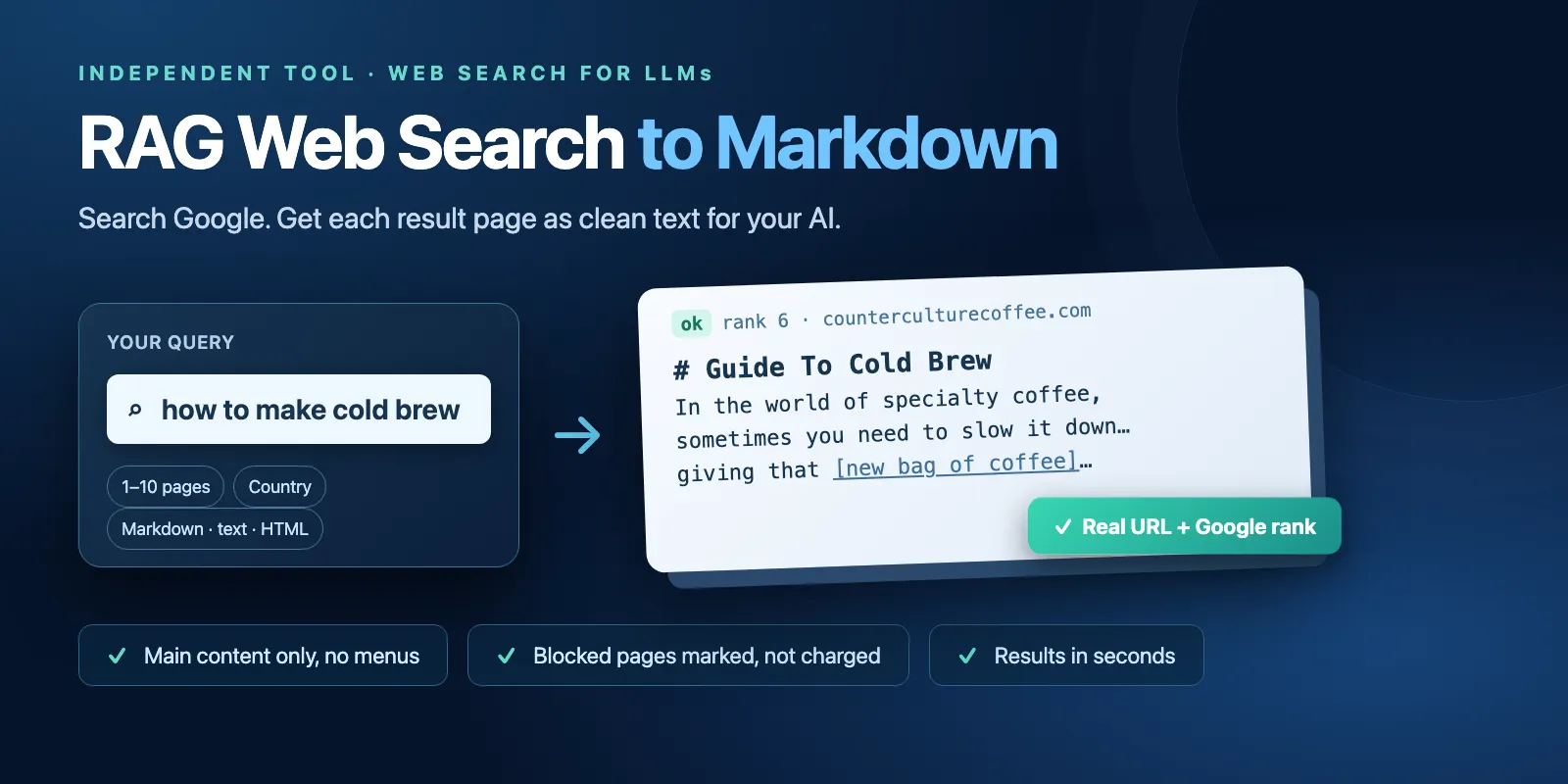
Table of contents
- What it does
- Quick start
- Use cases
- Input
- Output
- Pricing and limits
- API, export and integrations
- Troubleshooting
- FAQ
- Related Actors
- Support
What it does
- Searches Google for your query in the country you choose.
- Takes the organic results in order. Ads and Google's own pages are skipped. URLs are the real page addresses, not Google redirect links.
- Opens each page with a normal HTTP request and keeps only the main content: no menus, footers, cookie banners or scripts.
- Saves each readable page as one row with the content in one field:
markdown,textorhtml. - Stops when it has the number of readable pages you asked for, or when the time budget ends.
If you put a URL instead of a query, the Actor skips Google and reads only that page.
Good fit
- Give an LLM or agent fresh web context for a question (retrieval-augmented generation).
- Collect the readable text of the top results for a topic before chunking and embedding.
- Read one known URL as Markdown inside the same workflow.
Not a fit / limits
- No JavaScript rendering. Pages that build their text in the browser (many web apps, YouTube) come back as
empty. - No login, cookies or paywall bypass. Such pages come back as
login_requiredorpaywall. - Up to 10 pages per run and English-language Google results. For more queries, start more runs.
- PDF and other files are not converted (
not_htmlrow).
Quick start
- Open the Input tab.
- Keep the prefilled Search query or URL (
query)apify actors, or type your own question. - Keep Pages to return (
maxResults) at the prefilled 3. - Click Start.
- Open the Output tab. The Results view shows rank, URL, title, word count and status; the Markdown view shows the page content.
Expected result: 3 rows with fetchStatus: "ok" and Markdown content, usually in under 10 seconds, plus free status rows for any pages that could not be read.
Use cases
| Buyer job | Input path | Output entity | Key fields | Next integration |
|---|---|---|---|---|
| Web context for an LLM answer | query = the user's question, maxResults 3–5 | one row per page | url, title, markdown | pass markdown to the model with url as the source |
| Topic corpus for a vector database | query per topic, maxResults 10, outputFormat text | one row per page | text, wordCount, url | chunk text, keep url as metadata |
| Read one known page | query = a single https:// URL | one row | markdown, httpStatus, fetchStatus | same as above |
Input
Input fields
| Field | Plain name | Type | Required | Default / prefill | Allowed values | Effect | Example | Recommendation |
|---|---|---|---|---|---|---|---|---|
query | Search query or URL | string | yes | prefill apify actors | 1–500 characters; Google operators work (site:, quotes, -word); or one http(s) URL | what Google searches, or the single page to read | rag chunking strategies | write it like a normal Google search |
maxResults | Pages to return | integer | no | default 3, prefill 3 | 1–10 | how many readable pages you get; status rows do not count | 5 | 3–5 for chat answers, 10 for a corpus |
outputFormat | Content format | string | no | markdown | markdown, text, html | which content field is filled | text | Markdown keeps headings and links; text is smallest |
countryCode | Google country | string | no | us | two letters (gl), e.g. us, gb, de | which country's results Google shows; language stays English | gb | use the country of your users |
timeoutSecs | Time budget (seconds) | integer | no | 40 | 10–120 | the Actor stops reading pages after this time and returns what it has | 60 | raise it if you often get TIME_LIMIT |
Interacting settings
| When | Input A | Input B | Effective behavior | Example | Cost/result effect |
|---|---|---|---|---|---|
| Some top pages are blocked | maxResults | — | the Actor reads further Google results (up to 2 result pages) to fill the number | maxResults: 3, 3 blocked → reads results 4–6 | status rows are free |
| Slow sites | maxResults | timeoutSecs | when time runs out the run ends as partial with the rows it already has | maxResults: 10, timeoutSecs: 10 → 6 rows | you pay only for saved rows |
query is a URL | query | countryCode | Google is not used; countryCode is ignored; maxResults is 1 | https://apify.com/actors | one search event + one page event |
Input examples
Answer a question with web context
Expected behavior: one Google search, then the top readable pages.
Expected output: 3 rows with rank, url, title, markdown.
Limit or cost note: 1 search + 3 page events.
Plain text from the UK results
Expected behavior: Google UK results; blocked pages are skipped and the next results are read.
Expected output: up to 5 ok rows with text, plus free status rows for pages that could not be read.
Read one page
Expected behavior: no Google search; the Actor reads this page only.
Expected output: 1 row with cleaned html.
Output
Output fields
| Field | Meaning | Type | Can be empty? | Example / enum | Source / notes |
|---|---|---|---|---|---|
query | your search query (or the URL) | string | no | apify actors | input |
rank | position among Google organic results, 1 = top | integer | no | 1 | Google; ads are not counted |
url | real page address | string | no | https://apify.com/actors | Google redirect and tracking parameters removed |
title | page title, or the Google title if the page was not read | string | yes | Automate anything with Apify Actors · Apify | page <title> |
description | Google snippet | string | yes | Actors are web data automations… | Google; null in URL mode |
markdown | main content as Markdown | string | yes | # Automate anything… | only when outputFormat is markdown; null on status rows |
text | main content as plain text | string | yes | Automate anything… | only when outputFormat is text |
html | cleaned main-content HTML | string | yes | <main><h1>… | only when outputFormat is html |
wordCount | words in the content | integer | no | 427 | 0 on status rows |
fetchStatus | result of reading the page | string | no | ok, blocked, login_required, paywall, not_html, empty, timeout, error | only ok rows are charged |
httpStatus | HTTP status of the page | integer | yes | 200 | null when no response |
error | why there is no content | string | yes | HTTP 403 | null on ok rows |
fetchedAt | when the page was read | string (ISO 8601) | no | 2026-10-15T04:12:15.881Z | — |
Only one of markdown, text or html is present in a row, the one you chose, so only the matching view (Markdown, Text or HTML) shows content. Content is cut at 200,000 characters.
Output entities and surfaces
| Situation | Dataset/API/KVS/live view | Result shape | User action |
|---|---|---|---|
| Normal item | Dataset, views Results, Markdown, Text, HTML | ok rows first, ordered by rank | use the content field |
| Domain-empty result | Dataset empty; RUN_SUMMARY status not_found | no rows | change the query |
| Partial result | Dataset ok rows + status rows; RUN_SUMMARY status partial with partialReason (TIME_LIMIT, CHARGE_LIMIT, NOT_ENOUGH_READABLE_PAGES) | fewer ok rows than asked | raise timeoutSecs or your spending limit, or rephrase |
| Technical failure | run FAILED, status message and RUN_SUMMARY status error | no rows, nothing charged | start the run again later |
RUN_SUMMARY in the default key-value store also has requested, returned, serpRoute, statusCounts and chargedEvents.
Output example
From a real run with the prefilled input (content trimmed):
A status row has the same fields with no content field, for example "fetchStatus": "blocked", "httpStatus": 403, "wordCount": 0.
Pricing and limits
Pricing unit
The Actor uses pay-per-event pricing. You pay only for these events; platform usage is included.
| Event | When it is charged | Free plan | Bronze | Silver | Gold+ |
|---|---|---|---|---|---|
search | once per run that gets an answer: one Google search (also when Google has no results) or one URL read | $0.003 | $0.00285 | $0.0027 | $0.00255 |
page | per saved row with fetchStatus: "ok" | $0.002 | $0.0019 | $0.0018 | $0.0017 |
Status rows (blocked, login_required, paywall, not_html, empty, timeout, error) are free. If Google cannot be reached, the run fails and nothing is charged. If your spending limit is lower than the next row, the run stops as partial and keeps only the paid rows.
Cost examples
Free-plan prices:
| Scenario | Input scope | Expected events | Base charge | Optional charge | Stop/cap behavior |
|---|---|---|---|---|---|
| Typical | maxResults 3 | 1 search + 3 pages | $0.009 | none | stops at 3 ok rows |
| One page | maxResults 1, or one URL | 1 search + 1 page | $0.005 | none | — |
| Largest | maxResults 10 | 1 search + 10 pages | $0.023 | none | stops at 10 ok rows |
| No Google results | any | 1 search | $0.003 | none | run ends not_found |
| All pages blocked | any | 1 search | $0.003 | none | run ends partial, status rows only |
| URL could not be read | one URL | 1 search | $0.003 | none | run ends partial, one status row |
Limits
- 1–10 readable pages per run; Google results from up to 2 result pages are tried.
- One page request waits up to 15 seconds; the whole run follows
timeoutSecs(10–120). - Page size up to 5 MB; content up to 200,000 characters.
- 256 MB memory is enough; measured runs used under 60 MB.
API, export and integrations
- API: start the Actor with the Apify API and read the Dataset items; each item is one page.
- Export: the Dataset downloads as JSON, CSV, Excel or HTML from the Output tab.
- SDK: call it from the Apify Python or JavaScript client and pass the
markdownfield to your RAG pipeline (for example LangChain or LlamaIndex loaders).
Use with AI agents (MCP)
- MCP server URL with only this Actor:
https://mcp.apify.com?tools=cliqtomedia/rag-web-search(see Apify MCP server). - Smallest useful input:
- Key output fields:
url(source to cite),title,markdown(page content),fetchStatus(ok= usable),rank. - A typical call returns 3 pages in about 1–7 seconds and costs about $0.009 on the Free plan.
- Limits: 10 pages per call, no JavaScript rendering, logins and paywalls are not opened.
Troubleshooting
Fewer pages than I asked for
Symptom: the run ends as partial with fewer ok rows.
Likely reason: many top results blocked the request or needed JavaScript, or the time budget ended.
Check: partialReason and statusCounts in RUN_SUMMARY.
Action: for TIME_LIMIT raise timeoutSecs; for NOT_ENOUGH_READABLE_PAGES rephrase the query or add -site: for sites that block.
A known site is always blocked
Symptom: the same domain comes back as blocked with HTTP 403.
Likely reason: the site refuses automated requests. The Actor does not solve CAPTCHAs or bypass anti-bot checks.
Action: use other results, or a source that allows automated access.
The run failed
Symptom: run status FAILED, message about Google.
Likely reason: Google did not return a readable results page on any route.
Action: start the run again in a few minutes. Nothing was charged.
FAQ
Do I need a Google API key or a login?
No. The Actor reads public Google results and public pages. It does not open pages that need a login.
What happens when Google finds nothing?
The run succeeds with status not_found, no rows, and one search event ($0.003 on the Free plan).
Is the content complete and up to date?
It is the page as served at fetchedAt, main content only. Text that loads with JavaScript, comments and hidden blocks are not included. Some sites repeat a lead paragraph in their HTML; it then appears twice.
Can I search in other languages?
Google results are requested in English (hl=en); countryCode changes the country. Pages in other languages are returned as they are.
Related Actors
- PDF & Image to Text OCR — for results that come back as
not_htmlPDF files. - Website Metadata & Open Graph Scraper — titles, descriptions and preview images for a list of URLs.
Support
For a bug, question or feature request, open an issue on the Issues tab of this Actor. Include the run ID, your input (without private data) and the RUN_SUMMARY message. Never send API tokens or cookies.


