

Screenshot API: URL to PNG, JPEG or PDF, Fast, No Login
Pricing
from $3.50 / 1,000 screenshots
Screenshot API: URL to PNG, JPEG or PDF, Fast, No Login
Fast screenshot API: turn up to 200 public URLs into PNG, JPEG, PDF or small thumbnails. Desktop, mobile or custom viewport, cookie banners hidden. One row per URL with file link, size and HTTP status. No login.
Pricing
from $3.50 / 1,000 screenshots
Rating
0.0
(0)
Developer

Cliqto Media
Maintained by CommunityActor stats
0
Bookmarked
3
Total users
2
Monthly active users
5 days ago
Last modified
Categories
Features
Share
Screenshot API turns public web page URLs into PNG, JPEG or PDF files, or small thumbnails. Each URL gets one JSON row with a link to the file, its size, the page title and the HTTP status. Cookie banners and ads are hidden for you. No login and no API key for the sites you capture.
The prefilled run (one URL) usually takes 3–5 seconds and costs $0.021. You pay a fixed price per screenshot: 1,000 screenshots of the first screen cost about $5.32 on the Free plan.
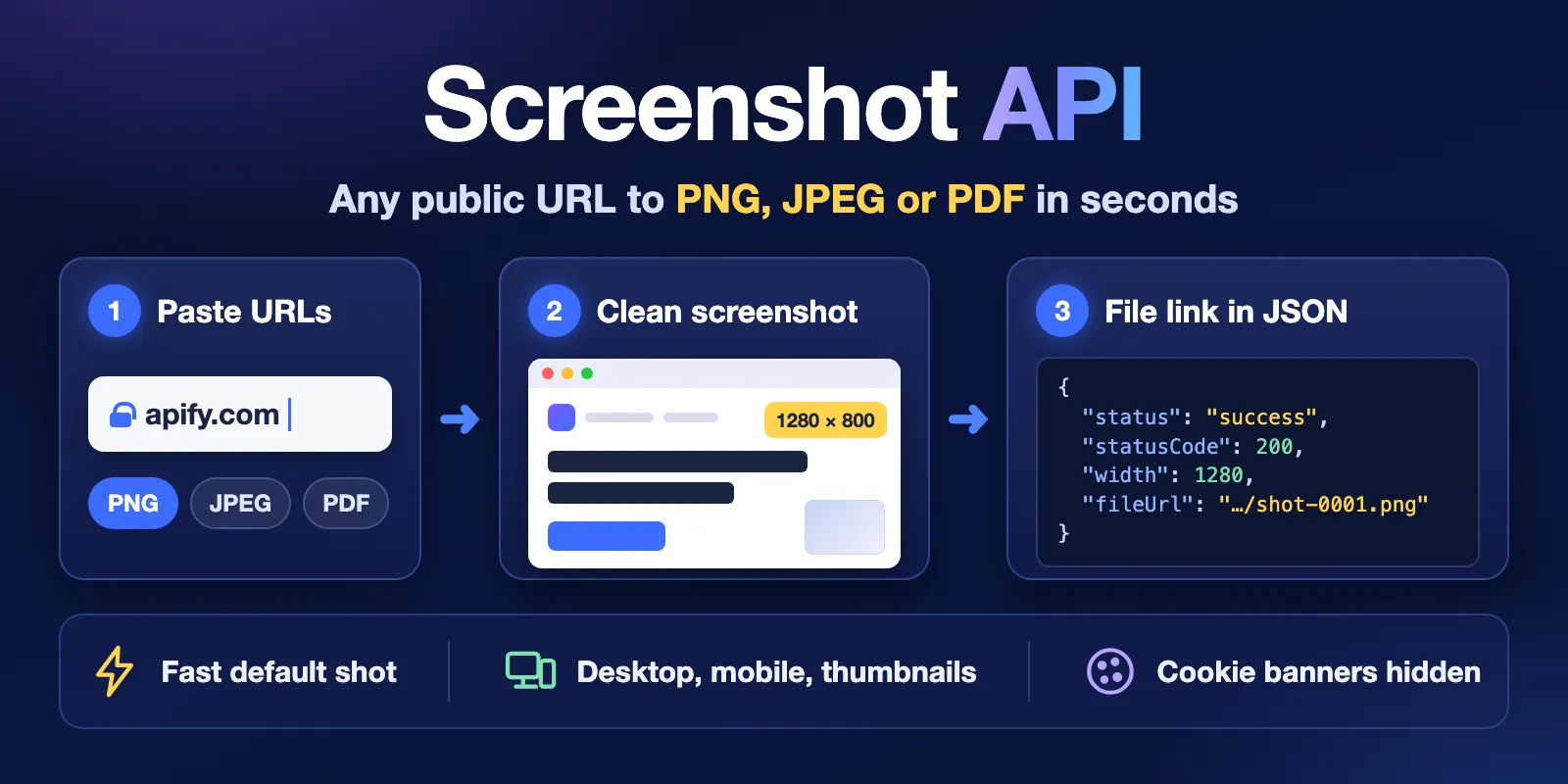
Table of contents
- What it does
- Quick start
- Use cases
- Input
- Output
- Pricing and limits
- API, export and integrations
- Use with AI agents (MCP)
- Troubleshooting
- FAQ
- Related Actors
- Support
What it does
For each URL, the Actor opens the page in a real Chrome browser (Playwright Chromium) and:
- Waits until the page has loaded (
loadby default; you can pickdomcontentloaded,networkidleor a CSS selector). - Closes the cookie consent pop-up with the open-source Autoconsent rules (OneTrust, Cookiebot, Didomi, Sourcepoint and many more). It clicks "reject" when it can and hides what is left.
- Blocks ads and trackers, so heavy pages load faster and the image shows the content.
- Saves the first screen (default), the whole page, a small thumbnail or a PDF.
- Stores the file in the run's Key-value store and writes one Dataset row with the file link.
The default is a 1280 × 800 desktop PNG of the first screen. This is the fastest and cheapest shot: about 1–5 seconds per page.
Pages that fail (bad URL, unknown domain, timeout, private address) get a row with status: "failed" and an errorCode. They are free.
Good fit
- Link previews and thumbnails for your app (
thumbnailWidth: 320gave 320 × 200 PNGs of about 9–34 KB in our tests). - Screenshots inside your own backend: call the API, get
fileUrl, save or show the file. - Visual checks of your pages on desktop and mobile.
- PDF copies of articles, policies or invoices pages.
- Pages for AI agents and vision models to "look at".
Not a fit / limits
- Pages behind a login. The Actor does not sign in, does not use your cookies and does not solve CAPTCHAs.
- Some sites block cloud browsers (HTTP 401 or 403). You get an image of what the site shows, with a warning.
- Local and private addresses (
localhost,192.168.x.x,10.x.x.xand similar) are blocked. - No video or GIF recording.
- Up to 200 URLs per run; about 80–100 first-screen shots fit in the default 300-second timeout.
Quick start
- Open the Input tab.
- In Website URLs (
urls), keephttps://apify.comor paste your own URLs, one per line. - Click Start.
- Open the Output tab. The Captures view shows a preview of each screenshot. Click the File link to open or download it.
Expected result: one row with status: "success", a 1280 × 800 PNG and the message "Captured 1 of 1 pages."
Use cases
| Buyer job | Input | Output | Key fields | Next step |
|---|---|---|---|---|
| Link preview images | thumbnailWidth: 320 | 320 px wide PNG | fileUrl, width, height | Show it next to the link in your app |
| Screenshot API for your backend | urls, default settings | 1280 × 800 PNG | fileUrl, statusCode, title | Save the file to your storage |
| Mobile check | viewport: "mobile" | 780 × 1688 PNG (390 × 844 at 2×) | fileUrl, width | Compare with the desktop shot |
| Full-page archive | fullPage: true | whole-page PNG | fileUrl, pageHeight, truncated | Schedule it every week |
| Page to PDF | format: "pdf" | A4 PDF with text | fileUrl, pdfPages, bytes | Keep with your documents |
| Smaller files | format: "jpeg", jpegQuality: 70 | JPEG | fileUrl, bytes | Reports, e-mails |
Input
Input fields
| Field | Type | Default | Allowed values | What it changes |
|---|---|---|---|---|
urls | array of strings | required (prefill: https://apify.com) | 1–200 http/https URLs | Pages to capture. example.com without https:// works. Duplicates are skipped. |
format | string | png | png, jpeg, pdf | File type. PDF uses the print layout and always has the whole page. |
fullPage | boolean | false | true: the whole page, top to bottom (adds the full-page add-on). false: only the first screen. | |
viewport | string | desktop | desktop (1280×800), full-hd (1920×1080), tablet (768×1024, 2×), mobile (390×844, 2×), custom | Screen size. Tablet and mobile also use a mobile browser signature. |
viewportWidth | integer | 1280 | 320–3840 | Width for custom. |
viewportHeight | integer | 800 | 320–2160 | Height for custom. |
deviceScaleFactor | integer | 1 desktop, 2 tablet/mobile | 1–3 | Pixel density. 2 = sharper image, twice as wide and high. |
thumbnailWidth | integer | empty | 64–1280, not wider than the viewport | Small image of this width. The browser draws it at this size, so the file is tiny. PNG and JPEG only. |
waitFor | string | load | load, domcontentloaded, networkidle, selector | When the page is ready. networkidle waits up to 10 s more and adds the extra-wait add-on. |
waitForSelector | string | empty | CSS selector | For waitFor: "selector". If the element never appears, the row fails with SELECTOR_NOT_FOUND (free). |
delayMs | integer | 0 | 0–5000 | Extra wait before the shot. Above 0 adds the extra-wait add-on. |
navigationTimeoutSecs | integer | automatic | 5–60 | How long to wait for the page. Empty = 15 s, then 30 s after 3 pages are done; pages that missed 15 s are tried again with 30 s. |
scrollToLoadLazyContent | boolean | true | Scroll the page first so lazy images appear in full-page shots. | |
hideCookieBanners | boolean | true | Close or hide cookie consent pop-ups. | |
blockAds | boolean | true | Block ads and trackers. Turn off to see the page with ads. | |
hideSelectors | array of strings | empty | CSS selectors | Elements to hide, for example #intercom-container. |
maxFullPageHeight | integer | 15000 | 1000–30000 | Longest full-page image in CSS pixels. Longer pages are cut and the row has truncated: true. |
jpegQuality | integer | 80 | 1–100 | JPEG quality. Lower = smaller file. |
pdfFormat | string | A4 | A4, Letter, Legal, A3, Tabloid | PDF paper size. |
pdfLandscape | boolean | false | PDF in landscape. | |
pdfPrintBackground | boolean | true | Print background colors and images. | |
pdfUseScreenMedia | boolean | false | Make the PDF look like the screen, not like the print version. |
If urls is empty or has more than 200 entries, the run stops at once with an "Invalid input" message and no page charges. A URL that cannot be read (for example ftp://…) gets a free failed row; the other URLs are still captured.
Interacting settings
| When | Setting A | Setting B | What happens |
|---|---|---|---|
format: "pdf" | fullPage, jpegQuality, deviceScaleFactor | Ignored. The PDF always has the whole page on print pages. | |
format: "pdf" | thumbnailWidth | Not allowed: the run stops with "Invalid input". | |
| Thumbnail | thumbnailWidth | deviceScaleFactor | deviceScaleFactor is ignored; the scale comes from the thumbnail width. |
| Thumbnail | thumbnailWidth | viewport: "mobile" | The thumbnail must not be wider than 390 px (the mobile screen). |
| Custom size | viewportWidth or viewportHeight | viewport empty | custom is chosen for you. |
| High density | deviceScaleFactor: 2 | maxFullPageHeight | Images are limited to 16,000 device pixels high, so at 2× long pages are cut at 8,000 CSS px. |
Input examples
First screen, desktop (prefill)
One 1280 × 800 PNG, usually in 3–6 seconds.
Thumbnails for link previews
Three 320 × 200 PNGs. In our test the example.com thumbnail was 8,696 bytes.
Mobile full page
One PNG 780 px wide (390 px at 2×), cut at 8,000 CSS px if the page is longer.
PDF of an article
One A4 PDF. In our test it had 4 pages (pdfPages: 4).
Output
The Actor writes:
- Dataset: one row per input URL, in the order pages finish. Views: Captures (with image preview) and Failed URLs.
- Key-value store: the files, named
shot-0001-apify.com.png,shot-0002-example.com.pngand so on (the number is the position in your list), andRUN_SUMMARYwith counts and the final status.
Output fields
| Field | Meaning | Type | Empty when |
|---|---|---|---|
url | URL as you gave it | string | never |
finalUrl | URL after redirects | string | failed before loading |
status | success or failed | string | never |
statusCode | HTTP status of the page | integer | no answer (DNS, timeout) |
format | png, jpeg or pdf | string | never |
fileUrl | Link to the saved file | string | failed |
imageUrl | Same as fileUrl for PNG/JPEG (used for the preview) | string | PDF or failed |
kvsKey | Key of the file in the Key-value store | string | failed |
contentType | image/png, image/jpeg or application/pdf | string | failed |
bytes | File size | integer | failed |
width, height | Image size in pixels | integer | PDF or failed |
pageHeight | Full page height in CSS pixels | integer | first-screen images (not measured, to save time), failed |
truncated | true if the page was longer than maxFullPageHeight | boolean | never |
pdfPages | Number of PDF pages | integer | PNG/JPEG or failed |
title | Page title | string | no title or failed |
viewport, viewportWidth, viewportHeight, deviceScaleFactor, thumbnailWidth, fullPage | Settings used for this shot | mixed | thumbnailWidth is empty for full-size images |
cookieBanner | {detected, cmp, handled}: was a consent pop-up found, which tool, was it closed | object | banner hiding off or failed |
warnings | Notes such as "The site answered HTTP 403" | array | empty array when all is fine |
loadTimeMs | Time from start of loading to the shot | integer | failed |
fetchedAt | When the shot was taken (ISO 8601, UTC) | string | never |
errorCode | Why the page failed | string | success |
error | Short error text | string | success |
Error codes: INVALID_URL, BLOCKED_URL (private or local address), DNS_ERROR, CONNECTION_FAILED, NAVIGATION_TIMEOUT, SELECTOR_NOT_FOUND, NOT_A_WEB_PAGE (the URL is a download), CAPTURE_FAILED, OUTPUT_TOO_LARGE (file over 40 MB).
Output example
From the prefilled run:
A failed row (trimmed; a real failed row has all fields, with null where there is no value):
The fileUrl link works without an Apify token, so you can pass it to other tools. The file stays as long as your plan keeps run storage.
Run status
RUN_SUMMARY in the Key-value store and the run's status message tell you how the run ended:
status | Meaning |
|---|---|
SUCCEEDED | Every URL was captured. |
PARTIAL | Some URLs were captured, some failed or were not processed. stopReason says why it stopped early: CHARGE_LIMIT (your maximum cost per run), TIMEOUT (the run timeout is close), TOO_MANY_TIMEOUTS or TOO_MANY_FAILURES. |
FAILED | No URL could be captured. |
CANCELLED | You aborted the run. Files already saved stay. |
URLs that were not processed are in notProcessedUrls, so you can run them again. The Apify run itself ends as SUCCEEDED in these cases (it fails only on invalid input or a browser crash), so check status in RUN_SUMMARY.
Pricing and limits
Pricing unit
This Actor uses pay-per-event pricing. Platform usage (compute, storage) is included. You pay for:
| Event | When | Free | Bronze | Silver | Gold+ |
|---|---|---|---|---|---|
screenshot | each saved file (PNG, JPEG, PDF or thumbnail) | $0.005 | $0.0046 | $0.0042 | $0.0038 |
full-page | add-on per image when fullPage: true (not for PDF) | $0.003 | $0.003 | $0.003 | $0.003 |
extra-wait | add-on per file when waitFor: "networkidle" or delayMs > 0 | $0.002 | $0.002 | $0.002 | $0.002 |
apify-actor-start | once per run, per GB of memory | $0.008 | $0.008 | $0.008 | $0.008 |
The Actor picks 2 GB for 1–5 URLs and 4 GB for more, so a start costs $0.016 or $0.032. It covers starting the browser container. To pay less per screenshot, send many URLs in one run instead of one URL per run.
Failed URLs, skipped duplicates and URLs not processed are not charged. Unknown domains are found before the browser starts. Pages that answer with an error status (for example HTTP 404, or a 401/403 block page) are still captured and charged, because you get a file; the row has a warning. Invalid input (for example more than 200 URLs) stops the run with no page charges, but the start fee is still charged. There are no proxy costs: pages are opened directly from Apify servers.
You can set a maximum cost per run in Apify. The Actor stops before it would go over it and marks the run PARTIAL with stopReason: "CHARGE_LIMIT".
Cost examples (Free plan)
| Scenario | Memory | Files | Cost |
|---|---|---|---|
| Prefill: 1 URL | 2 GB | 1 | $0.005 + $0.016 = $0.021 |
| 10 URLs, first screen | 4 GB | 10 | 10 × $0.005 + $0.032 = $0.082 |
| 100 URLs, first screen | 4 GB | 100 | 100 × $0.005 + $0.032 = $0.532 |
| 1,000 URLs, first screen (10 runs of 100, run timeout 600 s) | 4 GB | 1,000 | 1,000 × $0.005 + 10 × $0.032 = $5.32 |
| 100 URLs, full page (run timeout 900 s) | 4 GB | 100 | 100 × ($0.005 + $0.003) + $0.032 = $0.832 |
100 URLs with delayMs: 2000 | 4 GB | 100 | 100 × ($0.005 + $0.002) + $0.032 = $0.732 |
| 100 URLs on Gold plan | 4 GB | 100 | 100 × $0.0038 + $0.032 = $0.412 |
| 1 URL with a typo (DNS error) | 2 GB | 0 | $0.016 |
Speed and limits
Measured on Apify in October 2026:
| Run | Memory | Time |
|---|---|---|
| 1 URL, first screen (prefill) | 2 GB | 3–6 s; 20–30 s when Apify first loads the Actor on a new server |
| 20 URLs, first screen | 4 GB | 28–35 s |
| 10 URLs, full page | 4 GB | 50 s |
| 5 URLs, PDF | 2 GB | 46 s |
| 200 popular real sites, first screen | 4 GB | 105 captured in 282 s, then stopped before the timeout |
| 20 heavy real sites, full page | 4 GB | 105 s |
| 20 heavy real sites, PDF | 4 GB | 51 s |
- Up to 200 URLs per run. Split larger lists into several runs.
- The default run timeout is 300 seconds. On real sites about 80–100 first-screen shots, or about 40 full pages or PDFs, fit in it. For more, raise the run timeout (for example to 900 s) or split the list. The Actor stops 25 seconds before the timeout and lists the URLs it did not reach.
- Each page has its own time limit, so one slow site cannot block the run.
- If many pages time out or fail, the run stops early with
TOO_MANY_TIMEOUTSorTOO_MANY_FAILURES, so a list of dead sites does not run for long.
API, export and integrations
- API: start the Actor with
POST https://api.apify.com/v2/acts/cliqtomedia~screenshot-api/runsand the input JSON. For short lists,POST .../run-sync-get-dataset-itemsreturns the rows in the same request. - Export: the Dataset exports to JSON, CSV, Excel, XML or RSS. Files are in the Key-value store.
- Scheduling: add a schedule in Apify to capture the same pages every day or week.
- Webhooks / no-code: use an Apify webhook, Make, Zapier or n8n to send
fileUrlto Google Drive, Slack or your database.
Example with curl (replace <YOUR_TOKEN>):
Use with AI agents (MCP)
- MCP server with only this Actor:
https://mcp.apify.com?tools=cliqtomedia/screenshot-api. - Smallest useful input:
{"urls": ["https://example.com"]}. - Key output fields:
fileUrl(image link a vision model can open),title,statusCode,status,errorCode. - A 1-URL run usually takes 3–6 seconds (sometimes 20–30 s on a cold server) and costs $0.021 on the Free plan. For many pages, send them in one call: each extra screenshot is $0.005. Use
thumbnailWidthfor an even smaller image.
Troubleshooting
The image shows "Access denied" or a bot check
Symptom: status: "success", but the image shows a block page; warnings has "The site answered HTTP 403".
Likely reason: the site blocks cloud browsers.
Action: this Actor opens pages directly from Apify servers and does not use proxies or solve CAPTCHAs. For such sites use a scraper with residential proxies.
A cookie banner is still visible
Symptom: cookieBanner.detected: true, handled: false.
Action: add the banner's CSS selector to hideSelectors.
Parts of the page are empty
Charts, maps or animations were not ready yet.
Action: set delayMs (for example 2000) or waitFor: "networkidle". Both add the extra-wait add-on.
NAVIGATION_TIMEOUT
The page did not answer in time. Check that the site is online, or set navigationTimeoutSecs to 60.
The run is PARTIAL with TIMEOUT
The run timeout was too short for the list. Raise the run timeout or split the list, then run notProcessedUrls again.
FAQ
Is this a screenshot API or a browser tool?
Both. You call it like any API (HTTP request, JSON in, JSON out), and it renders each page in a real Chrome browser on Apify.
Can it screenshot pages that need a login?
No. It does not sign in and does not accept cookies or passwords. Only public pages.
Do I pay for failed URLs?
No. Only saved files are charged, plus the small start fee.
How long are the files kept?
As long as your Apify plan keeps run storage. Download or copy the files if you need them longer.
Can I use my apify/screenshot-url input?
Yes. Its fields urls, waitUntil, delay, viewportWidth, scrollToBottom and selectorsToHide are accepted as they are; proxy is accepted but ignored (pages are opened directly). A networkidle2 wait or a delay above 0 adds the extra-wait add-on. Output names differ: use fileUrl (their screenshotUrl) and kvsKey (their screenshotKey).
Related Actors
- Website Screenshot & PDF Generator: full-page screenshots at 1920 px by default, for visual archives.
Support
For bugs or questions, open an issue in the Issues tab of this Actor. Include the run ID and the URLs that look wrong. Do not send API tokens, cookies or private data.


