

Bulk Image Downloader: Download Images from Website — Picpail
Pricing
Pay per event
Bulk Image Downloader: Download Images from Website — Picpail
Bulk image downloader: download all images from any website or list of URLs into one ZIP, as full-size originals (not thumbnails): img, srcset, lazy-load, CSS, og:image. Format, pixel size and alt text per image; duplicates removed. $0.50 per 1,000 images; skips free.
Pricing
Pay per event
Rating
0.0
(0)
Developer

CyberMax
Maintained by CommunityActor stats
0
Bookmarked
36
Total users
15
Monthly active users
5 days ago
Last modified
Categories
Share
Picpail: Bulk Image Downloader — Download Images from Website to ZIP
Website: cybermaxtools.com/store/picpail-bulk-image-downloader · plans, related tools and bundles
Every image on a page, full size, in one ZIP
Give it page URLs or image links; get one ZIP of the full-size originals plus a row per image with format, pixel size and alt text, for $0.0005 per image.
▶ Try it now with a prefilled input · $0.0005 per image, duplicates and skips free (1,000 images = $0.50) · Apify's free plan includes $5 of credit a month, enough for up to about 10,000 images
Built for: Shop owners moving product photos to a new store · Marketers auditing competitor images and alt text · Teams backing up a site's media · Builders of image datasets
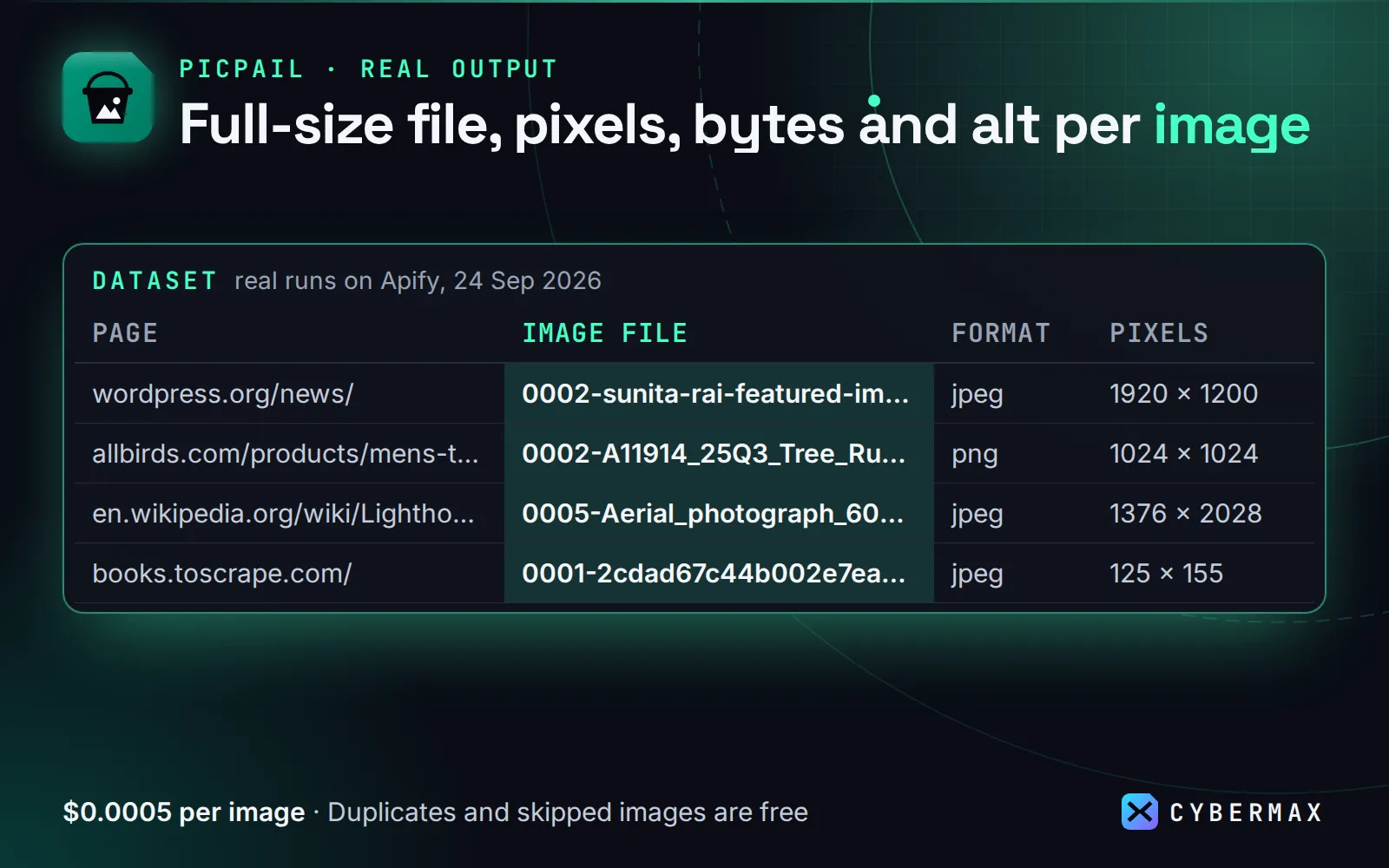
Real output (real runs on Apify, 24 Sep 2026):
| Page | Image file | Format | Pixels | Bytes | Alt text |
|---|---|---|---|---|---|
| wordpress.org/news/ | 0002-sunita-rai-featured-img.jpg | jpeg | 1920 × 1200 | 1,408,399 | Sunita Rai at WordCamp Asia |
| allbirds.com/products/mens-tree-runners | 0002-A11914_25Q3_Tree_Runner_NZ_Natu….png | png | 1024 × 1024 | 363,040 | Men's Tree Runner NZ - Natural White… |
| en.wikipedia.org/wiki/Lighthouse | 0005-Aerial_photograph_60D_2012_0….jpg | jpeg | 1376 × 2028 | 1,694,585 | |
| books.toscrape.com/ | 0001-2cdad67c44b002e7ead0cc35693c0e8b.jpg | jpeg | 125 × 155 | 9,876 | A Light in the Attic |
Picpail finds every picture a visitor would see or click through to (<img>, srcset, lazy-load attributes,
<picture>, CSS backgrounds, og:image, JSON-LD product images, gallery links to originals), swaps thumbnails for
the originals on Shopify, WordPress, Wikimedia, Cloudinary, Wix, Squarespace, Contentful and imgix, and downloads
each file once. Every image is checked from its bytes, duplicates are dropped by SHA-256, and the ZIP has a folder
per page. Duplicates, filtered-out images and failures are free.
Use it for: product photo downloads for a catalogue or marketplace migration, competitor image audits, backing up a site's media before a redesign, building image datasets, grabbing every photo from a gallery or blog post, and checking alt text across pages.
Use cases
- Store migration: pull every product photo from an old Shopify, WooCommerce or Wix store as full-size originals, named and deduplicated, ready to upload to the new one.
- Alt-text and image SEO audit: one row per image with its alt text, format, pixel size and bytes, so missing alt text and oversized files stand out.
- Site backup before a redesign: every image a page or blog uses, in one ZIP split into parts for big jobs.
- Image datasets: collect real images with their source page and SHA-256 for training or research sets (use images you have the right to use).
- Competitor creative tracking: monitor mode returns only images that are new since the last run; pair it with a daily Schedule.
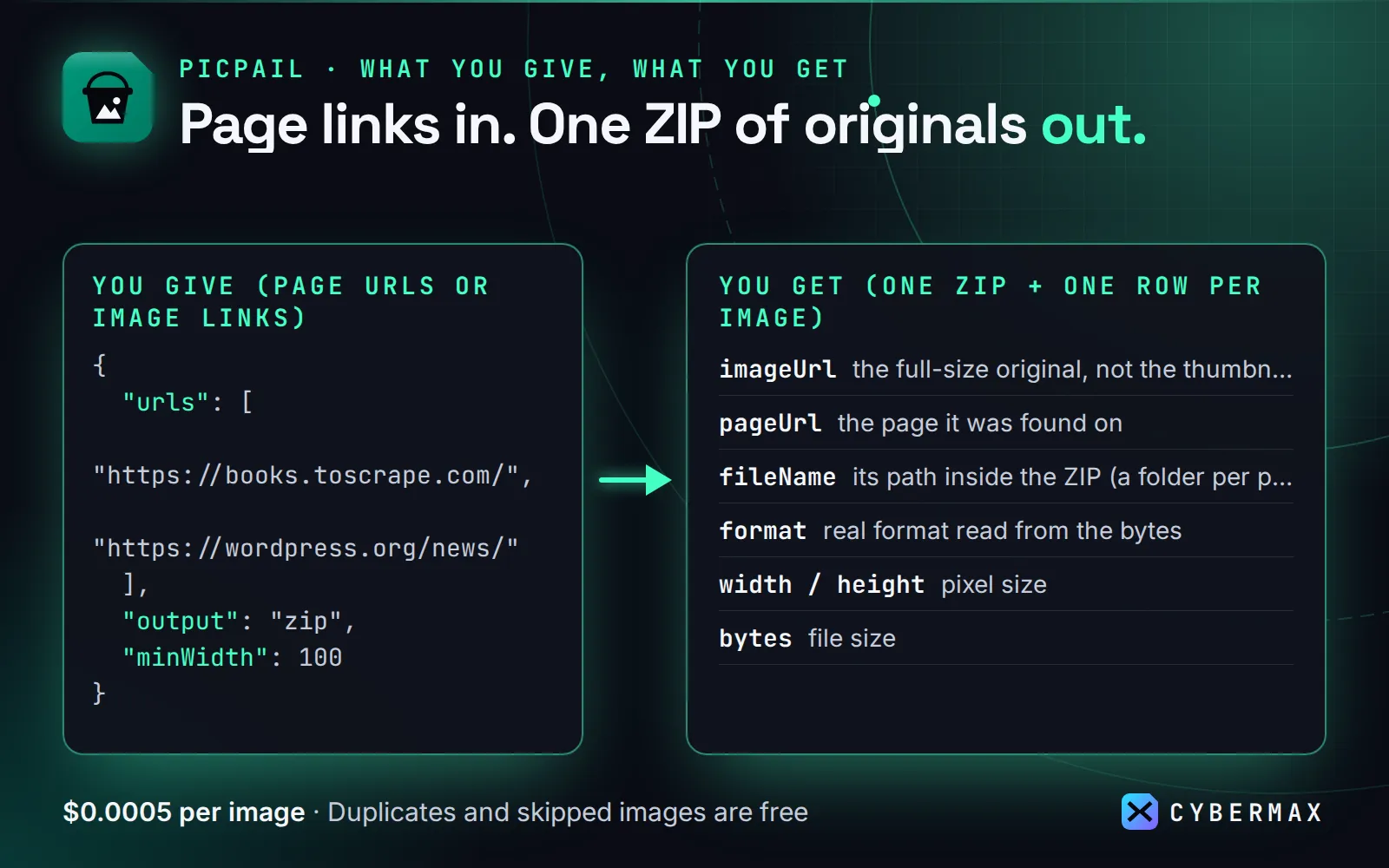
Example: input {"urls": ["https://books.toscrape.com/"], "minWidth": 100} → one ZIP of the full-size images plus one dataset row per image (pageUrl, imageUrl, fileName, format, width, height, bytes, alt). Price: $0.0005 per image delivered ($0.50 per 1,000); duplicates, filtered images and failed downloads are free.
Why Picpail
| Picpail | Typical image downloader | |
|---|---|---|
| Thumbnails → full-size originals | Yes (Shopify, WordPress, Wikimedia, Cloudinary, Wix, Squarespace, Contentful, imgix) | No: you get the 300 px copy the page shows |
Lazy-loaded images (data-src, data-srcset, data-lazy-src …) | Yes | Often missed |
| Real format, width, height, bytes, SHA-256 per image | Yes, read from the file | Guessed from the HTML, or none |
| Duplicates removed | By URL and by file content | Rarely |
| Filters (min width/height, formats, file size, URL regex, same site) | Yes; filtered images are free and big files are cut short after the header | Few |
| One ZIP, split into parts for big jobs | Yes, streamed to disk (steady memory on any job size) | Varies |
| Monitor mode (only new images since the last run) | Yes | No |
| Price | $0.0005 per image | $0.00089–$0.002 per image, or $0.07 per page URL |
Benchmark (Apify, 24 Sep 2026, same 3 pages: books.toscrape.com, wordpress.org/news, an Allbirds product page):
| Actor | Result | Time | Price for this job* |
|---|---|---|---|
| Picpail | 67 images, one 18 MB ZIP + a row per image (format, size, SHA-256, alt) | 4.2 s | $0.034 |
| getascraper/bulk-image-downloader | 72 files (the same pictures; 5 WordPress photos fetched twice at two sizes), no ZIP | 6.7 s | $0.064 |
| onescales/bulk-image-downloader | one 18 MB ZIP, no per-image data | 36.7 s | $0.21 (free tier, $0.07 per URL) |
| crawlerbros/website-image-scraper | image URLs only (no files), every srcset size listed separately | 3.3–6.4 s per page | $0.20 |
* Each Actor's published price for the Apify free tier on 24 Sep 2026. With full-size originals switched on (the default, added after this benchmark), the Allbirds page returns 2000–4000 px product photos instead of 300 px copies.
Ready-made inputs (first try in one click)
Every image on a page plus one direct image link, as one ZIP (the Store's prefilled input; skips icons and tiny images):
Only JPEG/PNG/WebP images, as a metadata list (links, sizes, formats) instead of a ZIP:
Watch a page and download only new images each run (pair with a daily Schedule):
Example
Input:
One dataset row per image:
The OUTPUT record has the ZIP link(s), totals and a line per page (images found, saved, duplicates, filtered,
failed, and why a page failed). More: examples/three-pages-one-zip.json.
Input
| Field | Default | What it does |
|---|---|---|
urls | required | Page URLs and/or direct image URLs, mixed. Bare domains get https://. |
output | zip | zip (one ZIP, a folder per page), zipPerPage, files (each image in the key-value store with its own link) or list (metadata only). |
minWidth, minHeight | 0 | Skip smaller images (measured from the file). 100 skips icons and thumbnails. |
formats | all | e.g. ["jpeg", "png", "webp"] (real format from the bytes). |
minFileSizeKb, maxFileSizeMb | 0, 25 | File size limits. |
urlPattern, excludeUrlPattern | – | Regex on the image URL, e.g. /products/ or logo|icon|sprite. |
sameDomainOnly | false | Skip images hosted on other sites (ads, trackers); the site's own CDN subdomains count. |
upgradeToOriginals | true | Full-size originals instead of CDN thumbnails (falls back to the page's copy). |
srcset | largest | largest, all sizes, or none. |
includeLinkedImages, includeCssBackgrounds, includeMetaImages | true | Where to look. |
includeIcons, includeDataUris | false | Favicons/touch icons; inline data: images. |
preferOriginalFormat | true | Ask CDNs for the original JPEG/PNG instead of WebP/AVIF copies. |
dedupe, skipTrackingPixels | true | Remove duplicates; skip 1×1 pixels. |
fileNaming | original | 0001-original-name.jpg, alt, index or hash. |
zipPartSizeMb | 1000 | Split big ZIPs into parts. |
maxImagesPerPage, maxImagesTotal | 500, 100000 | Safety caps. |
proxyConfiguration, retryWithProxy | none, true | Blocked requests (403/429/503) are retried once through Apify Proxy. |
monitor, monitorKey | false | Only images that are new since the last monitor run. |
Output
- Dataset: one
imagerow per delivered image (fields above). Pages that failed or had no images get a freepage-errorrow with the reason (HTTP 403, "the page may build its content with JavaScript", …). - Key-value store:
images.zip(orimages-part-2.zip…, or one ZIP per page, or the individual files), andOUTPUTwith the ZIP links and per-page counts. The dataset'szipUrl/fileUrllinks work without a token.
Monitor mode: new images only
Tick monitor and schedule the run: Picpail remembers every image it has delivered for this URL list (by content
hash) and returns only images that are new since the last monitor run, such as new products in a category, new photos in a
gallery, or a changed homepage banner. Images you already have are skipped and not charged, so a daily check of a
quiet page costs nothing. Use monitorKey to keep the history when you edit the URL list.
Why it pays for itself
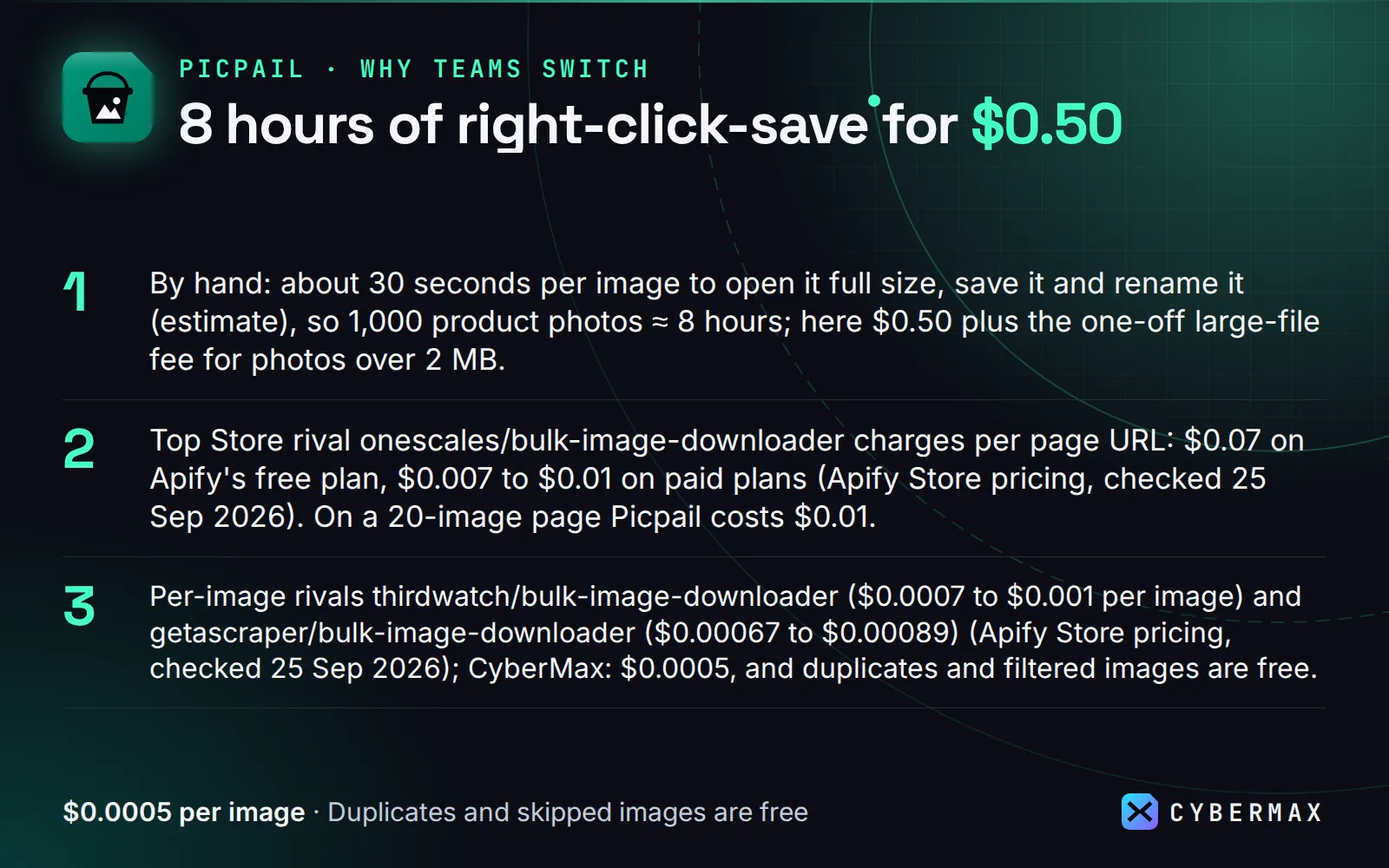
- By hand: about 30 seconds per image to open it full size, save it and rename it (estimate), so 1,000 product photos ≈ 8 hours; here $0.50 plus the one-off large-file fee for photos over 2 MB.
- Top Store rival onescales/bulk-image-downloader charges per page URL: $0.07 on Apify's free plan, $0.007 to $0.01 on paid plans (Apify Store pricing, checked 25 Sep 2026). On a 20-image page Picpail costs $0.01.
- Per-image rivals thirdwatch/bulk-image-downloader ($0.0007 to $0.001 per image) and getascraper/bulk-image-downloader ($0.00067 to $0.00089) (Apify Store pricing, checked 25 Sep 2026); CyberMax: $0.0005, and duplicates and filtered images are free.
- Same 3-page job on 24 Sep 2026: Picpail 67 images in one ZIP in 4.2 s for $0.034; onescales one ZIP in 36.7 s for $0.21 on the free tier.
▶ Run it on your own list: the example input is already filled in, so the first run takes one click.
Pricing
- $0.0005 per image delivered (event
image-downloaded): downloaded, verified as a real image, measured and saved. 1,000 images = $0.50. - Very large files only: $0.0001 per started MB above 2 MB of one file (event
large-image-megabyte), so a 5.5 MB photo costs $0.0009. Typical web images are well under 2 MB. LowermaxFileSizeMbor switch offupgradeToOriginalsto avoid it. - Free: duplicates, images skipped by your filters, links that turn out to be HTML pages, failed downloads, failed pages, and in monitor mode images you already received.
Set a maximum charge per run in Apify and Picpail stops cleanly when it's reached.
Run it on a schedule
Apify Console → Schedules → Create new → cron 0 7 * * * (daily) → Add Actor → Picpail with your pages
and "monitor": true. Through the API:
Add an email, Slack or webhook notification on "Run succeeded" under the Actor's Integrations tab.
Integrations
API (synchronous): POST https://api.apify.com/v2/acts/cybermax~bulk-image-downloader/run-sync-get-dataset-items?token=YOUR_TOKEN
with the input JSON returns the image rows (each with zipUrl or fileUrl). Use "output": "files" when each
image needs its own link (e.g. to import into a CMS or a Google Sheet with =IMAGE()).
Make / Zapier: Apify app → "Run an Actor" (cybermax/bulk-image-downloader, run synchronously) → "Get dataset
items" → map fileUrl, width, height, alt into Airtable, a CMS or cloud storage.
n8n: Apify node ("Run an Actor and get dataset"), or HTTP Request:
Google Sheets:
Python (pip install apify-client):
JavaScript (npm i apify-client):
AI agents (MCP): Picpail is a tool on Apify's MCP server, https://mcp.apify.com/?tools=cybermax/bulk-image-downloader
(Authorization: Bearer YOUR_TOKEN). Claude Desktop / Cursor config:
Typical agent prompts: "Download every product photo from these 20 pages as a ZIP", "Which images on our blog have no alt text?", "Get the full-size images from this Shopify collection, at least 1000 px wide".
When NOT to use it
- Pages that build their content with JavaScript (infinite-scroll feeds, single-page apps). Picpail reads the
HTML the server sends; such pages come back with few images and a
page-errorrow saying so. Use a browser-based scraper for those. - Sites behind strong bot walls (Cloudflare challenge, DataDome), e.g. Etsy and Unsplash search pages returned
403/401 in our tests, even through Apify's datacenter proxy. Try
proxyConfigurationwith residential proxies (billed by Apify to your account). - Pages behind a login, and whole-site crawls: Picpail downloads the pages you list; it doesn't follow links to other pages.
- Images you have no right to reuse. Downloading is not a licence: product photos, stock photos and artwork belong to their owners. Use the files for analysis, backups of your own sites, or with permission.
- Permanent hosting. ZIPs and files stay in the run's storage for your Apify plan's retention period (7 days on the free plan). Copy them somewhere permanent.
FAQ
Why not onescales/bulk-image-downloader, the one with the most users? It works and makes a ZIP, but charges per page URL and returns no per-image data. Picpail charges per image, swaps thumbnails for full-size originals on Shopify, WordPress, Wikimedia and more, and gives you format, pixel size, bytes, SHA-256 and alt text for every file.
Why not a free browser extension? Fine for one page you have open. For a list of pages, lazy-loaded images, originals instead of thumbnails, de-duplication and a scheduled run that fetches only new images, you need a tool that runs without you.
Can I reuse the images anywhere? Only if you have the rights. Picpail downloads what is public; copyright stays with the owner.
Can an AI agent use it (MCP)? Yes. Add https://mcp.apify.com/?tools=cybermax/bulk-image-downloader as an MCP server in Claude, Cursor, VS Code or any MCP client; the agent sees the input schema and calls Picpail directly.
Can I call it from Python, JavaScript or plain HTTP? Yes. POST your input JSON to https://api.apify.com/v2/acts/cybermax~bulk-image-downloader/run-sync-get-dataset-items?token=YOUR_APIFY_TOKEN and the results come back in the response, or use the apify-client package for Python or JavaScript. Recipes for Make, Zapier, n8n and Google Sheets are in Integrations.
Is it legal to use? Picpail downloads images that pages show publicly, with no login. Images are usually copyrighted by their owners, so get the rights before you reuse or republish them. This is general information, not legal advice.
Why is my ZIP bigger than the page? Full-size originals are much larger than the thumbnails a page shows (a
Shopify product photo is often 2000–4000 px). Switch off upgradeToOriginals to get the page's own copies.
Why is a .jpg link a WebP file? It won't be by default: preferOriginalFormat asks CDNs for the original
format, and each file's extension always matches its real format (format field).
How big can a job be? Images are written to disk one by one and ZIPs are split into parts, so memory stays
flat (a 295 MB, 155-image test run peaked under 600 MB). For very large jobs raise the run's memory (disk grows with it) or use zipPerPage.
Start now
▶ Try Picpail with a prefilled input · $0.0005 per image, duplicates and skips free (1,000 images = $0.50). Questions or a missing field? Open an issue on the Store page and it gets answered the same day.
Also from CyberMax
- Ferrywren — bulk file downloader: the same job for PDFs, Word, Excel, CSV, ZIP, audio and video: file links, or every document linked on a page, into one ZIP.
- Printwren: save the same pages as PDFs.
- Capturewren: a screenshot and the text of each page.
- Logolark: the company logo and icon for each domain.
- Inkpluck: the article text of blog and news pages.
- Sitemoss — sitemap URL extractor: every page URL of a site from its sitemaps, with new-page alerts.
- Unfurlwren — meta tags & Open Graph extractor: title, description, og:image and schema.org of each page, with SEO issues.
All tools: Insidewell · DomainDNA · HireHeat · Swellmeter · Hollerdex · Gripeline · Keyfern
Changelog
- 2026-09-24: First release: ZIP/files/list output, full-size originals for 9 CDN families, lazy-load and CSS images, real format/size per file, content dedupe, filters, monitor mode.
© 2026 CyberMax. All rights reserved.
Found Picpail useful? A quick rating on its Store page helps others find it.


