

Shopify Products & Price Monitor - Variants, Changes
Pricing
$0.50 / 1,000 product delivereds
Shopify Products & Price Monitor - Variants, Changes
🥇 Top 5 tested: lowest price for 8/8 products (tested 22 Nov 2026). Shopify catalog export and price monitor: prices with currency, variants, SKUs, stock. $0.0005 per product, no start fee.
Pricing
$0.50 / 1,000 product delivereds
Rating
0.0
(0)
Developer

DigiVibeTech
Maintained by CommunityActor stats
0
Bookmarked
2
Total users
1
Monthly active users
2 days ago
Last modified
Categories
Features
Share
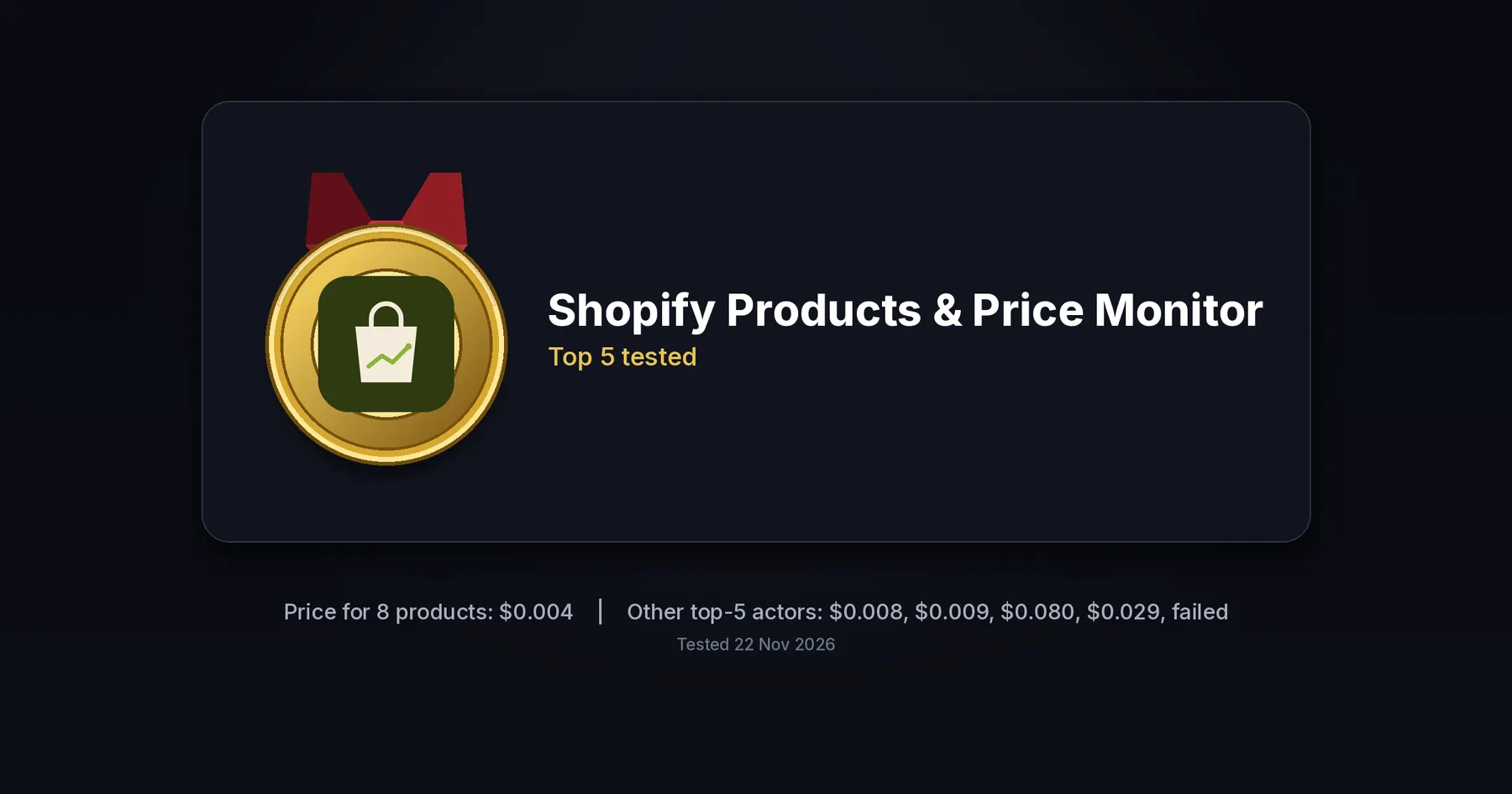
🥇 Top 5 tested: lowest price for 8/8 products
Tested 22 Nov 2026 against the top 5 most-used Apify actors for this job, same input.
Shopify Products & Price Monitor — export any Shopify store's product catalog from its public products feed: prices, compare-at prices, discounts, variants, SKUs, stock, images, tags.
Try it free: press Start — the prefilled input runs a small real job (a few items). Apify's free plan includes monthly platform credit, so a first test costs you nothing. You can also set a maximum cost per run.
- What you get:
imageUrl,store,title,vendor,priceMin,priceMax,currency - Who it's for: e-commerce analysts, brands and resellers
- Price: pay-per-event price is set before public release
- Data source: Uses the public products feed that Shopify stores publish; it does not log in.
What is Shopify Products & Price Monitor?
Export the full product catalog of any Shopify store (or one collection) from the store's public products feed, and monitor it: get only new products, price drops and increases, back-in-stock / out-of-stock and removed products since your last run.
$0.0005 per product delivered (1,000 products = $0.50), no start fee. In monitor mode you pay only for the changes. Stores that are not Shopify, block automated access or are disallowed by robots.txt are free.
Highlights
- Catalog export: title, handle, URL, vendor, product type, tags,
priceMin/priceMax,currency(from public/cart.jswhen robots.txt allows it, otherwise from the storefront homepage),compareAtMax,discountPct,available,variantsAvailable, images, created/published/updated dates. - Variants: variant ID, title, SKU, price, compare-at price, availability, options, weight.
- Monitor mode (
onlyChangesormonitorName): the first run returns every product (changeType: "new"); later runs return onlynew,price-drop,price-increase,back-in-stock,out-of-stock,changed(variants) andremovedproducts, with old/new prices and % change inchanges. Schedule it daily and connect Slack, email or Google Sheets via Apify integrations. - Collections: paste
https://store.com/collections/saleto read only that collection. - Optional plain-text description (HTML removed; emails/phone numbers redacted).
onlyAvailableto skip sold-out products. - Price history and 30-day low (new in 1.1, free): in monitor mode every run stores each product's lowest variant price per day (from your own runs only, up to 70 days, in the monitor's key-value store). Rows get
low30,high30,historyDaysanddropFlag(today's price is below every price of the previous 30 days). - EU Omnibus "was-price" check (new in 1.1, free): when a product shows a compare-at price,
omnibusCheckcompares it withomnibusReferenceLow, the lowest price in the 30 days before the current price started:ok,compareAtAboveLowest30dorinsufficientHistory(fewer days tracked than needed). Useful for checking your own shop's discounts or a competitor's "sale" claims. This is a data check on the lowest variant price, not legal advice. - VARIANTS.csv (new in 1.1, free): one flat row per variant (SKU, price, compare-at price, discount %, availability, options) in the run's key-value store, ready for Excel or Google Sheets.
- Never fails on an empty input (new in 1.1): a run started without stores (for example an API or AI-agent call with
{}) runs the small prefilled example (20 products) and says so, instead of ending as Failed.
📸 Real-run screenshots
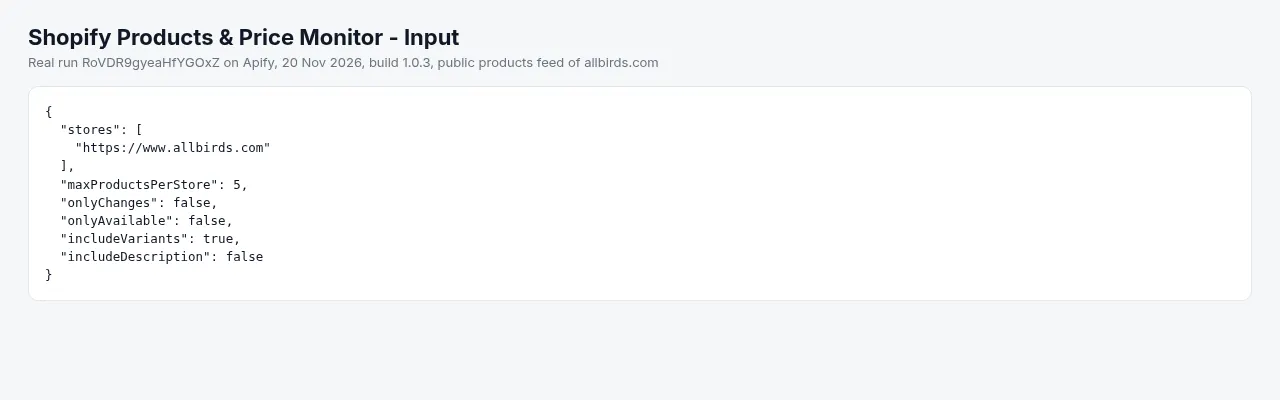
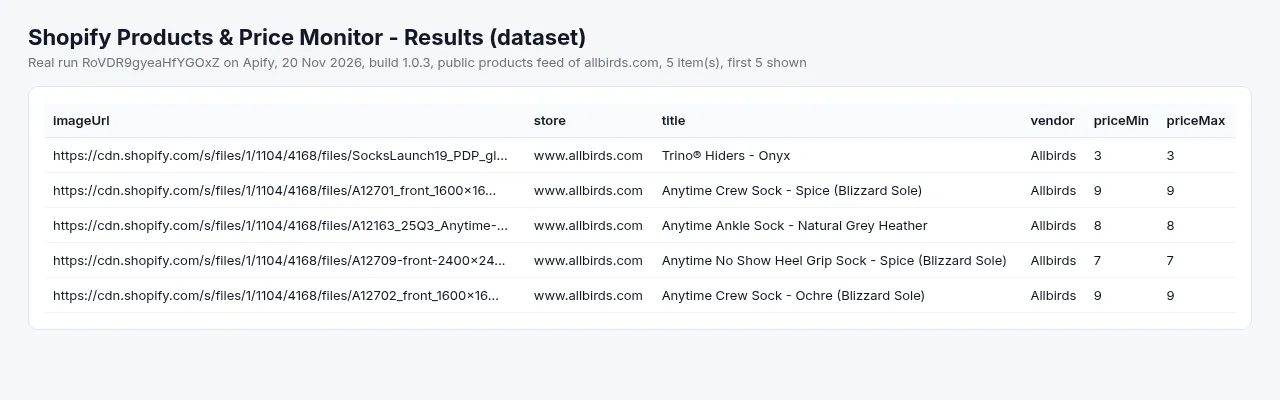
From real run RoVDR9gyeaHfYGOxZ on Apify, 20 Nov 2026 (build 1.0.3). Images are rendered from that run's own input, dataset and charged events.
⬇️ What data you get
One dataset item per result. Key fields:
| Field |
|---|
imageUrl |
store |
title |
vendor |
priceMin |
priceMax |
currency |
compareAtMax |
discountPct |
available |
variantsCount |
changeType |
url |
low30, high30, dropFlag, historyDays (monitor mode, 1.1) |
omnibusReferenceLow, omnibusCheck (monitor mode, products with a compare-at price, 1.1) |
🎯 Use cases
- Export a Shopify store catalog with variants and SKUs
- Monitor price drops, restocks and new products
- Compare discounts across competitor stores
▶️ How to use
- Open the actor; the input is prefilled with a small real example.
- Replace it with your own input and set
maxProductsPerStoreto control the cost. - Press Start. Results appear in the Output tab (Overview view).
- Download JSON, CSV or Excel, call the results via API, or schedule the actor.
⚙️ Input
stores (required), maxProductsPerStore (default 5,000), onlyChanges, monitorName, onlyAvailable, includeVariants (default true), includeDescription (default false).
Example input
⬆️ Output
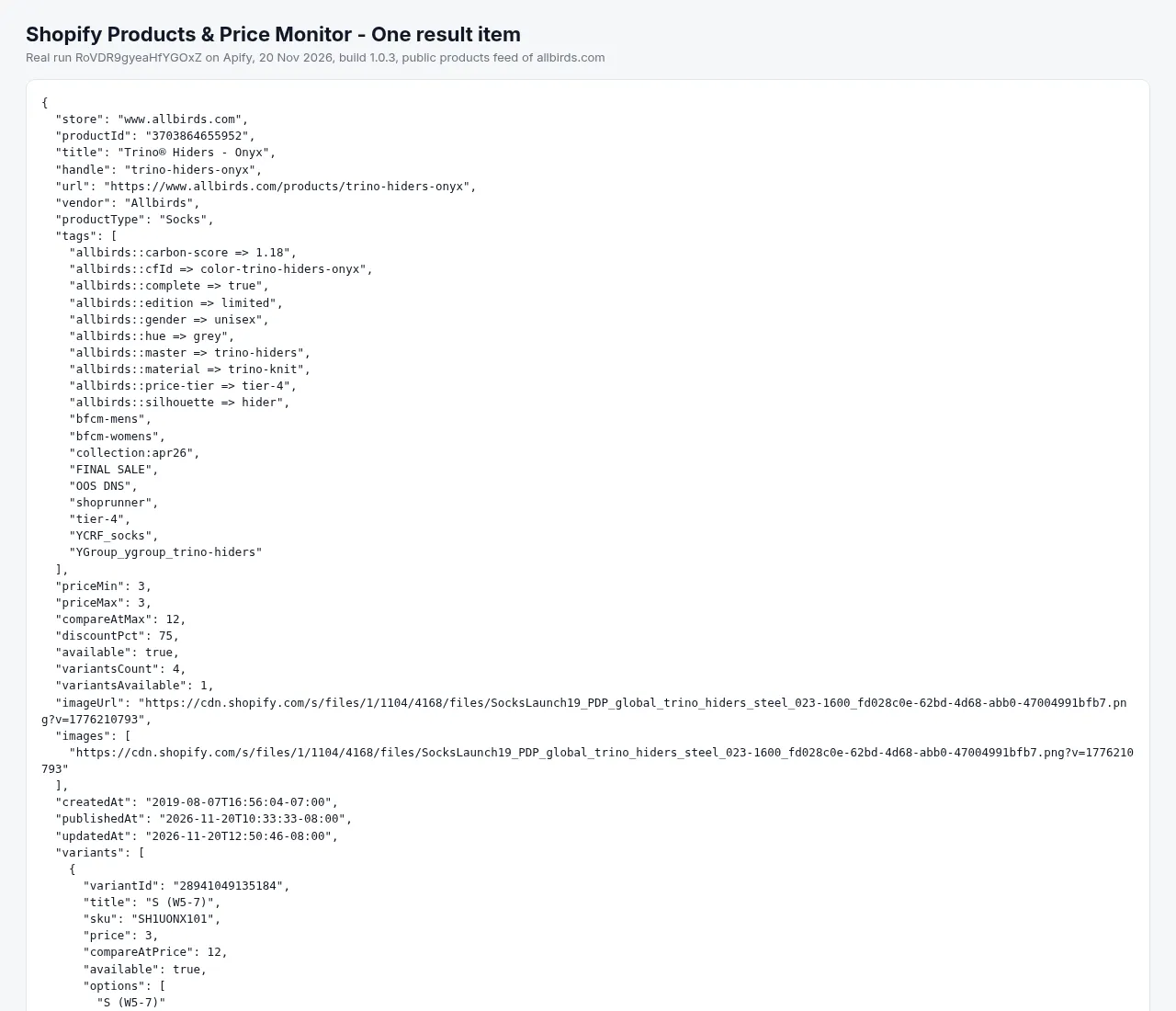
store, productId, title, handle, url, vendor, productType, tags[], priceMin, priceMax, currency, compareAtMax, discountPct, available, variantsCount, variantsAvailable, imageUrl, images[], createdAt, publishedAt, updatedAt, variants[], descriptionText, changeType, changes, input, fetchedAt
Prices are in the store's own currency. The public products feed does not include it; the actor reads the ISO code from /cart.js when robots.txt allows it, otherwise from the storefront homepage, into currency (left empty if neither source is allowed or present). Failed stores and reasons are in ERRORS; totals in SUMMARY.
Example record (real run RoVDR9gyeaHfYGOxZ, 2026-11-20)
💵 Pricing and cost estimate
| Event | Price |
|---|---|
Product delivered (product-listed) | $0.0005 |
Set a maximum cost per run in Apify and the actor stops before it would exceed it (in monitor mode, changes that did not fit are delivered on the next run).
🔌 Integrations and API
Run it from n8n, Make, Zapier, Clay or any tool that can call an HTTP endpoint, connect a webhook to get notified when a run finishes, or let AI agents call it through the Apify MCP server (mcp.apify.com).
Run it and get the results in one call:
Python (pip install apify-client):
⚠️ Limits
- Data is returned as the source publishes it; fields the source leaves empty stay empty.
- Each run stops at
maxProductsPerStoreresults, so the cost stays predictable. - Price history starts with your first monitor run;
low30and the Omnibus check get meaningful after the monitor has run on several days (daily schedule recommended). Prices are in the store's own currency (ISO code incurrency, from public/cart.jsor the storefront homepage) and product-level (lowest variant price).
🛡️ Data source, privacy and legality
Uses the public products feed that Shopify stores publish; it does not log in.
Responsible use
We read only the public products feed, check each store's robots.txt first, send at most about one request per second per store with an honest User-Agent (ShopFeed/1.0), never log in, and never bypass bot protection: a store that answers 401/403/429/430 is reported and skipped. The output is product catalog data only, with no customer, order or reviewer data. Product texts and images belong to the store: respect their copyright when you reuse them.
❓ FAQ
How much does Shopify Products & Price Monitor cost?
The pay-per-event price will be published before the actor goes public.
Can I try it for free?
Yes. Press Start with the prefilled input: it runs a small real job (a few items). Apify's free plan includes monthly platform credit, which covers a first test.
Is it legal to use Shopify Products & Price Monitor?
Uses the public products feed that Shopify stores publish; it does not log in. Use the results lawfully (terms of the source, GDPR where it applies). This is not legal advice.
Can I use it through the API or an MCP server?
Yes. Every run is available through the Apify API and the official client libraries, and AI agents can call the actor through the Apify MCP server. See Integrations and API above.
Something does not work. Where do I get help?
Open an issue on the Issues tab or use digivibetech.com/support. Include the run ID so we can reproduce it.
📝 Changelog
1.1 — 21 Nov 2026 (beta build)
- Price history in monitor mode:
low30,high30,dropFlag,historyDays(free, from your own runs). - EU Omnibus was-price check:
omnibusReferenceLow,omnibusCheck. - New free
VARIANTS.csvexport (one row per variant). - Empty input no longer ends as Failed: it runs the prefilled example (20 products).
20 Nov 2026 — listing refresh
- README, listing text and input form restructured to the DigiVibeTech Apify quality standard v1. No feature or price change.
1.0 — builds 1.0.1 to 1.0.3
- First build 2026-10-14, latest build 2026-10-22 (3 successful builds).
🧩 More DigiVibeTech actors
- Bulk Image Converter & Compressor - WebP, AVIF, JPEG, PNG
- Bulk QR & Barcode Generator - PNG, SVG, Label PDFs
- Universal Shop Catalog & Price Monitor
- Broken Link & Image Checker - Sitemap or Crawl
Maintained by DigiVibeTech. Questions or bugs: use the Issues tab or digivibetech.com/support; we reply within 2–5 business days.


