
Alibaba Product Search Scraper | Prices, MOQ & Suppliers
Pricing
from $1.87 / 1,000 products
Alibaba Product Search Scraper | Prices, MOQ & Suppliers
Get Alibaba.com products by keyword or category: title, USD price range and quantity tiers, MOQ, sold count, certifications, plus supplier name, country, years, Verified / Verified Pro, Trade Assurance and store rating. Price, MOQ and country filters, ad flag, no login.
Pricing
from $1.87 / 1,000 products
Rating
0.0
(0)
Developer

Flowo
Maintained by CommunityActor stats
0
Bookmarked
2
Total users
1
Monthly active users
2 days ago
Last modified
Categories
Features
Share
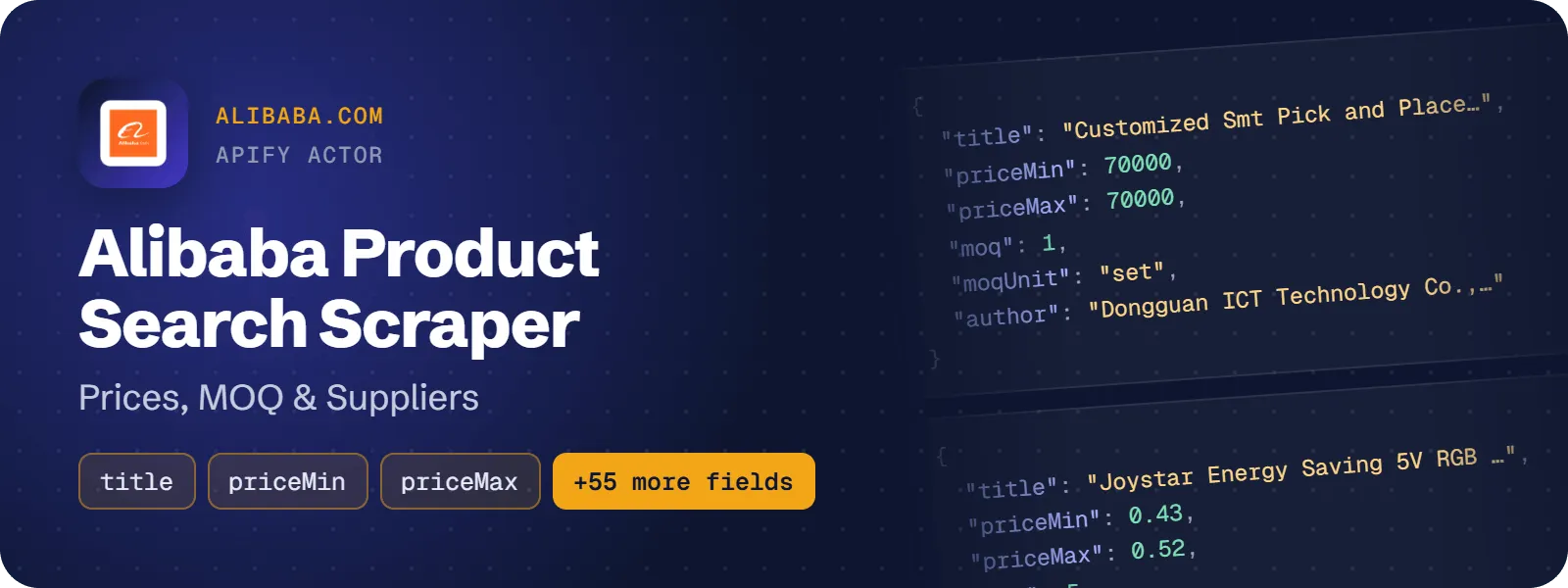
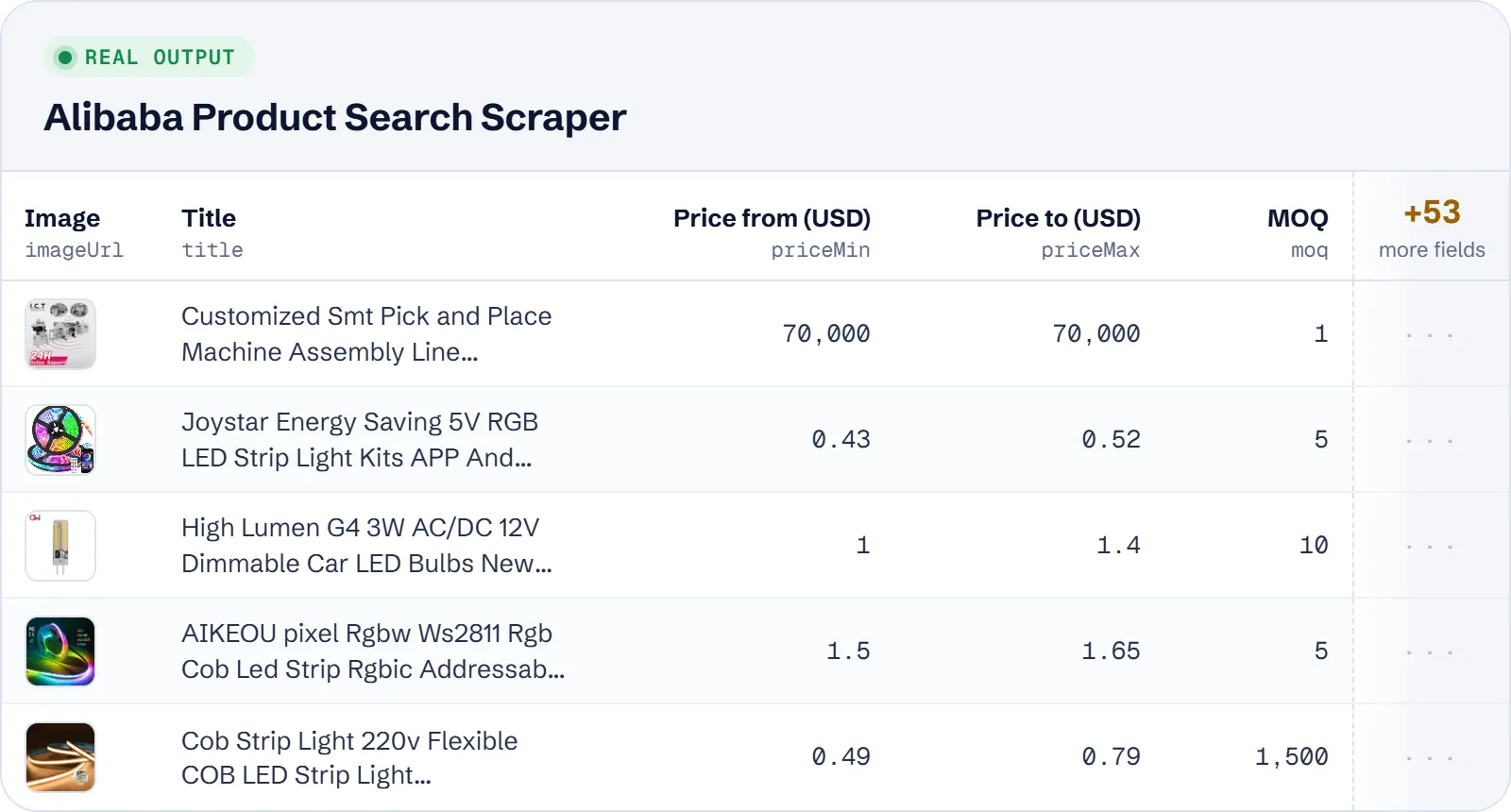
Get Alibaba.com product listings from keyword searches and category pages: product title, USD price range with quantity price tiers, minimum order quantity (MOQ), sold count, category and certifications. Every row also carries the supplier: company name, country, years on Alibaba, Gold / Verified / Verified Pro badges, Trade Assurance, response rate and store rating with its three review sub-scores.
What does Alibaba Product Search Scraper do?
You give it keywords, Alibaba category IDs, or both, and optional filters for price, MOQ, supplier country, Verified and Verified Pro suppliers. It returns one flat row per product, in the order Alibaba lists them, with the position and page of each product. It is made for sourcing and procurement teams, dropshipping and e-commerce sellers, price researchers and anyone building supplier lists by country and category. No Alibaba account, login or API key is needed.
How to scrape Alibaba product search results
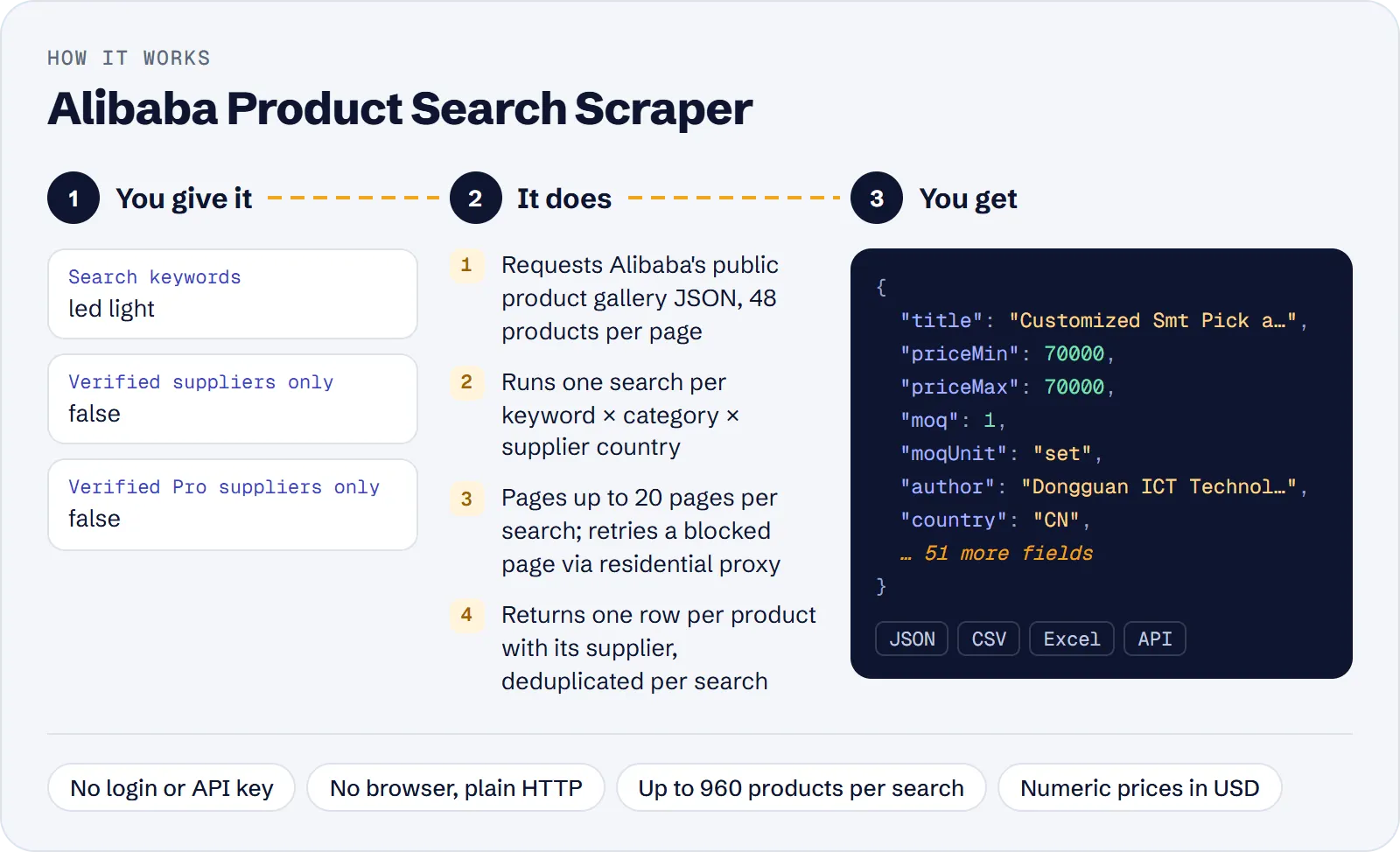
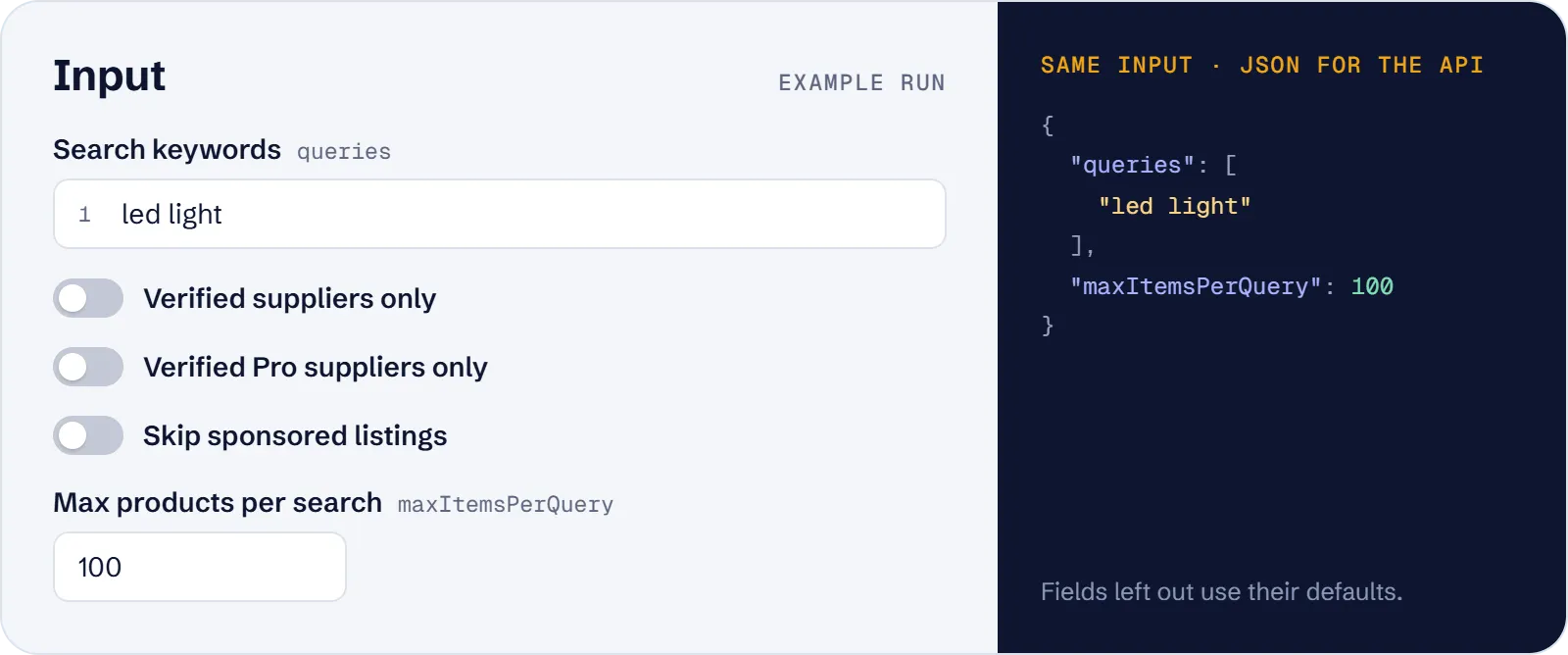
- Open the actor in Apify Console and go to the Input tab.
- Enter one or more Search keywords (e.g.
led light), or leave them empty and enter Category IDs to list whole categories. - Optionally set Min / Max price (USD), MOQ limits, Supplier countries, Verified suppliers only, Verified Pro suppliers only or Skip sponsored listings.
- Set Max products per search (1–960, default 100) and, if you like, Max products in total.
- Click Start. When the run finishes, download the products as JSON, CSV or Excel from the Output tab, or read them through the API.
How much does it cost to scrape Alibaba?
Price per event by Apify plan:
| Event | Free | Bronze | Silver | Gold and above |
|---|---|---|---|---|
| Product | $2.20 per 1,000 | $2.09 per 1,000 | $1.98 per 1,000 | $1.87 per 1,000 |
| Actor start | $0.00005 | $0.00005 | $0.00005 | $0.00005 |
A test run with the API example input below returned 100 rows in 15 s.
The actor uses pay-per-event pricing. You pay for each product row saved to the dataset ($0.0022 on the Free plan, $2.20 per 1,000 products) plus one Actor start event ($0.00005) per run.
Not charged: duplicates of a product inside the same search (they are not saved), sponsored listings dropped by Skip sponsored listings, and searches that return nothing. The same product found by two different searches is two rows and is charged twice.
| Scenario | Product events | Cost on the Free plan |
|---|---|---|
| 1 keyword, default 100 products | 100 | $0.22 |
| 1 keyword × 3 supplier countries, 48 products each | 144 | $0.32 |
| 1,000 products from several keywords | 1,000 | $2.20 |
| 10 keywords × 960 products (the maximum per search) | 9,600 | $21.12 |
Input
| Field | What it does |
|---|---|
queries | Keywords, one search each. Any language works (e.g. 手机壳). Leave empty to list categories. |
categoryIds | Alibaba category IDs, digits only (the categoryId of any result row, e.g. 201713304 = Smart Strip Lights). Without keywords each ID is a whole category listing; with keywords every keyword is searched inside every category. |
supplierCountries | Supplier countries as 2-letter codes (CN, VN, US, DE) or English names. Each country is its own search. |
minPrice / maxPrice | Price range in USD (min ≥ 0, max ≥ 0.01). Either can be used alone. |
minMoq / maxMoq | Minimum order quantity range (integers ≥ 1), in the product's own unit. Either can be used alone. |
verifiedSupplier | Only suppliers with the Alibaba "Verified" badge. Can be combined with verifiedPro. |
verifiedPro | Only Verified Pro suppliers. |
excludeAds | Leave out sponsored listings (not saved, not charged). Off: ads are kept and marked with isAd: true. |
maxItemsPerQuery | Products saved per search, 1–960, default 100. |
maxItems | Total products for the whole run. Empty = no total limit. |
proxyConfiguration | Default: Apify datacenter proxy. |
One search is one keyword (or one category listing) × one category × one supplier country. You need at least one keyword or one category ID.
What data can you extract from Alibaba?
| Group | Fields |
|---|---|
| Product | id, url, title, imageUrl, images, hasVideo, category, categoryId, attributes, certifications, soldCount, deliveryEstimate, easyReturn |
| Price | price, priceMin, priceMax, listPriceMin, listPriceMax, discountPercent, priceText, currency (always USD), priceTiers (minQuantity, maxQuantity, price), moq, moqUnit, unit |
| Ads | isAd, listingType (normal, p4p, newad or fullpromotion) |
| Supplier | supplierId, author (company name), authorUrl (store), supplierProfileUrl, supplierLogoUrl, country, supplierYears, isGoldSupplier, isVerifiedSupplier, isVerifiedPro, tradeAssurance, responseRate (%), supplierStarLevel, mainProducts, supplierEmployees, factorySizeSqm, exportMarkets, supplierTransactions, supplierCertifications, supplierCertifiedBy |
| Store reviews | rating, reviewsCount, productRating, serviceRating, shippingRating |
| Search context | query, searchCategoryId, searchCountry, position, page, scrapedAt |
A real row from a "led light" search (image list shortened):
Use cases
- Supplier sourcing: find, for example, LED strips under $2 with an MOQ of 2 or less from Verified suppliers, and compare price tiers and response rates.
- Product research for e-commerce and dropshipping: list a whole Alibaba category and see prices, MOQs, sold counts and certifications.
- Price and market monitoring: run the same keywords on a schedule and track price ranges, promotions, sold counts and which listings are ads.
- Supplier lead lists: collect supplier names, store links, countries, years, employees, factory size and export markets by country and category.
- AI agents: answer requests like "find suppliers of X on Alibaba" with structured rows.
Limitations
- About 1,000 products per search at most. Alibaba serves 20 pages of 48 products per search, so
maxItemsPerQueryis capped at 960. For more, split the job by supplier countries, categories or price ranges. - Listing data only. The actor reads search and category listings, not product pages: there is no SKU matrix, full specification table or product description.
attributesholds only the key attributes the listing shows, and is empty on most rows. - No sorting, no Trade Assurance filter, no currency choice. Alibaba has no working parameter for these. The order is Alibaba's own;
tradeAssuranceis returned as a field; all numeric prices are USD. - The price filter uses the price before a promotion. A promoted product can show a
priceMinbelow yourminPrice; itslistPriceMinis within the range. - Fields that can be empty. Only
id,url,title,currency,position,pageandscrapedAtare always filled; the yes/no fields are alwaystrueorfalseandreviewsCountis 0 when a store has no reviews. Any other text or number field can benull, and the list fields (images,priceTiers,attributes,certifications,exportMarkets,supplierCertifications) can be empty when the listing does not show the value. Most often empty:listPriceMin,listPriceMaxanddiscountPercent(filled only on promotions),deliveryEstimate(depends on the IP's location),soldCount,supplierTransactions,supplierEmployees,factorySizeSqm, andratingwith its three sub-scores (null when the store has no reviews).queryis null for a category listing,searchCategoryIdandsearchCountryare null when the search had no category or country. - Loose matches. Alibaba never answers "no results" for a keyword: unusual words return loosely related products, and they are saved.
Tips and troubleshooting
- 0 rows? Check the filters: a min price above the max price, an unknown supplier country or a category ID that is not digits only stop the run with an input error; an unknown category ID or a filter combination that matches nothing gives 0 rows and a warning in the log.
- Need more than 960 products for one keyword? Add several
supplierCountries,categoryIdsor run separate price ranges — each search has its own limit. - Find a category ID: run a keyword search and copy the
categoryIdof a matching row intocategoryIds. - Keyword inside a category: give both
queriesandcategoryIdsto get only products of that category. - Only organic results: turn on Skip sponsored listings; ads you skip are not charged.
- Proxy: the default Apify datacenter proxy works. If a page gets blocked, the actor retries it through an Apify residential proxy automatically when your account has residential access. If a page still fails, the rows already saved are kept and the run goes on with the next search.
API, MCP and integrations
Run the actor from your code with the same JSON input as in Console. Your API token is in Console → Settings → API & Integrations.
Python (pip install apify-client):
Node.js (npm install apify-client):
HTTP — one request runs the actor and returns the results (runs up to 5 minutes; longer ones: run asynchronously):
AI agents (MCP). Add the actor as a tool of the Apify MCP server. Claude Code:
Claude Desktop, Cursor or VS Code: {"mcpServers": {"apify": {"url": "https://mcp.apify.com?tools=genial_candlestand/alibaba-product-search-scraper"}}}. Then ask, for example:
- "Find LED strip lights on Alibaba under 2 USD with MOQ of 2 or less from Verified suppliers"
- "List Alibaba suppliers of led light based in Vietnam, Germany and the US with response rate and rating"
- "Get 48 products from Alibaba category 201713304 sold by Verified Pro suppliers, without ads"
Integrations. Run it on a schedule with Apify Schedules and send the results to Google Sheets, Slack, Zapier, Make, n8n or your webhook — see Apify integrations.
FAQ
Is it legal to scrape Alibaba?
The actor collects only public product listings that Alibaba.com shows to any visitor without a login. The supplier data is business information about companies. You are responsible for how you use the data and for following the laws and terms that apply to you.
Do I need an Alibaba account or API key?
No. The actor works without a login, cookies or an API key.
Can I get products from one supplier country only?
Yes. Put the country into Supplier countries as a 2-letter code or an English name. Several countries run as separate searches, and each row has the supplier's country.
Why are some prices lower than my Min price?
Alibaba filters by the price before a promotion. When a promotion runs, priceMin is the promotion price and listPriceMin is the regular price that matched your filter.
How is it different from other Alibaba scrapers?
It combines keyword search, whole category listings and keyword-inside-category searches with price, MOQ, supplier-country, Verified and Verified Pro filters, flags ads, and returns flat rows with numeric prices. It costs $2.20 per 1,000 products, against $4.99 per 1,000 for the most used Alibaba actor. That actor also offers full product-page details, which this one does not.
Also useful
- 1688 Product Search Scraper — compare the same products on 1688.com: wholesale CNY prices, price tiers, MOQ and suppliers
- 1688 Image Search Scraper — find 1688 suppliers of a product from its photo, with price, minimum order and units sold
- AliExpress Search Scraper — check retail prices, sold counts and shipping of the same items on AliExpress
- 1688 Product Details Scraper — get every SKU variant, stock and 30-day sales of chosen 1688 offers
- Amazon Search Scraper — see what the products you source sell for on Amazon: prices, ratings and rankings


