
TikTok Shop Scraper | Products, Prices & Sold Count
Pricing
from $1.53 / 1,000 products
TikTok Shop Scraper | Products, Prices & Sold Count
Get TikTok Shop product cards by keyword (US) or category (10 markets): title, price, original price, discount, units sold, rating, reviews, seller, brand, promo labels and the promoting creator video. Many keywords and category ids or URLs per run. No login.
Pricing
from $1.53 / 1,000 products
Rating
0.0
(0)
Developer

Flowo
Maintained by CommunityActor stats
0
Bookmarked
4
Total users
3
Monthly active users
5 days ago
Last modified
Categories
Features
Share
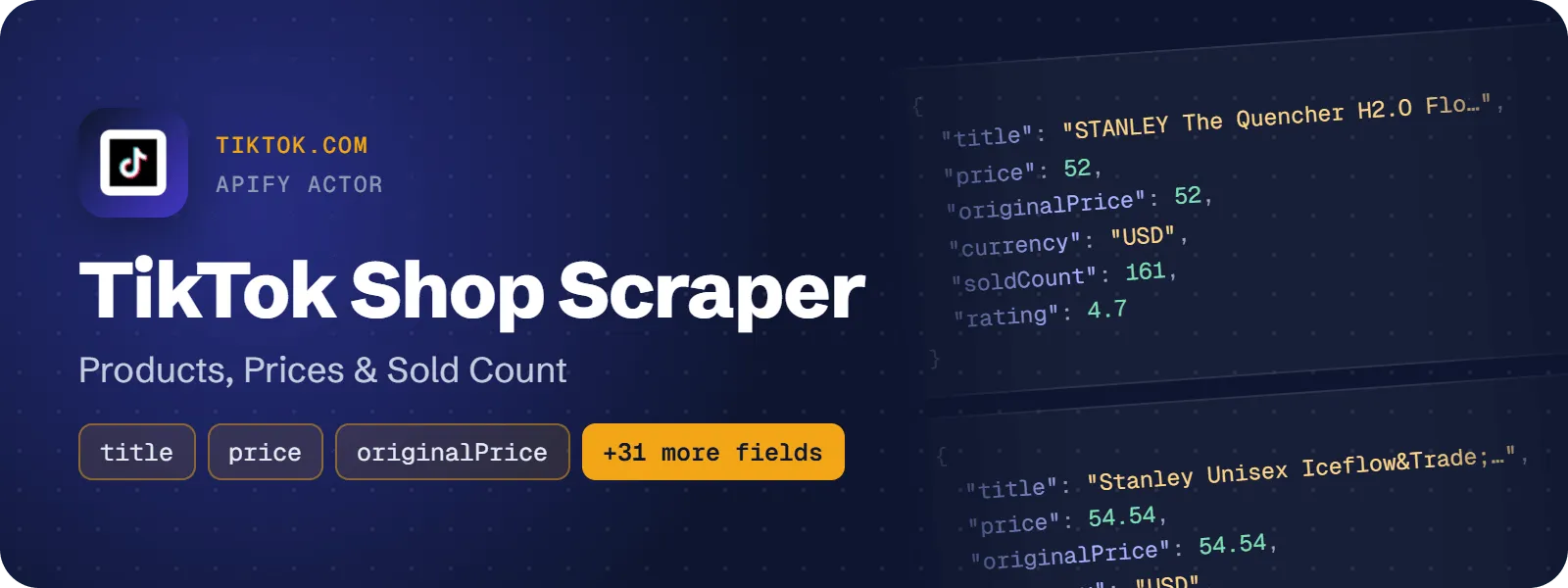
Get TikTok Shop product listings by shopping keyword (US) or by category (10 markets). Each row is one product card with its title, sale price, original price, discount, units sold, star rating, review count, seller name, brand and promotion labels, plus the creator video that promotes the product when TikTok attaches one to a keyword listing. No login or TikTok account is needed.
What does TikTok Shop Scraper do?
You give it shopping keywords such as "stanley cup" and/or TikTok Shop category ids or category URLs. It reads the matching TikTok Shop listings and returns one flat row per product, with numeric prices, the currency, the rank of the product in its listing and the keyword or category it came from. It is built for e-commerce and dropshipping research, price and category monitoring, and affiliate marketers looking for products with promoting videos.
How to scrape TikTok Shop products
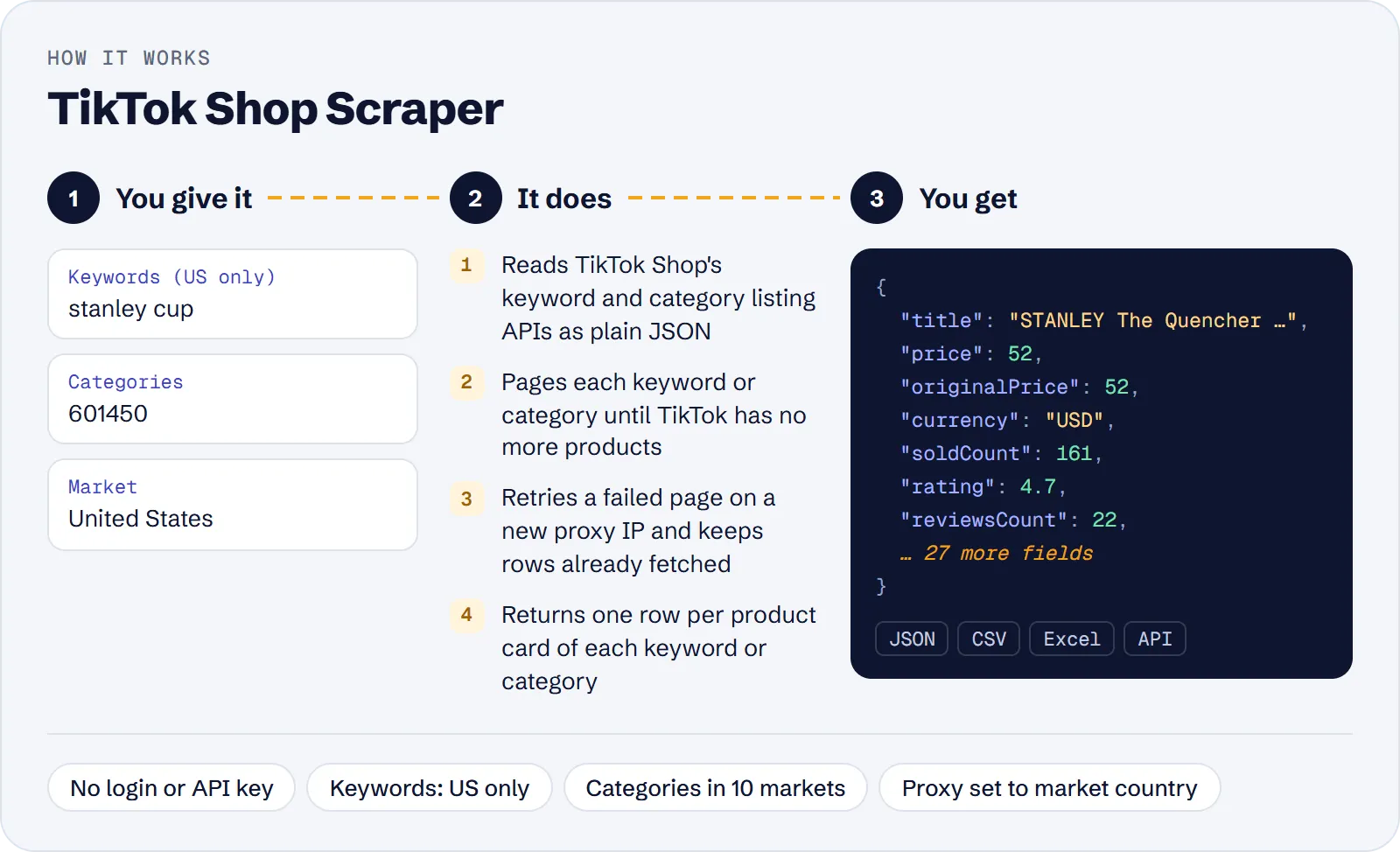
- Open the actor in Apify Console.
- Type shopping keywords into Keywords (US only), one per line, or paste keyword page URLs like
https://shop.tiktok.com/us/k/stanley-cup. - Add category ids (e.g.
601450) or category page URLs into Categories. You can fill both lists in one run. - Pick the Market. Keywords need United States; categories work in all 10 markets.
- Optionally set Max products per keyword or category and Max products in total.
- Click Start and download the results as JSON, CSV, Excel or via the API.
How much does it cost to scrape TikTok Shop?
Price per event by Apify plan:
| Event | Free | Bronze | Silver | Gold and above |
|---|---|---|---|---|
| Product | $1.80 per 1,000 | $1.71 per 1,000 | $1.62 per 1,000 | $1.53 per 1,000 |
| Actor start | $0.00005 | $0.00005 | $0.00005 | $0.00005 |
A test run with the API example input below returned 40 rows in 6 s.
You pay per product row (event product, $0.0018 per product, i.e. $1.80 per 1,000 products) plus a small start fee of $0.00005 per run. Keywords and categories that return nothing are free, and so are failed pages and log warnings.
| Scenario | Product events | Cost (Free plan, start fee included) |
|---|---|---|
| 1 keyword, e.g. "stanley cup" (108 products) | 108 | ≈ $0.19 |
| Default input: 1 keyword + 1 category (≈ 200 products) | ≈ 200 | ≈ $0.36 |
| 10 categories, ≈ 100 products each | ≈ 1,000 | ≈ $1.80 |
| 50 subcategories of a department, ≈ 100 each | ≈ 5,000 | ≈ $9.00 |
Set Max products in total to cap the cost of a run.
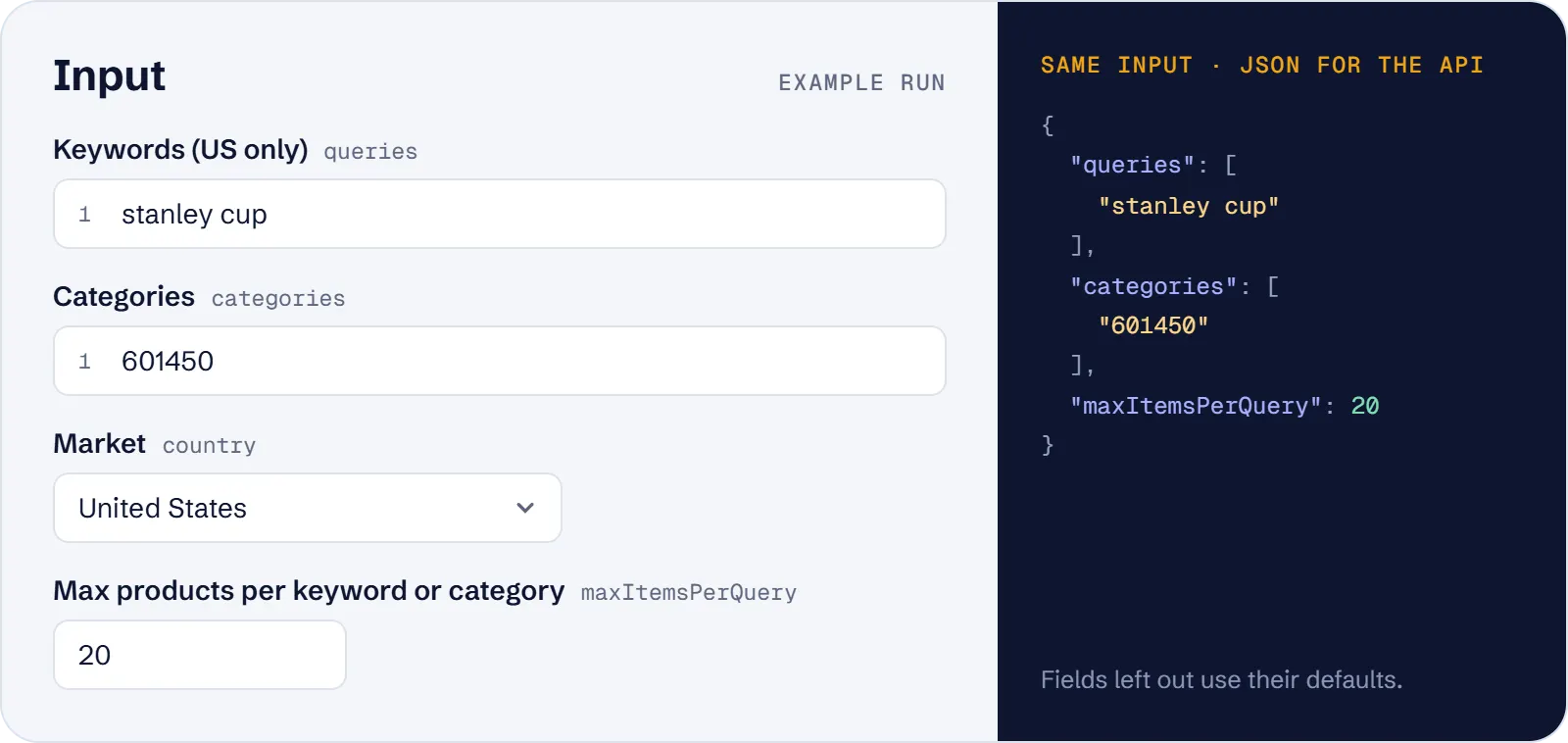
Input
| Field | Type | What it does |
|---|---|---|
queries | array of strings | Shopping keywords or keyword page URLs (https://shop.tiktok.com/us/k/<slug> or https://www.tiktok.com/shop/k/<slug>). US market only. |
categories | array of strings | Category ids (601450) or category page URLs (https://shop.tiktok.com/<market>/c/<slug>/<id> or https://www.tiktok.com/shop/c/<slug>/<id>). Any level: top, sub or leaf. |
country | string (select) | Market: US (default), GB, MX, JP, ID, MY, PH, TH, VN, SG. Every market except US is categories only. |
maxItemsPerQuery | integer 1–1000 | Limit per keyword or category, default 120. |
maxItems | integer ≥ 1 | Limit for the whole run; empty means no total limit. |
proxyConfiguration | proxy | Default Apify proxy pinned to the market country (datacenter for US, residential for other markets). |
Give at least one keyword or one category. Example:
Top-level US category ids include 601450 Beauty & Personal Care, 601152 Womenswear & Underwear, 824328 Menswear & Underwear, 601739 Phones & Electronics, 605248 Fashion Accessories, 600001 Home Supplies, 600024 Kitchenware, 601352 Shoes, 603014 Sports & Outdoor, 604206 Toys & Hobbies, 605196 Automotive & Motorcycle, 601755 Computers & Office Equipment, 602284 Baby & Maternity, 602118 Pet Supplies, 700437 Food & Beverages, 700645 Health and 604453 Furniture. Category ids are the same in all markets.
What data can you extract from TikTok Shop?
| Field | Description |
|---|---|
id, url, title | TikTok Shop product id, product page and title |
price, priceMax | Current sale price (lowest variant) and highest variant price |
originalPrice, discountPercent | Price before discount (equals price when not discounted) and discount in percent |
currency | ISO currency code, e.g. USD, GBP |
soldCount | Units sold as shown by TikTok Shop |
rating, reviewsCount | Average rating 0–5 and number of reviews |
imageUrl | Main product image |
sellerId, sellerName, sellerLogoUrl, sellerVerified | Shop id, name, logo and blue verified badge |
brand | Brand name when the product has one |
skuCount | Number of variants |
labels, freeShipping | Promotion labels on the card (e.g. Free shipping, Flash sale, Black Friday) and a free-shipping flag |
videoId, videoUrl, videoTitle, videoAuthor, videoPlayCount, videoLikeCount, videoCoverUrl, videoPublishedAt | The promoting creator video (keyword rows only, when TikTok attaches one) |
sourceType, query, categoryId | Which input produced the row: keyword or category, and the keyword or category id |
position | 1-based rank in the listing of that keyword or category |
country, scrapedAt | Market and extraction time |
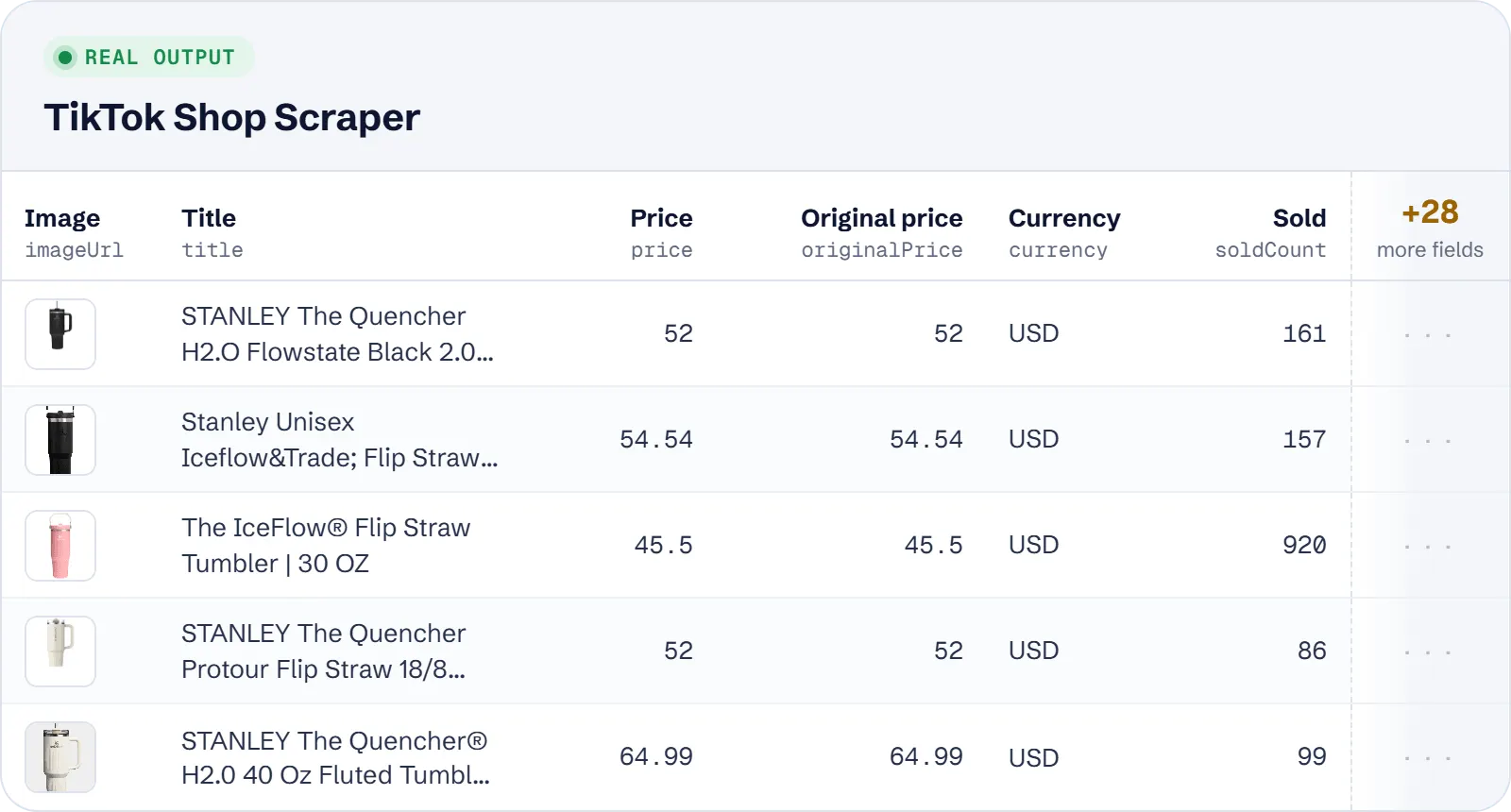
Real example (keyword "stanley cup", shortened URLs):
The dataset has two views: Overview (image, title, prices, discount, sold, rating, shop, keyword or category, rank) and Videos (product, price, sold, video link, creator, plays, likes, posted date, keyword and product link).
Use cases
- Winning-product research: search keywords like "stanley cup" or "mug" and sort by
soldCount,discountPercentandrating. - Category monitoring: run a list of category ids daily and track
price,originalPriceandsoldCountover time. - Other markets: read UK, Mexican, Japanese or Southeast Asian categories with local currency prices, e.g. GBP on the UK storefront.
- Wide department coverage: list the subcategory ids of a department to collect about 100 products from each.
- Affiliate and creator research: find keyword products with a promoting video, its plays, likes and creator.
Limitations
- Keyword search exists only in the US TikTok Shop. Keywords with any other market give an input error before any request.
- Depth is set by TikTok: about 100 products per category id and up to about 120 per keyword. List subcategories for more.
- Keywords come from TikTok's index of shopping keywords: popular product terms return products, while rare, one-letter or long phrases (e.g. "blue ceramic coffee mug") return none. Those are reported in the log and not charged.
- There is no sort, price or rating filter: TikTok ignores them. Sort the dataset yourself.
- Listing cards do not include product description, stock, shipping details, per-variant options, image gallery or shop rating. Keyword rows carry no product category; category rows carry the input
categoryId. - Supported markets: US, GB, MX, JP, ID, MY, PH, TH, VN, SG. EU markets and Brazil have no TikTok Shop web storefront.
- Fields that can be empty (
null):originalPrice,priceMax,discountPercent(not discounted),rating(no reviews),imageUrl,sellerLogoUrl,brand, all eightvideo…fields (no video attached, always empty on category rows),query(category rows) andcategoryId(keyword rows).labelscan be an empty list. - The same product found by two inputs gives two rows, each with its own
queryorcategoryIdandposition. Inside one keyword or category, products are deduplicated.
Tips and troubleshooting
- A keyword returns 0 rows: try a shorter, common product term ("mug" rather than "blue ceramic coffee mug"). The log names every empty keyword or category with the reason.
- Need more than ≈ 100 products from a category: list its subcategory ids or URLs; any level works in every market.
- Non-US market: use
categoriesonly and leavequeriesempty. The actor switches to a residential proxy of that country by itself. - Keep the default proxy. TikTok Shop serves a market only to IPs in that country; own proxy URLs must be in the market country.
- A category URL's slug is ignored and only the id counts. A category URL for another market (e.g.
/gb/c/…with market US) is read in the chosen market, with a warning. - If one page fails, the products already fetched for that input are kept and the other inputs continue.
API, MCP and integrations
Run the actor from your code with the same JSON input as in Console. Your API token is in Console → Settings → API & Integrations.
Python (pip install apify-client):
Node.js (npm install apify-client):
HTTP — one request runs the actor and returns the results (runs up to 5 minutes; longer ones: run asynchronously):
AI agents (MCP). Add the actor as a tool of the Apify MCP server. Claude Code:
Claude Desktop, Cursor or VS Code: {"mcpServers": {"apify": {"url": "https://mcp.apify.com?tools=genial_candlestand/tiktok-shop-products-scraper"}}}. Then ask, for example:
- "Find the best-selling stanley cup products on TikTok Shop US, sorted by units sold"
- "List 100 products from TikTok Shop UK category 601450 with prices in GBP and discounts"
- "Which TikTok Shop mug products have a promoting creator video, and how many plays does it have?"
Integrations. Run it on a schedule with Apify Schedules and send the results to Google Sheets, Slack, Zapier, Make, n8n or your webhook — see Apify integrations.
FAQ
Do I need a TikTok account or API key?
No. The actor reads public TikTok Shop listings without login.
Can I search keywords in the UK or other markets?
No. TikTok Shop keyword listings exist only in the US; in GB, MX, JP, ID, MY, PH, TH, VN and SG use category ids.
How do I find category ids?
Open a category on shop.tiktok.com: the last number in the URL (/c/<slug>/<id>) is the id. You can also paste the whole URL. The top-level ids are listed in the Input section.
How is it different from other TikTok Shop actors?
Each row has 34 fields, including original price, discount, highest variant price, brand, variant count, promotion labels, seller verified badge and the promoting video. The price is $1.80 per 1,000 products, against $2.00 per 1,000 listing cards at the most-used TikTok Shop scraper, and empty inputs are free.
Is it legal to scrape TikTok Shop?
The actor collects only publicly visible product listing data. You are responsible for how you use it and for following applicable laws and TikTok's terms. It returns no personal data beyond what TikTok Shop shows publicly, such as the display name of a promoting video's creator.
Also useful
- TikTok Video Details Scraper — open the promoting videos you found: stats, author and transcript
- TikTok Profile Details Scraper — check the creators behind product videos: followers, likes and bio
- Amazon Search Scraper — compare the same products on Amazon: prices, ratings and bought past month
- AliExpress Search Scraper — find sourcing prices for TikTok Shop winners: price, sold count and shipping
- Shopee Search Scraper — research the same products on Shopee in Southeast Asian markets


