

TikTok Profile Details Scraper | Followers, Likes & Bio
Pricing
from $1.79 / 1,000 profiles
TikTok Profile Details Scraper | Followers, Likes & Bio
Get one row per TikTok profile: exact follower, following, like and video counts, bio and bio link, avatar, verified, private, business and TikTok Shop seller flags, business category, user id and secUid. Takes usernames, @handles, profile, video or share URLs and secUids. No login.
Pricing
from $1.79 / 1,000 profiles
Rating
0.0
(0)
Developer

Flowo
Maintained by CommunityActor stats
0
Bookmarked
2
Total users
1
Monthly active users
5 days ago
Last modified
Categories
Features
Share
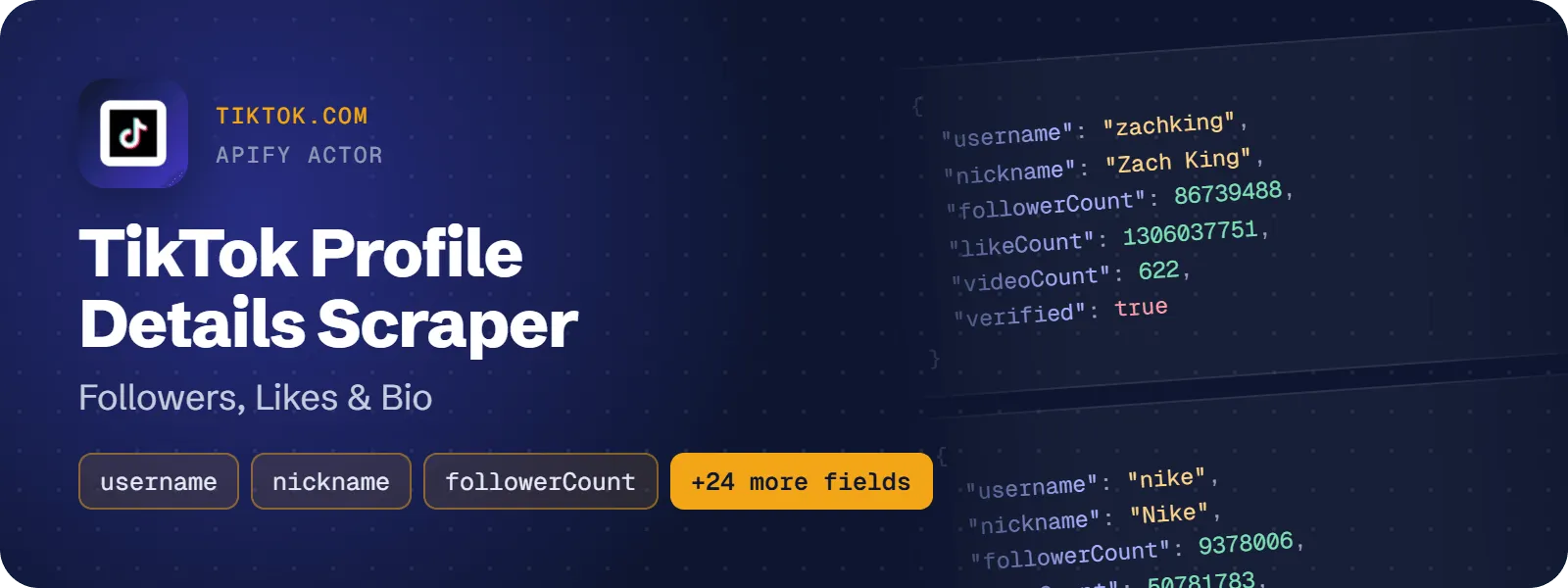
TikTok Profile Details Scraper returns one flat row per TikTok profile with the exact follower count, total likes received, video count, bio and bio link, avatar, verified and private flags, business category and the stable user id and secUid. Give it usernames, @handles, profile URLs, video URLs, share links or secUids, and get one clean record per account, with no login.
What does TikTok Profile Details Scraper do?
You paste a list of TikTok profiles, and the actor opens each public profile page on tiktok.com and reads the account data embedded in it. Each profile becomes one row with 27 fields: counts (followers, following, likes received, videos, likes given, friends), identity (username, display name, id, secUid), bio, bio link, flags (verified, private, organization, business account, TikTok Shop seller, live now), business category, account language and creation date.
It is made for influencer-marketing teams vetting creators, brand and lead-gen researchers looking for business accounts, analysts tracking follower growth on a schedule, and AI agents that need the stats of one account as one record. Profiles with zero videos and private accounts still get a full row.
How to scrape TikTok profile details
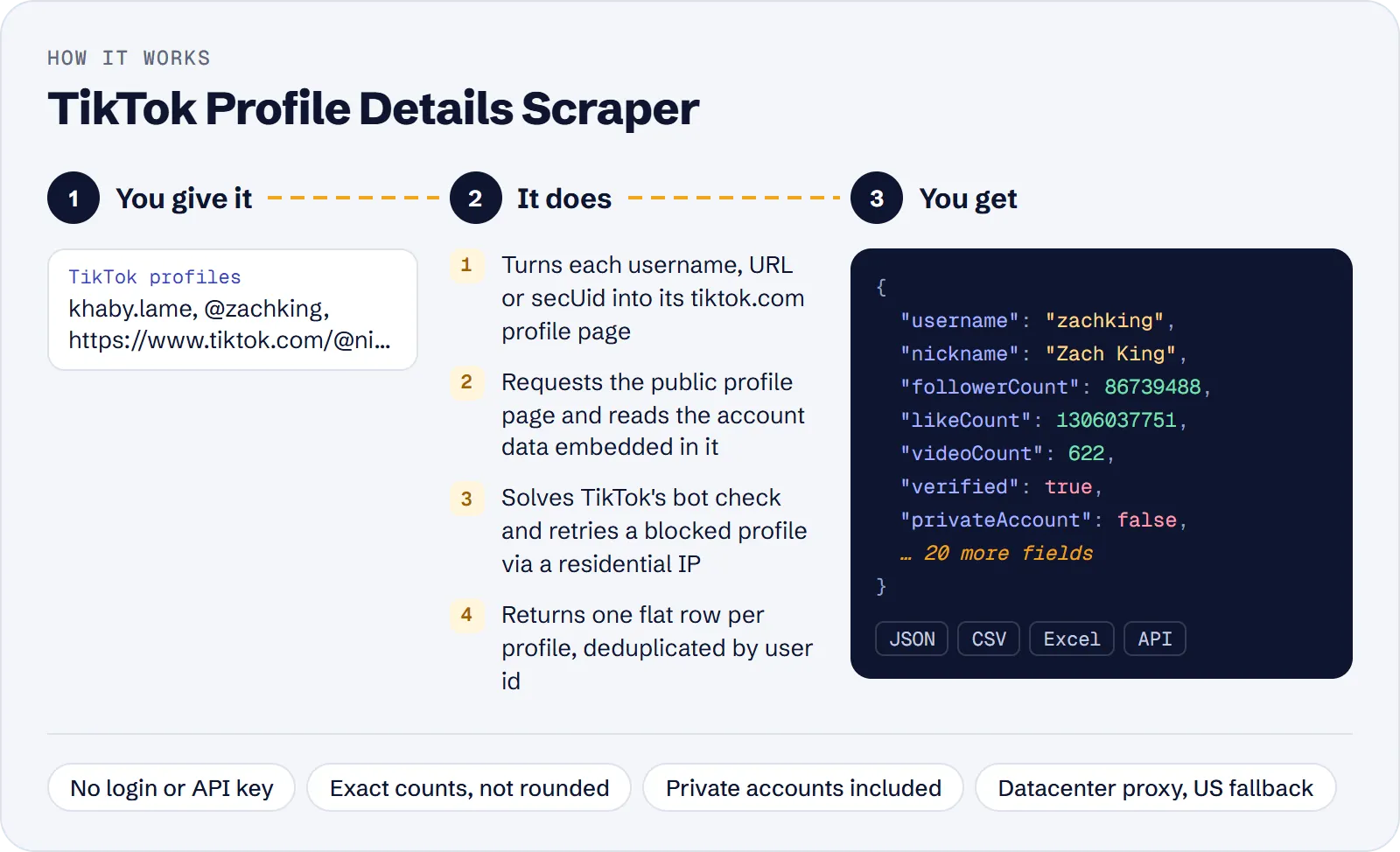
- Open the actor in Apify Console.
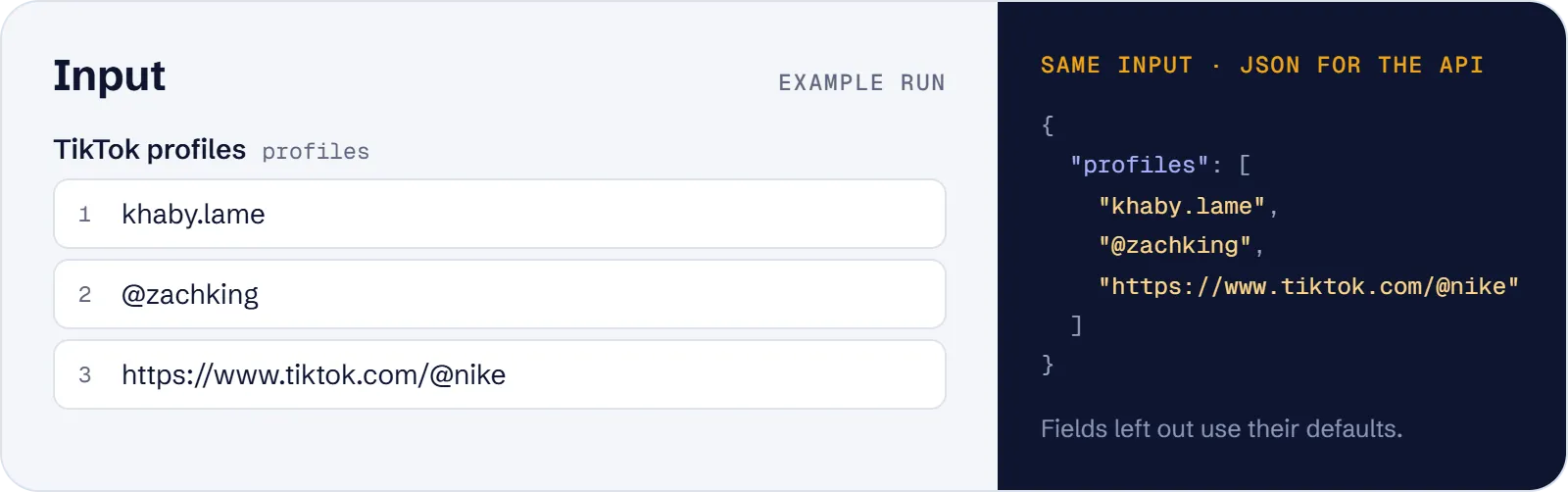
- In Profiles, add one TikTok profile per line, for example
khaby.lame,@zachkingorhttps://www.tiktok.com/@nike. - Optionally set Max profiles to stop after that many rows.
- Leave Proxy at the default (Apify datacenter proxy) unless you have a reason to change it.
- Click Start. When the run finishes, open the Overview tab for a table, or export the dataset as JSON, CSV, Excel or via the API.
How much does it cost to scrape TikTok profiles?
Price per event by Apify plan:
| Event | Free | Bronze | Silver | Gold and above |
|---|---|---|---|---|
| Profile | $2.10 per 1,000 | $1.995 per 1,000 | $1.89 per 1,000 | $1.785 per 1,000 |
| Actor start | $0.00005 | $0.00005 | $0.00005 | $0.00005 |
A test run with the API example input below returned 3 rows in 10 s.
You pay per profile row: one profile event is $0.0021, which is $2.10 per 1,000 profiles on the Free plan, plus the Apify apify-actor-start event ($0.00005 per GB of memory) once per run. Higher Apify plans get a discount on the profile price.
What is charged and what is free:
- Every profile row saved is one event. Private accounts return a row and are charged.
- Not-found or banned profiles, invalid references, skipped short links and duplicates (the same profile given in two forms) are free.
- There is no charge per video, because the actor returns profiles, not videos.
| Scenario | Profile events | Cost on the Free plan |
|---|---|---|
| Check 3 creators | 3 | about $0.0063 |
| Vet a shortlist of 100 creators | 100 | about $0.21 |
| Daily tracking of 1,000 accounts (one run) | 1,000 | about $2.10 |
| Enrich a lead list of 10,000 accounts | 10,000 | about $21.00 |
The start event adds at most a few thousandths of a cent per run on top of these numbers.
Input
| Field | Required | Description |
|---|---|---|
profiles | yes | TikTok profiles, one per line. Accepted forms: a username (khaby.lame), an @handle (@zachking), a profile URL (https://www.tiktok.com/@nike, also without www. or on m.tiktok.com, with any query or trailing slash), a video or photo URL (its author is looked up), a secUid (MS4wLjABAAAA...), or a share link https://www.tiktok.com/share/user/<numeric id>. Short links (vm.tiktok.com/..., tiktok.com/t/...) are not supported and are skipped with a warning. |
maxItems | no | Stop after this many profile rows. Empty = every profile in the list. Minimum 1. |
proxyConfiguration | no | Proxy for the run. Default: Apify datacenter proxy. A blocked profile is retried automatically through a US residential proxy. |
Example input:
What data can you extract from TikTok profiles?
| Field | What it is |
|---|---|
url | Canonical profile page https://www.tiktok.com/@<username> |
input | The reference you gave that produced this row |
id | TikTok numeric user id (string) |
username | Current username without @ |
nickname | Display name (can be null) |
bio | Bio text (null when empty) |
bioLink | Link shown in the bio (null when none) |
imageUrl | Profile picture, largest size; a signed URL that expires after about 2 days |
secUid | Stable secure user id, also usable as input |
verified | Verified badge (true/false) |
privateAccount | Private account (true/false) |
isOrganization | Registered as an organization (true/false) |
commerceUser | Business (commerce) account (true/false) |
businessCategory | Business category of a commerce account, e.g. "Sports, Fitness & Outdoors" (null for others) |
ttSeller | TikTok Shop seller (true/false) |
isLive | Live at the moment of scraping (true/false) |
language | Account language (ISO 639-1), can be null |
createdAt | Account creation date (ISO 8601), can be null |
usernameModifiedAt | When the username was last changed (ISO 8601); null if never or hidden |
nicknameModifiedAt | When the display name was last changed (ISO 8601); null if never |
followerCount | Exact number of followers |
followingCount | Exact number of accounts followed |
likeCount | Exact total likes received on all videos |
videoCount | Number of public videos |
diggCount | Likes given by the account (0 when hidden) |
friendCount | Mutual follows (friends) |
scrapedAt | When the row was extracted (ISO 8601) |
The counts are integers and can be null if TikTok does not send them.
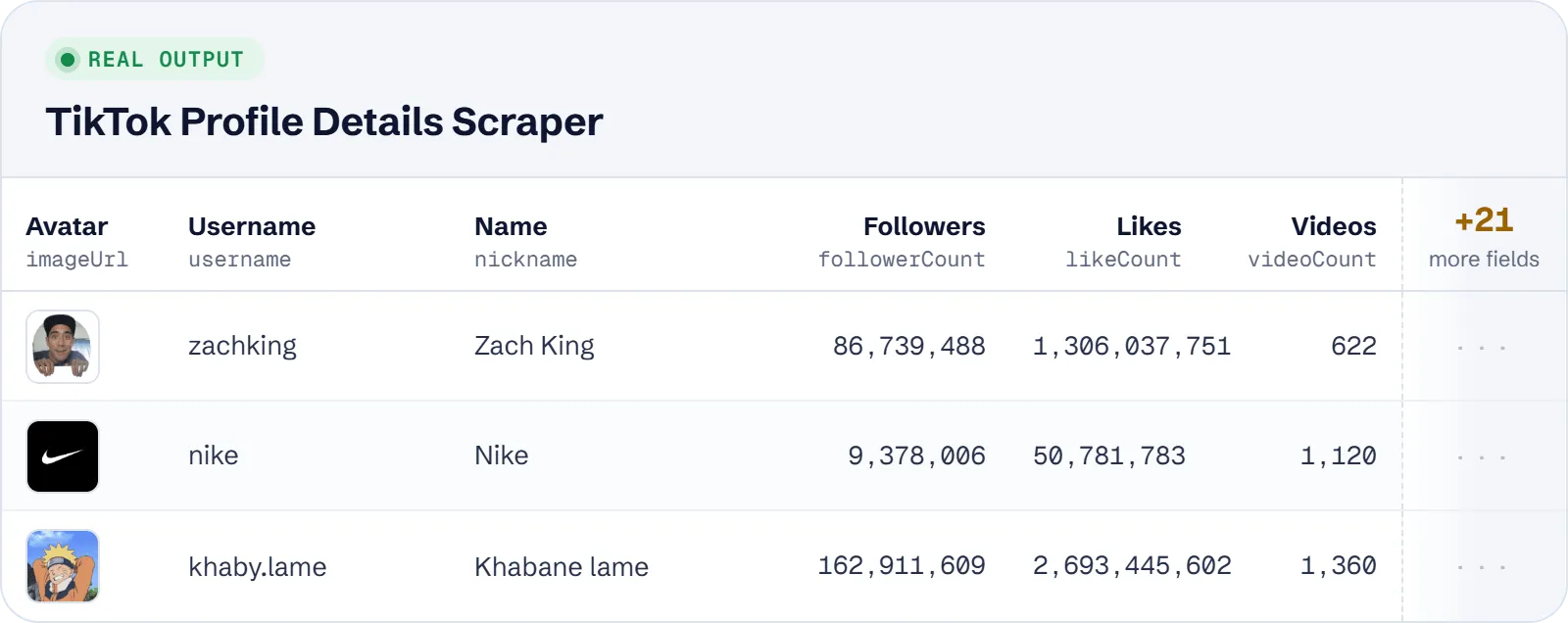
Real example row (avatar URL shortened):
Use cases
- Creator vetting: check followers, total likes, video count, verified badge, bio and bio link of a shortlist of influencers before outreach.
- Business and lead research: find which accounts are organizations, business accounts or TikTok Shop sellers, their business category and the link in their bio.
- Follower tracking: run the same list on a schedule; each run gives one row per profile with exact counts, so you can chart growth over time.
- Id resolution: turn share links, secUids and video URLs into the canonical username, numeric id and secUid.
- Account checks: see which accounts in a list are private, and which no longer exist (they are reported in the log and not charged).
Limitations
- The actor returns profile data only. It does not return the list of videos, follower or following lists, emails (unless typed in the bio) or the account's country.
- Non-existent, banned and deleted accounts look the same on TikTok, so the actor cannot tell them apart. They produce no row, a warning in the log and no charge.
- Short links (
vm.tiktok.com/...,tiktok.com/t/...) are not supported; paste the full profile URL instead. bio,bioLink,businessCategory,language,createdAt,usernameModifiedAtandnicknameModifiedAtare often null, because many accounts do not have or do not show them.imageUrlis a signed TikTok CDN link that expires after about 2 days; download the picture if you need to keep it.diggCountis 0 when the account hides the videos it liked.
Tips and troubleshooting
- The same account twice: if you give one profile as a username and as a secUid, you get one row and pay once.
- Fewer rows than inputs: check the run log. Each skipped entry is named with the reason: not a TikTok profile reference, short link not supported, profile not found or banned, or blocked by TikTok after retries. The final status message shows the counts.
- Run failed at once:
profilesis empty or every entry is invalid (another website, a/tag/or/music/URL, a username with spaces). Fix the list and start again. - Keep the default proxy: the Apify datacenter proxy works for TikTok and blocked profiles fall back to a US residential proxy automatically. Without a proxy TikTok blocks most requests.
- Proxy country does not change the profile data.
- Large lists: set
maxItemsfor a test run first; the actor stops after that many rows and does not request the rest.
API, MCP and integrations
Run the actor from your code with the same JSON input as in Console. Your API token is in Console → Settings → API & Integrations.
Python (pip install apify-client):
Node.js (npm install apify-client):
HTTP — one request runs the actor and returns the results (runs up to 5 minutes; longer ones: run asynchronously):
AI agents (MCP). Add the actor as a tool of the Apify MCP server. Claude Code:
Claude Desktop, Cursor or VS Code: {"mcpServers": {"apify": {"url": "https://mcp.apify.com?tools=genial_candlestand/tiktok-profile-details-scraper"}}}. Then ask, for example:
- "Get follower count, total likes and video count of khaby.lame, zachking and nike on TikTok"
- "Which of bbcnews, netflix and nike are TikTok business accounts or Shop sellers, and what is their bio link?"
- "Find the TikTok username and secUid for https://www.tiktok.com/share/user/6745191554350760966"
Integrations. Run it on a schedule with Apify Schedules and send the results to Google Sheets, Slack, Zapier, Make, n8n or your webhook — see Apify integrations.
FAQ
Is it legal to scrape TikTok profiles?
The actor reads only public profile pages that anyone can open without logging in. It returns what TikTok shows publicly on the profile and nothing more. You are responsible for how you use the data, including data-protection laws such as GDPR where they apply.
Do I need a TikTok account, login or API key?
No. The actor works without login, cookies or an API key.
Does it work for private accounts?
Yes. A private account gets a full row with its counts and privateAccount: true. Its videos are hidden by TikTok, and this actor does not return videos anyway.
How is it different from other TikTok profile actors?
One row is one profile, not one video, so you pay once per profile and accounts with zero videos are included. Every row has flat fields including secUid, isOrganization, commerceUser, businessCategory, ttSeller, bioLink, language and createdAt. It accepts usernames, @handles, profile, video and share URLs and secUids. The profile price is $2.10 per 1,000, against $3 per 1,000 results for the most used TikTok profile actor.
Are the counts exact or rounded?
Exact. Follower, like and video counts are the exact numbers TikTok sends, for example 2,693,445,602 likes for khaby.lame.
Can I get the list of videos of a profile?
No, this actor returns profile details only.
Also useful
- TikTok Video Details Scraper — get the stats, author and transcript of individual TikTok videos you found on these profiles
- Instagram Profile Scraper — vet the same creators on Instagram: followers, bio and links
- YouTube Channel Scraper — check a creator's YouTube channel details and videos
- YouTube Scraper — collect YouTube videos, channels, shorts and comments for cross-platform research
- Pinterest Search Scraper — find pins, images and outbound links for a brand or topic


