

YouTube Community Posts Scraper | Polls, Quizzes & Likes
Pricing
from $2.55 / 1,000 posts
YouTube Community Posts Scraper | Polls, Quizzes & Likes
Get posts from YouTube channels' Posts (Community) tab or by post URL: full text with real links, likes and comment counts (exact by default), poll and quiz choices with the correct answer and votes, images, linked video and shared posts. No post cap, date and type filters, no login.
Pricing
from $2.55 / 1,000 posts
Rating
0.0
(0)
Developer

Flowo
Maintained by CommunityActor stats
0
Bookmarked
1
Total users
0
Monthly active users
5 days ago
Last modified
Categories
Features
Share
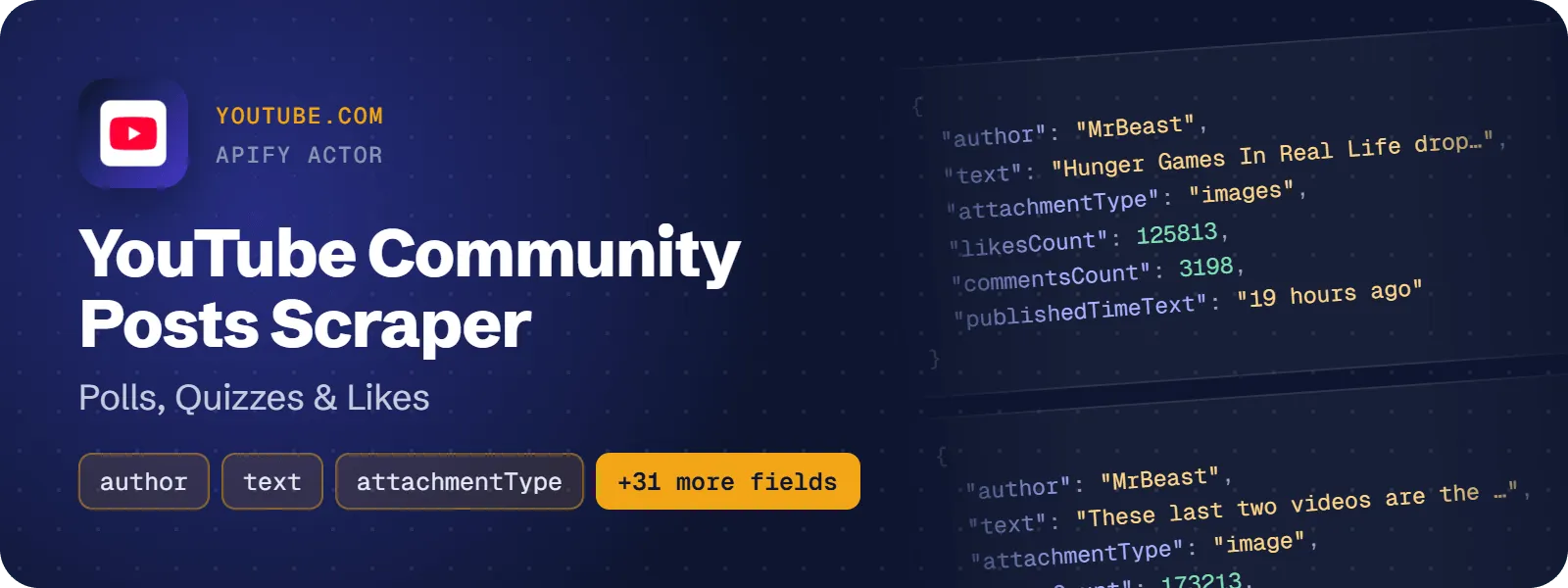
Get the posts from YouTube channels' Posts tab (formerly Community) as flat rows: the full post text with real link URLs, the like count, the comment count, the poll or quiz choices with the correct answer and total votes, attached images and the linked video. Give @handles, channel URLs, UC channel ids or single post URLs; there is no cap on posts per channel and no login is needed.
What does YouTube Community Posts Scraper do?
You give it YouTube channels (@MrBeast, https://www.youtube.com/@veritasium/posts, /channel/UC…, /c/name, /user/name or a bare UC… id) and/or single post URLs. It returns one row per community post, newest first, with the post text, attachment type, likes, comments, poll votes, images, linked video, links, hashtags and @mentions. It is built for creator-economy and influencer-marketing analysts, brand and agency teams that watch sponsored channels, researchers and AI pipelines that need post text and poll data, and creators auditing their own or competitors' post history.
How to scrape YouTube community posts
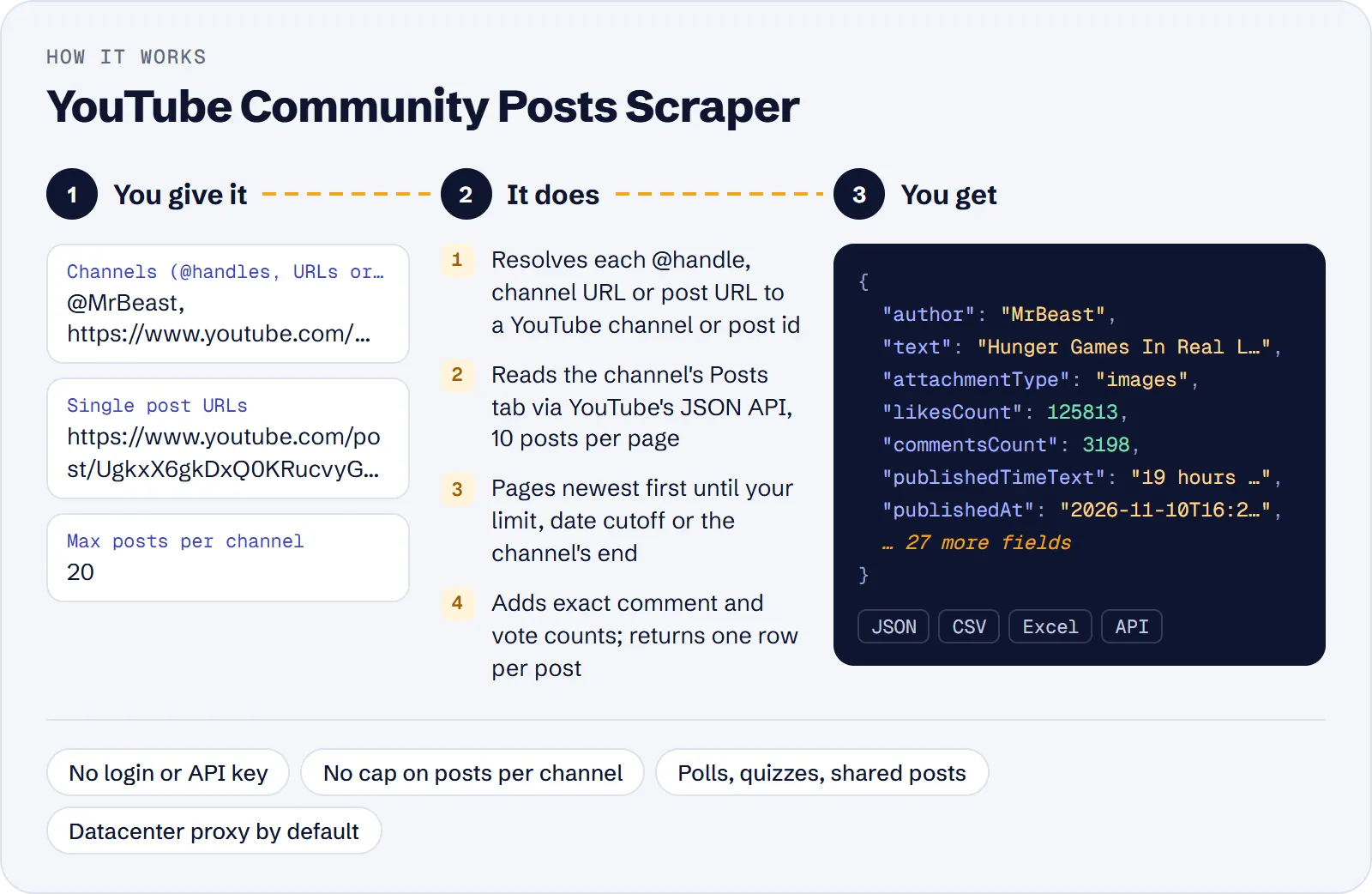
- Open the actor in Apify Console.
- In Channels, add one channel per line: an @handle, a channel URL or a UC… id. Optionally add Single post URLs.
- Set Max posts per channel (default 50; there is no source cap, so a high number gets the whole history).
- Optionally narrow with Posted after (a date or "30 days") and Post types (e.g. only polls and quizzes).
- Click Start and download the dataset as JSON, CSV, Excel or via API.
How much does it cost to scrape YouTube community posts?
Price per event by Apify plan:
| Event | Free | Bronze | Silver | Gold and above |
|---|---|---|---|---|
| Post | $3.00 per 1,000 | $2.85 per 1,000 | $2.70 per 1,000 | $2.55 per 1,000 |
| Actor start | $0.00005 | $0.00005 | $0.00005 | $0.00005 |
A test run with the API example input below returned 41 rows in 10 s.
You pay per post: one post event = one community post row in the dataset. Exact counts, images, polls, linked-video data and shared-post data are included — there are no add-on events. Channels that are not found, have no Posts tab or have no posts after your filters cost nothing. A duplicate post (the same post reached from a channel and a post URL) is returned and charged once. Each run also has the small Apify actor start event.
| Scenario | Posts (events) | Cost on the Free plan |
|---|---|---|
| 5 channels × 20 newest posts | 100 | about $0.30 |
Weekly check of 30 brand channels, ~5 new posts each (postedAfter: "7 days") | 150 | about $0.45 |
| Full post history of 4 large channels | 1,000 | about $3.00 |
| Research dataset of many channels | 10,000 | about $30.00 |
Costs include the actor start fee ($0.00005), which is negligible.
Input
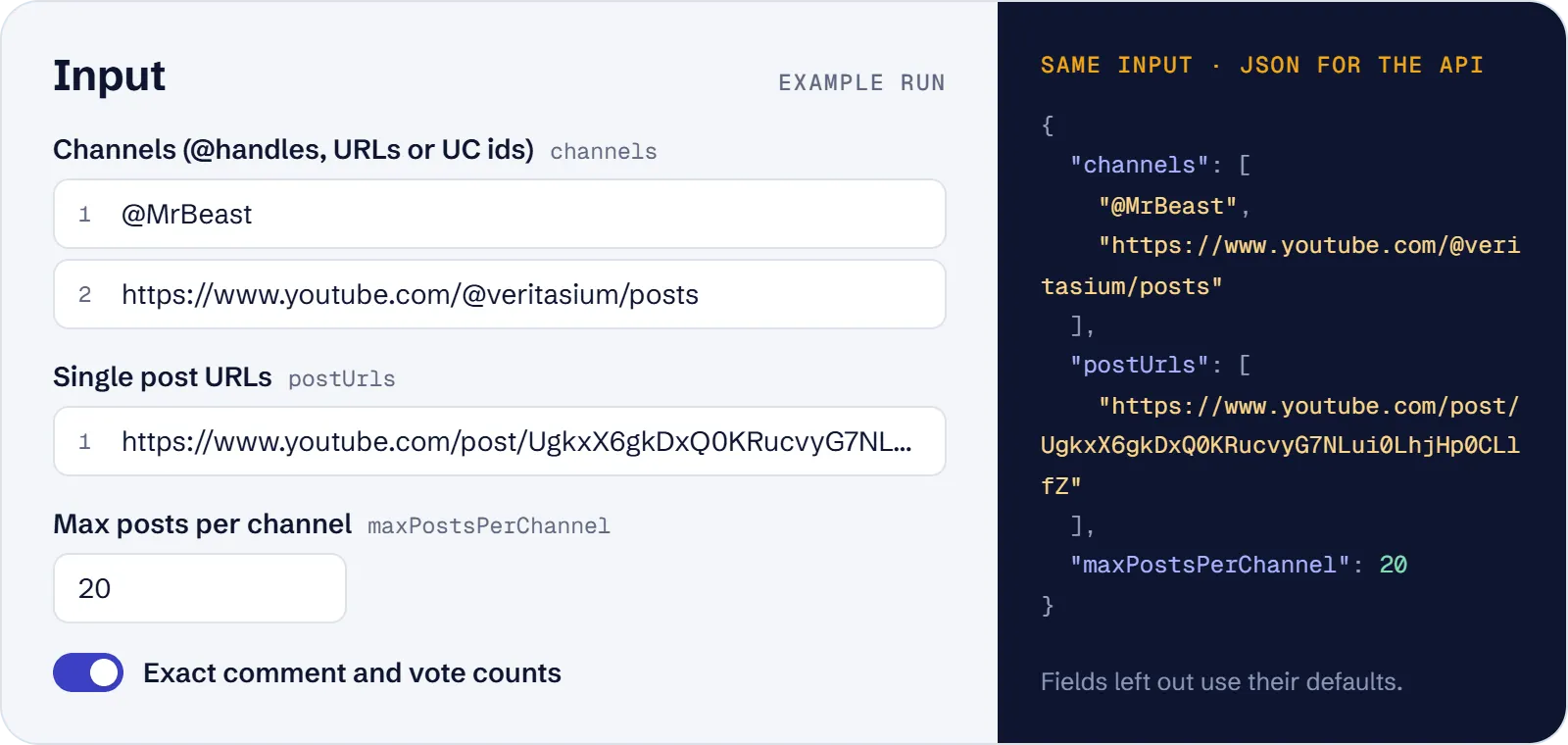
| Field | Type | Description |
|---|---|---|
channels | array of strings | @handles, channel URLs (/@x, /@x/posts, /@x/community, /channel/UC…, /c/name, /user/name, m.youtube.com) or bare UC… ids. Post URLs pasted here are scraped as single posts. Video, Shorts, live and playlist URLs are rejected. |
postUrls | array of strings | Single posts: https://www.youtube.com/post/<id> or https://www.youtube.com/channel/UC…/community?lb=<id>. One row each. |
maxPostsPerChannel | integer ≥ 1 | Newest posts per channel, counted after the filters. Default 50. |
postedAfter | string | YYYY-MM-DD or relative ("30 days", "6 months"). Approximate (± one unit of the post age); must not be in the future. |
postTypes | array | Any of text, image, images, video, poll, quiz, shared. Empty = all types. |
exactCounts | boolean | Default true: exact comment and poll vote counts (1 extra small request per page of 10 posts). Off: counts of 1,000+ come rounded ("3K" → 3000). |
maxItems | integer ≥ 1 | Total cap of posts across all inputs. |
proxyConfiguration | object | Default Apify datacenter proxy; blocked requests switch to residential automatically. |
Give channels, postUrls or both — an input with both empty fails. maxPostsPerChannel, postedAfter and postTypes do not apply to single post URLs; maxItems does.
What data can you extract from YouTube community posts?
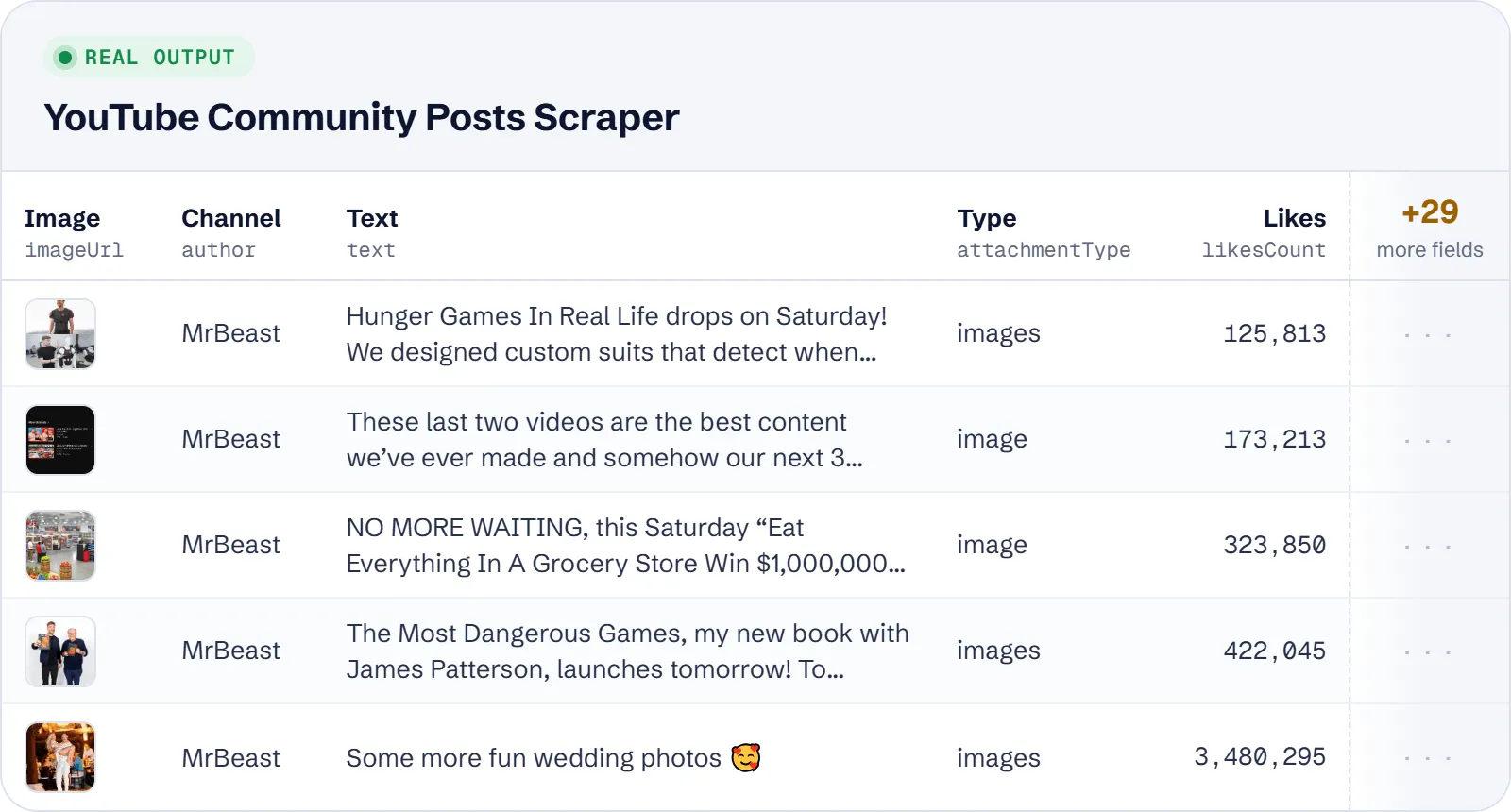
| Field | Description |
|---|---|
id, url | Post id and post URL |
text | Full post text; YouTube's shortened link texts are replaced by the real URL |
author, authorUrl, channelId, channelHandle, authorAvatarUrl | The posting channel |
publishedTimeText, publishedAt, isEdited | Age as YouTube shows it ("3 weeks ago"), an estimated ISO date, edited flag |
likesCount | Exact likes (null for shared posts) |
commentsCount, commentsCountIsExact | Comments and whether the number is exact (null for shared posts and single post URLs) |
attachmentType | text, image, images, video, poll, quiz, shared or other |
imageUrls, imageUrl | All attached images in the largest size; main image or video thumbnail |
videoId, videoUrl, videoTitle, videoViewsCount, videoDuration, videoChannelName | Linked video of video posts |
pollChoices, pollCorrectChoice, pollVotesCount, pollVotesCountIsExact | Poll or quiz options, the quiz's correct answer, total votes |
isMembersOnly | Members-only post |
links, hashtags, mentions | Real URLs, #hashtags and @handles found in the text |
originalPostId, originalPostUrl, originalPostAuthor, originalPostChannelId, originalPostText, originalPostLikesCount | The original post of a shared post |
position | 1-based place in the channel feed (newest first, before filters); null for single post URLs |
query, scrapedAt | The input entry that produced the row; scrape time |
Example row (a Veritasium quiz post, from a real run):
Use cases
- Benchmark post engagement: pull the whole post history of channels like @MrBeast and @veritasium with exact likes and comments.
- Monitor sponsored or competitor channels: schedule a run with
postedAfter: "7 days"over your brand list to catch new announcements, giveaways and polls; paging stops early, so the run stays small. - Poll and quiz research: filter
postTypestopollandquizto collect questions, choices, the correct quiz answer and vote totals. - Track known posts: re-scrape single post URLs (e.g. a giveaway post) to follow their likes over time.
- Sponsor links and cross-promotion: use the
links,mentionsandhashtagscolumns to see which sites and channels a creator promotes.
Limitations
- Dates are relative. YouTube shows only "3 weeks ago"-style ages, so
publishedAtis an estimate precise to about one unit of that age ("2 years ago" is ± 1 year), andpostedAfteris approximate in the same way. - Very large poll totals are rounded. Polls with 1M+ votes come as e.g. 1800000 with
pollVotesCountIsExact: false. WithexactCountsoff, comment and vote counts of 1,000+ are rounded. - Single post URLs have no comment count:
commentsCountandcommentsCountIsExactare null there, andpositionis null. - Shared posts have no own likes or comments (null); the original's data is in the
originalPost…fields. - Members-only posts are flagged with
isMembersOnly, but their content may be partial without a login. - No logged-in feed and no tagged posts: the Home/Subscriptions feed needs an account, and YouTube has no "tagged posts". Use
mentionsandhashtagsinstead. - The actor does not scrape the comments of posts, only their counts. Poll percentages per choice are not returned, only the total votes.
Tips and troubleshooting
- Get a channel's full history: set
maxPostsPerChannelhigh (e.g. 5000); paging continues until the channel's history ends. - Only new posts: set
postedAfter(e.g. "7 days") on a scheduled run; paging stops after the first page that is entirely older than the cutoff, and a pinned old post does not stop it early. - Filters combine:
postTypesandpostedAftercan be used together;maxPostsPerChannelcounts posts after both filters. - 0 rows? Check the log: each channel that was not found, does not exist or has no Posts tab gets a warning naming the entry, and it is free. A name without
@(e.g.MrBeast) is tried as a legacy channel URL — add the@for handles. - Input error? Video, Shorts, live and playlist URLs are not channels or posts;
postedAftermust be a date or "N days/weeks/months/years" in the past. - Fewer requests: set
exactCountstofalseif rounded comment counts are enough. Likes stay exact.
API, MCP and integrations
Run the actor from your code with the same JSON input as in Console. Your API token is in Console → Settings → API & Integrations.
Python (pip install apify-client):
Node.js (npm install apify-client):
HTTP — one request runs the actor and returns the results (runs up to 5 minutes; longer ones: run asynchronously):
AI agents (MCP). Add the actor as a tool of the Apify MCP server. Claude Code:
Claude Desktop, Cursor or VS Code: {"mcpServers": {"apify": {"url": "https://mcp.apify.com?tools=genial_candlestand/youtube-community-posts-scraper"}}}. Then ask, for example:
- "Get the 100 newest community posts of @MrBeast with likes and comment counts"
- "List the polls and quizzes Veritasium posted, with choices, the correct answer and total votes"
- "Which links and channels did @LinusTechTips promote in community posts in the last 30 days?"
Integrations. Run it on a schedule with Apify Schedules and send the results to Google Sheets, Slack, Zapier, Make, n8n or your webhook — see Apify integrations.
FAQ
Can it scrape all posts of a channel?
Yes. maxPostsPerChannel has no maximum and the actor pages to the end of the Posts tab; during research it read all 364 posts of @LinusTechTips.
Are the like and comment counts exact?
Likes are read from the like-button label, which gives the exact number. Comments and poll votes are exact by default (exactCounts: true); commentsCountIsExact and pollVotesCountIsExact tell you when a number is rounded.
Can I mix channels and single post URLs in one run?
Yes. Both lists are processed in one run, and a post reached twice is returned and charged once.
Do I need a YouTube account, cookies or an API key?
No. The actor reads public data without login.
How is it different from other YouTube community post actors?
It has no per-channel post cap (the leading actor documents about 200 posts per channel), returns exact comment counts where others return rounded "1K" values, adds quiz answers, shared-post data and real link URLs, and charges one flat event per post with no add-on events.
Is it legal to scrape YouTube community posts?
The actor collects only publicly visible posts that YouTube shows to any logged-out visitor. You are responsible for how you use the data, including compliance with YouTube's terms, copyright and data-protection laws such as GDPR. Consult a lawyer if unsure.
Also useful
- YouTube Channel Scraper — add subscriber counts, channel details and videos with exact views for the same channels
- YouTube Comments Scraper — get comments and replies of the videos linked in posts, with exact like counts
- YouTube Scraper — collect videos, channels, Shorts and comments in one run
- YouTube Search Scraper — find channels to monitor by keyword: videos, Shorts, channels and views
- YouTube Transcript Scraper — fetch captions of the videos the posts promote for text analysis


