

Best Damn Sitemap URL Extractor
Pricing
$0.20 / 1,000 url extracteds
Best Damn Sitemap URL Extractor
Extract every URL from a website's XML sitemaps, including sitemap indexes, gzip files and robots.txt discovery, with lastmod, priority and hreflang. Give it a domain, get the whole map back, at a tiny price per URL.
Pricing
$0.20 / 1,000 url extracteds
Rating
0.0
(0)
Developer

Joshua Smith
Maintained by CommunityActor stats
0
Bookmarked
2
Total users
1
Monthly active users
a month ago
Last modified
Categories
Share

Sitemap URL extractor: extract all URLs from a sitemap, with the metadata that comes with them (last modification date, change frequency, priority, hreflang alternates and image counts). Paste website URLs or sitemap URLs, and the Actor finds the sitemaps (robots.txt, /sitemap.xml, /sitemap_index.xml, /wp-sitemap.xml, ...), follows nested sitemap indexes, unpacks .xml.gz files and returns one clean record per page.
It is built for SEO specialists, developers and data teams who need a complete, structured list of a site's pages without crawling it. You pay a small flat price per URL, and sites whose sitemap cannot be found or loaded are reported free of charge.
Features
- Extract all URLs from an XML sitemap or sitemap index
- Find a website's sitemap automatically via robots.txt and common paths
- Parse gzip-compressed
.xml.gzsitemaps and plain-text sitemaps - Get
lastmod,changefreq,priorityandhreflangalternates for every URL - Filter sitemap URLs by glob, regex or substring patterns
- Export a full list of website URLs to CSV, Excel or JSON
- Audit sitemap structure: list every sitemap file with its URL count and depth
What can you do with Best Damn Sitemap URL Extractor?
- SEO audits: compare the sitemap against your crawl or Google Search Console coverage, find stale
lastmoddates, missinghreflangalternates or pages that should not be indexed. - Seed other scrapers and crawlers: get the full URL list of a site in seconds and feed it to a content scraper, screenshot Actor or your own pipeline instead of discovering pages link by link.
- Monitor competitors: schedule a weekly run and diff the results to see which pages, products or articles a competitor added or changed.
- Build AI / RAG corpora: collect every documentation, blog or help-centre URL of a site and pass the list to a text extractor for embedding.
- Content inventories and migrations: export the whole site structure to CSV or Excel before a redesign or platform migration.
- Replace Zapier/Make sitemap steps: run on a schedule and push new URLs to Google Sheets, Airtable, Slack or a webhook with Apify integrations.
How it works
For a website URL the Actor reads robots.txt and follows every Sitemap: directive. If there is none, it probes /sitemap.xml, /sitemap_index.xml, /sitemap-index.xml, /wp-sitemap.xml and /sitemap.txt. For a sitemap URL it starts there directly. Sitemap index files are followed recursively (up to the configured depth), gzip-compressed sitemaps are decompressed, and every <url> entry is parsed including the image and xhtml:link extensions. Requests are limited to 5 concurrent connections per host.
The Actor reads sitemap files only; it does not crawl the pages themselves. Sites without a sitemap, or sitemaps hidden behind a login or bot protection, cannot be extracted and are reported as failures.
How to use it
- Open the Actor and paste your URLs into Website or sitemap URLs, one per line. Website URLs trigger discovery; direct sitemap URLs are read as-is.
- Optionally set Max URLs per site (default 5,000) to cap the cost of very large sites, and add Include / Exclude URL patterns to keep only the sections you need (for example
**/blog/**or/products/). - Click Start. URLs appear in the Output tab while the run is in progress.
- Download the dataset as JSON, CSV, Excel or XML, or pass it to another Actor or integration.
Output
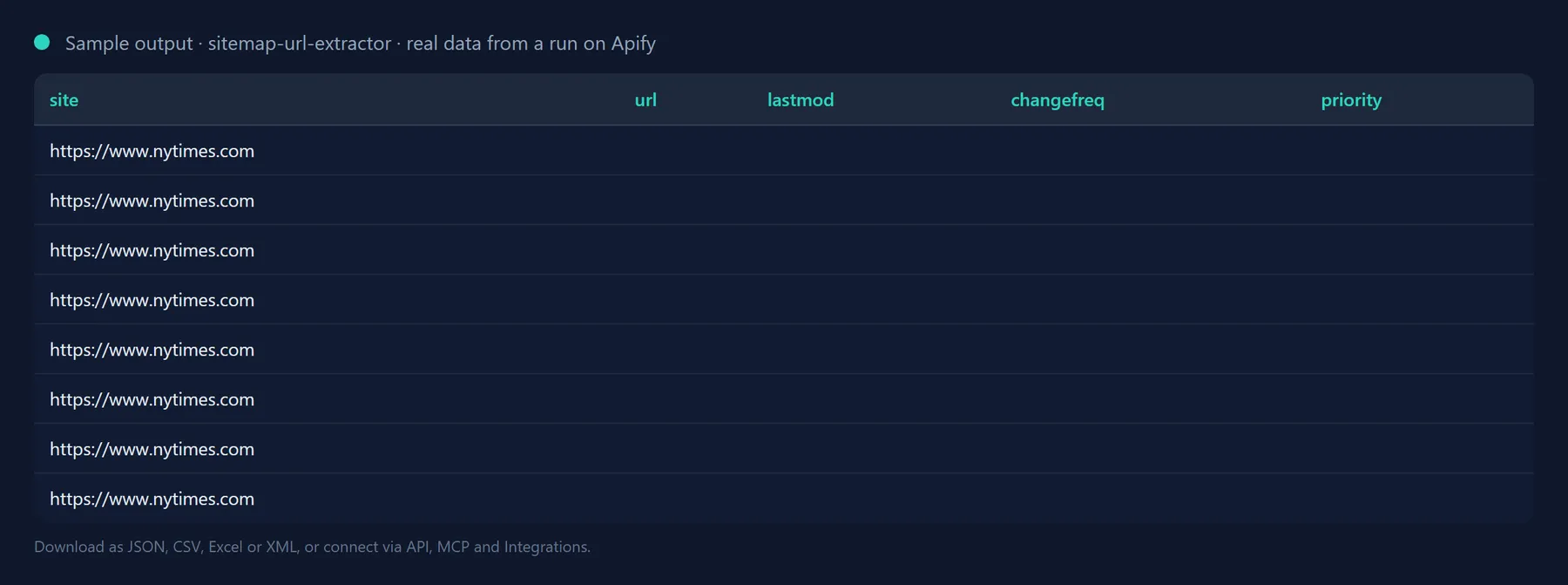
One record per URL:
Sitemaps that cannot be found or loaded are still recorded, so nothing silently disappears:
With List sitemap files only switched on, each record describes one sitemap file instead (sitemapUrl, kind, urlCount, childSitemapCount, depth, lastmod).
Output fields
| Field | Description |
|---|---|
site | Origin of the website the URL belongs to (as you supplied it). |
sitemapUrl | The sitemap file the URL was found in. |
url | The page URL (absolute). |
lastmod | Last modification date from the sitemap, normalised to ISO 8601 when possible; null if absent. |
changefreq | always, hourly, daily, weekly, monthly, yearly, never or null. |
priority | Sitemap priority between 0.0 and 1.0, or null. |
alternates[] | hreflang / href pairs from xhtml:link rel="alternate" entries. |
imageCount | Number of image:image entries attached to the URL. |
fetchedAt | When the sitemap file was read. |
errorType | For failures only: invalid-url, not-found, http-error, blocked, dns, timeout, network or other. |
Use it from the API, Python, JavaScript or an AI agent
Run the Actor and get the dataset back in one HTTP call:
Python, with the apify-client package:
JavaScript or TypeScript, with the apify-client package:
Use it from Claude, Cursor, ChatGPT or any MCP client
The Actor is exposed as a tool by the Apify MCP server, so an AI agent can call it by name. Add this to your MCP client configuration (Claude Desktop, Claude Code, Cursor, VS Code, Windsurf and others):
Then ask, for example: "List every URL under /blog/ from the sitemap of https://blog.apify.com with josh99smith/sitemap-url-extractor." The agent fills in the input, runs the Actor and reads the dataset back; you pay the same per-result price as in the Console.
The Actor can also be scheduled, or connected to Zapier, Make, n8n and Google Sheets in the Integrations tab.
Pricing: how much does it cost to extract sitemap URLs?
You pay a flat price per extracted URL (shown next to the Start button); 5,000 URLs cost about $1. Nothing is charged for Actor start-up, for failed sites, or for sitemap files that could not be loaded. The Actor stops automatically when it reaches the maximum cost you set for a run, so a huge site never produces a surprise bill, and Max URLs per site caps each site individually.
How it compares (September 2026). Apify's own sitemap extractor charges $0.0005 per URL and shows a 16 percent failed-run rate in its public stats; other options charge $0.002 plus a start fee or $0.03 per URL. This Actor is $0.0002 per URL (a 5,000-URL site costs $1), handles sitemap indexes, gzip files and robots.txt discovery, and never bills a site where no sitemap could be found.
Tips
-
Huge publishers: sites like news archives expose thousands of monthly sitemap files.
maxSitemapsPerSite(default 500) caps how many are fetched; raise it together with the run memory (1 GB or more) to walk the whole tree, and useoutputSitemapsOnlyfirst to see the tree's size cheaply. -
Large sites: news and ecommerce sites can list millions of URLs. Combine Max URLs per site with Include URL patterns to fetch only the section you care about, or run List sitemap files only first to see how the sitemap is structured.
-
Patterns: globs (
**/blog/**,*.pdf), regular expressions in slashes (/\/products\/\d+$/) and plain substrings (/docs/) are all accepted, case-insensitively. -
Blocked sites: a few CDNs refuse cloud IP addresses. Enable Proxy configuration > Apify Proxy in the Advanced section (proxy traffic is billed by Apify separately).
-
Change tracking: use the Schedule tab to run weekly and compare
lastmodvalues between runs.
FAQ
Why are some pages of the site missing from the output?
Only URLs present in the site's sitemaps are returned; the Actor does not crawl pages. If the site does not maintain a sitemap, use a crawler such as Website Content Crawler instead.
Does it work with WordPress, Shopify, Wix, Webflow and Next.js sites?
Yes. All of them publish standard XML sitemaps (WordPress at /wp-sitemap.xml or via Yoast/RankMath sitemap indexes), which the Actor discovers automatically.
Which sitemap formats are supported?
XML urlset and sitemapindex files (including the image, video, news and xhtml:link extensions), gzip-compressed .xml.gz files and plain-text sitemaps. RSS/Atom feeds are not sitemaps and are reported as not-found.
What are the limits on URLs, depth and file size?
Max URLs per site goes up to 200,000 per run (default 5,000) and Max sitemap index depth up to 20 levels (default 5). A single sitemap file may be up to 64 MB uncompressed, which covers the 50 MB limit of the sitemap protocol. Up to 10 sites are processed in parallel with at most 5 concurrent requests per host, and each file request times out after at most 120 seconds.
Is it legal to extract URLs from a sitemap?
Sitemaps are published specifically so that automated clients can read them. The Actor sends a handful of requests per site at a polite rate and stores only the URLs and metadata the site publishes. You are responsible for using the results in compliance with the laws that apply to you.
Will the output fields change between runs?
No. Output fields are stable: existing fields are never renamed or removed without a major version bump announced in the changelog, and new fields are only ever added. You can build integrations on the schema without checking it after every run.
Integrate Best Damn Sitemap URL Extractor and automate your workflow
Best Damn Sitemap URL Extractor plugs into the tools you already use through Apify integrations, so results can flow on without anyone downloading a file. Ready-made connectors include:
You can also attach webhooks to trigger your own endpoint whenever a run succeeds, fails or times out. For example, feed newly published URLs into your crawler or indexing workflow, or notify Slack when a competitor adds pages.
Related Actors by the same developer
- Best Damn Tech Stack Detector: find out what a website is built with.
- Best Damn Website Screenshot API: full-page screenshots and PDFs of any URL.
- Best Damn Google Autocomplete Scraper: keyword suggestions from Google search.
- Best Damn App Reviews Scraper: app reviews from both stores.
- Best Damn PageSpeed Insights Audit: Core Web Vitals via Google's API.
- Best Damn Remote Jobs Aggregator: remote job listings in one dataset.
- Best Damn PDF Text Extractor: text and metadata from PDF URLs.
- Best Damn RSS to JSON Converter: RSS, Atom and JSON feeds as JSON items.
- Best Damn YouTube Comments Scraper: comments and replies from YouTube videos and channels.
- Best Damn YouTube Scraper: videos, channels, playlists and search results with statistics.
Support and feedback
Found a sitemap that is not parsed correctly? Open a ticket in the Issues tab of this Actor with the sitemap URL and we will look into it.
This Actor is open source under the MIT licence.
The full source code is on GitHub: josh99smith/sitemap-url-extractor. Stars and pull requests are welcome.


