

Facebook Events Scraper
Pricing
from $1.99 / 1,000 results
Facebook Events Scraper
Facebook Events Scraper — Extract Facebook event data including event names, dates, times, locations, descriptions, organizers, attendee counts, event URLs, and images. Useful for event research, local discovery, audience analysis, competitor monitoring, and marketing insights.
Pricing
from $1.99 / 1,000 results
Rating
0.0
(0)
Developer

Social Data API
Maintained by CommunityActor stats
0
Bookmarked
2
Total users
1
Monthly active users
4 days ago
Last modified
Categories
Share
Facebook Events Scraper — Dates, Locations and Attendance Data
Facebook Events Scraper turns a list of search keywords into structured JSON for the public Facebook events that match them — event name, date and time, venue location, organizer details, and going/interested attendance counts, read straight from each event's own page. No Facebook account or cookies are required. Every response is structured JSON, ready to pass directly to an LLM, index into a vector store, or feed a local-event-discovery pipeline. Start with one search phrase, then scale up to a full list once you see the fields you need.
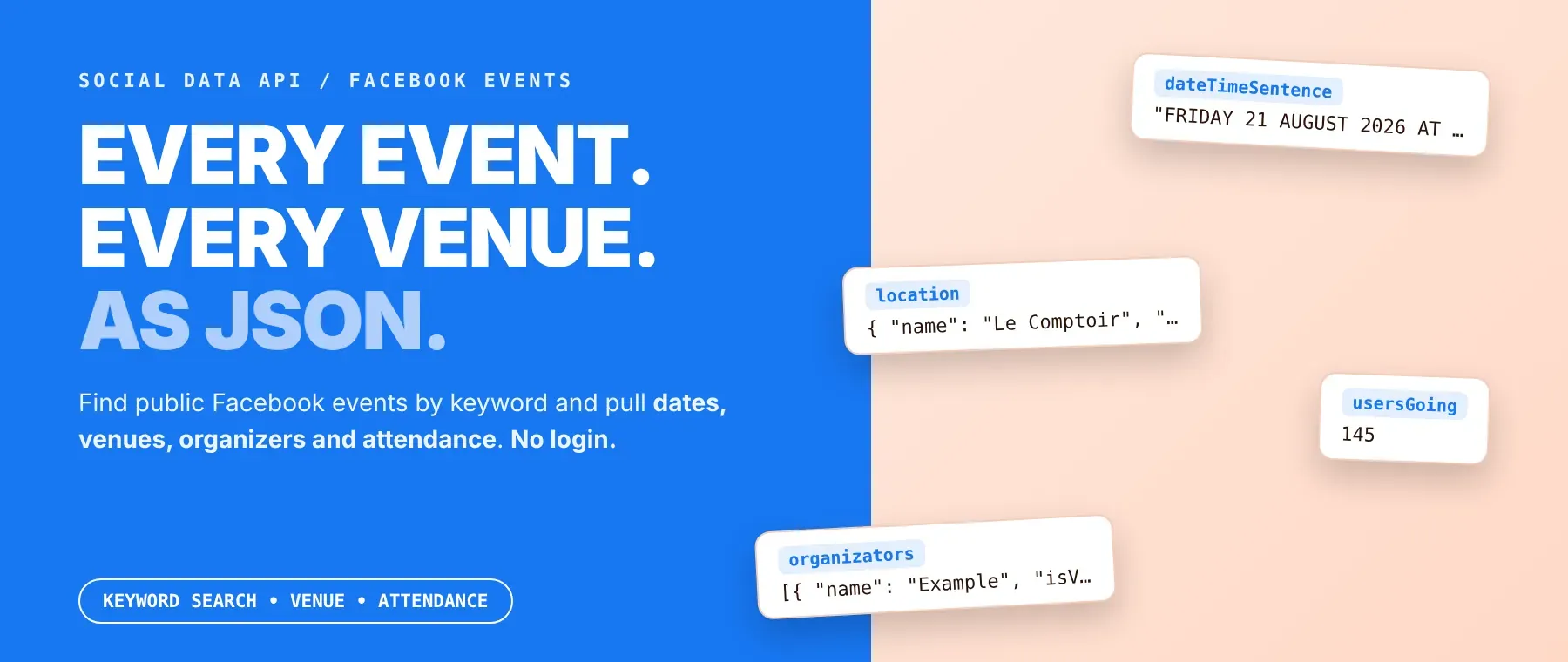
What data can I extract with Facebook Events Scraper?
Using this Facebook event search API, you will be able to extract the following Facebook event data:
| 🎤 Event name | 🔗 Event URL | 🗓️ Date & time sentence | ⏰ Start date (UTC) |
|---|---|---|---|
| 📍 Venue location | 🧑💼 Organizer name & links | 👥 Going / interested counts | 🎟️ Ticket details (if available) |
| 🖼️ Cover image & caption | ⏱️ Duration (if stated) | 📝 Description text | 🏷️ Event type & privacy info |
| 🔂 Recurring occurrences (if any) | 🗂️ Discovery categories | 🔗 External links in description | 🚩 Event metadata flags (paid, class, live audio room, etc.) |
| 🕒 Scraped-at timestamp | 🔎 Search phrase used to find it |
How to use Facebook Events Scraper
Anyone who needs a live feed of public Facebook event activity — by keyword, not by a fixed URL list — can run this scraper and get every matching event back as one dataset.
Copy to your AI assistant:
Facebook Events Scraper MCP Server: use this Actor from ChatGPT, Claude or Cursor
Point your AI assistant at the Apify MCP server and it finds and runs Facebook Events Scraper itself, through the server's own search, add and call-actor tools — no glue code, no scraping logic in your prompts.
Step by step
- Create a free Apify account.
- Open Facebook Events Scraper in the Apify Store.
- Enter one or more Facebook event search phrases.
- Click Start (or send your API request).
- Download or stream your results in JSON, CSV or Excel.
How to scale Facebook Events Scraper to bulk
The search-queries list is the bulk-input mechanism — add one phrase per line and every query runs in the same call, merged into one dataset, with the max-events-per-query cap applied to each query rather than as a total cap. There is no separate bulk-URL or bulk-event-ID input: this Actor discovers events by keyword search only. If your workflow needs data for a fixed list of already-known event URLs instead of open-ended discovery, this Actor is not built for that use case.
✨ Features
Facebook Events Scraper fetches clean, structured event rows from Facebook's public event pages ⚡ — a Facebook event data scraper built to find Facebook events by keyword, not from a fixed URL list. It's ideal for local-event market research, local-SEO calendars, venue discovery, community building, and promo planning.
It extracts, per event:
- Event name and URL – the event's title and canonical Facebook page link.
- Date and time – a readable date/time sentence plus a UTC start timestamp when the page states one.
- Venue location – name, address, coordinates and city for the event's venue.
- Attendance signals – Facebook event attendance data: going, interested, and total response counts.
- Organizer details – Facebook event organizer data: organizer name, profile link and verification status.
- Recurring occurrences – linked follow-up dates when the event repeats.
⚡ Every request routes through Apify's residential proxy automatically, so you never set up or rotate a proxy yourself.
Use cases 💡
- Market researcher — compare organizer and category density across a search term.
- Local-SEO editor — auto-populate a "this week" events calendar from the date and location fields.
- Promoter — compare going and interested counts across similar events before booking a venue.
- Community manager — shortlist active organizers already running events in a niche.
- AI engineer — feed the description, date and location fields into a RAG pipeline for a local-events assistant.
Building an AI agent? Connect Facebook Events Scraper over MCP and let it call the actor on its own.
Why choose this actor?
- Every matching event, not just the first page. Search pagination for one query keeps going until it collects up to 1,000 events per phrase or runs out of further result pages — and there's no cap on how many phrases you list in one run.
- 33 output fields on every row, including what other extractors skip. Identity, scheduling, attendance and metadata fields come back together, with recurring-occurrence links restored as a real, working field rather than dropped.
- A blocked page never breaks the run. Every request retries with backoff and a fresh residential-proxy IP when it looks blocked, and a page that still fails after every retry gets pushed anyway with whatever data was already captured.
⬇️ Input
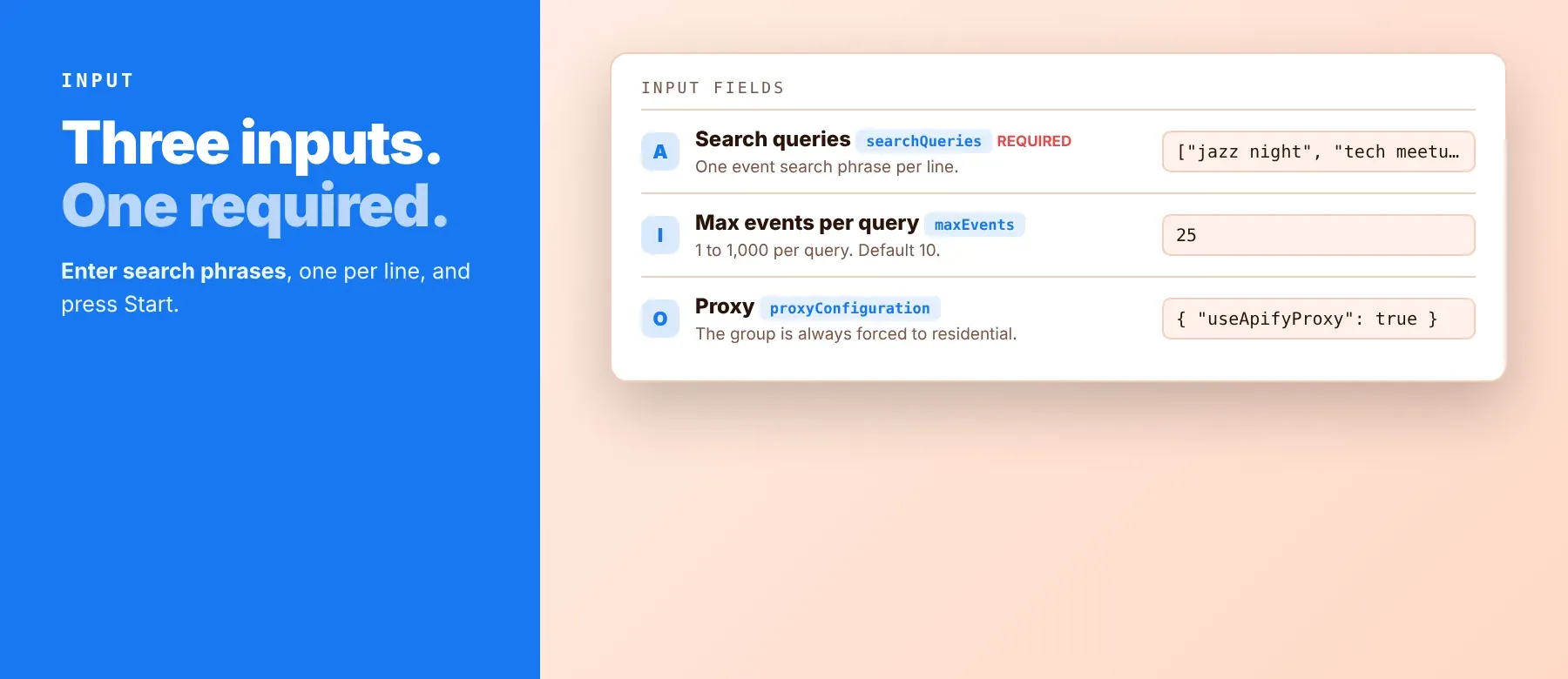
Facebook Events Scraper accepts a list of search phrases; the search queries field is the only one required.
| Parameter | Required | Type | Description | Example value |
|---|---|---|---|---|
searchQueries | Yes | array (string list) | One Facebook event search phrase per line; every line is processed as its own search theme, in order. | ["jazz night", "tech meetup"] |
maxEvents | No | integer | Maximum number of events to return per search query. Minimum 1, maximum 1000, default 10. | 25 |
Free plan limits
Free plan: up to 20 events per run (all search queries together) and 200 per month; paid plans have no limit.
| proxyConfiguration | No | object (proxy editor) | Apify Proxy configuration. You can narrow by country, but the proxy group is always forced to RESIDENTIAL regardless of what you select here. | {"useApifyProxy": true, "apifyProxyGroups": ["RESIDENTIAL"]} |
Example input
⬆️ Output
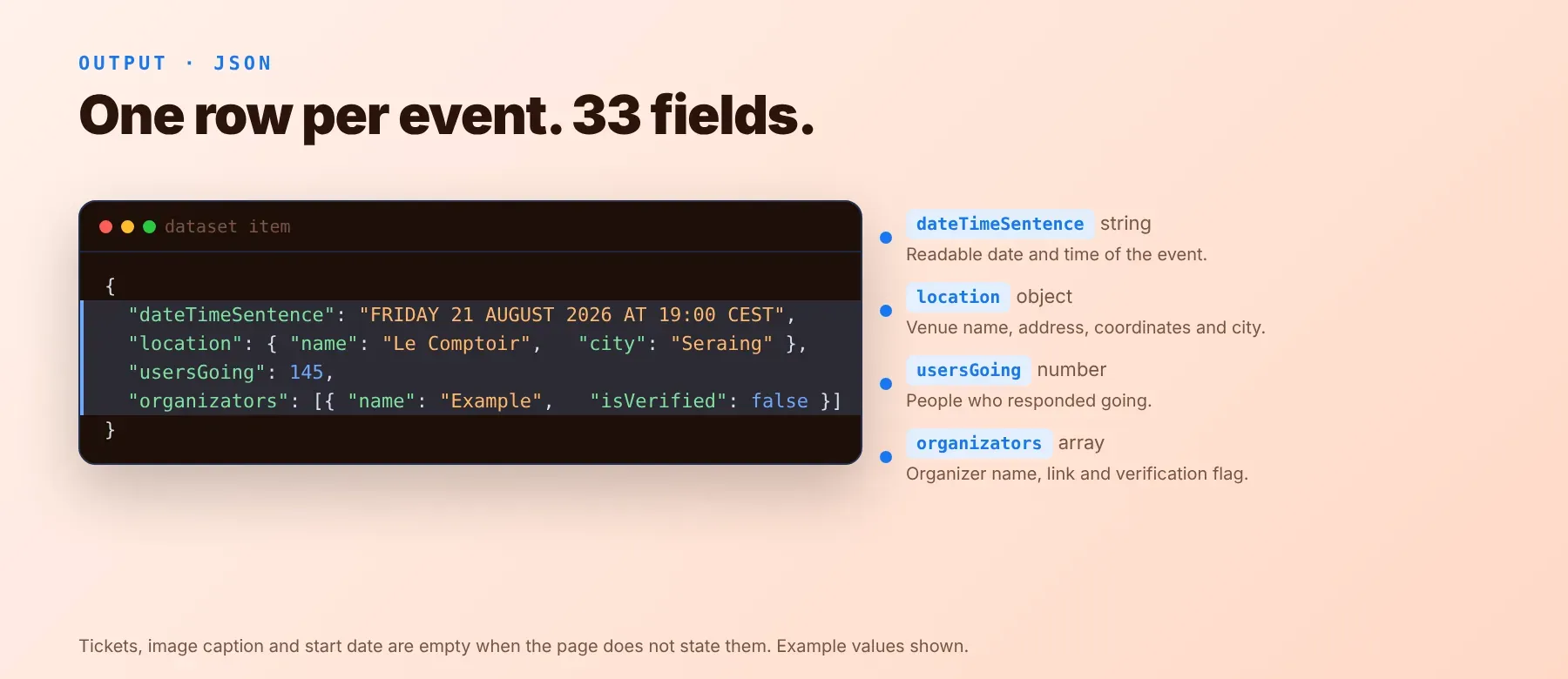
Every event is one typed, normalized JSON item with the same field names on every run, regardless of how Facebook's page layout changes. Facebook Events Scraper is charged per event row pushed to the dataset (the row_result event) — there is no separate uncharged status or error row. Export Facebook events to JSON by default, or switch to the standard Apify dataset export formats: CSV, Excel, XML, RSS, or HTML, or read straight from the dataset via the Apify API.
Example output
How does it work?
As a Facebook public events scraper, this Actor works by keyword rather than a fixed URL list: for each search phrase, it queries Facebook's own public event search — the same search a logged-out visitor can run — through a residential proxy, paginating until it reaches the requested cap or runs out of pages. It then fetches each matching event's own page, also viewable by anyone, and reads the structured data already embedded in it to fill in name, date, description, location, organizer, tickets, and attendance figures. No headless browser is used, and nothing but publicly visible content is read. Because fields are read from structural signals in the page rather than fixed visual layout, the output schema stays stable even when Facebook's design changes; when the search page's own parameters change, the Actor reads the current values from it instead of failing.
How do you integrate Facebook Events Scraper into your stack?
Facebook Events Scraper runs on the Apify platform, so it works with the same tools every Apify Actor does: a REST API from any language, MCP for AI agents, and no-code automation tools — no separate signup or API key beyond your Apify account.
MCP integration for AI agents
Point Claude, Cursor, Windsurf, or any other MCP-compatible agent at the Apify MCP server and it can find and call Facebook Events Scraper directly, without you writing any scraping logic yourself. Register the server once, and any MCP client that supports Streamable HTTP can connect the same way:
The agent then searches, adds and calls this Actor itself, through the server's own tools.
No-code tools (n8n, Make, LangChain)
In n8n, use the Apify node's "Run an Actor" operation, or the HTTP Request node pointed at the run-sync endpoint with your API token. In Make, the Apify app's "Run an Actor" module starts the run, and a follow-up "Get Dataset Items" call retrieves the rows. In LangChain, the langchain-apify package's ApifyActorsTool can call any Apify Actor you've connected by name, so your agent can trigger a run and read the dataset without custom HTTP code.
Is it legal to scrape Facebook events?
Scraping publicly visible Facebook event pages — the same names, dates, venues, and attendance counts any logged-out visitor can see — is generally lawful; legal exposure in web scraping usually comes from how data is collected and used, not from reading public pages. Facebook Events Scraper returns only publicly available event data: it does not access private guest lists, comments, or messages, and it never logs in. Scraping public data is generally permissible under GDPR, but storing and using it must still comply with local data-protection law — some fields, such as organizedBy, can name an individual host rather than a business page. Consult legal counsel if your use case involves bulk storage of personal data.
Frequently asked questions
What fields does Facebook Events Scraper return?
The top fields are the event name, date/time sentence, location, going and interested counts, and organizer — see the data fields section above for all 33 fields.
Does Facebook Events Scraper require a Facebook account or login?
No. Only public event data is extracted — every field is read from an event's own page, which Facebook still serves to logged-out visitors. No credentials are needed.
What happens if a search query returns zero events?
The Actor logs a warning and moves on to the next query instead of failing the run. This happens when Facebook's own search has no matching public event for that phrase; try a broader or more common phrase if you consistently get zero results.
Can I scrape multiple Facebook event searches at once?
Yes — the search queries input accepts an array, and every line is processed in the same run and merged into one dataset. There's no separate bulk-URL or event-ID input mode; this Actor is keyword-search-only.
Does Facebook Events Scraper work with Claude, ChatGPT, and other AI agent tools?
Yes — Facebook Events Scraper is available through the Apify MCP server. Add it with claude mcp add --transport http apify "https://mcp.apify.com?tools=socialdataapi/facebook-events-scraper" and the agent finds this Actor itself, using the server's search, add and call-actor tools. Any agent that can call an HTTP endpoint can also use the REST API directly.
Does Facebook Events Scraper return data in a format LLMs can use directly?
Yes. Every row is typed, normalized JSON with the same field names on every run — no HTML parsing or CSS selectors required. Pass it directly to an LLM, index it into a vector store, or feed it to an agent tool.
What happens when Facebook changes its layout or anti-bot system?
Field extraction is built around structural signals in the page rather than fixed CSS selectors, so minor layout changes typically don't break field mapping. The Actor is actively maintained; when Facebook changes something that does break extraction, the fix ships as an update with no change to the output schema.
Can I use Facebook Events Scraper without managing proxies or browser infrastructure?
Yes. Apify Proxy's residential group is configured and rotated automatically for every request — you never provide or manage a proxy list. The Actor also doesn't run a headless browser; it fetches HTML and JSON directly, so there's no browser infrastructure to manage either.
Which Facebook event fields work best for AI training data and RAG indexing?
For RAG, index the description, date/time sentence, and location fields — they carry the most free-text context. For structured training data, the going count, interested count, and event type are the most consistently populated typed fields; the UTC start date, ticket details, and image caption are populated whenever the event's own page states that detail, and are empty otherwise — check for a null value rather than assuming they're always present.
Your feedback
Found a bug, or a field that's coming back empty when it shouldn't? Open the Issues tab on this Actor's Apify Store page and let us know — every report gets read, and fixes ship as updates.


