Facebook Search Scraper - Cheapest
Pricing
from $1.00 / 1,000 results
Facebook Search Scraper - Cheapest
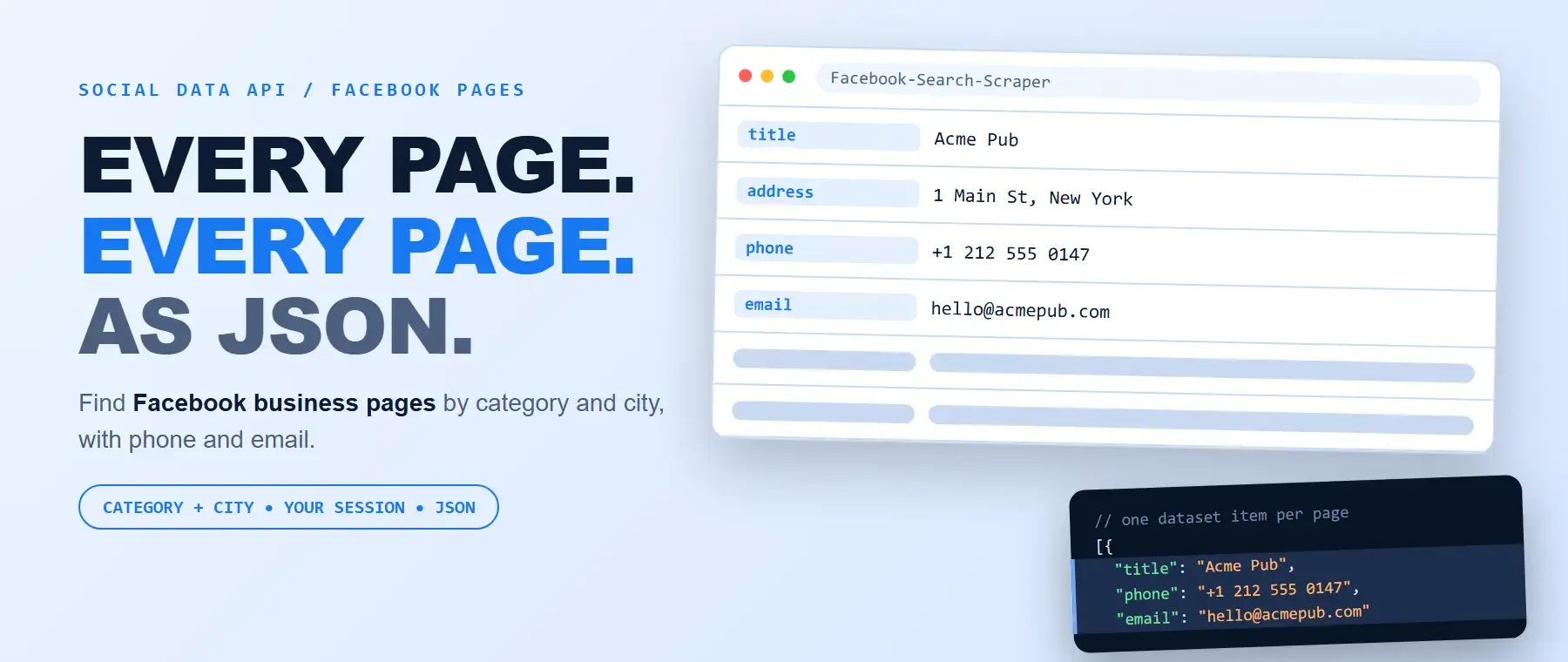
Facebook Search Scraper finds Facebook business pages by category and location, then returns address, phone, email, website, opening hours, rating, review count and followers. Uses your own Facebook session cookies. Export JSON, CSV or Excel, or use the API.
Pricing
from $1.00 / 1,000 results
Rating
0.0
(0)
Developer

Social Data API
Maintained by CommunityActor stats
0
Bookmarked
2
Total users
1
Monthly active users
12 days ago
Last modified
Categories
Features
Share
Facebook Search Scraper — Business Pages, Phones, Emails and Hours
Facebook Search Scraper finds Facebook business pages by category and location and returns each page's name, category, address, phone number, email, website, opening hours, services, price band, star rating, review count and follower count. Every response is structured JSON — ready to pass directly to an LLM, index into a vector store, or feed a local lead generation pipeline. Pages that cannot be read are saved as free rows and never charged. Start with one category in one city, then add every market you sell in.
What data can I extract with Facebook Search Scraper?
Using this Facebook Business Page API, you will be able to extract the following Facebook business page data:
| 🏢 Page name | 🏷️ Categories | 📍 Address (if listed) | 📞 Phone number |
|---|---|---|---|
| 🌐 Website and website domain | 🕒 Opening hours | 🛎️ Services | |
| 💲 Price band | ⭐ Rating text, recommend % and review count | 👥 Followers (approximate) and followings | 👍 Likes |
| 📝 Intro text and info snippets | 🆔 Page ID and vanity name | 🔗 Page URL | 📸 Instagram account(s) |
| 🔀 Other linked social account | 🖼️ Profile picture, cover photo and photo link | 🗺️ Map link built from the address | 📢 Ad Library status |
| 📅 Creation date and ad status (when published) |
How to use Facebook Search Scraper
Local lead-gen and sales teams use it to turn "category + city" into a list of Facebook business pages with the contact details needed to reach out.
Copy to your AI assistant:
Facebook Search Scraper MCP Server: use these Actors from ChatGPT, Claude or Cursor
Point your AI assistant at Scrapier and it can search Facebook business pages on its own. No glue code, no scraping logic in your prompts.
Step by step
- Create a free Apify account.
- Open Facebook Search Scraper in the Apify Store.
- Type your business categories and locations, and paste your Facebook
c_userandxscookies. - Click Start (or send your API request).
- Download or stream your results in JSON, CSV or Excel.
How to get your Facebook c_user and xs cookies
- Log in to facebook.com in Chrome, Edge or Firefox.
- Open DevTools (F12) and go to Application > Cookies > https://www.facebook.com.
- Copy the value of the cookie named
c_userinto the Facebook c_user cookie field. - Copy the value of the cookie named
xsfrom the same session into the Facebook xs cookie field. - Both fields are stored as secrets; treat them like a password and copy fresh values if a run reports that the session was not accepted.
How to scale Facebook Search Scraper to bulk
To scrape Facebook pages in bulk, add several categories and several locations: every category is searched in every location, so 5 categories and 10 cities become 50 searches in one run, each capped by your pages-per-search limit. A page found by two searches is read and billed once. For recurring lead lists, save the input as a task and schedule it, or call the API from your own job and read the dataset when the run finishes.
✨ Features
Facebook Search Scraper fetches clean, structured business pages from Facebook. It's ideal for local lead lists, sales territory mapping, local SEO directories and CRM enrichment — a Facebook business page scraper, Facebook business contact scraper and Facebook page data extractor in one run.
It extracts, per business page:
- Page name and categories – what the business is called and what it does.
- Phone number and email – the contact details listed on the page.
- Address and website – where it is and where it sells online.
- Opening hours – the hours text shown on the page.
- Services and price band – what it offers and how expensive it is.
- Rating and review count – the recommend percentage and number of reviews.
- Follower count – approximate audience size, plus followings and likes.
⚡ Pages that cannot be read are retried through Apify proxies and, if they still fail, saved as free rows with the reason.
Use cases 💡
- Local sales rep — use it as a Facebook local business scraper for call lists per city.
- Lead-gen agency — use it as a Facebook leads scraper for niche-by-city prospect lists.
- Local SEO consultant — compare opening hours, ratings and websites of competing businesses.
- Market researcher — count businesses and price bands per category and city.
- AI agent builder — index business pages into a RAG store for local recommendations.
Building an AI agent? Connect Facebook Search Scraper over MCP and let it call the actor on its own.
Why choose this actor?
- Every category in every city. Two categories and two locations become four searches in one run, and pages are read while the search is still going, so rows start arriving after the first result page.
- Contact data behind each page. A recorded page (Bruschetta Bar Miami) came back with a phone number, an email address, a website, 232 followers and 17 followings.
- 38 fields per business page. Contact details, opening hours, services, price band, rating split into recommend % and review count, images and Ad Library status — more than a plain Facebook page scraper or Facebook business scraper list.
⬇️ Input
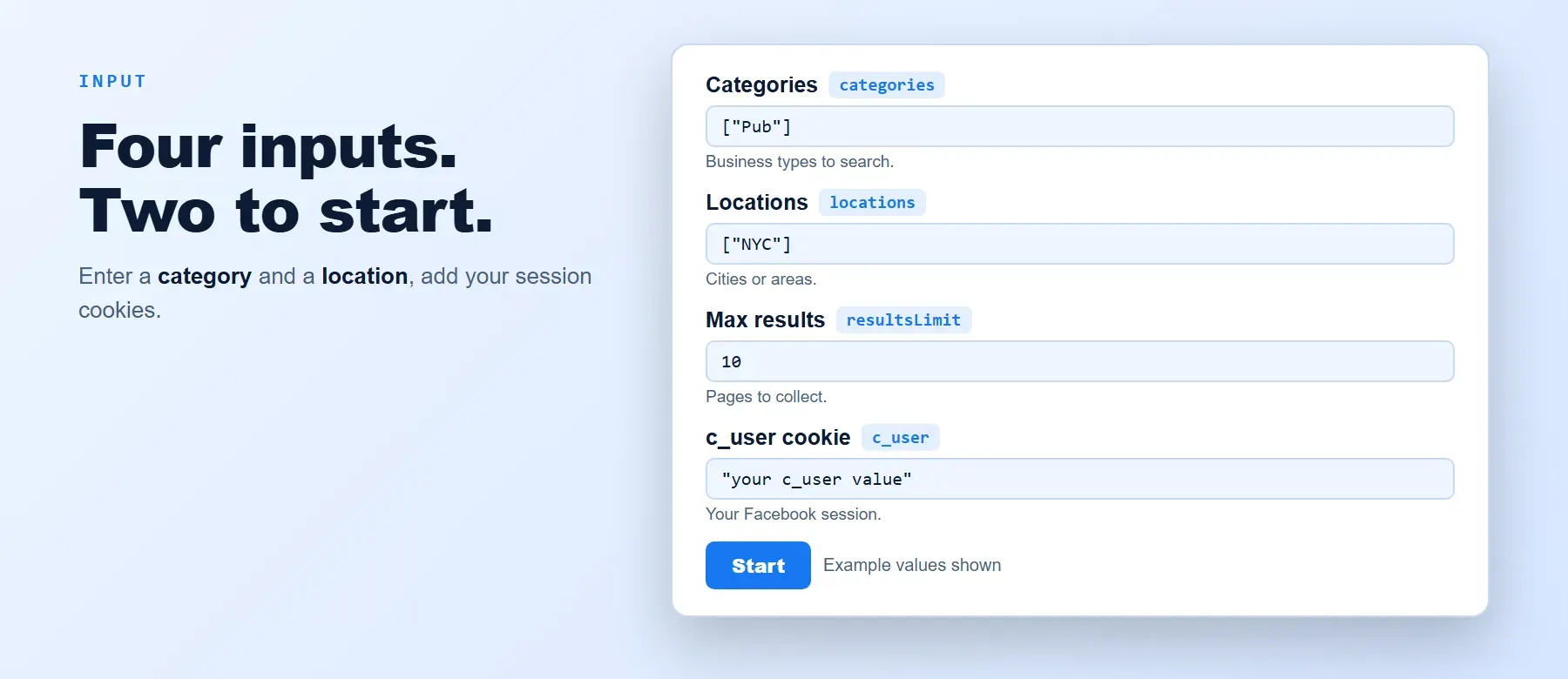
The Actor accepts lists of business categories and locations and searches every pair; your own Facebook c_user and xs cookies are required to get search results.
| Parameter | Required | Type | Description | Example value |
|---|---|---|---|---|
categories | No | array | Business types to search. Default ["Pub"]. | ["Pub", "Coffee shop"] |
locations | No | array | Places to search; paired with every category. Default ["NYC"]. | ["NYC", "Chicago"] |
resultsLimit | No | integer | Business pages to scrape per search (category and location pair). Default 10, from 1 to 500. | 25 |
c_user | Yes, for search results | string (secret) | Your Facebook c_user cookie. Without it the run saves one free info row and stops. | "100012345678901" |
xs | Yes, for search results | string (secret) | Your Facebook xs cookie from the same session. | "12%3AaBcDeFgHiJkLmN%3A2" |
proxyConfiguration | No | object | Optional proxy for reading pages. Default: no proxy, then Apify datacenter and residential proxies when a page is blocked. | {"useApifyProxy": false} |
Free plan limits
Users on the Apify free plan can fetch up to 20 business pages per run (all searches together) and 200 business pages per month. When the limit is reached, the run finishes successfully with a status message explaining the limit. Upgrade to any paid Apify plan to remove these limits.
Example input
⬆️ Output
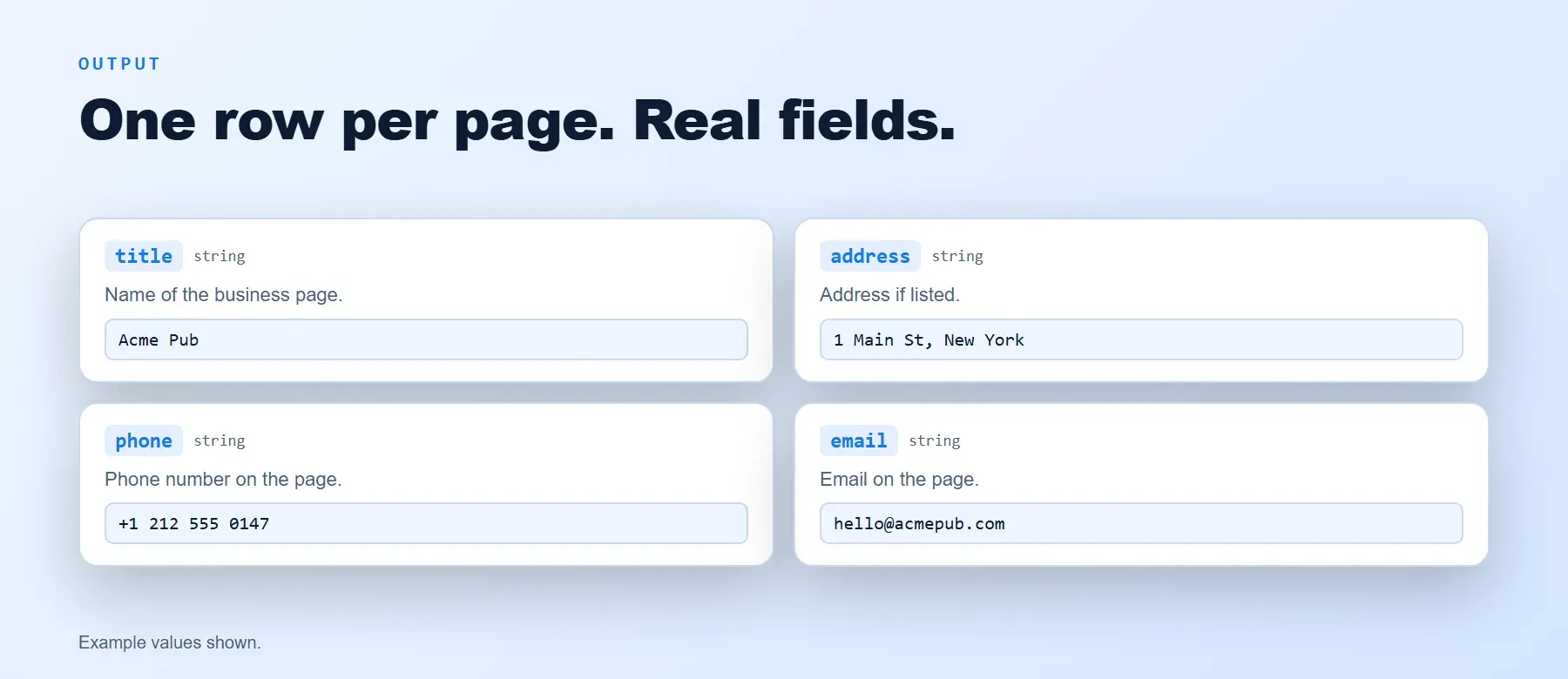
Every business page is one typed JSON item with the same 38 fields on every run; export it as JSON (default), CSV or Excel. Pages that cannot be read come back as free rows with only the page URL, an error message and an error reason, and a run without a usable session or without search results saves one free info row.
Example output
A real business page read during a test run, followed by a free row for a page Facebook did not show:
How does it work?
Scrapier's Facebook pages search runs Facebook's own page search with the session cookies you provide, two searches at a time with a short pause between result pages. As soon as a result page arrives, the business pages on it are opened and read without logging in, eight at a time, so rows reach your dataset while the search is still running. It sends plain HTTP requests, with no browser. When Facebook blocks a page, the Actor retries it through Apify datacenter and then residential proxies, up to four attempts. Pages that still cannot be read are saved as free rows with the reason. The output fields stay the same on every run, so your downstream code keeps working when Facebook changes its pages.
How do you integrate Facebook Search Scraper into your stack?
It works with what you already use: the REST API from any language, MCP for AI agents, and no-code tools.
Using Facebook Search Scraper with the Apify API
Works in Go, Ruby, Node.js, cURL — any language that can make an HTTP request.
MCP integration for AI agents
Add the Actor to your AI agent with one command:
This registers Facebook Search Scraper as a tool your agent can call directly. It works in Claude Code, Cursor and Windsurf, so an agent can find the pubs in a city, read their phone numbers and opening hours, and draft an outreach list.
No-code tools (n8n, Make, LangChain)
- n8n — add the Apify node with "Run an Actor" and pick
socialdataapi/facebook-search-scraper, or use the HTTP Request node pointed at the run-sync endpoint with your token. - Make — use the Apify app's "Run an Actor" module, then "Get Dataset Items" to send the business pages to your sheet or CRM.
- LangChain — install
langchain-apifyand load the Actor withApifyActorsTool("socialdataapi/facebook-search-scraper").
Is it legal to scrape Facebook data?
Collecting business information that Facebook pages show publicly is generally legal, but how you store and use it matters. Facebook Search Scraper reads each business page as any visitor sees it without logging in; your session is used only to run the search. Under GDPR and similar laws, scraping public data is generally permissible, but storing and using it must comply with local data-protection law, and contact details must be used under anti-spam rules. Consult legal counsel if your use case involves bulk storage of personal data.
Frequently asked questions
What fields does Facebook Search Scraper return?
It returns the page name, categories, phone number, email and address of every business page, plus website, opening hours, services, price band, rating and follower count. See the data fields section for the full list.
Does Facebook Search Scraper require a Facebook account or login?
Yes — the search needs the c_user and xs cookies of a logged-in Facebook account, because Facebook's page search answers only logged-in visitors. The cookie fields are stored as secrets and never written to the logs, and the business pages themselves are read without your session. Without the cookies, the run saves one free info row and stops.
What happens if a Facebook page is private or doesn't exist?
The page is saved as a free row with only the page URL, an error message and an error reason such as login_wall, blocked, facebook_unavailable, unsupported_page or fetch_error. In your code, skip rows that have an error reason, or collect them to retry later.
Can I scrape multiple Facebook pages at once?
Yes. Add several categories and locations; every pair is searched, each search returns up to your pages-per-search limit, and eight pages are read at the same time.
Does Facebook Search Scraper work with Claude, ChatGPT, and other AI agent tools?
Yes — Facebook Search Scraper is available as an MCP tool. Register it in Claude Code, Cursor or Windsurf with:
Any agent that can call an HTTP endpoint can use the REST API directly.
Does Facebook Search Scraper return data in a format LLMs can use directly?
Yes. Every row is typed, normalized JSON with consistent field names. No HTML parsing, no selectors. Pass it straight to an LLM, index it into a vector store, or feed it to an agent tool — no transformation step.
What happens when Facebook changes its layout or updates its anti-bot system?
Scrapier maintains the Actor. When Facebook changes, Scrapier updates the Actor — your calls keep returning the same JSON schema with no changes on your end.
Can I use Facebook Search Scraper without managing proxies or browser infrastructure?
Yes. Retries and the switch to Apify proxies when a page is blocked run on the Actor's side, and it needs no browser. You send one request and get structured JSON back, with no proxy accounts and no maintenance.
Which Facebook business page fields work best for AI training data and RAG indexing?
For RAG, use the page name, intro text, categories, services, opening hours and address. For training data, use the recommend percentage, review count, follower count, followings and likes. All fields are typed values — strings, integers, lists — with no normalization needed.
Related scrapers
| Scraper | What it extracts |
|---|---|
| Facebook Pages Scraper | Details of Facebook pages you already have links for |
| Facebook Page Posts Scraper | Posts published by Facebook pages |
| Facebook Email Scraper | Emails linked to Facebook pages and profiles |
| Facebook Phone Number Scraper | Phone numbers linked to Facebook pages and profiles |
| Facebook Groups Search Scraper | Facebook groups found by keyword |
| Google Maps Scraper | Local businesses from Google Maps |
Your feedback
Found a bug or missing a field? Let us know in the Issues tab of this Actor. The Scrapier team reads every report and ships fixes.