

LinkedIn Search Jobs Scraper
Pricing
from $0.39 / 1,000 results
LinkedIn Search Jobs Scraper
LinkedIn Search Jobs Scraper — Search and extract LinkedIn job listings, including job titles, company names, locations, salary details, employment types, experience levels, posting dates, and job URLs. Useful for recruitment research, job market analysis, hiring insights, and lead generation.
Pricing
from $0.39 / 1,000 results
Rating
0.0
(0)
Developer

Social Data API
Maintained by CommunityActor stats
0
Bookmarked
2
Total users
1
Monthly active users
6 hours ago
Last modified
Categories
Share
LinkedIn Search Jobs Scraper — jobs, companies, applicants, criteria
LinkedIn Search Jobs Scraper extracts public LinkedIn job postings from keyword searches, job search links, company names or links, and direct job links: title, company, location, posting age, applicant count, full description, and criteria such as seniority and employment type. Every response is structured JSON — ready to pass directly to an LLM, index into a vector store, or feed a recruiting pipeline. No LinkedIn account or cookies are needed: add one line per search and get one row per job, scaling from one keyword to a full sourcing list.
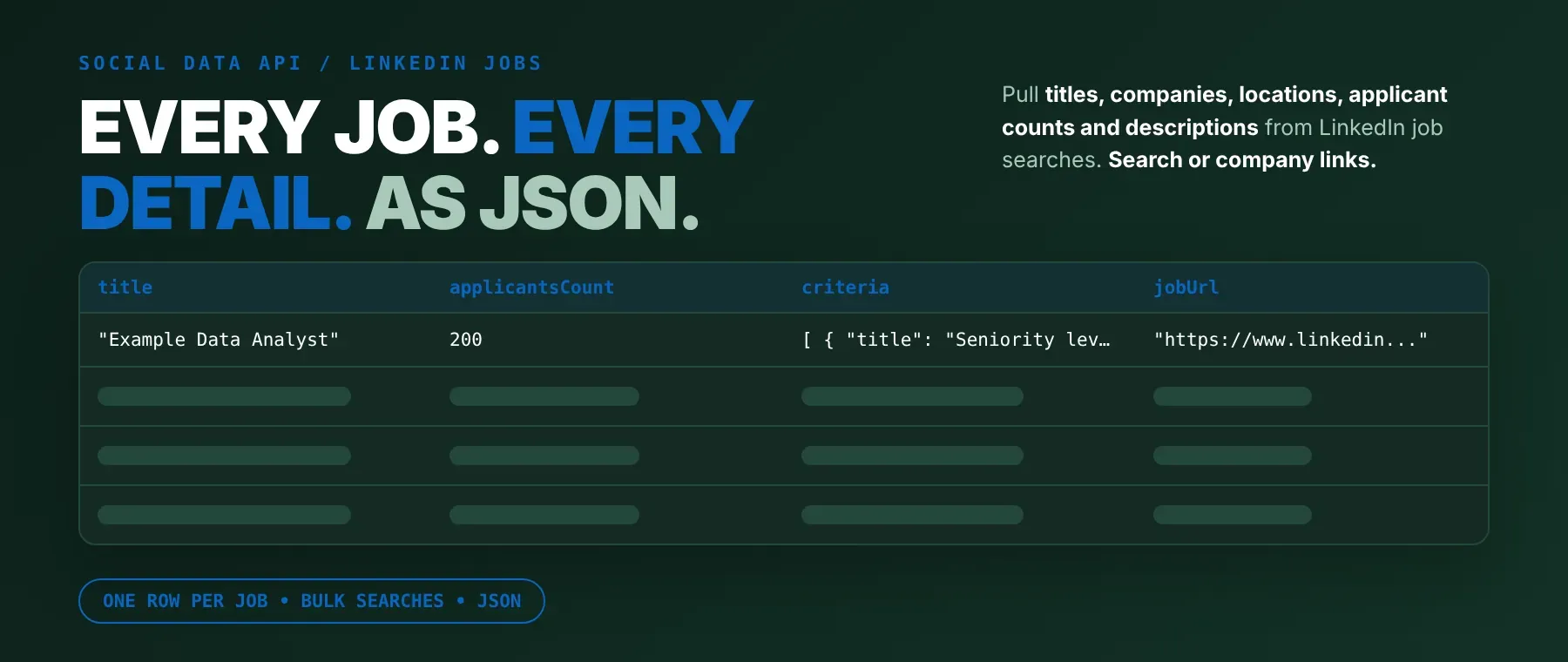
What data can I extract with LinkedIn Search Jobs Scraper?
As a LinkedIn job postings scraper, you can extract LinkedIn job listings with the following data:
| 🆔 Job ID | 💼 Title | 🏢 Company | 📍 Location |
|---|---|---|---|
| 🕒 Posted (text) | 👥 Applicants (text) | 🔢 Applicants (number) | 📝 Full description |
| ✅ Criteria (seniority, employment type, industries) | 🚀 Job link | 🏷️ Company link (if the company has a page) | 🖼️ Company logo (if available) |
| ⏱️ Scraped at | 🔁 Job summary (id, link, title, company, location) |
How to use LinkedIn Search Jobs Scraper
Anyone who needs to scrape LinkedIn jobs by keyword, company or direct link gets one row per job from a single run, without writing a scraper.
Copy to your AI assistant:
LinkedIn Search Jobs Scraper MCP Server: use these Actors from ChatGPT, Claude or Cursor
Point your AI assistant at it and the agent can search LinkedIn job postings on its own — by keyword, location, company or job link, all from one field. No glue code, no scraping logic in your prompts.
Step by step
- Create a free Apify account.
- Open this Actor in the Apify Store.
- Enter your searches, companies or job links, one per line.
- Click Start (or send your API request).
- Download or stream your results in JSON, CSV or Excel.
How to scale LinkedIn Search Jobs Scraper to bulk
startUrls takes a list, and every entry in it runs at the same time in the same run, so one run can cover dozens of keyword searches, companies and job links together instead of one run per entry. Each job is saved to the dataset as soon as its posting is read, so a large run's results start arriving right away rather than all at once at the end. For a recurring job list, schedule the run (for example daily) with sortOrder set to "recent" so each run leads with the newest postings. To go beyond one run, loop API calls from your own code, one call per batch of entries.
✨ Features
LinkedIn Search Jobs Scraper is a LinkedIn job search scraper that fetches clean, structured job postings from LinkedIn. It's ideal for recruiting pipelines, sales prospecting on hiring signals, job market research, and job board or alert feeds that need fresh postings on a schedule.
It extracts, per job:
- Title – the job title
- Company – the hiring company's name
- Location – where the job is based, as LinkedIn shows it
- Full description – the complete posting text
- Applicant count – LinkedIn's applicant text and, when shown, the number
- Criteria – seniority level, employment type, job function and industries
- Company logo – the hiring company's logo image, when it has one
⚡ Every job is saved to the dataset the moment its posting is read, so results start arriving while the run is still going, not just at the end.
Use cases 💡
- Recruiter — track new postings for target companies by keyword and location.
- Sales rep — spot companies hiring for a role your product supports.
- Job board builder — pull fresh postings on a schedule with most-recent-first sorting.
- Market researcher — count open roles by title, industry or seniority level.
- AI agent builder — feed job postings into a RAG pipeline or a job-search agent tool.
It works well as a LinkedIn jobs scraper for recruiters, sales teams and researchers alike. Building an AI agent? Connect it over MCP and let it call the actor on its own.
Why choose this actor?
- Ten jobs from two searches, saved as they're found. A recorded run searched "data analyst, Texas" and the company "microsoft" at the same time and saved all 10 jobs (5 from each) in 5.7 seconds, each one written to the dataset the moment its posting was read.
- The full posting, not a summary. A recorded row for a Microsoft opening came back with the complete job description, all 3 of LinkedIn's criteria fields (seniority, employment type, industries), the company logo link and the posting age, in one JSON object.
- One field, seven ways to search. The same list accepts plain keywords, keywords with a location, a LinkedIn job-search link, a company name, a company link, a job link, or a bare job ID — mixed freely in the same run.
⬇️ Input
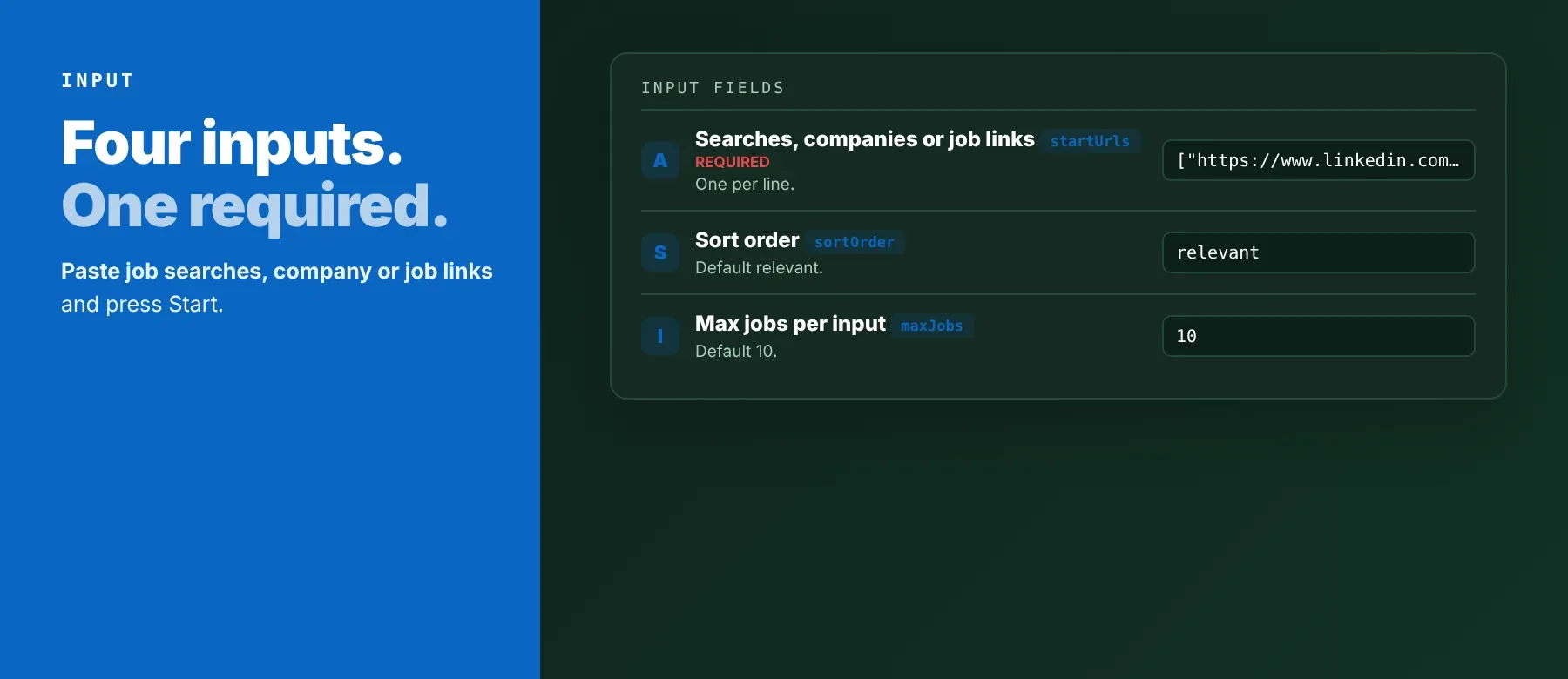
Add your searches, companies or job links to one list, one entry per line; startUrls is the only required field.
| Parameter | Required | Type | Description | Example value |
|---|---|---|---|---|
startUrls | Yes | Array of strings | Searches, companies or job links, one per entry: keywords, "keywords, location", a LinkedIn job-search link, a company name or link, or a job link or ID | ["data analyst, Texas", "microsoft"] |
sortOrder | No | String | relevant (default) for LinkedIn's own order, or recent to collect the newest postings first | "relevant" |
maxJobs | No | Integer | Jobs collected per search or company entry, 1 to 1000 (default 10); a job link or ID always gives one job. Free plan: up to 20 jobs per run (all entries together) and 200 per month; paid plans have no limit | 5 |
proxyConfiguration | No | Object | Apify Proxy settings; off by default, with blocked requests retried through Apify's residential proxy | {"useApifyProxy": false} |
Free plan limits
Users on the Apify free plan can fetch up to 20 jobs per run (all searches, companies and job links together) and 200 jobs per month. When the limit is reached, the run finishes successfully with a status message explaining the limit. Upgrade to any paid Apify plan to remove these limits.
Example input
⬆️ Output
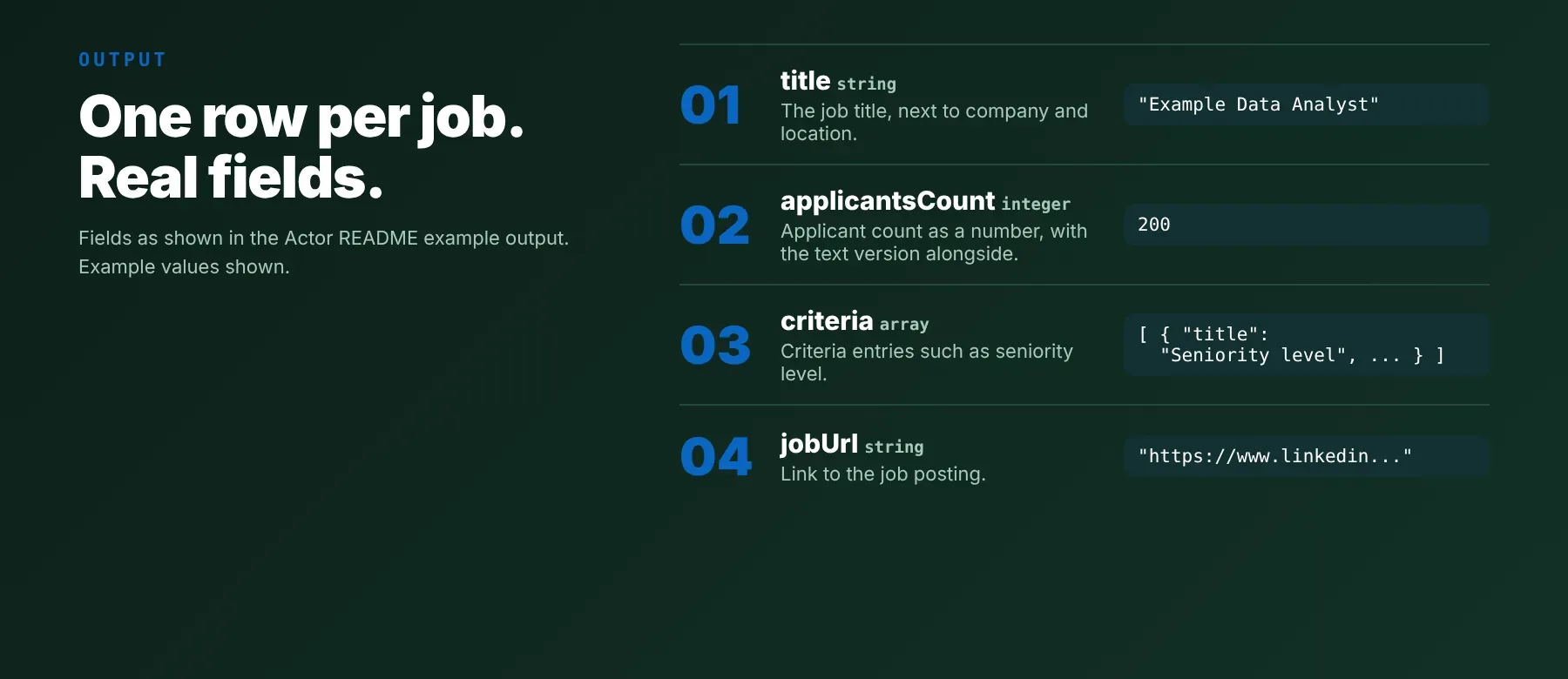
Every job is one typed, normalized JSON item with the same field names on every run. Export your LinkedIn job search to CSV, Excel or JSON straight from the dataset.
Example output
A recorded run with the example input above saved 10 jobs in 5.7 seconds. Two real rows (description shortened with ...):
How does it work?
LinkedIn Search Jobs Scraper reads the same public job search and job posting pages that a visitor without an account would see - no LinkedIn login, cookies or browser needed on your side. Each search is sent as a plain HTTP request; Apify's residential proxy is used automatically whenever a request gets blocked, and the request is retried so a temporary block does not lose a job. Only publicly visible information is returned: what the posting itself shows, nothing from a private account or behind a login wall. The output fields stay the same even when LinkedIn changes how its pages look, so your integration keeps working without changes on your end. The actor is maintained as LinkedIn's pages evolve.
How do you integrate LinkedIn Search Jobs Scraper into your stack?
It works with what you already use: call it as a LinkedIn job search API over REST from any language, hook it up via MCP for AI agents, or use it from no-code tools. Any agent or script that can call an HTTP endpoint can search LinkedIn jobs programmatically, without opening a browser.
MCP integration for AI agents
Registering Apify's MCP server with this Actor preloaded gives your agent direct access to it as a callable tool - no need to search for it or add it first. This registers LinkedIn Search Jobs Scraper as a tool your agent can call directly, so it can run a job search, read the postings, and use them mid-conversation without any scraping code in your prompts. It works the same way in Claude Code, Cursor and Windsurf, or any other MCP-compatible client that can run the command below.
No-code tools (n8n, Make, LangChain)
In n8n, use the Apify node's "Run an Actor" operation, or the HTTP Request node pointed at the run-sync endpoint with your Apify token. In Make, use the Apify app's "Run an Actor" module followed by "Get Dataset Items" to pull the saved jobs into your scenario. In LangChain, the langchain-apify package's ApifyActorsTool can call this actor from an agent or chain the same way it calls any other Apify Actor.
Is it legal to scrape LinkedIn jobs?
Collecting publicly available data is generally lawful, although LinkedIn's User Agreement restricts automated access to its site. LinkedIn Search Jobs Scraper returns only publicly available job posting data — what any visitor sees without logging in, nothing from behind a login wall. Job postings mostly describe a role rather than a person, but a posting can still name a recruiter or hiring manager; if you store that, make sure you have a lawful basis under GDPR or a similar data-protection law for your country. Consult legal counsel if your use case involves bulk storage of personal data.
Frequently asked questions
What fields does LinkedIn Search Jobs Scraper return?
Title, company, location, full description and applicant count are the top fields; see the data fields section for the complete list.
Does LinkedIn Search Jobs Scraper require a LinkedIn account or login?
No. It's a LinkedIn jobs scraper no login or cookie can block, since only public job posting data is extracted.
How fast does LinkedIn Search Jobs Scraper run?
A recorded run searched one keyword-and-location entry and one company at the same time and saved 10 jobs in 5.7 seconds. Every job is read live, not served from a cache.
What happens if a job is private or doesn't exist?
A job that's no longer listed is skipped (not charged) and the next matching job takes its place, so a search still fills up whenever LinkedIn has enough jobs. A company that doesn't exist on LinkedIn gives 0 jobs, unless the text also works as a keyword search, in which case it's searched that way instead.
Can I scrape multiple LinkedIn job searches at once?
Yes. startUrls takes a list of any size — keyword searches, companies or job links mixed together — and every entry runs at the same time in one run, so it works as a LinkedIn job link scraper across many links or as a keyword scraper across many searches.
Does LinkedIn Search Jobs Scraper work with Claude, ChatGPT, and other AI agent tools?
Yes — LinkedIn Search Jobs Scraper is available as an MCP tool. Run claude mcp add --transport http apify "https://mcp.apify.com?tools=socialdataapi/linkedin-search-jobs-scraper" to register it in Claude Code, Cursor or Windsurf. Any agent that can call an HTTP endpoint can use the REST API directly.
Does LinkedIn Search Jobs Scraper return data in a format LLMs can use directly?
Yes. Every job is typed, normalized JSON with consistent field names. There's no HTML to parse and no selectors to write — pass the response straight to an LLM, index it into a vector store, or feed it to an agent tool.
What happens when LinkedIn changes its layout or updates its anti-bot system?
The actor is maintained. When LinkedIn changes its pages, the actor is updated to match — your calls keep returning the same JSON schema with no changes on your end.
Can I use LinkedIn Search Jobs Scraper without managing proxies or browser infrastructure?
Yes. Proxy handling runs on the actor's side: requests go out directly by default, and a request LinkedIn blocks is retried through Apify's residential proxy automatically. You send one request and get structured JSON back.
Which LinkedIn job fields work best for AI training data and RAG indexing?
For RAG indexing: the full description and the criteria (seniority, employment type, industries) carry the most context. For training data: the applicant count, posting age and criteria fields are the most structurally consistent across jobs. All fields are typed primitives — strings, integers or arrays of simple objects — no normalization needed.
Your feedback
Found a bug or a search that didn't come out right? Let us know so the actor can be kept accurate and up to date.


