

YouTube Search Scraper
Pricing
from $1.49 / 1,000 results
YouTube Search Scraper
YouTube Search Scraper — Extract YouTube search results including video titles, URLs, descriptions, channel names, views, upload dates, durations, and engagement metrics. Useful for keyword research, content discovery, competitor analysis, SEO, and video trend monitoring.
Pricing
from $1.49 / 1,000 results
Rating
0.0
(0)
Developer

Social Data API
Maintained by CommunityActor stats
0
Bookmarked
2
Total users
1
Monthly active users
5 days ago
Last modified
Categories
Share
YouTube Search Scraper — Views, Likes, Tags and Channel Data
YouTube Search Scraper runs a keyword search on YouTube and returns every video result as one row: title, watch URL, view count, likes, comment count, full description, tags, hashtags, duration, publish date, and the channel behind it — subscriber count, lifetime views, video count, and creation date. Every response is structured JSON — ready to pass directly to an LLM, index into a vector store, or feed a content-discovery pipeline. No YouTube account or cookies needed. Start with one keyword, then scale to a full topic list.
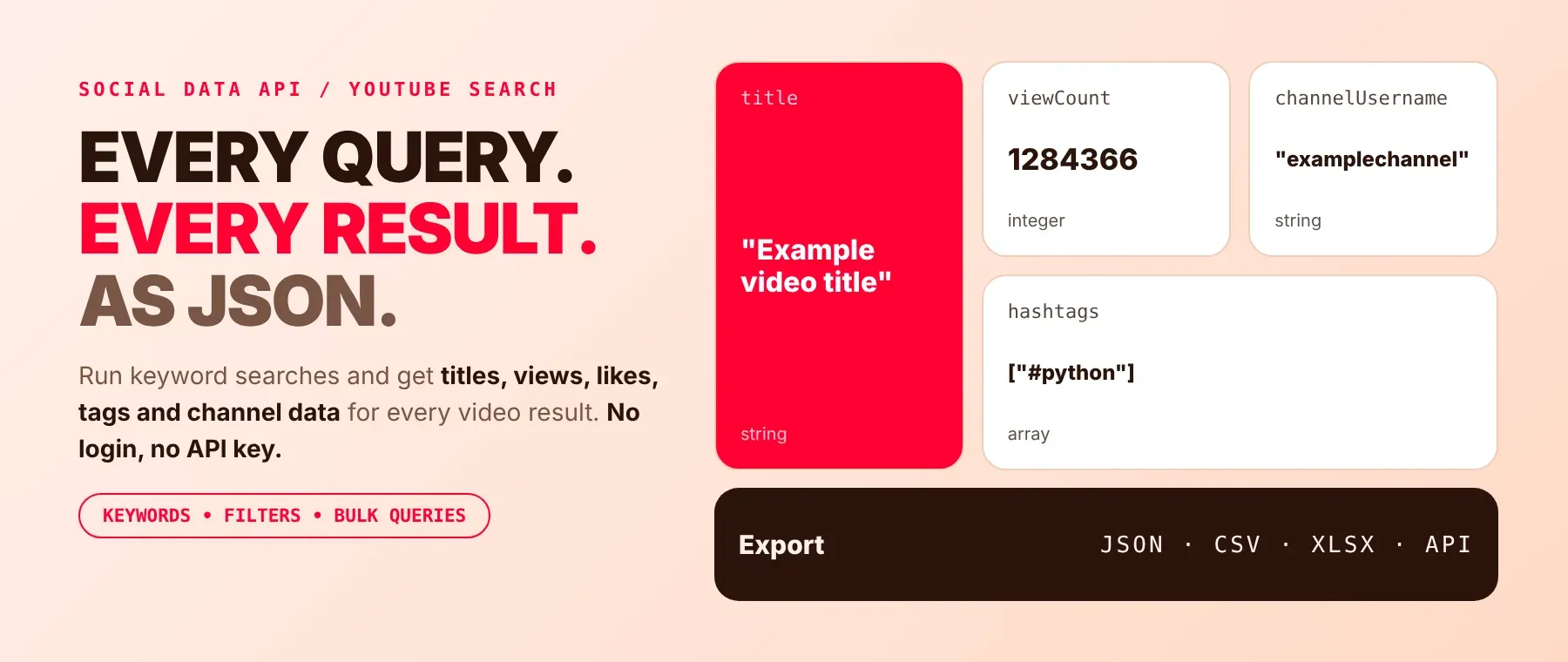
What data can I extract with YouTube Search Scraper?
Using this YouTube Search Results API, you will be able to extract the following YouTube search data:
| 🎬 Title | 🔗 Watch URL | 🆔 Video ID | 📅 Publish date |
|---|---|---|---|
| ⏳ Duration | 👁️ View count | 👍 Like count | 💬 Comment count (when shown) |
| 📝 Full description | 🏷️ Tags (when provided) | #️⃣ Hashtags from the description | 🔃 Search rank |
| 📺 Channel name | 🔖 Channel handle | 📡 Channel URL and ID | 👥 Subscriber count |
| 📈 Channel lifetime views | 🎞️ Channel video count | 🙈 Hidden-subscriber flag | 🗓️ Channel creation date |
| 🔒 Members-only flag | 🖼️ Thumbnail URL | ⚠️ Reason a query gave no results |
How to use YouTube Search Scraper
Built for SEO and content researchers, creator-discovery teams, and AI builders: one run turns a list of keywords into a table of YouTube video search results, scraped with full video and channel detail attached to every row.
Copy to your AI assistant:
YouTube Search Scraper MCP Server: use these Actors from ChatGPT, Claude or Cursor
Point your AI assistant at Apify and it can read YouTube search results on its own: keyword search, sort and date filters, and the channel data behind every result. No glue code, no scraping logic in your prompts.
Step by step
- Create a free Apify account.
- Open YouTube Search Scraper in the Apify Store.
- Type your search keywords, one per line.
- Click Start (or send your API request).
- Download or stream your results in JSON, CSV or Excel.
How to scale YouTube Search Scraper to bulk
Used for bulk YouTube keyword search, queries takes any number of keywords in one run: five queries are processed at the same time, and maxResults applies per query, not per run, so eight keywords at maxResults: 100 is a target of 800 rows. Every row records the query that produced it in input, so one dataset fans back out per keyword afterwards. To track a topic over time, schedule the same run daily or weekly in Apify Console and diff on id to separate genuinely new uploads from back-catalogue videos resurfacing in the results.
✨ Features
YouTube Search Scraper fetches clean, structured video search results from YouTube ⚡, built to scrape YouTube search results at any scale. It's ideal for SEO monitoring, creator discovery and partnerships research, content format research, and AI topic-tracking agents — a YouTube keyword search tool for teams who don't want to provision a separate API quota. It extracts, per video:
- Engagement numbers – view count, like count and comment count on the same row as the result
- Full video detail – untruncated description, the video's own tag list and hashtags parsed from the description
- Channel totals – subscriber count, lifetime view count, video count and creation date, the kind of YouTube channel search data a plain search response does not carry
- Verifiable ordering – date, rating, title and view-count sorts are re-checked locally from the real values returned, not trusted blind from the response
- Search rank – each row's position in its query's result set, 0-indexed, the field a youtube video ranking scraper workflow reads first
⚡ A query with zero results gets a free error row instead of a silent, billed empty result.
Use cases 💡
- SEO strategist — compares reach and relevance across twenty keywords in one run.
- Content analyst — tracks new uploads weekly with a published-after filter and view-count order.
- Partnerships lead — shortlists channels by subscriber count before reaching out.
- Video producer — studies tag vocabulary across top-ranking results for a format test.
- AI engineer — indexes titles, descriptions and tags into a RAG pipeline keyed on the query.
Building an AI agent? Connect YouTube Search Scraper over MCP and let it call the actor on its own.
Why choose this actor?
- Search plus full video and channel detail in one row. No second lookup needed: view count, like count, comment count, tags and the publishing channel's subscriber, view and video counts all land on the same result row — a youtube search results scraper that does the follow-up calls for you.
- Four sort orders you can verify. Date, rating, title and view count are re-sorted locally from the real values YouTube returns on every result, not trusted blind from the search response's own ordering.
- Zero-result queries never waste a charge. A query that returns nothing gets one free, uncharged error row instead of a silent, billed empty result.
⬇️ Input
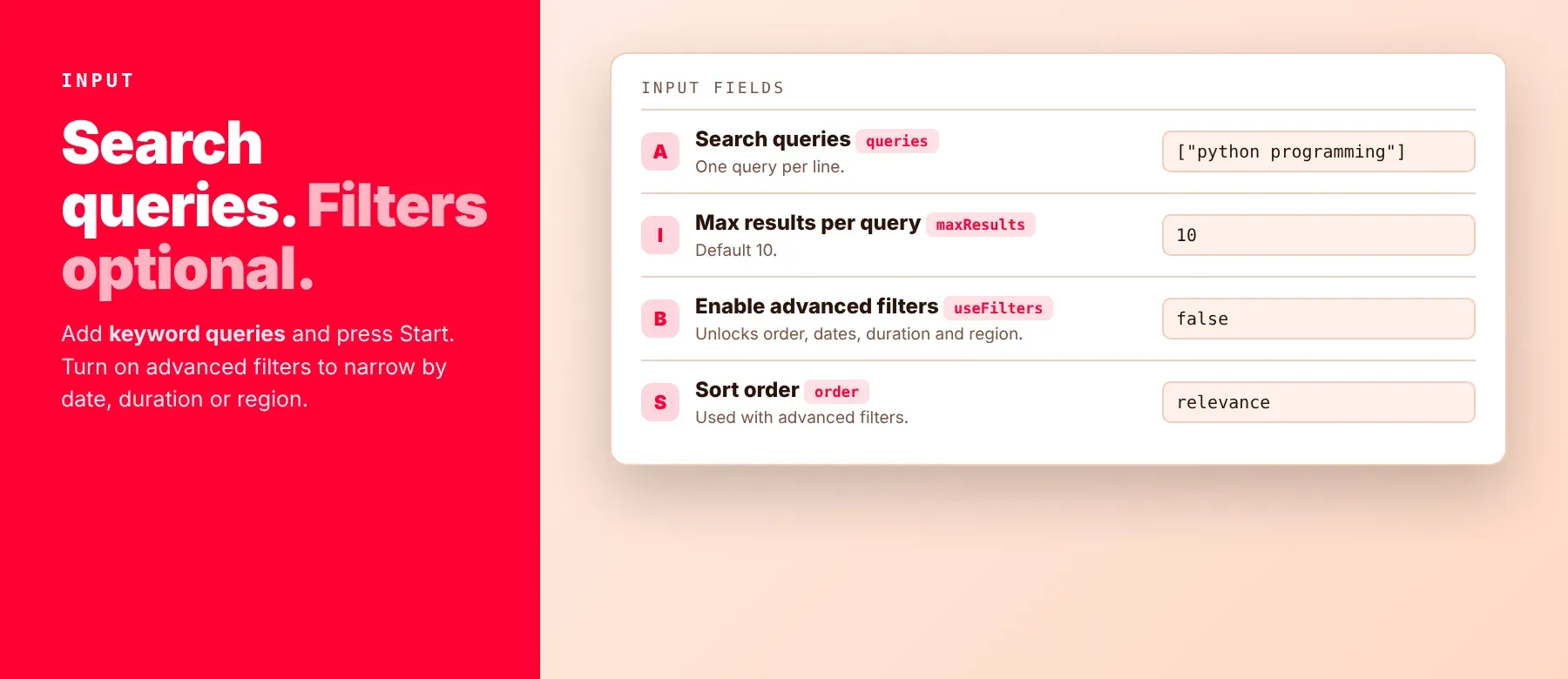
Enter one or more search keywords in queries (not required — the schema ships a default query, so an untouched run still produces billable rows). Every other field is a filter, a resilience control, or a proxy choice, and each has a working default.
| Parameter | Required | Type | Description | Example value |
|---|---|---|---|---|
queries | No | array | One search keyword per line. Default ["python programming"]. | ["python programming", "fastapi tutorial"] |
maxResults | No | integer | Maximum results per search query. Minimum 1, maximum 100000, default 10. | 50 |
useFilters | No | boolean | Turns on order, eventType, publishedAfter/publishedBefore, videoDuration, videoDefinition, videoLicense and channelType. Default false — plain relevance search with none of those applied. | true |
order | No | string | Result ordering, read only when useFilters is true: relevance (default), date, rating, title, videoCount, viewCount. date, rating, title and viewCount are re-sorted locally from the real values returned. videoCount has no meaning for video results and falls back to relevance. | "viewCount" |
eventType | No | string | Restrict to live broadcasts, read only when useFilters is true: "" (any, default), live, upcoming, completed. Only live is a real YouTube search filter; the other two are checked after the fact. | "live" |
publishedAfter | No | string | RFC 3339 timestamp; only keep videos published on or after it. Checked after the fact, read only when useFilters is true. | "2026-01-01T00:00:00Z" |
publishedBefore | No | string | RFC 3339 timestamp; only keep videos published on or before it. Checked after the fact, read only when useFilters is true. | "2026-06-30T23:59:59Z" |
videoDuration | No | string | Length band, read only when useFilters is true: any (default), short (under 4 min), medium (4-20 min), long (over 20 min). A real YouTube search filter. | "medium" |
videoDefinition | No | string | Video quality, read only when useFilters is true: any (default), high (a real filter), standard (no equivalent filter; ignored with a log note). | "high" |
videoLicense | No | string | Video license, read only when useFilters is true: any (default), creativeCommon (a real filter), youtube (no equivalent filter; ignored with a log note). | "creativeCommon" |
channelType | No | string | Channel type, read only when useFilters is true: any (default), show (no equivalent filter for keyword search; ignored with a log note). | "any" |
regionCode | No | string | ISO 3166-1 alpha-2 country code that biases results toward that region. Default none (YouTube decides). | "US" |
relevanceLanguage | No | string | ISO 639-1 language code that biases results toward that language. Default none (YouTube decides). | "en" |
safeSearch | No | string | Content filtering level: moderate (default), none, strict. strict is enforced on the request; moderate and none currently return the same unfiltered result set YouTube serves by default. | "moderate" |
maxRetries | No | integer | Retries for a single request after a block or server error. Default 3. | 3 |
maxScrollRetries | No | integer | Retries for an empty or failed pagination page before pagination stops for that query. Default 3. | 3 |
proxyConfiguration | No | object | Apify Proxy settings. Read when useApifyProxy is true; Apify Residential remains the terminal fallback either way. No default. | {"useApifyProxy": true, "apifyProxyGroups": ["RESIDENTIAL"]} |
debug | No | boolean | Log every retry plus a line for every video and channel the run fetches, including failures. Default false. | false |
On maxResults: a target, not a promise. YouTube decides how deep a query actually goes, and individual videos drop out of extraction because they are private, region-locked or otherwise unextractable — the run simply omits them and logs the shortfall.
Free plan limits
Free plan: up to 20 videos per run (all queries together) and 200 per month; paid plans have no limit.
Example input
⬆️ Output
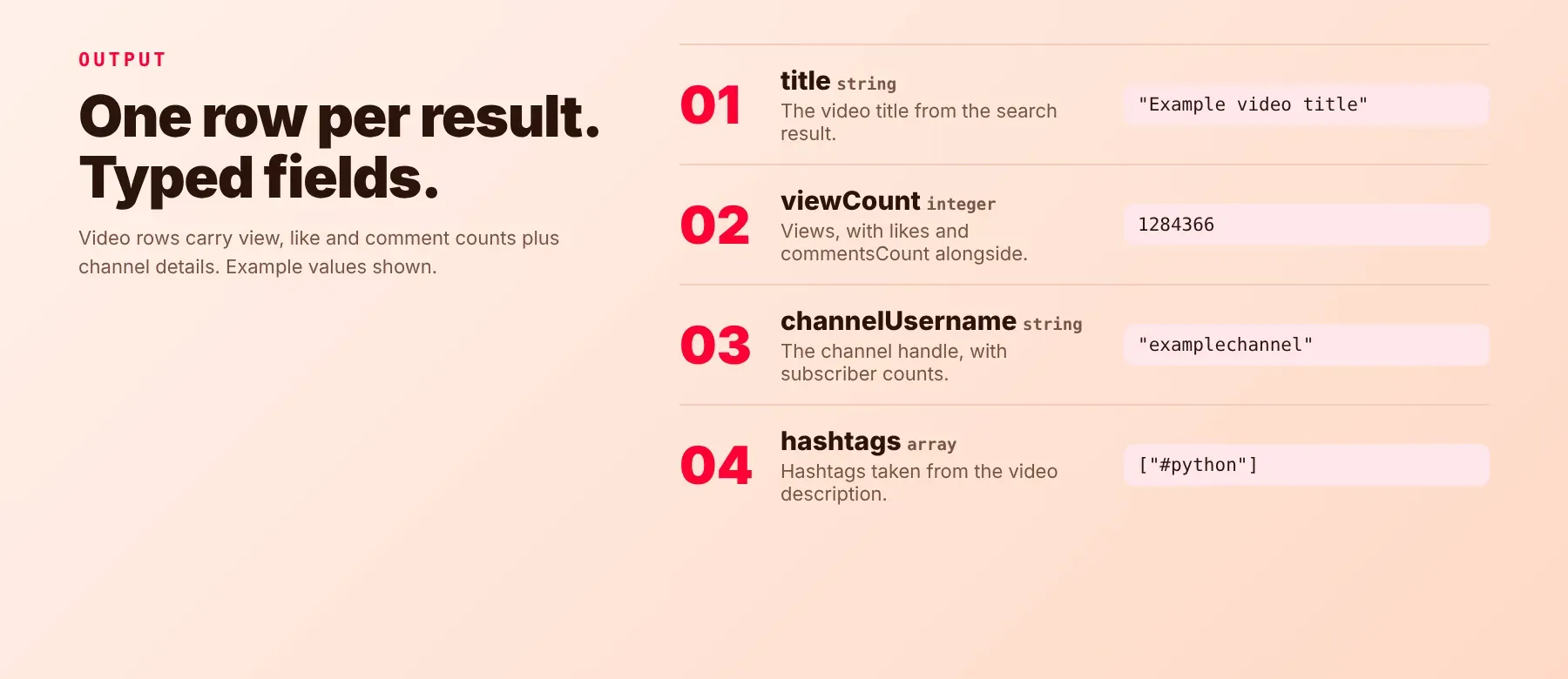
Every video is one typed, normalized JSON item with the same 27 fields on every run; a field YouTube genuinely does not provide stays absent rather than a made-up zero. Rows are written to the dataset as each query finishes, so a stopped run keeps everything collected up to that point, and you can export as JSON (default), CSV or Excel. A query that returns nothing comes back as one free error row in the same dataset.
Two keys are omitted from a row entirely rather than nulled when they do not apply: commentsCount when comments are off, and keywords when the video carries none. Read with .get() rather than assuming either key is present.
Example output
A video result row, and an error row for a query that returned nothing:
Rows with type: "error" are not charged — only type: "video" rows are.
How does it work?
It requests the same search, video and channel data a signed-out browser would, as structured data rather than rendered markup, then normalises it onto the row shape above — a youtube search data extractor that reads only what any visitor can already see. Filtering happens server-side at YouTube wherever YouTube exposes a real search parameter for it; a handful of options (publishedAfter/publishedBefore, eventType: upcoming/completed) have no server-side equivalent and are checked locally against each video's own details instead, which is why those two can return fewer rows than requested. The one post-fetch step that changes row order rather than row count is a re-sort, applied when you choose order: date, rating, title or viewCount, because YouTube blends relevance back into its own ordering. Requests retry on a block or server error with a backoff between attempts, and the run moves to a residential proxy address when it needs to.
Because the actor reads YouTube's structured data rather than scraping rendered HTML, a YouTube front-end redesign does not change your field names. Only publicly visible data is collected — no account, cookie or session is used.
How do you integrate YouTube Search Scraper into your stack?
It works with what you already use: the REST API from any language, MCP for AI agents, and no-code tools.
Using YouTube Search Scraper with the Apify API
Call the Actor's run-sync-get-dataset-items endpoint with your Apify token and a queries list, or use the apify-client package for your language to start the run and read back the dataset items. Works in Python, Go, Ruby, Node.js, cURL — any language that can make an HTTP request.
MCP integration for AI agents
Add the Apify MCP server to your AI client with one command:
This registers it as a tool your agent can call directly: the agent finds it through the server's search, adds it and runs it, then reads the search results back as JSON. Ask for "the ten most-viewed videos about this topic published this month" and it does the rest. It works in Claude Code, Cursor and Windsurf.
No-code tools (n8n, Make, LangChain)
n8n: add the Apify node and choose "Run an Actor", or use the HTTP Request node pointed at the run-sync endpoint with your token; a Filter node on type drops the error rows.
Make: use the Apify app's "Run an Actor" module, then "Get Dataset Items" so a weekly keyword sweep can feed a Google Sheets or Airtable step directly.
LangChain: install langchain-apify and wrap the actor with ApifyActorsTool() so your agent can fetch YouTube search results on demand; the response is already typed JSON, so no output parser is needed.
Is it legal to scrape YouTube search results?
Collecting publicly listed video metadata is broadly treated as permissible where no authentication is bypassed, and this actor reads only signed-out search results and public video and channel data — no account, no cookie, no session. What comes back is content metadata, not personal data: video titles, view counts, like counts, durations, tags, publish timestamps, channel names and channel statistics — no viewer information, no comment authors, no watch history and no contact details. GDPR: scraping public data is generally permissible, but storing and using it must comply with local data-protection law. One nuance: an individual creator's channel identifies a person, so channelName and channelUsername on that row can be personal data even though the same keys on a broadcaster's or a company's channel row are not. Consult legal counsel if your use case involves bulk storage of personal data.
Frequently asked questions
What fields does YouTube Search Scraper return?
The five most used are title, url, viewCount, channelName and date. See the data fields section for the full list.
Does YouTube Search Scraper require a YouTube account or login?
No. It runs signed out end to end — no YouTube account, no Google login, no Google Cloud project, no API key. The only credential you need is your Apify token.
What happens when a query returns zero results?
The query still produces exactly one row — an uncharged row with type: "error", the input that produced it, a scrapedAt stamp and an error message carrying the last thing the run saw — and the run continues with your remaining queries. Filter with row.get("type") != "error" to keep results only.
Can I search multiple YouTube keywords at once?
Yes. queries is a list — one keyword per line, processed up to five at a time for bulk YouTube keyword search workloads.
Does YouTube Search Scraper work with Claude, ChatGPT, and other AI agent tools?
Yes — YouTube Search Scraper is available as an MCP tool. Register it in Claude Code, Cursor or Windsurf with claude mcp add --transport http apify "https://mcp.apify.com?tools=socialdataapi/youtube-search-scraper". Any agent that can call an HTTP endpoint can use the REST API directly.
How does YouTube Search Scraper compare to the YouTube Data API?
The YouTube Data API v3 is public, documented and does support search, so the difference is what you provision and what one result row contains. It needs a Google Cloud project and an API key, charges search against a daily quota, and returns only identifiers and snippets — engagement counts and channel totals need a second lookup per video. YouTube Search Scraper needs only your Apify token, has no Google quota, and puts viewCount, likes, commentsCount, keywords, text and the channel's own totals on the same row as the search result — a youtube video search api alternative, and more broadly a youtube search api alternative, for search-heavy workloads that would exhaust that daily budget. Verify current scopes, terms and quota costs against Google's published documentation before committing to either route.
Does YouTube Search Scraper return data in a format LLMs can use directly?
Yes. Each row is typed, normalized JSON with consistent field names, so there is no HTML parsing and no selectors. Pass it straight to an LLM, index it into a vector store, or feed it to an agent tool — no transformation step.
What happens when YouTube changes its layout or updates its anti-bot system?
The actor is maintained, and when YouTube changes, it is updated so your calls keep returning the same JSON fields with no changes on your end.
Can I use YouTube Search Scraper without managing proxies or browser infrastructure?
Yes. Retries, backoff and the move to a residential proxy address all run on the actor's side, and no browser is needed. You send one request and get structured JSON back, with no proxy accounts and no maintenance.
Which YouTube search fields work best for AI training data and RAG indexing?
For RAG indexing: text, title and keywords carry the most descriptive content per row and chunk cleanly, with url as the citation anchor and input as a natural partition key. For training data: viewCount, likes, commentsCount, duration, order and date are the most structurally consistent fields, arriving as integers, a fixed-format duration string and an ISO timestamp rather than display text.
Are results identical between two runs of the same query?
No, and that is YouTube rather than the actor. Two identical searches minutes apart can return partly different videos in a partly different order, so a run-to-run difference is not evidence that a filter did or did not apply. What is stable is the schema: the same key names and types every run, with scrapedAt and input stamped on each row so any snapshot carries its own provenance.
Related scrapers
| Scraper Name | What it extracts |
|---|---|
| YouTube Video Details Scraper | Deep metadata for a single YouTube video |
| YouTube Playlist Scraper | A playlist's full contents with publish dates and video stats |
| YouTube Channel Finder | Channels resolved from names and handles |
| YouTube Community Posts Scraper | Posts from a channel's community tab |
| YouTube Shorts Scraper | Short-form videos with creator lead enrichment |
| Facebook Video Search Scraper | Video search results for the same keyword on Facebook |
Your feedback
Found a bug, or missing a field YouTube exposes that is not in the output? Open an issue on the actor's Issues tab. Reports that include the exact query and the input JSON you ran are the fastest to reproduce and fix.


