

Wikipedia Pageviews Scraper: attention trends for any topic
Pricing
$0.92 / 1,000 rows
Wikipedia Pageviews Scraper: attention trends for any topic
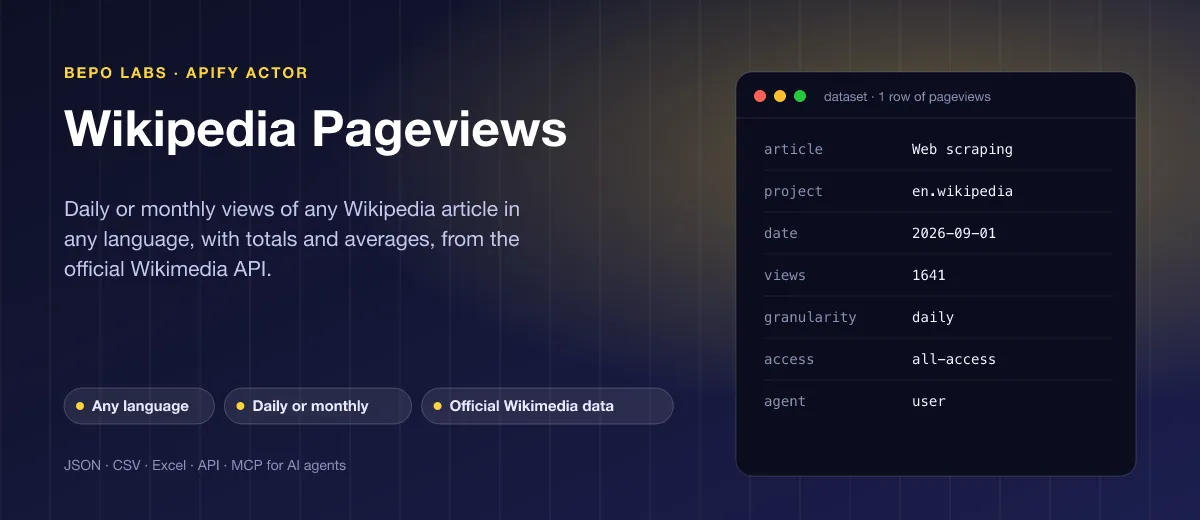
Type in names or links, choose a period, and receive views with totals and averages from the official Wikimedia API. Mix editions in one run, up to 500 entries.

📈 What is Wikipedia Pageviews?
Public interest in an encyclopedia entry becomes a number with Wikipedia Pageviews. Name the subjects you care about, in any edition, and every row comes back with its view count, ready for a model, a dashboard or a report. Filter by device and by human or automated visitors.
- Trend and interest research: see when people start reading about a product, a person or a topic
- Crypto, stocks and markets: use Wikipedia attention as an alternative data signal next to prices
- SEO and content planning: compare the demand for topics before you write about them
- Media and brand monitoring: follow your company, its rivals or a news event as it unfolds
- Academic and data science work: build clean time series of public interest for papers, dashboards and forecasts
✨ Why use this Actor?
- ✅ Titles or URLs, any language: paste
Web scrapingorhttps://de.wikipedia.org/wiki/Bitcoin; the URL sets the edition - ✅ Daily or monthly: one row per day for detail, or one per month for long trends
- ✅ Totals and averages included: every row carries the article's total and average over the range, so no extra step is needed
- ✅ Desktop, mobile web or app: split views by access type, and choose human readers only (
user) or all agents - ✅ Many articles in one run: up to 500 per run, five at a time; a missing article never stops the others
- ✅ Very cheap: 0.1 USD per 1,000 rows: a month of daily views for one article costs 0.003 USD
📦 What data can you get with Wikipedia Pageviews?
| 📰 Article title | 🌍 Project (language edition) | 📅 Date (day or month) |
| 👀 Views | ➕ Article total over the range | ➗ Article average per day or month |
| 📱 Access: all, desktop, mobile web, app | 🧑 Agent: humans only or all | ⏳ Granularity: daily or monthly |
| 🔗 Article URL | 📊 Run summary with totals per article | ⚠️ Reason for missing articles |
🚀 How to use Wikipedia Pageviews
Wikipedia Pageviews works in a few clicks, no coding needed:
- Create a free Apify account (the free plan includes 5 USD of monthly credit).
- Open Wikipedia Pageviews and click Try for free.
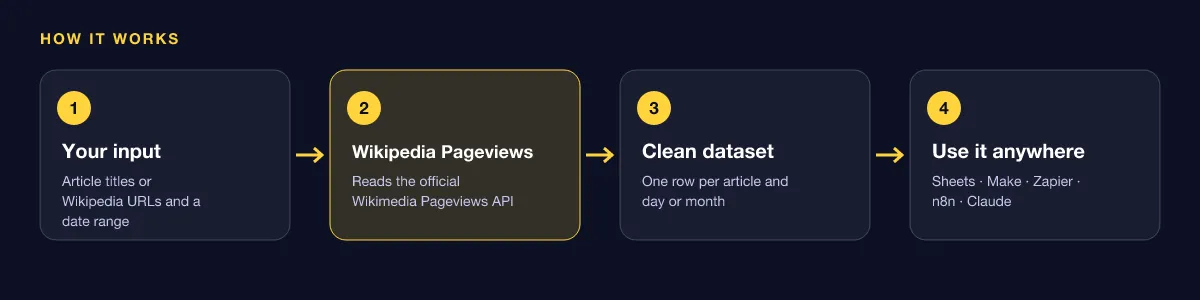
- Enter article titles or Wikipedia URLs, pick a start and end date, and choose daily or monthly.
- Click Start and wait for the run to finish (most runs take seconds).
- Download your data as JSON, CSV, Excel, XML or HTML, or send it straight to Google Sheets, Make, Zapier or your AI agent.
⬇️ Input
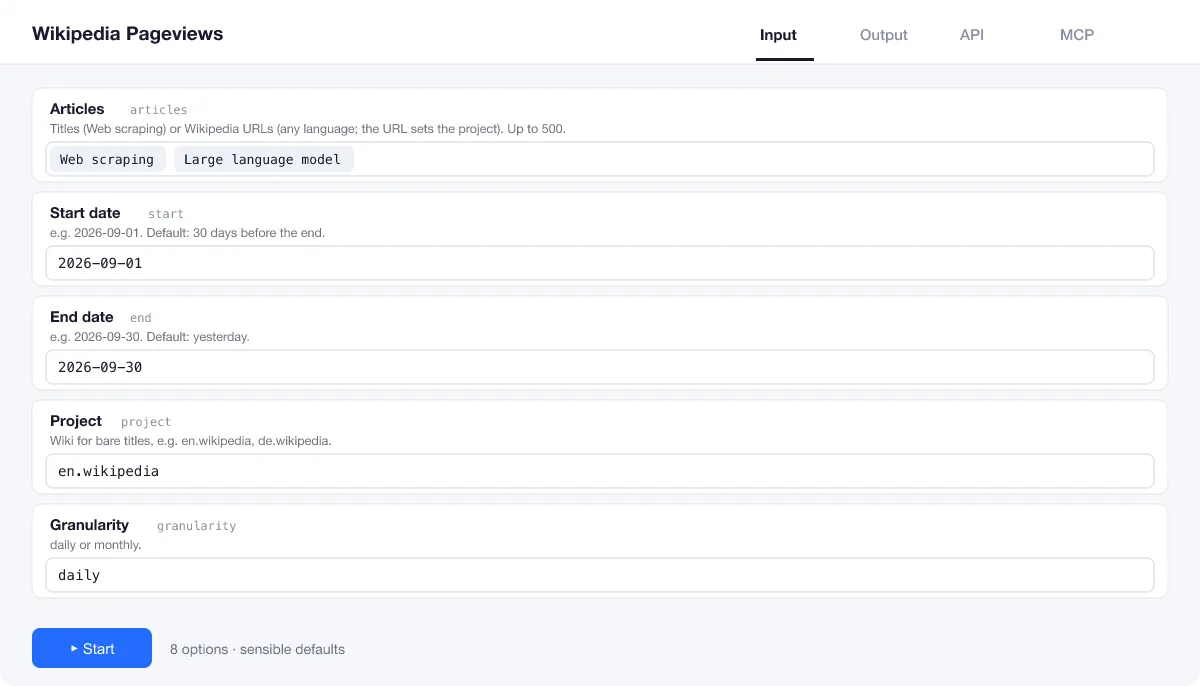
Add article titles or Wikipedia URLs, up to 500 per run. Without dates you get the last 30 full days.
Title or URL?
A bare title such as Large language model uses the project field (default en.wikipedia; for German Wikipedia use de.wikipedia). A URL such as https://de.wikipedia.org/wiki/Bitcoin sets the project itself, so you can mix languages in one run. Mobile URLs (en.m.wikipedia.org) work too.
Dates and granularity
start and end take dates such as 2026-09-01. Without them the run covers the 30 days up to yesterday. With granularity set to monthly, each row is one month and is dated on its first day.
Access and agent
access splits views into desktop, mobile-web or mobile-app (default all-access). agent set to user counts human readers; all-agents adds crawlers and automated traffic.
| Field | Type | What it does | Default |
|---|---|---|---|
Articles (articles) | array | Titles (Web scraping) or Wikipedia URLs (any language; the URL sets the project). | ["Web scraping"] |
Project (project) | string | Wiki for bare titles, e.g. | "en.wikipedia" |
Start date (start) | string | e.g. | |
End date (end) | string | e.g. | |
Granularity (granularity) | string | Time resolution of the view counts: "daily" (one row per article and day) or "monthly" (one row per article and month). | "daily" |
Access (access) | string | all-access, desktop, mobile-web or mobile-app. | "all-access" |
Agent (agent) | string | user (humans) or all-agents (bots too). | "user" |
Maximum retries (maxRetries) | integer | Retries per request with exponential backoff on network errors, 429 and 5xx. | 3 |
Input example
⬆️ Output
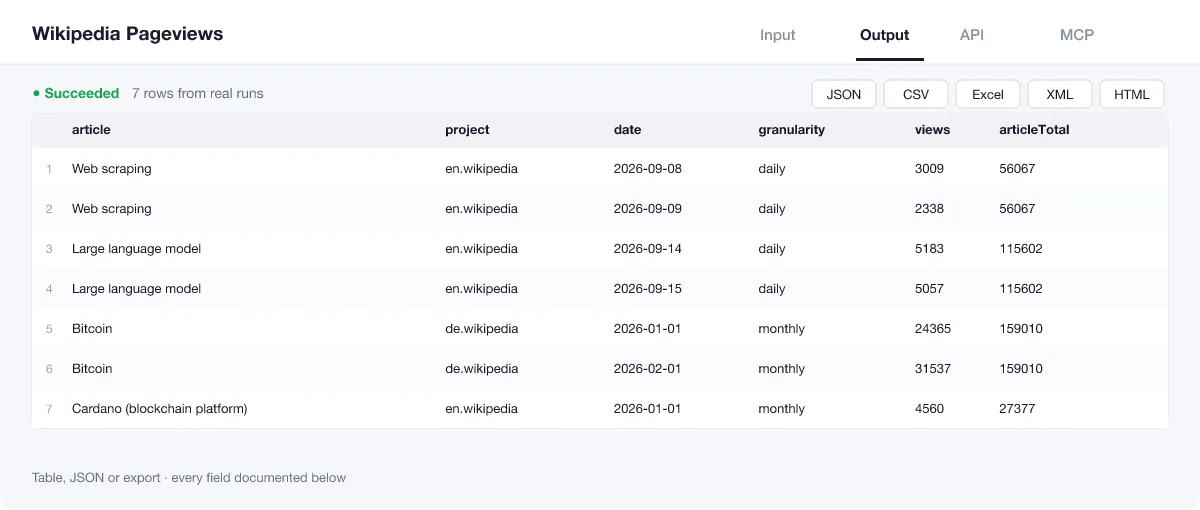
Every day (or month) of every article becomes one row with views, total and average over the range, plus the settings used. The run summary in the key-value store (OUTPUT) lists each title with its sum and number of rows, or why it returned nothing.
Output example
One row of the dataset (from a real run, September 2026):
Run summary and missing articles
An article that does not exist, or had no views in the range, does not stop the run and is never charged: it is listed in the run summary (OUTPUT) with the reason. From a real run with Python (programming language) and a made-up title:
View the results as a table or JSON in the Output tab and download them as JSON, CSV, Excel, XML, HTML or RSS, all fields or only those you pick.
💰 How much does Wikipedia Pageviews cost?
Wikipedia Pageviews is priced per event: 0.1 USD per 1,000 rows (0.0001 USD per row), with no monthly rental. Titles that return no data are free.
| You get | You pay |
|---|---|
| 100 rows | 0.01 USD |
| 1,000 rows | 0.1 USD |
| 10,000 rows | 1 USD |
| 100,000 rows | 10 USD |
💡 Apify's free plan gives you 5 USD of credit every month, enough for about 50,000 rows at no cost. Set a spending limit per run and the Actor stops there.
⚖️ Wikipedia Pageviews vs. the alternatives
| Wikipedia Pageviews | Pageviews web tools | Writing your own API script | |
|---|---|---|---|
| Many articles and languages in one run | ✅ up to 500 | ✅ a handful per chart | ✅ after coding |
| Titles or URLs mixed | ✅ | ❌ title per language | your code |
| Totals and averages on every row | ✅ | on screen | your code |
| Schedules, webhooks and exports | ✅ | ❌ | your server |
| Works with Claude and AI agents (MCP) | ✅ | ❌ | ❌ |
🔌 Integrations, API and MCP
Connect Wikipedia Pageviews to your AI agent (MCP)
Give Claude, ChatGPT, Cursor or any MCP client direct access to Wikipedia Pageviews through the Apify MCP server. Add this URL to its settings:
For Claude Desktop, add it under mcpServers in claude_desktop_config.json:
Then ask: "How many people read the English Wikipedia articles on Bitcoin and Ethereum each month this year?"
Run it from your code
Python (pip install apify-client):
JavaScript (npm install apify-client):
No-code integrations
Send results to Google Sheets, Slack, Airtable, HubSpot, Make, Zapier, n8n and more from the Integrations tab, start runs on a schedule, or trigger your own endpoint with a webhook when a run finishes. The Apify API gives you full control over runs and datasets.
❓ FAQ
Where does the data come from?
From the official Pageviews REST API of the Wikimedia Foundation, the same source its own tools use. The data is published under CC0.
How far back does the data go?
The Pageviews API starts in July 2015. Figures usually appear within a day; the default range ends with the latest full one.
Do redirects count?
No. Views are counted for the exact name you give. If a page was renamed, ask for its current title (or add the old one as a second article).
Can I get hourly data?
No. The Actor offers daily and monthly granularity.
Why is an article missing from the results?
The title does not exist in that language edition, is spelled differently, or had no views in the range. The run summary says which. Copying the article's URL from your browser avoids spelling problems.
Is it legal to use Wikipedia Pageviews?
Yes. Wikimedia publishes pageview data openly under CC0 through its public API, and the Actor calls it with an identifying User-Agent as the foundation asks. No personal data is involved: the numbers are aggregate counts per article.
What if something is missing or does not work?
Open an issue on the Issues tab; we read each one and reply. Feature requests are welcome too.
💬 Your feedback
Tell us what Wikipedia Pageviews should add on the Issues tab or leave a review; your notes decide what we work on next.
🔗 Related Actors
| Actor | What it does |
|---|---|
| 📈 Google Trends Scraper | Interest over time for up to five keywords on one 0 to 100 scale, any country or worldwide, plus top and rising related queries. |
| 📢 Google Ads Transparency Scraper | Every ad a company runs on Google, by domain, advertiser ID or name, from the Ads Transparency Center. |
| 🦋 Bluesky Posts | Bluesky posts for any search or handle with text, date, author, likes, reposts, replies, links and hashtags. No login. |
| 🟧 Hacker News Search | Hacker News stories, comments, Ask HN, Show HN and jobs for any search, with points, comment count, date and text. |
| 🔗 Broken Link Checker | Every link and image on your pages checked: HTTP status, each redirect hop, final URL and response time. |
| ⚡ Bulk PageSpeed Insights | Lighthouse scores, lab metrics and real-user Core Web Vitals for any list of URLs, on mobile, desktop or both. |
| 📰 RSS Feed Reader | Any RSS, Atom or JSON feed, or just a website URL, to one clean list of articles, with full text on request. |
| 🩺 SEO Audit | Any page to a 0 to 100 SEO score and grade, with the fixes that matter most first: on-page, links and Core Web Vitals. |


