

GTM Account Enrichment: Contacts, Tech, Hiring & Fit Score
Pricing
$10.00 / 1,000 account enricheds
GTM Account Enrichment: Contacts, Tech, Hiring & Fit Score
Turn a list of company domains into scored target accounts. One row per company with emails, phones, social links, tech stack, open jobs, verified people emails and an ICP fit score. Sends results to Zapier, Make, n8n or Clay.
Pricing
$10.00 / 1,000 account enricheds
Rating
0.0
(0)
Developer

Capable Cauldron
Maintained by CommunityActor stats
0
Bookmarked
2
Total users
1
Monthly active users
3 days ago
Last modified
Categories
Features
Share
GTM Account Enrichment turns a plain list of company domains into a scored target account list. Each company comes back as one row with its emails, phones and social profiles, its tech stack, its open jobs (hiring signals), optional verified work emails for the people you name, and an ICP fit score with the reasons behind it. Results can go straight to Zapier, Make, n8n or Clay through a webhook.
It is built for account-based marketing, outbound sales, RevOps and agencies. A typical setup is: paste 500 domains, set the technologies and job titles that define your ideal customer, schedule it weekly, and let the webhook drop the top accounts into your CRM. No additional accounts or API keys are needed.
Click Try for free and press Start on the prefilled example. The Apify free plan includes $5 of credit every month, which covers roughly 150 to 250 fully enriched accounts.
See a real run in 47 seconds:
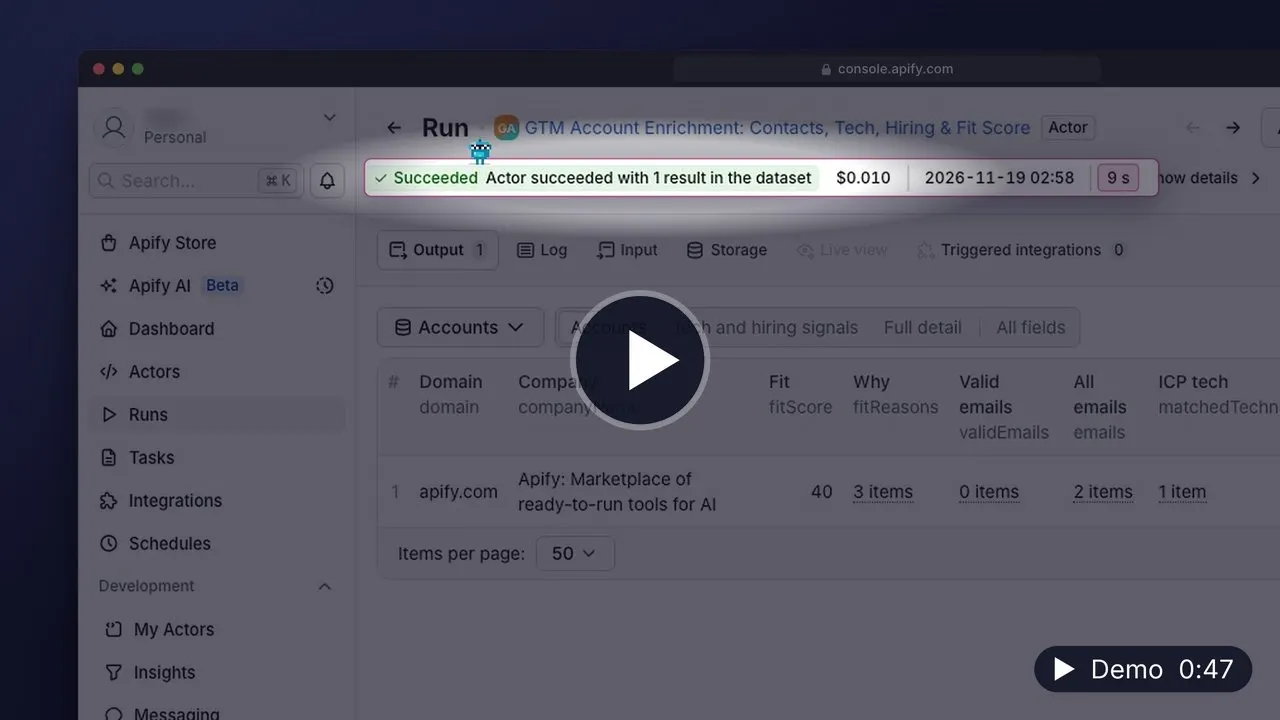
▶️ Watch the 47-second demo (MP4, 19 MB, opens in your browser) · Transcript
What can GTM Account Enrichment do?
- 🏢 Builds one row per company from five data sources, joined on the domain
- 📧 Finds company emails, phone numbers and social profiles on each website, then validates the emails and separates personal addresses from shared inboxes
- 🧰 Detects the tech stack (CRM, marketing automation, ecommerce, analytics, chat, payments and more) and flags the tools on your ICP list
- 📈 Reads public job boards (Greenhouse, Lever, Ashby, Workable, SmartRecruiters) and counts roles matching your hiring keywords, the strongest buying signal there is
- 👤 Finds verified work emails for named decision makers from a LinkedIn URL or a name plus domain
- 🎯 Calculates a 0 to 100 fit score with plain-English reasons ("Uses HubSpot", "Hiring 3 roles matching SDR") and sorts accounts best first
- 🔗 Delivers results to a webhook in batches of 100, or reads input from another run's dataset (for example a Google Maps export)
| Field | Example |
|---|---|
fitScore | 82 |
fitReasons | ["Uses HubSpot", "Hiring 2 role(s) matching sales, SDR"] |
validEmails, riskyEmails | personal addresses, and shared inboxes such as sales@ |
technologies, matchedTechnologies | everything detected, and the ICP tools among them |
openJobs, matchedJobs, matchedJobTitles | the hiring signal |
people | name, title and verified email for each person you listed |
How to enrich a list of target accounts
- Click Try for free and sign up with Google, GitHub or email. No credit card is needed.
- Paste company domains into Target companies, or put a dataset ID from another run (Google Maps Scraper, a directory scrape) into Or read websites from a dataset.
- Under Ideal customer profile, list the technologies your best customers use and the job titles that signal a need for your product.
- Optionally add decision makers under People to find emails for.
- Optionally paste a Zapier, Make, n8n or Clay webhook URL, then click Start.
Connecting it to your CRM
Create a Zapier or Make scenario that starts with a "catch webhook" trigger, paste its URL into webhookUrl, and map the fields to HubSpot, Salesforce, Pipedrive or a Google Sheet. Then turn the run into a saved Task and schedule it. Every run posts the new scored accounts automatically.
How much does it cost to enrich accounts?
You pay a small fee per account delivered, plus the per-result price of each step that runs. Each step runs as its own Actor run in your account, so the cost of every step is visible separately in your Apify Console.
| Event | Price |
|---|---|
| Account enriched (this Actor) | $0.01 |
| Website page crawled for contacts | $0.0015 |
| Website scanned for tech stack | $0.002 |
| Matching job found | $0.001 |
| Email validated | $0.0005 |
| Verified person email found (only if you list people) | $0.04 |
Platform compute is included in those prices.
Worked examples:
- One account at default settings (5 pages for contacts, tech scan, hiring signals, about 4 emails validated) costs about $0.02 to $0.05, depending on how many matching jobs the company has.
- 500 target accounts cost roughly $10 to $25.
- Adding two decision makers per account adds up to $0.08 per account, and only when an email is actually found.
- The free plan. $5 of monthly credit covers roughly 150 to 250 accounts.
Each step starts a separate Actor run. Maximum cost per run on this Actor limits its own account-enrichment fee; it does not set one combined budget for the child runs. Keep batches small and turn off steps you do not need. Accounts removed by minFitScore still incur the child steps' costs because filtering happens after enrichment.
The contact, technology, jobs, validation and email-finding steps use public Actors. Each step has its own published event prices and run limits.
Input
| Field | Type | Default | Description |
|---|---|---|---|
companies | array | — | Company domains or websites. Each becomes one account row. |
datasetId | string | — | Dataset from another run to read more websites from. |
websiteField | string | website | The dataset field holding the website. |
people | array | [] | LinkedIn profile URLs, "Full Name, domain.com" lines, or {"fullName", "domain"} objects. |
targetTechnologies | array | — | Technologies your ideal customer uses. Matches raise the fit score. |
hiringKeywords | array | — | Job title words that signal intent, matched as whole words. |
minFitScore | integer | 0 | Only output and deliver accounts at or above this score. |
findContacts | boolean | true | Find emails, phones and social profiles on each website. |
detectTechStack | boolean | true | Detect the technologies on each website. |
findHiringSignals | boolean | true | Read each company's public job board. |
findEmails | boolean | true | Find verified emails for the listed people. |
validateEmails | boolean | true | Validate the emails found on websites. |
maxPagesPerWebsite | integer | 5 | Pages read per website in the contacts step. |
webhookUrl | string | — | https URL that receives the accounts as JSON in batches of 100. |
How is the fit score calculated?
Three parts add up to 100: tech stack match (40 points), hiring signals (30 points) and how reachable the account is (30 points: valid emails, verified people, phone, LinkedIn page). If you leave out the technology list or turn off hiring signals, that part is left out and the score is rescaled, so a score always means the same thing within a run. Shared inboxes such as sales@ count half as much as a personal address.
Output
One row per account, sorted by fit score. This is the real apify.com row from a run of the input above:
The dataset has three views: Accounts (score, reasons, emails, ICP tech, jobs), Tech and hiring signals, and Full detail. The OUTPUT record lists every step's child run, its status and cost, so you can open any step's own results.
Use cases
Start with one of these six prefilled examples:
- Research a target account before outreach
- Score accounts by visible technology fit
- Research sales hiring signals for target accounts
- Enrich CRM accounts with public company contacts
- Compare technology and hiring across target accounts
- Inspect full account enrichment and missing steps
API and integrations
The Actor ID is capable_cauldron/gtm-account-enrichment.
JavaScript:
Python:
CLI:
Schedule a saved Task to refresh your account list weekly, and use webhookUrl or the Integrations tab to push results to Zapier, Make, n8n, Clay, HubSpot or Google Sheets.
FAQ
Is it legal to enrich company accounts this way?
This Actor returns company information and verified business contact details. Business contact data is generally fine to process for B2B outreach, but personal data is covered by GDPR, CCPA and similar laws, and email outreach by rules like CAN-SPAM. Make sure you have a lawful basis, honor opt-outs, and ask a lawyer if you are unsure.
Where do the decision makers come from?
You name them. Add LinkedIn profile URLs or names with company domains under people, and the Actor finds their verified work emails. It does not search LinkedIn for people.
What happens if one step fails?
The other steps still run and the accounts are still delivered. The failed step is listed in each row's missingSteps and in the run summary, and the run ends as partial success.
Can I use only some of the steps?
Yes. Turn off any step under Steps. A run with only contacts and tech stack is a fast, cheap way to qualify a long list before spending on people emails.
Can I run this from Python or my own backend?
Yes. Use the Python example above or the Apify API from any language. The webhook payload is plain JSON with an accounts array.
How is this different from running the five Actors myself?
It runs them in parallel, joins their results on the domain, validates the emails it found, scores every account against your ICP, and delivers one clean table instead of five datasets.
Other Actors by capable_cauldron
| Actor | What it does |
|---|---|
| App Store Reviews Scraper | Reviews and ratings for iPhone and iPad apps, grouped by app and country |
| Company Job Postings Scraper | Open roles and hiring summaries from supported company job boards |
| Bulk Email Validator | Syntax, mail-routing, disposable-domain and role-inbox checks |
| Verified Work Email Finder | Verified professional emails from LinkedIn URLs or a name and company domain |
| Investor Database Search | Filter investors by stage, industry and geography and export available partner contacts |
| LinkedIn Comment Scraper | LinkedIn comments and replies using your own session cookies |
| LinkedIn Post Comments Scraper | Comments, replies and reactions on public LinkedIn posts without cookies |
| LinkedIn Profile Posts & Comments Scraper | Posts from any LinkedIn profile with up to 50 comments and replies per post, no cookies needed |
| LinkedIn Profile Posts Scraper | Public profile posts with 56 enriched fields, including engagement and content metadata |
| Ad Scraper: Meta, Google, LinkedIn & TikTok | Competitor ads from Meta, Google, LinkedIn and TikTok in one dataset |
| TikTok Shop USA Scraper | US product, shop, creator and shoppable-video data from TikTok Shop |
| Website Contact Scraper | Public emails, phone numbers and social profile links from company websites |
| Website Tech Stack Detector | Visible website technologies and the evidence supporting each detection |
| LinkedIn Post Search Scraper | Keyword searches for public LinkedIn posts with text, authors and engagement |
Support
Found a bug or need another step (CRM sync, LinkedIn company data, funding signals)? Open an issue on the Actor's Issues tab. Issues are usually answered within 24 hours, and custom pipelines for your own ICP are available on request.


