

Website Contact Scraper: Emails, Phones & Social Links
Pricing
$1.50 / 1,000 page crawleds
Website Contact Scraper: Emails, Phones & Social Links
Paste a list of websites, get one row per site with every email, phone number and social profile (LinkedIn, X, Facebook, Instagram, YouTube, TikTok and more). Contact pages are crawled first. No login, no browser.
Pricing
$1.50 / 1,000 page crawleds
Rating
0.0
(0)
Developer

Capable Cauldron
Maintained by CommunityActor stats
0
Bookmarked
3
Total users
2
Monthly active users
3 days ago
Last modified
Categories
Features
Share
Website Contact Scraper turns a list of websites into a contact list: every email address, phone number and social media profile (LinkedIn, X, Facebook, Instagram, YouTube, TikTok, Pinterest, GitHub, Threads) found on each site, with one clean row per website. It reads the contact, about and team pages first, so a 10-page crawl finds what a person would find by clicking around. No login, no cookies.
It is built for lead generation, sales prospecting, agency outreach and enriching a CRM or Google Maps export with emails. Like every Apify Actor it runs on a schedule, through the API, with webhooks, and plugs into Make, Zapier, n8n, Google Sheets and Clay.
Click Try for free, paste a few websites and press Start. The Apify free plan gives you $5 of credit every month, which covers about 3,300 pages, or roughly 330 websites at the default 10 pages each.
See a real run in 47 seconds:
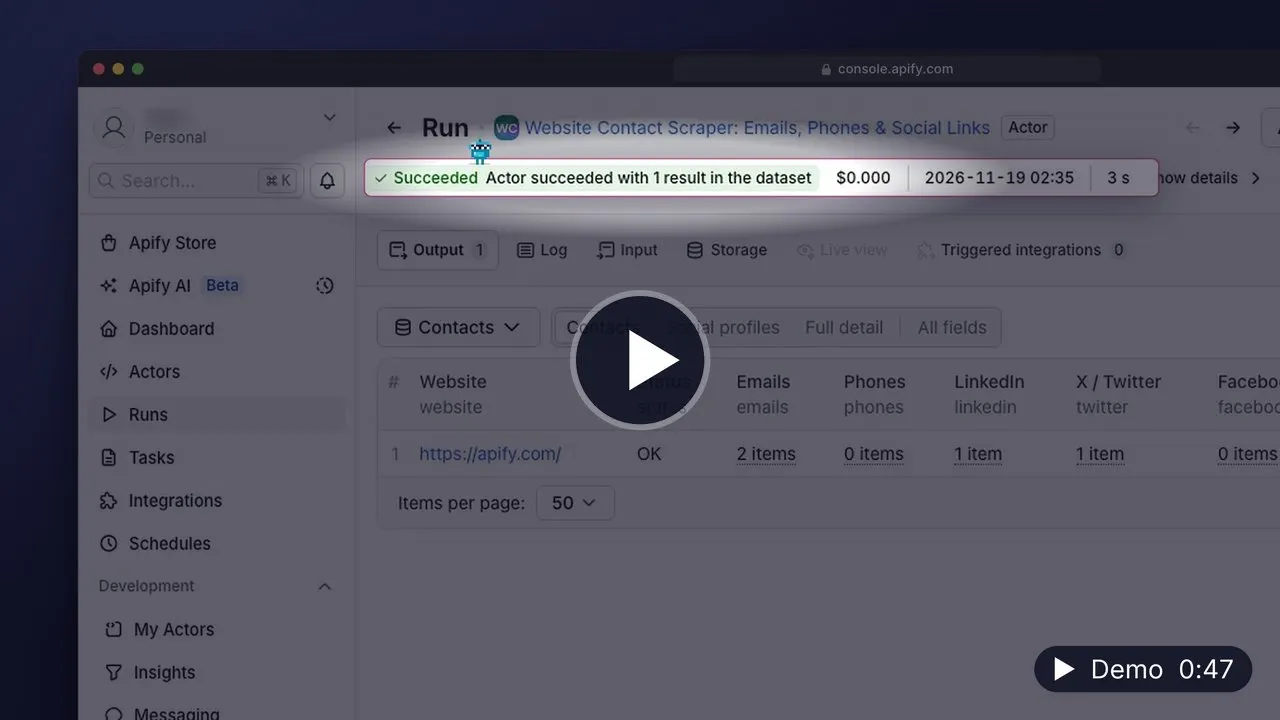
▶️ Watch the 47-second demo (MP4, 19 MB, opens in your browser) · Transcript
What can Website Contact Scraper do?
- 📧 Finds emails in page text,
mailto:links, structured data and Cloudflare-protected addresses, and decodesinfo [at] acme [dot] comstyle obfuscation - 📞 Collects phone numbers from click-to-call links and structured data, normalized to digits with the international
+prefix - 🔗 Extracts social profiles for 9 networks as canonical profile URLs, skipping share buttons, tweet intents and links to single posts
- 🧭 Crawls contact pages first: contact, impressum, about, team and support pages jump the queue in English, German, Spanish, Italian, Portuguese and French
- 🧹 Filters junk: image names like
logo@2x.png, error-tracking keys,you@company.comform hints andexample.complaceholders never reach your list - 🧾 Returns one row per website, merged across every page crawled, so there is nothing to dedupe afterwards
- 🎯 Optionally keeps only emails on the website's own domain
- 🤝 Respects
robots.txtby default, and reports sites that are down or blocked instead of silently skipping them
| Field | Example |
|---|---|
website | https://brightlane.test/ |
emails | ["info@brightlane.test", "wholesale@brightlane.test"] |
phones | ["+15035550142"] |
linkedin, twitter, facebook, instagram, youtube, tiktok, pinterest, github, threads | ["https://www.linkedin.com/company/brightlane-coffee"] |
contactPages | ["https://brightlane.test/contact"] |
status | OK, NO_CONTACTS or FAILED |
How to scrape contact details from websites
- Open the Actor and click Try for free. Sign up with Google, GitHub or email; no credit card is needed.
- Paste your websites into Websites. Full URLs (
https://acme.com) and bare domains (acme.com) both work, and you can upload a text file with one site per line. - Leave Max pages per website at 10 for most company sites. Lower it to 3 when you only need the homepage and contact page.
- Click Start. Each website becomes one row as soon as it finishes.
- Download the results as CSV, Excel or JSON, or send them to Google Sheets, HubSpot or your CRM with an integration.
How much does it cost to scrape website contacts?
You pay per page read. Pages that fail, return 404, or are PDFs and images cost nothing.
| Event | Price |
|---|---|
| Page crawled | $0.0015 |
Platform compute and proxy usage are included in that price, so the event table is the whole bill.
Worked examples:
- 100 websites, default settings. At most 10 pages each, so at most 1,000 pages. That costs at most $1.50, and usually less because small sites have fewer than 10 pages.
- 1,000 websites, homepage and contact page only (
maxPagesPerWebsiteset to 2). At most 2,000 pages, which costs $3.00. - The free plan. $5 of monthly credit buys about 3,300 pages, which is roughly 330 websites at 10 pages each, or 1,600 websites at 2 pages each.
To cap spending, set Maximum cost per run in the run options. The Actor stops cleanly when it reaches the cap and keeps every row it already finished.
Input
| Field | Type | Default | Description |
|---|---|---|---|
startUrls | array | — | Websites to scan. One row comes back per website; duplicates of the same site are merged. |
maxPagesPerWebsite | integer | 10 | Pages to read on each site (1 to 100). Contact, about and team pages are read first. |
maxDepth | integer | 2 | Clicks away from the homepage to follow. 0 reads only the homepage. |
sameDomainEmailsOnly | boolean | false | Keep only addresses on the site's own domain (and its subdomains). |
respectRobotsTxt | boolean | true | Skip pages that the site's robots.txt asks crawlers not to read. |
maxConcurrency | integer | 10 | Websites crawled in parallel (1 to 50). Pages within one site are always read one at a time. |
proxyConfiguration | object | Apify proxy | Proxy settings. Datacenter proxy works for almost every company website. |
How are pages chosen?
The homepage is always read first. Every link on it that stays on the same website is scored: contact, impressum and get-in-touch pages first, then about, team and leadership pages, then support, press, legal and careers pages, then everything else. The crawler always reads the highest-scored page it has seen next, until it reaches maxPagesPerWebsite.
Output
Each website produces one row. This real Apify row was read from a successful platform run on November 5, 2026 (Pacific), using one of the websites in the input above. Contacts and crawl counts may change between runs.
The dataset has three views: Contacts (emails, phones and the main social networks), Social profiles (all nine networks) and Full detail. A run summary with counts and categorized errors is saved to the OUTPUT record in the key-value store.
Use cases
Start with one of these six prefilled examples:
- Find company contact emails for a prospect list
- Enrich CRM websites with same-domain business emails
- Collect social media profiles from brand websites
- Check homepage contact details on a small budget
- Find public press and partnership contact pages
- Export a company contact and social directory
API and integrations
Run it from your own code with the Apify API. The Actor ID is capable_cauldron/website-contact-scraper.
JavaScript:
Python:
CLI:
Schedule it to re-check a list every week, trigger a webhook when a run finishes, or connect it to Make, Zapier, n8n, Google Sheets, HubSpot or Clay from the Integrations tab.
FAQ
Is it legal to scrape contact details from websites?
The Actor only reads pages that are publicly available without a login, and by default it follows each site's robots.txt. Business contact details published on a company's own website are generally fine to collect. Personal data is protected by laws like GDPR and CCPA, so check that you have a lawful basis before emailing the people you find, and follow anti-spam rules such as CAN-SPAM. If in doubt, ask a lawyer about your specific use.
Why did a website come back with no emails?
Some sites only offer a contact form, and some contact details may not be available to this Actor. The row will say NO_CONTACTS so you can tell it apart from a site that failed.
Why are some phone numbers missing?
Phone numbers are taken from click-to-call links and the site's structured data only. Reading every number-like string in the text would also pick up order numbers, dates and prices, so precision wins over recall here.
What does a FAILED row mean?
The homepage could not be read: the site was down, timed out after three attempts, blocked the request, or its robots.txt disallows crawling. The error field says which. Failed sites are not charged.
Can I scrape contacts from websites with Python?
Yes. Use the Python snippet in the API section, or read the dataset with any HTTP client. You get the same JSON as the Console.
How is this different from other contact scrapers?
You get one merged row per website instead of one row per page, contact pages are read first, and placeholder and asset "emails" are filtered out before they reach your list.
Other Actors by capable_cauldron
| Actor | What it does |
|---|---|
| App Store Reviews Scraper | Reviews and ratings for iPhone and iPad apps, grouped by app and country |
| Company Job Postings Scraper | Open roles and hiring summaries from supported company job boards |
| Bulk Email Validator | Syntax, mail-routing, disposable-domain and role-inbox checks |
| Verified Work Email Finder | Verified professional emails from LinkedIn URLs or a name and company domain |
| GTM Account Enrichment | Public company contacts, technologies and hiring signals with an account fit score |
| Investor Database Search | Filter investors by stage, industry and geography and export available partner contacts |
| LinkedIn Comment Scraper | LinkedIn comments and replies using your own session cookies |
| LinkedIn Post Comments Scraper | Comments, replies and reactions on public LinkedIn posts without cookies |
| LinkedIn Profile Posts & Comments Scraper | Posts from any LinkedIn profile with up to 50 comments and replies per post, no cookies needed |
| LinkedIn Profile Posts Scraper | Public profile posts with 56 enriched fields, including engagement and content metadata |
| Ad Scraper: Meta, Google, LinkedIn & TikTok | Competitor ads from Meta, Google, LinkedIn and TikTok in one dataset |
| TikTok Shop USA Scraper | US product, shop, creator and shoppable-video data from TikTok Shop |
| Website Tech Stack Detector | Visible website technologies and the evidence supporting each detection |
| LinkedIn Post Search Scraper | Keyword searches for public LinkedIn posts with text, authors and engagement |
Support
Found a bug or a site where contacts are missed? Open an issue on the Actor's Issues tab with the website URL. Issues are usually answered within 24 hours. Custom versions (JavaScript rendering, email verification, extra fields such as addresses) are available on request; describe what you need in an issue.


