

LinkedIn Email Finder: Verified Work Emails
Pricing
$40.00 / 1,000 valid email founds
LinkedIn Email Finder: Verified Work Emails
Find verified work emails from LinkedIn profile URLs or a full name and company domain. Get verification status, deliverability score, catch-all flag and professional details. Pay only for valid emails found.
Pricing
$40.00 / 1,000 valid email founds
Rating
0.0
(0)
Developer

Capable Cauldron
Maintained by CommunityActor stats
0
Bookmarked
2
Total users
1
Monthly active users
3 days ago
Last modified
Categories
Features
Share
Verified Work Email Finder is a LinkedIn email finder that turns LinkedIn profile URLs, or a full name plus company domain, into verified work email addresses. Each address comes with its verification status, a 0 to 100 deliverability score, a catch-all flag, and the person's title, company, location and LinkedIn URL.
It is made for SDRs, founders, recruiters and agencies building outbound lists, and for enriching leads you already have in a CRM, a spreadsheet or another Actor's dataset. Like every Apify Actor it runs on a schedule, through the API, with webhooks, and connects to Make, Zapier, n8n, Clay, HubSpot and Google Sheets.
Click Try for free, paste a few LinkedIn links and press Start. You only pay for emails that are verified as valid. The Apify free plan's $5 of monthly credit covers about 125 verified emails.
See a real run in 47 seconds:
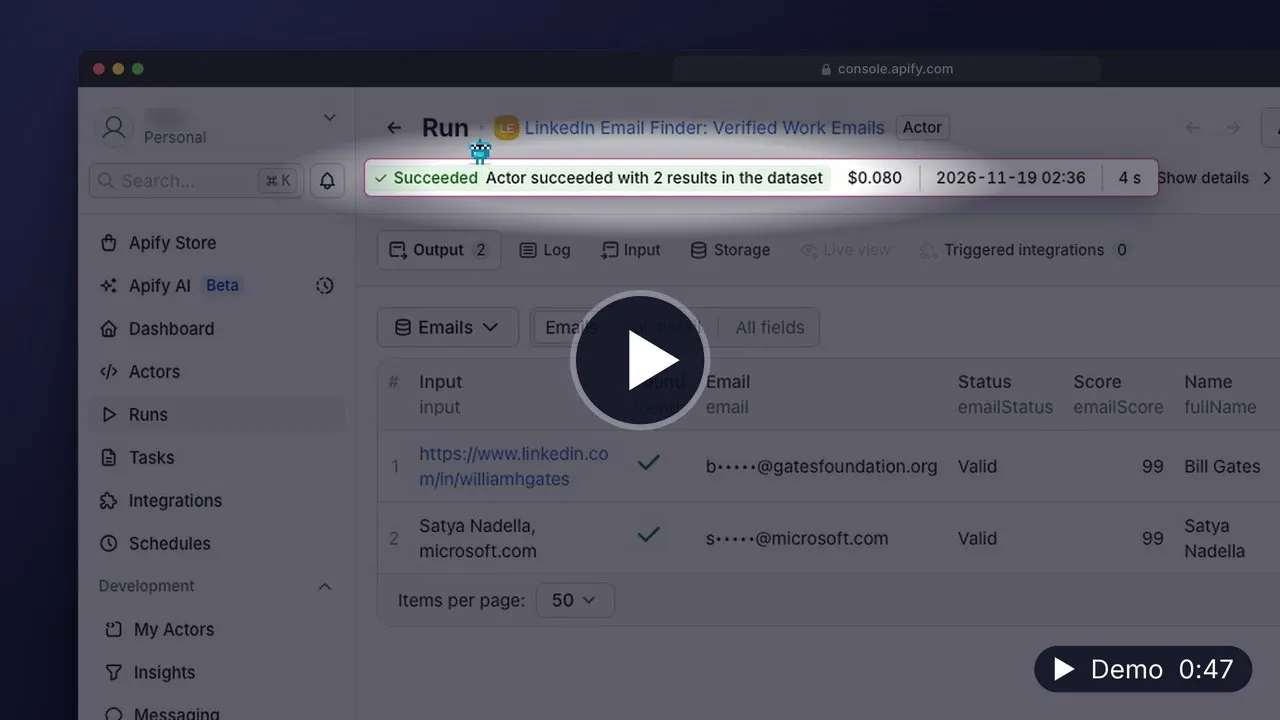
▶️ Watch the 47-second demo (MP4, 20 MB, opens in your browser) · Transcript
What can Verified Work Email Finder do?
- 🔗 Finds the work email behind a LinkedIn profile, including Sales Navigator people links
- 👤 Finds an email from full name + company domain when you have no LinkedIn link
- ✅ Returns only verified addresses by default, and tells you why the rest were not returned
- 🎯 Adds a deliverability score (0 to 100) and a catch-all flag so you can decide how risky a send is
- 🧑💼 Enriches each row with name, title, company, website, location and industry
- 📮 Optionally falls back to a personal or generic (info@) address when no work email exists
- 💸 Charges only for valid emails found: not-found, invalid and timed-out lookups are free
- 🧾 Writes one row per input, in any mix of LinkedIn links and names, so results join straight back to your list
| Field | Example |
|---|---|
email | jane.doe@acme.com |
emailStatus | Valid, Invalid or Not found |
emailScore | 96 |
isCatchAll | false |
title, company | VP Marketing, Acme Analytics |
found | true when a valid email was returned |
How to find emails from LinkedIn profiles
- Open the Actor and click Try for free. Sign up with Google, GitHub or email; no credit card is needed.
- Paste LinkedIn profile links into LinkedIn profile URLs, one per line.
- For people without a LinkedIn link, add them to People as
{"fullName": "Jane Doe", "domain": "acme.com"}or as"Jane Doe, acme.com". - Click Start. Most lookups finish in a few seconds; some take up to two minutes before a result is available.
- Export the results as CSV, Excel or JSON, or push them to your CRM or sequencer with an integration.
How much does it cost to find emails?
You pay per verified email. Everything else is free.
| Event | Price |
|---|---|
| Valid email found | $0.04 |
| Email not found, invalid, or search timed out | $0 |
Platform compute is included in that price, so the event table is the whole bill.
Worked examples:
- 200 LinkedIn profiles, 140 valid emails found. You pay for the 140: $5.60. The 60 misses cost nothing.
- The free plan. $5 of monthly Apify credit covers about 125 verified emails.
To cap spending, set Maximum cost per run in the run options. When the cap is reached, the Actor stops starting new lookups and still writes a row for every remaining input, marked as not looked up.
Input
| Field | Type | Default | Description |
|---|---|---|---|
linkedinUrls | array | — | LinkedIn profile links (/in/... or Sales Navigator people links). One row per link. |
people | array | — | People as {"fullName", "domain"} objects or "Full Name, domain.com" strings. One row per person. |
onlyValidEmails | boolean | true | Fill the email column only for addresses verified as Valid. Rows are kept either way. |
includePersonalEmails | boolean | false | LinkedIn lookups only: fall back to a personal address when there is no work email. |
includeGenericEmails | boolean | false | LinkedIn lookups only: fall back to a generic company address such as info@. |
maxConcurrency | integer | 4 | Lookups in parallel, 1 to 5. |
What counts as a valid input?
A LinkedIn input must be a person's profile link: company pages and post links are rejected. A person needs a first and last name and a company domain (a website or an email address on that domain also works). Inputs that do not qualify still get a row, with the reason in error, and are never charged. Duplicate inputs share one lookup.
Output
Each input produces one row. This fictional Jane Doe example shows a successful LinkedIn lookup. The input above returns status rows for the supplied people; finding a verified email is not guaranteed.
The dataset has an Emails view and a Full detail view. The OUTPUT record in the key-value store holds the run status, counts of found, not-found, invalid and timed-out lookups.
Use cases
Start with one of these six prefilled examples:
- Find a work email from a LinkedIn profile
- Find a work email by name and company domain
- Enrich a small LinkedIn prospect list with emails
- Review email lookup status and person metadata
- Combine LinkedIn and name-domain email searches
- Find work emails with one lookup at a time
API and integrations
The Actor ID is capable_cauldron/verified-work-email-finder.
JavaScript:
Python:
CLI:
Chain it after any LinkedIn scraper with a webhook, or connect it to Make, Zapier, n8n, Clay or HubSpot from the Integrations tab so new leads get emails automatically.
FAQ
Is it legal to find people's work emails?
Finding a business email address is legal in most places, but how you use it is regulated. Under GDPR you need a lawful basis (often legitimate interest for relevant B2B outreach), you must say where you got the data, and you must honor opt-outs. CAN-SPAM and similar laws require an unsubscribe link and an honest sender. This Actor does not log in to LinkedIn or read anything behind a login. If you are unsure about your use case, ask a lawyer.
What does "Valid", "Invalid" and "Not found" mean?
Valid addresses passed verification and are safe to send to. Invalid means an address was known but failed re-verification, usually because the person left the company; it is hidden unless you turn off onlyValidEmails, and is never charged. Not found means no address could be found.
What is a catch-all address?
Some company mail servers accept every address, which makes ordinary verification impossible. The isCatchAll flag marks those domains; emailScore helps you assess confidence before sending.
Why did a lookup time out?
A few lookups need more than two minutes before a result is available. Those rows say "no email found within the search window (not charged)". Run them again later; they often succeed on a second try.
Can I use this Actor from Python?
Yes. Use the Python example in the API section, or call the Apify API from any language. Results are plain JSON.
How is this different from other email finders on Apify?
You pay only for verified emails. Every result carries its verification status and score, with one row per input for easy matching to your list.
Other Actors by capable_cauldron
| Actor | What it does |
|---|---|
| App Store Reviews Scraper | Reviews and ratings for iPhone and iPad apps, grouped by app and country |
| Company Job Postings Scraper | Open roles and hiring summaries from supported company job boards |
| Bulk Email Validator | Syntax, mail-routing, disposable-domain and role-inbox checks |
| GTM Account Enrichment | Public company contacts, technologies and hiring signals with an account fit score |
| Investor Database Search | Filter investors by stage, industry and geography and export available partner contacts |
| LinkedIn Comment Scraper | LinkedIn comments and replies using your own session cookies |
| LinkedIn Post Comments Scraper | Comments, replies and reactions on public LinkedIn posts without cookies |
| LinkedIn Profile Posts & Comments Scraper | Posts from any LinkedIn profile with up to 50 comments and replies per post, no cookies needed |
| LinkedIn Profile Posts Scraper | Public profile posts with 56 enriched fields, including engagement and content metadata |
| Ad Scraper: Meta, Google, LinkedIn & TikTok | Competitor ads from Meta, Google, LinkedIn and TikTok in one dataset |
| TikTok Shop USA Scraper | US product, shop, creator and shoppable-video data from TikTok Shop |
| Website Contact Scraper | Public emails, phone numbers and social profile links from company websites |
| Website Tech Stack Detector | Visible website technologies and the evidence supporting each detection |
| LinkedIn Post Search Scraper | Keyword searches for public LinkedIn posts with text, authors and engagement |
Support
Found a bug, or a profile where you expected an email? Open an issue on the Actor's Issues tab with the input (no API keys, please). Issues are usually answered within 24 hours. Custom work (bulk mode for 50,000+ contacts, direct CRM sync, phone numbers) is available on request.


