

LinkedIn Post Comments Scraper (No Cookies)
Pricing
from $1.50 / 1,000 comment scrapeds
LinkedIn Post Comments Scraper (No Cookies)
Comments, replies and everyone who reacted on any public LinkedIn post. No cookies or login. Per-comment reaction breakdown, post-author flag, thread position, keyword and recency filters.
Pricing
from $1.50 / 1,000 comment scrapeds
Rating
0.0
(0)
Developer

Capable Cauldron
Maintained by CommunityActor stats
1
Bookmarked
2
Total users
1
Monthly active users
3 days ago
Last modified
Categories
Features
Share
This LinkedIn post comments scraper collects comments, replies and reactions from any public post link and exports them as JSON, CSV or Excel, with no LinkedIn login or cookies. Paste one or more post URLs, say how many comments you want, and every row comes back with the commenter's name, headline, profile URL, the comment text, a 7-way reaction breakdown and a flag telling you whether the post author wrote it. Turn on reactions and you also get the people who liked or celebrated the post without commenting.
Built on Apify, so you can schedule runs, call it from the API or a webhook, push rows to Google Sheets or your CRM, and cap spend per run. Click Try for free to open it in Console. Apify's free plan includes $5 of monthly credit, which buys about 3,000 comments.
See a real run in 47 seconds:
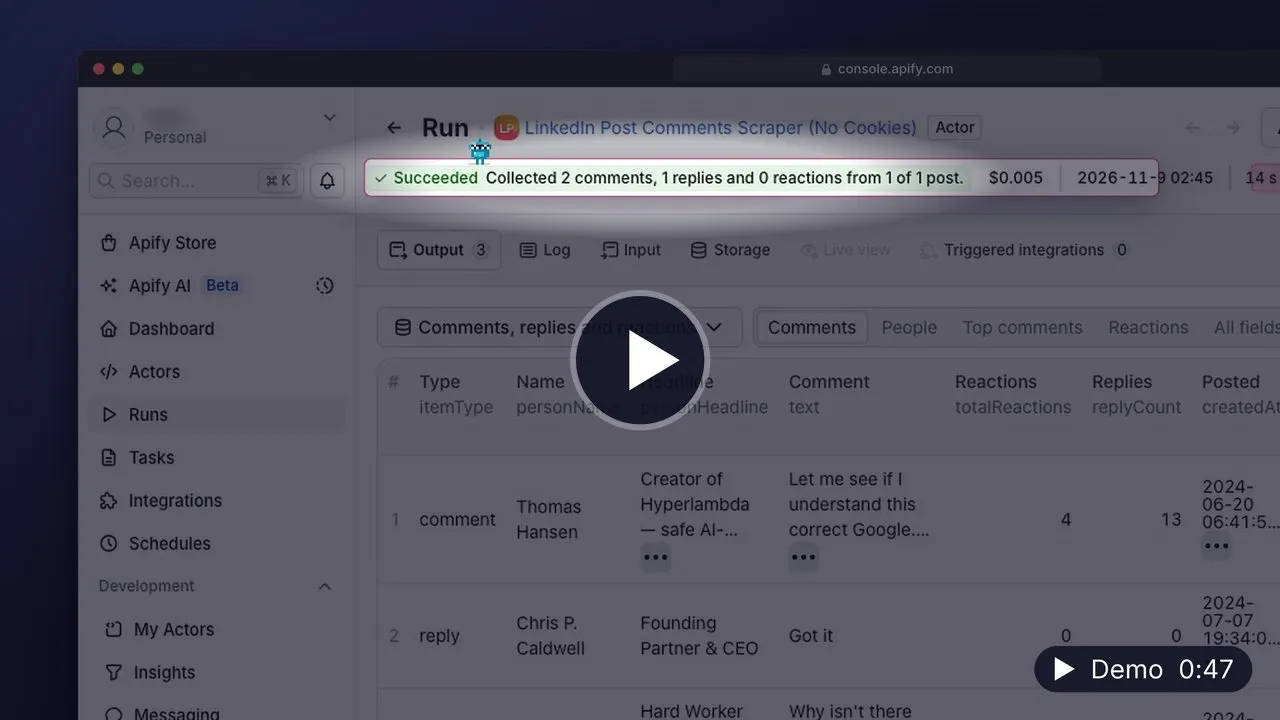
▶️ Watch the 47-second demo (MP4, 23 MB, opens in your browser) · Transcript
What can LinkedIn Post Comments Scraper do?
- 💬 Scrape comments and replies from any public LinkedIn post, no cookies needed
- 👍 Pull everyone who reacted (like, celebrate, love, insightful, support, funny, curious), filterable by type
- 👤 Return name, headline, profile URL, profile id and person/company type for every commenter and reactor
- 📊 Give each comment its reaction breakdown, reply count, thread rank and engagement score
- 🏷️ Flag the post author's own comments and measure hours between post and comment
- 🔎 Filter by keyword, minimum reactions, recency window, or drop the author's replies
- 🧹 One row per person mode for a clean lead list across many posts
- 💸 Pay per row. Rows removed by a filter are never billed
What data can you extract from LinkedIn comments?
Every comment or reply row carries 49 fields. The ones people use most:
| Field | Description |
|---|---|
itemType | comment, reply or reaction |
text | Full comment text |
commentUrl | Direct link to the comment on LinkedIn |
createdAt | When it was posted (ISO 8601, UTC) |
personName, personHeadline, personUrl | Who wrote or reacted, with their headline and profile link |
personProfileId | Stable LinkedIn id. Use it to match people across posts |
personType | person or company (company pages comment and react too) |
isPostAuthor | true when the comment is by the account that published the post |
isReply, parentCommentId, parentCommenterName | Thread position |
totalReactions, reactionLike ... reactionCurious | How the comment itself was received |
replyCount, engagement, rank | Reply count, reactions plus replies, and order in the thread |
hoursAfterPost | Hours between the post and the comment |
isQuestion, hasUrl, urls, hashtags, wordCount | Text signals for sorting and filtering |
reactionType | On reaction rows: like, celebrate, love, insightful, support, funny or curious |
postUrl, postAuthorName, postPostedAt, postCommentsTotal | The post each row belongs to |
The Console People view lists commenters and reactors side by side; Top comments sorts the thread by engagement.
How to scrape LinkedIn post comments
- Click Try for free to open the Actor in Apify Console.
- Paste your LinkedIn post URLs. Any post link works: the
/posts/...link from the share button, a/feed/update/urn:li:activity:...link, or the bare activity id. - Set Max comments per post. 50 is enough to see what the data looks like.
- Optional: tick Also scrape who reacted and pick the reaction types you care about.
- Click Start. Rows stream into the dataset as each post is processed.
- Open the Storage tab and export as CSV, Excel or JSON, or fetch the dataset from the API.
No LinkedIn account is involved at any point.
How much does it cost to scrape LinkedIn post comments?
Pricing is per row. There is no charge for compute time.
| Event | When it fires | Price |
|---|---|---|
comment-scraped | Each comment or reply added to your dataset | $0.0015 |
reaction-scraped | Each reaction row added to your dataset | $0.0008 |
post-processed | Each post URL processed, even if it returns nothing | $0.01 |
Worked examples
- 100 comments from 1 post costs $0.16
- 2,000 comments from 10 posts costs $3.10
- 5 posts with 100 comments and 500 reactions each costs $2.80
Apify's free plan ($5/month) covers roughly 3,000 comments. Rows removed by keywords, minCommentReactions, postedWithin or dedupePeople are never pushed, so they cost nothing. To cap spend, set maxCommentsPerPost, maxReactionsPerPost and maxDatasetItems; the run stops as soon as a limit is hit.
Input
| Field | Type | Required | Default | Description |
|---|---|---|---|---|
postUrls | array | yes | — | LinkedIn post URLs, urn:li:activity:... URNs or bare ids. Up to 1,000 per run |
maxCommentsPerPost | integer | no | 100 | Comment rows per post, 1 to 5,000. Replies count toward it |
includeReplies | boolean | no | true | Return replies as their own rows with parentCommentId |
sortOrder | string | no | mostRelevant | mostRelevant (LinkedIn's thread order) or mostRecent (newest first) |
postedWithin | string | no | any | Keep only comments from the last 24h, week, month, 3months, 6months or year |
keywords | array | no | [] | Keep only comments containing one of these words or phrases |
minCommentReactions | integer | no | 0 | Skip comments with fewer reactions than this |
excludeAuthorComments | boolean | no | false | Drop comments and replies written by the post's author |
includeReactions | boolean | no | false | Also return one row per reaction |
maxReactionsPerPost | integer | no | 100 | Reaction rows per post, 1 to 5,000 |
reactionTypes | array | no | [] | Only these reaction types: like, celebrate, love, insightful, support, funny, curious |
dedupePeople | boolean | no | false | Keep the first row per person across the whole run |
maxDatasetItems | integer | no | 10000 | Hard cap on rows saved across all posts |
Which sort order should I pick?
mostRelevant walks the thread the way LinkedIn shows it and is the default. mostRecent lists newest first and pairs with postedWithin: the run stops paging the moment it reaches comments older than the window, so a scheduled "what came in this week" job costs only the new rows.
Output
Each comment, reply or reaction is one dataset item. This is a comment row from the input above:
A reaction row has itemType: "reaction", reactionType, the same person* and post* blocks, and no comment fields.
A run summary is saved to the key-value store as OUTPUT, with per-post counts (commentsTotal on the post versus what was collected). Its message is also shown as the run's status in Console:
status is SUCCESS, PARTIAL_SUCCESS (some posts could not be read), NO_RESULTS, STOPPED (the run could not continue, and message says why) or VALIDATION_ERROR (a problem with the input). A post that could not be read carries its reason in posts, and is not charged.
Use cases
Start with one of these six prefilled examples:
- Scrape comments from a LinkedIn post (no cookies)
- Build a lead list from everyone who engaged with a post
- Find who reacted to a LinkedIn post
- Pull the 'interested' comments from a giveaway post
- Monitor new comments on a post this week
- Rank the top comments on a LinkedIn post
API and integrations
Run it from your own code with the Apify API. Swap in your token; the Actor id stays as written.
Python
JavaScript
CLI
Connect results to Google Sheets, HubSpot, Airtable, Slack, Make, Zapier or n8n from the Actor's Integrations tab, run it on a Schedule to watch a post over time, or fire a webhook when a run finishes.
FAQ
Is it legal to scrape LinkedIn comments?
This Actor collects comments and reactions that are publicly visible on LinkedIn, without logging in. You are responsible for how you use the data, including compliance with LinkedIn's terms and the data-protection laws that apply to you (GDPR, CCPA). If you build outreach lists, respect opt-outs and local rules on unsolicited contact.
Do I need a LinkedIn account or cookies?
No. You paste post links and nothing else. Nothing is done with your LinkedIn account and there is nothing to refresh weekly.
Why did I get fewer comments than I asked for?
Either the post has fewer public comments than maxCommentsPerPost (the run summary shows commentsTotal for the post), a filter removed some (filtered_out in the summary), or maxDatasetItems was reached across all posts. Replies are returned as LinkedIn attaches them to a comment, so very long reply chains can be shorter than replyCount.
Why is isPostAuthor null on some rows?
The author check needs the post's own details. When those cannot be loaded for a post, the flag is null rather than a guess, and hoursAfterPost is null too. Everything else on the row is unaffected.
Can I get only the people who reacted, without comments?
Set maxCommentsPerPost to 1, turn on includeReactions, and set maxReactionsPerPost to the number you need. Pick specific reactionTypes if you only want, say, celebrations.
Can I scrape LinkedIn comments with Python?
Yes. See the Python snippet under API and integrations. The apify-client package is on PyPI; pass the same input you would use in Console.
How do I find the posts to scrape?
Pair this Actor with LinkedIn Profile Posts Scraper. Scrape a profile's posts first, then feed the post_url values into postUrls here. Both run without cookies.
Other Actors by capable_cauldron
| Actor | What it does |
|---|---|
| App Store Reviews Scraper | Reviews and ratings for iPhone and iPad apps, grouped by app and country |
| Company Job Postings Scraper | Open roles and hiring summaries from supported company job boards |
| Bulk Email Validator | Syntax, mail-routing, disposable-domain and role-inbox checks |
| Verified Work Email Finder | Verified professional emails from LinkedIn URLs or a name and company domain |
| GTM Account Enrichment | Public company contacts, technologies and hiring signals with an account fit score |
| LinkedIn Profile Posts & Comments Scraper | Posts from any LinkedIn profile with up to 50 comments and replies per post, no cookies needed |
| Investor Database Search | Filter investors by stage, industry and geography and export available partner contacts |
| LinkedIn Comment Scraper | LinkedIn comments and replies using your own session cookies |
| LinkedIn Profile Posts Scraper | Public profile posts with 56 enriched fields, including engagement and content metadata |
| Ad Scraper: Meta, Google, LinkedIn & TikTok | Competitor ads from Meta, Google, LinkedIn and TikTok in one dataset |
| TikTok Shop USA Scraper | US product, shop, creator and shoppable-video data from TikTok Shop |
| Website Contact Scraper | Public emails, phone numbers and social profile links from company websites |
| Website Tech Stack Detector | Visible website technologies and the evidence supporting each detection |
| LinkedIn Post Search Scraper | Keyword searches for public LinkedIn posts with text, authors and engagement |
Support
Found a bug or need a field that isn't here? Open an issue on the Actor's Issues tab. Issues are usually answered within 24 hours. If you need a custom version (profile enrichment for each commenter, sentiment labels, a private deployment), describe it in an issue and we will scope it.


