

Website Tech Stack Detector: Technology Lookup for Any Site
Pricing
$2.00 / 1,000 website scanneds
Website Tech Stack Detector: Technology Lookup for Any Site
Find out what any website runs on: CMS, ecommerce platform, CRM and marketing automation, analytics, ad pixels, chat, payments and hosting. 144 technologies, evidence for every hit, filter a list of sites by technology. No login, no browser.
Pricing
$2.00 / 1,000 website scanneds
Rating
0.0
(0)
Developer

Capable Cauldron
Maintained by CommunityActor stats
0
Bookmarked
2
Total users
1
Monthly active users
3 days ago
Last modified
Categories
Features
Share
Website Tech Stack Detector shows what any website is built with: its CMS, ecommerce platform, CRM and marketing automation, analytics, advertising pixels, live chat, payments, consent tool, framework, hosting and CDN. Paste a list of websites and get one row per site with every technology found and the evidence for it. It recognizes 144 technologies in 31 categories. No login or API key required.
Sales and marketing teams use it as a technology lookup for technographic lead generation: find every Shopify store that runs Klaviyo, every SaaS company on HubSpot, every site without a chat widget. Like every Apify Actor it can run on a schedule, through the API and with webhooks, and plugs into Clay, Make, Zapier, n8n, Google Sheets and HubSpot.
Click Try for free, paste some websites and press Start. The Apify free plan's $5 of monthly credit covers about 2,500 websites.
See a real run in 47 seconds:
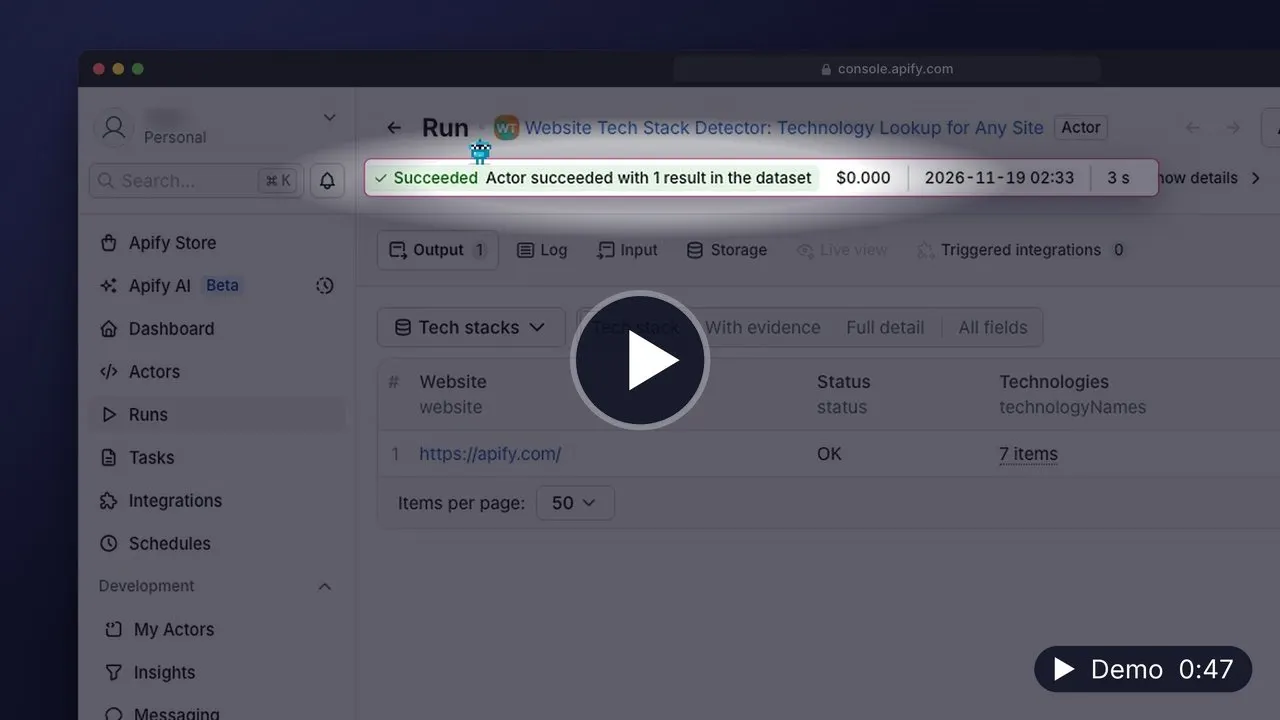
▶️ Watch the 47-second demo (MP4, 17 MB, opens in your browser) · Transcript
What can Website Tech Stack Detector do?
- 🧩 Detects 144 technologies from what the site actually loads: script and stylesheet hosts, inline tag snippets, meta generators, response headers and cookies
- 🔍 Shows evidence for every detection, such as
script: js.hs-scripts.com/1234567.jsorheader: x-shopify-stage, so you can trust and audit each result - 🎯 Filters a list down to sites that use the technologies or categories you sell into (
Shopify,HubSpot,Ecommerce,Live chat) - 🏷️ Groups technologies into 31 categories: CMS, Ecommerce, Marketing automation, CRM, Analytics, Advertising, Visitor identification, Live chat, Payments and more
- 📄 Scans the homepage by default, and optionally up to 5 pages, starting with pricing, demo and contact pages where forms, chat and scheduling widgets load
- 🧠 Avoids false positives: a page that only mentions "HubSpot" or links to stripe.com is not reported as using them
- 🔁 Follows redirects (acme.com to www.acme.io), respects robots.txt and reports failed sites instead of skipping them
| Category | Technologies |
|---|---|
| CMS | WordPress, Webflow, Wix, Squarespace, Framer, Ghost, Drupal, Joomla, HubSpot CMS, Contentful, Sanity, Storyblok, Prismic, Adobe Experience Manager |
| Ecommerce | Shopify, WooCommerce, Magento, BigCommerce, Salesforce Commerce Cloud, PrestaShop, Shopware, Ecwid |
| Subscriptions & billing | Recharge, Chargebee, Paddle, Recurly |
| Marketing automation | HubSpot, Marketo, Salesforce Account Engagement (Pardot), Salesforce Marketing Cloud, ActiveCampaign, Braze, Customer.io, Iterable, Brevo |
| CRM | Salesforce, HubSpot |
| Email and SMS marketing | Klaviyo, Mailchimp, Omnisend, Attentive, Postscript |
| Analytics | Google Analytics 4, Universal Analytics, Segment, Mixpanel, Amplitude, Heap, PostHog, Plausible, Fathom, Matomo |
| Tag managers | Google Tag Manager, Adobe Experience Platform Tags, Tealium |
| Session replay | Hotjar, FullStory, Microsoft Clarity, Lucky Orange, Mouseflow |
| Advertising | Meta Pixel, Google Ads, LinkedIn Insight Tag, TikTok Pixel, Reddit Pixel, X Pixel, Pinterest Tag, Microsoft Advertising, Snap Pixel, Criteo |
| Visitor identification | ZoomInfo WebSights, 6sense, Clearbit Reveal, Demandbase, Dealfront (Leadfeeder), Koala |
| Live chat and support | Intercom, Drift, Zendesk, Crisp, Tidio, LiveChat, Freshchat, Tawk.to, Qualified, Front Chat, HubSpot Chat, Gorgias, Help Scout |
| Scheduling | Calendly, Chili Piper, HubSpot Meetings |
| Payments | Stripe, PayPal, Klarna, Afterpay, Affirm |
| A/B testing and consent | Optimizely, VWO, AB Tasty, OneTrust, Cookiebot, Osano, Termly |
| Reviews | Trustpilot, Yotpo, Okendo, Judge.me |
| Product, forms, video, search | Pendo, Appcues, Userpilot, Typeform, Wistia, Vidyard, Algolia, Auth0 |
| Monitoring | Sentry, Datadog RUM, New Relic |
| Frameworks | React, Next.js, Gatsby, Remix, Vue.js, Nuxt, Angular, Svelte, Astro, jQuery |
| Hosting and CDN | Cloudflare, Amazon CloudFront, Fastly, Akamai, Vercel, Netlify, Amazon S3, Google Cloud, WP Engine, Kinsta |
| Servers and languages | Nginx, Apache, Microsoft IIS, LiteSpeed, PHP, ASP.NET |
How to detect a website's tech stack
- Open the Actor and click Try for free. Sign up with Google, GitHub or email; no credit card is needed.
- Paste your websites into Websites. Full URLs and bare domains both work, and you can upload a text file with one site per line.
- Optionally fill Only keep sites using with the technologies you care about, for example
ShopifyandKlaviyo. - Click Start. Each website becomes one row as soon as it is scanned.
- Export the results as CSV, Excel or JSON, or send them to Google Sheets, Clay or your CRM.
How much does it cost to look up a website's technologies?
You pay per website scanned, however many pages you scan on it. Sites that fail to load are free.
| Event | Price |
|---|---|
| Website scanned | $0.002 |
Platform compute and proxy usage are included in that price, so the event table is the whole bill.
Worked examples:
- 1,000 company websites cost $2.00.
- Finding Shopify stores in a list of 20,000 domains with
technologyFilterset to Shopify costs $40.00. Every scanned site is billed, including the ones the filter leaves out, because each of them was scanned. - Deep scans with
maxPagesPerWebsiteset to 5 cost the same $0.002 per website. - The free plan. $5 of monthly credit covers about 2,500 websites.
To cap spending, set Maximum cost per run in the run options. The Actor stops cleanly when it reaches the cap and keeps every row it already finished.
Input
| Field | Type | Default | Description |
|---|---|---|---|
startUrls | array | — | Websites to look up. One row per website; duplicates of the same site are merged. |
maxPagesPerWebsite | integer | 1 | Pages to scan on each site, 1 to 5. Extra pages are chosen from pricing, demo and contact links first. |
technologyFilter | array | — | Keep only sites using any of these technologies or categories (case-insensitive). Empty keeps every site. |
maxConcurrency | integer | 10 | Websites scanned in parallel, 1 to 50. |
proxyConfiguration | object | Apify proxy | Proxy settings. Datacenter proxy works for almost every company website. |
How does the technology filter work?
Each value is compared with the names of the technologies found and with their categories. ["Shopify", "BigCommerce"] keeps stores on either platform. ["Live chat"] keeps every site with any chat widget. Sites that do not match are scanned and counted in the run summary, but no row is written for them.
Output
Each matching website produces one row. This real Apify row was read from a successful platform run on November 5, 2026 (Pacific), using one of the websites in the input above. The example uses two pages; detections can change when the website changes.
The dataset has three views: Tech stack (names and categories), With evidence and Full detail. A run summary with counts and categorized errors is saved to the OUTPUT record in the key-value store.
Use cases
Start with one of these six prefilled examples:
- Research target account website technologies
- Find Shopify stores in a website list
- Find HubSpot accounts for RevOps prospecting
- Audit website analytics and advertising pixels
- Inspect evidence for website technology detections
- Scan pricing and contact pages for sales tools
API and integrations
The Actor ID is capable_cauldron/website-tech-stack-detector.
JavaScript:
Python:
CLI:
Schedule it monthly against your account list, trigger a webhook when a run finishes, or connect it to Clay, HubSpot, Google Sheets, Make, Zapier or n8n from the Integrations tab.
FAQ
Is it legal to detect a website's technologies?
The Actor reports technologies visible on public websites. It does not access private accounts, and it respects robots.txt. Technology data about companies is not personal data. As with any automated access, keep request volumes reasonable and check the terms of the sites you scan.
Why was a technology I know a site uses not detected?
Some tools load only after a cookie banner is accepted, only on certain pages, or only after JavaScript runs. Try maxPagesPerWebsite set to 3 to include pricing and contact pages. If a tool is still missed, open an issue with the website and we will add or improve its signature.
How accurate is it compared with technology lookup databases?
It reports only what it can see on the pages it scans today, with the evidence attached, so results are current and verifiable. It does not have historical data (when a site started or stopped using a tool), and it covers 144 technologies chosen for sales and marketing, not every library on the web.
Can I find all websites that use a technology?
You need a list of websites to start from. Combine it with a list source such as a directory, a Google Maps export or your CRM, then use technologyFilter to keep the matches.
Can I detect a tech stack with Python?
Yes. Use the Python example in the API section; every row is plain JSON.
Other Actors by capable_cauldron
| Actor | What it does |
|---|---|
| App Store Reviews Scraper | Reviews and ratings for iPhone and iPad apps, grouped by app and country |
| Company Job Postings Scraper | Open roles and hiring summaries from supported company job boards |
| Bulk Email Validator | Syntax, mail-routing, disposable-domain and role-inbox checks |
| Verified Work Email Finder | Verified professional emails from LinkedIn URLs or a name and company domain |
| GTM Account Enrichment | Public company contacts, technologies and hiring signals with an account fit score |
| Investor Database Search | Filter investors by stage, industry and geography and export available partner contacts |
| LinkedIn Comment Scraper | LinkedIn comments and replies using your own session cookies |
| LinkedIn Post Comments Scraper | Comments, replies and reactions on public LinkedIn posts without cookies |
| LinkedIn Profile Posts & Comments Scraper | Posts from any LinkedIn profile with up to 50 comments and replies per post, no cookies needed |
| LinkedIn Profile Posts Scraper | Public profile posts with 56 enriched fields, including engagement and content metadata |
| Ad Scraper: Meta, Google, LinkedIn & TikTok | Competitor ads from Meta, Google, LinkedIn and TikTok in one dataset |
| TikTok Shop USA Scraper | US product, shop, creator and shoppable-video data from TikTok Shop |
| Website Contact Scraper | Public emails, phone numbers and social profile links from company websites |
| LinkedIn Post Search Scraper | Keyword searches for public LinkedIn posts with text, authors and engagement |
Support
Found a bug, a false positive or a missing technology? Open an issue on the Actor's Issues tab with the website URL. Issues are usually answered within 24 hours, and new technology signatures are usually added within a week. Custom versions (your own signature list, JavaScript rendering, historical tracking) are available on request.


