
Google Lens Reverse Image Search | Visual & Exact Matches
Pricing
from $3.82 / 1,000 image search (one match type)s
Google Lens Reverse Image Search | Visual & Exact Matches
Get Google Lens matches for image URLs: page URL, title, site, image size and the recognised Lens entity. Visual matches add the original image URL; exact matches add date, price and stock. Many images per run, any language and country, optional OCR text, no login.
Pricing
from $3.82 / 1,000 image search (one match type)s
Rating
0.0
(0)
Developer

Flowo
Maintained by CommunityActor stats
0
Bookmarked
2
Total users
1
Monthly active users
5 days ago
Last modified
Categories
Features
Share
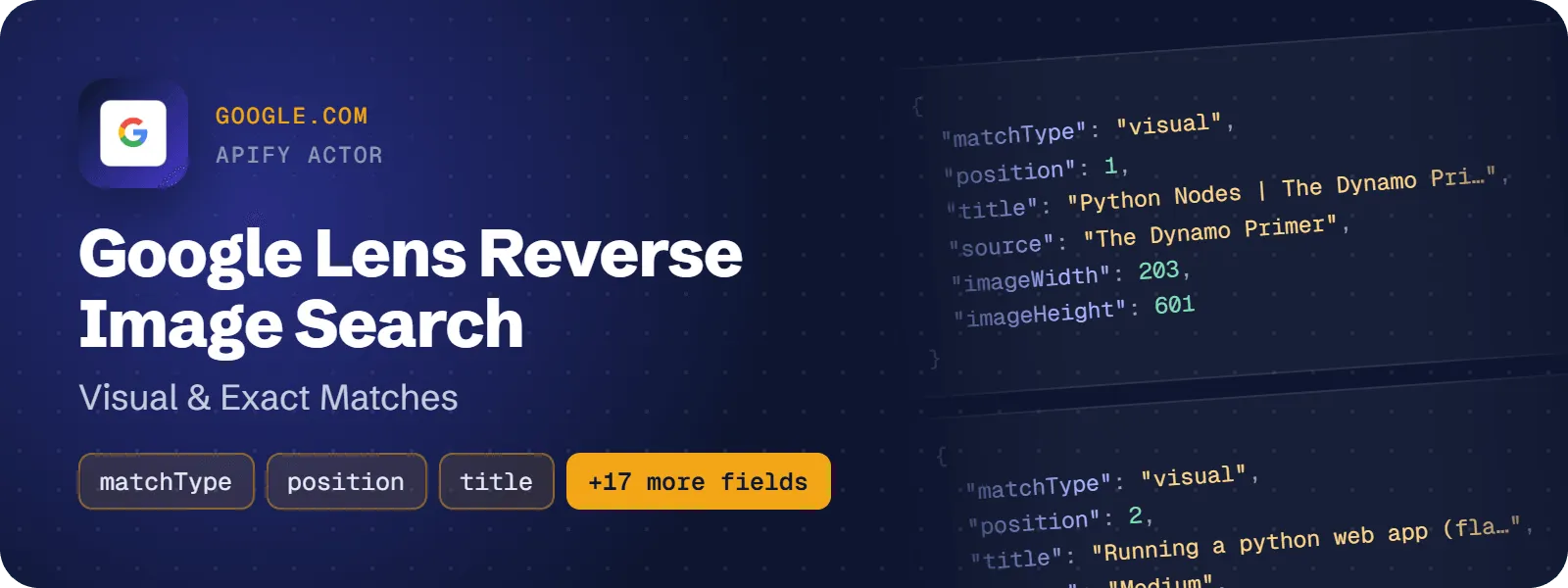
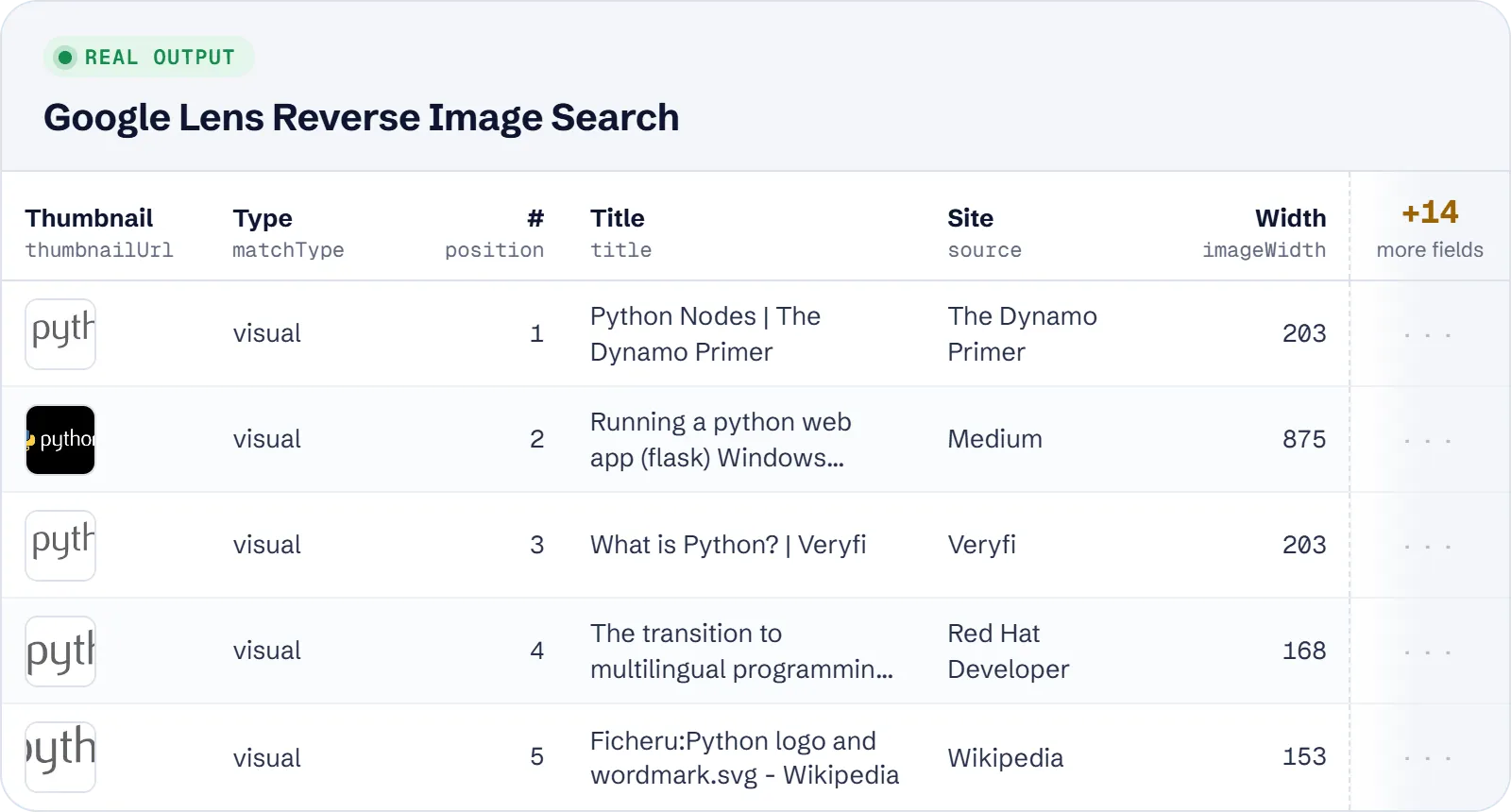
Give image URLs and get Google Lens matches as flat rows. Each row has the matching page URL, page title and site name, plus the image width and height. Visual matches also have the original image URL and a thumbnail. Exact matches add the date label and, when Google shows one, a price and stock label. Every row also names the object Lens recognised (the Lens entity, e.g. "Labrador Retriever" or "Python"), and you can turn on the text Lens reads in the image (OCR).
What does Google Lens Reverse Image Search do?
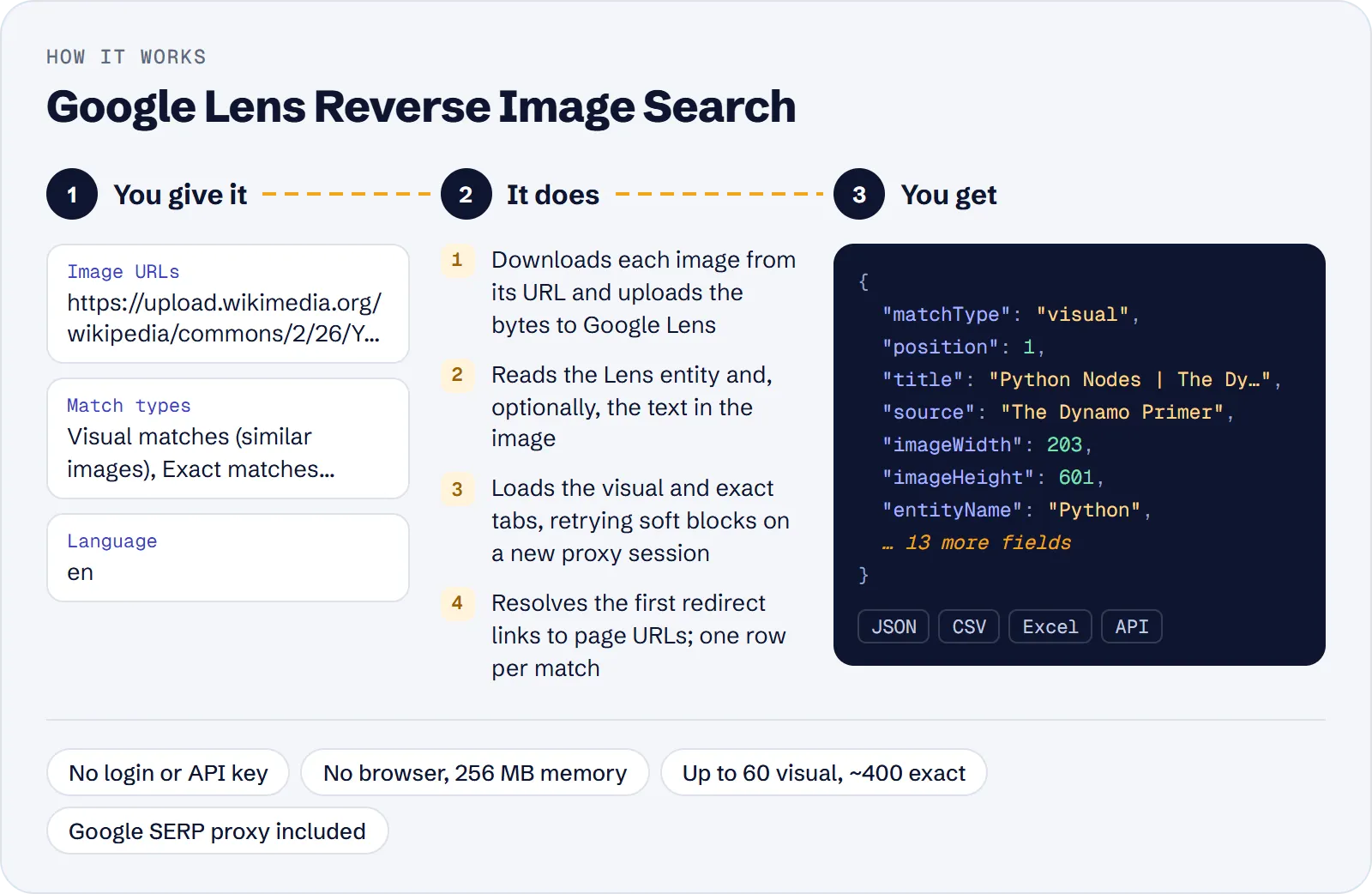
You give direct links to JPEG, PNG, WebP or GIF images. For each one, the actor downloads the image, uploads it to Google Lens and collects one or both Lens tabs:
- visual matches: up to 60 similar images per image;
- exact matches: up to about 400 pages that use the same image.
You get one row per match. It is built for photographers, stock agencies and brand or legal teams who check where their images are used. It also suits shops and market researchers who look up a product from its photo, and OSINT or fact-check teams who need the origin or a larger copy of a picture.
How to do a reverse image search on Google Lens
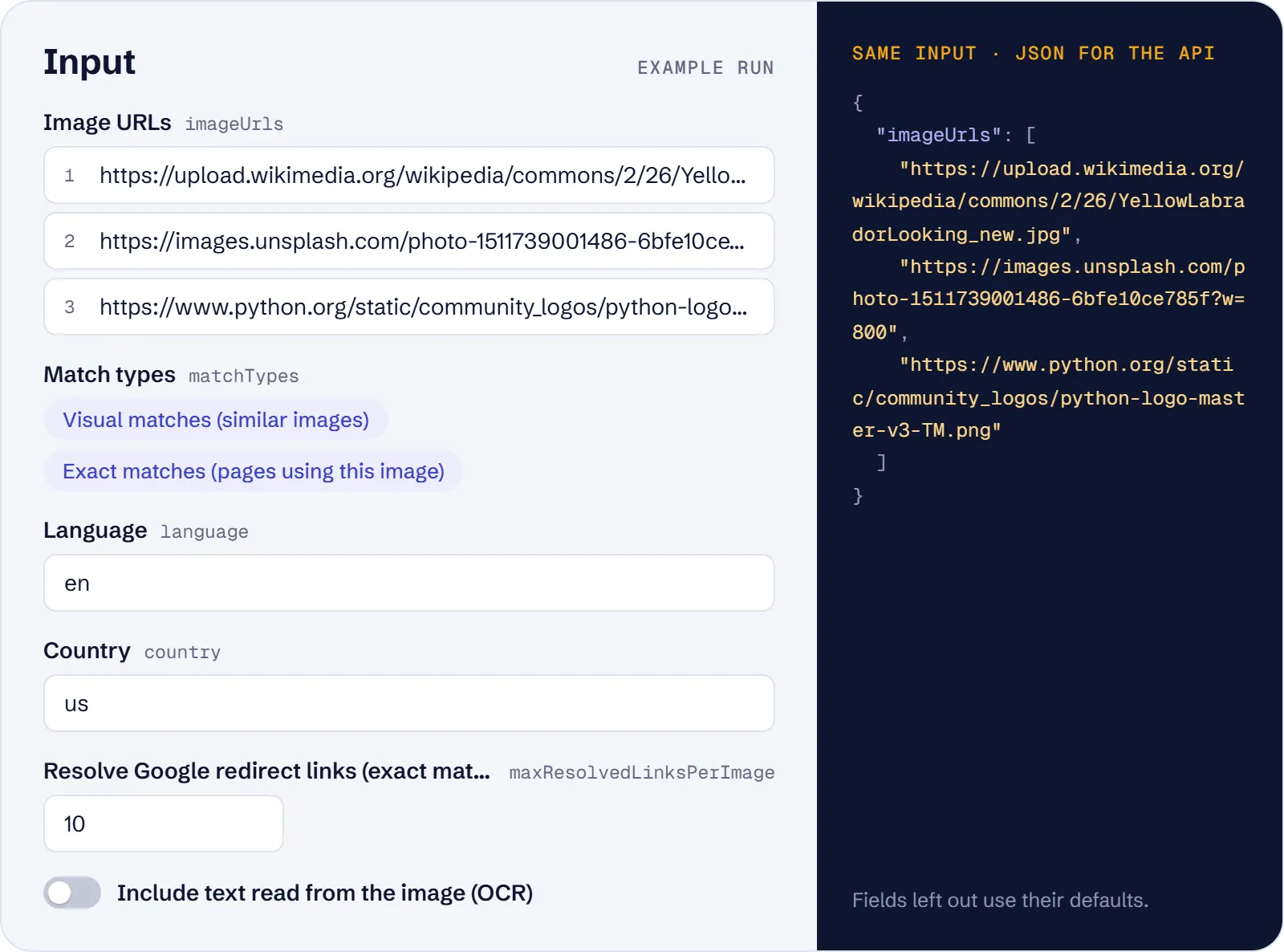
- Open the actor in Apify Console and paste your image links into Image URLs, one per line.
- Under Match types, keep both tabs or pick only visual or only exact matches.
- Optionally set Language and Country, for example
deanddefor German titles and German shops. - Optionally limit the rows with Max matches per image and type or Max rows in total.
- Click Start. Each image takes about 10–20 seconds with both tabs, plus about 1 second for each Google redirect link the actor resolves.
- Download the results as JSON, CSV or Excel, or use the Exact matches view of the dataset.
How much does it cost to scrape Google Lens?
Price per event by Apify plan:
| Event | Free | Bronze | Silver | Gold and above |
|---|---|---|---|---|
| Image search (one match type) | $4.50 per 1,000 | $4.275 per 1,000 | $4.05 per 1,000 | $3.825 per 1,000 |
| Actor start | $0.00005 | $0.00005 | $0.00005 | $0.00005 |
A test run with the API example input below returned 1379 rows in 147 s.
You pay per image search, which is one image × one match type (visual or exact), with all its match rows included. Searching both tabs of one image counts as 2 image searches. There is also a small actor start event ($0.00005 per GB of memory; the actor uses 256 MB).
These cost nothing: an image that cannot be downloaded or is not a JPEG/PNG/WebP/GIF, a match type where Google finds no matches, and the OCR text option.
| Scenario | Image searches | Cost on the Free plan |
|---|---|---|
| 1 image, visual + exact | 2 | about $0.009 |
| 100 images, visual only | 100 | about $0.45 |
| 100 images, visual + exact | 200 | about $0.90 |
| 1,000 images, exact only | 1,000 | about $4.50 |
The costs include the start event. The price does not depend on the number of rows: a visual search with 60 rows and an exact search with 400 rows cost the same.
Input
| Field | What it does |
|---|---|
imageUrls (required) | Direct http(s) links to JPEG, PNG, WebP or GIF images, one per line. The actor downloads each image itself, so hotlink-protected hosts work too. HTML pages, 404 links and other formats are skipped with a warning. Duplicate links are searched once. |
matchTypes | visual (similar images), exact (pages using the same image), or both (the default). Pick at least one. |
language | Google interface language (hl), e.g. en, de, ja, pt-BR. Default en. It localizes the titles and the entity name. |
country | Country Google searches from (gl): a 2-letter code such as us, de or jp, or an English country name such as Germany. Default us. An unknown country is an input error. |
maxMatchesPerImage | Keep only the top N matches (1–400) for each image and match type. Leave it empty to get all. The price stays the same. |
maxResolvedLinksPerImage | Google gives most exact matches as a google.com/goto redirect link. The actor resolves up to this many per image into the real page URL (0–400, default 10, about 1 s each, one at a time). 0 turns it off. |
includeImageText | Adds the text Lens reads in the image (imageText) and its detected language (imageTextLanguage) to every row of that image. Free. Default off. |
maxItems | Stops the run after this many rows in total. |
Example input:
What data can you extract from Google Lens?
| Field | Description |
|---|---|
url | Page where the match was found. For an exact match whose redirect link was not resolved, this is the google.com/goto link, which still opens the page. |
inputImageUrl | The searched image, as you gave it |
matchType | visual or exact |
position | 1-based rank of the match on its Lens tab |
title | Title of the matching page |
source | Site name Google shows |
domain | Host name of the page URL; null while url is an unresolved redirect link |
googleRedirectUrl | Exact matches: the google.com/goto link Google gave. It is kept after it is resolved into url. |
imageUrl | Visual matches: URL of the original matching image, not the thumbnail |
imageWidth, imageHeight | Size of the matching image in pixels |
thumbnailUrl | Visual matches: Google's thumbnail |
publishedAt | Exact matches: the date as YYYY-MM-DD, parsed from English date labels only |
dateText | Exact matches: the date label exactly as Google shows it, in the search language |
price, currency | Exact matches: the price of a product page and its ISO 4217 code (currency is null when the symbol is ambiguous) |
availability | Exact matches: the stock label, e.g. "In stock" |
entityName, entityId | What Lens recognised in the searched image and its Google knowledge-graph id. Every row of an image has the same values. |
imageText, imageTextLanguage | Only with includeImageText: the text read in the image, one line per text line, and its detected language |
scrapedAt | When the row was extracted (ISO 8601) |
A real visual-match row:
An exact-match row from the test recordings, shortened (fields that are null for exact matches are left out):
Use cases
- Image licensing and copyright checks: run exact matches on your photos to see which pages use them, with the size of each copy and its date.
- Identify an object, landmark or stock photo: visual matches give 60 similar images with their pages, and the Lens entity names what is in the picture, for example "Eiffel Tower".
- Find the original or a larger version (OSINT, fact-checking): sort the visual rows by
imageWidth×imageHeightand openimageUrl. The exact rows show where the same picture was posted. - Local product research: set
languageandcountry(e.g.de/de) to get local page titles and a localized entity name. Shop rows includeprice,currencyandavailabilitywhen Google shows them. - Matches plus the text in the image: turn on
includeImageTextto add the text of a sign, label or logo to every row.
Limitations
- Visual matches stop at 60 per image, because Google shows no more pages. Exact matches go up to about 400 per image.
- The actor does not return the Lens "All" tab, AI Mode or AI descriptions, related searches, a products tab, or OCR word boxes.
- Images must be reachable by direct http(s) links. File uploads, base64 and
data:URIs are not supported. SVG, AVIF, HEIC and BMP files are skipped. - Some fields can be empty (null):
title,source,imageWidth,imageHeight: when Google does not show them;domain: whileurlis an unresolved redirect link;googleRedirectUrl: always on visual rows, and on exact rows that Google links directly;imageUrl,thumbnailUrl: always on exact rows;publishedAt,dateText,price,currency,availability: always on visual rows. On exact rows they are filled only when Google shows the label: a date on part of the rows, a price or stock label on only a few (about 1–3%).publishedAtis null for non-English date labels, andcurrencyis null for an ambiguous symbol.entityName,entityId: when Lens recognises no entity, which is common for product photos and signs;imageText,imageTextLanguage: when the image has no text. WithoutincludeImageText, these fields are not in the rows at all.
- The detected text language can be wrong for short text.
- There is no proxy setting: the actor always uses Apify's Google SERP proxy for the result pages and the datacenter proxy for the rest.
Tips and troubleshooting
- 0 rows? Check the log. Each link that is not a direct JPEG/PNG/WebP/GIF image (an HTML page, a 404) is named with a warning. Open the link in a browser and copy the image address itself.
- Want real page URLs for all exact matches? Raise
maxResolvedLinksPerImage(up to 400). Each link adds about 1 second, because links are resolved one at a time. Unresolved rows keep the redirect link inurl, and it still opens the page. - Only need the top results? Set
maxMatchesPerImage, for example 10. It does not lower the price per image search. - Need only one kind of match? Choose a single match type. That halves the cost per image.
languageandcountrycan be combined freely, e.g.jawithus. A country that does not exist (zz) stops the run with an input error.- Up to 3 images are processed at a time. A run stops cleanly at
maxItemsor at your charge limit and keeps all rows saved so far.
API, MCP and integrations
Run the actor from your code with the same JSON input as in Console. Your API token is in Console → Settings → API & Integrations.
Python (pip install apify-client):
Node.js (npm install apify-client):
HTTP — one request runs the actor and returns the results (runs up to 5 minutes; longer ones: run asynchronously):
AI agents (MCP). Add the actor as a tool of the Apify MCP server. Claude Code:
Claude Desktop, Cursor or VS Code: {"mcpServers": {"apify": {"url": "https://mcp.apify.com?tools=genial_candlestand/google-lens-reverse-image-search"}}}. Then ask, for example:
- "Find every page that uses the image https://upload.wikimedia.org/wikipedia/commons/2/26/YellowLabradorLooking_new.jpg"
- "What is in this photo and what looks like it? https://images.unsplash.com/photo-1511739001486-6bfe10ce785f?w=800"
- "German Lens matches (de, de) for https://upload.wikimedia.org/wikipedia/commons/2/26/YellowLabradorLooking_new.jpg"
Integrations. Run it on a schedule with Apify Schedules and send the results to Google Sheets, Slack, Zapier, Make, n8n or your webhook — see Apify integrations.
FAQ
Is it legal to scrape Google Lens?
The actor collects only public search results that Google Lens shows without a login. You are responsible for how you use the data and the images you search. The results contain page titles, sites and image links, and no personal data beyond what those public pages show.
Do I need a Google account or an API key?
No. You only need direct image links. The Apify proxy is included in the run.
Can I search an image from my computer?
Not directly. Put it somewhere that gives a direct public http(s) link to the image file, then use that link.
Why is the url of some exact matches a google.com/goto link?
Google links most exact matches through a redirect. By default the actor resolves the first 10 per image into real page URLs; maxResolvedLinksPerImage raises or lowers that number. The redirect link is always kept in googleRedirectUrl.
How is it different from other Google Lens actors?
It returns one flat row per match instead of one nested row per image, removes duplicate matches, and resolves Google's redirect links into real page URLs. The Lens entity comes on every row, and the OCR text is included at no extra charge. It works over plain HTTP without a browser, on 256 MB of memory. It charges once per image × match type, with no minimum number of matches, and it does not charge for tabs without matches or for broken links.
Also useful
- Google Images Scraper — search Google Images by keyword to get image URLs, sizes and source pages
- Adobe Stock Scraper — check whether a photo is sold on Adobe Stock with its reverse image and similar search
- Pinterest Search Scraper — search Pinterest pins by keyword, with their images and outbound links
- 1688 Image Search Scraper — find wholesale suppliers on 1688 for a product photo
- Google Search Scraper — follow up on an entity Lens found with organic results, ads and People also ask


