
Pinterest Pin Details Scraper | Video, Image & Stats
Pricing
from $2.13 / 1,000 pin details
Pinterest Pin Details Scraper | Video, Image & Stats
Get Pinterest pin details from pin links, pin.it short links or ids: direct MP4 and HLS video URLs, full-size image, title, description, saves, repins, comments, shares, reactions, creator and board. Image, video, carousel and idea pins. Flat rows, no login.
Pricing
from $2.13 / 1,000 pin details
Rating
0.0
(0)
Developer

Flowo
Maintained by CommunityActor stats
0
Bookmarked
2
Total users
1
Monthly active users
8 days ago
Last modified
Categories
Features
Share
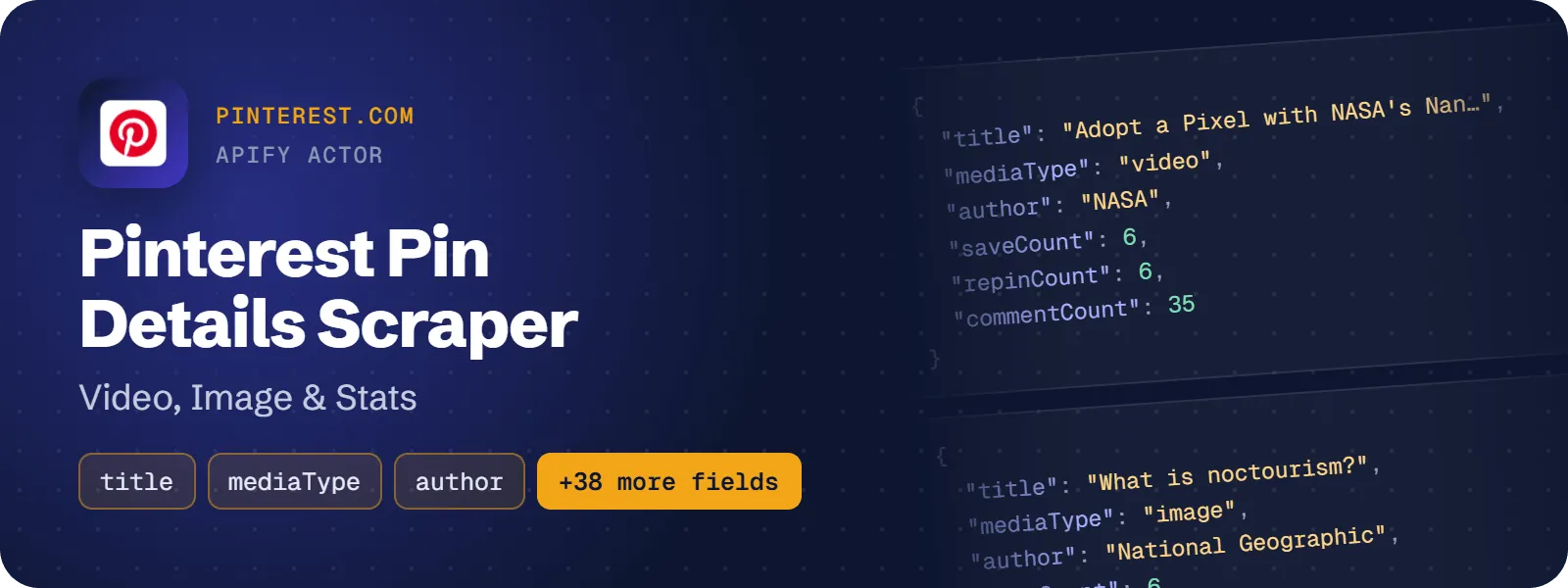
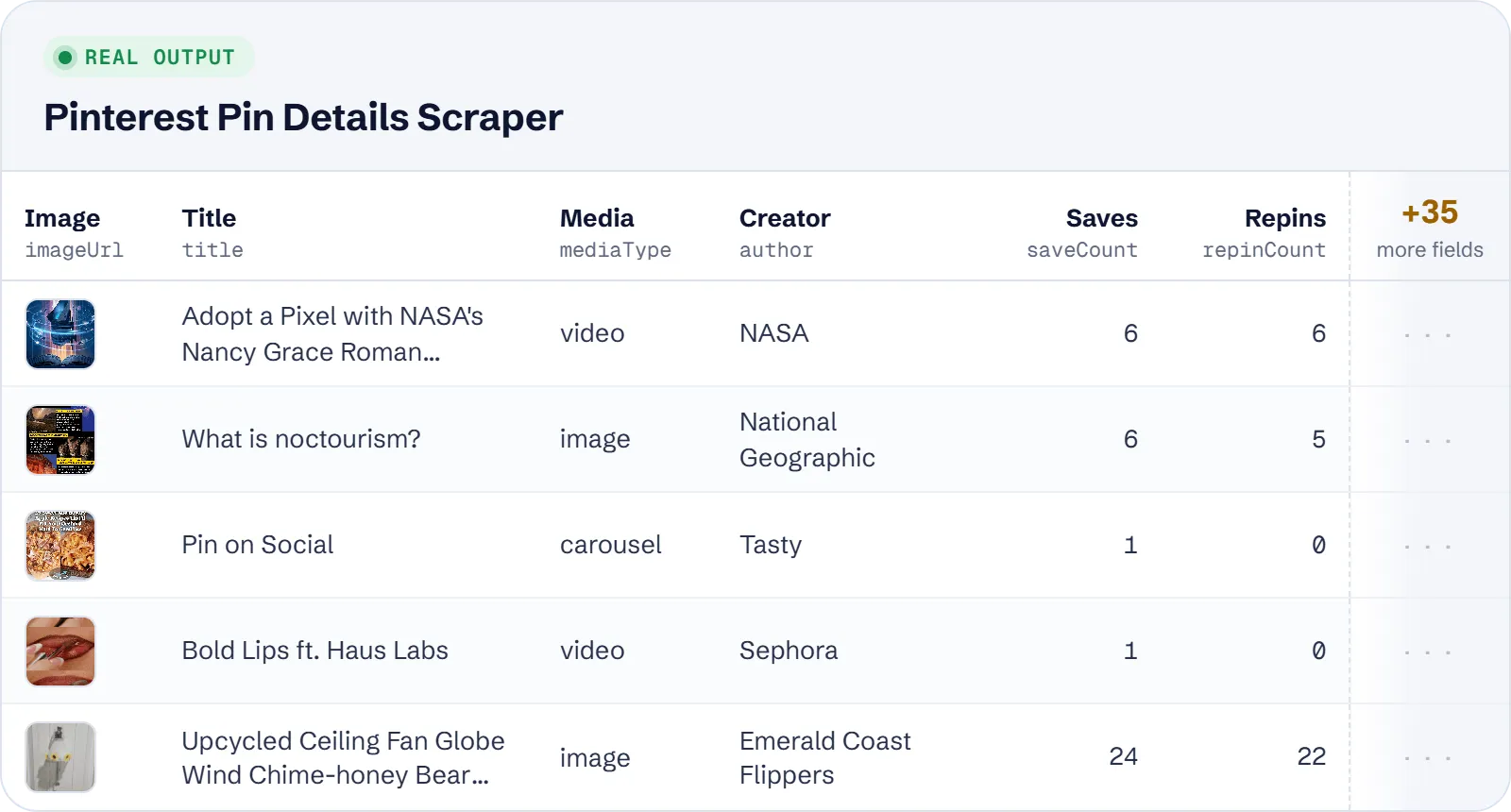
Paste Pinterest pin links, pin.it short links or pin ids and get one flat row per pin. Each row has the direct MP4 video link and HLS stream, the full-size image, the title and description, and the save, repin, comment, share and reaction counts. It also gives the outbound link, the creator with their follower count, and the board. Image, video, carousel and idea pins all work. No login or cookies are needed.
What does Pinterest Pin Details Scraper do?
You give it a list of pins you already have, from a browser, a phone's share button, a spreadsheet or another scraper. For each pin it returns one row with the media links (MP4 video, HLS stream, original image, carousel images), engagement counts, publish date, outbound website, creator and board. It is made for marketers, social media managers, content researchers, archiving tools and AI agents that need the details of these exact pins. Pin links that don't work are named in the run log, and you don't pay for them.
How to scrape Pinterest pin details and videos
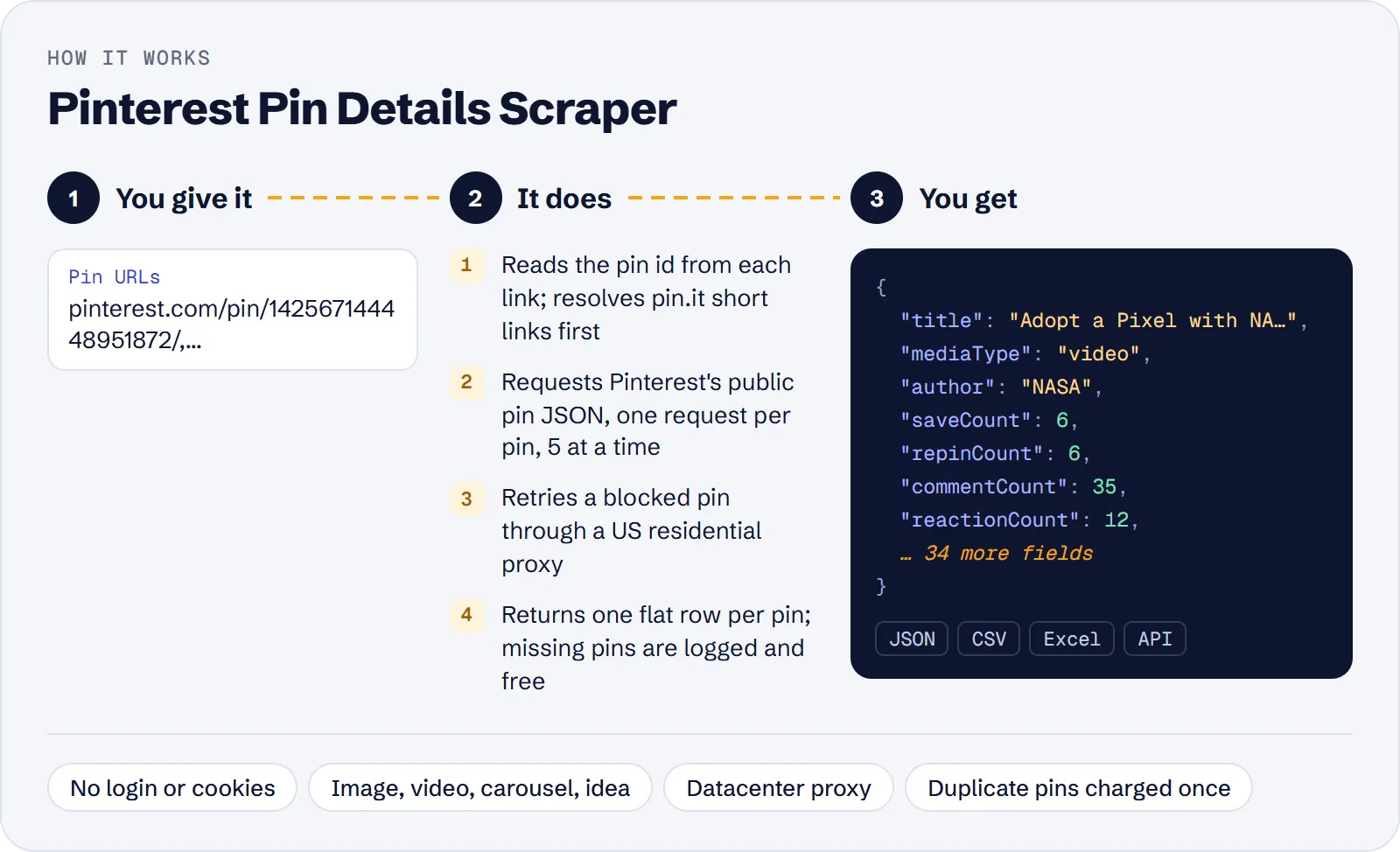
- Open the actor in Apify Console.
- Paste pin links into Pin URLs, one per line. You can also put numeric ids into Pin IDs.
- Optionally set Max pins to cap the run.
- Click Start and wait. With the default proxy the actor fetches about 1 pin per second, 5 at a time.
- Download the results as JSON, CSV or Excel, or read them through the API.
How much does it cost to scrape Pinterest pins?
Price per event by Apify plan:
| Event | Free | Bronze | Silver | Gold and above |
|---|---|---|---|---|
| Pin details | $2.50 per 1,000 | $2.375 per 1,000 | $2.25 per 1,000 | $2.125 per 1,000 |
| Actor start | $0.00005 | $0.00005 | $0.00005 | $0.00005 |
A test run with the API example input below returned 5 rows in 15 s.
One paid event (pin) is one pin saved to the dataset as one row. Each run also has a small start fee of $0.00005. You are not charged for pins that don't exist (deleted, private or wrong ids), dead pin.it links, rejected links (profiles, boards, searches, other sites), or pins that fail. A pin given twice in the same run is fetched and charged only once.
| Scenario | Events | Cost on the Free plan |
|---|---|---|
| The 5 prefilled example pins | 5 pins + start | about $0.013 |
| 100 pins from a campaign spreadsheet | 100 pins + start | about $0.25 |
| 1,000 pins for an engagement audit | 1,000 pins + start | about $2.50 |
| 10,000 pins for a content library | 10,000 pins + start | about $25.00 |
Input
| Field | Type | What it does |
|---|---|---|
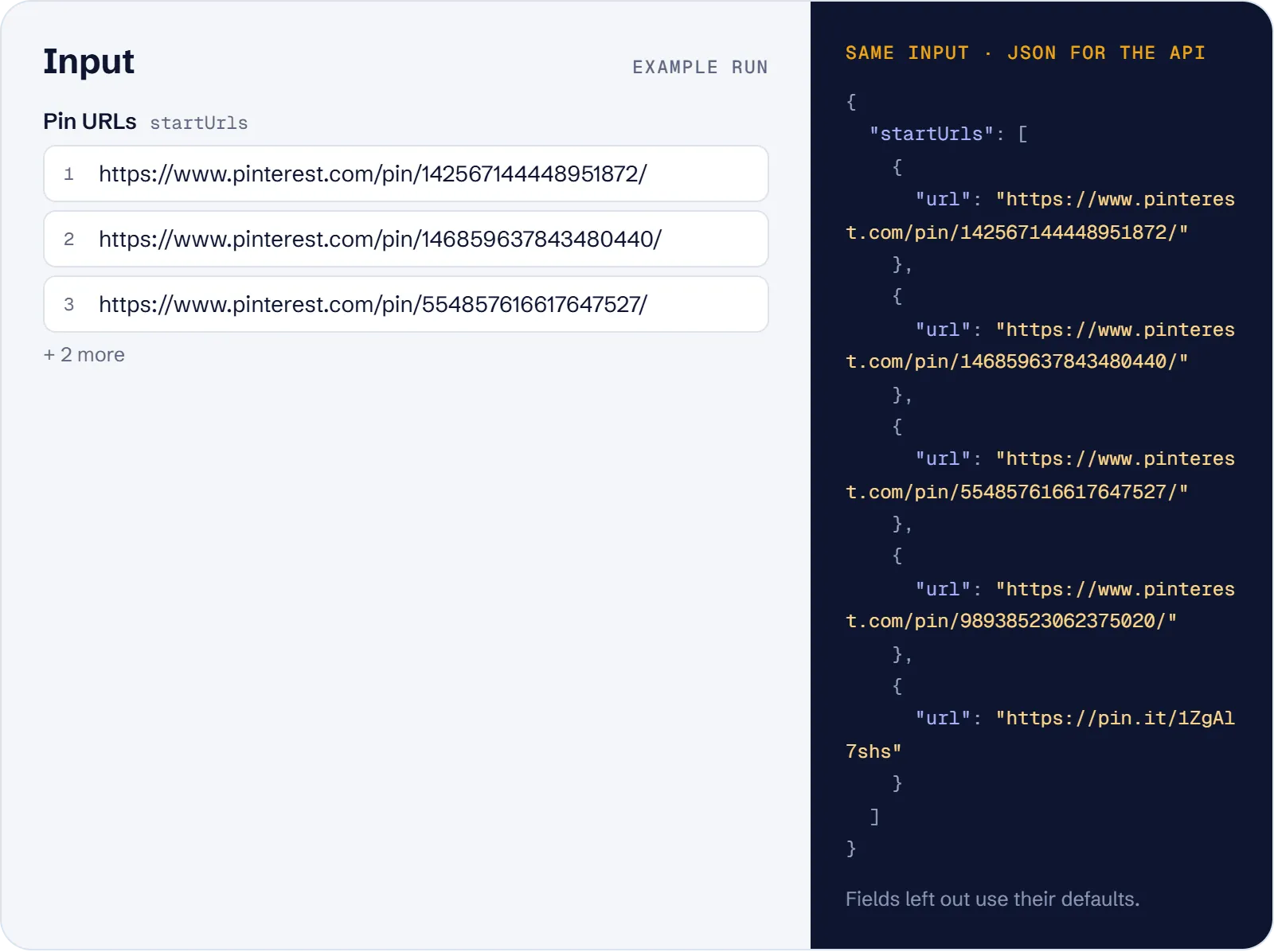
startUrls (Pin URLs) | array of links | Pin links, one per line. Accepted forms: https://www.pinterest.com/pin/<id>/, country hosts (de., fr., uk.pinterest.com…), /pin/<title>--<id>/, /pin/<id>/sent/?invite_code=… and https://pin.it/<code> short links. A bare numeric id also works. |
pinIds (Pin IDs) | array of strings | Numeric pin ids (5–20 digits), e.g. 98938523062389809. Combined with Pin URLs. |
maxItems (Max pins) | integer, min 1 | Stop after this many pins are saved. Leave it empty to fetch every pin you gave. |
proxyConfiguration (Proxy) | object | Apify datacenter proxy by default. A pin that gets blocked is retried once through a US residential proxy automatically. |
You must give at least one pin in Pin URLs or Pin IDs. Profile, board and search URLs are not supported. Neither are obfuscated e1_… ids that Pinterest shows in logged-out feeds.
What data can you extract from Pinterest pins?
| Field | Meaning |
|---|---|
url, id, inputUrl | Canonical pin URL, numeric pin id, and the input (URL, pin.it link or id) that produced the row |
title, description, altText | Pin title, description and alt text |
mediaType, pinType | image, video or carousel; regular or story (idea pin) |
imageUrl, imageWidth, imageHeight | Full-size original image (the cover image for video pins) |
videoUrl, videoUrlDerived | Direct 720p MP4 link. videoUrlDerived is true when the MP4 was built from the HLS path (idea pins), false when Pinterest gave it, null for non-video pins |
videoHlsUrl, videoDurationMs, videoWidth, videoHeight, videoThumbnailUrl | HLS .m3u8 stream, duration in milliseconds, video size and thumbnail |
carouselImageUrls | List of image URLs of a carousel pin |
storyPageCount | Number of pages of an idea pin |
outboundUrl, outboundDomain | The website the pin links to, and its domain |
publishedAt | When the pin was created (ISO 8601) |
saveCount, repinCount, commentCount, shareCount, reactionCount | Engagement counts |
hashtags, dominantColor | Hashtags (often empty) and the image's main color (#rrggbb) |
author, authorUsername, authorId, authorUrl, authorFollowerCount | Who posted the pin, and their follower count |
boardId, boardName, boardUrl | The board the pin is saved to |
isPromoted, isRepin | Whether the pin is promoted, and whether it is a repin |
scrapedAt | When the row was scraped |
A real row for a NASA video pin (description and alt text shortened):
Use cases
- Get the video file from a pin: paste a pin link and get the direct MP4 link, the HLS stream, the duration and the size.
- Resolve links shared from a phone: pin.it short links are resolved to the pin.
inputUrlkeeps the original short link, so you can match the row back to your source. - Audit engagement of many pins: send hundreds or thousands of pin URLs in mixed forms and get saves, repins, comments, shares, reactions, publish date, creator follower count and board in flat columns.
- Look up pins by id from code or an AI agent: pass numeric ids in
pinIdsand get one row per id. - Build a content library: collect original images, carousel image lists and idea pin videos with their titles and outbound links.
Limitations
- Only single pins. Profiles, boards, search results and
/ideas/pages are rejected with a warning. - Obfuscated
e1_…pin ids (as copied from logged-out search or board pages) cannot be resolved. Open the pin and copy its numeric URL instead. - Deleted, private or wrong pins return no row. A warning names each one, and they are not charged.
- The MP4 is 720p. For idea pins where Pinterest gives only an HLS stream, the MP4 link is built from the HLS path (
videoUrlDerived: true). - The actor returns media links. It doesn't download or re-host the files.
- View counts and comment texts are not available without a login, so they are not returned.
- Many fields can be empty depending on the pin:
description,altText,outboundUrl/outboundDomain(nullwhen the pin was uploaded without a link),saveCount, andhashtags(usually empty). Video fields arenullfor image and carousel pins.
Tips and troubleshooting
- The run failed right away: you gave no pins, or none of your inputs is a usable pin link or id. The log lists each rejected input and the reason.
- Fewer rows than links: check the log. Each skipped input has its own warning (not found, unsupported link, failed), and the final status message counts them. Duplicate pins, even in different URL forms, give one row.
- Mixed lists are fine: you can mix
/pin/<id>/links, country hosts,slug--idlinks, pin.it links and bare ids in Pin URLs, and use Pin IDs at the same time. - Proxy: the default datacenter proxy is enough for Pinterest. Blocked pins fall back to a US residential proxy on their own. You can also turn the proxy off.
- Test first: set Max pins to a small number on your first run with a large list.
API, MCP and integrations
Run the actor from your code with the same JSON input as in Console. Your API token is in Console → Settings → API & Integrations.
Python (pip install apify-client):
Node.js (npm install apify-client):
HTTP — one request runs the actor and returns the results (runs up to 5 minutes; longer ones: run asynchronously):
AI agents (MCP). Add the actor as a tool of the Apify MCP server. Claude Code:
Claude Desktop, Cursor or VS Code: {"mcpServers": {"apify": {"url": "https://mcp.apify.com?tools=genial_candlestand/pinterest-pin-details-scraper"}}}. Then ask, for example:
- "Get the MP4 video link of this Pinterest pin: https://www.pinterest.com/pin/142567144448951872/"
- "Show saves, repins, comments and the board of the Pinterest pin https://pin.it/1ZgAl7shs"
- "Compare engagement of Pinterest pins 146859637843480440 and 98938523062389809"
Integrations. Run it on a schedule with Apify Schedules and send the results to Google Sheets, Slack, Zapier, Make, n8n or your webhook — see Apify integrations.
FAQ
Is it legal to scrape Pinterest?
The actor reads only public pin data that Pinterest shows to logged-out visitors. It uses no login and no cookies. You are responsible for how you use the data, including copyright on images and videos and privacy rules where you live.
Does it work for image pins too, or only videos?
All pin types work: image, video, carousel and idea (story) pins. mediaType and pinType tell you which one you got. Video fields are null for pins without a video.
Can I download the video?
Yes. Open or download the videoUrl MP4 link, or use videoHlsUrl with an HLS player. The actor itself doesn't store the files.
What happens with pins that don't exist?
They return no row and are not charged. The log has a warning naming the input, and the status message counts the skipped inputs.
How is it different from other Pinterest video downloader actors?
Every media link and count is its own flat column (videoUrl, videoHlsUrl, authorUsername, saveCount…), not a nested object. You get all five engagement counts, the creator's follower count and the board for every pin type. The price is $2.50 per 1,000 pins on the Free plan. The leading pin video downloader charges $2.65.
Also useful
- Pinterest Search Scraper — find pins by keyword with images and outbound links, then get their full details here
- TikTok Video Details Scraper — get stats, author and transcript of TikTok videos for the same content research
- Instagram Profile Scraper — check followers, bio and links of the creators you track on Instagram
- Google Images Scraper — collect image URLs, sizes and source pages from Google Images for a visual library
- YouTube Channel Scraper — list a brand's YouTube videos and Shorts next to its Pinterest pins


