

X (Twitter) Quotes Scraper | $0.00015/Tweet | Pay-Per-Result
Pricing
from $0.00015 / tweets
X (Twitter) Quotes Scraper | $0.00015/Tweet | Pay-Per-Result
Twitter quote tweets scraper. See the quote tweets of X posts from $0.00015 per delivered tweet on every Apify plan. Each has full text, media, counts & author. Use 11 filters & read many posts in 1 run. No X login. World's fastest & cheapest X (Twitter) scraper service. Not affiliated with X Corp.
Pricing
from $0.00015 / tweets
Rating
0.0
(0)
Developer

Xquik
Maintained by CommunityActor stats
1
Bookmarked
14
Total users
9
Monthly active users
a day ago
Last modified
Categories
Share
English · Español · Türkçe · 简体中文 · 日本語 · 한국어 · Deutsch · Français · Italiano
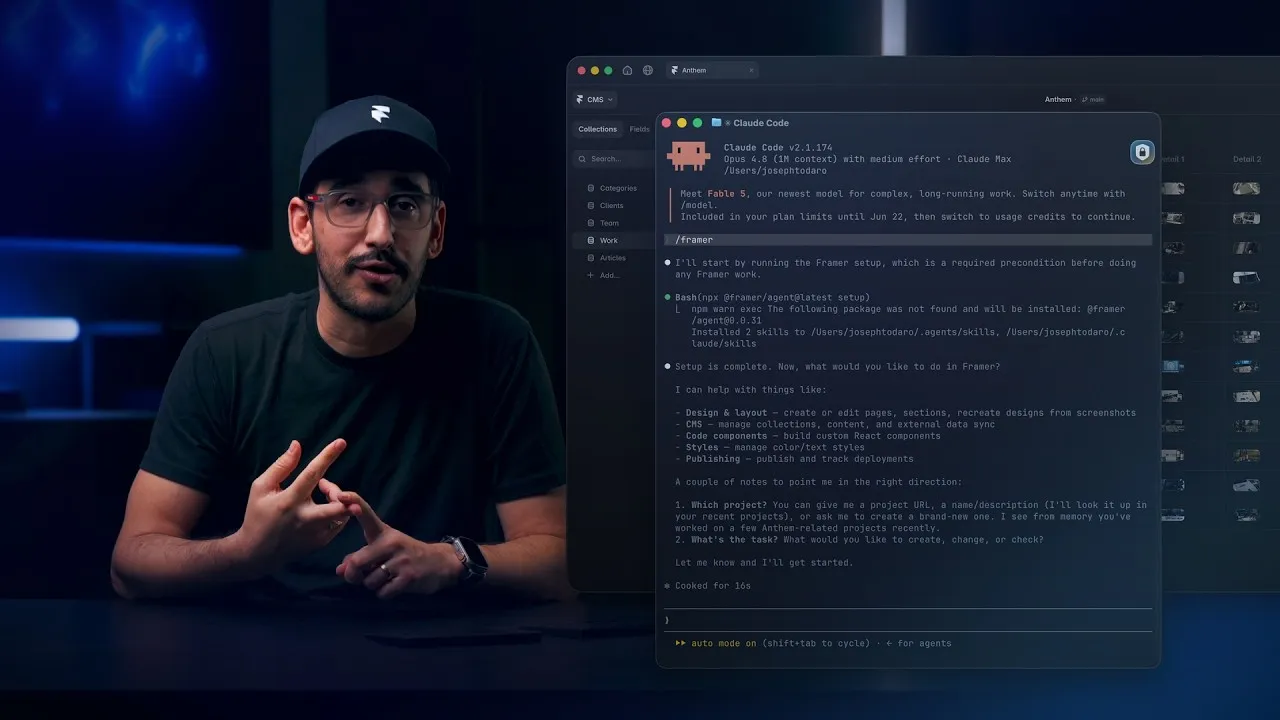
Watch how Framer uses Xquik scrapers
with Claude Code, Codex, Cursor & more, from 6:07.
Xquik is the world's fastest & cheapest X (Twitter) scraper service with the most complete X data. Xquik's X Quote Tweets Scraper collects the posts that quote public X posts, with no X cookies or login. Most other Apify Actors charge before filtering or deduplicating. Xquik charges only for delivered, unique, filter-matching results.
Paste post URLs or Tweet IDs & get every quote X serves for each post in 1 run. Each row holds the quote, its author's full public profile & the quoted post. You pay $0.00015 per delivered row, & Apify bills platform usage separately.
Xquik is an independent third-party service. Not affiliated with X Corp. "Twitter" and "X" are trademarks of X Corp.
Why use X Quote Tweets Scraper?
- 1 row per person. Turn on
uniqueAuthorsto see who quoted a post, once each. Later quotes by the same author cost nothing. - Newest or top quotes. Set
sorttolatestfor new quotes, ortopfor the ones X ranks highest. - 11 quote filters. Filter by language, dates, media type, verified authors & 6 minimum counts.
- Many posts in 1 run. Paste
x.comortwitter.compost URLs, or Tweet IDs. Cap the run withmaxItems& each post withmaxItemsPerTarget. - Tables ready to export. "Quote Tweets" lists each quote with its counts. "Quote Authors" lists who quoted each post. Export JSON, CSV, Excel, XML or RSS.
Complete results
- Each answer holds the fullest data X has for it.
Accurate rows
- Language filters work for every language X tags.
- Language, date & engagement filters hold on every row you get.
- Reposts carry the full original text.
- Every ID in a row stays exact.
- Mentions, links, hashtags & highlights line up with the text.
- A count that isn't known is listed in
unknownCounts, never shown as 0. - Verified badges match what
x.comshows. - Rows hold public data only.
- Quote searches return every real quote & nothing else.
- Ads & promoted entries never reach your rows.
Fresh data
- Reads keep working when X ships changes.
Speed
- One slow page doesn't hold up your run.
- Reads finish the moment their rows arrive.
- Stalled Actor calls recover on their own.
Fair billing
- Bad input costs nothing & tells you what to fix.
- Actors charge only for delivered, unique, matching rows.
- A restarted run never charges twice.
- Runs stay within your spend cap & still write their diagnostics.
- Small runs end with a tip that cuts cost.
Reliability
- A one-off error doesn't fail your run.
- A deadline returns the rows already found, with diagnostics.
- Actors ride out short Xquik outages.
- Actor runs survive restarts without repeats.
- One bad row doesn't sink a batch.
- Stopped runs keep their rows & their report.
- A run that can't start still explains itself.
- Support can see exactly what a request or run returned.
Built for agents
- Actors accept input written for other Actors.
- Output is ready for spreadsheets, with flat columns & engagement totals.
- Every run says why it ended & whether to retry.
Rich data
- Posts carry note text, edits, Community Notes, reach labels, reply controls & live events.
- Rows carry source apps, media counts & professional account data.
- Media comes with variants, alt text, sizes & availability reasons.
Quality checks
- Every field X shows is served, left out on purpose or proven absent.
- Xquik tests every read live against X.
What data can X Quote Tweets Scraper extract?
- The quote's full text, link, language & post time.
- Likes, replies, reposts, quotes, views & bookmarks.
- The author's full public profile, with name, bio, followers, verification & more.
- Photos, videos & GIFs with their links.
- Hashtags, mentions & links found in the text.
- The quoted post itself, in the same shape.
sourceTarget, the input post the row quotes.position, the row's place in the run, &scrapedAt, its delivery time.
How to scrape quote tweets
New to Apify? Create a free account first. The free plan needs no credit card & gives $5 to spend each month. At $0.00015 per tweet, $5 pays for up to 33,000 tweets before platform usage. Then come back here & press Try for free.
- Open Xquik's X Quote Tweets Scraper in Apify Console.
- Paste post URLs into
startUrlsor Tweet IDs intotweetIds. - Set
maxItemsto cap delivered rows, then click Start. - Download the dataset as JSON, CSV or Excel, or use the Apify API.
You enter no X cookies, login or API key at any step. You carry no page cursor between runs.
Input
startUrls takes each post URL as a plain string or as a { "url": "..." }
object. tweetIds takes Tweet IDs, & a post URL works there too.
Order, filters & caps go beside the posts.
sortislatestfor the newest quotes first, ortopfor the quotes X ranks highest.includeReplieskeeps replies that quote the post. It is on unless you turn it off.uniqueAuthorskeeps each author's first quote of the run. The dataset then holds 1 row per author, not per quote. You pay for the rows delivered.maxItemscaps the whole run &maxItemsPerTargetcaps each post.- The filters are
language,sinceDate,untilDate,mediaType,minLikes,minReplies,minRetweets,minQuotes,minViews,minBookmarks&verifiedOnly.
A post the input names twice is read once. tweetUrls, tweetId, tweets &
tweet_id work as other names for the posts. Small runs that go well skip
run-report & save Apify usage. Turn on alwaysSaveRunRecords to write it on
every run.
Output
Each quote is 1 dataset row with id, url, text, createdAt, lang,
likeCount, replyCount, retweetCount, quoteCount, viewCount,
bookmarkCount, media, entities, author, quotedTweetId &
quoted_tweet. The Actor adds sourceTarget, position, scrapedAt &
resultType. Missing source fields stay absent. Xquik's X Quote Tweets Scraper
invents no values.
Examples use sample values. Results reflect live data. A row looks like this.
position counts delivered rows from 1, after filters & deduplication. The
dataset has 2 table views. "Quote Tweets" shows each quote with its counts.
"Quote Authors" shows who quoted each post, with the author's profile fields as
columns.
Output columns
8 inputs shape each row after the run reads it. They run no code & change no price.
| Field | What it does |
|---|---|
fields | Keep only these fields, in the order & spelling you write |
omitFields | Drop these fields & keep the rest |
renameFields | Move a field to a column with a new name |
flatten | Turn each nested object into top-level columns |
fillMissingFields | Fill a kept field a row lacks with null. On by default |
joinFields | Turn each of these lists into 1 text value |
joinSeparator | Text between joined items. The default is a comma & a space |
constantFields | Add a column with the same text on every row |
- Use a dot for a field inside an object. Case & underscores do not matter.
- Every row keeps its
id. - With
fields, a field a row lacks arrives asnull. Every row then has the same columns. - A wrong field name stops the run before it reads & charges nothing.
- If names cannot be checked, the run reads on & lists unseen names last.
- The run ignores a map function or jq filter written for another Actor.
Name a computed column in fields or renameFields to add it.
| Column | Formula |
|---|---|
totalEngagement | likeCount + replyCount + retweetCount + quoteCount. A missing count adds 0 |
engagementRate | totalEngagement × 100 ÷ the author's followers, to 4 decimals |
engagementPerView | totalEngagement × 100 ÷ viewCount, to 4 decimals |
totalEngagement is null for a row without those counts. A rate is null
when its divisor is missing or 0.
What X serves
2 limits come from X, & Xquik's X Quote Tweets Scraper states them plainly.
- X may not serve every quote of a post. A run reads every quote X serves & stops there.
topis X's ranking, not Xquik's. It is not a like count order. A later row can have more likes than an earlier one.
How much does it cost to scrape quote tweets?
Every Apify plan costs $0.00015 per delivered row. Apify bills your platform usage separately.
For more volume, pick an Apify plan with more prepaid usage.
- One charge per delivered data row. Diagnostics are free in
diagnostics. - No start fee.
- A post X does not have adds no row & no charge.
- Filters &
uniqueAuthorsrun before billing, so a dropped quote costs nothing. - Deduplication runs before billing.
- Apify maximum-total-charge settings cap delivered rows.
Limits & recovery
Xquik's X Quote Tweets Scraper reads many posts in 1 run. Delivered rows & progress survive an Apify restart. The Actor adds no time limit of its own. It respects any Apify timeout you set.
The run status names the posts X has no match for & says to check the URL or ID.
Interrupted extraction writes a free partial diagnostic. Available results
stay intact. Read availableResults, failedTargets, retryable &
nextAction before you retry. A successful Actor exit confirms delivery, not
complete extraction.
The run status names every cause of an early stop. stopCauses lists each cause
with its own message, retryable & nextAction. The run is retryable when
any cause is.
Related Xquik Actors
Every Xquik Actor shares the same extraction engine, filter-first billing & diagnostics. Pick the one that matches the data you need.
- X Tweet Scraper scrapes tweets from searches, profile timelines, Lists & tweet IDs with 50+ filters & flat exports. Use it when you need tweet data without analysis. From $0.00015 per row.
- X Profile Scraper scrapes profiles plus their posts, replies, media & followers from handles, IDs or URLs. Use it when you start from accounts rather than searches. From $0.00015 per row.
- X Reply Scraper scrapes replies, comments & whole conversations under posts with 25+ filters. Use it when you need the discussion beneath tweets. From $0.00015 per row.
- X Engagement Scraper scrapes replies, quotes, retweeters & threads for post URLs or IDs in bulk. Use it when you measure who engaged with posts. From $0.00015 per row.
- X Follower Scraper scrapes followers, following, List members, subscribers & Community members as profile rows. Use it when you need audience or member lists. From $0.00015 per profile.
- X User Search Scraper searches users by handle, bio & location with follower, verification, age & location filters. Use it when you build account lists from search. From $0.00015 per profile.
- X Account Location Scraper checks where accounts are based with X's "Account based in" label, "connected via" & username changes. Use it when you vet where accounts are based. From $0.00015 per account.
- X Email Scraper gets the emails, phones & links accounts publish on their profiles, from handles, followers or user searches. Use it when you need the emails profiles publish. From $0.00015 per profile.
- X List Scraper scrapes List posts, members & followers from List URLs or IDs. Use it when a curated List defines your sources. From $0.00015 per row.
- X Community Scraper scrapes Community info, posts, searches, members & moderators. Use it when your sources are X Communities. From $0.00015 per row.
- X Space Scraper finds Spaces by keyword & reads their titles, states, times, listener counts, hosts & speakers. It also reads broadcasts by URL or ID. Use it when you track live audio & video on X. From $0.00015 per Space or broadcast.
- X Trends Scraper scrapes real-time trends by location with rank, volume, query & WOEID. Use it when you track what is trending where. From $0.00015 per trend.
- X Jobs Scraper scrapes X job listings by keyword, place, workplace, seniority & company, with salaries & apply links. Use it when you collect job openings posted on X. From $0.00015 per job.
- X Article Scraper scrapes long-form X Articles as Markdown & text with covers, authors, dates & metrics. Use it when you need article bodies, not tweets. From $0.00015 per article.
- X Media Downloader extracts or stores photos, videos & GIFs from posts or profiles with MP4 & metadata options. Use it when you need the media files themselves. From $0.00015 per media row.
- X (Twitter) Brand Monitoring with AI Analysis tracks brand mentions with AI relevance, sentiment & customer-experience answers & compares runs. Use it when you watch a brand over time. From $0.0003 per analyzed tweet.
- X Tweet Sentiment Analysis with AI labels attitude, intensity & sarcasm probability for every tweet with AI. Use it when you need general sentiment on any topic. From $0.0003 per analyzed tweet.
- X (Twitter) Stock & Crypto AI Trading Signals labels bullish, bearish, neutral or mixed stance, content type, conviction & asset relevance with AI. Use it when you follow stocks, crypto or trading talk. From $0.0003 per analyzed tweet.
- X (Twitter) News Monitor with AI Analysis labels news posts by format, source attribution & topic relevance with AI. Use it when you separate reporting from commentary. From $0.0003 per analyzed tweet.
- X Tweet Classifier with AI Analysis answers your own category, score & yes/no questions for every tweet with AI. Use it when the preset analyses do not fit your labels. From $0.0003 per analyzed tweet.
- X Tweet Viral Score Analyzer with AI estimates a Viral Score from 0 to 100 & a verdict for every tweet from 8 AI trait answers. Use it when you study why tweets spread or flop. From $0.0003 per analyzed tweet.
- X (Twitter) Monitor catches every new tweet, reply, quote, repost & profile change of accounts, usually in under a second after X shows it, plus keyword tweets & follows. Use it when you need alerts as soon as X shows a tweet. From $0.0045 per monitor-hour.
- X (Twitter) to Discord Bot sends every new tweet, reply, quote & repost of accounts to a Discord channel through its webhook, with no bot to host. Use it when you want an account's tweets in a Discord channel. From $0.0045 per monitor-hour.
- X (Twitter) Crypto Tracker tracks the tweets, deleted tweets, profile changes & follows of crypto accounts & KOLs, plus cashtag tweets. Use it when you act on what crypto accounts post or follow. From $0.0045 per monitor-hour.
- X (Twitter) Follower Tracker tracks the new & lost followers of an account, & whom it follows or unfollows, with each account's full profile. Use it when you read an account's followers or follows as a signal. From $0.0045 per monitor-hour.
- X (Twitter) Post Tracker records the views, likes, reposts, replies, quotes & bookmarks of chosen posts on each run, with the change since the last run. Use it when you track how posts perform over time. From $0.00015 per snapshot.
FAQ
Answers to common questions, then where to get help.
Do I need X cookies, an API key or a login?
No. Xquik's X Quote Tweets Scraper needs no X cookies, API key, login or credentials. Every read runs on Xquik's infrastructure.
Can I scrape the quotes of many posts in 1 run?
Yes. Paste as many post URLs or Tweet IDs as you need. Each row's sourceTarget
says which post it quotes.
How many quotes can 1 run return?
A run can return 100,000 rows & more. Raise maxItems above the 1,000 the form
starts with for a full export.
Why does a post with many quotes return fewer than its counter shows?
X may not serve every quote of a post. The run delivers every quote X serves. The counter also includes quotes from private or removed accounts.
How do I get 1 row per person who quoted a post?
Turn on uniqueAuthors. The run keeps each author's first quote & skips their
later ones uncharged.
Is it legal to scrape quote tweets?
Xquik's X Quote Tweets Scraper requests public X posts. Results can contain personal data. Confirm a lawful purpose & follow applicable privacy rules. Ask qualified counsel when uncertain.
Why did my run return no results?
Read the run status first. An empty run's status says whether X has no match for
a post or the post has no quotes that match your filters. The free diagnostics
output appears when something needs attention. Its stopCauses gives each cause
a nextAction to follow.
Can I use the API, schedules & integrations?
Yes. Use the Apify API or the Xquik REST API. The
API tab has Python,
JavaScript & cURL examples. Apify
schedules run Xquik's X Quote
Tweets Scraper on a cron. Agents use
Apify MCP. Use latest
unless you need an older build.
Where do I get help?
Open an issue in the Issues tab with the run ID. Free diagnostics in the key-value store explain runs that need attention. A run that gets no row back says why in its status.
Can I get a custom solution?
Yes. Describe what you need in the Issues tab. Xquik also offers a dashboard, a REST API, an MCP server & webhooks. Find Xquik's website on its Apify profile.


