

X (Twitter) Tweet Classifier with AI Analysis | $0.0003/Tweet
Pricing
from $0.0003 / analyzed tweet
X (Twitter) Tweet Classifier with AI Analysis | $0.0003/Tweet
Classify tweets with AI using your own labels, scores & yes/no questions, AI costs included. Each row pairs the answers with the full tweet data, from $0.0003 per analyzed tweet on every Apify plan. World's fastest & cheapest X (Twitter) scraper service. Not affiliated with X Corp.
Pricing
from $0.0003 / analyzed tweet
Rating
5.0
(2)
Developer

Xquik
Maintained by CommunityActor stats
1
Bookmarked
1
Total users
0
Monthly active users
7 days ago
Last modified
Categories
Share
English · Español · Türkçe · 简体中文 · 日本語 · 한국어 · Deutsch · Français · Italiano
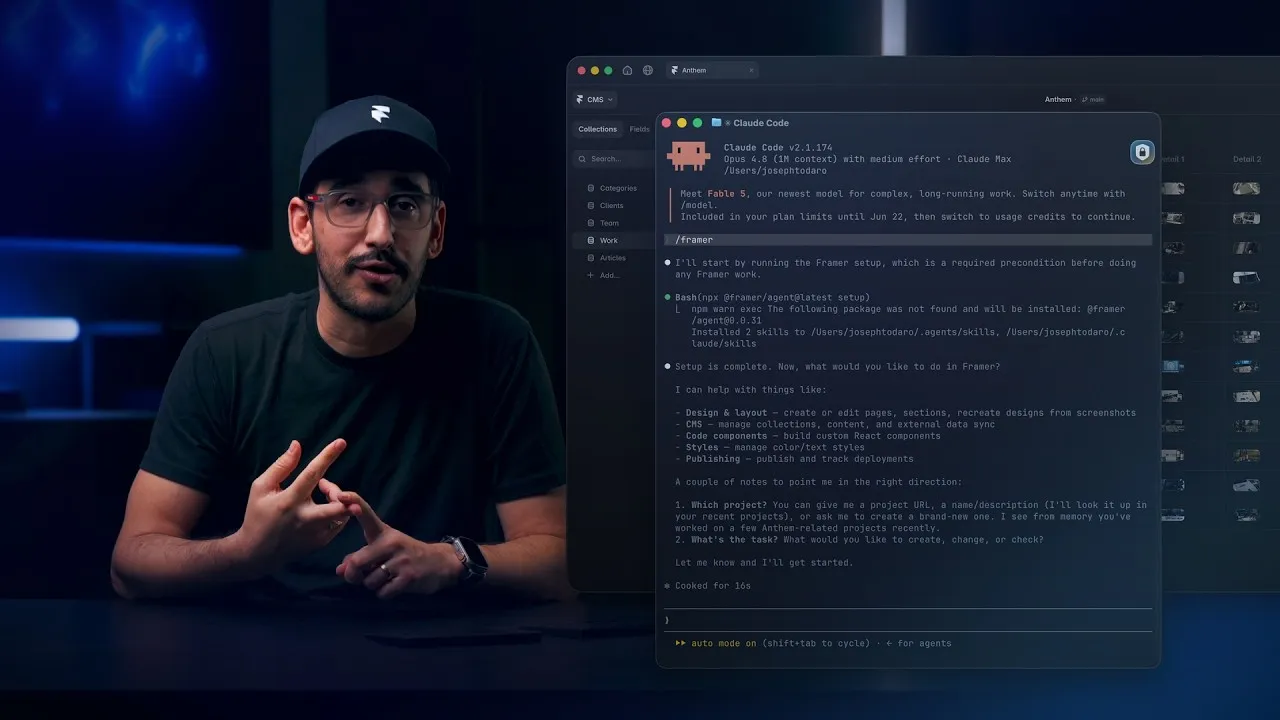
Watch how Framer uses Xquik scrapers
with Claude Code, Codex, Cursor & more, from 6:07.
Xquik is the world's fastest & cheapest X (Twitter) scraper service with the most complete X data. Xquik's X (Twitter) Tweet Classifier answers your own questions on every tweet. Ask for labels, scores or yes/no answers. Most other Apify Actors charge before filtering or deduplicating. Xquik charges only for delivered, unique, filter-matching results. AI costs are included in the per-tweet price. You need no AI account, tokens or key.
Classify X (Twitter) posts with your own questions & keep the original tweet data. Xquik's X Tweet Classifier with AI Analysis collects matching tweets. It answers 1 to 8 typed questions per post. Use categories for support triage, scores for prioritization & probabilities for relevance. Presets cover brand monitoring, complaints, competitors, purchase intent, product feedback, news, sentiment & market sentiment. Custom questions replace them.
Xquik is an independent third-party service. Not affiliated with X Corp. "Twitter" and "X" are trademarks of X Corp.
Why use X Tweet Classifier with AI Analysis?
- Your questions, your labels. Ask 1 to 8 category, score or yes/no questions per post. A category question takes up to 255 labels.
- Presets for common jobs. Set
analysis.presetfor complaints, purchase intent, competitors & 5 more. - A summary per question. The run summary gives each question its own counts, shares or mean.
- See what changed. Add an earlier run's dataset ID to
monitor.baselineDatasetId. Each row then shows which answers moved. - Classify your own text. Paste reviews, replies or notes in
textsfor the same answers. The run fetches nothing from X. - Spreadsheet-ready answers. The
Flat answersview & CSV or Excel exports show 1 column per question. - No accounts or keys. The price includes AI-powered analysis. You need no AI key, X API key or login.
Complete results
- Large date ranges come back whole & fast.
- Searches return every match, whatever operators you combine.
- Filtered pages come back full until the results run out.
- Each answer holds the fullest data X has for it.
Accurate rows
- Search results hold every post that matches your query & nothing else.
- Word & phrase matching works in every language & script.
- Language filters work for every language X tags.
- Protected accounts & private Lists get a clear answer, not an empty page.
- Reposts carry the full original text.
- Every ID in a row stays exact.
- Mentions, links, hashtags & highlights line up with the text.
- Verified badges match what
x.comshows. - Rows hold public data only.
- Newest-first results come back in date order.
- Searches accept queries as you'd type them on X.
- Place searches work with names in 6 languages.
- A search that can't run fails at once & says how to fix it.
- A date means one thing in any common form.
- Searches accept
since_id&max_idbounds. - Ads & promoted entries never reach your rows.
Fresh data
- Reads keep working when X ships changes.
Speed
- One slow page doesn't hold up your run.
- Searches stay fast on busy topics.
- Each next page arrives fast.
- Reads finish the moment their rows arrive.
- Stalled Actor calls recover on their own.
Fair billing
- Bad input costs nothing & tells you what to fix.
- AI analysis bills only the posts it analyzed.
- Actors charge only for delivered, unique, matching rows.
- A restarted run never charges twice.
- Runs stay within your spend cap & still write their diagnostics.
- AI Actors don't bill failed or skipped analyses.
Reliability
- A one-off error doesn't fail your run.
- Paging stays consistent from one page to the next.
- Paging never loops forever.
- A deadline returns the rows already found, with diagnostics.
- Actors ride out short Xquik outages.
- Actor runs survive restarts without repeats.
- One bad row doesn't sink a batch.
- Stopped runs keep their rows & their report.
- A run that can't start still explains itself.
- Support can see exactly what a request or run returned.
Built for agents
- Actors accept input written for other Actors.
- Every run says why it ended & whether to retry.
Rich data
- Posts carry note text, edits, Community Notes, reach labels, reply controls & live events.
- Rows carry source apps, media counts & professional account data.
- Media comes with variants, alt text, sizes & availability reasons.
- AI answers carry probabilities, confidence & a question version.
- Changes across analysis runs don't flip on noise.
Quality checks
- Every field X shows is served, left out on purpose or proven absent.
- Xquik tests every read live against X.
What data does X Tweet Classifier with AI Analysis return?
- Typed answers. Each answer is a category, a score level or a probability, as your question asks.
- Complete source records. Every row keeps every field the tweet exposes.
How to classify tweets with custom questions
New to Apify? Create a free account first. The free plan needs no credit card & gives $5 to spend each month. At $0.0003 per analyzed tweet, $5 pays for up to 16,000 analyzed tweets before platform usage. Then come back here & press Try for free.
- Add tweet URLs, search terms, profile handles or tweet IDs.
- Set
maxItems& the extraction filters your task needs. - Add your questions under
analysis.questions, or pick a preset withanalysis.preset. Without either, the run uses thesentimentpreset. - Start the run & open the dataset.
Supported modes collect tweets, searches, profile posts, Lists, replies, quotes & threads. Standalone article extraction & user lists are not classification inputs.
Questions & limits
Provide 1 to 8 questions with unique IDs, instructions & versions.
choiceuses 2 to 255 namedcategorieswith descriptions or null values.scoreuses an orderedlevelsarray with at least 2 descriptions.probabilityreturns a value between 0 & 1. Optionalcriteriacontainyes&nodescriptions.
The presets are brand, complaints, competitors, purchase_intent,
product_feedback, news, sentiment & market. maxContextBytes defaults
to 64,000 bytes. A smaller limit cuts long posts to fit & marks them
truncated. concurrency defaults to 16 & accepts 1 to 16. Each question
definition may use up to 8,000 bytes.
Analyze your own text
Paste your own drafts, replies, reviews or notes in texts. Xquik's X Tweet
Classifier analyzes them. It fetches nothing from X.
- Each text becomes 1 row with the same
analysisanswers as a tweet. tweet.idistext:1,text:2& so on, &tweet.typeistext.- Each analyzed text costs the same $0.0003 as an analyzed tweet.
- With
textsset, the run analyzes only those texts. Run X targets separately.
How much does it cost to classify tweets?
Xquik's X Tweet Classifier costs from $0.0003 per analyzed tweet. It charges no start fee. The price includes collection & AI costs. You need no AI account, tokens or key. The price covers up to 8 questions & 64,000 bytes of context per tweet. Each question definition may use up to 8,000 bytes.
For more volume, pick an Apify plan with more prepaid usage.
Extraction filters & deduplication run before analysis. You never pay for filtered-out or duplicate rows. Failed analyses, skipped analyses & diagnostic rows have no result charge. Apify bills platform usage for compute, storage & transfer separately at your plan's rates. The Pricing tab shows it.
Input & output examples
The input above is copy-ready. An abbreviated output row looks like this.
Each result contains tweet & analysis. Answers include types, question
versions & available probabilities. A row with a failed or skipped analysis
keeps the collected tweet & a reason. Its answer list is empty.
Free diagnostics in the key-value store explain invalid inputs, missing results & interrupted collection. The run report separates collected rows, charged analyses & pending charges.
Run summary & flat answers
A run writes an analysis-summary record to its key-value store in 3 cases.
- It hits a problem or is large.
- Its comparison finds a changed, new or not comparable tweet.
- It has
alwaysSaveRunRecordson.
Other runs skip the record, including the first run of a series. Their status
names the top answer, like Top sentiment is positive in 3 of 5 results. A
comparison without a change states No change since the earlier run. A run that
hits a problem or is large also writes run-report. So does a run with
alwaysSaveRunRecords on. run-report repeats the summary under
results.analysisSummary.
The summary counts analyzed, failed & skipped rows. It sums engagement & summarizes every question. Every custom question gets its own block.
- A choice question reports category counts & shares.
- A score question reports its mean & level counts.
- A yes/no question reports yes & no counts.
- Every row lists
sourceDomains, the hostnames it links to. - Every row lists
cashtagsfound in its text, such as$NVDA. - With
monitor.baselineDatasetIdset, the summary'smonitorblock counts comparison statuses. It lists up to 50 changed rows.
The summary rounds numbers to 4 decimals. An empty run reports counts of 0 &
null means.
Set analysis.preset to run a built-in preset instead of custom questions. It
accepts brand, complaints, purchase_intent, product_feedback,
competitors, sentiment, market or news. The summary then reports each
question of that preset.
Every result row also carries answers, a flat map keyed by question ID. Each
value is the chosen category, score or probability. The Flat answers dataset
view & CSV or Excel exports show 1 column per question. The columns sit beside
the tweet, so spreadsheets need no JSON parsing. Failed & skipped rows carry an
empty map.
Compare with an earlier run
Pass monitor.baselineDatasetId, the dataset ID of a completed earlier run with
the same analysis settings. The comparison reads that run's rows. It works even
when that run skipped its summary. Every row then gains a monitor object. Its
status takes these values.
first_runwithout a baseline.new_to_baselinefor tweets the earlier run did not have.unchangedorchangedfor tweets it had.
changes lists each decision for any of your questions that moved from
previous to current. Decisions compare by category, rounded score level or
yes/no at 0.5. Small AI differences between runs stay unchanged.
A baseline above maxBaselineRows, or from different settings, stops the run
before collection. The run then writes a diagnostic row. maxBaselineRows
defaults to 100,000.
Task examples
Choose from 50 public tasks. Each starts from a real English search & a bounded
maxItems. It includes ready-made custom questions & the overview dataset view.
Edit the search or the questions before running.
- Triage customer support requests on X
- Score sales leads from X posts
- Detect service outage reports on X
- Classify hiring signals on X
- Tag product feature requests on X
- Classify app feedback like store reviews
- Detect scam and fraud warnings on X
- Classify event attendance intent
- Extract restaurant review signals
- Separate crypto promotion from analysis
- Classify persuasive political posts
- Detect subscription churn risk signals
The remaining tasks cover more workflows on the Actor page.
Related Xquik Actors
Every Xquik Actor shares the same extraction engine, filter-first billing & diagnostics. Pick the one that matches the data you need.
- X Tweet Scraper scrapes tweets from searches, profile timelines, Lists & tweet IDs with 50+ filters & flat exports. Use it when you need tweet data without analysis. From $0.00015 per row.
- X Profile Scraper scrapes profiles plus their posts, replies, media & followers from handles, IDs or URLs. Use it when you start from accounts rather than searches. From $0.00015 per row.
- X Reply Scraper scrapes replies, comments & whole conversations under posts with 25+ filters. Use it when you need the discussion beneath tweets. From $0.00015 per row.
- X Engagement Scraper scrapes replies, quotes, retweeters & threads for post URLs or IDs in bulk. Use it when you measure who engaged with posts. From $0.00015 per row.
- X Quote Tweets Scraper scrapes the quote tweets of posts with text, media, counts, authors & 11 filters. Use it when you study who quoted posts & what they said. From $0.00015 per tweet.
- X Follower Scraper scrapes followers, following, List members, subscribers & Community members as profile rows. Use it when you need audience or member lists. From $0.00015 per profile.
- X User Search Scraper searches users by handle, bio & location with follower, verification, age & location filters. Use it when you build account lists from search. From $0.00015 per profile.
- X Account Location Scraper checks where accounts are based with X's "Account based in" label, "connected via" & username changes. Use it when you vet where accounts are based. From $0.00015 per account.
- X Email Scraper gets the emails, phones & links accounts publish on their profiles, from handles, followers or user searches. Use it when you need the emails profiles publish. From $0.00015 per profile.
- X List Scraper scrapes List posts, members & followers from List URLs or IDs. Use it when a curated List defines your sources. From $0.00015 per row.
- X Community Scraper scrapes Community info, posts, searches, members & moderators. Use it when your sources are X Communities. From $0.00015 per row.
- X Space Scraper finds Spaces by keyword & reads their titles, states, times, listener counts, hosts & speakers. It also reads broadcasts by URL or ID. Use it when you track live audio & video on X. From $0.00015 per Space or broadcast.
- X Trends Scraper scrapes real-time trends by location with rank, volume, query & WOEID. Use it when you track what is trending where. From $0.00015 per trend.
- X Jobs Scraper scrapes X job listings by keyword, place, workplace, seniority & company, with salaries & apply links. Use it when you collect job openings posted on X. From $0.00015 per job.
- X Article Scraper scrapes long-form X Articles as Markdown & text with covers, authors, dates & metrics. Use it when you need article bodies, not tweets. From $0.00015 per article.
- X Media Downloader extracts or stores photos, videos & GIFs from posts or profiles with MP4 & metadata options. Use it when you need the media files themselves. From $0.00015 per media row.
- X (Twitter) Brand Monitoring with AI Analysis tracks brand mentions with AI relevance, sentiment & customer-experience answers & compares runs. Use it when you watch a brand over time. From $0.0003 per analyzed tweet.
- X Tweet Sentiment Analysis with AI labels attitude, intensity & sarcasm probability for every tweet with AI. Use it when you need general sentiment on any topic. From $0.0003 per analyzed tweet.
- X (Twitter) Stock & Crypto AI Trading Signals labels bullish, bearish, neutral or mixed stance, content type, conviction & asset relevance with AI. Use it when you follow stocks, crypto or trading talk. From $0.0003 per analyzed tweet.
- X (Twitter) News Monitor with AI Analysis labels news posts by format, source attribution & topic relevance with AI. Use it when you separate reporting from commentary. From $0.0003 per analyzed tweet.
- X Tweet Viral Score Analyzer with AI estimates a Viral Score from 0 to 100 & a verdict for every tweet from 8 AI trait answers. Use it when you study why tweets spread or flop. From $0.0003 per analyzed tweet.
- X (Twitter) Monitor catches every new tweet, reply, quote, repost & profile change of accounts, usually in under a second after X shows it, plus keyword tweets & follows. Use it when you need alerts as soon as X shows a tweet. From $0.0045 per monitor-hour.
- X (Twitter) to Discord Bot sends every new tweet, reply, quote & repost of accounts to a Discord channel through its webhook, with no bot to host. Use it when you want an account's tweets in a Discord channel. From $0.0045 per monitor-hour.
- X (Twitter) Crypto Tracker tracks the tweets, deleted tweets, profile changes & follows of crypto accounts & KOLs, plus cashtag tweets. Use it when you act on what crypto accounts post or follow. From $0.0045 per monitor-hour.
- X (Twitter) Follower Tracker tracks the new & lost followers of an account, & whom it follows or unfollows, with each account's full profile. Use it when you read an account's followers or follows as a signal. From $0.0045 per monitor-hour.
- X (Twitter) Post Tracker records the views, likes, reposts, replies, quotes & bookmarks of chosen posts on each run, with the change since the last run. Use it when you track how posts perform over time. From $0.00015 per snapshot.
FAQ & support
Answers to common questions, then where to get help.
Do I need an AI account, X API key or login?
No. Xquik's X Tweet Classifier includes AI costs in its price. You need no AI account, tokens or key. You also need no X API key, login or credentials.
Do question versions matter?
Yes. Every answer stores the version you give its question. When you refine
questions over time, you can tell which wording produced a result.
Why did a row come back with a failed or skipped analysis?
analysis.status is failed or skipped. The Actor collected & delivered the
tweet, but the AI analysis did not complete. analysis.reason names the cause.
context_limit means your context & targets leave no room for the tweet.
service_unavailable means the analysis service was briefly unavailable. These
rows carry no result charge. Shorten analysis.context or rerun the affected
IDs.
The Actor still analyzes a tweet longer than maxContextBytes. It cuts quoted &
replied-to posts first, then the tweet. analysis.contextAvailability.postText
is then truncated. Raise maxContextBytes up to 64,000 to keep more text.
Does the analysis verify facts?
No. Answers describe what the post expresses & how the post frames it. Probabilities express AI confidence, not truth. Review important classifications against the original tweet, which every row keeps.
Which languages work?
Extraction supports every language X serves. We validate analysis on English
customer scenarios first. Other supported languages return answers with the same
structure. unclear categories & probabilities show uncertainty in every
language.
How do I limit cost?
Filters, deduplication & maxItems run before analysis. You pay only for
unique, filter-matching tweets. Use precise search operators, date bounds &
engagement floors. Start with a small maxItems to check answer quality before
a large run.
Is it legal to analyze X data?
The Actor requests public X fields. Results can contain personal data. Confirm a lawful purpose & follow applicable privacy rules. Ask qualified counsel when uncertain.
Can I use the API, schedules & integrations?
Yes. See the API tab
for Python, JavaScript & cURL examples. Use Apify
schedules for recurring runs. Pass
the previous dataset ID as monitor.baselineDatasetId to see what changed.
Apify integrations also connect runs to webhooks, Make, Zapier, n8n & Google
Sheets.
Where do I get help?
Open an issue in the Issues tab with the run ID. Free diagnostics in the key-value store explain runs that need attention. A run that gets no row back says why in its status.


