

X (Twitter) Replies Scraper | $0.00015/Reply | Pay-Per-Result
Pricing
from $0.00015 / replies
X (Twitter) Replies Scraper | $0.00015/Reply | Pay-Per-Result
Scrape X (Twitter) replies, comments & whole conversations from $0.00015 per delivered reply. Read Twitter replies without an account. Paste post URLs in bulk, use 25+ filters & export flat rows. Built by Xquik. World's fastest & cheapest X (Twitter) scraper service. Not affiliated with X Corp.
Pricing
from $0.00015 / replies
Rating
5.0
(5)
Developer

Xquik
Maintained by CommunityActor stats
1
Bookmarked
642
Total users
119
Monthly active users
18 hours ago
Last modified
Share
English · Español · Türkçe · 简体中文 · 日本語 · 한국어 · Deutsch · Français · Italiano
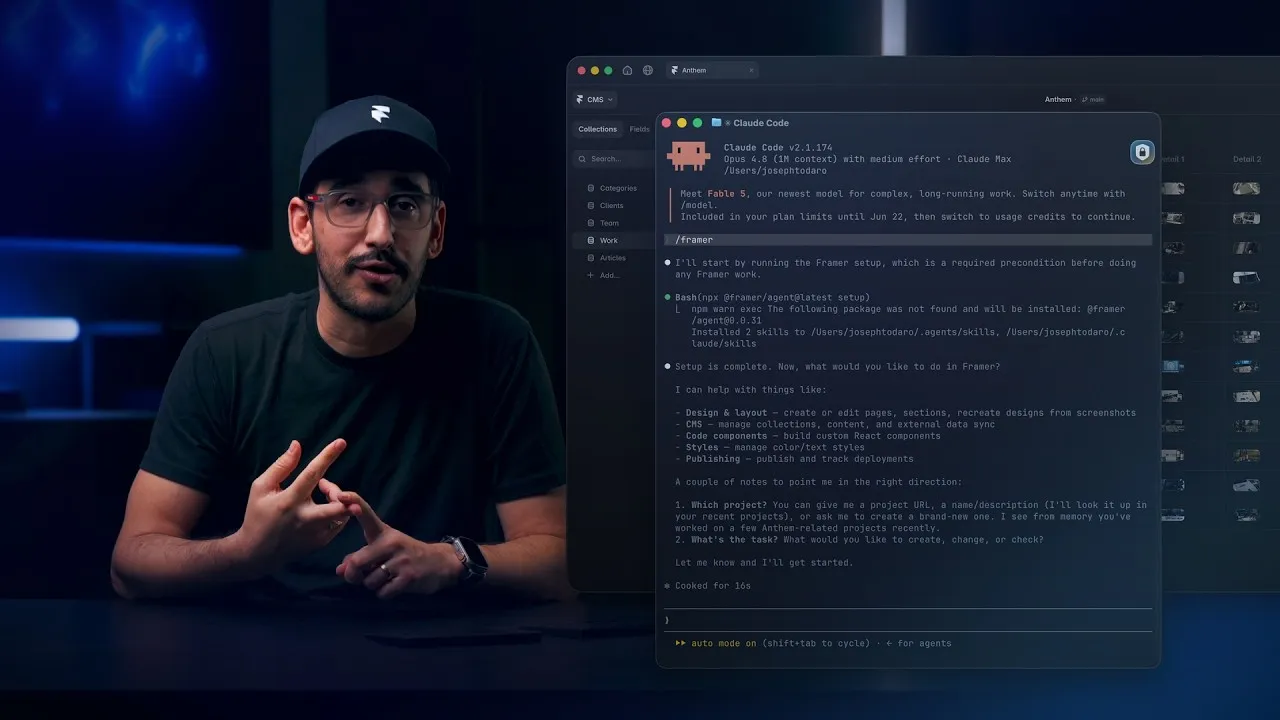
Watch how Framer uses Xquik scrapers
with Claude Code, Codex, Cursor & more, from 6:07.
Xquik is the world's fastest & cheapest X (Twitter) scraper service with the most complete X data. Xquik's X Reply Scraper collects replies, comments & whole conversations. In public benchmarks, it reads replies 1.7x faster than 4 other Actors. It also costs the least per useful reply, as the benchmark below shows. Most other Apify Actors charge before filtering or deduplicating. Xquik charges only for delivered, unique, filter-matching results.
Scrape Twitter replies & comments for $0.00015 per delivered row on every Apify plan, & read them without an X account. Paste post URLs, Tweet IDs, profile URLs or usernames. Export replies, conversations, authors, engagement, entities & media URLs. Apify bills your platform usage separately. You need no X login. Filters run before dataset writes, so you pay only for delivered rows.
Xquik is an independent third-party service. Not affiliated with X Corp. "Twitter" and "X" are trademarks of X Corp.
What does X Reply Scraper do?
Xquik's X Reply Scraper collects public replies & comment conversations. It handles single posts, bulk URL lists, Tweet IDs & user reply timelines.
Key features
- Auto mode keeps collecting when direct results are incomplete.
collectionStrategysets how the Actor collects replies.- Bulk inputs accept post URLs, Tweet IDs, profiles & usernames.
- Filters & duplicate removal run before billing.
- Output supports 4 sort modes, 3 detail levels & 3 field styles.
- Every reply keeps its source target, parent IDs, root ID & depth.
- Continuation cursors support backfills & scheduled runs.
- Runs that need attention write 1 free record to
diagnostics. A run that reads every target & finds no reply writes none. Its status says why. - Run logs show page & target timing in
fetchDurationMs,processingDurationMs,pushDurationMs,statusDurationMs,fullPageDurationMs&fullTargetDurationMs. - Runs keep delivered replies & progress when Apify restarts them.
Use cases
- Measure sentiment & customer feedback under brand & product posts.
- Rank the most liked replies & comments under a viral post.
- Find leads who ask questions or name a need in public replies.
- Review replies for moderation, spam & abuse.
- Rebuild whole conversations for research & AI training datasets.
- Track how an account replies to its customers over time.
What data can X Reply Scraper extract?
The dataset & run-report schemas describe every returned field. Text, number & boolean fields also carry examples for agents & generated integrations.
Every full reply row can include these core fields.
| Field | Description |
|---|---|
id | Reply ID |
text | Reply text |
fullText | Long-form reply text |
createdAt | Reply timestamp |
lang | X language code |
url | Direct reply URL |
conversationId | X conversation ID |
inReplyToId | Immediate parent ID |
inReplyToUserId | Parent author ID |
inReplyToUsername | Parent username |
likeCount | Likes |
replyCount | Child replies |
retweetCount | Reposts |
quoteCount | Quotes |
viewCount | Views |
bookmarkCount | Bookmarks |
author | Available public author metadata |
media | Images, videos, GIFs, and variants |
entities | Hashtags, cashtags, mentions, URLs & video timestamps |
quoted_tweet | Quoted post when available |
retweeted_tweet | Reposted post when available |
Full rows also keep available source metadata.
- Post type fields are
type,isReply,isQuoteStatus,isNoteTweet,isLimitedReply&isTranslatable. - Text details are
displayTextRange,noteTweet,article,card&cashtagAttachments. - Labels & notices are
contentDisclosure,communityNote,possiblySensitive,softIntervention,tombstone&exclusiveContent. - Conversation details are
conversationControl,limitedActions,subscriberBadge&unmentionedUserIds. - Context fields are
source,place,communityId,communityName,reactionContext&postCta. - Edit & availability fields are
edit,previousCounts,viewState&authorUnavailable.
Flat rows keep conversation ancestry, source details, result type & schema version. See OpenAPI for the exact fields.
How do I use X Reply Scraper to scrape replies?
New to Apify? Create a free account first. The free plan needs no credit card & gives $5 to spend each month. At $0.00015 per row, $5 pays for up to 33,000 rows before platform usage. Then come back here & press Try for free.
- Paste post URLs, Tweet IDs, profile URLs or usernames.
- Set
maxItems,scope& the filters your job needs. - Run Xquik's X Reply Scraper & open the dataset.
The form comes filled with a public conversation we tested. It returns up to 1,000 full, flat rows. Auto mode searches the full conversation by default. Deduplication & source attribution stay on.
Scrape replies from a post URL
Scrape replies from tweet IDs
Collect the full nested conversation
Scrape a user's reply timeline
Filter replies before billing
Export flat CSV-friendly rows
Task examples
Choose from 50 public tasks. Each has a bounded input & a matching dataset view. Edit any task before you run it.
- Scrape X post replies & Twitter comments
- Scrape bulk Twitter replies
- Rebuild a Twitter reply conversation
- Rank Twitter replies by likes
- Scrape latest Tweet replies
- Remove spam from Twitter replies
- Scrape English Twitter replies
- Scrape verified Twitter replies
- Scrape Twitter replies with media
- Scrape a user's Twitter reply timeline
- Collect Twitter replies for AI agents
- Build an X reply RAG dataset
- Archive Twitter replies for LLMs
- Extract X reply leads for CRM
How much does it cost to scrape X replies?
Xquik's X Reply Scraper costs $0.00015 per delivered row on every Apify plan. Apify bills platform usage separately.
For more volume, pick an Apify plan with more prepaid usage.
Xquik applies one charge per delivered data row. Replies that your filters or
deduplication remove cost nothing. Diagnostic records in diagnostics are free.
No start, URL, query, pagination or filter fee applies.
Benchmark
Xquik's X Reply Scraper & 4 other Actors read 200 replies to 1 post. That post is public & has 2,800+ replies. Xquik's median run was 1.7x faster than the fastest other Actor. It also cost the least per useful reply. Its median row had 100 fields, 2x the median of the others. A useful reply is unique & sits in that post's thread.
xquik/x-reply-scraperdelivered 200 useful replies at $0.000156 per useful reply, 19.7 per second & 100 fields per row. View runxquik/x-reply-scraperdelivered 200 useful replies at $0.000156 per useful reply, 16.5 per second & 101 fields per row. View runxquik/x-reply-scraperdelivered 200 useful replies at $0.000157 per useful reply, 14.4 per second & 101 fields per row. View runxquik/x-reply-scraperdelivered 200 useful replies at $0.000157 per useful reply, 13.6 per second & 101 fields per row. View runxquik/x-reply-scraperdelivered 200 useful replies at $0.000156 per useful reply, 16.5 per second & 100 fields per row. View runxquik/x-reply-scraperdelivered 200 useful replies at $0.000157 per useful reply, 11.3 per second & 100 fields per row. View runxquik/x-reply-scraperdelivered 200 useful replies at $0.000156 per useful reply, 20.1 per second & 100 fields per row. View runxquik/x-reply-scraperdelivered 200 useful replies at $0.000156 per useful reply, 20.6 per second & 100 fields per row. View runkaitoeasyapi/twitter-x-data-tweet-scraper-pay-per-result-cheapestdelivered 200 useful replies at $0.000220 per useful reply, 9.6 per second & 50 fields per row. View runkaitoeasyapi/twitter-x-data-tweet-scraper-pay-per-result-cheapestdelivered 200 useful replies at $0.000220 per useful reply, 8.1 per second & 50 fields per row. View runscraper_one/x-post-replies-scraperdelivered 200 useful replies at $0.000263 per useful reply, 6.6 per second & 15 fields per row. View runapi-ninja/x-twitter-replies-retweets-scraperdelivered 200 useful replies at $0.000400 per useful reply, 5.0 per second & 33 fields per row. View runapidojo/tweet-scraperdelivered 199 useful replies at $0.000402 per useful reply, 6.7 per second & 51 fields per row. View run
All runs took place on 2026-10-15 on the Bronze tier. Cost is the customer's total spend per useful result. Ours includes the Apify usage our customers pay. Fields per row is the median count of non-empty fields. That count includes nested fields, & a list counts as 1. Open a run for its input, log & dataset.
Empty, partial & stopped runs
Xquik's X Reply Scraper explains empty, partial & stopped runs for free. The run status says why the run stopped. It also counts charged results & targets read. A run that reads every target & finds no reply writes no record. Its status says why & what to change.
Incomplete extraction
An interrupted run writes a free partial diagnostic. Available results stay
intact. Read availableResults, failedTargets, retryable & nextAction
before you retry. A successful Actor exit confirms delivery, not complete
extraction.
The status names every cause of an early stop. stopCauses lists each cause
with its own message, retryable & nextAction. The causes are
target_not_found, target_failed, page_limit, reply_reach &
deadline_reached. reply_reach means X served only part of a thread.
A missing post or account does not count as a failure. The status names it, such
as "X has no match for 1 target." It joins stopCauses only when another cause
stopped the run. The run is retryable when any cause is.
Diagnostics
Successful data rows use resultType: "reply". A run that needs attention
writes exactly 1 free record to diagnostics. Examples are an invalid input, a
skipped target or an early stop. The record says how to fix the problem. A run
that reads every target & finds no reply writes none. Its status says why.
The run status says why the run stopped. It also counts charged results &
targets read. Runs with a problem always write run-report, including no-input
and invalid-input exits. A large run writes it too. A small run that goes well
skips it & saves Apify usage. Turn on alwaysSaveRunRecords to write it on
every run.
The report schema documents completion, billing, failures & saved cursors. Its
version field reports the exact published Actor source version.
The status field uses these values.
no-inputinvalid-inputreplies-incompletezero-outputabortedunexpected-error
Input
The Input tab lists every option. Give at least 1 post URL, Tweet ID, profile URL or username. Every other field is optional.
Reply targets & input aliases
Use these primary fields.
| Input | Purpose |
|---|---|
startUrls | Mixed X post and profile URLs |
tweetIds | Numeric post IDs |
usernames | Profile reply timelines |
startCursor | Resume one target from a saved cursor |
The input form shows canonical controls only. Compatibility aliases still work in JSON, API, SDK, automation & saved task inputs. When you combine canonical & alias fields, their existing resolution order applies.
These aliases accept common field names from other scrapers.
- URL aliases are
urls,tweetUrls,postUrls,profileUrls, &twitterUrlas one string. - ID aliases are
conversationIds,postIds,ids,tweetId,id. - Username aliases are
twitterHandles,screenname. - Global limit aliases are
maxResults,max_results,resultsLimit,maxReplies. - Per-target aliases are
maxRepliesPerTweet,maxCommentsPerPost,resultsPerCategory. - The search alias is
useSearch. - Nested reply aliases are
includeNestedReplies,includeRepliesOfReplies. - The depth alias is
depthas1,2or3formaxDepth.fullsets no limit. - The scope alias is
onlyDirectRepliesforscope: "direct". - Original post aliases are
includeOriginalTweet,includeSourceTweet. WithincludeSourceTweet,resultsPerCategorycaps the replies & the post is 1 more row. - The author alias is
excludeOpSelfRepliesforexcludeOriginalAuthor. - Sort aliases are
sortBy&queryTypeforsort.top,newest&mostLikedread asrelevance,latest&likes. - Output aliases are
outputVariant,includeRaw.
category set to replies changes nothing. A category that is another Actor's
job, such as retweets or info, stops the run. It reads & charges nothing.
The message names the Actor to use. When you set one of these aliases & its
canonical field, the canonical value wins. The run log names the alias that
lost.
Malformed or unsupported targets do not fail the Actor. When no valid target remains, the run writes a diagnostic with the fix.
Coverage strategies
Pick how the Actor collects replies. Auto fits most jobs.
Auto complete
Use collectionStrategy: "auto" for most jobs. It collects every reply it can
reach for your scope. Scope, depth, sort & author controls apply before your
limits. It includes replies below non-root targets. When X hides part of a
thread, the status says how many replies X hides. The other collectionStrategy
values never switch modes.
A coverage figure in diagnostics does not prove X has no more replies. Limits, missing data or errors can leave a run incomplete.
Direct replies
Use collectionStrategy: "replies" for direct replies in X's own order. It
supports saved cursors.
Conversation search
Use collectionStrategy: "conversationSearch" for broad conversation coverage.
Full thread context
Use collectionStrategy: "thread" to read the source conversation context. Set
includeOriginalPost: true to keep the root post as depth 0.
Hidden replies
The default auto strategy adds the replies the post's author hid. Each one is
a row with resultType: "hiddenReply", at the usual row price, & counts toward
maxItems. The run reads them only when the post counts more replies than X
shows, so a post without hidden replies costs nothing extra. Set
includeHiddenReplies: false to leave them out.
Use collectionStrategy: "hiddenReplies" for the hidden replies alone. X lists
them oldest first, with the replies to them. A post without hidden replies
returns no rows.
Direct & nested reply controls
Use scope to choose the result shape.
| Value | Result |
|---|---|
direct | Keep depth 1 replies |
nested | Keep replies to replies at depth 2+ |
all | Keep every available direct and nested reply |
Use maxDepth to limit nesting. When X omits a conversation ancestor, the
parent link can be missing. The Actor preserves the best available depth.
Sorting
Use sort with these values.
relevancekeeps X source orderlatestsorts newest firstoldestsorts oldest firstlikessorts highest like count first
X search undercounts likes on some older replies, so likes runs can miss them.
Profile targets collect your requested count of unique, filtered results, then sort them. Tweet targets keep global sorting.
The sortBy & queryType compatibility aliases still work.
Reply filters
All supported filters run before dataset writes.
Text & entity filters
| Input | Behavior |
|---|---|
exactPhrase | Require one exact phrase |
anyWords | Require at least 1 word or phrase |
excludeWords | Remove matching words or phrases |
keywordInclude | Alias merged with anyWords |
keywordExclude | Alias merged with excludeWords |
hashtags | Require at least 1 hashtag |
cashtags | Require at least 1 cashtag |
mentioning | Require an @mention |
Author & language filters
| Input | Behavior |
|---|---|
fromUser | Keep one reply author |
toUser | Keep replies addressed to one username |
lang | Keep one X language code |
verifiedOnly | Require any public verification signal |
blueVerifiedOnly | Require X Premium verification |
excludeOriginalAuthor | Remove source-author self-replies |
Engagement filters
Use minLikes, minReplies, minRetweets, minQuotes, minViews &
minBookmarks. The minFaves alias maps to minLikes.
Media & time filters
- Set
hasMediaOnly: truefor replies with public media. - Set
mediaTypetoany,image,video,giforlink. - Set
mediaTypetononefor text replies without media or links. - Set
sincefor an inclusive start timestamp. - Set
untilfor an exclusive end timestamp. - Use
sinceTime&untilTimeas compatibility aliases.
Output
Each reply row is a JSON object. The dataset & run-report schemas describe every field, so AI agents can read rows without guessing. Export the dataset as JSON, CSV, Excel or HTML.
Author metadata
Nested authors follow the public profile contract. It covers identity, counts, verification, availability, professional data & profile biographies.
Flat output adds authorId, authorUsername, authorName, authorFollowers,
authorFollowing & authorVerified.
Media metadata
Media covers availability, geometry, tags & video variants. It also has the
watchNowUrl & visitSiteUrl actions.
Flat output adds mediaUrls.
Output example
A trimmed reply row looks like this.
Sample values are illustrative. Real runs return live data.
Output modes
Pick how wide each dataset row is.
Compact
Set outputMode: "compact" for a narrower dataset. It keeps text, conversation,
author, engagement & media fields.
Full
Set outputMode: "full" to keep every supported public field.
Rich
Set outputMode: "rich" for the most data per row. Rich rows keep every full
column & add hasCommunityNotes, quotedTweetPermalink, unavailableAuthorId
& media sourceUser at the end.
Raw
Set outputMode: "raw" to add a sanitized source snapshot under raw.
Nested or flat
The default flat layout keeps nested objects & adds author fields for tables.
Set outputPreset: "nested" to omit the added flat fields.
Field naming
Set fieldStyle to source, camelCase or snake_case. The Actor avoids
overwriting colliding source keys.
Output columns
8 inputs shape each row after the run reads it. They run no code & change no price.
| Field | What it does |
|---|---|
fields | Keep only these fields, in the order & spelling you write |
omitFields | Drop these fields & keep the rest |
renameFields | Move a field to a column with a new name |
flatten | Turn each nested object into top-level columns |
fillMissingFields | Fill a kept field a row lacks with null. On by default |
joinFields | Turn each of these lists into 1 text value |
joinSeparator | Text between joined items. The default is a comma & a space |
constantFields | Add a column with the same text on every row |
- Use a dot for a field inside an object, such as
author.id. Case & underscores do not matter. - Every row keeps its
id. - With
fields, a field a row lacks arrives asnull. Every row then has the same columns. - A wrong field name stops the run before it reads & charges nothing.
- If names cannot be checked, the run reads on & lists unseen names last.
- The run ignores a map function or jq filter written for another Actor.
Name a computed column in fields or renameFields to add it.
| Column | Formula |
|---|---|
totalEngagement | likeCount + replyCount + retweetCount + quoteCount. A missing count adds 0 |
engagementRate | totalEngagement × 100 ÷ the author's followers, to 4 decimals |
engagementPerView | totalEngagement × 100 ÷ viewCount, to 4 decimals |
totalEngagement is null for a row without those counts. A rate is null
when its divisor is missing or 0.
Run options
Limits, billing & continuation
maxItems limits delivered rows across the run. maxItemsPerTarget limits each
post or profile.
One run can read many targets. Caps, deduplication, attribution & billing stay exact across them.
The Actor removes duplicate rows before output & billing. Set
dedupeAcrossTargets: false to keep duplicate rows from different targets.
After a page-limited run, read next-cursors from the default key-value store.
Pass one cursor through startCursor to continue that target.
Apify timeout
The default Apify timeout is 0, so runs have no time limit. The Actor
continues until it reaches the cap or runs out of eligible data. You can still
set a finite Apify timeout. Then completionReason: "deadline_reached" means
that limit is near. The Actor saves replies & the report, then exits cleanly
before the limit. Delivered replies bill once. Unfinished targets stay
resumable.
API examples
Each example runs Xquik's X Reply Scraper & returns the dataset items. Replace
<APIFY_API_TOKEN> with your Apify API token.
JavaScript
Python
cURL
Automation & integrations
Run Xquik's X Reply Scraper through Apify schedules, webhooks or API clients. Connect it to Make, Zapier, n8n, Google Sheets or cloud storage. Agents can call it through the Apify MCP server.
Eligible agent workflows can also use x402 or Skyfire.
Xquik also offers 53 dashboard tools, a REST API, signed webhooks & an MCP server.
AI agent & MCP readiness
Run Xquik's X Reply Scraper through Apify MCP, API clients, x402 or Skyfire.
- Limited permissions protect unrelated Apify account data.
- Pay-per-event billing ties cost to delivered results.
- Standby mode stays off for compatibility with agentic payments.
- Typed schemas describe replies, run reports & continuation cursors.
- Bounded defaults prevent accidental unbounded agent runs.
- Stable
camelCase&snake_casemodes simplify tool chaining. - Diagnostic rows include a status, a message & a recovery action.
- Run reports include exact outcomes, stop reasons & charge estimates.
Always use the latest build
Select latest for every run to get all published fixes.
If you specify no build, Apify uses this Actor's latest default. Console runs
& standard API examples inherit that default.
Saved tasks may override the Actor default. Schedules & task integrations reuse
that choice. Keep every override set to latest.
Apify does not redirect exact build numbers to latest. Replace pinned numbers
with latest. Use exact builds only for temporary rollbacks.
Related Xquik Actors
Every Xquik Actor shares the same extraction engine, filter-first billing & diagnostics. Pick the one that matches the data you need.
- X Tweet Scraper scrapes tweets from searches, profile timelines, Lists & tweet IDs with 50+ filters & flat exports. Use it when you need tweet data without analysis. From $0.00015 per row.
- X Profile Scraper scrapes profiles plus their posts, replies, media & followers from handles, IDs or URLs. Use it when you start from accounts rather than searches. From $0.00015 per row.
- X Engagement Scraper scrapes replies, quotes, retweeters & threads for post URLs or IDs in bulk. Use it when you measure who engaged with posts. From $0.00015 per row.
- X Quote Tweets Scraper scrapes the quote tweets of posts with text, media, counts, authors & 11 filters. Use it when you study who quoted posts & what they said. From $0.00015 per tweet.
- X Follower Scraper scrapes followers, following, List members, subscribers & Community members as profile rows. Use it when you need audience or member lists. From $0.00015 per profile.
- X User Search Scraper searches users by handle, bio & location with follower, verification, age & location filters. Use it when you build account lists from search. From $0.00015 per profile.
- X Account Location Scraper checks where accounts are based with X's "Account based in" label, "connected via" & username changes. Use it when you vet where accounts are based. From $0.00015 per account.
- X Email Scraper gets the emails, phones & links accounts publish on their profiles, from handles, followers or user searches. Use it when you need the emails profiles publish. From $0.00015 per profile.
- X List Scraper scrapes List posts, members & followers from List URLs or IDs. Use it when a curated List defines your sources. From $0.00015 per row.
- X Community Scraper scrapes Community info, posts, searches, members & moderators. Use it when your sources are X Communities. From $0.00015 per row.
- X Space Scraper finds Spaces by keyword & reads their titles, states, times, listener counts, hosts & speakers. It also reads broadcasts by URL or ID. Use it when you track live audio & video on X. From $0.00015 per Space or broadcast.
- X Trends Scraper scrapes real-time trends by location with rank, volume, query & WOEID. Use it when you track what is trending where. From $0.00015 per trend.
- X Jobs Scraper scrapes X job listings by keyword, place, workplace, seniority & company, with salaries & apply links. Use it when you collect job openings posted on X. From $0.00015 per job.
- X Article Scraper scrapes long-form X Articles as Markdown & text with covers, authors, dates & metrics. Use it when you need article bodies, not tweets. From $0.00015 per article.
- X Media Downloader extracts or stores photos, videos & GIFs from posts or profiles with MP4 & metadata options. Use it when you need the media files themselves. From $0.00015 per media row.
- X (Twitter) Brand Monitoring with AI Analysis tracks brand mentions with AI relevance, sentiment & customer-experience answers & compares runs. Use it when you watch a brand over time. From $0.0003 per analyzed tweet.
- X Tweet Sentiment Analysis with AI labels attitude, intensity & sarcasm probability for every tweet with AI. Use it when you need general sentiment on any topic. From $0.0003 per analyzed tweet.
- X (Twitter) Stock & Crypto AI Trading Signals labels bullish, bearish, neutral or mixed stance, content type, conviction & asset relevance with AI. Use it when you follow stocks, crypto or trading talk. From $0.0003 per analyzed tweet.
- X (Twitter) News Monitor with AI Analysis labels news posts by format, source attribution & topic relevance with AI. Use it when you separate reporting from commentary. From $0.0003 per analyzed tweet.
- X Tweet Classifier with AI Analysis answers your own category, score & yes/no questions for every tweet with AI. Use it when the preset analyses do not fit your labels. From $0.0003 per analyzed tweet.
- X Tweet Viral Score Analyzer with AI estimates a Viral Score from 0 to 100 & a verdict for every tweet from 8 AI trait answers. Use it when you study why tweets spread or flop. From $0.0003 per analyzed tweet.
FAQ
Answers to common questions, then where to get help.
How do I scrape the comments on a tweet?
Paste the post URL into startUrls & click Start. X calls comments replies, so
each comment is 1 reply row.
Can I scrape replies from many tweets at once?
Yes. Paste many post URLs or Tweet IDs in 1 run. Each reply keeps the source
post in sourceTarget.
Does it include nested replies?
Yes. The default scope collects direct & nested replies. Set scope to
direct for replies to the post only. maxDepth limits how deep a run goes.
Does it get replies the author hid?
Yes. The default auto strategy adds them as hiddenReply rows. Set
includeHiddenReplies: false to skip them.
Can I sort replies by likes or date?
Yes. Set sort to rank replies by likes, or to list the latest or oldest first.
Can I export replies to CSV or Excel?
Yes. Export the dataset as CSV, Excel, JSON or HTML. Flat output keeps 1 reply per row with author fields beside it.
Can I scrape a user's replies instead of a post's?
Yes. Paste a profile URL or a username. The run reads that user's reply timeline.
Do I need an X API key or login?
No. You need no X API key, login or credentials. Xquik's X Reply Scraper never asks for your X password, cookies or tokens.
Is it legal to scrape X replies?
Xquik's X Reply Scraper collects public replies & does not bypass protected accounts. Collect only public data. Follow applicable laws & platform rules.
Reply datasets can contain personal data. Choose a lawful purpose. Minimize retention. Protect exports. Honor deletion & access requests where required. Ask qualified counsel when uncertain.
Why did my run return fewer replies than the post shows?
When X hides part of a thread, the status says how many replies X hides.
reply_reach in stopCauses means X served only part of a thread. Filters,
deduplication, scope, maxDepth & your limits also lower the count.
Can I use the API, schedules & integrations?
Yes. The API tab shows Python, JavaScript & cURL examples. Use Apify schedules to run Xquik's X Reply Scraper on a cron. It also connects to Make, Zapier, n8n & Google Sheets.
Where do I get help?
Open an issue in the Issues tab with the run ID.
Can I get a custom solution?
Yes. Describe what you need in the Issues tab. Xquik also offers a dashboard, a REST API, an MCP server & webhooks. Find Xquik's website on its Apify profile.


