
Google Keyword Rank Tracker API
Pricing
from $4.90 / 1,000 rank checks
Google Keyword Rank Tracker API
Google keyword rank tracker API for scheduled organic SERP checks. Track current rank, ranking URL, title, top competitors, and dated rows. Guide: https://konabayev.com/tools/keyword-rank-tracker/?utm_source=apify_info&utm_medium=referral&utm_campaign=keyword-rank-tracker
Pricing
from $4.90 / 1,000 rank checks
Rating
0.0
(0)
Developer

Tugelbay Konabayev
Maintained by CommunityActor stats
0
Bookmarked
18
Total users
1
Monthly active users
16 days ago
Last modified
Categories
Share
Keyword rank tracker for scheduled Google checks: submit keywords and one target domain to record dated organic position, ranking URL, title, and top-result context in a structured dataset. Searches use a US-English baseline.
Track Google organic positions by keyword — enter a domain and keywords, get current rank, ranking URL, title, top 3 competitors, and date-stamped rows. Built for SEO automation — schedule daily or weekly checks and export to API, CSV, Excel, Google Sheets, webhooks, or MCP workflows. Pay per use — as of 2026-07-14, Store pricing is tiered by Apify plan from $4.90 to $7.00 per 1,000 rank checks.
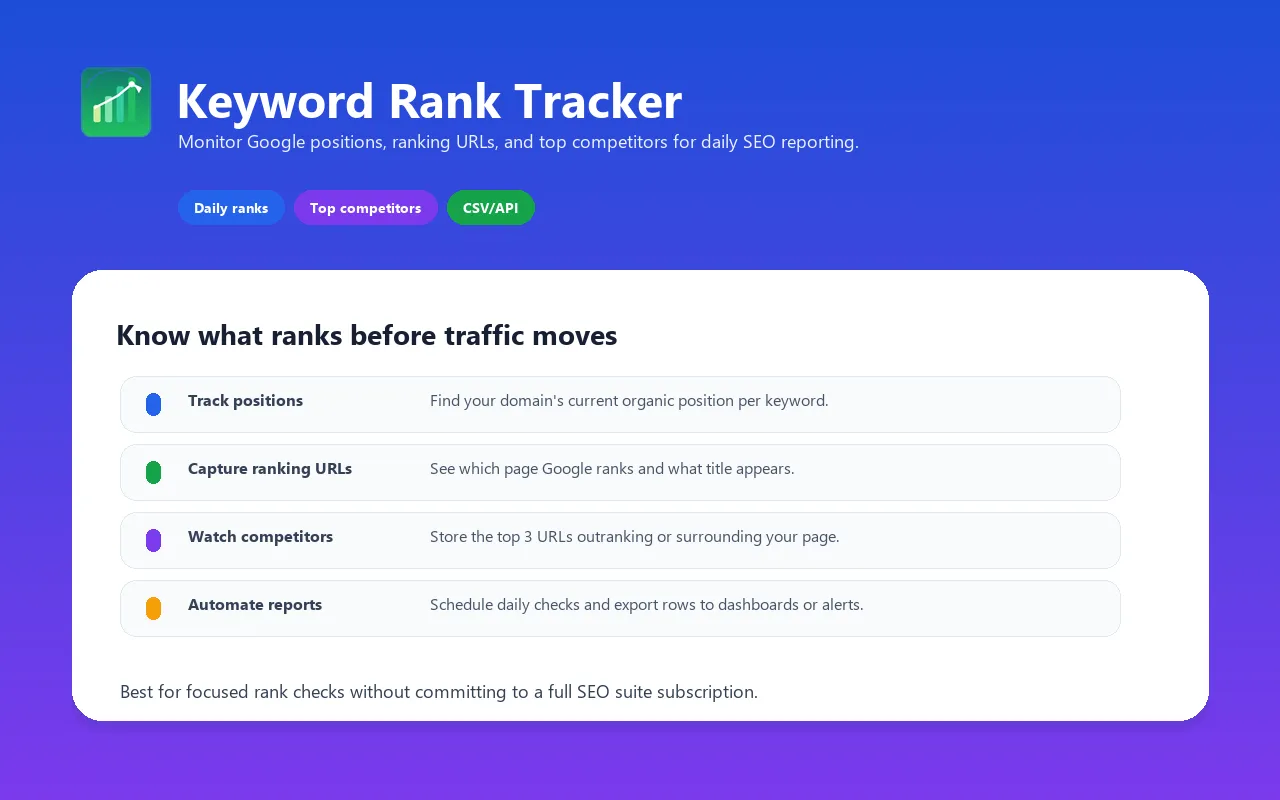
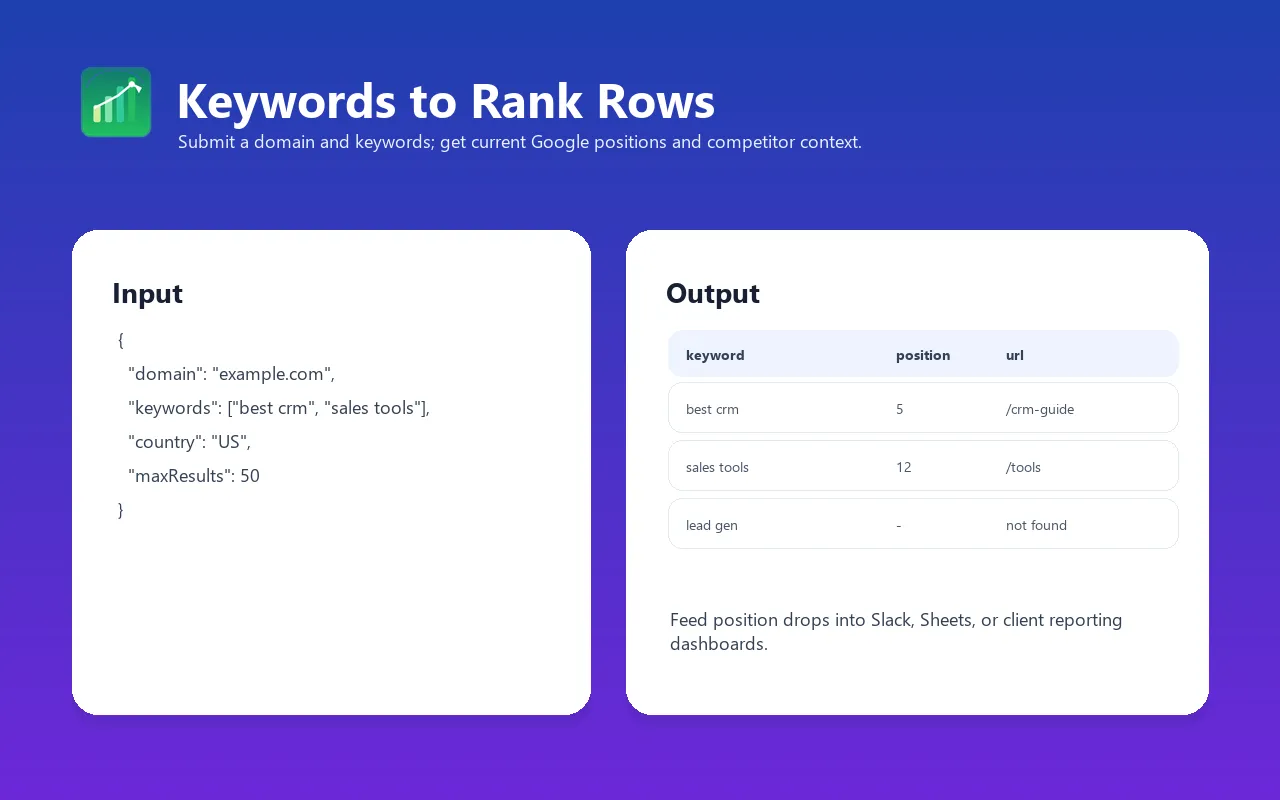
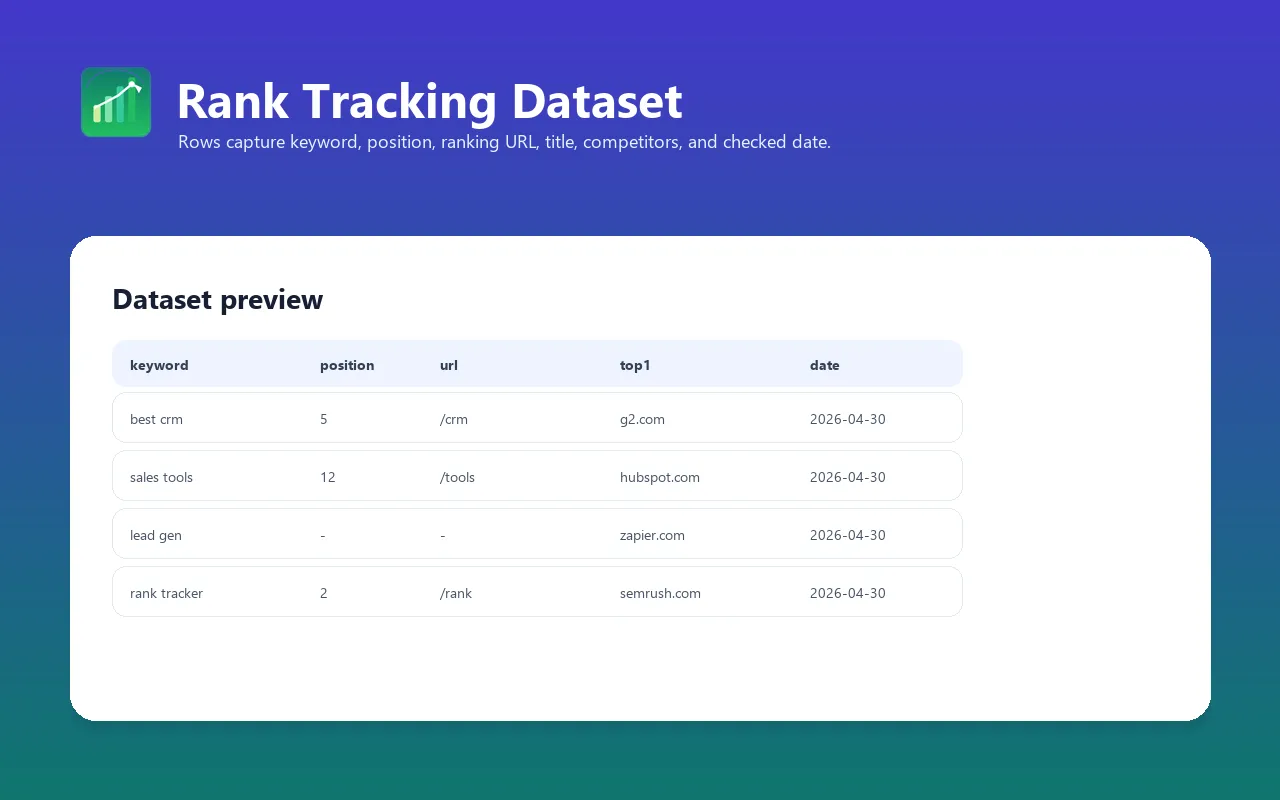
Track where your website ranks in Google for target keywords. Monitor ranking positions over time, identify gains and drops, see who is outranking you, and feed rank data into reporting, alerts, and AI SEO workflows.
Best for US-English Google organic rank checks, daily rank monitoring, SEO reporting, competitor snapshots, content performance analysis, and AI-powered SEO workflows.
For implementation recipes, schedule examples, and SEO/GEO notes, see the Keyword Rank Tracker guide on Konabayev.com.
Track Google Search Rankings Daily
Monitor your website's position for any keyword in Google search results. Detect ranking drops before they impact traffic.
Pay-as-you-go rank tracking API
Use this when you need focused rank checks and exports, not a full SEO suite subscription. You pay per keyword check and can scale schedules up or down from Apify.
Bulk Keyword Position Monitoring
Track multiple keywords for one domain per run. Use separate tasks for different client domains.
What does Keyword Rank Tracker do?
This actor checks your domain's position in Google search results for a list of keywords. For each keyword, it searches Google via Apify's SERP proxy and returns:
- Your position — exact ranking (e.g., position 3, or null if not in top results)
- Your URL — which page from your domain is ranking for that keyword
- Your title — the page title Google shows in search results
- Top 3 competitors — the URLs currently holding positions 1-3
- Total results count — how many organic results Google returned
Run it daily, weekly, or monthly to build a historical ranking dataset. Compare performance over time, catch ranking drops early, and measure the impact of your SEO efforts.
Why use this instead of alternatives?
| Need | This actor | Full SEO suites | Dedicated rank trackers | Manual Google / GSC |
|---|---|---|---|---|
| Best fit | Focused Google organic rank checks in an API workflow | Research, audits, backlinks, dashboards | Local/mobile/white-label rank reporting | Free owned-site signals or spot checks |
| Pricing model | Pay per keyword check | Monthly subscription | Monthly subscription | Free, but manual or delayed |
| API / MCP | Full Apify API, datasets, webhooks, MCP | Varies by plan | Varies by plan | Manual exports / Search Console API for owned sites |
| Scheduling | Any Apify schedule | Built in | Built in | Manual or custom scripts |
| Competitor snapshot | Top 3 organic URLs per keyword | Broad competitive tooling | Rank-focused competitive views | Manual only |
| Location/device scope | US-English organic baseline | Usually configurable | Usually configurable | Depends on tool/searcher |
| SERP features | Organic blue links only | Often broader | Often broader | Manual inspection |
Key advantage: lightweight pay-per-use automation. Use it when you want current Google organic positions in Apify datasets, API calls, webhooks, Sheets, or AI workflows without buying a broader SEO platform.
Features
- Multi-keyword tracking — check large keyword lists in scheduled runs
- Position detection — finds your domain's ranking position within the parsed organic sample
- Domain matching — includes the target domain and its subdomains, with
www/ non-wwwnormalization. A target such asblog.example.comdoes not match its parentexample.comor siblingshop.example.com. - Top 3 competitor visibility — see who holds the top positions for each keyword
- Automatic rate limiting — configurable delay between keywords; default is 500 ms
- Error resilience — individual keyword failures don't stop the entire run
- Structured output — each keyword produces one clean data row
- Schedulable — daily, weekly, or monthly via Apify platform scheduler
- Date-stamped results — every result includes the run date for time-series analysis
- Export anywhere — JSON, CSV, Excel, Google Sheets, webhook, or Apify API
- MCP compatible — works with Apify MCP Server for AI agent integration
- Lightweight — runs on 256MB memory with top-10 checks by default
How to run a keyword rank check
- Add a small keyword set and one target domain. This version uses US-English searches; country and language are not configurable.
- Run the sample and verify
position, ranking URL,checkedAt, and no-result/error states. - Schedule the validated task and compare dated rows; do not treat one SERP observation as a guaranteed rank.
Input examples
Track keywords for your domain
Track the first results page
Competitor rank tracking
US-English organic keyword tracking
Input parameters
| Parameter | Type | Default | Required | Description |
|---|---|---|---|---|
domain | String | — | Yes | Your domain to track (e.g., myblog.com). Without https://. Handles www variations automatically. |
keywords | Array | — | Yes | List of keyword strings to track. Each keyword triggers a separate Google search. |
maxResults | Integer | 10 | No | First page only: up to 10 organic results. Deeper pagination is not supported. |
Output data fields and format
Each successful keyword search produces one row in the dataset. Failed searches are listed in the Run summary and failed queries output link (OUTPUT in the default key-value store), with no dataset-item charge. The summary includes itemCount, failedQueries (keyword, error), and chargeLimitReached. A partial run keeps successful rows; if every search fails, the run fails.
| Field | Type | Description |
|---|---|---|
date | String | Run date in ISO 8601 format (e.g., 2026-04-04) |
keyword | String | The tracked keyword |
domain | String | Your domain |
position | Integer | null | Your ranking position (null if not found in top results) |
url | String | null | URL of your ranking page (null if not found) |
title | String | null | Page title in search results (null if not found) |
totalResults | Integer | Total organic results parsed for the keyword |
top3 | Array | Top 3 results: [{pos, url}] — your direct competitors |
Example output
Integrations
Python
JavaScript / Node.js
LangChain / AI Agents
MCP Server (AI Agents)
This actor is compatible with Apify MCP Server, enabling AI agents (Claude, ChatGPT, custom LLM apps) to track keyword rankings programmatically.
Automated reporting with webhooks
Set up a webhook to trigger when the actor finishes. Use this to:
- Send ranking reports to Slack or email
- Update a Google Sheet automatically
- Trigger alerts when rankings drop below a threshold
- Feed data into a BI dashboard (Looker, Metabase, Grafana)
Export options
- JSON — default, structured output via Apify API
- CSV — export from dataset, compatible with Excel and Google Sheets
- Excel (.xlsx) — direct download from Apify Console
- Google Sheets — use Apify's Google Sheets integration for live dashboards
- Webhook — trigger on run completion for automated workflows
- API — fetch results programmatically from any language
Use cases
-
Daily rank monitoring — schedule the actor daily to track position changes. Build a historical dataset and visualize trends in Google Sheets or a BI tool.
-
SEO campaign measurement — track target keywords before and after SEO work (link building, content updates, technical fixes). Quantify the impact with hard position data.
-
Content performance tracking — after publishing a new blog post, add its target keywords to the tracker. See how quickly it enters the top 10 and top 3.
-
Competitor intelligence — track a competitor's domain instead of yours. See which keywords they rank for and at what positions. Identify gaps and opportunities.
-
Client SEO reporting — agencies can run the tracker weekly for each client, export to CSV/Sheets, and include position data in monthly reports. No manual searching.
-
Ranking drop alerts — combine with webhooks to get notified when a key ranking drops by 5+ positions. Catch algorithm updates and technical issues early.
-
US-English baseline tracking — track service and location-intent keywords from a consistent US-English organic search vantage point.
-
SERP competitor analysis — the
top3field shows who holds positions 1-3 for each keyword. Analyze their content, backlinks, and on-page SEO to learn what's working. -
Keyword portfolio management — track 50-100 keywords across different content clusters. Identify which clusters are performing and which need more investment.
-
AI-powered SEO workflows — feed ranking data into LLMs via MCP Server. Let AI agents analyze trends, suggest content updates, and prioritize SEO tasks automatically.
Cost estimation
This actor uses Pay-Per-Event (PPE) pricing. As of 2026-07-14, each keyword rank check costs $0.007 on FREE, $0.0063 on BRONZE, $0.0056 on SILVER, and $0.0049 on GOLD+, plus Apify's $0.00005 synthetic start event. The Store Pricing tab is authoritative.
| What counts as an event | Cost |
|---|---|
| One keyword rank check | 1 primary event |
Example costs:
| Scenario | Keywords | Frequency | Monthly events | Estimated cost |
|---|---|---|---|---|
| Small blog, 10 keywords | 10 | Daily | 300 | ~$1.47-$2.10 |
| Business site, 25 keywords | 25 | Weekly | 100 | ~$0.49-$0.70 |
| Agency, 5 clients x 20 keywords | 100 | Weekly | 400 | ~$1.96-$2.80 |
| Power user, 50 keywords | 50 | Daily | 1,500 | ~$7.35-$10.50 |
| Enterprise, 200 keywords | 200 | Daily | 6,000 | ~$29.40-$42.00 |
Your exact cost depends on your Apify plan tier and run frequency.
Comparison with SEO tool subscriptions:
- Full SEO suites are useful when you need keyword research, backlinks, audits, and dashboards in one product.
- Dedicated rank trackers are stronger when you need local/mobile rank grids, SERP features, and client-facing reports.
- This actor is for focused rank-check automation: schedule keyword checks, export structured rows, and wire results into your own reporting or AI workflows.
FAQ
Is this a replacement for Ahrefs, Semrush, or AccuRanker?
No. Use full SEO suites when you need keyword research, backlinks, audits, SERP features, and polished dashboards in one place. Use this actor when you need a focused Google organic rank check API with Apify scheduling, datasets, webhooks, and exports.
How accurate are the rankings?
The actor queries Google's live search results via Apify's SERP proxy with hl=en&gl=us. Rankings can vary by location, device, personalization, and time of day. Treat the output as a consistent US-English organic baseline, not an exact match for every searcher.
Why does my position show as null?
null means your domain wasn't found in the top results for that keyword. Common reasons:
- Your site does not appear on the first results page (up to 10 organic results)
- Google shows a different URL variation (e.g.,
www.domain.comvsdomain.com) — the actor handles common variations, but edge cases exist - The page is new and hasn't been indexed yet
Can I track hundreds of keywords?
Yes. The actor processes keywords sequentially with a configurable delay between checks. One run is capped at 100 keywords. For very large lists, split them into multiple scheduled runs.
How often should I track rankings?
- Volatile keywords (news, trending): daily
- Competitive keywords (money keywords): 2-3 times per week
- Long-tail keywords (informational): weekly
- Brand keywords: weekly or monthly
Can I track rankings for different countries?
Currently, the actor searches Google with hl=en&gl=us (English, US). It does not yet expose custom country, language, city, or device inputs.
Does this track featured snippets, People Also Ask, local packs, or ads?
Not currently. The actor tracks organic blue-link positions only.
Does it use Google Search Console?
No. Google Search Console is the authoritative source for owned-property impressions, clicks, and average position, but it is delayed and limited to sites you control. This actor samples live public Google results for any domain you choose.
How do I visualize ranking trends over time?
Export datasets to Google Sheets using Apify's integration, or fetch via API and load into any BI tool (Looker, Metabase, Grafana). Each run is date-stamped, so you can build time-series charts by keyword.
What's the difference between this and Google SERP Checker?
- Keyword Rank Tracker (this actor): checks where your domain ranks for specific keywords
- Google SERP & Index Checker: checks which of your sitemap pages are indexed in Google
Use both together for comprehensive SEO monitoring.
Can I use this for competitor analysis?
Yes. Set domain to your competitor's domain and provide the keywords you want to track. You'll see parsed positions within the requested result depth and which pages are ranking.
Troubleshooting
Some keywords return 0 total results
Cause: Google may have blocked the specific proxy request, or the keyword triggered a CAPTCHA.
Fix: Run the actor again — Apify's SERP proxy rotates IPs automatically. If the issue persists for specific keywords, they may be triggering Google's abuse detection. Try simpler keyword variations.
Run takes too long
Cause: Each keyword performs a live Google SERP proxy request plus the configured delay between checks. Large keyword lists take proportionally longer.
Fix: This is by design to keep live SERP checks reliable. For faster results, split keywords into multiple parallel runs (each with a subset). Each keyword checks the first page only.
Position doesn't match what I see in Google
Cause: Google personalizes results based on location, search history, device, and other factors. The actor searches from US-based proxies with no personalization.
Fix: For a fair comparison, search Google in an incognito/private window with no Google account logged in. Results should be closer to what the actor returns.
"Error for keyword" messages in logs
Cause: Individual keyword searches can fail due to temporary proxy issues or Google rate limiting.
Fix: The actor continues processing remaining keywords even if one fails. Failed keywords appear in OUTPUT.failedQueries, outside the paid dataset. Re-run the actor to retry failed keywords, or increase the delay between runs.
Domain not found but I know it ranks
Cause: Domain matching compares the result hostname against your target domain and its subdomains. A result on the parent or a sibling of the requested subdomain does not count. Paths do not change domain matching; an AMP URL on another hostname may not match.
Fix: Ensure the domain input matches exactly what Google shows in search results. Check the top3 field to see which URLs are actually ranking — this can reveal mismatches.
Validation evidence and official sources (2026-07-14)
Validation on 2026-07-14 anchors the product to observable SERP rows:
- Google's policy on machine-generated traffic and Google's Terms of Service remain authoritative; keep checks bounded and respect blocks and rate limits.
- Successful results include
checkedAt, rank or an explicit no-result state, and the observed ranking URL. Search failures are listed separately inOUTPUT.failedQueries; queries use English/US search settings. - Strict local Actor QA checks schema, metadata, links, Docker configuration, and billing declarations before release.
- Rankings vary by time, location, personalization, device, and Google experiments; the Actor records an observation, not an absolute universal position.
This evidence does not guarantee rank accuracy across every user, future position, traffic, revenue, or AI citation.
Support
Send the run ID, sanitized keyword/domain, expected URL, observed row, and visible error. Searches use the fixed US-English baseline. Do not send account credentials or confidential keyword portfolios.
Limitations
- US-English results only — searches use
hl=en&gl=us. Localized rankings may differ. - Organic positions only — does not track ads, featured snippets, People Also Ask, or local pack.
- Sequential processing — keywords are checked one at a time with delays. Large keyword lists take proportionally longer.
- First page only (up to 10 organic results) — rankings beyond the first page are not checked.
- No historical comparison — the actor returns current positions only. You build history by running it repeatedly and storing/comparing datasets.
- Google rate limiting — very frequent runs (every few minutes) for the same keywords may trigger temporary blocks. Space runs at least 30 minutes apart.
Changelog
v1.0 (2026-04-04)
- Fixed
Actor.log→console.logfor Apify platform compatibility - Pinned cheerio to
1.0.0-rc.12for stable HTML parsing - Fixed HTML parsing for Google SERP results
- Better domain matching (handles
wwwvariations) - Improved error handling and timeouts
- Configurable delay between keywords to reduce blocking
- Initial release with full rank tracking functionality
Related Actors
- Google SERP & Indexation Checker — Compare sitemap vs Google index
- Website Tech Stack Detector — Identify 80+ technologies on any website
- Google Maps Lead Extractor — Extract business leads with emails from Google Maps
- RAG Web Browser — Search Google + extract as Markdown for AI agents
- Article Extractor — Extract clean article text from any URL
See all actors: apify.com/tugelbay
Runtime note (2026-09-05): Node.js 22. For local development run npm ci, npm run build, then npm start. The deployed image contains the checked bundle and production dependencies only.


