

YouTube Channel Transcripts Scraper — Bulk Videos to Text
Pricing
from $2.40 / 1,000 transcripts
YouTube Channel Transcripts Scraper — Bulk Videos to Text
YouTube channel videos to text: newest 50 per channel by default, up to 5,000 — videos, Shorts and live VODs; captions first, speech-to-text when none at $0.008 per started minute. JSON, text, SRT or VTT. From $2.40 per 1,000 transcripts, no per-channel fee. Never charged for a video we can't read.
Pricing
from $2.40 / 1,000 transcripts
Rating
0.0
(0)
Developer

Steadyfetch Team
Maintained by CommunityActor stats
0
Bookmarked
35
Total users
20
Monthly active users
6 hours ago
Last modified
Share
Paste a channel, get every video's transcript in one run. Videos, Shorts and live VODs, de-duplicated. Captions first, built-in speech-to-text when a video has none — so caption-less videos still return real text. No chaining, no per-channel fee, never charged for a video we can't transcribe — or for one you already have, so a weekly poll pays only for what is new.
Coming back for new uploads? A channel only changes when it posts, so the next run is about its new videos. In Apify Console open Schedules, add this actor (or a saved task) with the same input — e.g. { "channels": ["https://www.youtube.com/@mkbhd"], "newVideosOnly": true } — and pick a cadence: weekly for most channels, daily for a channel that uploads daily. Every run re-lists the channel and hands back the videos your account already got in the last 90 days with nothing charged (repeat: true); with New videos only on they are left out, so the dataset holds just the new uploads. Details under Run it weekly below.
See a real run before you spend anything: sample dataset — one channel run, four charged transcripts, each row with its own charge line. Unedited.
Using an AI agent? Pin this actor in Apify's MCP server with one link: https://mcp.apify.com?tools=steadyfetch/youtube-channel-transcripts
- Actor id:
steadyfetch/youtube-channel-transcripts - Input:
{ "channels": ["https://www.youtube.com/@mkbhd"] }— the one field you have to set. - Cap the bill: set
maxTotalChargeUsdon the run (a run option, not Actor input), e.g.0.50— the run stops when it reaches it.
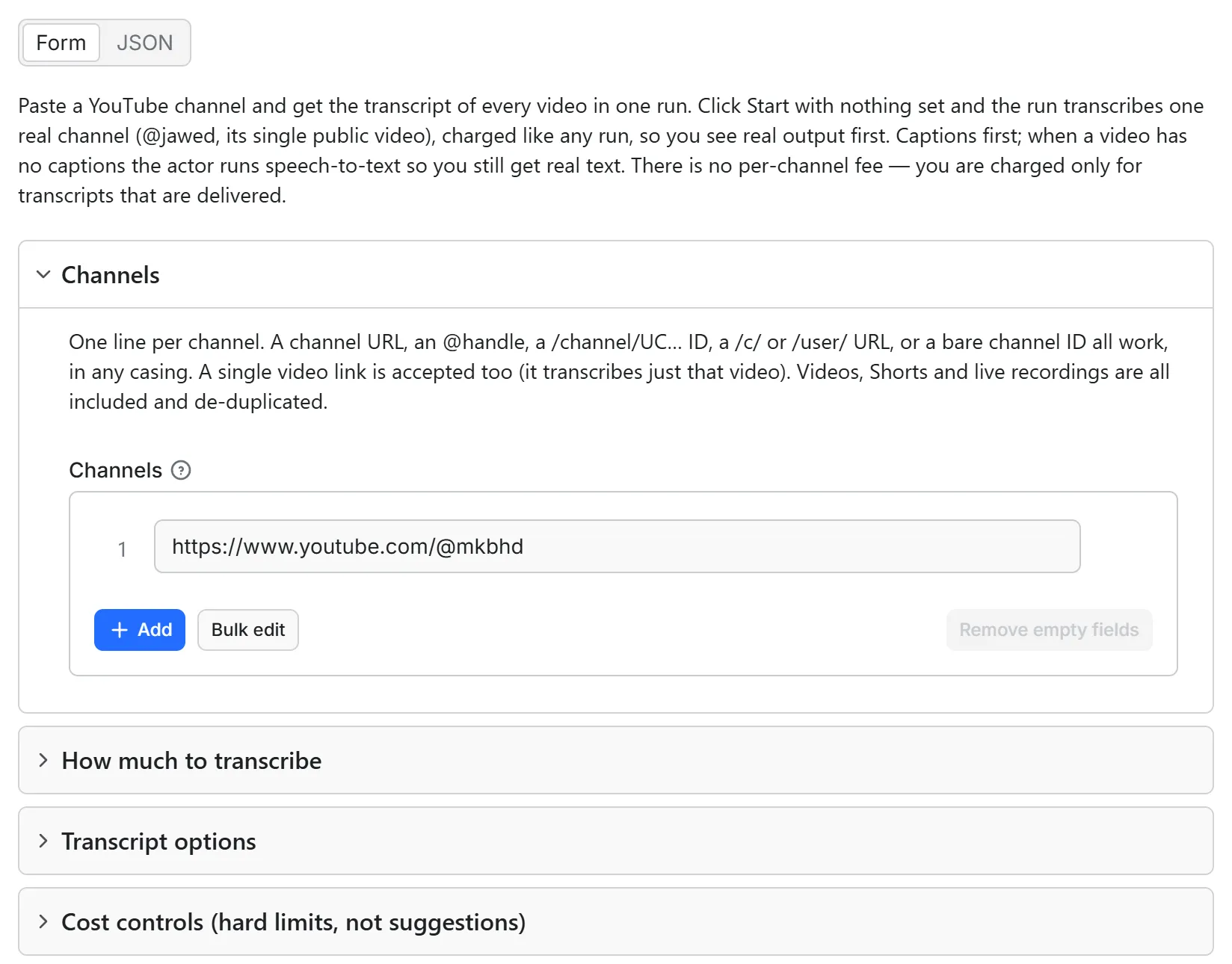
Just want to see it work? Click Start with nothing set and the run transcribes one real channel (@jawed, its single public video, "Me at the zoo"), charged like any run at your plan's per-transcript price. Set only settings — a different Output format, a caption language, speech-to-text off, a limit — and leave Channels empty, and that same sample runs under your settings, charged like any run. Put your own channel URL, @handle or channel ID in Channels for your own run.
Issues answered in a couple of hours. Unofficial: steadyfetch is not affiliated with, endorsed by, or sponsored by YouTube or Google. "YouTube" is a trademark of Google LLC, used here only to say what this actor reads.
There is no per-channel fee — you only pay for transcripts that are delivered. Every row
carries charged, chargedEvents and statusReason, and the last row of a run (_summary: true)
is its receipt, so you can reconcile the invoice from the dataset itself.
Only rows with charged: true were billed. If your Maximum cost per run is reached
while a video's transcript is already in hand, that transcript still ships in full with
charged: false and a statusReason naming the cap — your cap is never exceeded, and work
already done is never thrown away.
What a row looks like

Real output, unedited apart from trimming the transcript and segment list:
| field | notes |
|---|---|
inputChannel · channelHandle · positionInChannel · videosFound | which channel this came from, and where in it — join rows back to the channel you pasted |
text · segments[{start,end,text}] | the transcript, and the same text with timestamps in seconds |
srt · vtt | filled only when you ask for that format; otherwise null |
source | captions or speech_ai — how this transcript was produced |
captionKind | manual (uploaded by the channel) or auto (YouTube's own auto-captions); null on the speech route |
title · channelName · channelId · durationSeconds · viewCount · isLiveContent | as YouTube reports them |
charged · statusReason · chargeEvents | the reconciliation trio |
chargedEvents | what this row was charged, by event id — { "transcript": 1 }, plus "speech_minute": n on a speech-to-text video; {} on every row that was not charged |
repeat · firstSeenAt · firstSeenRunId | true when this account already had this transcript: it was handed back from the run named here, and nothing was charged for it |
retryable | on a row that did not deliver: true means YouTube refused us this time and the same input is worth running again, false means the answer will not change. It always agrees with the note in statusReason, so code can branch on the column instead of parsing the sentence |
The last row is the run's receipt (_summary: true, status: "run_summary", never charged): how many
videos were requested and delivered, chargedEvents for the whole run (the sum of the rows above it, and
what the run was charged), the speech-to-text minutes, what ended the run (stoppedBy) and the run's
status line in statusReason. A run with New videos only on has no receipt row, so the dataset holds just
the new videos; its status line and run summary say the same.
The run summary (in the key-value store) carries a per-channel breakdown: videos found vs
transcribed, and the reason enumeration stopped (completed, maxVideos, …).
Browse the full live example dataset →
— one real @mkbhd run, four transcripts as delivered: a 31-minute video (30,883 characters), a
Pixel impressions video, a phone review and a foldable review, each with its own charged and
chargeEvents line.
Agent / API paste-block
Calling from an agent or MCP client: every optional field accepts an explicit null and reads it as
"use the default", so a template that renders one body per run and sends null for everything it
left unset still runs. format included, and channels too: a null there runs the one-channel
sample, exactly like an untouched Start, so send your real list. An unrecognised format does not fail the run either — nothing is transcribed, nothing
is charged, and one row names the formats that exist so you can re-run with one of them.
Sending the same list under a sibling actor's field name works too: videoUrls and urls are read
as this actor's list, and so is startUrls, Apify's own name for a list of links (plain strings or
{ "url": … } objects); one uncharged note row tells you the field is called channels here.
Channel URLs, @handles, channel IDs and single video links are all accepted whichever of these
names you send them under, so a body written for another transcript actor runs here unchanged.
Send the settings themselves as the run input; a body wrapped as {"input": {...}} is still read,
and one uncharged note row says so.
MCP: one link pins this actor in Claude, Cursor, or any MCP client — the link is at the top of this page — or ask Apify's MCP server for "youtube channel transcripts".
Use it as an API endpoint (Standby)
You can also call this actor like an API: send a channel and get its newest videos' transcripts back in the same response, with no run to start and no dataset to read. The address is https://steadyfetch--youtube-channel-transcripts.apify.actor, and the actor's Endpoints tab lets you try it from the browser.
Or POST the same input a run takes:
The answer is JSON: rows (one per video, with the same fields as a row in a run's dataset), receipt (the same summary a run saves as its OUTPUT record), delivered, charged, and notes for anything you should know, in plain words. You are charged exactly as in a run — per video that returns real text, plus each started speech-to-text minute when a video has no captions — and a video that cannot be transcribed is never charged. If the charge for a request cannot be completed, its transcripts are not sent.
Good to know: a whole channel is a job for a run. One request takes up to 3 channels and 25 videos (1 channel and 5 videos on the Apify free plan), newest first, and up to 60 speech-to-text minutes (10 on the Apify free plan); a note names any channel that holds more, and nothing past the cut is charged. The endpoint does not hand back videos your account already has, and does not take newVideosOnly, transcripts: false or a datasetId: every request is answered and charged on its own. For a weekly poll with repeats handed back uncharged, or a channel's full video list, run the actor as usual.
What you can paste
A channel URL (youtube.com/@handle, /channel/UC…, /c/…, /user/…), a bare @handle, a
bare channel ID, or a full channel URL with any trailing tab. Casing in the link does not
matter. A single video link works too — it transcribes just that video. Videos, Shorts and
live recordings are all enumerated and de-duplicated into one list.
maxVideos caps how many of a channel's newest videos are transcribed (default 50, up to 5,000 per
channel). Raise it — and your Maximum cost per run — to transcribe a whole channel.
Asking past a cap is never a refusal. maxVideos and maxItems take up to 5,000 each and
maxSpeechMinutes up to 100,000; ask for more and the run still starts, continues at the ceiling,
and ships one uncharged row saying what you asked for and what bound it.
maxItems is the second cap, and it applies to the whole run rather than to each channel
(default 500). Per-channel caps multiply — ten channels at 50 is 500 transcripts — so this is the
one number that bounds what a multi-channel run can bill you. Channel reports, skipped videos and
uncharged misses carry no result fee and never count against it; when the run stops on this limit the status
line says so and names how many videos were left.
newVideosOnly (New videos only, default off) is the switch for a scheduled run. Off, a video
this account already has comes back from the earlier run marked repeat: true with nothing charged
for it, so a re-run is a complete, current archive. On, those videos are left out of the dataset
altogether — nothing fetched, nothing charged, no row — and the status line says how many were
skipped, so a Sheet or a webhook receives one row per new upload and nothing else. It needs the
account memory to work, so a run whose API token cannot open key-value stores stops before listing
anything and says which permission to grant, rather than charging you for the back catalogue you
asked it to skip. See the recipe below.
List a channel's videos without transcripts
Send transcripts: false and the run stops at the listing: one row per video, no transcript, and
no transcript or speech-to-text minute charged. There is no charged event for a channel's video
listing, so a listing run bills neither of this actor's two events — you pay only the Apify platform
usage every run spends.
Each row carries what YouTube's own channel grid says about the video:
Two numbers are deliberately missing, and that is the honest answer. A channel grid gives
rounded words — "7.8M views", "1 day ago" — and nothing more exact. So the row ships those words as
viewsText and publishedText and does not ship a viewCount of 7,800,000 or an upload
timestamp derived from "1 day ago": both would be a precision YouTube never gave us. When the grid
does print an exact count the row carries viewCount as well. durationSeconds and thumbnail are
read straight off the grid and are exact.
How often does this change? As often as the channel uploads — for most channels that is weekly, for a news or daily-vlog channel it is daily, and for a dormant channel it is never. View and age text move on every listing. Nothing is remembered between runs in this mode: a listing is the answer to "what is on this channel now", so every run re-lists the channel in full and hands you the current state. That is the opposite of the transcript mode, where a video you already have comes back uncharged instead of being fetched again.
maxVideos and maxItems bound a listing run exactly as they bound a transcript run. An AI agent
that guesses mode: "videos", videosOnly: true or skipTranscripts: true gets the same listing,
plus one uncharged row naming the field this actor actually declares.
What you are charged for
Pricing: from $2.40/1,000 transcripts. Two events, and nothing else — listing the channel adds no separate fee:
- Transcript — once per video that returns real text, from captions or from speech-to-text.
- Nothing at all — when you send
transcripts: false. The run lists the channel's videos and stops there, so neither event fires. See the section above. - Speech-to-text minute — per started minute, and only when a video had no usable
captions so speech-to-text had to run. A captioned video never triggers it, and a
caption-less video too long for the speech route (see
audio_too_long_for_speechbelow) is reported uncharged instead of being charged for a partial transcript.
What can fail, and what it costs you: nothing. The two most common non-deliveries are
no_speech (the audio is music or silence, so there is no transcript to sell) and
blocked_retry (YouTube challenged or throttled the fetch, or was still processing the video).
Both come back as a row with charged: false naming the reason — as do no_captions,
private_or_members_only, removed_or_unavailable, age_restricted, region_blocked and
live_no_transcript_yet. You pay for delivered transcripts and nothing else.
Switch "Use speech-to-text when a video has no captions" off and you will never be charged a
speech-to-text minute; caption-less videos come back as uncharged rows instead. Max videos and
Max speech-to-text minutes are hard stops: the run finishes successfully and each skipped row
names the limit that stopped it.
Raising that limit lets a re-run try the video; for a video without captions a re-run may still come
back uncharged without a transcript, because YouTube does not release the whole audio of every such video.
Run it weekly — the whole channel stays current, you pay for the new uploads
Save the channel list as a Task, put it on an Apify Schedule (weekly for most channels,
daily for a channel that uploads daily), and add an integration on run succeeded. Every run
re-lists the channel, hands back the videos your account already has (repeat: true, not
charged — they do not use up your video caps either), and transcribes only the new uploads.
Turn New videos only on and the dataset holds just those, so a Sheet or a webhook receives
one row per new video and nothing else.
The check happens before anything is bought: no player call, no caption fetch, no
speech-to-text minute. The same video reached two ways is still one charge — pasted as a link
today, listed by its channel tomorrow. A handed-back row carries repeat: true,
charged: false, firstSeenAt (when you first got it) and firstSeenRunId (which run), and
statusReason says the same in words; with New videos only on there is no row at all and
the status line carries the count instead.
The memory lives in your own account, in a key-value store called
yt-channel-transcripts-account on your Storage tab. Delete it to start over and be
charged again. Transcripts drop out of it after 90 days on their own. If it cannot be read on
a given run, the run still delivers — it charges as it always did and the status line says the
check was unavailable, so you know that run could have billed a repeat. With New videos only
on, that run stops before it lists anything instead, and says so on an uncharged row: the switch
is a promise about that record, and we would rather run nothing than charge you for videos you
asked us to skip.
One thing can switch the memory off without you meaning to: a scoped API token. The memory is a key-value store in your own Apify account, so a run started with a scoped API token in restricted-access mode needs key-value store Read, Write and Create permission (or Actor runs set to Full access) — set under Settings → API & Integrations (Write is what lets the run remember what it delivered; without it every run pays again). Without it the run says so on its status line and in an uncharged first row, and it cannot skip what you already have, so a scheduled poll transcribes and charges the whole back catalogue again. A run started from the console, or with a full-access token, is unaffected.
When a video (or channel) is not charged
status | what happened | temporary? |
|---|---|---|
channel_not_found | the channel handle / ID / URL did not resolve | no |
no_videos_found | the channel has no public videos, Shorts or live VODs | no |
resolve_failed · enumerate_failed | the channel could not be looked up or listed right now | yes — re-run |
channel_region_blocked | YouTube does not serve this channel to any of the locations the run went out from (it tries three) — a limit on where we went out, not a verdict on the channel. Runs can leave from different locations, so another one may be allowed to list it | yes — re-run |
no_speech | the audio is music or silence — there is no transcript to sell | no |
no_captions | no captions, and you switched speech-to-text off for this run | no |
asr_unavailable | our speech-to-text service refused this actor's access mid-run — that is on us, not you. Captioned videos still delivered; caption-less ones came back uncharged | yes — try again later |
audio_too_long_for_speech | no captions, and the whole audio could not be had — YouTube would not release it whole (or, rarely, it could not be cut into pieces) — and we never sell a partial transcript as whole. Captioned videos are unaffected at any length | no |
private_or_members_only | private or members-only | no |
removed_or_unavailable | YouTube says the video is gone; its own words are in the row | no |
age_restricted | YouTube requires a signed-in, age-verified account | no |
region_blocked | the uploader has not published it in the country we fetched from | no |
live_no_transcript_yet | a live stream — no transcript exists until it ends | re-run after it ends |
blocked_retry | YouTube challenged, throttled or was still processing | yes — re-run |
skipped_too_large · skipped_budget · skipped_deadline · skipped_speech_cap | a limit stopped it before its transcript, and the row names which one: this actor's own audio size limit, your maximum cost per run, the run timeout (a short one names the seconds that fit), or the speech-minute cap (a transcript already in hand when the cost cap is reached is delivered instead, uncharged) | yes |
input_error | the paste was not a channel or video | fix and re-run |
sample_note | you set settings but no channels, so the sample ran under them — the row names what you set, and is not charged | — |
video_listing | you sent transcripts: false, so the video was listed and not transcribed — id, URL, title, duration, thumbnail and the grid's own view and age text, nothing charged | — |
run_summary | the run's receipt, always the last row (_summary: true): what was delivered and charged, by event, and the run's status line — the row itself is never charged | — |
A temporary problem is never reported as a permanent one. This actor may fail when the platform changes things — failed items are never charged.
FAQ
How do I download every transcript from a YouTube channel?
Paste the channel URL or @handle and run it. No YouTube API key, no cookies, no sign-in.
Does it include Shorts and live streams? Yes — the Videos, Shorts and Live tabs are all enumerated and merged, de-duplicated by video ID.
Can I transcribe just the newest few videos?
Set maxVideos. Videos are taken newest-first.
What if a video has no captions?
Speech-to-text runs on the audio and you get real text, marked source: "speech_ai". If the
audio has no speech at all, the row comes back no_speech and uncharged. Long caption-less videos are transcribed too, up to 12 hours of audio; a longer one comes back audio_too_long_for_speech, uncharged, naming that limit.
Audio larger than one speech-to-text request is transcribed in pieces and joined, and its minutes
are charged once, on the whole video's length. A larger file comes back skipped_too_large,
uncharged, naming this actor's own limit; in the rare case YouTube will not release a video's
audio whole, the row comes back audio_too_long_for_speech and uncharged rather than half-transcribed. A caption-less video may also be skipped, uncharged, when transcribing it would cost more than it pays at the current speech price — its row comes back speech_skipped_cost.
Every video that has captions — the large majority of a channel, including nearly every spoken
upload — is unaffected at any length.
Can I get SRT or VTT subtitles?
Set format to srt or vtt and each row carries a ready-to-save subtitle string.
Can I use this through an MCP server? Yes. It is a standard Apify actor, so any MCP client that can call Apify actors can call it.
Does a run cost anything beyond these events?
No. The price is all-inclusive: the platform usage a run consumes (compute and proxy) is paid by us and never
billed to you, and Maximum cost per run caps exactly the events above.
Steadyfetch YouTube suite
Same transcript engine, different way in. All-inclusive pay per event, no start fee, charged only on delivery.
| What you paste | Actor |
|---|---|
| Video URLs or IDs | YouTube Transcript API & Scraper — YouTube Subtitles, Speech AI |
A channel URL, @handle or channel ID | this actor |
The rest of the steadyfetch shelf — same contract everywhere: all-inclusive pay per event, no start fee, charged only on delivery.
| Family | Actors |
|---|---|
| Ad creative intelligence | Facebook · Google Ads video · TikTok · LinkedIn · Google Ads text & OCR |
| Trends & keywords | Google Trends · Trends Now · Breakout keywords · Autocomplete keywords · Keyword volume & CPC · Social trends |
| YouTube transcripts | YouTube videos · YouTube channels |
| Reel transcripts · Profile posts | |
| Jobs | Indeed · Career sites by domain · Glassdoor · Multi-board · Google Jobs |
| Amazon | Products · Search · Bestsellers · Sellers |
| Any media file | Speech to Text · any link or file |
Feedback & support
Found an issue? Open it on the Issues tab — we usually reply within a couple of hours, always within a day.
If it earned its keep, a rating helps other buyers find it, and saving the actor keeps it one click away.


