
Podcast Transcription Scraper — Speech to Text, Audio & Video
Pricing
from $6.00 / 1,000 audio minutes
Podcast Transcription Scraper — Speech to Text, Audio & Video
Audio & video transcription: never charged for a link we can't reach, can't decode, or that has no speech. Any audio or video URL to text, SRT and VTT with timestamped segments — direct file links from any host, plus 14 tested sites for page links. About 90 languages, no API key of your own.
Pricing
from $6.00 / 1,000 audio minutes
Rating
0.0
(0)
Developer

Steadyfetch Team
Maintained by CommunityActor stats
0
Bookmarked
317
Total users
157
Monthly active users
6 hours ago
Last modified
Share
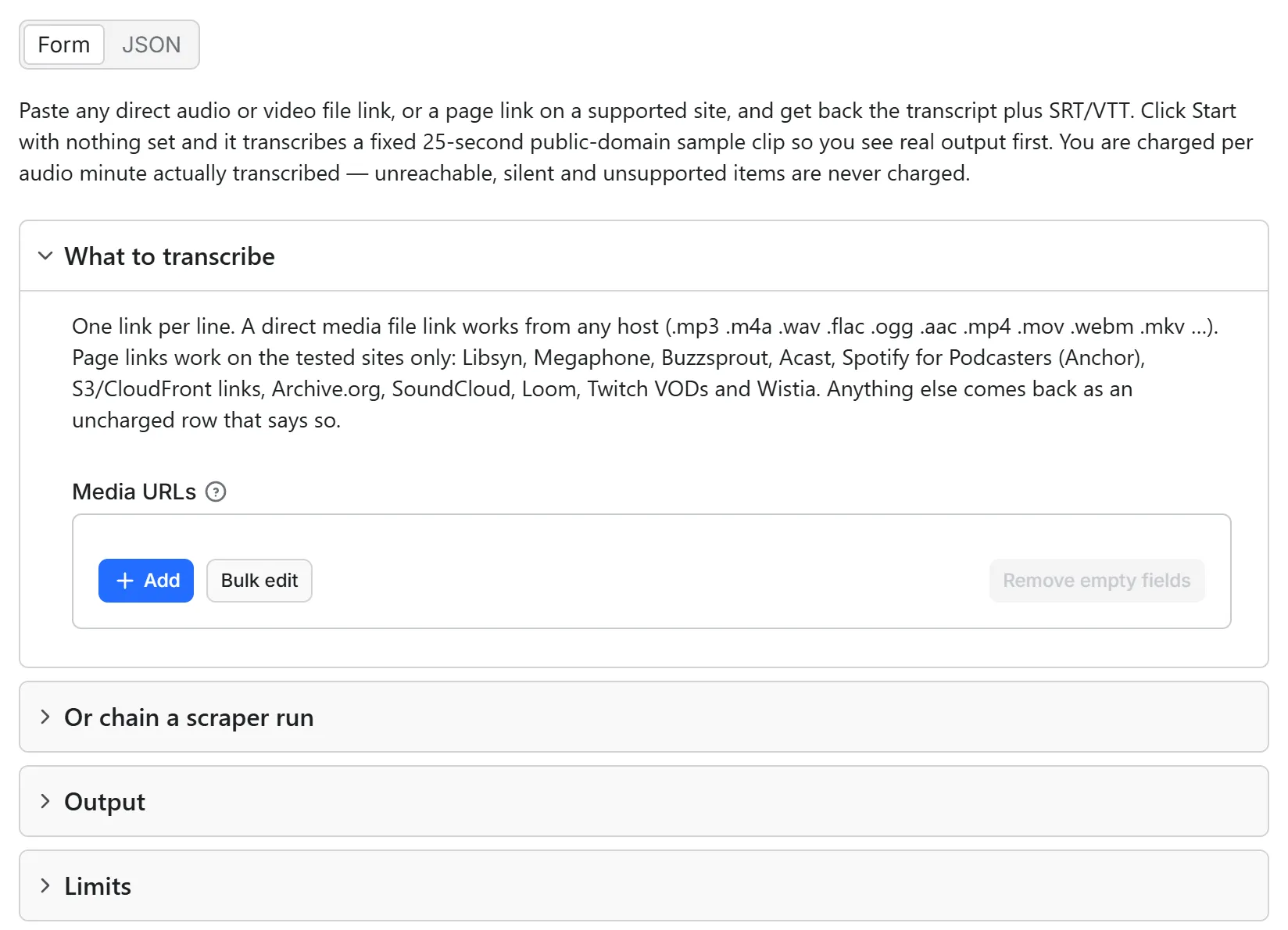
Any media URL to text, SRT and VTT. Unreachable, silent and unsupported items are never charged. Direct file links always work; sites only where listed. Paste a link to an .mp3, .m4a, .wav, .mp4, .mov — or a podcast, SoundCloud, Loom, Twitch VOD, Archive.org or Wistia page, or a TikTok video link (tiktok.com/@<user>/video/<id>, a /t/ or vm.tiktok.com share link), a Facebook reel or watch link, or an X video transcript from a post link (x.com/<user>/status/<id>, twitter.com too) — and get back the transcript, the timestamps, and ready-made subtitle files. No account, no API key of your own, no subscription.
A whole show or a whole scraper run, in one call. Put a podcast's RSS feed or its Apple Podcasts show link in Podcast feeds or show links — { "podcastUrls": ["https://example.com/feed.xml"] } — and its newest episodes are transcribed, 10 by default and up to 500 per show; or chain any scraper run by its Dataset ID — { "datasetId": "<that run's dataset id>" } — and the media link in every row is transcribed. Size the cap to the job: a show's 10 newest 45-minute episodes are 450 audio minutes, so set maxTotalChargeUsd 3.00.
Coming back for new episodes? Most shows publish weekly, so a feed you already transcribed changes only by the episodes added since. Put the same podcastUrls input on an Apify Schedule — weekly for a weekly show, daily for a daily one — and each run charges only for episodes your account has not had; turn on New items only (newItemsOnly) and those are left out of the dataset entirely (how).
See a real run before you spend anything: sample dataset — one verified run, three rows: a 3-minute public-domain recording transcribed, a no-speech clip and a dead link uncharged. Unedited.
Using an AI agent? Pin this actor in Apify's MCP server with one link: https://mcp.apify.com?tools=steadyfetch/media-transcriber
- Actor id:
steadyfetch/media-transcriber - Input:
{ "urls": ["https://example.com/episode.mp3"] }for files, or{ "podcastUrls": ["https://example.com/feed.xml"] }for a whole show. - Cap the bill: set
maxTotalChargeUsdon the run (a run option, not Actor input). At $0.006 per audio minute on every plan, $0.50 buys about 83 minutes and $1.00 about 166; the run stops cleanly at the cap, and a capped run's status line says how many minutes it bought and the figure to set to finish the list.
Just want to see it work? Click Start with nothing set and the run transcribes a fixed 25-second public-domain sample clip (the Gettysburg Address, read for LibriVox), charged like any run: one audio minute, $0.006. You get the text, the timestamps and the subtitle files on real audio. Paste your own links for a real run. Set only the options — a format, a minute cap — and no links, and the same clip runs under them, charged the same way, with one extra uncharged row naming which settings were yours. The one exception is Language hint: the clip is an English recording, so a hint naming another language answers with an uncharged row instead of inventing words.
| You give it | You get back |
|---|---|
| A direct audio or video file link, from any host | text — the full transcript, in the language it was spoken |
| …or a page link on one of the 14 tested sites below | srt and vtt — subtitle files, ready to upload |
| …or a whole list of them in one run | segments — start/end timestamps for every line |
| …or the Dataset ID of any scraper run you already have | language, durationSeconds, wordCount, status, chargedMinutes |
Pricing: $6.00 per 1,000 audio minutes — the same price on every Apify plan. You are charged per audio minute actually transcribed, rounded up to the next whole minute (a 90-second clip bills 2 minutes). Nothing else — no start fee, no subscription.
You never pay for the same item twice (the default sample aside — see the end of this paragraph). That memory is a key-value store in your own Apify account, so a run started with a scoped API token in restricted-access mode needs key-value store Read, Write and Create permission (or Actor runs set to Full access), under Settings → API & Integrations — without it this actor cannot open the memory at all, the run says so on its status line and on the first row of its dataset, and items you already have are transcribed and charged again (Write is what lets the run remember what it delivered; without it every run pays again). Every run remembers what it transcribed for your account — in a key-value store called media-transcriber-watch-account in your own Apify account — under the link you passed, under the file that link names, and, for a page link, the site's own id for the media. Re-run the same list and the items you already have come back from the run that delivered them: repeat: true, firstSeenAt, firstSeenRunId, nothing fetched, nothing decoded, nothing transcribed, nothing charged. It works across link shapes too — the same track pasted as a share link today and as its full permalink tomorrow is one item and one charge, and an episode reached through its page one day and pasted as its own audio address the next is likewise one item and one charge. Delete that store to forget everything; entries older than 90 days stop counting as repeats. If the store cannot be read on a given run, the run still runs: it transcribes and charges as usual, and says on the status line and the charged rows that the repeat check was unavailable — and when a token scope is what closed it, which permission to grant, on the status line and on the first row of the dataset. The one exception is the default sample — a Start with no links, or with only settings set: it transcribes our fixed 25-second clip live every time, is neither read from nor written to that memory, and is charged like any run (one audio minute), so a second bare Start pays for it again. Every run that names its own links, dataset or rows is covered exactly as above.
Run it on a schedule — pay only for new episodes
A podcast feed, a channel's uploads, a folder of recordings: the list grows, and this actor only ever charges the part that is new. Save your input as a Task, put the Task on an Apify Schedule (weekly suits most podcasts; daily for a show that posts daily), and add an integration or a webhook on run succeeded — a Google Sheet, Slack, n8n, Make, or your own endpoint. Every run remembers what it transcribed for your account for 90 days, so the episodes you already have come back marked repeat: true and are not charged again (a scheduled run on a scoped API token needs key-value store Read, Write and Create permission, or Actor runs set to Full access, or the memory cannot be opened and the episodes are charged again); turn New items only on and they are left out of the dataset altogether, so your integration receives only the new transcripts. Chaining works the same way: point datasetId at a scheduled scraper run's dataset and only the media links that run found for the first time are transcribed and charged.
What can fail, and what it costs you: nothing. The two most common non-deliveries are no_speech (the audio decoded fine but it is music, silence or a tone) and unsupported_site (a page link on a site outside the tested list below that does not plainly embed its media file). Both come back as a row with charged: false and a note saying what happened — as do unreachable, not_media, no_audio_stream, too_large, drm_or_paywall and budget_stop. You are billed for decoded audio minutes and nothing else.
Output
One JSON row per URL. Delivered rows carry the transcript and charged: true; anything that could not be delivered carries a status saying why, and charged: false. Every row also carries isNew (your account had never had this item before) and firstSeenAt; an item you already had comes back with repeat: true, firstSeenRunId and charged: false. Real rows from a verified run (long text trimmed with … for this page):

| status | charged | chargedMinutes | siteName | title | durationSeconds | language | wordCount | text |
|---|---|---|---|---|---|---|---|---|
ok | true | 1 | Loom | Sell Faster and Smarter with Loom | 53.45 | English | 118 | Ready to prospect more efficiently, close more pipeline, and create loyal champions? Loom … |
ok | true | 9 | Archive.org | 1 Laying Plans - 2 Waging War | 506.78 | English | 1133 | Part 1. Laying Plans. Sun Tzu said, 1. The Moral Law 2. Heaven 3. Earth 4. The Commander … |
no_speech | false | 0 | Wistia | Wistia Product Page - Looping Header | 15.07 | null | null | null |
The last row is a music-only clip with no voice-over: it comes back with its metadata and is not charged.
Browse a full live example dataset → — one real run, three rows: a 3-minute public-domain recording transcribed and charged for 4 audio minutes, a music-only clip returned no_speech, and a dead link returned unreachable. The run charged 4 audio minutes in total — exactly the one row that carries a transcript.
A delivered row in full:
Every field is always present — explicit null over silent omission. Non-delivered rows carry a status and a note instead, plus retryable: true means the host refused us this time (a block, a throttle, a bot page) and running the same input again is worth it; false means the answer will not change.
Every row also carries statusReason (the row's own sentence, or why an uncharged row is uncharged), chargedEvents (exactly what that row was charged — {} when nothing), door (how the item came in: feed, show_page, apple_show, spotify_episode, spotify_show, direct or page_link) and reason (the limit that stopped it, when one did: max_minutes_per_item, max_total_minutes, max_total_charge, max_run_seconds, run_time_ceiling or run_timeout). The last row of every run is an uncharged _summary: true receipt with delivered, chargedEvents (the sum of the rows above it), stoppedBy, reason and doors.
| status | What happened | Charged |
|---|---|---|
ok | Speech transcribed | ✅ per audio minute |
no_speech | Audio decoded, but it is music, silence or a tone | ❌ |
no_audio_stream | The file is video with no audio track at all | ❌ |
not_media | The link returns an image, a live stream or an XML document that could not be read as a podcast feed — not a file. If a host served a web page where the file should be, that is a block: the row comes back retryable: true | ❌ |
no_media | The page resolved but exposes no audio or video we can fetch, or lists several files without saying which | ❌ |
unsupported_site | A page link on a site outside the tested list that does not plainly embed its media file (the note names the working route, and the actor that does handle it when one exists) | ❌ |
unreachable | 404 / 410 / a host that does not exist — permanent once a second read gives the same answer (a site page's "not found" is looked up twice too, and one failed lookup of a stream's host is never taken as proof). A 401, 403, 451, throttle or timeout is a block, not a missing file: same status, retryable: true — unless the link's own expiry stamp had already passed, or the same 401/403/451 came back on every network route the run has; both carry retryable: false. A "not found" is read a second time, without asking for part of the file, before it is believed — and when at least three files on the same host all answer "not found" in one run while none of them answers, the host is most likely refusing our requests, so those rows carry retryable: true too A signed link whose own expiry stamp had already passed says it expired and tells you to re-run the scraper that made it, while a link refused on every route with no stamp says the host is refusing the file to us and points you at its own feed or player | ❌ |
drm_or_paywall | The page streams only inside its own app (Spotify's open.spotify.com player when its show publishes no open podcast feed, Amazon Music, Apple Music) or needs a signed-in account — there is no public file to fetch | ❌ |
too_large | Over the per-item size limit, or over your maxMinutesPerItem | ❌ |
asr_failed / failed_download / failed_resolve | Did not complete after all attempts (also listed in the run's ERRORS record) | ❌ |
asr_unavailable | Our speech-recognition service refused this actor's access mid-run — that is on us, not you. Remaining items were answered instantly without being started; try again later | ❌ |
budget_stop | The run hit your charge cap, your minute cap, your Max run time, the run timeout or this actor's own 2-hour limit before reaching this item — reason names which, and the note says what to raise (or, for the 2-hour limit, to run the same input again to carry on) | ❌ |
input_error | The entry is not a usable link — the note says what to pass | ❌ |
This actor may fail when the platform changes things — failed items are never charged.
For AI agents & LLMs — copy this block
Use it as an API endpoint (Standby)
You can also call this actor like an API: send one audio or video link and get the transcript back in the same response, with no run to start and no dataset to read. The address is on the actor's Endpoints tab, where you can also try it from the browser.
Or POST a JSON body:
| Setting | What it does |
|---|---|
url | One audio or video link: a direct file on any host, or a page link on one of the sites listed below. One link per request. |
language | The spoken language as a code, e.g. en. Detected if you leave it out. |
outputFormats | Any of text, segments, srt, vtt — a JSON list, or comma-separated in the address. All four if you leave it out. |
maxMinutes | The longest file to transcribe. Up to 20 minutes per request (5 on the Apify free plan), which is also the default. |
The answer is JSON: transcripts (the transcript, with the same fields as a row in a run's dataset), delivered, charged, notes for anything that was not transcribed, in plain words, and summary. You are charged exactly as in a run: per minute of audio transcribed, rounded up to the next whole minute. A link that cannot be reached or decoded, a file with no speech and a file over the request's limit are never charged. If the charge for a request cannot be completed, its transcript is not sent and nothing is charged.
Good to know: each request transcribes one file of up to 20 minutes. For longer files, whole podcast shows and chained datasets, run the actor as usual. The endpoint also does not hand back files your account already had: every request is answered and charged on its own. To follow a show with repeats handed back uncharged, run the actor on a Schedule.
What this does not do
- No speaker labels. This returns one transcript per file with timestamps, not a who-said-what breakdown. If you need speaker separation, this is not the right actor.
- No translation. Speech is transcribed in the language it was spoken. About 90 languages are detected automatically. A language hint the speech engine does not support is left out: the language is detected automatically and the row says so.
- No downloading. You get text and subtitles, not a media file.
Whole shows: an RSS feed, an Apple Podcasts or Spotify show link
Paste a show, not an episode. Podcast feeds or show links (podcastUrls) takes either an RSS feed address — https://example.com/feed.xml — or an Apple Podcasts show link such as podcasts.apple.com/us/podcast/name/id1200361736, finds the feed itself, and transcribes the newest episodes. Episodes per show (maxEpisodesPerShow) decides how many; the default is 10, newest first. A show that publishes fewer than that delivers all it has and says so.
A show's own web page works too, wherever the page publishes its feed: the actor finds the RSS address the page names (most podcast hosts name it, and Spotify for Creators show pages do) and transcribes the newest episodes from there; when the page lists more than one address, the next one is tried if the first does not answer as a feed. A feed address or an Apple Podcasts show link pasted in Media URLs is read as a show in the same way, with the same episode count and the same charges, instead of coming back as "not a media file". A Spotify show link is read from the show's own podcast feed when the show publishes one under the same name (checked against the show's latest episode); a show only Spotify carries has no feed behind it, so it comes back as one uncharged row asking for the RSS address or the Apple Podcasts show link.
Coming from another podcast tool? Links sent in sources are read as Media URLs (an Apple Podcasts show link there is read as a whole show), and maxEpisodesPerFeed, maxMinutesPerEpisode and onlyNewEpisodes are read as Episodes per show, Max minutes per item and New items only. Settings this actor does not have are named once in the run log and change nothing.
Every episode lands as an ordinary row with its transcript, plus four columns the feed gave us: podcastShow, episodeTitle, episodeGuid and publishedAt. Those four are null on every row that did not come from a feed.
A re-run of the same feed only pays for what is new. Each episode is remembered by the feed's own id for it, so the next run hands back everything it has already transcribed for your account — repeat: true, not fetched, not charged — and transcribes only the episodes published since. That is what makes a weekly Task on one feed cost the price of one week's episodes rather than the whole back catalogue — as long as the token the Task runs under can open key-value stores in your account (Read, Write and Create), which a scoped token in restricted-access mode does not by default. Tick New items only and the repeats are left out of the dataset altogether, so a schedule delivers the new episodes and nothing else.
Nothing here is charged unless an episode is transcribed. A feed we cannot reach, a web page that names no feed, a show Apple does not list, and a feed with no downloadable audio each come back as one uncharged row naming what was found and the next step. When every episode of a show answers "not found" at once, that is most likely the file host refusing our requests rather than the whole show being deleted: those rows come back uncharged with retryable: true and say to run again later.
One episode rather than a whole show still belongs in Media URLs (urls): an Apple Podcasts episode link (the one carrying ?i=), a Spotify episode link, an episode page on any tested host, or the audio file itself.
Which links work
Check this before you start, not after. A page link on a site that is not below comes back as an uncharged unsupported_site row — you lose the run, not money. Five platforms with their own steadyfetch actor (YouTube, Instagram, TikTok, LinkedIn, Google Ads Transparency Center) are listed at the end of this section; everything else is a direct file link or one of the tested sites. Facebook and TikTok are in both lists: ordinary video links transcribe here, ad links go to the ads actor.
Any direct media file link, from any host. .mp3 .m4a .wav .flac .ogg .opus .aac .aiff · .mp4 .m4v .mov .webm .mkv .avi — signed CDN links and links with no file extension work too; the file is identified by its actual bytes, not by its name. That covers S3 and CloudFront links, and every podcast host's own audio address.
Page links, on these 14 tested sites only:
| Podcast hosts | Libsyn · Megaphone · Buzzsprout · Acast · Spotify for Creators (creators.spotify.com, podcasters.spotify.com, anchor.fm — formerly Spotify for Podcasters / Anchor) |
| Podcast catalogues | Apple Podcasts (an EPISODE page — podcasts.apple.com/…?i=<episode id>) |
| Archives | Archive.org |
| Audio & video | SoundCloud · Loom · Twitch VODs · Wistia |
| Social video | Facebook (a reel facebook.com/reel/<id>, a watch link facebook.com/watch/?v=<id>, a /videos/<id> link, or an fb.watch share link) · TikTok (a video link tiktok.com/@<user>/video/<id>, a tiktok.com/t/<code> or vm.tiktok.com/<code> share link, or m.tiktok.com/v/<id>) · X (Twitter post links — x.com/<user>/status/<id>; twitter.com, the mobile./m. subdomains and the i/status / i/web/status forms all work) |
Each of those was measured on a real public page, and the evidence is kept as a test fixture, so the list cannot drift away from what the actor can actually do.
On Facebook it is the video link that transcribes, not the page it sits on: a reel, a watch link, a /videos/<id> link or an fb.watch share link. A Facebook profile, a photo post or a page's Reels tab has no single video to pick, so it comes back as an uncharged row naming the shapes that do work, and a link whose video lives on some OTHER site is not followed from here either — paste that site's own address instead. Only Facebook's own video is transcribed. Facebook Ad Library links (facebook.com/ads/library/?id=…) still belong in our Facebook ads actor, which reads the ad's own creative — the row says so.
On TikTok it is the video link that transcribes: tiktok.com/@<user>/video/<id>, a tiktok.com/t/<code> or vm.tiktok.com/<code> share link, or m.tiktok.com/v/<id>. A TikTok profile, hashtag, sound or Discover page has no single video to pick, so it comes back as an uncharged row naming the shapes that do work, and a share link that leads somewhere other than TikTok is not followed from here either — paste that site's own address instead. Only TikTok's own video is transcribed. TikTok Creative Center ad links (ads.tiktok.com/business/creativecenter/topads/…) still belong in our TikTok ads actor, which reads the ad's own creative — the row says so.
On X (Twitter) it is the post link that transcribes: x.com/<user>/status/<id>. twitter.com, the mobile./m. subdomains and the i/status / i/web/status forms all work, and a trailing /video/1, /photo/1 or ?s=… share query is fine. A profile, a search, a hashtag page, a Space or a live broadcast has no single finished video to pick, so it comes back as an uncharged row naming the shape that does work — and a post whose video lives on some OTHER site (a link out to YouTube, Vimeo or SoundCloud) is not followed from here either: paste that site's own address instead. Only the post's own video is transcribed.
On Apple Podcasts, Media URLs takes the episode page — the link carrying ?i=<episode id>. A show link resolves to the show's feed and transcribes its newest episodes — in Podcast feeds or show links or pasted into Media URLs alike, with Episodes per show deciding how many. Apple Podcasts is Apple's catalogue page and reads the podcast's own audio address out of it — Apple Music (music.apple.com) is a player that streams only inside the app and is refused as before.
The field name from our other transcript actors also works. If you came here from one of the sibling actors and sent your links in videoUrls, reelUrls or adLibraryUrls, they are read and transcribed exactly as if they had arrived in urls — with one extra uncharged row on the run naming urls as the field to use next time. Nothing is renamed and nothing is dropped; urls remains the actor's own field.
Any other page link is read once for the one media file it plainly embeds — the audio link its own player uses, an audio or video tag, a feed enclosure — and if there is exactly one, that file is transcribed as usual. A page with none, or one listing several files without saying which (a show page, say), comes back as an uncharged row naming what to paste instead: the direct file link, which works from any host, or a page link on a tested site. We do not claim "1,000+ sites" — this list is what was actually measured.
Spotify's own player pages — open.spotify.com/episode/…, open.spotify.com/show/… and spotify.link short links — stream only inside Spotify's app. Most shows on Spotify also publish an open podcast feed, so the link is first looked up there: an episode link is transcribed from the same episode in the show's own feed (same title, same show — never a guess), and a show link reads the show's newest episodes; the row's note says which feed it came from. When the show publishes no open feed, the link comes back as an uncharged drm_or_paywall row saying so and where to paste instead: the episode's page on Spotify for Creators or any podcast host, or its direct audio link. Amazon Music and Apple Music player pages are answered the same way.
Sites we deliberately send elsewhere. YouTube, Instagram, LinkedIn and the Google Ads Transparency Center each have a dedicated steadyfetch actor that does the job better and cheaper than a general transcriber can, and so do the Facebook Ad Library and the TikTok Creative Center. Paste one of those page links here and the row tells you which actor to use — and if you already hold the direct media file link, paste that instead: it works.
Known limits, stated plainly. Vimeo only serves video to a signed-in account, so it cannot be transcribed from a public link. Live streams have no end and are refused before anything is spent — both a live page and a raw ICY/SHOUTcast radio URL are caught on the first few kilobytes, not after a download. Files up to 1024 MB are transcribed on 1 GB of run memory or more; a file over 256 MB may hold up to 12 hours of audio. A file past either limit comes back as an uncharged skipped_size_cap row naming its measured size or length — point us at an audio-only version, or split it, instead.
How much does it cost to transcribe audio?
One result = one audio minute actually transcribed. Billed per started minute, measured from the decoded audio, so a 90-second clip bills 2 minutes. $0.006 per audio minute — the same price on every Apify plan.
| Job | Approx. cost at $0.006/minute |
|---|---|
| A 45-minute podcast episode | ≈ $0.27 |
| 20 podcast episodes (~15 hours) | ≈ $5.40 |
| A 3-hour recorded session | ≈ $1.08 |
| Apify's $5 starter credit | ≈ 800 audio minutes |
Platform usage (compute + transfer) is included in the event price — the per-minute price you see is the whole price. Unreachable links, music-only audio, oversized files and unsupported pages carry no result fee.
For a faster run, raise the memory. A run starts at 2 GB by default. Set Memory to 4 GB in the run options before you press Start and the run gets twice the processing power, so long files are decoded sooner (the transcription step itself runs at the same pace). You pay the same per-minute price either way, because platform usage is already inside it.
How to transcribe an mp3 URL (no code)
- Open the actor and paste your links into Media URLs, one per line.
- Formats to return already has all four ticked — plain text, timestamped segments, SRT and VTT — and they cost nothing extra. Untick any you do not want.
- Optional: set Max total minutes if you want a hard ceiling on the run.
- Optional: tick New items only if this run is a repeat of an earlier list and you want only the new items in the dataset.
- Click Start. Each link comes back as one JSON row. Export as JSON/CSV, or read it over the API.
Leave the list empty and the actor transcribes its fixed 25-second sample clip instead (one audio minute, charged like any run), so you see the output shape on real audio. Set only the options below and no links and that clip runs under them; the settings you did not touch keep their usual values.
Chain it after any scraper
You do not have to paste links by hand. Run whatever scraper you already use, then put its Dataset ID into this actor — with Apify's Connect actor integration the field fills itself, so the two runs become one workflow.
Every row is deep-scanned for a single audio or video link, whatever the scraper calls it: videoUrl, audioUrl, mediaUrl, playAddr, downloadAddr, a bare file link, nested or top-level. Thumbnails, covers and profile pictures are never mistaken for media, a row's video and its audio track count as one item (never two charges), and a link you also listed in Media URLs is transcribed once. Rows carrying no media link are counted on the run's status line and cost nothing. If you would rather not chain by ID, paste the rows straight into Dataset items.
Page links belonging to YouTube, Instagram, LinkedIn or the Google Ads Transparency Center — and Facebook Ad Library and TikTok Creative Center ad links — behave the same way here as anywhere else in this actor: an uncharged row naming the dedicated actor for that platform. A row carrying an ordinary TikTok or Facebook video link is transcribed here, like any other served link.
FAQ
How do I transcribe an mp3 URL? Paste the link into Media URLs and start the run. Any host works — the file is identified by its bytes, so signed CDN links and extension-less links are fine.
Speech to text API without a subscription? That is this actor. You pay per audio minute transcribed, with no monthly fee and no start fee, through your existing Apify account.
How do I transcribe a podcast episode to SRT? Paste the episode's audio URL (or its page on Libsyn, Megaphone, Buzzsprout, Acast or Spotify for Creators, or any episode page that plays the file) and start the run — the srt field comes back on the row by default, ready to save as a .srt file.
What happens if the link is wrong? The actor reads about 4 KB of the response and checks the actual bytes before downloading anything. A web page, an image or a dead link comes back as an uncharged row telling you what it found.
Music-only audio, or a video with no voice-over? Speech models hallucinate filler like "Thank you." over music. This actor detects that in any language and returns an honest, uncharged no_speech row instead of selling you a fake transcript.
How long can a file be? A file up to 256 MB has no duration limit; a larger one, up to the 1024 MB size limit, may hold up to 12 hours of audio. Long recordings are transcribed in overlapping windows and stitched back together with continuous timestamps; the row says when that happened. A big file needs time as well as room: when the run's time left cannot hold one, it comes back uncharged — before its download when its size already says so — naming the run timeout that holds it.
Which languages? Whisper-class multilingual recognition — English, Spanish, German, Japanese, Arabic, Portuguese, Indonesian and about 90 more, detected automatically. The detected language ships on every row.
Do I need cookies, a login, or my own API key? No. The actor fetches public media only.
Can I feed it the output of another actor? Yes — put that run's Dataset ID in, or paste its rows into Dataset items. The actor finds the media link in each row itself, so you do not have to know which column your scraper used. See Chain it after any scraper above.
Why did some chained rows come back with nothing? Rows that carry no audio or video link are skipped, counted on the run's status line, and never charged — an image post or a comment row has nothing to transcribe.
Can I run this on a schedule? Yes — save the input as a Task, put the Task on an Apify Schedule, and add an integration on run succeeded. Items your account already has are never charged again — give the token the Schedule runs under key-value store Read, Write and Create permission (or set Actor runs to Full access) so this actor can open that memory — and ticking New items only leaves them out of the dataset so your integration receives only the new transcripts. See Run it on a schedule above.
Can I cap what a run spends? Two ways: maxTotalMinutes stops the run after that many charged audio minutes (up to 1,000,000 per run, and maxMinutesPerItem up to 100,000 per item — ask for a bigger number and the run goes ahead at the limit and says so), and Apify's own Maximum cost per run caps the charge in dollars. Either way the run stops cleanly and the items it did not reach come back as uncharged budget_stop rows.
How big a list fits one run? A run is capped at 120 minutes by default (the Max run time field or the run's own Timeout can shorten it), and what fills those two hours is audio length, not the number of links — the same 14 links can finish in ten minutes as short clips and run out of time as full-length episodes. So you do not have to guess: if the clock cuts a run short, its status line does the arithmetic from that run's own measured rate — how many items it transcribed and in how long, roughly how long your whole list needs at that rate, and then either the run timeout (or Max run time) to raise or how many runs to split the list into. The items it did not reach come back as uncharged budget_stop rows, so a run that ran out of time costs you the run, not money, and the second attempt is sized instead of guessed.
Can it do a whole podcast, not one episode at a time? Yes. Put the show's RSS address or its Apple Podcasts show link in Podcast feeds or show links and set Episodes per show; the newest episodes are transcribed in one run, and a re-run of the same feed charges only for episodes it has not already delivered to your account.
Also from steadyfetch
Podcast Transcription Scraper — Speech to Text, Audio & Video is the general-purpose transcriber: any direct audio or video link, or a file you host. For the platforms below, use the platform's own actor — it reads the platform's listing, carries its metadata, and costs less per row.
The rest of the steadyfetch shelf — same contract everywhere: all-inclusive pay per event, no start fee, charged only on delivery.
| Family | Actors |
|---|---|
| Ad creative intelligence | Facebook · Google Ads video · TikTok · LinkedIn · Google Ads text & OCR |
| Trends & keywords | Google Trends · Trends Now · Breakout keywords · Autocomplete keywords · Keyword volume & CPC · Social trends |
| YouTube transcripts | YouTube videos · YouTube channels |
| Reel transcripts · Profile posts | |
| Jobs | Indeed · Career sites by domain · Glassdoor · Multi-board · Google Jobs |
| Amazon | Products · Search · Bestsellers · Sellers |
| Any media file | Speech to Text · any link or file |
Free n8n workflow templates for this actor are listed on our profile website (link on our Apify profile).
Feedback & support
Found an issue? Open it on the Issues tab — we usually reply within a couple of hours, always within a day. Feature requests welcome, especially a site you would like added to the tested list.
If it earned its keep, a rating helps other buyers find it, and saving the actor keeps it one click away.


