

YouTube Channel Analytics & Competitor Analysis – Social Blade
Pricing
from $3.00 / 1,000 channels
YouTube Channel Analytics & Competitor Analysis – Social Blade
YouTube channel analytics API for competitor tracking and creator research. Compare subscribers, views, recent video performance and upload frequency from channel links or handles. Optional Social Blade and Playboard data. Channel, add-on and Actor Start fees apply. · by TubeText
Pricing
from $3.00 / 1,000 channels
Rating
0.0
(0)
Developer

TubeText Labs
Maintained by CommunityActor stats
0
Bookmarked
4
Total users
2
Monthly active users
6 days ago
Last modified
Categories
Share
TubeText · Social, apps & trends · Pay per result. No login. Ready for AI agents. All tools
Quick start (no coding)
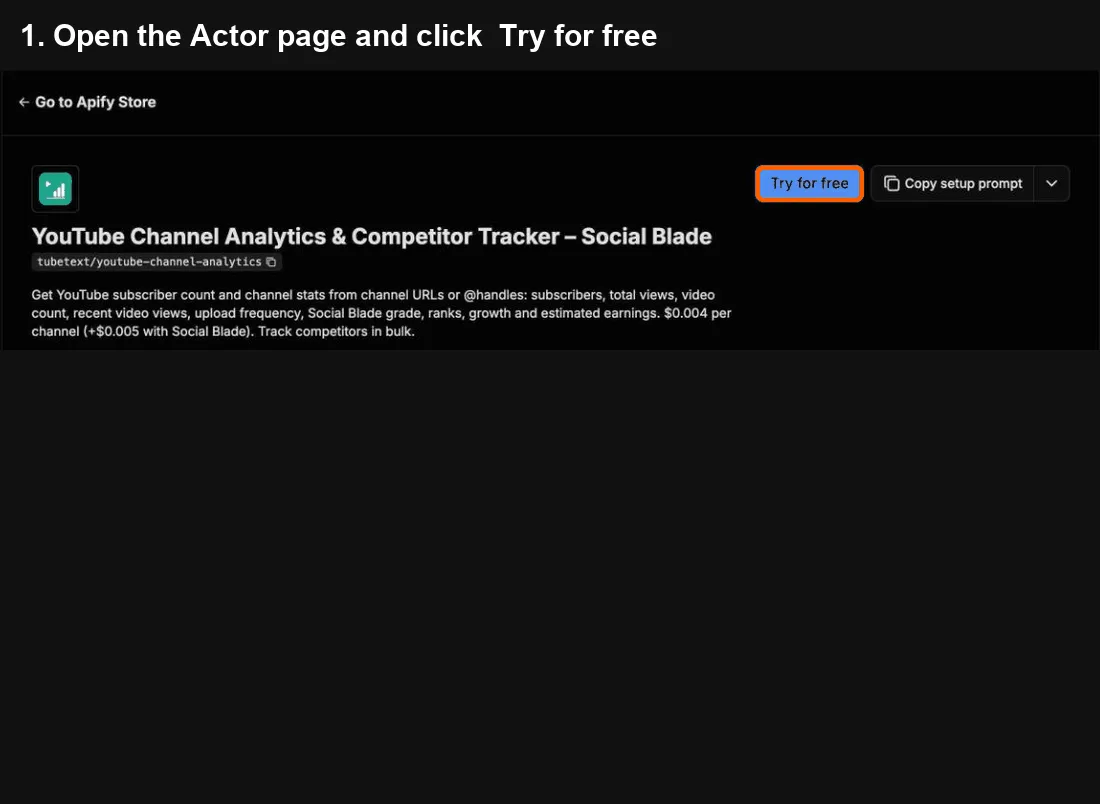
- Click Try for free at the top of this page. A free Apify account is enough – it includes monthly credit.
- In YouTube channels, paste one channel per line – a channel link or just the @handle (like
@mkbhd). - Click Start. Usually done in seconds.
- When it says Succeeded, open the Output tab and click Export → Excel (or CSV). One row per channel: subscribers, views, videos and recent video performance (turn on Social Blade stats for grade, ranks and growth).
Cost: $0.004 per channel – 100 channels ≈ $0.40. Social Blade stats are optional, +$0.005 per channel.
Common mistakes
- Only have a video link? Paste it – the video's channel is used.
- Daily history is empty → turn on Include daily history.
Questions or problems? Open an issue (we read every one). Need a custom version? Ask in an issue or email us – we build it as a private Actor on Apify.
Use from Claude, Cursor or any MCP client
Add https://mcp.apify.com?tools=tubetext/youtube-channel-analytics as a remote MCP server and sign in to Apify (Claude: Settings → Connectors → Add custom connector). Claude Code:
Then ask, for example: "Compare @mkbhd and @veritasium: subscribers, total views and how often they upload." or "Get Social Blade grade and 14-day growth for these 5 channels and rank them."
🆓 Free to try: Apify's free plan includes $5 of usage every month, no credit card needed – enough for about 1,200 channel reports with this tool.
What you get – real output from a test run, shortened. One row per channel:
| Channel | Handle | Subscribers | Total views | Videos | Avg views (recent) |
|---|---|---|---|---|---|
| Veritasium | @veritasium | 21,300,000 | 4,644,092,994 | 539 | 3,828,100 |
| Marques Brownlee | @mkbhd | 21,400,000 | 5,752,306,454 | 1,857 | 10,030,000 |
Bulk analytics for any list of YouTube channels in one run – the numbers influencer-marketing teams, agencies and creators check every day, as clean JSON/CSV.
What you get per channel
- From YouTube: title, handle, subscribers, exact total views, exact video count, country, join date, description, keywords, external links (Twitter, Instagram, website…).
- Recent performance: latest N uploads with views and age, average & median views, uploads per week, days since last upload, views-to-subscribers ratio.
- Social Blade stats (optional, off by default – turn on Social Blade stats): grade (A++ … D), global / subscribers / views / country / category ranks, channel category, made-for-kids flag, 14-day daily history (views gained, total views, videos), estimated daily, monthly and yearly earnings.
- Playboard (optional): Super Chat revenue (total and last 7 days, with currency), number of live streams, Playboard world rank.
Only publicly visible data is collected – nothing behind logins or paywalls, no personal contact data.
Input example
Output example (shortened)
Track competitor channels weekly
Schedule this Actor (Apify Schedules, n8n or Make) with a list of channels and append the results to a sheet. You get a week-by-week history of subscribers, views, upload frequency and Social Blade growth for your own and your competitors' channels.
Pricing
Pay per channel delivered. Social Blade and Playboard sections are billed only when they are actually returned – if a source is temporarily unavailable you still get the YouTube data and are not charged for the missing part.
Notes
- YouTube and Social Blade publish subscriber counts rounded to 3 significant digits, so day-to-day subscriber changes are often 0; views are exact.
- Earnings are estimates (USD $0.25–$4 per 1,000 views), the same convention Social Blade uses.
- Playboard shows Super Chat amounts in the currency of the visitor's region; the
currencyfield tells you which. Channels that never streamed returnliveStreaming: falseand are not charged for Playboard. - Works great on a schedule for tracking competitors or influencer rosters over time.
- Bare @handles work (
@mkbhd). A channel that doesn't exist returnschannel_not_foundright away, free; anything that isn't a YouTube channel link returns anerrorrow instead of being skipped silently. - Clean spreadsheet: in the run's Storage tab choose Export → View: Overview for a short set of readable columns in Excel, CSV or Google Sheets; use JSON to get every field (for example the daily history).
Ready-made examples
- YouTube Subscriber Count Checker
- Social Blade YouTube Stats
- YouTube Competitor Channel Tracker
- YouTube Influencer Vetting
TubeText Labs tools
TubeText Labs builds 35 pay-per-result Apify Actors for video, social and e-commerce data – no login, JSON/CSV/Excel output, and ready for ChatGPT and Claude (Apify MCP), n8n, Make and Zapier. All tools: apify.com/tubetext
Transcripts
- YouTube Transcript Scraper – videos, Shorts, playlists and whole channels to text; Whisper AI when there are no captions
- TikTok Transcript Scraper – TikTok captions plus Whisper AI, SRT and timestamps
- Instagram Reels Transcript – reel links or @usernames to text with Whisper AI
- Podcast & Video Transcript – podcast RSS / Apple Podcasts, X, Facebook, Loom, Twitch and audio files to text
- Facebook Video Transcript – public Facebook videos and Reels to text with Whisper AI
- X (Twitter) Video Transcript – X/Twitter video posts to text with Whisper AI
- Reddit Video Transcript – videos in public Reddit posts (v.redd.it) to text with Whisper AI, with SRT and timestamps
- Bilibili Video Transcript – Bilibili (B站) videos to text with Whisper AI, plus optional English summaries
- Podcast Transcript – podcast RSS feeds and Apple Podcasts episodes to text with Whisper AI
Video & ad analysis
- Video Breakdown AI – hook analysis, shot list, cut pacing, products shown and script of any TikTok, Reel or YouTube video
- Shot-by-Shot Video Analysis Pro – director-level storyboard of any video: framing, camera move, emotion and why each shot works, plus replay peaks, danmaku and comments tied to shots
- YouTube & TikTok Comments API – comments with like-weighted sentiment and themes, plus the moments viewers react to on long YouTube and Bilibili videos
- Video Ad Analyzer – competitors' YouTube video ads by brand or domain (Google Ads Transparency), torn down by AI
- Google Ads Transparency API – any advertiser's YouTube video ads from Google Ads Transparency, with first/last shown dates, days running, views and transcripts
- Meta Ad Library Scraper – Facebook and Instagram ads by brand or keyword: video URLs, images, ad copy, CTA and landing page
Social, apps & trends
- YouTube Channel Analytics (this tool) – subscribers, recent video performance, Social Blade grade, ranks and estimated earnings
- YouTube Shorts Scraper – every Short of a channel with exact views, likes, comments and publish time, plus transcripts and the opening line
- Bilibili Scraper – Bilibili (B站) keyword search, popular board, top-100 ranking, video stats, danmaku text and creator (UP主) followers – no login
- China Trending Topics – Douyin, Weibo, Baidu, Toutiao and Bilibili hot-search boards in one run, in English – plus an optional AI briefing on why topics trend
- WeChat Article Scraper – WeChat 公众号 articles by keyword or link: full text, English titles and optional English summaries
- Google Play Reviews + AI Insights – Android app reviews by star rating, country and language, plus an AI report of complaints and praise
- Steam Reviews Scraper + AI Insights – Steam game reviews with hours played and votes, review score and current players, plus an AI report of top complaints, praise and feature requests
- Social Blade Scraper – Social Blade stats for YouTube, TikTok, Instagram and Twitch creators – grade, ranks, 2-week growth, daily history, earnings estimates and top-100 lists
- Spotify Play Count Scraper – play counts for every track of an album, artist or playlist (incl. Top 50 charts), plus monthly listeners, followers, world rank and top cities
E-commerce & travel
- TikTok Shop Product Scraper – US TikTok Shop prices, items sold, stock per SKU and shop stats
- AliExpress Search Scraper – AliExpress search results by keyword: price, items sold, rating, shipping, badges
- Google Hotels Scraper – hotel prices for any destination and dates, per booking site and as a 90-day price calendar
- Taobao & Tmall Product Scraper – Taobao/Tmall products by Chinese or English keyword, category or URL: CNY prices, shops and seller scores
- Alibaba & Yiwu Supplier Finder by Image – product photo in, similar Alibaba.com and Yiwu wholesale listings out: price, MOQ, supplier, country and rating
- Amazon Product Search Scraper – Amazon search results, Best Sellers lists and product pages: price, rating, reviews, monthly sales signal, badges and specs
- Google Flights Scraper – flight prices for any route or multi-city trip, a cheapest-day calendar, price insights and booking options per site
- Agoda & Booking.com Hotel Reviews + AI – Agoda hotel reviews plus verified Booking.com reviews shown on Agoda, hotel scores and sub-scores, and an AI report of complaints, praise and action items
- Gas Prices Scraper (US & Canada) – live gas station prices by ZIP, city or coordinates – regular, premium, diesel, E85 – with an area summary of the cheapest stations
- Idealo Price Scraper – every shop offer for a product on idealo – price, shipping, delivery, shop rating – in Germany, Austria, France, Italy, Spain and the UK, with a summary per market
Esports & sports data
- Esports Match Timeline – Valorant and CS2 round-by-round scores, winners and VOD timestamps read from broadcast VODs
Questions or problems? Open an issue (we read every one). Need a custom version? Ask in an issue or email us – we build it as a private Actor on Apify.
Found it useful? A short review on this page helps others find it.
Built by TubeText Labs · Pay per result. No login. Ready for AI agents.
FAQ
Can I cap what a run costs? Yes – set Maximum cost per run in the run options. The run stops cleanly when the next item would go over it: you are never charged more, and you get a clear "stopped at your limit" status message.
What happens if a big run hits the time limit? It stops cleanly shortly before the limit: everything finished so far is delivered, the run ends as succeeded, and the status message says how many items weren't started. Raise the run timeout, or run again with the inputs that were not started.
Are the numbers accurate? Subscriber, view and video counts come from YouTube itself; in our checks (Veritasium, MKBHD, 3Blue1Brown) they matched the channels' About pages exactly. Social Blade grades, ranks and earnings are Social Blade's own estimates.


