

YouTube Transcript & Subtitles API – AI, Channels, Shorts
Pricing
from $3.00 / 1,000 transcripts
YouTube Transcript & Subtitles API – AI, Channels, Shorts
YouTube transcript API for batch videos, Shorts, playlists and channels. Get captions as text, timestamps or SRT. AI fallback for missing captions is on by default; adjustable 15-minute default limit. Transcript and Actor Start fees apply; AI billed per started minute. · by TubeText
Pricing
from $3.00 / 1,000 transcripts
Rating
0.0
(0)
Developer

TubeText Labs
Maintained by CommunityActor stats
0
Bookmarked
30
Total users
23
Monthly active users
6 days ago
Last modified
Categories
Share
TubeText · Transcripts · Pay per result. No login. Ready for AI agents. All tools
Quick start (no coding)
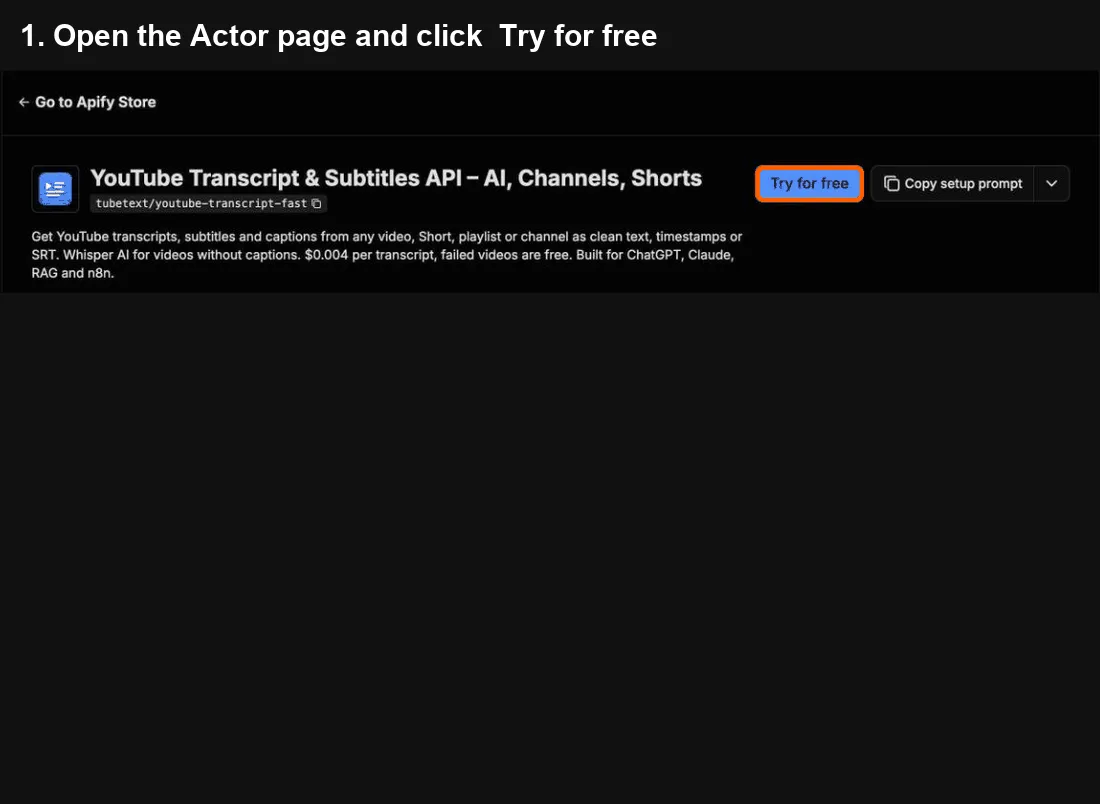
- Click Try for free at the top of this page. A free Apify account is enough – it includes monthly credit.
- In YouTube URLs, paste one link per line – a video, a Short, a playlist or a whole channel (like
https://www.youtube.com/@mkbhd). - Click Start. Most videos take a few seconds; a channel with 50 videos takes about a minute.
- When it says Succeeded, open the Output tab and click Export → Excel (or CSV). The
transcriptcolumn has the text.
Cost: $0.004 per video with a transcript – 100 videos ≈ $0.40. Videos without captions are transcribed by AI by default at $0.006 per minute (up to 15 minutes per video, so at most $0.09); turn AI transcription for videos without captions off to keep them free.
Common mistakes
- Pasting a search page or the YouTube homepage → paste video, playlist or channel links instead.
- A channel only gives you 50 videos → raise Max videos per playlist/channel.
- "Too long for AI" → the video has no captions and is longer than 15 minutes. Raise Max video length for AI (minutes) to transcribe it, or leave it (it's free).
Questions or problems? Open an issue (we read every one). Need a custom version? Ask in an issue or email us – we build it as a private Actor on Apify.
Use from Claude, Cursor or any MCP client
Add https://mcp.apify.com?tools=tubetext/youtube-transcript-fast as a remote MCP server and sign in to Apify (Claude: Settings → Connectors → Add custom connector). Claude Code:
Then ask, for example: "Get the transcript of https://www.youtube.com/watch?v=jNQXAC9IVRw and summarize it in one sentence." or "Transcribe the last 10 videos on @veritasium and list the topics they keep coming back to."
🆓 Free to try: Apify's free plan includes $5 of usage every month, no credit card needed – enough for about 1,200 YouTube transcripts with this tool.
What you get – real output from a test run, shortened. One row per video:
| Title | Channel | Views | Words | Transcript |
|---|---|---|---|---|
| But what is a neural network? / Deep le… | 3Blue1Brown | 24,719,944 | 3,357 | This is a 3. It's sloppily written and rendered at an extre… |
YouTube transcript API for AI and RAG pipelines
Call it from your back end with the Apify API. One request runs the Actor and returns the rows as JSON:
- Monitoring: Channel monitoring: schedule the run with
skipAlreadyScraped: true, so each run returns (and bills) only new uploads. Add an Apify webhook to get notified when each run finishes. - Cost at volume: 10,000 transcripts a month ≈ $40 at the free-plan price ($0.004 each); AI transcription of caption-less videos is $0.006/minute, capped per video.
- Stable output: field names don't change between runs. Failed or empty items come back as status rows that aren't billed, and every row has
charged: true/false. - Why not the official API: Runs on Apify's infrastructure with residential fallback, so YouTube's cloud-IP blocking (the usual "RequestBlocked" error on servers) is handled for you.
Turn YouTube videos, whole playlists or entire channels into clean transcripts ready for ChatGPT, Claude, RAG pipelines, content repurposing and research.
Why this one
- 💸 You only pay for transcripts delivered. Failed videos, music-only videos and videos skipped by the AI length cap are free.
- ⚡ Fast and reliable – lightweight requests with automatic retries through rotating proxies.
- 📺 Bulk input – paste video links, playlist links or channel links (
@handle,/channel/…). Use…/@handle/shortsfor a creator's Shorts only or…/@handle/streamsfor live replays.youtu.belinks work too. - 🌍 Language choice – pick preferred languages in order; falls back to the original auto-generated track.
- 🤖 AI transcription for videos without captions (on by default) – videos that have no captions are transcribed with Whisper AI, up to 15 minutes per video by default (at most $0.09 per video on the free plan). Billed per started minute, only when a transcript is delivered. Turn it off to get free
no_transcriptrows instead. - 🔁 Only new videos – turn on Only new videos and scheduled runs skip everything you already got. Never pay twice for the same video.
- 🧩 RAG chunks – optional ~N-word chunks with start/end timestamps, ready for vector databases.
- 🧠 AI-ready output – plain text, timestamped text, SRT subtitles and caption segments.
- 📊 Rich metadata – title, channel, publish date, views, likes, category, description, thumbnail and duration.
Input example
If you leave out maxVideosPerSource (for example when calling the API), up to 50 videos per channel or playlist are transcribed.
Output example
Turn on Include SRT subtitles to also get an srt field you can save as a .srt file.
Videos without captions are transcribed by AI by default and come back with "source": "ai" and aiMinutes. Videos longer than Max video length for AI (default 15 minutes) return too_long_for_ai, and music-only videos return no speech – both are not charged. Turn AI transcription off and caption-less videos return "status": "no_transcript", also free.
Pricing examples
| What you run | What you pay |
|---|---|
| 1,000 videos that have captions | $4.00 (less on paid Apify plans) |
| A channel with 200 videos, 20 of them without captions, AI on (default), caption-less videos average 3 minutes | 180 × $0.004 + 60 min × $0.006 = $1.08 |
| Same channel with AI turned off | 180 × $0.004 = $0.72 |
| Videos that fail, are private/age-restricted, or have no speech | $0 |
You are charged per transcript delivered, never per run attempt. Set Maximum cost per run in the run options to cap spend.
Use it from n8n, Make, Zapier or your code
Easiest: one HTTP request that runs the Actor and returns the transcripts (works in n8n HTTP Request, Make HTTP, Zapier Webhooks):
The response body is the JSON array of transcripts. Put YouTube links in the urls array – nothing else is required.
- n8n: use the official Apify node → Run Actor and get dataset, Actor
tubetext/youtube-transcript-fast, input{"urls": ["{{ $json.videoUrl }}"]}. - Make / Zapier: use the Apify app → Run an Actor (wait for finish) → Get dataset items.
- Google Sheets: in Make, map
title,urlandtranscriptfrom the dataset items to a Add a row module. - Python:
pip install apify-client, thenclient.actor("tubetext/youtube-transcript-fast").call(run_input={"urls": [...]}).
Transcribe videos without collecting links
Point the Actor at a source and it picks the videos for you:
- Keyword search –
searchQueries(e.g.["how to invest for beginners"]) withsearchPublishedWithin(hour / today / week / month / year / any) andsearchSortBy(views / relevance / date; "views" re-sorts by actual view count). - Today's trending by country –
trendingCountries(e.g.["us","jp","gb"]), from daily YouTube trending lists (via kworb.net). - A channel's most viewed videos – a channel link plus
channelSort: "popular"(default"newest"). - YouTube links from another Actor's results –
datasetId(plusdatasetSortBy: views or original order).
Each source is capped by maxVideosPerSource (default 50). Finding videos is free; each transcript is billed as usual.
Ready-made examples
- YouTube Channel to Transcripts
- YouTube Playlist Transcripts
- YouTube Transcript to SRT Subtitles
- YouTube Shorts Transcripts
- YouTube Transcripts for ChatGPT and Claude
- Transcribe YouTube Videos Without Captions (AI)
TubeText Labs tools
TubeText Labs builds 35 pay-per-result Apify Actors for video, social and e-commerce data – no login, JSON/CSV/Excel output, and ready for ChatGPT and Claude (Apify MCP), n8n, Make and Zapier. All tools: apify.com/tubetext
Transcripts
- YouTube Transcript Scraper (this tool) – videos, Shorts, playlists and whole channels to text; Whisper AI when there are no captions
- TikTok Transcript Scraper – TikTok captions plus Whisper AI, SRT and timestamps
- Instagram Reels Transcript – reel links or @usernames to text with Whisper AI
- Podcast & Video Transcript – podcast RSS / Apple Podcasts, X, Facebook, Loom, Twitch and audio files to text
- Facebook Video Transcript – public Facebook videos and Reels to text with Whisper AI
- X (Twitter) Video Transcript – X/Twitter video posts to text with Whisper AI
- Reddit Video Transcript – videos in public Reddit posts (v.redd.it) to text with Whisper AI, with SRT and timestamps
- Bilibili Video Transcript – Bilibili (B站) videos to text with Whisper AI, plus optional English summaries
- Podcast Transcript – podcast RSS feeds and Apple Podcasts episodes to text with Whisper AI
Video & ad analysis
- Video Breakdown AI – hook analysis, shot list, cut pacing, products shown and script of any TikTok, Reel or YouTube video
- Shot-by-Shot Video Analysis Pro – director-level storyboard of any video: framing, camera move, emotion and why each shot works, plus replay peaks, danmaku and comments tied to shots
- YouTube & TikTok Comments API – comments with like-weighted sentiment and themes, plus the moments viewers react to on long YouTube and Bilibili videos
- Video Ad Analyzer – competitors' YouTube video ads by brand or domain (Google Ads Transparency), torn down by AI
- Google Ads Transparency API – any advertiser's YouTube video ads from Google Ads Transparency, with first/last shown dates, days running, views and transcripts
- Meta Ad Library Scraper – Facebook and Instagram ads by brand or keyword: video URLs, images, ad copy, CTA and landing page
Social, apps & trends
- YouTube Channel Analytics – subscribers, recent video performance, Social Blade grade, ranks and estimated earnings
- YouTube Shorts Scraper – every Short of a channel with exact views, likes, comments and publish time, plus transcripts and the opening line
- Bilibili Scraper – Bilibili (B站) keyword search, popular board, top-100 ranking, video stats, danmaku text and creator (UP主) followers – no login
- China Trending Topics – Douyin, Weibo, Baidu, Toutiao and Bilibili hot-search boards in one run, in English – plus an optional AI briefing on why topics trend
- WeChat Article Scraper – WeChat 公众号 articles by keyword or link: full text, English titles and optional English summaries
- Google Play Reviews + AI Insights – Android app reviews by star rating, country and language, plus an AI report of complaints and praise
- Steam Reviews Scraper + AI Insights – Steam game reviews with hours played and votes, review score and current players, plus an AI report of top complaints, praise and feature requests
- Social Blade Scraper – Social Blade stats for YouTube, TikTok, Instagram and Twitch creators – grade, ranks, 2-week growth, daily history, earnings estimates and top-100 lists
- Spotify Play Count Scraper – play counts for every track of an album, artist or playlist (incl. Top 50 charts), plus monthly listeners, followers, world rank and top cities
E-commerce & travel
- TikTok Shop Product Scraper – US TikTok Shop prices, items sold, stock per SKU and shop stats
- AliExpress Search Scraper – AliExpress search results by keyword: price, items sold, rating, shipping, badges
- Google Hotels Scraper – hotel prices for any destination and dates, per booking site and as a 90-day price calendar
- Taobao & Tmall Product Scraper – Taobao/Tmall products by Chinese or English keyword, category or URL: CNY prices, shops and seller scores
- Alibaba & Yiwu Supplier Finder by Image – product photo in, similar Alibaba.com and Yiwu wholesale listings out: price, MOQ, supplier, country and rating
- Amazon Product Search Scraper – Amazon search results, Best Sellers lists and product pages: price, rating, reviews, monthly sales signal, badges and specs
- Google Flights Scraper – flight prices for any route or multi-city trip, a cheapest-day calendar, price insights and booking options per site
- Agoda & Booking.com Hotel Reviews + AI – Agoda hotel reviews plus verified Booking.com reviews shown on Agoda, hotel scores and sub-scores, and an AI report of complaints, praise and action items
- Gas Prices Scraper (US & Canada) – live gas station prices by ZIP, city or coordinates – regular, premium, diesel, E85 – with an area summary of the cheapest stations
- Idealo Price Scraper – every shop offer for a product on idealo – price, shipping, delivery, shop rating – in Germany, Austria, France, Italy, Spain and the UK, with a summary per market
Esports & sports data
- Esports Match Timeline – Valorant and CS2 round-by-round scores, winners and VOD timestamps read from broadcast VODs
Questions or problems? Open an issue (we read every one). Need a custom version? Ask in an issue or email us – we build it as a private Actor on Apify.
Found it useful? A short review on this page helps others find it.
Built by TubeText Labs · Pay per result. No login. Ready for AI agents.
FAQ
Is this cheaper than a YouTube scraper's built-in transcription? Usually by a lot. Popular YouTube scrapers on Apify sell transcription as an add-on at $0.048 per started minute. Here a video with captions costs $0.004 in total, whatever its length, and AI transcription for videos without captions is $0.006 per minute – 8× less per minute. (Apify free-plan prices, checked October 2026; both get cheaper on paid plans.) Already scraping a channel or search with another Actor? Pass that run's dataset as datasetId and pay only for the transcripts.
Does "1,000 results" mean 1,000 transcripts? Yes – one charge per delivered transcript (one video = one result).
Why do some videos return no_transcript? The video has no captions (common for kids' content and short clips), is private/members-only/age-restricted, or is a live replay with protected captions. You are not charged. With AI transcription on (the default), caption-less public videos up to 15 minutes are transcribed instead; raise Max video length for AI for longer ones.
Which language do I get? The first language in your Preferred languages list that the video has. If none match, the original auto-generated track is returned. availableLanguages lists every caption track on the video. If the track you get is a translation (e.g. you asked for ja on an English video), the row has isTranslation: true and spokenLanguage tells you the original language (en).
Can I monitor a channel every day? Yes – create a schedule with Only new videos turned on; each run only returns (and charges) new uploads. The run's status message tells you how many videos were skipped as already delivered (free).
What if a link is wrong? Bare @handles (@mkbhd) and plain channel names (3blue1brown) work, and a pasted YouTube search page (youtube.com/results?search_query=…) runs as a search. Links to other sites name the TubeText tool that handles them. A channel or playlist that doesn't exist returns channel_not_found / playlist_not_found right away, free. Anything that isn't a YouTube link (e.g. Vimeo) returns an error row instead of being skipped silently, and every transcript row includes the input it came from.
Can I cap what a run costs? Yes – set Maximum cost per run in the run options. The run stops cleanly when the next item would go over it: you are never charged more, and you get a clear "stopped at your limit" status message.
What happens if a big run hits the time limit? It stops cleanly shortly before the limit: everything finished so far is delivered, the run ends as succeeded, and the status message says how many items weren't started. Raise the run timeout, or run again with Only new turned on to continue where it stopped.
Can I download just the text for many videos? Yes – in the run's Storage tab export the dataset as CSV or JSON, or call the API with ?format=csv&fields=title,url,publishDate,transcript to get one row per video with only those columns.
How accurate are the transcripts? When a video has captions, you get YouTube's own caption track word for word – in our checks the output matched YouTube's subtitles exactly, for both creator-uploaded and auto-generated tracks. Auto-generated captions can of course contain YouTube's own recognition errors.
Use cases
- Feed transcripts into LLMs for summaries, Q&A and knowledge bases
- Repurpose videos into blog posts, newsletters and social threads
- Research what creators and competitors say across a whole channel
- Build datasets for NLP and market research
YouTube to text
Turn any YouTube video, Short, playlist or whole channel into plain text, timestamped segments or SRT. Videos without captions are transcribed with Whisper AI by default (aiFallback, up to maxAiMinutesPerVideo = 15 minutes).
YouTube Shorts transcripts
Paste Shorts links (youtube.com/shorts/...) or a channel's Shorts tab (youtube.com/@handle/shorts) and get transcripts for every Short in bulk.
Summaries and RAG
Use chunkWords to get ~N-word chunks with timestamps, ready for embeddings, a vector store or an LLM summary step (n8n, Make, LangChain).
Pricing
Pay per transcript delivered. AI transcription of caption-less videos is on by default and billed per started minute of audio ($0.006 on the free plan), capped at 15 minutes per video unless you raise Max video length for AI. Set Maximum cost per run to control spend – the run stops cleanly when the limit is reached.
Notes
- Only publicly available captions are returned (creator-uploaded or YouTube auto-generated). Private, members-only and age-restricted videos are returned with
status: no_transcriptand are not charged. - Language order matters: with
["ja", "en"], an English video that also has Japanese captions returns the Japanese track. Put the language you want first. - Use the data in line with YouTube's Terms of Service and applicable laws.
Cost telemetry: when a run ends unusually (it cost us more than it earned), the Actor sends us a small anonymous summary via a webhook: run ID, build, duration, memory, amount charged, compute and AI cost, whether the account is on a free or paid plan, and counts of free rows. We use it to keep prices fair. Your inputs, links and results are never sent.
Optional exact caption deduplication
Set deduplicateExactCaptions: true to remove adjacent parsed YouTube caption segments whose text, start time and positive valid duration are identical. The first occurrence is kept. The option is off by default; omit it or pass false to retain existing behavior. Only JSON booleans are accepted.
Transcript text, timestamped text, SRT, optional segments, word counts and chunks use the same retained segment sequence. Word counts, chunk boundaries and SRT cue numbering may change when this option is enabled. Different timestamps, different text, non-adjacent repeats, additional segment metadata or invalid timing are preserved. Comparison occurs after the existing parser normalization; it is not a comparison of original XML bytes.
This option does not repair missing/negative times, overlapping chunk coverage, or existing text decoding behavior. It does not apply to AI transcripts and does not enable or disable AI fallback. Existing per-video and AI-minute charging rules remain unchanged; no deduplication fee is added. Use a fresh run when comparing settings, since saved progress and skipAlreadyScraped may otherwise skip previously delivered videos.


