

Instagram Reels Transcript API – Reels & Video to Text, Whisper
Pricing
from $4.50 / 1,000 reel transcripts
Instagram Reels Transcript API – Reels & Video to Text, Whisper
Turn public Instagram Reels into a content research library. Get transcripts, opening lines and optional on-screen text from Reel or profile links. Export to a spreadsheet to compare creators and collect ideas for your next video.
Pricing
from $4.50 / 1,000 reel transcripts
Rating
0.0
(0)
Developer

TubeText Labs
Maintained by CommunityActor stats
0
Bookmarked
205
Total users
121
Monthly active users
5 days ago
Last modified
Categories
Share
TubeText · Transcripts · Pay per result. No login. Ready for AI agents. All tools
What you get — a real profile-input example
Compare how creators open their videos, then save useful references for your next brief.
| Field | Existing @natgeo sample |
|---|---|
| Video URL | https://www.instagram.com/reel/DeNJLoOksoN/ |
| Opening line | Did you know shoebills attack their own siblings? |
| Transcript excerpt | Did you know shoebills attack their own siblings? Five surprising facts about the shoebill. They practice sibilicide. Shoebills typically lay two to three eggs per clutch… |
| Plays | 415,254 |
Taken from the existing @natgeo profile-input output example below. The transcript is shortened; plays are the recorded profile-sample count, not a live count.
Quick start (no coding)
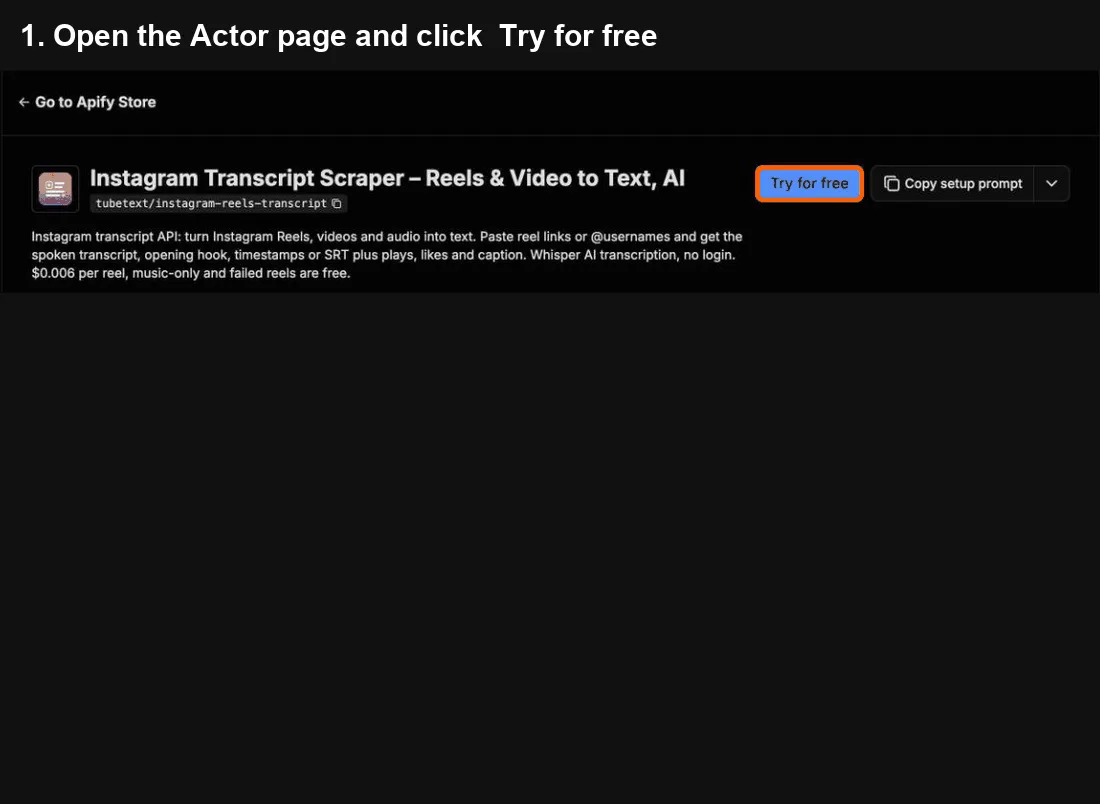
- Click Try for free at the top of this page. A free Apify account is enough – it includes monthly credit.
- In Reel URLs, profile URLs or @usernames, paste reel links, profile links or just @usernames (like
@natgeo), one per line. - Click Start. About 15 reels per minute.
- When it says Succeeded, open the Output tab and click Export → Excel (or CSV). The
transcriptcolumn has the spoken text;hookhas the first line.
Cost: ≈ $0.006 per reel (+$0.002 with on-screen text) – 100 reels ≈ $0.60; a 400-reel profile with on-screen text ≈ $3. Music-only, private and failed reels are free. Tip: set Max reels per profile before a big profile run; the free plan's $5 monthly credit covers about 800 reels.
Common mistakes
- A profile gives you only 20 reels → raise Max reels per profile.
- Hashtag or story links → not supported (you get a free error row). Paste reel links, profile links or @usernames.
- A reel shows no transcript → it's music only, and you're not charged for it.
Questions or problems? Open an issue (we read every one). Need a custom version? Ask in an issue or email us – we build it as a private Actor on Apify.
Use from Claude, Cursor or any MCP client
Add https://mcp.apify.com?tools=tubetext/instagram-reels-transcript as a remote MCP server and sign in to Apify (Claude: Settings → Connectors → Add custom connector). Claude Code:
Then ask, for example: "Transcribe the latest 5 reels from @natgeo and summarize each in one line." or "Get the transcript and opening hook of this reel: [link]"
🆓 Free to try: Apify's free plan includes $5 of usage every month, no credit card needed – enough for about 800 reel transcripts with this tool.
Instagram Reels transcript API: 1–5 reels in, JSON out
Call it from your back end with the Apify API. One request runs the Actor and returns the rows as JSON:
- Big batches: A few reel links return in seconds. For whole profiles, start the run with
POST /v2/acts/tubetext~instagram-reels-transcript/runsand a webhook, then fetch the dataset. - Monitoring: Profile monitoring: schedule the run daily with
skipAlreadyScraped: true(and Skip music-only reels, on by default), so each run returns and bills only new talking reels. Add an Apify webhook to get notified when each run finishes. - Cost at volume: 10,000 reels a month ≈ $60 at the free-plan price ($0.006 per reel, +$0.002 with on-screen text). Music-only, private and failed reels are free.
- Stable output: field names don't change between runs. Failed or empty items come back as status rows that aren't billed, and every row has
charged: true/false. - Why not the official API: Instagram's official API only covers accounts you manage and has no transcript field. This works on any public reel or profile, without login.
Instagram Reels transcript API and reels-to-text tool. Turn Instagram Reels into clean text, plus the on-screen text (captions, titles, stickers) if you want it, for ChatGPT, Claude, RAG pipelines, content repurposing, hook research and competitor monitoring. Paste reel links or @usernames – for a profile, its latest public reels are transcribed. Works as an Instagram audio-to-text / speech-to-text tool: every reel's speech is transcribed with Whisper AI.
Why this one
- 🔤 On-screen text, not just speech (optional) – turn on
includeOnScreenTextand an AI vision model reads the captions, titles and stickers shown in the reel, one line each, in order. Adds about 5–10 s per reel; brand logos sometimes appear as a line. - 👤 Profiles in, transcripts out – give
@username(or a profile link) and set how many reels you want. Newest first, with an optional date filter and "skip pinned". - 🔁 Only new reels – turn on Only new reels and schedule the Actor: each run transcribes just what a creator posted since last time.
- 💸 Pay only for results – music-only reels, private or deleted reels and failed downloads are free.
- 🔇 No junk transcripts – Whisper "Thank you" loops, song-only audio and sound-effect clips are detected and not charged. Songs are detected after transcription and returned as free
lyricsrows, so you only pay for real speech. - 🎣 Hook included – a
hookfield with the opening line (first ~3 seconds), ready for hook and script research. - 📊 Reel stats – creator, caption, hashtags, posting time, plays (profile inputs), likes, comments, duration, follower count.
- 🧠 AI-ready output – plain text, timestamped sentences, SRT subtitles, raw segments and optional RAG chunks.
- 🔓 No login, no cookies – only public pages are used.
Monitor creators every day (recipe)
Track what a list of creators says in new reels, and pay only for new talking reels:
- In Reel URLs, profile URLs or @usernames, paste the creators' @usernames, one per line.
- Set Max reels per profile to
8, and turn on Only new reels (skipAlreadyScraped). Keep Skip music-only reels on (the default). - Save it as a task and add a daily schedule (Apify Schedules). Add a webhook or an integration if you want the new rows in Slack, Google Sheets or your app.
The first run transcribes up to 8 recent reels per creator. After that, each run only picks up reels posted since the last run, and reels that are only music are skipped for free.
Monthly cost example: 20 creators posting about one talking reel a day ≈ 600 reels a month ≈ $3.60/month at the free-plan price ($0.006 per reel), plus about $0.96 for the first run (20 × 8 reels). With on-screen text on, it's about $4.80/month.
Reuse successful results across inputs (optional)
Set useCache: true to reuse a complete successful transcript for 24 hours within your Apify account and this Actor. A Reel first processed through a profile can then be reused through its direct link or a dataset, and vice versa. The first successful run seeds the cache; earlier runs made with caching off are not imported. Caching is off by default.
A hit returns status: "ok", cached: true, cachedAt (the UTC cache creation time), charged: false and billedExtraMinutes: 0. It does not download media, transcribe audio or run OCR again, and does not charge reel-transcript, extra-minute or on-screen-text events. Run-start and platform costs may still apply, including profile listing. A newly processed row with caching enabled has cached: false.
The output options (includeOnScreenText, timestamps, SRT, segments and chunkWords) and maxMinutesPerReel must match. Results and metadata are snapshots from cachedAt; the current input and available profile-listing fields reflect this run. To request fresh content, turn caching off or set both useCache: true and forceRefresh: true (normal charges apply). Refresh failures leave the previous successful cache record intact but return this run's failure, not the old result. Errors, lyrics, no-speech results and incomplete OCR results are not cached. Only new reels / monitoring skips still take priority over reuse.
Storage is a dedicated tubetext-ig-cache-v1-... named key-value store in your account, isolated by Actor and explicitly restricted before use. If ownership, private access or storage operations cannot be confirmed, caching is disabled for the run and normal processing and billing apply. You can delete this cache store in Apify Storage. The 24 hours limit reuse, not physical retention: named storage remains until deleted. Concurrent runs that both start without a cached result can each process and charge; reuse does not guarantee exactly-once processing or billing across crashes.
Large profile lists, partial results and same-run recovery
Reels are processed as profile pages arrive, with a bounded discovery queue. A slow or unavailable profile can still return an error while other profiles deliver results. The requested per-profile limit and filters remain in effect. Input order is not output order.
listing_partial is a free diagnostic row: earlier pages were retained, but a later page could not be completed after bounded retries, or required pagination data was missing. It carries listingComplete: false, hasMore and stopReason. It is not a transcript and does not incur a result-event charge. Errors include a sanitized stage, errorCode, route, attempt and retryable; anonymous unavailability does not establish that an account is deleted. Follower-only content is unavailable through this logged-out Actor.
The run's default key-value store contains LISTING_STATUS for each profile and STOP_MANIFEST with reelsNotStarted and profilesNotComplete. Unknown undiscovered reel counts are not zero. Reasons distinguish end_of_profile, limit_reached, date_cutoff, partial pagination, cost_limit_reached, cost_guard_stopped and time_limit_reached. A completed requested limit can still have hasMore: true. discovery_incomplete is a free summary when some sources remain unlisted or partial. Run-start and platform costs still apply.
Resuming the same run with its existing storage continues saved pages. Delivery recovery distinguishes a saved result that has not entered the append API (prepared) from a submission whose outcome is unknown (submission_unknown). Only the first can be sent as a free recovered result, with charged: false, billedExtraMinutes: 0, consistent OCR billing text and billingRecovery: "delivered_without_recharging". Once submission starts, an empty receipt scan does not prove the result is missing, so the Actor does not append it again. A visible receipt resolves it without another charge. Legacy pending entries are treated as uncertain.
If the outcome stays uncertain, the Actor attempts to write a free delivery_pending diagnostic and STOP_MANIFEST.pendingDeliveries. Each entry's payloadRecord and payloadField identify where to read its saved body. An unresolved checkpoint is reported with deliveryComplete: false; a failed completion save does not leave an in-memory done/seen mark. If a write was stored but its acknowledgment was lost, the completed PROGRESS snapshot also retains the last recovery payload under recoveryState.checkpoint. If the rollback save cannot be confirmed, the stop manifest includes a payload copy. Storage outages can prevent the diagnostic itself from being saved: inspect the existing PROGRESS record and Dataset receipts before proceeding. The payload's original billing intent is not a charge receipt.
For a run that has ended, use Resurrect on that same run to retain its storage. Reboot applies only while the run is RUNNING. Creating a new Run does not automatically inherit the saved outbox. Until receipts are confirmed, read the payload at the indicated record; do not resubmit that reel to the Dataset. This state requires reconciliation and does not establish batch completion.
Startup and recovery share a 10-second I/O budget, with at most 5 seconds per operation and a 10,000-row receipt-scan segment; the run's hard deadline can shorten that budget. An already expired hard deadline permits at most one final second for startup reads and receipt reconciliation, followed by a short, best-effort reporting allowance, with no new result append. Optional status messages cannot block recovery indefinitely. Cache, proxy, seen-store and previous-charge initialization run only after recovery is confirmed and before new work, within the remaining startup budget. Startup read failure preserves the existing PROGRESS record. Scan offsets continue on a later same-run recovery, and a completed negative scan only schedules a future fresh scan. Existing Dataset rows and normal charged results are not rewritten. An interruption after delivery but before charging can still leave a free result, so reconcile actual platform events rather than the original row's charged intent.
Before starting new video work, the Actor verifies the same run's historical event charges. A failed lookup, missing run, or invalid billing data stops startup with STOP_MANIFEST.stage: "billing" and billingHistory.state: "unconfirmed"; it is never treated as a confirmed zero balance. Existing progress and any safely recovered free result are kept. The saved billing state distinguishes confirmed zero, confirmed nonzero, and local execution without a platform run ID. Check the run's platform bill and the saved failure reason before using same-run recovery; do not raise the cost limit merely to bypass an unconfirmed lookup.
A new run performs fresh discovery; enable Only new reels to skip previously completed eligible reels. Temporary errors, access restrictions and unresolved deliveries are not permanently marked as seen. Successful run status alone does not establish complete discovery or delivery.
Input example
If you leave out maxReelsPerProfile (for example when calling the API), 20 reels per profile are transcribed.
Accepted inputs: reel links (instagram.com/reel/…, /p/…), share links (instagram.com/share/…), profile links (instagram.com/natgeo, …/natgeo/reels/) and @usernames. Mix them freely. Already scraping Instagram with another Actor? Pass its dataset as datasetId (with datasetSortBy and maxVideosFromDataset) and the reels in it are transcribed.
Output example
Real output (shortened) for @natgeo with Max reels per profile = 3:
status is ok, no_speech (music or sound effects only – free), skipped (no audio track, private, deleted or longer than your limit – free), no_reels or error (free). Profile failures use status: "error" with errorCode: "profile_unavailable_anonymously" (anonymous access was unavailable, free). Also no_new_reels (with "only new reels" on and nothing new since the last run – free), and lyrics (the audio is a song, not speech – the song text is returned in a lyrics field, free).
ownerUsername is the reel's author; on collab reels it can be the co-author, so use profileUsername to group by the profile you asked for.
Pricing
Pay per event:
- $6.00 per 1,000 reels (cheaper on higher Apify plans: down to $4.50). Each reel includes its first 3 minutes of audio – almost every reel is shorter.
- $0.003 per extra started minute for reels longer than 3 minutes.
- +$0.002 per reel with on-screen text when you turn it on, charged only when text is found. This is billed separately from the transcript, so a music-only reel with text on screen costs $0.002 even though its transcript is free.
- Music-only, private, deleted and failed reels are free.
Examples: 1,000 typical reels (under 3 minutes) ≈ $6.00, minus the music-only ones. A 400-reel profile with on-screen text on ≈ $3.
Monitoring recipe: pay only for new talking reels
- Put your creators in Reel URLs, profile URLs or @usernames.
- Turn on Only new reels. Each run then skips reels it already processed.
- Save the input as a task and add an Apify Schedule (for example daily). Music-only reels are never charged, so a daily run costs only the new reels that actually have speech, typically a few cents per creator.
Use it from your tools
- API / Python:
client.actor("tubetext/instagram-reels-transcript").call(run_input={"urls": ["@natgeo"], "maxReelsPerProfile": 20}), then read the default dataset. - n8n / Make / Zapier: use the Apify integration, run this Actor and map the
transcriptandhookfields. - Monitoring: schedule a run with your creator list and Only new reels on, then push new rows to Google Sheets, Notion or Slack.
Ready-made examples
- Instagram Reels to Text
- All Reels of an Instagram Profile to Text
- Instagram Reels Hooks Swipe File
- Instagram Reels On-Screen Text
- Competitor Reels Research
TubeText Labs tools
TubeText Labs builds 35 pay-per-result Apify Actors for video, social and e-commerce data – no login, JSON/CSV/Excel output, and ready for ChatGPT and Claude (Apify MCP), n8n, Make and Zapier. All tools: apify.com/tubetext
Transcripts
- YouTube Transcript Scraper – videos, Shorts, playlists and whole channels to text; Whisper AI when there are no captions
- TikTok Transcript Scraper – TikTok captions plus Whisper AI, SRT and timestamps
- Instagram Reels Transcript (this tool) – reel links or @usernames to text with Whisper AI
- Podcast & Video Transcript – podcast RSS / Apple Podcasts, X, Facebook, Loom, Twitch and audio files to text
- Facebook Video Transcript – public Facebook videos and Reels to text with Whisper AI
- X (Twitter) Video Transcript – X/Twitter video posts to text with Whisper AI
- Reddit Video Transcript – videos in public Reddit posts (v.redd.it) to text with Whisper AI, with SRT and timestamps
- Bilibili Video Transcript – Bilibili (B站) videos to text with Whisper AI, plus optional English summaries
- Podcast Transcript – podcast RSS feeds and Apple Podcasts episodes to text with Whisper AI
Video & ad analysis
- Video Breakdown AI – hook analysis, shot list, cut pacing, products shown and script of any TikTok, Reel or YouTube video
- Shot-by-Shot Video Analysis Pro – director-level storyboard of any video: framing, camera move, emotion and why each shot works, plus replay peaks, danmaku and comments tied to shots
- YouTube & TikTok Comments API – comments with like-weighted sentiment and themes, plus the moments viewers react to on long YouTube and Bilibili videos
- Video Ad Analyzer – competitors' YouTube video ads by brand or domain (Google Ads Transparency), torn down by AI
- Google Ads Transparency API – any advertiser's YouTube video ads from Google Ads Transparency, with first/last shown dates, days running, views and transcripts
- Meta Ad Library Scraper – Facebook and Instagram ads by brand or keyword: video URLs, images, ad copy, CTA and landing page
Social, apps & trends
- YouTube Channel Analytics – subscribers, recent video performance, Social Blade grade, ranks and estimated earnings
- YouTube Shorts Scraper – every Short of a channel with exact views, likes, comments and publish time, plus transcripts and the opening line
- Bilibili Scraper – Bilibili (B站) keyword search, popular board, top-100 ranking, video stats, danmaku text and creator (UP主) followers – no login
- China Trending Topics – Douyin, Weibo, Baidu, Toutiao and Bilibili hot-search boards in one run, in English – plus an optional AI briefing on why topics trend
- WeChat Article Scraper – WeChat 公众号 articles by keyword or link: full text, English titles and optional English summaries
- Google Play Reviews + AI Insights – Android app reviews by star rating, country and language, plus an AI report of complaints and praise
- Steam Reviews Scraper + AI Insights – Steam game reviews with hours played and votes, review score and current players, plus an AI report of top complaints, praise and feature requests
- Social Blade Scraper – Social Blade stats for YouTube, TikTok, Instagram and Twitch creators – grade, ranks, 2-week growth, daily history, earnings estimates and top-100 lists
- Spotify Play Count Scraper – play counts for every track of an album, artist or playlist (incl. Top 50 charts), plus monthly listeners, followers, world rank and top cities
E-commerce & travel
- TikTok Shop Product Scraper – US TikTok Shop prices, items sold, stock per SKU and shop stats
- AliExpress Search Scraper – AliExpress search results by keyword: price, items sold, rating, shipping, badges
- Google Hotels Scraper – hotel prices for any destination and dates, per booking site and as a 90-day price calendar
- Taobao & Tmall Product Scraper – Taobao/Tmall products by Chinese or English keyword, category or URL: CNY prices, shops and seller scores
- Alibaba & Yiwu Supplier Finder by Image – product photo in, similar Alibaba.com and Yiwu wholesale listings out: price, MOQ, supplier, country and rating
- Amazon Product Search Scraper – Amazon search results, Best Sellers lists and product pages: price, rating, reviews, monthly sales signal, badges and specs
- Google Flights Scraper – flight prices for any route or multi-city trip, a cheapest-day calendar, price insights and booking options per site
- Agoda & Booking.com Hotel Reviews + AI – Agoda hotel reviews plus verified Booking.com reviews shown on Agoda, hotel scores and sub-scores, and an AI report of complaints, praise and action items
- Gas Prices Scraper (US & Canada) – live gas station prices by ZIP, city or coordinates – regular, premium, diesel, E85 – with an area summary of the cheapest stations
- Idealo Price Scraper – every shop offer for a product on idealo – price, shipping, delivery, shop rating – in Germany, Austria, France, Italy, Spain and the UK, with a summary per market
Esports & sports data
- Esports Match Timeline – Valorant and CS2 round-by-round scores, winners and VOD timestamps read from broadcast VODs
Questions or problems? Open an issue (we read every one). Need a custom version? Ask in an issue or email us – we build it as a private Actor on Apify.
Found it useful? A short review on this page helps others find it.
Built by TubeText Labs · Pay per result. No login. Ready for AI agents.
FAQ
Is this cheaper than an Instagram scraper's built-in transcription? Usually by a lot. Popular Instagram reel scrapers on Apify sell transcripts as an add-on at $0.048 per started minute of each reel. Here a reel costs $0.006 including its first 3 minutes ($0.003 per extra minute), so a 1-minute reel is 8× cheaper and a 3-minute reel 24× cheaper. (Apify free-plan prices, checked October 2026; both get cheaper on paid plans.) Already scraping reels with another Actor? Pass that run's dataset as datasetId and pay only for the transcripts.
How many reels can I get from a profile? Set Max reels per profile to any number up to 1,000 (default 20). Large profiles take longer; our production tests went up to 40 reels per profile. Reels are read from the profile's public Reels tab, newest first; pinned reels come first unless you skip them.
Why did a reel return no_speech? It contains only music or sound effects. These are never charged.
Why did a reel come back as lyrics? Its audio is a song rather than someone talking. You still get the song text in the lyrics field, but the row isn't charged. When it's unclear, the reel is treated as speech.
Private accounts? Not supported – only public profiles and reels. Private accounts return an error row for free.
Which languages? Whisper detects the spoken language automatically (90+ languages, including Spanish, Japanese and Chinese); the transcript is in the original language.
How fast is it? About 15 reels per minute with default settings – 100 reels usually take under 10 minutes, including reading the profiles. Speed varies with Instagram's rate limits.
Is this legal? The Actor only reads publicly available pages, without logging in, and does not collect emails, phone numbers or comments. You are responsible for how you use the data (copyright, privacy and Instagram's terms).
Can I cap what a run costs? Yes – set Maximum cost per run in the run options. The run stops cleanly when the next item would go over it: you are never charged more, and you get a clear "stopped at your limit" status message.
What happens if a big run hits the time limit? It stops cleanly shortly before the limit: everything finished so far is delivered, the run ends as succeeded, and the status message says how many items weren't started. Raise the run timeout, or run again with Only new turned on to continue where it stopped.
Am I charged if a reel fails? No. Private, deleted and failed reels, and music-only reels, come back with a status and are not charged – you only pay for reels that were actually transcribed.
Cost telemetry: when a run ends unusually (it cost us more than it earned), the Actor sends us a small anonymous summary via a webhook: run ID, build, duration, memory, amount charged, compute and AI cost, whether the account is on a free or paid plan, and counts of free rows. We use it to keep prices fair. Your inputs, links and results are never sent.


