

Twitter (X) Scraper: Posts, Followers, Emails | No Login
Pricing
from $0.14 / 1,000 posts
Twitter (X) Scraper: Posts, Followers, Emails | No Login
All-in-one Twitter (X) scraper: search posts, profiles, followers, following, replies, likers, reposters, quotes, lists, communities, leads and trends. Advanced search filters, e-mail finder and deep pagination. Pay per result. Export to JSON, CSV or Excel.
Pricing
from $0.14 / 1,000 posts
Rating
0.0
(0)
Developer

Raven
Maintained by CommunityActor stats
0
Bookmarked
91
Total users
46
Monthly active users
15 days ago
Last modified
Categories
Share
X (Twitter) Scraper — Posts, Profiles, Followers, Replies & Emails
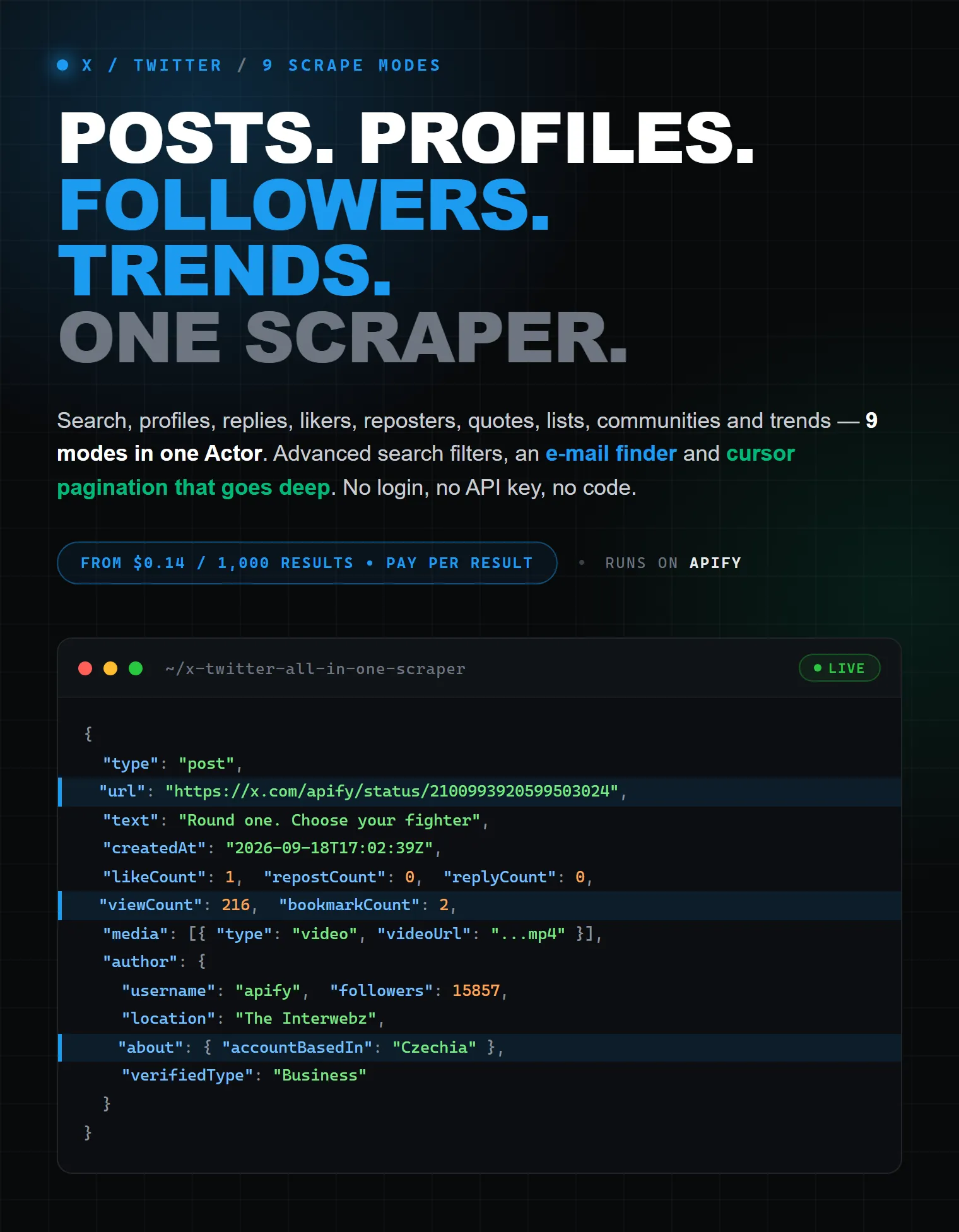
Scrape X (Twitter) posts, profiles, followers, replies, likers, reposters, quotes, lists, communities and trends — from $0.14 per 1,000 results. Nine modes in one Actor, an advanced-search query builder, an e-mail finder and cursor pagination that reaches the end of a timeline. No X login, no API key, no code, no proxies to configure.
| Raven · Social media scrapers • X · Threads · Instagram · Reddit · TikTok · YouTube | |||
 X (Twitter) X (Twitter)➤ You are here |
 Threads ThreadsPosts, profiles, replies |
 Instagram InstagramProfiles, posts, reels, comments |
 Reddit RedditPosts, comments, media, leads |
What does this X (Twitter) Scraper do?
It is an unofficial X (Twitter) API alternative: you give it keywords, @handles, post links or list URLs, and it returns clean, structured JSON — the same data a signed-in person sees on x.com, without the developer portal, the billing tiers or the per-endpoint quotas.
Most X scrapers on the store do exactly one job — tweets, or followers, or trends. This one replaces the shelf:
| Mode | What you put in | What comes back |
|---|---|---|
| Search posts | keywords or a full advanced-search query | posts matching the query, newest first or top-ranked |
| Profiles | usernames or profile URLs | one row per account, 40+ fields, e-mails optional |
| Posts from profiles | usernames or profile URLs | posts, replies, media, likes, highlights or articles |
| Post + replies | post URLs or ids | the post plus the reply thread under it |
| Post engagement | post URLs or ids | who reposted it, who liked it, who quoted it |
| Followers / following | usernames or profile URLs | followers, following, verified followers, mutuals, paid subscribers |
| List | x.com/i/lists/<id> | the list's posts, or every account on it |
| Community | x.com/i/communities/<id> | the community's posts or its members |
| Trends | a region, or nothing at all | trending topics with rank, category and post volume |
You can paste @handle, handle, https://x.com/handle, a twitter.com link, a post URL, a bare numeric id or a plain keyword — the Actor reads it the way the selected mode means it.
Why use this X scraper instead of the official X API?
- ✅ Nine modes in one Actor — no stitching four subscriptions together.
- ✅ One row per post or per account, flat fields that survive a CSV export.
- ✅ 95 documented output fields across posts, profiles and trends.
- ✅ Long posts arrive complete — not truncated at the old character limit.
- ✅ Quoted and reposted originals are nested in full, so you never re-fetch them.
- ✅ Media with direct file URLs — photos, GIFs, and the highest-bitrate MP4 for videos.
- ✅ E-mail finder reads addresses out of bios and the site a profile links to, including
name (at) domain (dot) comspellings. - ✅ "About this account" — the country an account is based in, where it signed up from, and how many times the username changed.
- ✅ Deep pagination — ask for 10,000 followers and the cursors are walked to the end, de-duplicated.
- ✅ Results stream as they arrive — abort a long run and everything collected so far is already saved.
- ✅ Failed inputs never become rows and are never charged.
How this Actor compares
| Official X API | Typical X scrapers | This Actor | |
|---|---|---|---|
| Price per 1,000 posts | ❌ $5.00 (pay-per-use, $0.005 per post read) | ⚠️ $0.15–$0.40 | ✅ $0.20 free plan, $0.14 paid |
| Free tier | ❌ Discontinued | ⚠️ Usually capped at 5–20 items | ✅ $5 monthly Apify credits |
| Setup | ❌ Developer account, app, OAuth keys | ⚠️ Often needs your cookies or a third-party key | ✅ Nothing — press Start |
| Coverage | ⚠️ Posts and users; no likers, no trends | ⚠️ Usually one job per Actor | ✅ 9 modes |
| Followers / likers / reposters | ❌ Not on pay-per-use | ⚠️ Separate paid Actor | ✅ Included |
| E-mail discovery | ❌ No | ⚠️ Rare | ✅ Built in |
| Export | ⚠️ JSON only | ✅ JSON, CSV, Excel | ✅ JSON, CSV, Excel, XML, HTML, RSS |
X's own API moved to pay-per-use in February 2026: $0.005 per post read, a 2,000,000-read monthly ceiling, and no free tier. The $200 Basic and $5,000 Pro plans are closed to new signups, and above the ceiling the only option is Enterprise. At $0.005 a read, 1,000 posts cost $5.00 — this Actor returns the same 1,000 posts for $0.20, or $0.14 on a paid Apify plan.
The official API is still the right tool if you need to post to X, or need a real-time filtered stream. For reading public data at scale, it is 25–36× the price.
What data can you extract from X (Twitter)?
Post fields
| Field | What it is |
|---|---|
id, url, text, lang, createdAt, source | identity, full text (long posts included), language, timestamp, posting app |
replyCount, repostCount, likeCount, quoteCount, bookmarkCount, viewCount | the six engagement counters X exposes |
conversationId, isReply, inReplyToId, inReplyToUserId, inReplyToUsername | thread position |
isQuote, quotedPostId, quotedPostUrl, quotedPost | the quoted post, nested in full |
isRepost, repostedPost | the original of a repost, nested in full |
hashtags, cashtags, mentions, links | entities, with t.co links already expanded |
media | type, url, videoUrl, hlsUrl, width, height, durationMs, altText, bitrate |
card | link preview title, description, domain, image — and card.poll with vote counts |
place, community, communityNote | geotag, community context, Community Note |
isLongPost, isEdited, editableUntil, isPinned, isThreadPart, possiblySensitive | post state |
author | nested account block: username, name, bio, followers, following, counts, verification |
Profile fields
| Field | What it is |
|---|---|
id, username, url, name, description, descriptionLanguage, location | identity and bio |
website, descriptionLinks | outbound links, expanded from t.co |
emails | addresses found in the bio and, optionally, on the linked site |
followers, following, postsCount, mediaCount, likesCount, highlightsCount | audience and output |
creatorSubscribersCount, affiliatesCount | paid subscribers and affiliated accounts |
isVerified, isBlueVerified, verifiedType, isIdentityVerified, verifiedSince, verifiedReason | the full verification picture |
isVerifiedOrganization, affiliateLabel, affiliateUrl, affiliateBadge | organisation and affiliate badges |
profilePicture, coverPicture, profileImageShape | avatar at full resolution, banner |
createdAt, pinnedPostIds, isProtected, possiblySensitive, canDm, canMediaTag | account state |
professionalType, professionalCategories, parodyLabel, withheldInCountries | account classification |
about | accountBasedIn, createdCountry, connectedVia, usernameChanges, usernameLastChangedAt |
relation, relationOf | how the account relates to your input — follower, following, like, repost |
Trend fields
name, url, postCount, category, groupedTrends, rank, location. Paid placements are filtered out, so every row is an organic trend.
How to scrape X (Twitter) step by step
- Open the Actor and click Try for free. Every new Apify account gets $5 in free credits each month — no credit card needed.
- Pick what to scrape in the first field: Search posts, Profiles, Followers / following, and so on.
- Fill the list below it with your keywords, @handles, profile URLs, post links or list URLs.
- Set Max results per entry. This is per keyword and per profile, not per run — three keywords at 100 each returns up to 300 rows.
- Press Start. Rows appear within seconds and keep streaming.
- Download from the Storage tab as JSON, CSV, Excel, XML, HTML or RSS — or read the dataset straight from the API.
That is the whole form. The search filters are optional, and the extra data — the "About this account" panel, e-mail addresses, the search term on every row — is on from the start.
How to use X advanced search without learning the syntax
Search mode accepts X's full advanced-search language, and it also builds it for you. Set Minimum likes, Posted after, Language, Only posts with video, Only verified accounts — and the Actor compiles them into a proper query.
Operators you type yourself are kept as they are, so both of these work:
- form fields:
minLikes: 100,onlyVideo: true,start: 2026-01-01 - raw operators in the list:
apify (scraping OR crawling) -filter:replies lang:en
Supported through the form: from:, to:, @, since:, until:, lang:, min_faves:, min_retweets:, min_replies:, filter:verified, filter:blue_verified, filter:media, filter:images, filter:videos, filter:native_video, filter:links, filter:quote, filter:spaces, filter:news, filter:safe, filter:hashtags, filter:mentions, -filter:replies, -filter:nativeretweets, near:, within:, geocode:, list:, conversation_id:.
How to find e-mail addresses on X profiles
Turn on Find e-mail addresses in the Extra data section. For every account returned, the Actor:
- reads the bio, the display name and the expanded bio links for addresses;
- follows the profile's own website link once and reads the page;
- understands obfuscated spellings such as
hello (at) brand (dot) com.
It works in every mode that returns accounts — including Followers / following, which turns a competitor's audience into a contact list. Addresses found on a linked site are billed as a separate event and only when one is actually found; addresses already visible in the bio cost nothing extra.
How to get more than the first page
Every mode walks X's cursors to the end of the data and de-duplicates as it goes — set Max results per entry to 10000 and you get 10,000 rows, not the first 20.
Several entries are read at once. A run opens up to five X sessions, each on its own account and its own address, and they take entries off one shared queue — so a list of profiles or keywords is worked through about five times faster than one session could, and a lane that draws short entries comes back for more instead of idling. Nothing to set up: it happens whenever the list has more than one entry.
Two limits are X's, not ours, and no scraper can go past them:
- a profile timeline stops at roughly the last 3,200 posts; use Search posts with a date range to reach older ones;
- search has a per-window request quota. When it is hit, the Actor waits for the window to reset if that is quick, and otherwise finishes the target with what it has and says so in the log.
Input parameters
| Field | Type | Default | What it does |
|---|---|---|---|
scrapeType | string | search | Pick what you want. This also decides what goes into the list below. |
targets | array | One list for every mode — what you put in it depends on the choice above: | |
maxItems | integer | 100 | Maximum number of results for each entry in the list above — per keyword, per profile or per post. Set 0 for n … |
searchType | string | latest | For Scrape Type: Search posts. Latest returns newest first and goes deepest, Top returns what X ranks high … |
postsFrom | string | posts | For Scrape Type: Posts from profiles. Which tab of the profile to read. |
connectionType | string | followers | For Scrape Type: Followers / following. Which set of accounts to collect. |
engagementType | string | reposters | For Scrape Type: Post engagement. Reposters and likers come back as accounts; quotes come back as posts. |
listContent | string | posts | For Scrape Type: List. Whether to return the list's posts or the accounts on it. |
communityContent | string | posts | For Scrape Type: Community. Whether to return the community's posts or its members. |
fromUsers | array | Restrict a search to posts written by these usernames. Adds from: to the query. | |
toUsers | array | Restrict a search to replies addressed to these usernames. Adds to: to the query. | |
mentioningUsers | array | Restrict a search to posts that mention these usernames. | |
start | string | Only posts published on or after this date, as YYYY-MM-DD. | |
end | string | Only posts published before this date, as YYYY-MM-DD. | |
tweetLanguage | string | For Scrape Type: Search posts. Keeps only posts X detected as written in this language, picked from a list. | |
minLikes | integer | Only posts with at least this many likes. | |
minRetweets | integer | Only posts with at least this many reposts. | |
minReplies | integer | Only posts with at least this many replies. | |
onlyVerifiedUsers | boolean | false | Only posts from accounts with a verification badge. |
onlyTwitterBlue | boolean | false | Only posts from accounts subscribed to X Premium. |
onlyMedia | boolean | false | Only posts that carry an image, a video or a GIF. |
onlyImage | boolean | false | Only posts that carry at least one image. |
onlyVideo | boolean | false | Only posts that carry a video. |
onlyLinks | boolean | false | Only posts that link out to another site. |
onlyQuote | boolean | false | Only posts that quote another post. |
excludeReplies | boolean | false | Drop replies from the results and keep standalone posts only. |
excludeReposts | boolean | false | Drop reposts from the results and keep original posts only. |
geoNear | string | Only posts sent near a place, e.g. London. Combine with the radius below. | |
geoWithin | string | Radius around the place above, e.g. 15mi or 25km. | |
inList | string | Restrict a search to the members of an X list, given as the list id. | |
includeAbout | boolean | true | Adds the panel X shows under the profile: the country the account is based in, where it signed up from, how ma … |
findEmails | boolean | true | Reads contact addresses out of the bio and, when the profile links to a site, off that page too. Addresses wri … |
includeReplies | boolean | true | For Scrape Type: Post + replies. Off returns just the post itself, which is one request instead of many. |
includeSearchTerms | boolean | true | For Scrape Type: Search posts. Adds the keyword and the compiled query to every row, which makes multi-keyword … |
language | string | en | Language X answers in, picked from the list of 50 X supports. It shows up in labels and in the trends region; … |
useOurAccounts | boolean | true | Run with a logged-in X session from our own account pool — no cookies needed from you. Each account is leased … |
cookies | string | Optional — only needed if you prefer your own session over ours (it takes priority when set). Paste it in any … |
Ready-to-paste input recipes
Track a keyword with an engagement floor
Pull a profile's whole timeline for a date range
Build a contact list from a competitor's followers
Read a post and everyone who amplified it
Get a post with its full reply thread
Enrich a list of accounts with bios, counts and e-mails
Watch an X List and the videos posted in it
Today's trends
Output examples
A post
A profile
A trend
How much does it cost to scrape X (Twitter)?
Pay per result. You are charged for the rows you actually receive, and nothing else.
| Event | Free plan | Paid plans |
|---|---|---|
| Post — one post row | $0.20 / 1,000 | from $0.14 / 1,000 |
| Profile — one account row | $0.20 / 1,000 | from $0.14 / 1,000 |
| Trend — one trending topic | $0.20 / 1,000 | from $0.14 / 1,000 |
| E-mail found — only when a linked site yields an address | $0.20 / 1,000 | from $0.14 / 1,000 |
| Actor start — once per run | $0.001 | $0.0001 |
Worked examples (start fee included):
| What you scrape | Results | Cost (free plan) | Cost (paid plan) |
|---|---|---|---|
| A keyword search | 1,000 posts | $0.20 | $0.14 |
| A profile's whole timeline | 3,200 posts | $0.64 | $0.45 |
| An account's followers | 10,000 accounts | $2.00 | $1.40 |
| A post and its reply thread | 500 posts | $0.10 | $0.07 |
| Today's trends | 50 topics | $0.01 | $0.01 |
$5 of free Apify credits ≈ 24,900 results a month, at no cost and with every feature switched on.
Three things worth knowing:
- Inputs that return nothing are not charged and do not become rows. A suspended account or a deleted post is reported in the log, not in your dataset.
- Bio e-mails are free. The separate e-mail event is charged only when following a profile's own link is what produced the address.
- The price is all-in. There is no start fee beyond the one above, no per-query fee and no separate line for anything else.
Cap a run before you start it with Max results per entry, or set a hard ceiling with Apify's Max total charge on the run.
Integrations
The Actor runs on Apify, so everything on the platform works with it out of the box:
- Make, Zapier, n8n, Google Sheets, Slack, Airtable, GitHub and 1,000+ other tools
- Webhooks to push each finished run into your own endpoint
- Schedules for daily or hourly monitoring
- API clients for JavaScript and Python, plus a plain REST API
Use it with AI agents (MCP)
Every Apify Actor is exposed through the Apify MCP server, so Claude, ChatGPT, Cursor and any other MCP-aware agent can run this scraper as a tool and read the dataset back — no glue code.
Point your agent at https://mcp.apify.com and ask it in plain language:
"Find the 200 most recent English posts about AI agents with at least 50 likes, then pull the profile and e-mail of everyone who posted them."
That is one Search posts run followed by one Profiles run with the e-mail finder on — the agent chains them itself.
Popular use cases
- Lead generation — turn a competitor's followers into a contact list with bios, links and e-mails.
- Brand and reputation monitoring — schedule a keyword search and watch mentions, sentiment drivers and the accounts amplifying them.
- Competitive intelligence — pull a rival's whole timeline and see which framing they repeat, and which posts actually travel.
- Influencer research — verify audience size, verification type, account age and the country an account is based in before you pay anyone.
- AI, RAG and LLM datasets — build a clean, de-duplicated corpus of posts on a topic, with full long-post text.
- Academic and social research — reproducible date-ranged samples with entities, engagement and thread structure.
- Finance and cashtag tracking — follow
$TICKERchatter and the reposters who spread it. - Event and community monitoring — read an X List or a Community and everyone posting in it.
Is it legal to scrape X (Twitter)?
Scraping publicly available data is generally legal. This Actor reads only what a signed-in person can see on x.com — it does not touch direct messages, protected accounts or anything else behind a permission wall.
Results can still contain personal data. Personal data is protected by the GDPR in the European Union and by other regulations around the world. You should not scrape personal data unless you have a legitimate reason to do so. If you're unsure whether your reason is legitimate, consult your lawyers. You are responsible for how you use the output.
Apify's own guide is a good starting point: Is web scraping legal?
FAQ
Do I need an X (Twitter) API key?
No. There is nothing to register and no developer account to apply for. Press Start.
Do I need to log in or paste my cookies?
No. The Actor authenticates itself. If you would rather use your own session you can paste cookies in the Authentication section — any shape works, including just an auth_token value — and they take priority.
How does this compare to the official X API?
X's API moved to pay-per-use in 2026: $0.005 per post read, capped at 2 million reads a month, with the free tier discontinued and the $200 Basic plan closed to new signups. That is $5.00 per 1,000 posts against $0.20 here, or $0.14 on a paid Apify plan. The official API is still the right choice if you need to post to X or need a real-time filtered stream.
Is maxItems per run or per input?
Per input entry. Three keywords with maxItems: 100 returns up to 300 rows.
Will I be charged for inputs that return nothing?
No. A suspended account, a deleted post or a query with no matches produces no row and no charge. It is reported in the run log with the input that caused it.
Why did I get fewer posts than I asked for?
Either the query genuinely has fewer matches, or you hit one of X's own ceilings — a profile timeline stops at roughly the last 3,200 posts. Use Search posts with a date range to reach further back, and widen the query before scaling a schedule.
Can I scrape a private or protected account?
No. Protected accounts are not visible to the Actor, and it will not attempt to access them.
Can I export to CSV, Excel or Google Sheets?
Yes. Every run's dataset downloads as JSON, CSV, Excel, XML, HTML or RSS from the Storage tab, and the Google Sheets integration writes it straight into a spreadsheet.
Can I get e-mail addresses?
Where accounts publish them, yes. The e-mail finder reads bios and the site a profile links to, including obfuscated name (at) domain (dot) com spellings. It cannot reveal an address nobody has published — X does not expose account e-mails.
How far back can I search?
X's search index covers the full public archive, so a date range can reach back years. Long ranges are best split into shorter windows, which also keeps each run's result count predictable.
Can I schedule this to run daily?
Yes — use Apify Schedules, and connect a webhook or the Google Sheets integration so each run lands where you need it.
Can an AI agent run this?
Yes. The Actor is available through the Apify MCP server, so any MCP-aware agent can call it and read the results.
Do I need my own proxies?
No. Proxying is handled for you and included in the price — there is nothing to configure and nothing to bring.
What happens if a run is stopped halfway?
Everything already collected stays in the dataset. Results are pushed as they arrive rather than at the end, so an aborted or timed-out run keeps its data.
Which fields can be missing?
Anything an account or post does not have. Empty values are dropped rather than written as null, so a row contains only the fields that actually carry data — media appears only on posts with attachments, about only when you ask for it, emails only where an address was found.
Feedback & support
Found a bug, or need a field that is not there yet? Open an issue on the Issues tab of this Actor — it is the fastest route, and it lets you attach the run that went wrong. Feature requests are welcome.
More scrapers by Raven
Social media & ads
- Threads Full Scraper — Posts, profiles and replies from Threads
- Meta Instagram Scraper API — Profiles, posts, reels and comments
 TikTok Profile API Scraper — TikTok profiles with contacts and emails
 YouTube Scraper API — Videos, shorts, comments and channel emails
- Reddit Scraper API — Posts, comments, media and leads
 Pinterest Full Scraper — Pins, profiles and boards
 Facebook Ads Library Scraper — Facebook and Instagram ad spy
 RedNote Xiaohongshu 小红书 Scraper API — Xiaohongshu notes and transcripts
SEO & lead generation
 Ahrefs All-in-One SEO Scraper — DR, backlinks, keywords and traffic
 Semrush Full API SEO Scraper — Traffic, authority, backlinks and keywords
 SimilarWeb Fast Scraper — Website traffic, rankings and analytics
 Website Contact Scraper — Bulk emails, phones and socials from any site
 Google Jobs Scraper — Job listings with salary and employer contacts
Reviews & business data
 Google Maps Scraper API — Places with emails, reviews and photos
 Trustpilot Reviews Scraper API — Company reviews, emails and leads
 G2 Scraper — Software reviews, ratings and leads
 TripAdvisor Scraper API — Hotels, restaurants, reviews and emails
 Yelp Scraper API — Businesses, reviews and emails
E-commerce
 Amazon Scraper API — Products, reviews, sellers and best sellers
 AliExpress Scraper API — Products, variants, reviews and sellers
 Alibaba Scraper API — Products, suppliers, prices and reviews
 TikTok Shop Scraper API — Products, reviews and GMV
Real estate & travel
 Zillow Scraper API — Listings, Zestimate and owner leads
 Realtor Scraper — Listings, property data and agent emails
 Apartments.com Scraper — Rentals, prices and reviews
 Idealista Scraper API — Spain and Italy listings with leads
 Booking Scraper API — Hotels, reviews, emails and leads
Tags: twitter scraper, x scraper, x.com scraper, twitter api alternative, x api alternative, unofficial twitter api, scrape tweets, tweet scraper, twitter data extraction, twitter profile scraper, x profile scraper, twitter followers scraper, extract twitter followers, twitter following scraper, twitter replies scraper, twitter retweeters scraper, twitter likers scraper, quote tweets scraper, twitter list scraper, x community scraper, twitter trends scraper, twitter advanced search, scrape twitter without api key, twitter email scraper, twitter lead generation, social listening, brand monitoring, competitor analysis, influencer research, twitter sentiment analysis, rag dataset, export tweets to csv, twitter scraper python, no login twitter scraper


