

Naver Cafe, Naver Blog & Naver News Scraper | 네이버 카페·블로그·뉴스
Pricing
from $1.29 / 1,000 posts
Naver Cafe, Naver Blog & Naver News Scraper | 네이버 카페·블로그·뉴스
Extract Naver Cafe posts, Naver Blog posts and Naver News articles by keyword: full text, author, date, images and comment threads. Point it at a cafe address to go past Naver's 1,000-result limit, about 1,000 posts a minute. News adds publisher, section and reader comments.
Pricing
from $1.29 / 1,000 posts
Rating
0.0
(0)
Developer

Zen Studio
Maintained by CommunityActor stats
0
Bookmarked
42
Total users
29
Monthly active users
5 days ago
Last modified
Categories
Share
네이버 카페·블로그·뉴스 스크래퍼 | Naver Cafe, Blog & News Scraper | 1,000개 제한 없이 수집 (2026)
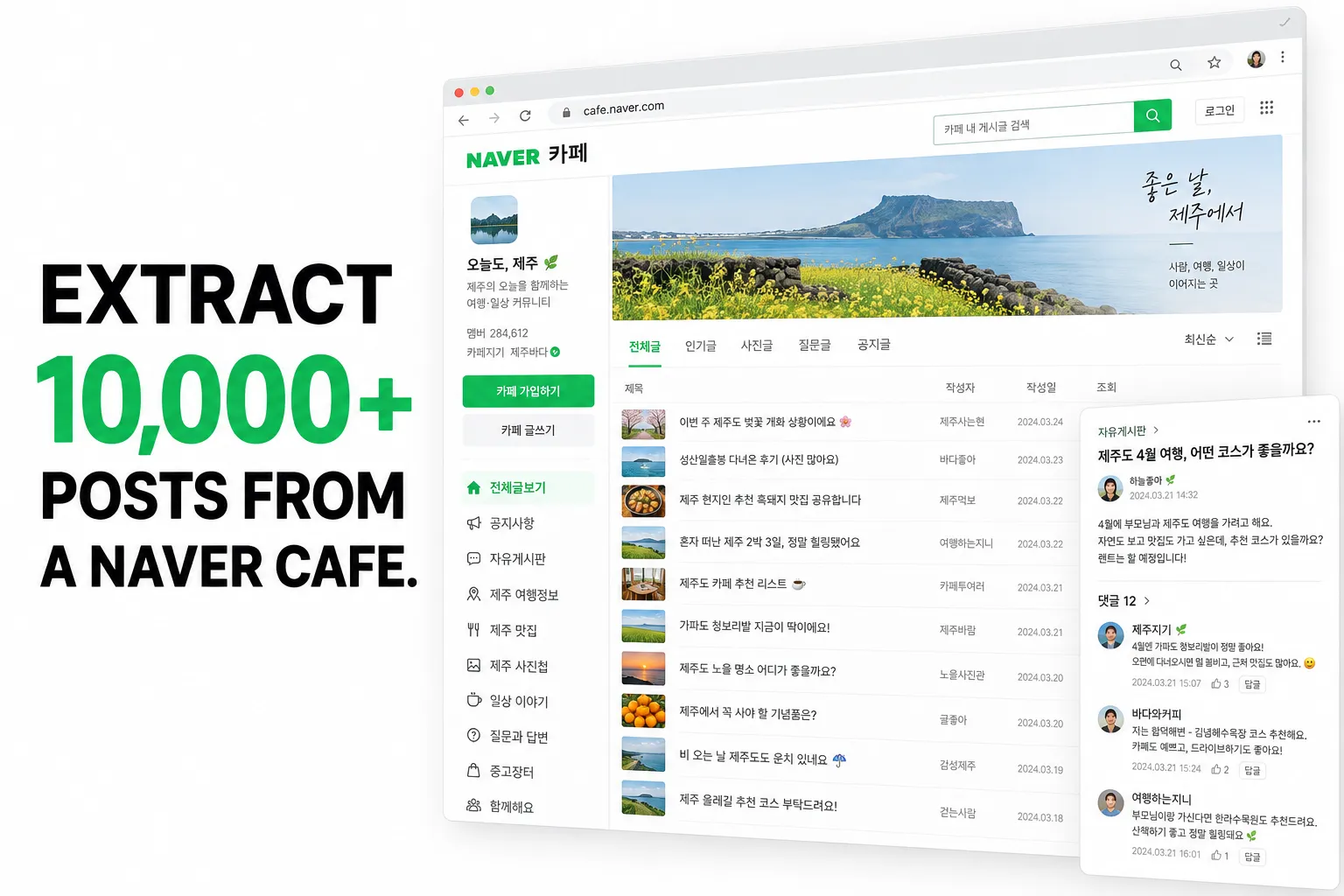
네이버 쇼핑·리뷰·검색 수집기를 만드는 Zen Studio가 제공합니다.
From Zen Studio, creators of Naver Shopping, Naver Reviews and Naver Search & AI Briefing. The studio behind the #1-ranked 1688 scraper on Apify.
선택 이유 / Why choose this actor?
1,000개 검색 제한을 넘어. / Go beyond the 1,000-post search ceiling.
카페 주소로 수집하면 키워드 검색 제한을 넘어 수만 개의 게시글을 가져올 수 있습니다.
Paste a cafe address to collect its post archive beyond the keyword-search limit. One completed run returned 10,000 posts; you can request more from larger communities.
본문과 댓글까지. / Add full posts and comment threads.
공개 카페 글의 본문, 작성자, 날짜와 댓글을 함께 수집합니다.
Enable cafe bodies to collect the text and discussion behind each public post. Members-only content returns a preview and an explicit availability flag.
블로그·카페·뉴스를 함께. / Blogs, cafes and news in one dataset.
키워드로 여러 소스를 검색하고 콘텐츠 유형별로 구분해 내보냅니다.
Research the same topic across Naver Blog, Cafe and News. Export labelled content types; optional article text, images and reader comments add context.

빠른 시작 / Quick start
카페 주소를 바꾸고 50개로 시작하세요. / Replace the cafe address and start with 50 posts. Increase Maximum results to collect a larger archive.
카페 주소 입력 / Open actor input to enter your cafe address. Export JSON, CSV or Excel; JSON preserves nested comments.
이 예시는 게시글 목록을 수집합니다. / This example collects post listings. Enable includeCafeBodies for available full text and comments; this takes longer. Cafe keyword search still has an approximately 1,000-post ceiling, so use a cafe address for deeper collection. News comments are limited to what the source exposes.
| Zen Studio · Naver Suite | ||||
 Cafe, Blog & News Cafe, Blog & NewsYou are here |  Naver Place Naver PlaceKorean business data |  Naver Search Naver SearchSearch & AI answers |  Naver Shopping Naver ShoppingProducts & sellers |  Naver Reviews Naver ReviewsBuyer reviews |
Copy to your AI assistant
주요 기능 | Key Features
- 뉴스 기사까지 한 테이블에. 네이버 뉴스 기사를 본문 전체, 언론사, 섹션, 입력·수정 시각, 이미지, 독자 댓글까지 수집합니다. 블로그·카페 글과 같은 테이블에
contentType으로 구분되어 담깁니다. Naver News in the same table: full article text, publisher, section, publish and edit times, images and the reader comment thread. - 1,000개 제한 없음 (카페 전체 수집). 네이버의 키워드 검색은 어떤 스크래퍼든 약 1,000개에서 멈춥니다. 카페 주소를 넣으면 검색이 아니라 카페 자체를 훑기 때문에 멈추지 않습니다: 2분에 3,000개, 대략 분당 1,000개, 25,000개 깊이에서도 계속 나옵니다. No 1,000-post ceiling: point it at a cafe address and it browses the community itself, ~1,000 posts a minute.
- 카페 댓글 전체. 게시글 아래 토론을 작성자·내용·날짜까지 그대로 가져옵니다. 블로그에는 없는 데이터입니다. Full cafe comment threads: the discussion blogs simply do not have.
- 본문 전체, 요약이 아님. 카페 글은 기본으로 본문 전체가 포함되고, 블로그는 토글 하나로 본문과 이미지까지 받습니다. Full post text, not previews.
- 카페와 블로그가 한 테이블에.
contentType열로 구분되므로 섞어서 받아도 하나의 시트로 내보낼 수 있습니다. Both sources in one table, split bycontentType. - 블로그 검색은 1,000개를 넘어갑니다. 많이 요청할수록 실제로 더 많이 수집됩니다. '강남 맛집' 일주일치에서 10,453개를 받았습니다. Blog search goes far past 1,000: one week of 강남 맛집 returned 10,453 posts.
- 블로그 전체 아카이브. 블로그 주소만 넣으면 그 블로그가 쓴 모든 글을 최신순으로 가져옵니다. 2만 개가 넘는 블로그도 끝까지, 기간 필터도 적용됩니다. A whole blog's archive from its address, to its first post (20,836 on one blog), narrowed by the date range if you set one.
- 읽을 수 없는 글은 숨기지 않습니다. 가입해야 보이는 카페는 미리보기만 제공되며, 모든 행의
cafeBodyAvailable이 어느 쪽인지 알려줍니다. Members-only cafes are marked, never silently blank. - 날짜 필터와 정확도순·최신순·둘 다 선택. 블로그 글 최대 39개 필드(스티커, 동영상, 링크, 지도 장소, 첨부파일 포함), 카페 글은 댓글 포함 23개. Date filters, three sort modes, 39 fields on a blog post (stickers, videos, links, map places and files included) and 23 on a cafe post.
사용 방법 | How to Scrape Naver Cafe and Blog
- 검색어(Keywords) 에 찾을 키워드를 넣습니다. 예:
강남 맛집,다이슨 청소기. - 카페 글 포함(Include cafe posts) 은 켜 두세요. 커뮤니티 글과 댓글이 함께 수집됩니다.
- 카페를 통째로 원하면 카페 주소(Cafe addresses) 에 주소를 넣으세요. 이때는 1,000개 제한이 없습니다.
- 시작(Start) 을 누르고 JSON·CSV·Excel로 내려받거나 API로 가져갑니다.
Type a keyword, leave cafe posts on, paste a cafe address for unlimited collection, then press Start.
기본: 특정 주제에 대한 반응 보기 | Basic: what Koreans are saying
블로그만, 본문·이미지 포함 | Blog posts only, with full text and images
카페 글만, 댓글 포함 | Community discussion only, with comments
블로그 전체 아카이브 | A whole blog's archive
카페 전체, 검색 제한을 넘어서 | A whole cafe, past the search limit
특정 기간, 최신순 | One quarter, newest first
입력 항목 | Input Parameters
| 항목 Parameter | Type | 설명 Description |
|---|---|---|
keywords | array | 검색어. 한국어가 결과가 가장 많습니다. 키워드마다 따로 검색합니다. What to search for; each keyword is searched separately. |
blogIds | array | 블로그 주소. 그 블로그의 모든 글을 최신순으로 수집합니다. Every post from a blog. |
cafeIds | array | 카페 주소. 카페를 통째로 수집합니다. 1,000개 제한이 없습니다. A whole cafe, not capped at 1,000. |
includeBlogs | boolean | 네이버 블로그 글 포함. 기본 켜짐. Naver Blog posts, on by default. |
includeCafes | boolean | 네이버 카페 글 포함(댓글 포함). 기본 켜짐. Naver Cafe posts with comments, on by default. |
includeCafeBodies | boolean | 카페 글의 본문·댓글까지 가져오기. 끄면 훨씬 빠르고 미리보기만 수집합니다. Full cafe text and comments; off is much faster. |
includeNews | boolean | 네이버 뉴스 기사 포함. 기본 꺼짐. Naver News articles, off by default. |
includeNewsBodies | boolean | 기사 본문 가져오기. 기본 켜짐. Full article text; on by default. |
includeNewsComments | boolean | 기사 독자 댓글 가져오기. 기본 켜짐. Reader comments on news articles; on by default. |
maxCommentsPerArticle | integer | 뉴스 기사·카페 글당 최대 댓글 수. 기본 20. Comments per news article (best-rated first) or cafe post (thread order). On news the source caps a busy thread at roughly 300 however many it holds; asking for more simply returns everything reachable. |
maxItemsPerKeyword | integer | 키워드·블로그·카페 각각의 최대 수집 개수. Max per keyword, per blog and per cafe. |
sortBy | select | both(기본) · relevance(정확도순) · recency(최신순). 블로그는 both가 1,000개를 넘기는 방법입니다. both is what beats the blog cap. |
dateFrom / dateTo | string | 작성일 범위, YYYY-MM-DD. Publication window. |
includePostBody | boolean | 블로그 본문 전체와 이미지. 글마다 요청이 하나씩 더 필요해 기본 꺼짐. Full blog text and images, off by default. |
카페·블로그 주소는 어떤 형태든 됩니다 | Any address format works
카페 (cafe):
https://cafe.naver.com/ungsangjang · https://cafe.naver.com/ungsangjang/867017 (글 링크) ·
https://cafe.naver.com/f-e/cafes/26334430 (새 주소 형식) ·
https://cafe.naver.com/ArticleRead.nhn?clubid=26334430 (예전 주소 형식) ·
ungsangjang 또는 26334430
블로그 (blog):
https://blog.naver.com/rabochang · https://blog.naver.com/rabochang/224370104013 (글 링크) ·
rabochang
카페가 아닌 주소는 건너뛰고 로그에 남깁니다. Anything that is not a cafe is skipped with a note in the log.
없는 옵션과 그 이유 | Why there is no post-type filter
Naver's blog search accepts a type parameter and then ignores it: every value, including a nonsense one, returns identical results. It is not offered here, because an input that silently does nothing is worse than no input at all. The same applies to a third sort value the source accepts and quietly treats as best-match.
어디까지 수집되나 | How far each source reaches
Blog keyword search goes as deep as you ask: one week of 강남 맛집 returned 10,453 posts and one week of 부산 여행 12,556. On a keyword that busy, a single day holds more posts than Naver shows for it; the run log names those days, and choosing both result orders collects the most of each.
Cafe keyword search is capped at about 1,000 posts per keyword. Its two sort orders are the same pool in a different order, and it has no date filter, and that is a real limit, not something to work around.
Cafe addresses have no such cap. Paste a cafe into Cafe addresses and the Actor browses the community itself rather than searching it: measured 2,500 posts in 34 seconds, still returning full pages 25,000 posts deep, and past 50,000 it carries on board by board. That is the way to collect a Korean community in bulk. Only a single board holding more than 50,000 posts stops at its newest 50,000, and the run log names it.
수집되는 데이터 | What Data Can You Extract from Naver Cafe, Blog and News?
글 하나가 한 행입니다. contentType이 blog, cafe, news로 구분합니다. 블로그 제목은 검색어가 강조 마크업으로 감싸져 오는데, titleClean이 그것을 제거한 텍스트이고 원본도 함께 보관하므로 어떤 단어가 매칭됐는지 확인할 수 있습니다. 날짜는 모두 한국 시간(KST) 기준입니다.
One row per post or article, split by contentType into blog, cafe and news. Highlight markup is stripped into titleClean with the original kept alongside. Dates are KST.
The examples below are built from real rows. Only two things are shortened: arrays are cut to their first item or two, and single strings longer than 200 characters are middle-truncated. Every key is shown, at every level. Where one item lacks a key that others of its kind carry, the value shown comes from another real item of the same kind, so every key appears. dateWindow is set only when you give a date range, and formattedCost, a sale post's asking price, only on posts collected by browsing a cafe address.
출력 예시: 블로그 글 | Output Example: a blog post
출력 예시: 카페 글과 댓글 | Output Example: a cafe post with comments
출력 예시: 뉴스 기사와 댓글 | Output Example: a news article with comments
요금 | How Much Does It Cost to Scrape Naver Cafe, Blog and News?
| 수집량 Volume | 요금 Cost |
|---|---|
| 1,000개 | $1.49 |
| 10,000개 | $14.90 |
블로그 글, 카페 글, 그리고 카페 글의 댓글 전체까지 모두 1건으로 계산되는 단일 요금입니다. One price for everything: a post and its whole comment thread count as one result.
| Tier | Per 1,000 posts |
|---|---|
| Free / Bronze | $1.49 |
| Silver | $1.39 |
| Gold, Platinum, Diamond | $1.29 |
실행당 $0.005가 추가됩니다. 댓글·이미지·본문 전체에 대한 별도 요금은 없습니다. Plus $0.005 per Actor start. No separate charge for comments, images or full post text.
카페 하나에 글이 수백만 개 있습니다. 무제한 수집이 실제로 감당 가능한 가격입니다. A single cafe holds millions of posts, and this is priced so collecting them is actually affordable.
활용 팁 | Advanced Usage
카페 글 1,000개 넘게 받기 | Get more than 1,000 cafe posts
Keyword search stops at ~1,000 per keyword and no setting changes that. Use Cafe addresses instead: browsing a community is uncapped, and 2,500 posts took 34 seconds. Find the cafes worth browsing by running a keyword search first; every row carries the cafe it came from.
키워드 하나로 1,000개 넘게 | More than 1,000 for one keyword
Just ask for more. Leave sortBy on both and set maxItemsPerKeyword high, or 0 for everything. One week of 부산 여행 returned 12,556 unique posts, and a year of it delivered 15,000 of 15,000 asked. Add a date range to say which period you want.
기간별 추이 추적 | Track a topic over time
Set dateFrom and dateTo to a month and schedule it monthly. Each month's window returns its own set, so the results stitch together into a clean time series with no overlap.
브랜드 모니터링 | Brand monitoring in Korea
Schedule your brand name daily with sortBy: "recency" and a small maxItemsPerKeyword. New posts appear at the top of the newest-first order, so a small daily run catches everything without re-collecting the archive.
뉴스 데일리 모니터링 | Daily Korean news monitoring
광고 말고 진짜 후기 찾기 | Find the complaints, not the ads
Set includeBlogs: false. Korean blog content is heavily monetised; cafe posts are community members talking to each other, and the comment threads are where the real opinions are.
Place 액터와 함께 쓰기 | Feed it from the Place Actor
Collect Korean businesses with Naver Place Scraper, then run their names through this Actor to see what people write about them.
예약 실행·연동 | Scheduling and Integrations
Apify Console에서 예약 실행할 수 있습니다. 브랜드·주제 모니터링은 매일, 기간별 아카이브 구축은 매월이 적당합니다. 결과는 Google Sheets, Airtable, Make, Zapier, Slack 또는 웹훅으로 바로 보낼 수 있고, 모든 실행 결과를 API로 JSON·CSV·Excel로 가져갈 수 있습니다.
Schedule daily for monitoring, monthly for archive building. Pushes to Sheets, Airtable, Make, Zapier, Slack or your own webhook.
New to scheduling on Apify? Apify's own walkthroughs cover it:
자주 묻는 질문 | FAQ
뉴스 기사도 수집되나요? | Does this collect Naver News articles? 네. 뉴스 기사 포함을 켜면 같은 키워드로 뉴스도 함께 수집합니다. 기사마다 본문 전체, 언론사, 섹션, 입력 시각과 수정 시각, 이미지, 그리고 독자 댓글이 함께 옵니다. 기본값은 꺼짐이라, 기존에 쓰던 설정은 예전과 똑같은 결과를 돌려줍니다. Yes. Switch on Include news articles and the same keyword also returns Naver News, each with its full text, publisher, section, publish and edit times, images and reader comments. It is off by default, so an existing saved task returns exactly what it returned before.
모든 기사에 댓글이 있나요? | Do all news articles have comments?
아닙니다. 대략 10건 중 4건 정도에 댓글이 있습니다. 나머지는 언론사가 댓글을 닫아둔 기사이고, 스포츠·연예 기사는 네이버에 댓글란 자체가 없어 commentCount가 0입니다. commentCount는 그 기사가 실제로 가진 댓글 수이고, commentsFetched는 이번 실행에서 가져온 수입니다.
No, roughly 4 in 10 have any. The rest have comments switched off by their publisher, and sports and entertainment articles have no comment section on Naver at all, so their commentCount is 0. commentCount is what the article has; commentsFetched is what this run collected.
네이버 카페가 뭔가요? / What is Naver Cafe, and why does it matter? 네이버 카페는 한국의 커뮤니티 플랫폼입니다. 지역 모임, 육아, 취미, 중고거래, 소비자 불만이 모두 여기 모입니다. 네이버 블로그가 마케팅 목적으로 많이 쓰이는 것과 달리, 카페는 회원들이 서로에게 하는 이야기라 실제 여론을 보기에 훨씬 낫습니다. Naver Cafe is Korea's community platform, closer to Reddit than to a blog. Blog content is heavily marketed; cafe content is members talking to each other, which makes it the better sentiment source.
1,000개보다 많이 받을 수 있나요? / Can I really get more than 1,000 results? 카페는 가능합니다. 검색 대신 카페 주소를 넣으면 제한이 없습니다. 2분에 3,000개를 수집했고, 25,000개 깊이에서도 계속 나왔습니다. 블로그 검색도 1,000개를 넘습니다: '강남 맛집' 일주일치에서 10,453개. 다만 카페 키워드 검색은 약 1,000개가 네이버 자체의 한계라 우회할 수 없습니다. Yes for cafes: use a cafe address, not a keyword. Blog search also sweeps past 1,000. Only cafe keyword search is genuinely capped.
네이버에 API가 있지 않나요? / Does Naver have an API for this? 공식 개발자 API가 있지만 키와 사용량 제한이 필요하고, 댓글·카페 본문·1,000개 이후의 결과는 제공하지 않습니다. 이 액터는 키가 필요 없고 본문과 댓글까지 모두 가져옵니다. Naver's official API is keyed, quota'd, and returns no comments, no cafe bodies and no way past the ceiling.
카페 글 본문이 비어 있는 경우가 있어요 / Why do some cafe posts have no text?
대부분 가입해야 볼 수 있는 카페입니다. 비회원에게는 미리보기만 보이며, 이는 어떤 스크래퍼도 계정 없이는 읽을 수 없습니다. 드물게 네이버 검색에 남아 있지만 작성자가 이미 삭제한 글도 있습니다. 실행 로그가 각각의 개수를 알려주며, 모든 행의 cafeBodyAvailable로 걸러낼 수 있습니다.
Mostly members-only cafes; occasionally a post its author deleted after Naver listed it. The run log counts each, and every row carries cafeBodyAvailable so you can filter them out.
블로그 글 본문이 비어 있는 경우가 있어요 / Why do some blog posts have no text?
사진만 올린 글이거나, 네이버 검색에 남아 있지만 작성자가 이미 삭제한 글입니다. 사진만 있는 글은 imageUrls에 사진이 담기고, 실행 로그가 각각의 개수를 알려줍니다. 2000년대 글도 본문 전체를 읽습니다.
A photo-only post, whose row still carries its images, or a post its author deleted after Naver listed it. The run log counts each, and hasBody tells them apart from read posts. Posts from every era read in full, 2007 included.
결과는 한국어인가요? / Are the results in Korean? 네. 게시된 그대로의 한국어 원문이므로 번역이나 NLP에 바로 쓸 수 있습니다. Yes. Korean content returned as published, ready for translation or NLP.
얼마나 예전 글까지 가나요? / How far back does it go?
네이버 블로그는 2000년대 중반까지 색인되어 있습니다. dateFrom으로 지정하세요. 오래된 기간은 글 자체가 적어서 결과가 줄어듭니다.
Blog content is indexed back to the mid-2000s; set dateFrom to reach it.
법적으로 괜찮나요? / Is it legal to scrape Naver Cafe and Blog? 공개된 콘텐츠만 수집하며 로그인이 필요한 영역은 건드리지 않습니다. 네이버 이용약관과 GDPR·CCPA·개인정보 보호법(PIPA) 준수 책임은 이용자에게 있습니다. 게시글과 댓글에는 닉네임·프로필 이미지 같은 개인정보가 포함되므로 그에 맞게 다뤄 주세요. Only publicly visible content, nothing behind a login. You remain responsible for Naver's terms, GDPR, CCPA and Korea's PIPA. Posts and comments contain personal data such as nicknames.
More Zen Studio scrapers for Asian platforms
🛒 E-commerce
 TikTok Shop
 Lazada
- Naver Search 네이버 검색
 AliExpress 全球速卖通
- Naver Place 네이버 플레이스
- Naver Shopping 네이버쇼핑
 Coupang 쿠팡
 Taobao 淘宝
 JD.com 京东
 1688 阿里巴巴
 Weidian 微店
 Goofish 闲鱼
 Dewu 得物
🎬 Short-video & social
 Douban 豆瓣
 Weibo 微博
 Kwai (Brazil)
 Kuaishou 快手
 Douyin 抖音
 RedNote 小红书
 Xigua 西瓜视频
 Bilibili 哔哩哔哩
🏠 Real estate & autos
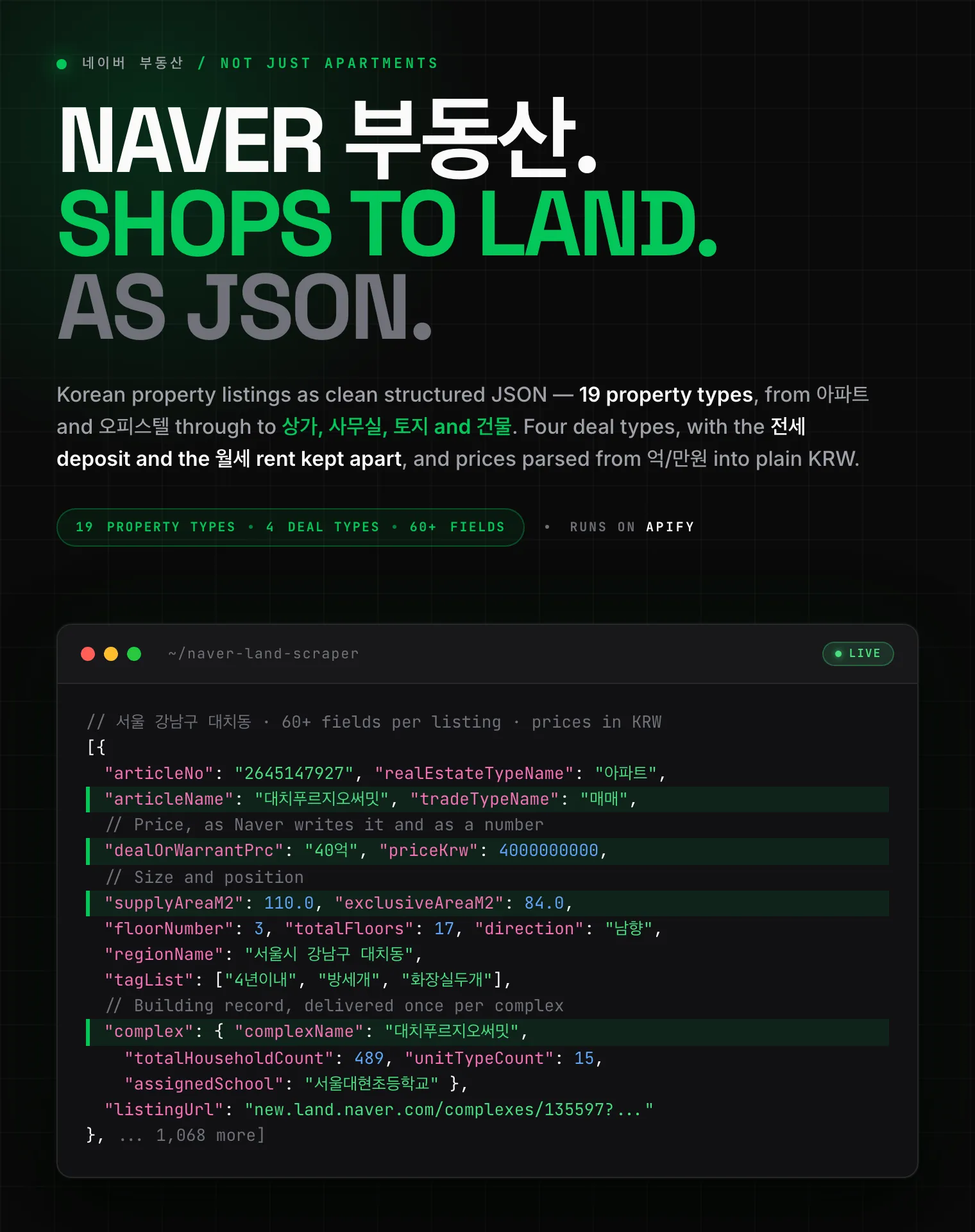 Naver 부동산
 Anjuke 安居客
 58.com 58同城
 Autohome 汽车之家
문의 | Support
버그를 발견했거나 필요한 필드가 없다면 Issues 탭에 남겨 주세요. 특정 실행에 대한 문의는 run ID를 함께 주시면 가장 빠릅니다. Found a bug or need a field? Open an issue on the Issues tab; a run ID helps.
법적 고지 | Legal Compliance
공개된 페이지만 접근합니다. 로그인하지 않고, 접근 제한을 우회하지 않으며, 비공개 데이터를 수집하지 않습니다. 가입제 카페는 우회하지 않고 그 사실을 표시합니다. 데이터 사용에 대한 책임은 이용자에게 있으며 네이버 이용약관, GDPR, CCPA, 개인정보 보호법(PIPA)을 준수해야 합니다.
Only publicly available pages. No login, no bypassing access controls, no private data; members-only cafes are reported, not circumvented. You remain responsible for compliance with Naver's terms, GDPR, CCPA and Korea's PIPA.
네이버 카페·블로그 콘텐츠 수집: 본문, 작성자, 작성일, 이미지, 댓글까지. 키워드·기간·카페 전체·블로그 전체, 1,000개 제한 없이. Naver Cafe and Naver Blog content for Korea: post text, authors, dates, images and comment threads, with no 1,000-post ceiling.


