
네이버 검색 스크래퍼 | Naver Search Scraper & AI Briefing
Pricing
from $2.49 / 1,000 search results
네이버 검색 스크래퍼 | Naver Search Scraper & AI Briefing
Extract Naver (네이버) search results: web pages, news, blogs, cafes, 지식iN answers, video and clips from one Korean search term. Includes Naver's AI Briefing with every source it cited, plus its own query topic analysis. Advertising is always labelled. Export JSON, CSV or Excel.
Pricing
from $2.49 / 1,000 search results
Rating
0.0
(0)
Developer

Zen Studio
Maintained by CommunityActor stats
0
Bookmarked
3
Total users
1
Monthly active users
9 days ago
Last modified
Categories
Share
네이버 검색 스크래퍼 | Naver Search Scraper | AI 브리핑 포함 (2026)
네이버 쇼핑·리뷰·플레이스와 쿠팡 수집기를 만드는 Zen Studio가 제공합니다.
From Zen Studio, creators of Naver Shopping, Naver Reviews and the Coupang suite. The studio behind the #1-ranked 1688 scraper on Apify, used by 1,800+ users.
선택 이유 / Why choose this actor?
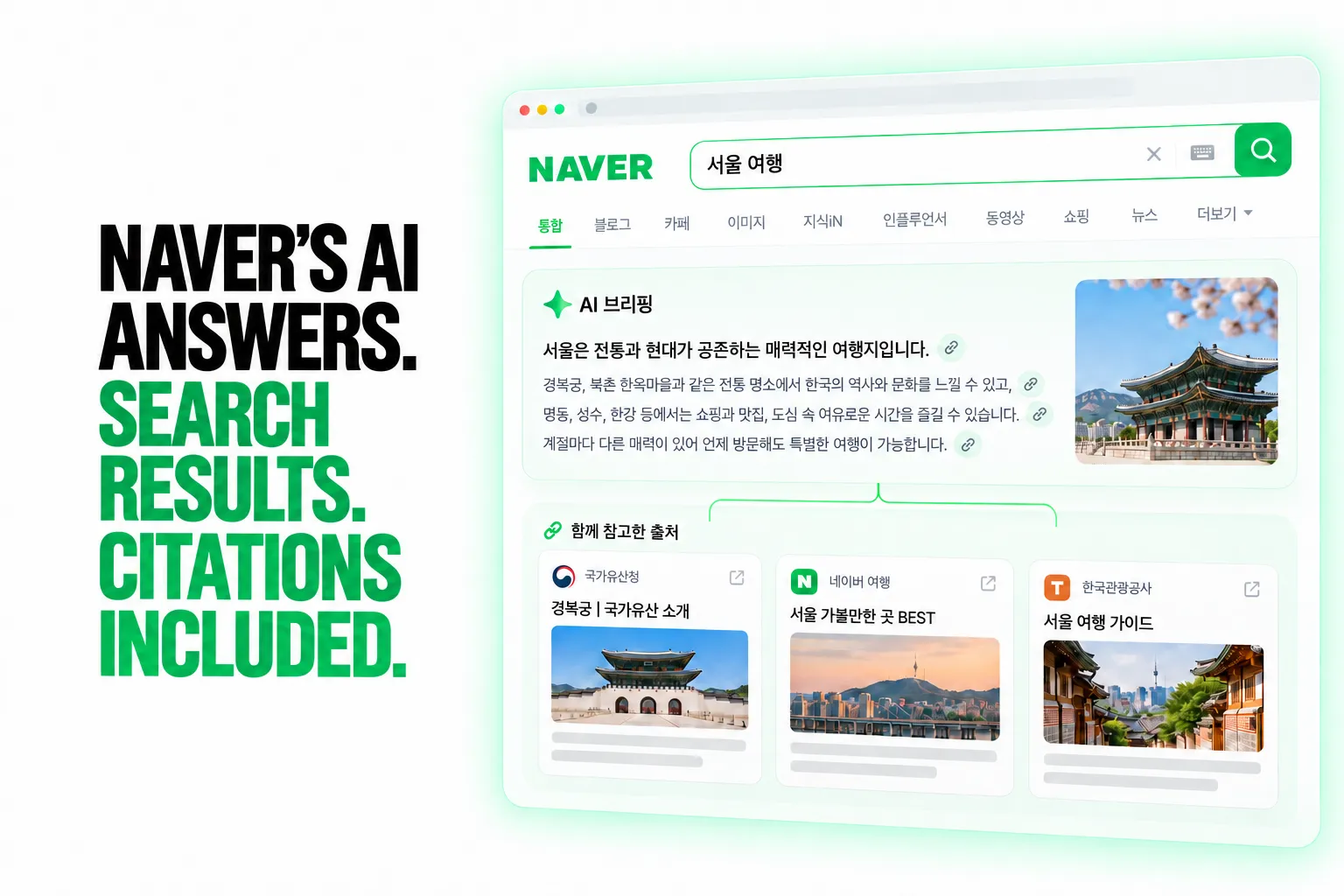
AI 답변과 인용 출처를 함께. / AI answers with their cited sources.
네이버가 생성한 AI 브리핑과 인용 링크를 함께 수집합니다.
Export Naver’s own AI Briefing with its cited sources. Analyse the answer and trace which pages Naver references.
검색 결과까지 한 번에. / Search results in the same run.
웹문서, 뉴스, 블로그, 카페, 지식iN, 동영상 등 결과를 유형별로 구분합니다.
Collect web results, news, blogs, cafes, Knowledge iN answers, videos and more. Labelled result types and advertising flags make the output easier to analyse.
검색어를 이해하는 방식까지. / Naver’s interpretation of your query.
제공되는 경우 주제 분류, 확신도, 인식된 개체를 함께 내보냅니다.
Include Naver’s topic classification, confidence scores and recognised entities where available. Compare search visibility alongside the context Naver assigns to each query.

빠른 시작 / Quick start
서울 여행 검색으로 시작합니다. / Start with a Seoul travel query, up to 20 search results, AI Briefing and query analysis enabled.
검색어 입력 / Open actor input to enter your queries. Export JSON, CSV or Excel; JSON preserves nested citations and query analysis.
AI 브리핑은 네이버가 생성한 검색어에만 제공되며 별도로 과금됩니다. / AI Briefings are available only when Naver generates one and carry a separate charge when returned. Query analysis and result types vary by query. This example excludes advertisements.
| Zen Studio · Naver Suite | ||||
 Naver Search Naver SearchYou are here |  Cafe, Blog & News Cafe, Blog & NewsPosts & articles |  Naver Place Naver PlaceKorean business data |  Naver Shopping Naver ShoppingProducts & sellers |  Naver Reviews Naver ReviewsBuyer reviews |
Copy to your AI assistant
주요 기능 | Key Features
- 결과 페이지 전체가 한 번에. 웹문서, 뉴스, 블로그, 카페, 지식iN, 동영상, 클립, 인플루언서까지
resultType열로 구분되어 한 테이블에 담깁니다. The whole page in one run: nine result types in one table, each row labelled. - AI 브리핑 포함. 네이버가 직접 쓴 요약과 인용한 출처 전체를 함께 받습니다. 별도 액터가 아닙니다. 실제로 브리핑이 생성된 검색어에 대해서만 과금됩니다. The AI Briefing is included, with every source it cited, and is charged only when Naver actually produces one.
- 검색어 분석. 네이버 자신의 검색어 해석: 주제 분류와 확신도, 인식된 개체, 전문성 점수. 다른 어떤 액터도 제공하지 않습니다. Query analysis: Naver's own topic classification with confidence scores. No other actor exposes it.
- 광고는 광고로 표시됩니다. 유료 노출은
resultType이advertisement이고isAdvertising이true입니다. 자연 검색 결과에 섞이지 않습니다. Advertising is always labelled, never passed off as an organic result, and can be dropped with one switch.
How to Scrape Naver Search Results
- Click Try for free to open the Naver Search Scraper in the Apify Console.
- Type your search terms into 검색어 (Search terms), one per line, in Korean or English.
- Leave 결과 종류 (Result types) on Everything on the page, or pick a single type such as News.
- Set 검색어당 최대 결과 수 (Max results per search term), or
0to collect everything available. - Click Start and download the results as JSON, CSV or Excel from the Storage tab.
Basic: one search term, the whole page
Track the AI Briefing for a set of terms
News only, newest first
Organic results only, no advertising
Input Parameters
| Parameter | Type | Default | Description |
|---|---|---|---|
queries | array | required | Search terms, Korean or English, one per line |
verticals | array | ["integrated"] | Which result types to collect. integrated returns everything on the page |
maxResultsPerQuery | integer | 100 | Results per search term, shared across the result types you select. 0 collects everything available |
sortBy | string | relevance | relevance or recency. Only News honours newest-first |
includeAiBriefing | boolean | true | Naver's AI answer with its cited sources, as its own row |
includeQueryAnalysis | boolean | true | Naver's topic classification of your search term |
includeAds | boolean | true | Keep paid placements, always labelled, or drop them |
Result types
verticals value | What it returns | Depth per search term |
|---|---|---|
integrated | Everything on the page, a few dozen results | One page |
web | Web pages only | 130 to 220 |
news | News articles | 600 to 2,000 |
blog | Naver Blog posts | 750 to 1,000 |
cafe | Naver Cafe posts | about 1,000 |
knowledgeIn | 지식iN questions and answers | 850 to 950 |
video | Video results | 750 to 1,000 |
clip | Naver Clip short-form video | up to 1,000 |
influencer | 인플루언서 posts | up to 500 |
Depth is how far Naver itself goes for one search term, measured on six common terms in October 2026. A narrow term can have fewer results than this; the Actor collects until Naver has no more.
What Data Can You Extract from Naver Search?
Every result row carries:
- Identity: the search term, the result type, the title with and without Naver's highlight markup, and the link
- Content: the snippet Naver shows, the author with their profile link, the thumbnail, the publication date
- Cafe posts: the cafe's name and address, and the comment previews Naver shows under the post
- 인플루언서 posts: the creator's fan count, their category labels and profile highlights, and the post's image count
- Media: for video and clips, the view count as a number, the clip's own media URL, and whether the creator is verified; for videos, the length in whole seconds (
playDuration, 388 is 6:28) - 지식iN credentials: whether the answer came from a verified expert, with their credential and speciality (의사 / 이비인후과)
- Labelling: whether the row is advertising, and whether this search term produced an AI Briefing
Output Example: one search result
Every result type shares this key set, and a field a type does not carry is null on its rows. Where one item lacks a key that others of its kind carry, the value shown comes from another real item of the same kind, so every key appears.
Output Example: the AI Briefing row
Advanced Usage
Ready-made configurations for Korean SEO rank tracking, AI Briefing (AEO) monitoring, brand mention tracking across communities, and keyword topic research.
Daily Korean SEO rank tracking
Schedule it daily and compare title plus url per query between runs to see what moved.
AI Briefing (AEO) monitoring
maxResultsPerQuery: 1 keeps the result rows to a minimum while still collecting the briefing, so you pay one result row per term plus the briefings that actually arrive. Naver writes one for roughly 4 terms in 10, so 100 terms costs about 100 result rows and about 40 briefings. Filter on resultType = aiBriefing and read sources to see which domains Naver cites.
Brand mentions across Korean communities
Keyword topic research
How much does it cost to scrape Naver Search?
$2.99 per 1,000 results. The AI Briefing is charged at the same rate, and only when Naver actually produces one.
| Event | Per 1,000 |
|---|---|
| Search result | $2.99 |
| AI Briefing | $2.99 |
Volume discounts apply automatically on paid Apify plans.
Integrations and scheduling
The dataset exports to Google Sheets, Excel, CSV and JSON from the run's Storage tab, and connects to Make, Zapier, n8n or your own webhook through Apify's integrations.
Rank tracking and AEO monitoring are the two recurring jobs here. Once a day is the right frequency for both: Naver's ranking and its AI Briefings change on a daily rhythm, and anything more often mostly re-collects the same rows.
New to scheduling on Apify:
FAQ
What is Naver (네이버), and why does it need its own scraper? Naver is South Korea's dominant search engine and web portal, holding a larger share of Korean search than Google. It is not a Google clone: a Naver results page is assembled from blocks, so one search returns web documents, news, blog posts, community (cafe) threads, 지식iN answers, video and short-form clips together, plus an AI-written briefing on some topics. A Google-shaped scraper reads none of that structure.
Does this include the AI Briefing, or is that a separate actor?
It is included. You get the full answer text, every source Naver cited with its publisher, whether that source is an official one, and the images it pulled in. The briefing arrives as its own dataset row with resultType set to aiBriefing, and it is charged at the same $2.99 per 1,000 as any other result.
How often does Naver show an AI Briefing? On a deliberately mixed set of 12 search terms, 5 produced one, and 4 of 8 on a later platform run. It is topic-gated rather than universal: health, legal, how-to and definition questions trigger it far more often than product, person or place searches. You are only charged for briefings that actually arrive, so a term that never triggers one costs you nothing extra.
What is query analysis and what can I do with it? It is Naver's own reading of your search term: the topic it assigns with a confidence score, the entities it recognised and their types, the search intent it matched, and its authority, credibility and expertise scores for the topic. It tells you how Naver has classified a keyword before you spend anything on ranking for it. It is available for roughly one search term in four and costs nothing extra.
Can I collect only news, or only blogs?
Yes. Set verticals to any combination of the nine result types. A single type is a smaller and faster page than the whole results page, and goes far deeper: news reaches up to about 2,000 results for one search term where the whole page returns about 50.
Do I need a Naver account? No. The Actor reads publicly visible search results.
How do I export the data?
JSON, CSV, Excel, XML or HTML from the run's Storage tab, or through the Apify API. JSON preserves the nested fields best: the AI Briefing's sources and images are arrays of objects, and queryAnalysis is a nested object, so CSV flattens them.
Are advertisements included, and how do I tell them apart?
Naver mixes paid placements into its results. Every one of them is typed advertisement and flagged with isAdvertising, so they are never passed off as organic. Set includeAds to false to drop them entirely.
How deep can I go for one search term? It depends on the result type and the term: up to about 2,000 for news, about 1,000 for blog, cafe, video, clips and 지식iN, 500 for 인플루언서, and 130 to 220 for web. The whole results page is a single page of a few dozen results (24 to 56 measured) by design, because the blocks on it are what the page has. The table under Result types lists the measured ranges.
Can I get the full text of a blog post, cafe post or news article?
Not from this Actor, which returns search results with the snippet Naver shows. For the full body plus comment threads, use the Naver Cafe, Blog & News Scraper: feed it the same search term, or the url from a blog, cafe or news row here.
Can I get business details, reviews or opening hours for a place? Not here. Use the Naver Place Scraper for local business data, ratings and reviews.
Can I get product prices and specs? Not here. Use the Naver Shopping Scraper for keyword and category search, and the Naver Shopping Product Detail Scraper for specs, sellers and price history.
Does Naver have an official API, and why use this instead? Naver publishes an open API for developers, but it needs a registered client ID and secret, applies a per-app daily call quota, and returns flat result lists only: no AI Briefing, no 지식iN answers with their expert credentials, no clips, no advertising labels, and no query analysis. This Actor needs no registration and returns the page as Naver actually assembles it.
Something looks wrong or a search term returns nothing. What do I do? Check the run log first: it names the search term it was working on. A term with genuinely no Naver results returns zero rows and says so. Anything else, open the Issues tab on this Actor with your run ID and the input you used.
Is it legal to scrape Naver search results? This Actor collects only publicly available data, nothing behind a login. You remain responsible for complying with Naver's terms of service and with data protection law that applies to you, including GDPR, CCPA and Korea's PIPA. Author names, 지식iN answerer names and creator handles are personal data under those regimes; treat them accordingly.
How fresh is the data? Every run fetches live results at the moment it runs. Nothing is cached or served from a store.
More Zen Studio scrapers for Asian platforms
🛒 E-commerce
 TikTok Shop
 Lazada
 AliExpress 全球速卖通
- Naver Place 네이버 플레이스
- Naver Blog & Cafe 네이버 블로그·카페
- Naver Shopping 네이버쇼핑
 Coupang 쿠팡
 Taobao 淘宝
 JD.com 京东
 1688 阿里巴巴
 Weidian 微店
 Goofish 闲鱼
 Dewu 得物
🎬 Short-video & social
 Douban 豆瓣
 Zhihu 知乎
 Weibo 微博
 Kwai (Brazil)
 Kuaishou 快手
 Douyin 抖音
 RedNote 小红书
 Xigua 西瓜视频
 Bilibili 哔哩哔哩
🏠 Real estate & autos
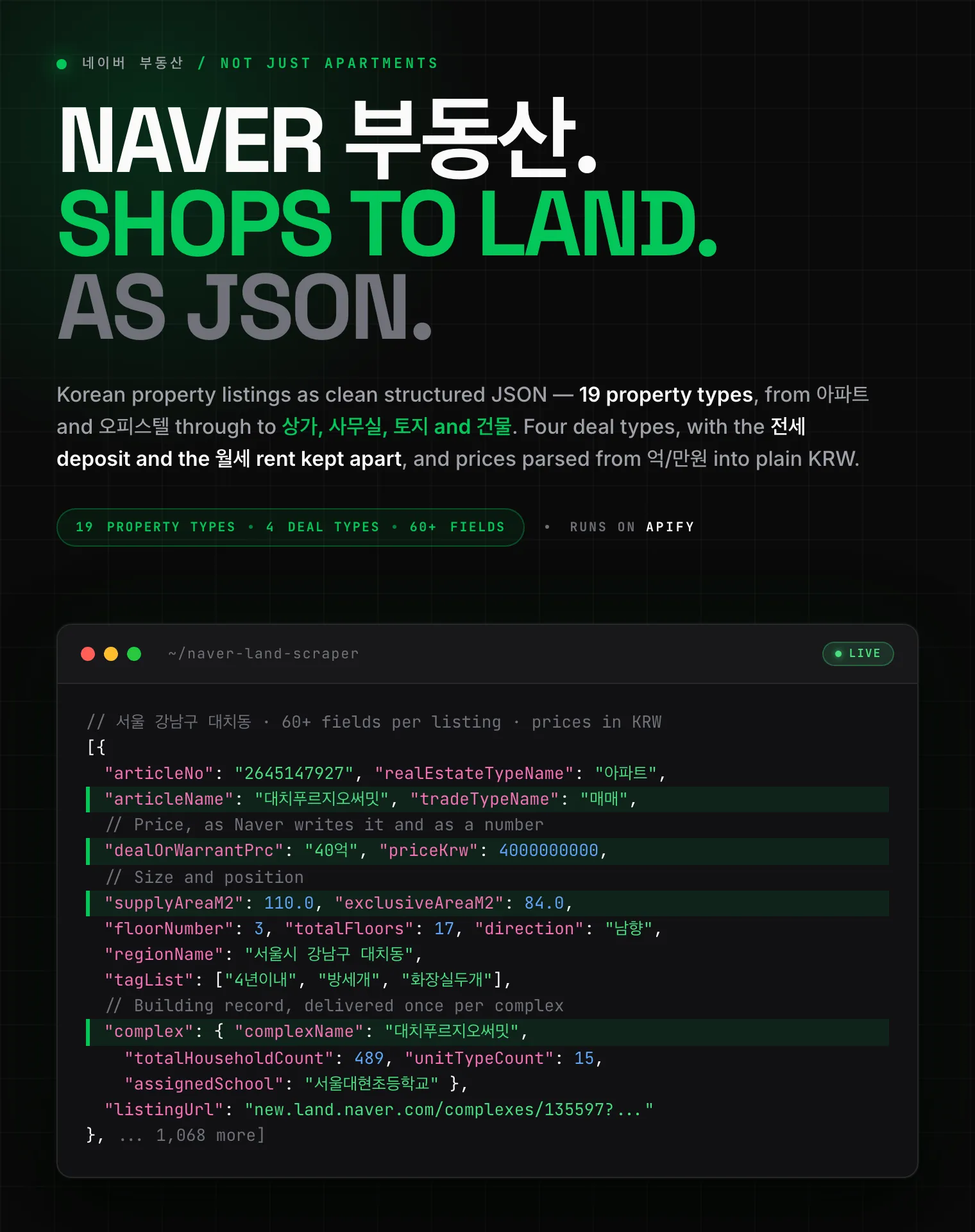 Naver 부동산
 Anjuke 安居客
 58.com 58同城
 Autohome 汽车之家
Support
- Bugs: Issues tab
- Features: Issues tab
Legal Compliance
Extracts publicly available data. Users must comply with Naver's terms and data protection regulations (GDPR, CCPA, and Korea's PIPA).
Search Naver and get the whole results page as structured JSON, with the AI Briefing and Naver's own query analysis included.


