

Greenhouse Jobs Scraper | Lever, Ashby API, $1.50/1K
Pricing
from $1.05 / 1,000 job results
Greenhouse Jobs Scraper | Lever, Ashby API, $1.50/1K
Scrape Greenhouse jobs at $1.50 per 1,000 jobs, 40% under the top career-site job feed and 8x cheaper than the top jobs API, reading each employer's board live. Type a domain like stripe.com and it finds the Greenhouse, Lever, Ashby or SmartRecruiters board. Salary, remote flag, new-jobs mode.
Pricing
from $1.05 / 1,000 job results
Rating
0.0
(0)
Developer

Aurelix
Maintained by CommunityActor stats
0
Bookmarked
2
Total users
1
Monthly active users
an hour ago
Last modified
Categories
Share
What is Greenhouse Jobs Scraper?
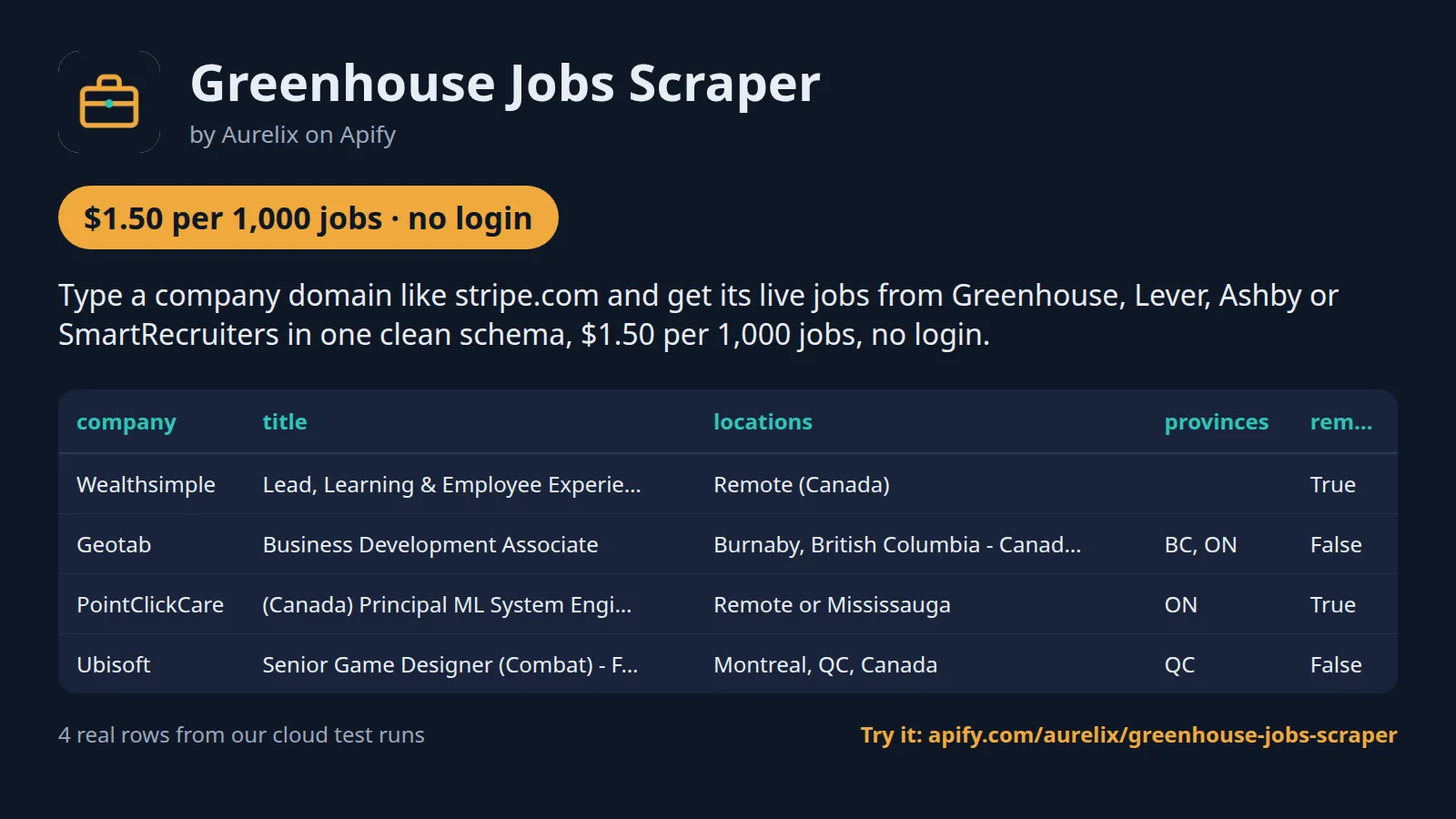
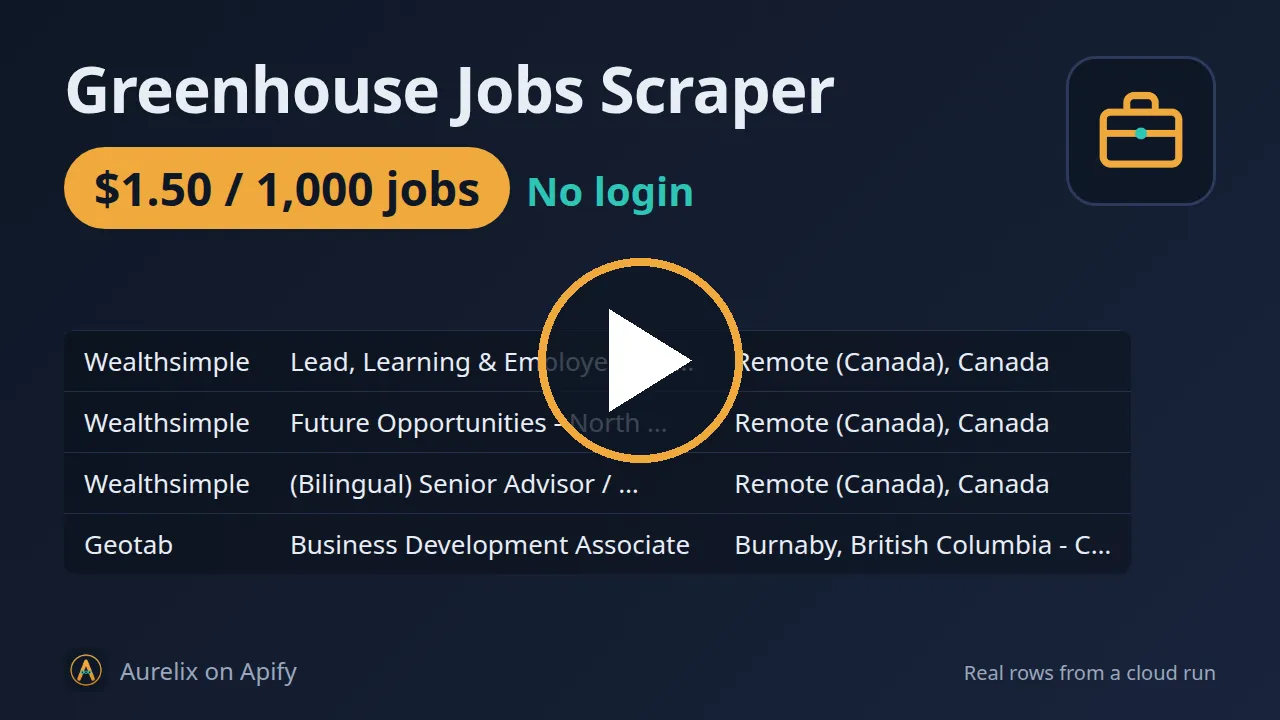
Type a company domain like stripe.com and get its live jobs from Greenhouse, Lever, Ashby or SmartRecruiters in one clean schema, $1.50 per 1,000 jobs, no login.
For job boards, recruiters and sales teams tracking hiring. Every run reads the employer's official job-board API, so closed jobs disappear; salary is included wherever the employer publishes one. Your first run with the example input costs about $0.068 (45 jobs in our test run).
| Search by | Company domain or name (stripe.com), careers page, board link or ats:slug, or a bundled starter list of 49 verified employers (25 Canadian) |
| Sources | Greenhouse, Lever, Ashby and SmartRecruiters official job-board APIs |
| Filters | Canada only, countries, remote only, title keywords, max jobs per company, new jobs only |
| Output | 27 fields per job; JSON, CSV, Excel, API |
| Automate | Schedules, webhooks, Zapier, Make, n8n, Google Sheets, MCP for AI agents |
| Price | $1.50 per 1,000 jobs ($1.05 per 1,000 jobs on paid Apify plans) |
| Login needed | No |
Why Greenhouse Jobs Scraper users pick this one
- Finds the job board for you. Domain in, the correct Greenhouse, Lever, Ashby or SmartRecruiters board out.
- Always live. Read from the employer's own board API, so closed jobs disappear.
- Four systems, one schema. The same 27 fields for every applicant tracking system.
- Canada built in. Province tags (ON, QC, BC...) and a Canada-only filter.
- 40% under the top feed. $1.50 per 1,000 jobs against $2.50 for the top career-site job feed.
Get started in 3 steps
- Type company domains into Companies (e.g. stripe.com, notion.so), or paste careers pages, board links or ats:slug (greenhouse:stripe), or pick a bundled starter list.
- Optionally narrow it: Canada only, countries, remote only, title keywords, max jobs per company; turn on 'Only new jobs since last run' for a daily feed.
- Click Start, then download JSON, CSV or Excel, or schedule the run and send results to Google Sheets, Zapier, Make or n8n.
▶ Try it with the example input
The form opens with an example input already filled in: that run costs about $0.068 on the free plan.
How much does it cost to scrape Greenhouse jobs?
Pay per event: you pay only for what the run returns, plus a small start fee. Bronze, Silver, Gold and higher Apify plans pay less per result.
| Jobs | Free plan | Paid plans (Bronze, Silver, Gold) |
|---|---|---|
| 100 | $0.15 | $0.11 |
| 1,000 | $1.50 | $1.05 |
| 10,000 | $15.00 | $10.50 |
Totals include the $0.00005 start fee per run, rounded to the cent. Apify's free plan includes $5 of credit a month, enough for about 3,300 jobs.
No charge for boards that return nothing.
Billing events
| Event | Free plan | Paid plans (Bronze, Silver, Gold) |
|---|---|---|
job-result | $1.50 per 1,000 jobs | $1.05 per 1,000 jobs |
apify-actor-start | $0.00005 per run | $0.00005 per run |
Greenhouse Jobs Scraper vs alternatives
| This Actor | fantastic-jobs/career-site-job-listing-api | fantastic-jobs/career-site-job-listing-feed | |
|---|---|---|---|
| Price per 1,000 jobs, free plan | $1.50 | $12.00 | $2.50 |
| Price per 1,000 jobs, paid plans | $1.05 | $12.00 | $2.00 |
| Start fee per run | $0.00005 (changing to $0.0005 soon) | $0.01 ($0.0001 paid) | $0.10 ($0.001 paid) |
| Platform usage billed on top | No | No | No |
| Company domain in, its jobs out | ✓ finds the board | Domain filter (exact match) | Domain filter (exact match) |
| Reads the employer's board live at run time | ✓ official ATS APIs | not stated | not stated |
| Only jobs new since your last run | ✓ | Time window (1h/24h/7d) | not stated |
| Canadian province tags (ON, QC, BC...) | ✓ | not stated | not stated |
| ATS platforms covered | 4 | 58 | 58 |
Prices checked regularly on each Actor's Store page.
Benchmarks: how we compare
| Run | Jobs returned | Run time | What we checked |
|---|---|---|---|
| Prefilled form: 3 boards, max 15 per company | 45 | not recorded | Charged $0.068 in total |
| 25 boards, no per-company limit | 691 | 27 s | 256 MB memory; compute about $0.006 per 1,000 jobs |
| 4 boards, one per ATS, max 12 per company | 48 | 4 s | 10 of 10 sampled jobs matched the ATS's own API field by field; 21 of 48 carry a salary range, 19 a Canadian province tag |
| 2 boards (Ashby and Greenhouse), descriptions off | 102 | 3 s | 53 of 102 carry a salary range |
| Only new jobs: max 5, then max 10, then max 10 again | 5, then 5, then 0 | 2-3 s each | 0 repeats across the three runs; the per-company cap counts before the new-only filter |
| Title keyword that matches nothing | 0 | 11 s | Run succeeded; no job charges |
| Input with no findable board | 0 | 2-3 s | Run fails at once with 'no supported job board found'; no job charges |
Single runs on the Apify cloud, taken from our test logs. Field accuracy was checked on a random sample of 10 jobs, comparing title, company, locations, countries, provinces, remote flag, workplace and employment type, salary and dates with the same posting in the vendor's public API. Run time depends on board size; the cost figure is Apify compute only.
What data you get
Greenhouse Jobs Scraper collects live job postings directly from employers' own career sites, using the official public job-board APIs of Greenhouse, Lever, Ashby and SmartRecruiters, not a stale database. Type a company domain (stripe.com) and it finds the job board for you, or give it a careers page, a board link or ats:slug (greenhouse:geotab), or a bundled starter list, and get one clean schema: title, department, locations, country, Canadian province, remote/hybrid/on-site, salary range when published, posted date and apply link. Turn on new-jobs-only mode for a daily feed of postings you have not seen.
- Title, company, department, team
- Locations, ISO country codes, Canadian province codes, is_canada, remote flag, workplace type (remote/hybrid/onsite)
- Employment type (normalised + as published)
- Salary min/max, currency and interval when published (pay-transparency boards)
- Posted and updated dates in ISO 8601 UTC
- Apply link, posting link, full description as text and HTML
- Stable job_id for joins and dedupe
| company | title | locations | provinces | remote | employment_type | salary_min | salary_max | salary_currency | posted_at | ats |
|---|---|---|---|---|---|---|---|---|---|---|
| Wealthsimple | Lead, Learning & Employee Experience | ["Remote (Canada)"] | [] | True | FULL_TIME | 116000 | 145000 | CAD | 2026-10-29T20:57:55Z | ashby |
| Geotab | Business Development Associate | ["Burnaby, British Columbia - Canada", "Oakville, Ontario... | ["BC", "ON"] | False | FULL_TIME | 110000 | 160000 | CAD | 2026-10-26T17:16:22Z | greenhouse |
| PointClickCare | (Canada) Principal ML System Engineer | ["Remote or Mississauga"] | ["ON"] | True | FULL_TIME | 179000 | 224000 | CAD | 2026-08-13T04:28:39Z | lever |
| Ubisoft | Senior Game Designer (Combat) - For Honor | ["Montreal, QC, Canada"] | ["QC"] | False | FULL_TIME | 2026-11-03T21:19:18Z | smartrecruiters |
One full job record, exactly as a real run returned it (long text and lists shortened here). From a real run:
Use cases
- Job boards and aggregators adding direct-from-employer postings every day with the new-jobs-only mode
- Recruiters watching target companies for new openings
- Canadian job sites using the Canada-only filter and province codes
- HR and market analysts tracking hiring by company, team and salary band
Use-case recipes
Daily new-jobs feed for a Canadian job board
For job boards and aggregators. Pick the Canadian starter list, keep Canada only on and switch on 'Only new jobs since last run', then schedule the run daily. Use job_id as the primary key in your database, apply_url as the outbound link and provinces to file each job under its province page.
Hiring watch on target accounts
For sales and recruiting teams that sell into specific companies. Put their domains in Companies, add the title words that signal a buying need, switch descriptions off and turn on new-only mode with a weekly schedule. Group the output by company and department, and push each new row to your CRM as a hiring signal on that account.
Salary ranges for one role across employers
For HR and comp analysts. List the employers you benchmark against, set the role in Title keywords and the countries you pay in. Keep rows with salary_min filled, compare within the same salary_currency and salary_interval (year or hour), and read salary_text for what the range covers.
Remote engineering roles for a newsletter
For newsletters and communities. Use the full starter list, Remote only and an engineering title word, with new-only mode and a weekly schedule. Publish title, company, locations and apply_url; workplace_type tells hybrid roles apart if you keep them separately.
Input
| Field | Type | What it does | Default |
|---|---|---|---|
companies (Companies (domains, careers pages or ats:slug)) | array | A company domain (stripe.com), a careers page URL, or ats:slug (greenhouse:stripe). | |
maxJobsPerCompany (Max jobs per company) | integer | Upper limit of results per company after filters. 0 = no limit. | 0 |
starterList (Bundled starter list) | string | Add a curated list of verified boards. | "none" |
canadaOnly (Canada only) | boolean | Keep only jobs located in Canada (including 'Remote (Canada)'). | false |
countries (Countries (ISO codes)) | array | Keep only jobs in these countries, as two-letter ISO codes, e.g. ['CA', 'US', 'GB']. | |
remoteOnly (Remote only) | boolean | Keep only jobs the employer marks as remote. | false |
All 12 fields, with examples: see the Input tab.
Switching from fantastic-jobs/career-site-job-listing-api
Already running fantastic-jobs/career-site-job-listing-api? It searches a pre-built index of many career sites; this Actor reads the boards of the companies you name, live, at run time. Map its input fields like this:
fantastic-jobs/career-site-job-listing-api input | This Actor's input | Notes |
|---|---|---|
timeRange | incremental | Theirs returns jobs from a time window (1h, 24h, 7d or a 6-month backfill). Ours reads the whole live board every run; turn on incremental to get only jobs it has not returned before. To keep a time window, filter posted_at after the run. |
limit | maxJobsPerCompany | Theirs caps the whole run (10 to 5,000). Ours caps each company; 0 = no limit. For a run-wide cap, set the run's maximum charge in Apify: output stops when it is reached. |
descriptionType | includeDescription | Ours returns the description as both text and HTML, or neither when switched off. |
domainFilter | companies | Theirs needs an exact domain match inside their index. Ours takes a domain (stripe.com), careers page, board link or ats:slug and finds the board itself. |
organizationSearch | companies | Company names work too (Stripe), but a bare name takes the first ATS with a board of that name, so prefer the domain. There is no search across all companies. |
titleSearch | titleKeywords | Ours keeps a job when its title contains any of the words, case-insensitive. No :* syntax is needed: 'soft' already matches 'Software'. No title exclusion filter. |
locationSearch | countries / canadaOnly | Ours filters by two-letter ISO country codes or Canada only. There is no city filter; filter locations or provinces after the run. |
aiWorkArrangementFilter | remoteOnly | Ours keeps jobs marked remote. Hybrid and on-site are in workplace_type for filtering after the run. |
hasSalary | no equivalent | Every job is returned; keep rows where salary_min or salary_max is filled. |
includeCompanyDetails | no equivalent | No LinkedIn, Crunchbase or logo enrichment. You get company, company_token and the board's ats. |
- Output names differ:
job_id(ats:board:posting id, stable across runs),apply_url,posted_at,salary_min/salary_max/salary_currency/salary_interval,countriesandprovinces. - Duplicates: two inputs that point at the same board are merged before scraping, and each
job_idis returned once per run. - Pricing: you pay per job returned and nothing for boards that return nothing. The comparison table above shows $1.50 per 1,000 jobs on the free plan against their $12.00.
- Coverage is narrower: 4 applicant tracking systems against their 58. Workday, iCIMS, Taleo and custom career sites are not read.
Use with AI agents (Apify MCP server, Claude, ChatGPT, n8n AI agent)
Greenhouse Jobs Scraper is a ready-made tool for AI agents. Through the Apify MCP server an agent reads this Actor's input schema, fills in the input from your request, starts the run and reads the jobs back. You pay the same per-result price as a run started by hand, from your own Apify account.
Example prompts
- "Get every open engineering job at stripe.com, notion.so and wealthsimple.com with the salary range where published, and give me a table sorted by company"
- "List the remote jobs located in Canada from the bundled list of Canadian employers, with province, salary and apply link"
- "Check geotab.com and lever:pointclickcare for jobs with data or analyst in the title and summarise them by department and city"
Claude (claude.ai and Claude Desktop)
Open Settings > Connectors, choose Add custom connector, paste https://mcp.apify.com/?tools=aurelix/greenhouse-jobs-scraper and sign in to Apify when asked. Then ask Claude one of the prompts above.
Claude Code, Cursor, VS Code and other MCP clients
Clients configured with JSON take the same URL:
A client without Apify sign-in sends the header Authorization: Bearer <YOUR_APIFY_TOKEN>; to run the server locally instead, use npx -y @apify/actors-mcp-server --actors aurelix/greenhouse-jobs-scraper with APIFY_TOKEN set.
ChatGPT
Where your ChatGPT plan offers custom connectors (developer mode), add https://mcp.apify.com/?tools=aurelix/greenhouse-jobs-scraper as a connector, sign in to Apify, and ask for the data in plain words.
n8n AI agent
Give an AI Agent node an MCP Client Tool with the endpoint https://mcp.apify.com/?tools=aurelix/greenhouse-jobs-scraper and a Bearer credential holding your Apify token. The agent can then call Greenhouse Jobs Scraper whenever a workflow step needs jobs; for a fixed, non-agent workflow use Apify's n8n node with Run Actor instead.
Use it from AI agents (MCP), the API or no-code
Copy this to your AI assistant
MCP server URL for this Actor: https://mcp.apify.com/?tools=aurelix/greenhouse-jobs-scraper (setup for each client in the section above).
API
Start a run and read the dataset with Apify's REST API or the Python and JavaScript clients:
No-code: schedule it in 3 clicks
Send the results to Google Sheets, Zapier, Make, n8n, Slack or any webhook URL.
- Fill in the input, then click Save as a new task.
- In the task, click Schedule and pick daily or weekly (Apify Schedules).
- Turn on Only new jobs since last run so each run returns only what is new, and paste a Slack or webhook URL into Slack webhook URL / Webhook URL to get a digest of the new items (count plus the top 10) after every run.
Prefer n8n or Make? Ask in the Issues tab and we will share a ready-made workflow for it.
FAQ
Can I scrape Greenhouse jobs without login?
Yes. It never logs in, so you need no Greenhouse account, password or cookies; only a free Apify account to run it.
Is there a Greenhouse jobs API?
You can use this Actor as one. Start it with Apify's REST API or the Python and JavaScript clients and read the results as JSON (see the code above), or call it from an AI agent through MCP.
How much does it cost to scrape Greenhouse jobs?
About $1.50 for 1,000 jobs on Apify's free plan and $1.05 on paid plans, start fee included. The free $5 monthly credit covers about 3,300 jobs.
Can I export Greenhouse jobs data to Excel or Google Sheets?
Yes. Download the results as Excel, CSV, JSON, XML or HTML from the run's Storage tab, or send them to Google Sheets with Apify's Google Sheets integration or the API.
Is it legal to scrape Greenhouse jobs?
It reads only public data any logged-out visitor can see: the public job-board APIs of Greenhouse, Lever, Ashby and SmartRecruiters that employers use to show jobs on their own sites. To find a board from a domain it reads the company's public careers page and obeys robots.txt. It goes at a polite pace, never logs in and never solves CAPTCHAs. It returns job posting fields (title, location, pay, dates, description, apply link); personal emails in descriptions are removed and no candidate or recruiter profiles are collected. To have a record removed, open an issue on this Actor's Issues tab; if an employer or job-board provider formally asks us to stop, this Actor will stop. You are responsible for using the data lawfully, incl. anti-spam and privacy laws; this is not legal advice.
Can I scrape Lever, Ashby and SmartRecruiters jobs too?
Yes. The same run reads Greenhouse, Lever, Ashby and SmartRecruiters boards and returns them in one 27-field schema.
Do I need the company's board token?
No. Type the company's domain (stripe.com): the Actor reads its public careers page (obeying robots.txt) and uses the Greenhouse, Lever, Ashby or SmartRecruiters board it links to; failing that it tries the domain's name on each ATS and keeps the board only when it points back to the domain. A bare name like 'Stripe' takes the first ATS with a board of that name, so prefer the domain. The run log shows which board was used. If nothing is found, paste a job link from the careers page (e.g. jobs.lever.co/spotify) or ats:slug (greenhouse:stripe).
How does 'new since last run' work?
The Actor remembers job IDs it has returned for the same companies and filters (or for the state name you set) and returns only unseen ones. Jobs are forgotten 60 days after they were last seen.
How is Canada detected?
From the ATS country field where present, otherwise from the location text: 'Canada', province names and codes (ON, QC, BC...) and major Canadian cities. 'San Francisco, CA' is California, not Canada.
Why is salary empty for some jobs?
Salary is returned only where the employer publishes a pay range (common for Canadian and US pay-transparency jurisdictions). We never guess.
Does it cover Workday, iCIMS or LinkedIn?
No. Those have no official public job-board API; this Actor uses only official endpoints. More sources may be added as separate sister Actors.
What am I charged when a board returns nothing or a run fails?
Each job written to the dataset is one job charge; nothing else is charged per job. A board with no jobs that pass your filters costs nothing beyond the small per-run start fee. If no entry in Companies resolves to a board, the run fails at once with 'no supported job board found'. If one board errors (for example a token that no longer exists), it is skipped with a warning in the log and the others carry on; only when every board fails is the run marked failed.
How are duplicates handled?
Every job has a job_id made of the ATS, the board token and the posting id, lower-cased. Inputs that point at the same board (a domain and its board link, or a board that is also in the starter list) are merged before scraping, and each job_id is returned once per run. To skip jobs returned by earlier runs, turn on 'Only new jobs since last run'.
How many jobs can one run return, and how long does it take?
There is no run-wide cap: every open job on each board is returned unless you set 'Max jobs per company'. Boards are read four at a time. In our test runs, 4 boards took about 4 s and 25 boards returned 691 jobs in 27 s. SmartRecruiters needs one extra request per job for its description, so large SmartRecruiters boards are slower; switch descriptions off for those. To cap spend, set the run's maximum charge in Apify and output stops there.
Does changing the filters reset 'Only new jobs since last run'?
Yes, unless you name the feed. The memory is keyed on the boards plus Canada only, Remote only, Title keywords and Countries, so changing any of those starts a fresh memory and the next run returns everything again. 'Max jobs per company' and 'Include full description' are not part of the key. Set 'Incremental state name' to keep one feed while you change the companies or filters.
What do remote, workplace_type and employment_type mean?
workplace_type is remote, hybrid or onsite, taken from the ATS's own field where it has one (Lever, Ashby and SmartRecruiters) and otherwise from the location or metadata text; it is empty when nothing says. remote is the ATS's own remote flag where it has one (Ashby and SmartRecruiters), otherwise true when the workplace type is remote. employment_type is normalised to FULL_TIME, PART_TIME, CONTRACT, TEMPORARY, INTERN or OTHER, and employment_type_raw keeps the employer's own wording.
Which countries and languages does it cover?
Any country an employer posts in. countries holds ISO codes from the ATS country field or the location text, and stays empty when no country can be detected; province tags are only for Canada. Titles and descriptions come in the language the employer wrote them, and Title keywords is a plain text match, so use the words of the posting's language (for example 'ingénieur' for French postings).
Does it use proxies, and does it respect robots.txt?
It uses no proxy: it calls the public job-board APIs of Greenhouse, Lever, Ashby and SmartRecruiters directly, at most four boards at a time, and backs off on HTTP 429 and server errors. When you give a company domain, it reads up to five pages of that company's public site to find the board, and only pages robots.txt allows.
Can I get a Slack or webhook message when new jobs appear?
Yes. Put a Slack incoming-webhook URL in 'Slack webhook URL', or any URL in 'Webhook URL' for Zapier, Make or n8n. After each run it posts the number of jobs saved (new ones only, when new-only mode is on) and the top 10 with links. Nothing is sent when the run saved nothing.
Lawful use
- B2B use only: descriptions are kept as the employer published them (personal emails removed) and can still name a hiring contact or a role mailbox. That is business contact information; use it only for business purposes such as job search, hiring-market research or a relevant business enquiry, never for consumer marketing.
- No spam: contact people only with relevant, individual business messages, identify yourself, and honour every opt-out at once. Bulk unsolicited email built from this data is not allowed.
- You are responsible for complying with the anti-spam and privacy laws that apply to you and to the people you contact, including Canada's CASL, the US CAN-SPAM Act and the EU/UK GDPR (lawful basis, transparency, the right to object).
- Removal requests: open an issue on this Actor's Issues tab naming the person, email address or domain to remove. It is added to our suppression list and honoured within 7 days; from then on matching records are not returned.
- No candidate or recruiter profiles; personal emails are removed from descriptions.
Limits (stated honestly)
- Domains are matched to a board automatically, but when the careers page does not link its ATS board and the board name differs from the domain (e.g. Ubisoft's SmartRecruiters board is 'Ubisoft2'), paste the board link. There is no search across all companies.
- Only Greenhouse, Lever, Ashby and SmartRecruiters boards. Workday, iCIMS, Taleo and custom career sites are not covered.
- Country and province are detected from text when the ATS gives none; unusual location strings can be missed.
- Lever and Ashby do not publish an 'updated' time, so updated_at equals posted_at there. Lever and Ashby have no company display name; the board token is used unless the company is in the starter list.
- SmartRecruiters needs one extra request per job for the description; turn descriptions off for very large boards.
- 'Max jobs per company' is applied before the 'new since last run' filter.
Related Aurelix tools
Public Aurelix Actors, grouped by the data they collect. All are pay-per-result and need no login.
Jobs and hiring data
- LinkedIn Jobs Scraper: Public LinkedIn job postings by keyword and country: title, company, location, seniority, job type, salary text, description.
E-commerce and product data
- AliExpress Scraper: AliExpress search results by keyword: price, discount, rating, units sold, ship-from country and sponsored flag.
- Amazon Best Sellers Scraper: Amazon Best Sellers and New Releases top 100 on 10 marketplaces: rank, ASIN, price, rating, rank change.
Leads and company data
- Google Maps Business Scraper: Local business lists from Google Maps: phones, websites, ratings, hours, coordinates; optional website emails and socials.
- Recently Funded Companies: US companies that just filed an SEC Form D: amount raised, industry, state, executives, confirmed website.
Ad intelligence
- Facebook Ad Library Scraper: Facebook and Instagram business ads from the Meta Ad Library: copy, creatives, landing pages, dates, optional EU reach.
Canada and government data
- Canada Building Permits Scraper: Building permits and development applications from 7 Canadian cities: address, type, status, dates, value, contractor company.
AI, content and SEO
- Google Trends Scraper: Google Trends interest over time, by region and rising queries for any number of keywords, plus trending searches.
- Website to Markdown Crawler: Crawls a site and returns one row of clean main-content Markdown per page, with title, headings and links.
Recent changes
- 0.1: Company domain or name input (stripe.com, Stripe): the Actor finds the Greenhouse, Lever, Ashby or SmartRecruiters board itself. Board links and ats:slug still work.
The full history is on the Changelog tab.
Tested daily
An automated health check runs this Actor every day on a fixed input and checks that at least 9 jobs come back with job_id, title, company, apply_url, source_url, scraped_at filled in; a failed check alerts the maintainer straight away.
Your feedback
Missing a field, found a bug or need another filter? Open an issue on the Issues tab; we aim to answer within a day. If this Actor saved you time, a short review helps other people find it.


