
Shopify Product Export Scraper | Variants, Stock, $0.90/1K
Pricing
from $0.63 / 1,000 product results
Shopify Product Export Scraper | Variants, Stock, $0.90/1K
Scrape Shopify store products at $0.90 per 1,000 products with barcodes (GTIN) and public stock counts included, where the most-used Shopify scrapers charge $1.00 plus about $1 per 1,000 for those add-ons. Any store, no login: variants, SKU, prices, compare-at price, collections, price-change flags.
Pricing
from $0.63 / 1,000 product results
Rating
0.0
(0)
Developer

Aurelix
Maintained by CommunityActor stats
0
Bookmarked
2
Total users
1
Monthly active users
23 minutes ago
Last modified
Categories
Security
Limited permissionsShare
What is Shopify Product Export Scraper?
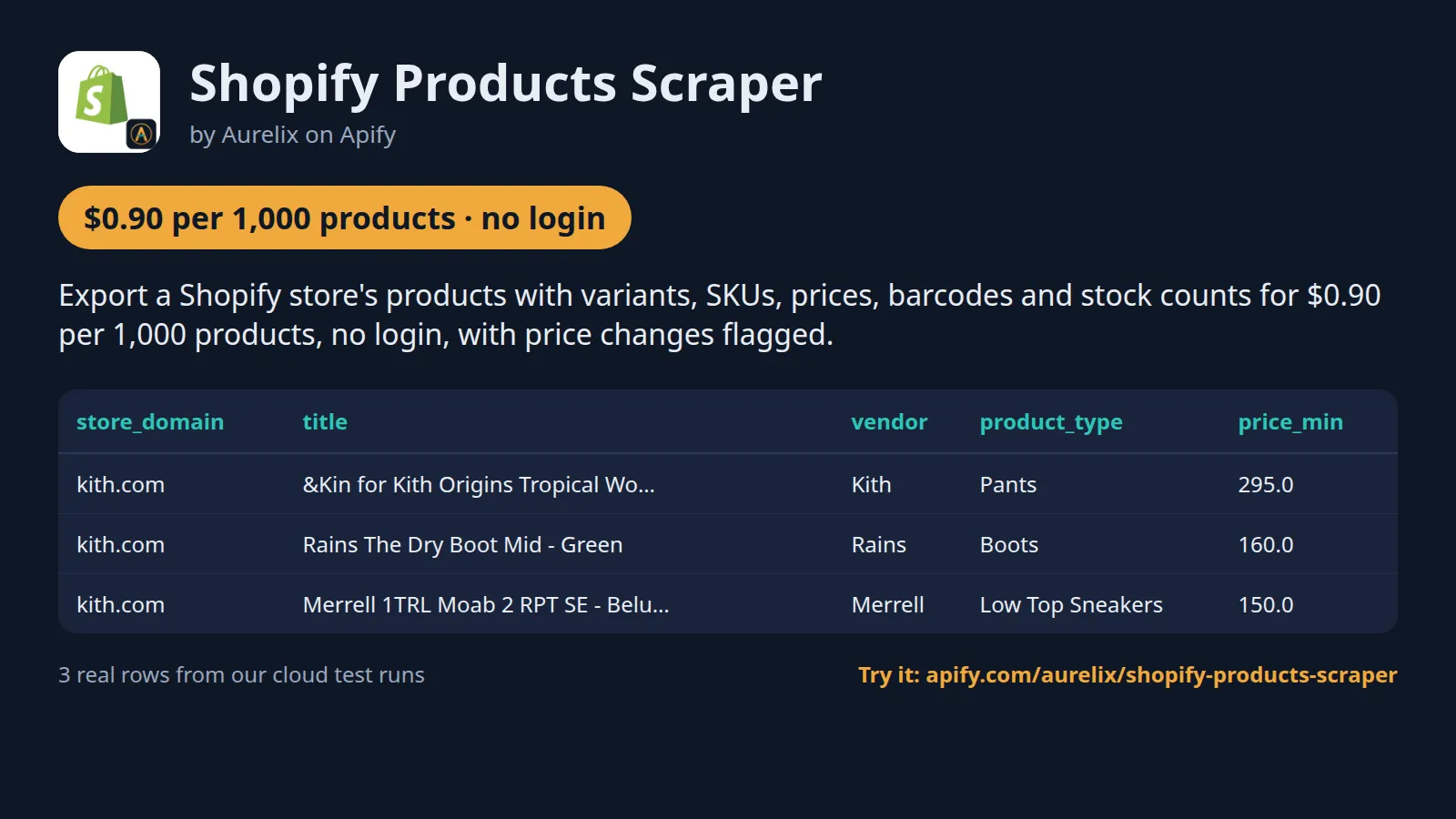
Export a Shopify store's products with variants, SKUs, prices, barcodes and stock counts for $0.90 per 1,000 products, no login, with price changes flagged.
For retailers, brands and resellers tracking competitors. Barcodes (GTIN/UPC/EAN) and public stock counts cost nothing extra, and a change mode returns only new, repriced or updated products. Your first run with the example input costs about $0.046 (50 products in our test run).
| Search by | Shopify store domains or any URL on the store |
| Options | Max products per store, barcodes and stock counts, collection tags, descriptions, new-or-changed only |
| Output | 34 fields per product, variants nested; JSON, CSV, Excel, API |
| Automate | Schedules, webhooks, Zapier, Make, n8n, Google Sheets, MCP for AI agents |
| Price | $0.90 per 1,000 products ($0.63 per 1,000 products on paid Apify plans) |
| Login needed | No |
Daily monitor: only what's new, every morning
Set it once, get only the new products every morning. With Only new or changed products on, the first run returns the whole catalogue; each later run returns only products that are new or changed (price, stock, variants, title or tags).
- Paste this input into the Input tab (JSON view) and click Save as a new task; it appears under Saved tasks.
- Open the task from Saved tasks and click Schedule.
- Choose Daily, pick the hour, and save.
Cost example: 2 stores, about 50 new or changed products a day ≈ $1.38/month on the free plan ($0.98 on paid plans): one run a day for 30 days, start fee included. The first run returns everything that matches, so it costs more.
Why Shopify Product Export Scraper users pick this one
- Cheaper with add-ons. $0.90 per 1,000 against $1.00 plus about $1 for barcodes and stock.
- Price changes flagged. Per variant versus your previous run, with the old price.
- Complete variants. SKU, price, compare-at price, stock flag, weight and options.
- A change feed. Only new, repriced or updated products.
- Blocked stores named. Stores that block the feed are skipped; the rest still deliver.
Get started in 3 steps
- Paste one or more Shopify store URLs into 'Shopify store URLs' (e.g. kith.com or https://www.allbirds.com).
- Optionally set 'Max products per store', turn on 'Barcodes and stock counts', turn on 'Only new or changed products' for a change feed, or switch collection tags or descriptions off.
- Click Start, then download JSON, CSV or Excel, or schedule it daily and send results to Google Sheets, Zapier, Make or n8n.
▶ Try it with the example input
The form opens with an example input already filled in: that run costs about $0.046 on the free plan.
How much does it cost to scrape Shopify stores?
Pay per event: you pay only for what the run returns, plus a small start fee. Bronze, Silver, Gold and higher Apify plans pay less per result.
| Products | Free plan | Paid plans (Bronze, Silver, Gold) |
|---|---|---|
| 100 | $0.091 | $0.064 |
| 1,000 | $0.90 | $0.63 |
| 10,000 | $9.00 | $6.30 |
Totals include the $0.001 start fee per run, rounded to the cent (amounts under $0.10 to four decimals). Apify's free plan includes $5 of credit a month, enough for about 5,500 products.
Stores that block or hide their feed return nothing and cost nothing per product; the start fee applies to every run.
Billing events
| Event | Free plan | Paid plans (Bronze, Silver, Gold) |
|---|---|---|
product-result | $0.90 per 1,000 products | $0.63 per 1,000 products |
apify-actor-start | $0.001 per run | $0.001 per run |
Shopify Product Export Scraper vs alternatives
| This Actor | autofacts/shopify | trovevault/shopify-products-scraper | |
|---|---|---|---|
| Price per 1,000 products, free plan | $0.90 | $1.00 | $1.00 |
| Price per 1,000 products, paid plans | $0.63 | $0.90 | $0.95 |
| Start fee per run | $0.001 | $0.00005 | $0.001 (at 1 GB) |
| Platform usage billed on top | No | No | No |
| Barcodes (GTIN/UPC/EAN) | ✓ included | ✓ | ✓ ($1 per 1,000 add-on) |
| Stock counts where the store publishes them | ✓ included | ✓ ($1 per 1,000 add-on) | ✓ ($1 per 1,000 add-on) |
| Price-change flags vs your last run | ✓ | not stated | not stated |
| Only new or changed products | ✓ | not stated | not stated |
| SEO fields and metafields | ✗ | not stated | ✓ (add-on) |
Prices checked regularly on each Actor's Store page.
Benchmarks: how we compare
| Test | Products returned | Run time | Where |
|---|---|---|---|
| Prefilled form: kith.com, 50 products | 50, total charge $0.046 | not recorded | Apify cloud |
| Whole catalogue: allbirds.com, collections and descriptions off | 352 (the store's sitemap lists 352) | 3.8 s | Apify cloud |
| Two stores, 500 per store, collection names on | 852 (352 + 500) | 48.6 s | Apify cloud |
| One store, 1,500 products, collection names off | 1,500 | 18.2 s | Apify cloud |
| Barcodes and stock counts on: two stores, 30 products each | 60; barcode on 519 of 519 variants; stock count on all 380 variants of the store that publishes it, none on the other | about 5 s | local, no proxy |
| Only new or changed: rerun of a whole catalogue, nothing changed | 0 (nothing charged per product) | 2.1 s | local |
| Three stores, one blocks the feed (HTTP 403) | 80 from the 2 open stores; the blocked store named | 4.1 s | Apify cloud |
| Not a Shopify store (example.com) | 0; named in the run status | 3.0 s | Apify cloud |
| Store throttles midway (simulated HTTP 429) | 250 kept; run status 'Partial' | 20.5 s | local |
| Field check: 10 random products against the store's own product file | 10 of 10 matched | - | local |
Each row is one run. Cloud runs used 256 MB of memory and no proxy; local runs used our own machine. Run time is the platform's run time, start-up included. The completeness check compares the product count with the store's sitemap; a second store (1,830 products) also matched its sitemap exactly. The field check compares 10 random products with each product's public product file.
What data you get
Shopify Product Export Scraper turns any Shopify store's public catalogue into clean rows: title, vendor, product type, tags, every variant with SKU, price, compare-at price, in-stock flag and weight, barcodes (GTIN/UPC/EAN) and stock counts where the store publishes them, images, collection names, dates and the store currency. Paste store domains or URLs; it reads the store's own products.json feed, 250 products per request, with no browser. Every run flags price changes versus your previous run, and 'Only new or changed products' turns it into a daily change feed.
- Product id, title, handle, vendor, product type, tags, options
- Variants: variant id, title, SKU, price, compare-at price, available, options, weight (grams), barcode, stock count where published, variant URL, previous price
- Price min/max, highest compare-at price, on-sale and in-stock flags
- inventory_total: units in stock across variants, where the store publishes stock counts
- Images (URL, alt text, size), main image, product URL
- Collection names per product
- Created, updated and published dates in ISO 8601 UTC
- Store name, domain and currency
- change_type (new/changed/unchanged, based on prices, stock, SKUs, variants, title and tags), price_changed and previous lowest price versus the last run
| store_domain | title | vendor | product_type | price_min | price_max | currency | available | variants_count | change_type | price_changed |
|---|---|---|---|---|---|---|---|---|---|---|
| kith.com | &Kin for Kith Origins Tropical Wool Idris Pant - Black | Kith | Pants | 295.0 | 295.0 | USD | True | 3 | new | False |
| kith.com | Rains The Dry Boot Mid - Green | Rains | Boots | 160.0 | 160.0 | USD | False | 3 | new | False |
| kith.com | Merrell 1TRL Moab 2 RPT SE - Beluga | Merrell | Low Top Sneakers | 150.0 | 150.0 | USD | False | 3 | changed | True |
One full product record, exactly as a real run returned it (long text and lists shortened here). From a real run:
Use cases
- E-commerce brands monitoring competitors' prices and discounts
- Dropshippers and resellers exporting a supplier's full catalogue
- Price-comparison sites refreshing product data daily
- Market researchers comparing product ranges, vendors and price points across stores
Use-case recipes
Daily competitor price watch
For brands and retailers tracking a few rival stores. Turn on 'Only new or changed products', give the list a change-tracking name and schedule it daily. Filter on price_changed = true; each moved variant has previous_price next to price, and previous_price_min sits next to price_min for a quick sheet column.
Supplier catalogue export with barcodes
For resellers and dropshippers listing a supplier's range. Turn on 'Barcodes and stock counts' and keep descriptions on. Match variants[].barcode or variants[].sku against your own listings, copy description_html and images into your product feed, and use available to skip sold-out variants.
Compare product ranges across stores
For market researchers sizing a niche. Read several stores with collection names on and descriptions off. Pivot the rows on store_domain, vendor and product_type, chart price_min, and use collections and on_sale to see how each store groups and discounts its range.
Stock watch on a store that publishes stock
For buyers watching sell-through. Turn on 'Barcodes and stock counts' and 'Only new or changed products' and run it daily. Products whose stock flag flipped come back as change_type = changed; where the store publishes stock, compare inventory_total between runs to see units sold or restocked.
Input
| Field | Type | What it does | Default |
|---|---|---|---|
storeUrls (Shopify store URLs) | array | Stores to read, as a domain or any URL on the store, e.g. 'kith.com', 'https://www.allbirds.com', 'https://shop.example.com/collections/sale'. | |
maxProductsPerStore (Max products per store) | integer | Upper limit of products read per store, e.g. 100 for a quick sample. 0 = the whole catalogue. | 0 |
incremental (Only new or changed products) | boolean | Return only products that are new or changed (price, compare-at price, stock, SKU, variants, title or tags) since the previous... | false |
includeCollections (Add collection names) | boolean | Read the store's public collections.json and tag each product with the collections it belongs to, e.g. ['Sale', 'New Arrivals']. | true |
maxCollections (Max collections per store) | integer | Upper limit of collections read for the collection tags, e.g. 20. | 20 |
includeDescription (Include description) | boolean | Include the product description as plain text and HTML. | true |
All 9 fields, with examples: see the Input tab.
Switching from autofacts/shopify
Already running autofacts/shopify? It crawls the start URL you give (a store, a collection or a product); this Actor always reads a store's whole public catalogue and returns one row per product. Map its input fields like this:
autofacts/shopify input | This Actor's input | Notes |
|---|---|---|
startUrls | storeUrls | Theirs crawls the store, collection or product page you give. Ours accepts a domain or any URL on the store but uses only the domain, so a collection URL still returns the whole catalogue. Each product carries its collection names instead. |
query | no equivalent | No keyword search. Filter the output on title, tags, vendor or product_type instead. |
maxRequestsPerCrawl | maxProductsPerStore | Theirs caps records for the whole run (default 100). Ours caps products per store, 0 = whole catalogue (up to 25,000). For a cap across all stores, set the run's Max total charge. |
maxResults | maxProductsPerStore | Same as above: a per-store cap, not a per-run cap. |
grabRealInventory | includeVariantDetails | Theirs bills stock counts as an extra event. Ours adds barcodes and published stock counts at the same price per product. |
maxInventoryFetches | no equivalent | With 'Barcodes and stock counts' on, every product returned gets one detail read. Limit it with maxProductsPerStore. |
grabStorefrontDetail | no equivalent | No selling plans, pre-orders or video media. |
maxRecommendationsPerProduct | no equivalent | No recommended products. |
grabContentSections | no equivalent | Only the product description, as description_text and description_html (includeDescription, on by default). No tabs or accordions. |
proxy | proxyConfiguration | Theirs uses Apify Proxy by default. Ours runs without a proxy by default; turn on Apify Proxy for stores that answer with HTTP 429. |
- One row per product with every variant nested in
variants.product_key(store domain plus product id) is the stable key for joining runs. - Change tracking has no counterpart in their input: every run sets
price_changedandprevious_priceversus your previous run, andincrementalreturns only new or changed products. The memory starts empty on your first run here. - Pricing is per product returned plus a $0.001 start fee per run, with barcodes and stock counts included; stores that block the feed cost nothing per product.
- Collection names come as a list per product, from the first 20 collections by default (
maxCollections).
Use with AI agents (Apify MCP server, Claude, ChatGPT, n8n AI agent)
Shopify Product Export Scraper is a ready-made tool for AI agents. Through the Apify MCP server an agent reads this Actor's input schema, fills in the input from your request, starts the run and reads the products back. You pay the same per-result price as a run started by hand, from your own Apify account.
Example prompts
- "Export every product from allbirds.com with variant SKUs, prices and compare-at prices and give me a CSV"
- "Get the first 200 products from kith.com with barcodes and stock counts and tell me which variants are out of stock"
- "Check these three Shopify stores for products whose price changed since my last run and list the old and new prices"
Claude (claude.ai and Claude Desktop)
Open Settings > Connectors, choose Add custom connector, paste https://mcp.apify.com/?tools=aurelix/shopify-products-scraper and sign in to Apify when asked. Then ask Claude one of the prompts above.
Claude Code, Cursor, VS Code and other MCP clients
Clients configured with JSON take the same URL:
A client without Apify sign-in sends the header Authorization: Bearer <YOUR_APIFY_TOKEN>; to run the server locally instead, use npx -y @apify/actors-mcp-server --actors aurelix/shopify-products-scraper with APIFY_TOKEN set.
ChatGPT
Where your ChatGPT plan offers custom connectors (developer mode), add https://mcp.apify.com/?tools=aurelix/shopify-products-scraper as a connector, sign in to Apify, and ask for the data in plain words.
n8n AI agent
Give an AI Agent node an MCP Client Tool with the endpoint https://mcp.apify.com/?tools=aurelix/shopify-products-scraper and a Bearer credential holding your Apify token. The agent can then call Shopify Product Export Scraper whenever a workflow step needs products; for a fixed, non-agent workflow use Apify's n8n node with Run Actor instead.
Use it from AI agents (MCP), the API or no-code
Copy this to your AI assistant
MCP server URL for this Actor: https://mcp.apify.com/?tools=aurelix/shopify-products-scraper (setup for each client in the section above).
API
Start a run and read the dataset with Apify's REST API or the Python and JavaScript clients:
No-code: schedule it in 3 clicks
Send the results to Google Sheets, Zapier, Make, n8n, Slack or any webhook URL.
- Fill in the input, then click Save as a new task.
- In the task, click Schedule and pick daily or weekly (Apify Schedules).
- Turn on Only new or changed products so each run returns only what is new.
Prefer n8n or Make? Ask in the Issues tab and we will share a ready-made workflow for it.
FAQ
Can I scrape Shopify stores without login?
Yes. It never logs in, so you need no Shopify account, password or cookies; only a free Apify account to run it.
Is there a Shopify stores API?
You can use this Actor as one. Start it with Apify's REST API or the Python and JavaScript clients and read the results as JSON (see the code above), or call it from an AI agent through MCP.
How much does it cost to scrape Shopify stores?
About $0.90 for 1,000 products on Apify's free plan and $0.63 on paid plans, start fee included. The free $5 monthly credit covers about 5,500 products.
Can I export Shopify stores data to Excel or Google Sheets?
Yes. Download the results as Excel, CSV, JSON, XML or HTML from the run's Storage tab, or send them to Google Sheets with Apify's Google Sheets integration or the API.
Is it legal to scrape Shopify stores?
It reads only public data any logged-out visitor can see: the product feed each Shopify store serves to every visitor. It goes at a polite pace, respects robots.txt, never logs in and never solves CAPTCHAs. It returns product fields (title, price, variants, images, collections, links); no customer or order data. To have a record removed, open an issue on this Actor's Issues tab; if a store formally asks us to stop, this Actor will stop. You are responsible for using the data lawfully, incl. anti-spam and privacy laws; this is not legal advice.
How do I know if a store runs on Shopify?
Open https://
What happens with stores that block the feed?
They are skipped with a clear reason in the run status (not found, blocked, password-protected or rate-limited) and you pay nothing per product for them (only the small run start fee). Other stores in the same run are still read.
How does the price-change flag work?
The Actor remembers each product's variant prices per store. On the next run, any variant whose price moved gets previous_price set and the product gets price_changed = true. The memory is shared across your runs on that store unless you set a change-tracking name.
What does 'Only new or changed products' return on the first run?
Everything, because nothing has been seen yet. From the second run on, only products that are new, repriced, went in or out of stock, or had variants, title or tags changed. Routine inventory syncs that only bump the update time do not count.
Does it show stock quantities?
Yes, where the store publishes them: turn on 'Barcodes and stock counts' and each variant gets inventory_quantity (and the product inventory_total). Many stores hide quantities; then those fields stay empty and you still get the in-stock flag (available). We never guess quantities.
Does it return barcodes (GTIN/UPC/EAN)?
Yes, with 'Barcodes and stock counts' on: every variant's barcode as the store entered it. It costs nothing extra per product.
Is there a limit on products or stores per run?
Shopify's public feed serves at most 100 pages of 250 products, so a run reads up to 25,000 products per store; a larger store returns its first 25,000. 'Max products per store' sets a lower cap. There is no fixed limit on the number of stores; the Actor reads 3 stores at a time.
What am I charged when a store returns nothing or only part of its catalogue?
You pay per product returned, plus the start fee once per run. A store that is blocked, not on Shopify or not reachable returns nothing and costs nothing per product. If a store stops answering midway, the products already read are kept and charged, and the run status starts with 'Partial' and names the store. With 'Only new or changed products' on, unchanged products are not returned and not charged.
How are duplicates handled?
Store URLs are reduced to their domain, so kith.com and https://kith.com/collections/sale in the same run read the store once. A product in several collections is one row with all its collection names. Use product_key (store domain plus product id) as the key when you merge runs.
How long does a run take?
Each request returns 250 products, with a short pause between pages. In our test runs a 352-product catalogue took 3.8 s and 852 products from two stores with collection names took 48.6 s. Collection names add requests per collection, and 'Barcodes and stock counts' adds one request per product (4 at a time).
How long does the change memory last?
It is kept per store and per change-tracking name. A product not seen for 90 days is forgotten and counts as new when it comes back. If the run's Max total charge stops output, products that were not returned are not remembered, so they come back on the next run.
Do I need a proxy?
Usually not: the feed is public and the Actor runs without one by default. Each request is retried up to 5 times with growing waits (it follows the store's Retry-After header, up to 30 s). If a store keeps answering HTTP 429, turn on Apify Proxy in the Proxy field.
What do price_min, on_sale, available and inventory_total mean?
price_min and price_max are the lowest and highest variant prices; compare_at_price_max is the highest compare-at (was) price. on_sale is true when any variant's compare-at price is above its price. available is true when any variant is in stock. inventory_total adds up the published stock counts, counting negative stock as 0.
Why is the currency empty?
The currency comes from the store's public meta.json, or from its cart file when meta.json has none. A store that hides both returns currency = null; prices are still filled in.
Limits (stated honestly)
- Only Shopify stores that leave the public products.json feed on. Stores that disable it, password-protect it or block automated visitors are skipped.
- At most 25,000 products per store per run: Shopify's public feed ends at page 100 of 250 products. A larger store returns its first 25,000 products, and the run status does not flag the cut.
- Some stores' feeds include products the shop does not show, such as bundles or test items: in our checks one store returned 508 products where its sitemap listed 274.
- Respects each store's robots.txt: a store that disallows products.json is skipped, and collections it disallows are left out of the collection tags.
- Stock counts only where the store publishes them (many do not); otherwise an in-stock flag per variant.
- Currency comes from the store's public metadata; stores that hide it return currency = null. Prices are the ones the store serves to the Actor's server. Stores that price by visitor country can show other visitors converted prices: in our checks, two stores showed a Canadian address prices converted at a fixed rate.
- Collection tags cover the first 20 collections by default ('Max collections per store'); large stores can have over 1,000.
- Some stores rate-limit busy addresses (HTTP 429). The Actor waits and retries; if a store keeps refusing, the products already read are kept and the run ends with a 'Partial' status naming the store.
- Price-change flags compare with the last run on the same store only; the first run has nothing to compare with.
- No SEO title or metafields: they are not in Shopify's public product JSON.
Works great with
- Before this: Tech Stack API: find out which domains are Shopify stores first; those go into
storeUrls
Related Aurelix tools
Public Aurelix Actors, grouped by the data they collect. All are pay-per-result and need no login.
E-commerce and product data
- AliExpress Scraper API: AliExpress search results by keyword: price, discount, rating, units sold, ship-from country and sponsored flag.
- Amazon New Releases & Best Sellers: Amazon Best Sellers and New Releases top 100 on 10 marketplaces: rank, ASIN, price, rating, rank change.
Jobs and hiring data
- Greenhouse Jobs Scraper: Live jobs from a company's Greenhouse, Lever, Ashby or SmartRecruiters board, with salary and Canadian province tags.
- LinkedIn Jobs Country Filter Scraper: Public LinkedIn job postings by keyword and country: title, company, location, seniority, job type, salary text, description.
- Multi Job Board Scraper: LinkedIn, about 50 company career sites, Remote OK and We Work Remotely jobs in one deduplicated list.
Leads and company data
- Funded Companies Hiring: Companies that just raised money (SEC Form D), with their open roles and business contacts, as a new-only monitor.
- Google Maps Phone Scraper: Local business lists from Google Maps: phones, websites, ratings, hours, coordinates; optional website emails and socials.
- Recently Funded Companies API: US companies that just filed an SEC Form D: amount raised, industry, state, executives, confirmed website.
- Tech Stack API: CMS, e-commerce platform, analytics, ad pixels, chat, CDN and email provider for each domain you enter.
Ad intelligence
- Competitor Watch: One report per competitor with only what is new: Meta and TikTok ads, page changes, Shopify products and prices, jobs.
- Facebook Ad Library Search & API: Facebook and Instagram business ads from the Meta Ad Library: copy, creatives, landing pages, dates, optional EU reach.
Canada and government data
- Canada Building Permits: Building permits and development applications from 7 Canadian cities: address, type, status, dates, value, contractor company.
AI, content and SEO
- Google Trends by Region: Google Trends interest over time, by region and rising queries for any number of keywords, plus trending searches.
- Google Autocomplete API: Expands seed keywords into hundreds of real Google and YouTube autocomplete phrases, tagged by search intent.
- PDF to Markdown OCR & Table Extraction: Turns linked PDF and Word files into Markdown per page, with tables as JSON rows, RAG chunks and OCR.
- Broken Link Crawler & SEO Audit: Audits a whole site: one row per page with SEO checks and broken links, plus a ranked issues summary.
- Website to Markdown API: Crawls a site and returns one row of clean main-content Markdown per page, with title, headings and links.
Recent changes
- 0.1: 'Barcodes and stock counts' option: barcode per variant and inventory_quantity / inventory_total where the store publishes stock, at no extra charge.
The full history is on the Changelog tab.
Tested daily
An automated health check runs this Actor every day on a fixed input and checks that at least 8 products come back with product_key, product_id, store_domain, title, product_url, price_min filled in; a failed check alerts the maintainer straight away.
Your feedback
Missing a field, found a bug or need another filter? Open an issue on the Issues tab; we aim to answer within a day. If this Actor saved you time, a short review helps other people find it.


