
Amazon Keyword Rank Tracker: Amazon Keyword Ranking
Pricing
from $0.80 / 1,000 rank results
Amazon Keyword Rank Tracker: Amazon Keyword Ranking
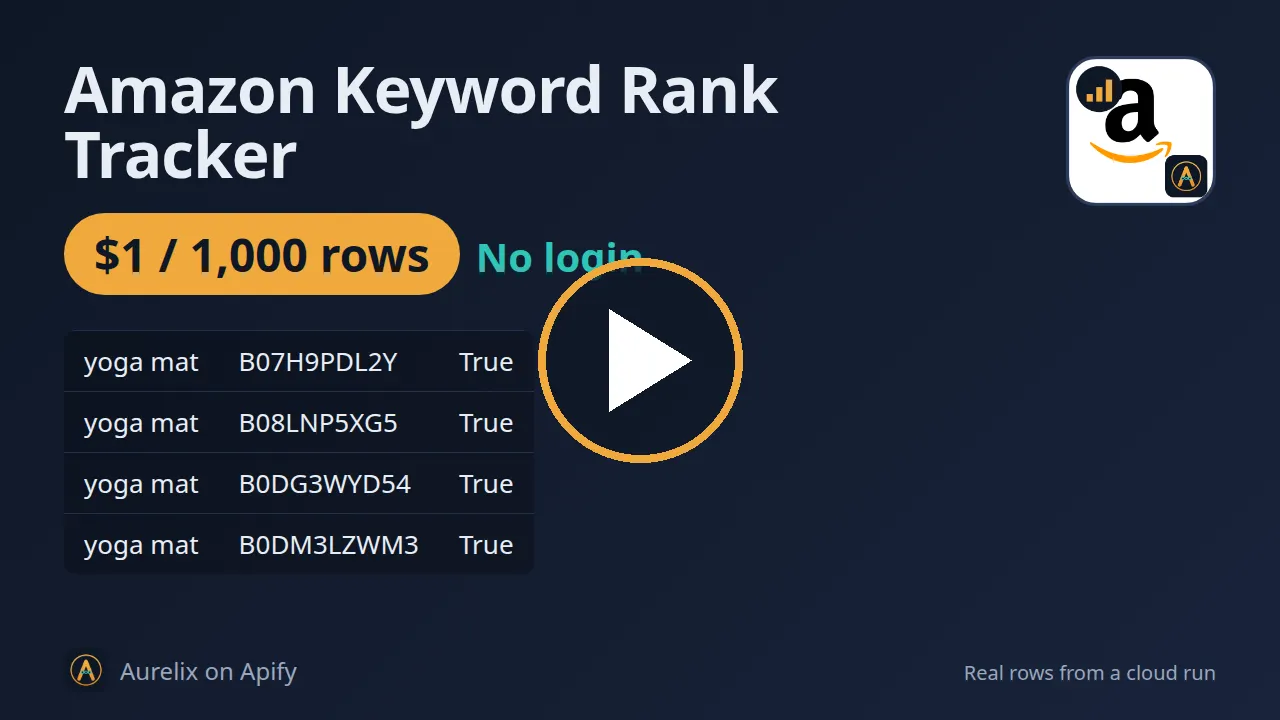
Extract where your ASINs rank in Amazon search for your keywords at $0.60 per 1,000 results pages read plus $1 per 1,000 rank rows (about $0.0028 for a one-ASIN check at 3 visits): organic and sponsored position, visit range, real moves since your last run. No login.
Pricing
from $0.80 / 1,000 rank results
Rating
0.0
(0)
Developer

Aurelix
Maintained by CommunityActor stats
0
Bookmarked
2
Total users
1
Monthly active users
an hour ago
Last modified
Categories
Features
Share
What is Amazon Keyword Rank Tracker?
Where your ASINs rank in Amazon search for your keywords (organic and sponsored, best-to-worst visit, real moves) for $0.60 per 1,000 results pages plus $1 per 1,000 rows, no login.
For sellers, PPC managers and agencies. A one-ASIN check at the default 3 visits reads about 3 pages: about $0.0028 on the free plan, less per ASIN when ASINs share a keyword.
| Input | 'keyword |
| Output | Organic position over 3 visits (middle, best, worst, each visit), sponsored position, page, real moves |
| Depth | 1-20 result pages per keyword (default 5); stops once every ASIN is found |
| Marketplaces | amazon.com, .ca, .in; .co.uk, .de, .co.jp with the residential add-on |
| Automate | Daily schedules, only-changed mode, Slack/webhook digest of the biggest moves |
| Price | $0.60 per 1,000 results pages (from $0.50 per 1,000 results pages on paid Apify plans) |
| Free to try | Runs on Apify's free plan: the $5 monthly credit covers about 8,300 results pages (a one-ASIN check found on page 1 at the default 3 visits reads 3 pages and costs about $0.0028, so about 1,700 such checks) |
| Login needed | No |
Daily monitor: only what changed, every morning
Set it once, get only the changed keyword/ASIN pairs every morning. With Only changed positions on, the first run returns every pair and saves its visit ranges; each later run reads the pages again (paid) and returns only pairs whose visit range no longer overlaps the last one, or that were found or lost; the first 10 unchanged pairs per run are free.
- Paste this input into the Input tab (JSON view) and click Save as a new task; it appears under Saved tasks.
- Open the task from Saved tasks and click Schedule.
- Choose Daily, pick the hour, and save.
Cost example: 2 keyword/ASIN pairs found on page 1, 3 visits each (6 pages a day), about 1 real move a day ≈ $0.74/month on the free plan (from $0.71 on paid plans): one run a day for 30 days, start fee included. The first run returns everything that matches, so it costs more.
Add a Slack incoming-webhook URL in slackWebhookUrl (or any URL in webhookUrl) to get a short digest of each run's changed keyword/ASIN pairs; nothing is sent when a run finds nothing.
Why Amazon Keyword Rank Tracker users pick this one
- Organic and sponsored. Both positions and their page in one row.
- Real moves only. Flagged when two runs' visit ranges do not overlap.
- Pay for pages needed. Stops as soon as every ASIN is found.
- Only changed positions. Unchanged pairs skipped; first 10 per run free.
- Nothing solved. Refused sessions are dropped and retried, never solved.
Get started in 3 steps
- Add 'keyword | ASIN' lines, e.g. 'wireless earbuds | B09FT58QQP, B0CXG87GYK', or keywords plus one list in 'ASINs for every keyword'.
- Pick the marketplace and how many result pages to search (default 5).
- Click Start, then save it as a task and schedule it daily; add a Slack webhook URL for a digest of the biggest moves.
▶ Try it with the example input
The form opens with an example input already filled in.
How much does it cost to scrape Amazon search results?
Pay per event: $0.60 per 1,000 results pages read (from $0.50 on paid plans) plus $1 per 1,000 keyword/ASIN rows (from $0.80), plus a small start fee per run. Bronze, Silver, Gold and higher Apify plans pay less per result. Paid plans pay $0.50 (Bronze and higher) per 1,000 results pages.
| Results pages | Free plan | Bronze | Silver | Gold |
|---|---|---|---|---|
| 100 | $0.08 | $0.07 | $0.07 | $0.07 |
| 1,000 | $0.62 | $0.52 | $0.52 | $0.52 |
| 10,000 | $6.02 | $5.02 | $5.02 | $5.02 |
Totals include the $0.02 start fee per run, rounded to the cent (amounts under $0.10 to four decimals). Apify's free plan includes $5 of credit a month, enough for about 8,300 results pages (a one-ASIN check found on page 1 at the default 3 visits reads 3 pages and costs about $0.0028, so about 1,700 such checks).
What a check costs: each keyword is read in 3 visits by default, each visit stops on the page where every ASIN of that keyword has been found, and all ASINs of a keyword share its pages. So one ASIN found on page 1 costs 3 pages + 1 row = $0.0028 on the free plan ($0.0023 on Gold); 3 ASINs on one keyword found on pages 1-2 cost about 6 pages + 3 rows = $0.0066, $0.0022 per ASIN; an ASIN not found within 5 pages costs 15 pages + 1 row = $0.010. The table above counts results pages only; add $0.001 per keyword/ASIN row. Keywords every session refused are not charged. With 'Only changed positions' on, unchanged pairs are not returned; the first 10 per run are free and each further one costs $0.0002. amazon.co.uk, amazon.de and amazon.co.jp need the residential add-on ($0.012 per residential page that loads; refused attempts free).
Billing events
| Event | Free plan | Bronze | Silver | Gold |
|---|---|---|---|---|
results-page | $0.60 per 1,000 results pages | $0.50 per 1,000 results pages | $0.50 per 1,000 results pages | $0.50 per 1,000 results pages |
rank-result | $1.00 per 1,000 keyword/ASIN rows | $0.90 per 1,000 keyword/ASIN rows | $0.80 per 1,000 keyword/ASIN rows | $0.80 per 1,000 keyword/ASIN rows |
rank-checked | $0.0002 per unchanged pair after the first 10 ('Only changed positions') | $0.0002 per unchanged pair after the first 10 ('Only changed positions') | $0.0002 per unchanged pair after the first 10 ('Only changed positions') | $0.0002 per unchanged pair after the first 10 ('Only changed positions') |
residential-page | $0.012 per residential page that loads (opt-in) | $0.012 per residential page that loads (opt-in) | $0.012 per residential page that loads (opt-in) | $0.012 per residential page that loads (opt-in) |
apify-actor-start | $0.02 per run | $0.02 per run | $0.02 per run | $0.02 per run |
What data you get
Amazon Keyword Rank Tracker tells you where each of your ASINs ranks in Amazon search for each of your keywords: its organic position (counting only organic results, as a shopper scrolls) over several independent visits, with the middle, best and worst visit, because Amazon shows different visitors different orders, its first sponsored position if it is advertised there, the page, and how many places it moved since your last run. Give 'keyword | ASIN' lines (or one ASIN list for every keyword); reading stops as soon as all ASINs of a keyword are found, so you pay only for the pages needed. Works on amazon.com, amazon.ca and amazon.in, and with the residential add-on on amazon.co.uk, amazon.de and amazon.co.jp.
- keyword, asin, marketplace, search_url
- found, organic_position (middle visit), organic_position_best and organic_position_worst, organic_positions (each visit), samples, organic_page, sponsored_position, sponsored_page, overall_position
- previous_organic_position, previous_organic_range, organic_change (places up +, down -, only on a real move), previous_sponsored_position, sponsored_change, changed, first_check
- pages_checked, not_found_note (why found is false)
- title, price, currency, rating, reviews_count, badges from the results card, product_url
- source_url (page where it was found), scraped_at in ISO 8601 UTC
| keyword | asin | found | organic_position | organic_positions | previous_organic_range | changed |
|---|---|---|---|---|---|---|
| yoga mat | B0DG3WYD54 | True | 21 | [21, 8, 21] | [8, 19] | False |
| yoga mat | B0DM3LZWM3 | True | 35 | [35, 24, 37] | [27, 36] | False |
| wireless earbuds | B0HCXPZ3PY | True | 37 | [37, 34, 42] | [39, 48] | False |
One full results page record, exactly as a real run returned it (long text and lists shortened here). From a real run:
Use cases
- Sellers checking every morning where their products rank for their main keywords
- PPC managers seeing whether organic rank rises after a campaign, and where ads appear
- Agencies reporting keyword rankings for several brands from one schedule
- Launch tracking: how fast a new ASIN climbs for its target keywords
- Competitor watch: track other brands' ASINs on the same keywords
Input
| Field | Type | What it does | Default |
|---|---|---|---|
tracks (Keywords and ASINs) | array | One keyword per line, followed by '|' and the ASINs to find for it, e.g. 'wireless earbuds | B0D1XD1ZV3, B0CQXMXJC5'. | |
marketplace (Amazon marketplace) | string | Which Amazon keywords are searched on. | "com" |
maxPages (Result pages to search) | integer | How deep to look for each keyword, e.g. 5. | 5 |
samples (Visits per keyword) | integer | How many independent visitor sessions read each keyword: 1, 3 (default) or 5; an even number is raised to the... | 3 |
asins (ASINs for every keyword (optional)) | array | ASINs (or product links) to look for on every keyword line that names no ASIN of its own, e.g. 'B0D1XD1ZV3'. | |
onlyChanges (Only changed positions) | boolean | Return only keyword/ASIN pairs that really moved since your previous run: found in no visit now but in some before... | false |
All 11 fields, with examples: see the Input tab.
Use with AI agents (MCP)
MCP (Model Context Protocol) is the open standard that lets AI assistants such as Claude, ChatGPT and Cursor call outside tools. Apify's hosted MCP server at https://mcp.apify.com/?tools=aurelix/amazon-keyword-rank-tracker gives your assistant this Actor only: it fills in the input from your request, runs it and reads the results pages back, at the same per-result price as a run started by hand.
Example prompts
- "Where does ASIN B09FT58QQP rank on Amazon.com for "wireless earbuds" today, organic and sponsored?"
- "Track these 10 keyword/ASIN pairs on Amazon every day and tell me which ones moved"
- "For my 3 ASINs, check their Amazon search positions on these 5 keywords and give me a table"
Claude Desktop and claude.ai
Settings > Connectors > Add custom connector, name it Apify, paste https://mcp.apify.com/?tools=aurelix/amazon-keyword-rank-tracker, keep the detected OAuth settings, select Add and sign in to Apify.
Claude Code
Cursor and VS Code
Add this to ~/.cursor/mcp.json (Cursor); in VS Code's .vscode/mcp.json put the same entry under "servers" with "type": "http". Sign in to Apify when asked.
ChatGPT
Turn on Developer mode, open Settings > Apps & Connectors > Create, paste the URL above as the MCP server URL, choose OAuth and authorize Apify.
Clients without sign-in send Authorization: Bearer <YOUR_APIFY_TOKEN> instead. No Apify account? This Actor supports Apify's agentic payments: an agent can pay per run with a prepaid, spend-capped token, bought with x402 stablecoin payments.
n8n AI agent
Give an AI Agent node an MCP Client Tool with the endpoint https://mcp.apify.com/?tools=aurelix/amazon-keyword-rank-tracker and a Bearer credential holding your Apify token.
Use it from AI agents (MCP), the API or no-code
Copy this to your AI assistant
MCP server URL for this Actor: https://mcp.apify.com/?tools=aurelix/amazon-keyword-rank-tracker (setup for each client in the section above).
API
Start a run and read the dataset with Apify's REST API or the Python and JavaScript clients:
Run it daily (no code, 3 steps)
Send the results to Google Sheets, Zapier, Make, n8n, Slack or any webhook URL.
Example: Check your keyword rankings every morning in Slack: add your 'keyword | ASIN' lines, save as a task, schedule it daily and add a Slack webhook URL. The digest lists the biggest real moves since yesterday, largest first.
- Fill in the input, then click Save as a new task.
- In the task, click Schedule and pick daily or weekly (Apify Schedules).
- Turn on Only changed positions so each run returns only what changed, and paste a Slack or webhook URL into Slack webhook URL / Webhook URL to get a digest of the changed items (count plus the top 10) after every run.
Each run's status message says how many items are new since your last run. Google Sheets: add Apify's Google Sheets integration in the task's Integrations tab, or point Webhook URL at an n8n, Make or Zapier flow that appends the rows (the webhook carries datasetUrl, a link to all of the run's results).
Prefer n8n or Make? Ask in the Issues tab and we will share a ready-made workflow for it.
FAQ
Can I scrape Amazon search results without login?
Yes. It never logs in, so you need no Amazon account, password or cookies; only a free Apify account to run it.
Is there an Amazon search results API?
You can use this Actor as one. Start it with Apify's REST API or the Python and JavaScript clients and read the results as JSON (see the code above), or call it from an AI agent through MCP.
How much does it cost to scrape Amazon search results?
About $0.62 for 1,000 results pages on Apify's free plan and from $0.52 on paid plans, start fee included. The free $5 monthly credit covers about 8,300 results pages (a one-ASIN check found on page 1 at the default 3 visits reads 3 pages and costs about $0.0028, so about 1,700 such checks).
Can I export Amazon search results data to Excel or Google Sheets?
Yes. Download the results as Excel, CSV, JSON, XML or HTML from the run's Storage tab, or send them to Google Sheets with Apify's Google Sheets integration or the API.
Is it legal to scrape Amazon search results?
It reads only public data any logged-out visitor can see: Amazon search result pages, which Amazon's robots.txt does not disallow. It never logs in and never solves CAPTCHAs, and returns product listing fields only, no personal data. Amazon's Conditions of Use restrict automated collection, so check your own use case and local law. This is not legal advice.
Is there a cheaper Amazon keyword rank tracker on Apify?
This Actor charges $0.60 per 1,000 results pages plus $1 per 1,000 keyword/ASIN rows, about $0.0028 for a one-ASIN check at the default 3 visits; that is cheaper per page than the leading tools, and each visit stops reading once every ASIN is found.
Can I track Amazon keyword rankings without a login or a seller account?
Yes. It reads public search pages logged out; no Seller Central access is needed.
How do I get Amazon keyword rankings into Google Sheets, n8n or an AI agent?
Add Apify's n8n or Make node, choose Run Actor, enter aurelix/amazon-keyword-rank-tracker and map the dataset to Google Sheets. For an AI agent (Claude, ChatGPT, Cursor or an n8n AI Agent node), add https://mcp.apify.com/?tools=aurelix/amazon-keyword-rank-tracker as an MCP server.
How is the position counted?
Each visit counts only organic results from the top of page 1, in the order Amazon served them, so position 17 can sit on page 2 when page 1 held 16. organic_position is the middle of the visits that found the ASIN, organic_position_best and organic_position_worst give the range, and organic_positions lists every visit. sponsored_position is the ASIN's first ad card counted among all cards (ads included).
Why several visits per keyword?
Amazon shows different visitors different orders. In back-to-back test runs minutes apart one ASIN sat 46th, 48th and 43rd, then 14th, 46th and 13th; another 8th-12th, then 18th-20th; and even top-5 ASINs were missing from one visit in three. So each keyword is read in 3 independent visits by default: each row gives the middle visit (organic_position), the best and worst visit, and every visit. 'changed' is true only when this run's range of visits does not overlap the previous run's range, or the ASIN went from found in some visit to found in none (or back). organic_change is filled only when changed is true.
Why is my ASIN 'not found'?
It had no organic card in the pages read: either it ranks deeper than your 'Result pages to search' limit, or Amazon shows fewer pages for the keyword. not_found_note says which. Raise the page limit (up to 20) to look deeper; each page read costs the page fee.
Why do I rarely see sponsored positions?
Amazon decides per visitor whether to show ads; Apify's datacenter visitors see fewer ads than shoppers at home. Positions are what that visitor was served at that moment, so a missing sponsored position means no ad card was shown to us, not that you have no campaign.
How does the change since the last run work?
Each run saves the positions per keyword and ASIN (one memory per input list, or per 'Tracking name'). The next run fills previous_organic_position and organic_change (+3 = up three places). The first run has first_check = true and no change fields.
Does it solve CAPTCHAs or bot challenges?
No. A refused session is dropped and the page is retried on a fresh one. Keywords refused on every session are listed in the status and not charged; after 2 refused keywords in a row the run stops to avoid spending.
What to expect
- Price: $0.60 per 1,000 results pages plus $1 per 1,000 keyword/ASIN rows (from $0.50 and $0.80 on paid plans); a one-ASIN check at 3 visits is about $0.0028.
- Positions: middle, best and worst of 3 visits per keyword (each visit listed), sponsored position, page, and a change only when the visit ranges of two runs do not overlap.
- Challenges: this Actor never solves CAPTCHAs or bot challenges and drops the refused session instead.
Limits (stated honestly)
- Positions are what logged-out visitors were served; Amazon's order varies from visitor to visitor (even a top-5 ASIN can be missing from one visit), so read organic_position with its best/worst range.
- Datacenter visitors see fewer ads than shoppers, so sponsored positions are often empty.
- Up to 20 result pages per keyword; an ASIN deeper than your page limit is 'not found'.
- amazon.co.uk, amazon.de and amazon.co.jp need the paid residential add-on.
- At most 500 keyword/ASIN pairs per run.
- If Amazon keeps refusing every session, rows already read are kept and the run status says 'Partial'.
Works great with
- Before this: Amazon Sponsored Products & Search Results Scraper: see the whole results page for a keyword and pick the ASINs worth tracking
- Then: Amazon Product Details Scraper: read full product data for ASINs that climbed or dropped
Related Aurelix tools
Public Aurelix Actors, grouped by the data they collect. All are pay-per-result and need no login.
E-commerce and product data
- AliExpress Scraper API: AliExpress search results by keyword: price, discount, rating, units sold, ship-from country and sponsored flag.
- Amazon Best Sellers & Amazon New Releases: Amazon Best Sellers and New Releases top 100 on 10 marketplaces: rank, ASIN, price, rating, rank change.
- Amazon Germany, Japan & UK Scraper: Scrape Amazon search results on amazon.in at $0.10 per 1,000 products, and on amazon.de, amazon.co.jp and amazon.co.uk with the paid...
- Amazon Product Details Scraper: Amazon product pages by ASIN on 4 marketplaces: price, list price, buy box, stock, BSR, variants.
- Best Buy Canada Scraper API: Best Buy Canada search results: CAD price, sale savings, rating, reviews and seller, plus optional UPC and specs.
- Shopify App Store Scraper API: Shopify App Store apps with pricing plans, ratings, category ranks and reviews; new-app and new-review watch.
- Shopify Product Export Scraper: Every public product of any Shopify store with variants, SKUs, prices, barcodes, stock counts and collections.
- Shopify Best Sellers Tracker: Competitor Shopify stores' best-sellers, new products, price changes, stock-outs and restocks since your last run, plus catalogue summary.
- Vinted Monitor: Returns new Vinted listings for any search: title, price, currency, brand, size, condition, photo and link.
Jobs and hiring data
- Job Bank Canada Scraper API: Official Job Bank Canada postings by month: NOC and NAICS codes, wages, hours and location.
- Greenhouse Jobs Scraper: Live jobs from a company's Greenhouse, Lever, Ashby or SmartRecruiters board, with salary and Canadian province tags.
- Career Page Monitor: New, removed and reposted roles plus hiring velocity per company, from seven job-board systems including Workday.
- LinkedIn Jobs Country Filter Scraper: Public LinkedIn job postings by keyword and country: title, company, location, seniority, job type, salary text, description.
- Multiple Job Boards Scraper: LinkedIn, about 50 company career sites, Remote OK and We Work Remotely jobs in one deduplicated list.
- Naukri Jobs Scraper: Naukri.com jobs with salary in rupees, experience, skills and posted date, $0.30 per 1,000 on full result pages.
- Remote Job Board Scraper API: Remote OK and We Work Remotely jobs in one deduplicated list with salary, regions and tags.
- Wellfound Jobs API & Scraper: Wellfound startup jobs with salary and equity ranges, company stage and size, $0.50 per 1,000.
- Workday Job Postings Scraper: Jobs from any Workday career site by link or company name, with full descriptions and Canadian province tags.
Leads and company data
- Companies House Scraper: Newly incorporated UK companies from Companies House: SIC codes, region, registered office, directors with roles.
- Company Phone Numbers Scraper: Published company emails, phones, addresses, social pages and team members from a list of company websites.
- Decision Maker Finder: Founders, CEOs, VPs and department heads from company team pages, with title, seniority and function.
- FMCSA API: FMCSA carriers by DOT, MC or name, plus daily new-authority leads: contacts, fleet, cargo, insurance, out of service.
- Newly Funded Companies Hiring: Companies that just raised money (SEC Form D), with their open roles and business contacts, as a new-only monitor.
- Google Maps Phone Scraper: Local business lists from Google Maps: phones, websites, ratings, hours, coordinates; optional website emails and socials.
- Google Maps Reviews: Google Maps reviews from many places per run with an only-new daily monitor: rating, text, date, likes, owner reply.
- Liquor License Applications: New liquor license applications and new licenses from California, Texas, New York, Missouri, Washington and Ontario.
- New Business Licenses Scraper: Newly licensed businesses from 11 US and Canadian city open-data portals in one schema, with category, issue date and address.
- Recently Funded Companies API: US companies that just filed an SEC Form D: amount raised, industry, state, executives, confirmed website.
- Tech Stack API: CMS, e-commerce platform, analytics, ad pixels, chat, CDN and email provider for each domain you enter.
- Yellow Pages Canada Scraper: YellowPages.ca businesses by search term and city: phone, website, address, postal code, hours and rating.
Ad intelligence
- Competitor Watch: One report per competitor with only what is new: Meta, TikTok and Google ads, page changes, Shopify products and prices, jobs.
- Facebook Ad Library Search & API: Facebook and Instagram business ads from the Meta Ad Library: copy, creatives, landing pages, dates, optional EU reach.
- TikTok Ads Library API: TikTok Ads Library ads for Europe, UK, Switzerland and Turkey with targeting, reach, ad text and landing pages.
- TikTok Creative Center API: TikTok Creative Center Top Ads with CTR, likes, budget level, objective, industry and video links for 28 countries.
Canada and government data
- Canada Building Permits: Building permits and development applications from 7 Canadian cities: address, type, status, dates, value, applicant, contractor and Toronto planner contact.
- Government Tenders USA Scraper: Open tenders from SAM.gov, CanadaBuys and EU TED in one table: buyer, codes, value, deadline, contact and link.
- New York Building Permits Scraper: Building permits from 12 US city open-data portals in one schema, with value, status, contractor, owner and applicant.
- USPTO Trademark API: US trademark search and watch from USPTO: mark, owner or number lookups, new filings, owner, attorney, goods.
AI, content and SEO
- Google Maps Rank Tracker: Extract Google Maps local rankings on a geo-grid at $1.00 per 1,000 grid points on the free plan: your rank...
- Google News Scraper: Returns Google News articles by keyword, topic or site with decoded publisher links, past the 100-result limit, with optional full text.
- Google Play Reviews Scraper: Returns public Google Play reviews of Android apps, thousands per app, with rating, text, date, version, thumbs-up and developer reply.
- Google Trends by Region: Google Trends interest over time, by region and rising queries for any number of keywords, plus trending searches.
- Instagram Reel to Text: Returns Instagram reel transcripts with timestamps, the hook, language, caption and likes from reel links, billed per audio minute.
- Google Autocomplete API: Expands seed keywords into hundreds of real Google and YouTube autocomplete phrases, tagged by search intent.
- PDF Table Extraction & PDF to Markdown OCR: Turns linked PDF and Word files into Markdown per page, with tables as JSON rows, RAG chunks and OCR.
- Pinterest Scraper: Exports Pinterest profiles (follower count), boards and pin links with saves and links; keyword search for discovery.
- Podcast Transcript API & Audio to Text: Returns podcast and audio transcripts with timestamps and language from RSS feeds, Apple Podcasts links or audio files, billed per audio minute.
- Website to Knowledge Base Sync: Turns a website into knowledge base chunks with stable IDs, then returns only chunks to upsert or delete.
- Broken Link Crawler & SEO Audit: Audits a whole site: one row per page with SEO checks and broken links, plus a ranked issues summary.
- Threads Scraper: Returns public Threads posts from keyword and #hashtag searches, @profiles and post links, with engagement counts and media.
- TikTok Follower Count Scraper: Returns TikTok profile stats (followers, likes, bio, verified) and the newest videos' views, likes, comments, shares and saves.
- Bulk TikTok Transcripts Scraper: Returns TikTok video transcripts as text, timed segments and SRT, from video links or @profiles' latest videos.
- Website Change Tracker: Re-checks a site and returns only added, changed and deleted pages, with chunks to upsert and IDs to delete.
- Bulk Website Screenshot Tool: Full-page screenshots or PDFs of a list of URLs, cookie banners hidden, lazy images loaded, a public link per image.
- Website to Markdown API: Crawls a site and returns one row of clean main-content Markdown per page, with title, headings and links.
- YouTube Comments Scraper: Returns public YouTube comments and replies from video links and channels, with likes, authors, pinned and hearted flags and publish times.
- YouTube Transcript Scraper: Returns YouTube video transcripts as text, timed segments and AI chunks, from videos, channels, playlists or searches.
- YouTube Video Scraper API: Full details for every YouTube video in a search, channel or playlist: views, likes, comments, tags, publish time.
More data tools
- Agoda API (Unofficial): Scrape Agoda guest reviews at $0.50 per 1,000 with this unofficial Agoda API, cheaper than the leading tools: Agoda and...
- Merge CSV Files & Datasets: Remove Duplicates, Excel, JSON: Merges datasets, CSV, JSON and Excel files and removes duplicates with careful URL, email and number matching.
- Polymarket Odds Tracker: Polymarket outcomes with implied probability, bid/ask, volume and results, plus price history and price-move alerts.
- Tennis Betting Odds Scraper: Tennis results and upcoming matches with opening and closing odds per bookmaker and implied probabilities.
Recent changes
- 0.1: First release: organic and sponsored Amazon search positions per keyword and ASIN with the change since the last run, only-changed mode, Slack/webhook digest; amazon.com, .ca, .in, and .co.uk, .de, .co.jp with the residential add-on.
The full history is on the Changelog tab.
Was this useful?
- Something went wrong? Open an issue and tell us what you ran: we answer fast and aim to reply within a day.
- It worked? Leave a review: it takes a minute and helps other people find this tool.
- Need a different source, more fields or a custom feed? Open an issue and describe what you need.


