

Mercari Scraper | Listings, Sold Prices and Sellers
Pricing
from $2.98 / 1,000 listings
Mercari Scraper | Listings, Sold Prices and Sellers
Mercari scraper for Mercari Japan (メルカリ): 100 listings in 13 seconds, 47 fields each. Get the price in yen, real sold prices, condition, full description, category, brand, seller name, ratings and sales, shipping origin and every photo. Search by keyword, URL or id, no Mercari account needed.
Pricing
from $2.98 / 1,000 listings
Rating
0.0
(0)
Developer

SilentFlow
Maintained by CommunityActor stats
0
Bookmarked
2
Total users
1
Monthly active users
5 days ago
Last modified
Categories
Share
Mercari Scraper (メルカリ) | Listings, Sold Prices and Sellers (2026)
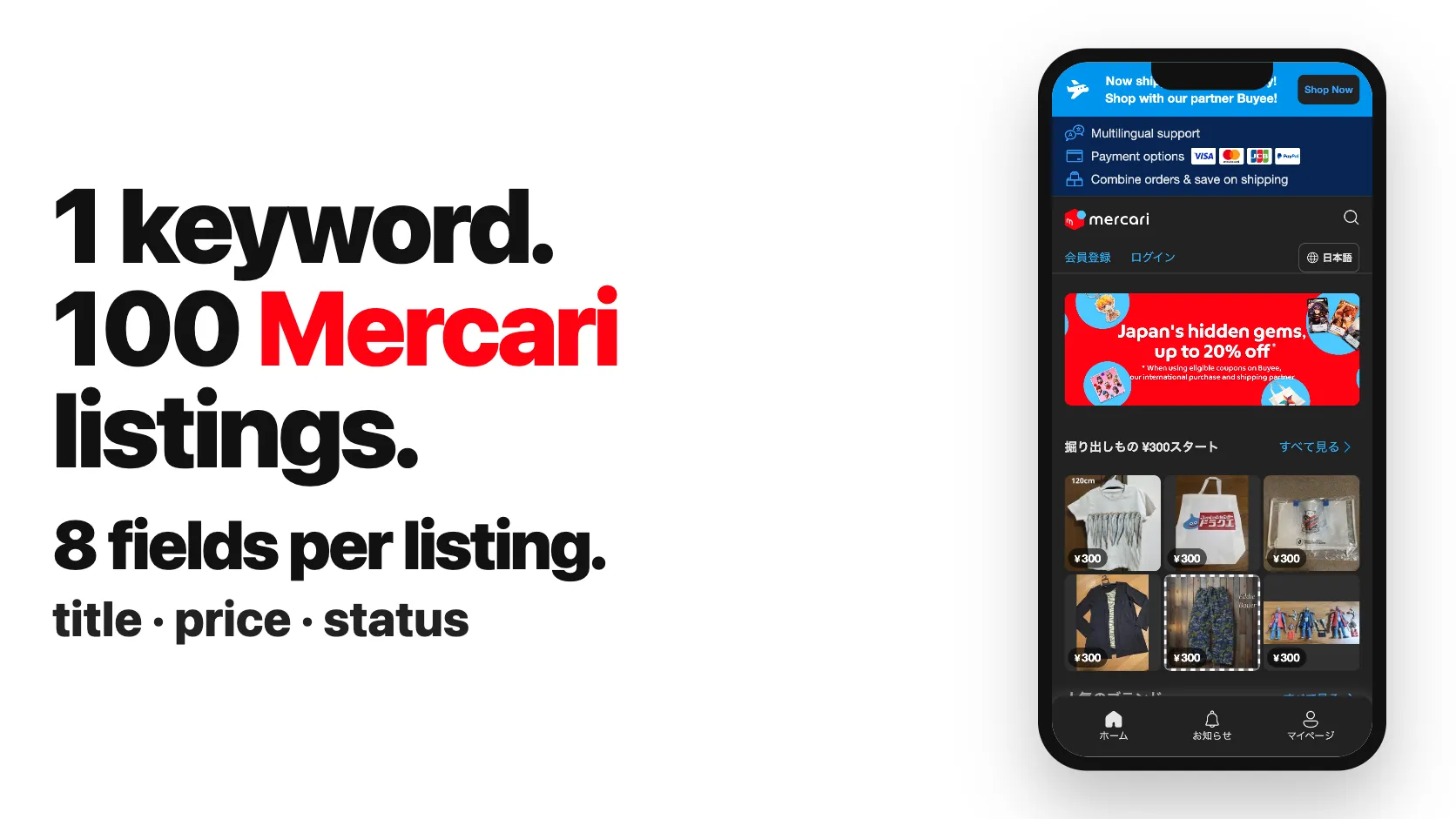
From SilentFlow. Creators of Pinterest Scraper and Leboncoin Scraper, with 420,000+ combined lifetime runs.
Every Mercari Japan listing as one complete row: the price in yen, on sale or sold, the condition, the full description, the seller's ratings and sales, where it ships from, and every photo. Our test run returned 100 Nintendo Switch listings in 14 seconds, each with its listing page and its seller already read, with no Mercari account and no Japanese phone number.
Why choose this actor?
Opening fifty Mercari tabs to read the condition notes and check each seller's ratings? Building a price guide from ask prices because the sold ones are hard to collect? Getting a seller id and a condition code when you needed a name and a word?
- 47 fields filled per listing, not 22. On the default run (100 listings for
nintendo switch), 47 of the 52 fields carry a value on at least half the rows: the full description, the condition in plain English, the category path in words, the brand, the seller's name, their good, normal and bad ratings, star score and number of sales, the prefecture the item ships from and the shipping delay, likes, comments and every photo in full size. The most used Mercari Japan scraper shows 22 fields in its README example, with a seller id but no seller name or rating, codes instead of the condition and shipping method, and no description. - Keywords, URLs and ids, in one form. Search by keyword, paste any jp.mercari.com address (search with its filters, listing, Mercari Shops product, seller profile, category, brand), or paste bare ids: a listing id (
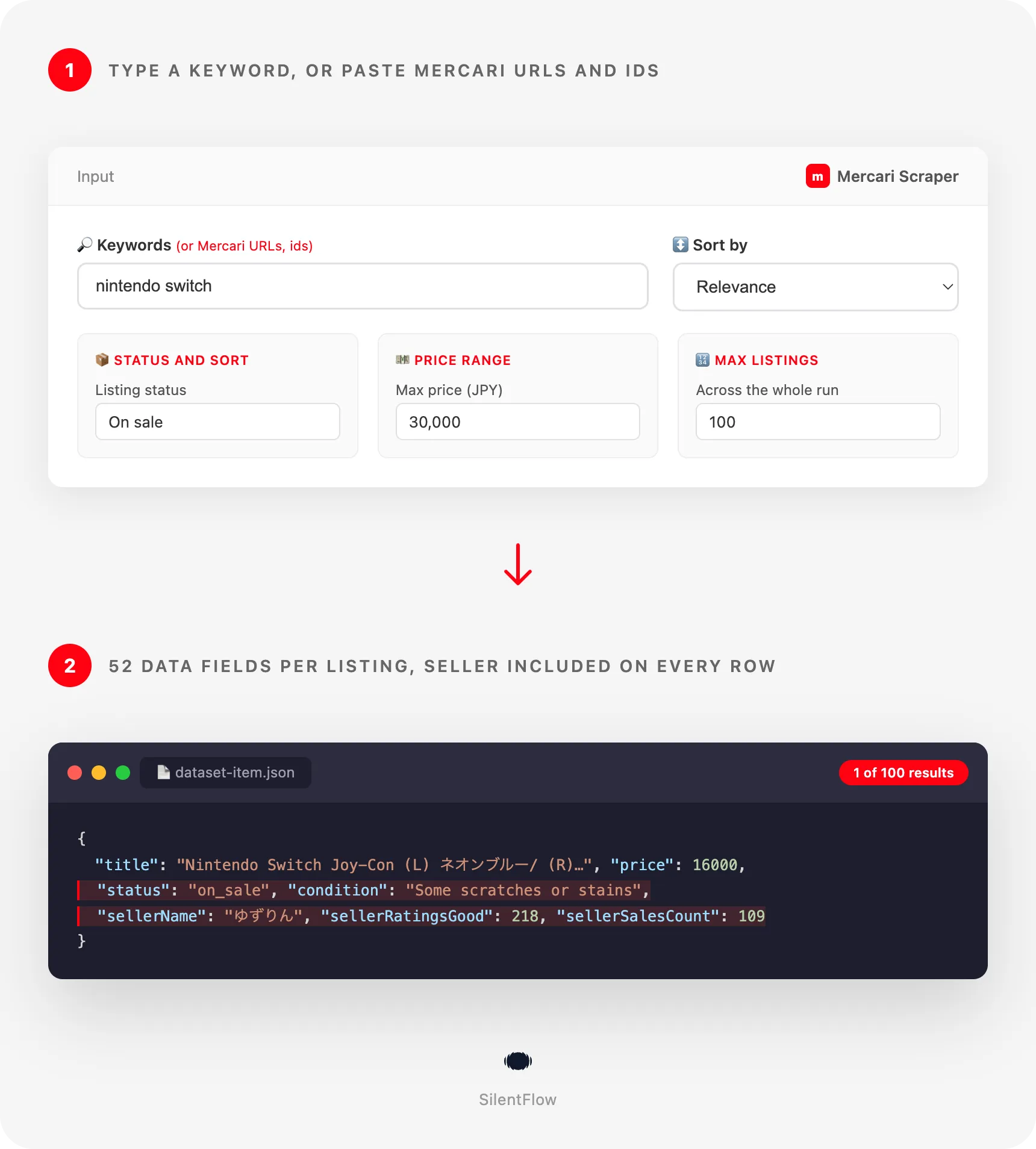
m39681789670), a Mercari Shops product id or a seller id (259877772). In our test, three ids gave 40 rows in 6 seconds: one listing, one Shops product and 38 listings of the seller's inventory. The most used Mercari Japan scraper takes a keyword and URLs, not ids. - Eight form fields, none of them required. Keywords, URLs, ids and a cap at the top, then status, sort and a yen price range. The prefilled input runs as is. Sort and direction are one menu (Price: low to high, Newest first, Most liked), and there is no connection setting to pick. The most used Mercari Japan scraper has nine fields.

Try your first 100 listings
Paste this input in the JSON tab of the Input page and press Start. It reads the 100 Nintendo Switch listings Mercari Japan ranks first among those on sale, with the listing page and the seller of each one.
It runs on the Apify Free plan. Each listing becomes one row of your dataset: open the Output tab to see the table, switch to the Sellers view to compare sellers, or export the rows as JSON, CSV or Excel.
Copy to your AI assistant
Paste this block into Claude, ChatGPT or Cursor to give it the full picture of this scraper:
How to scrape Mercari Japan listings
Three inputs, from the simplest to the most complete. Each one runs as is.
Get the top 100 listings for a keyword
The listings Mercari Japan shows first for the keyword, on sale, each with its price in yen, condition, description, seller ratings, shipping prefecture and photos. English keywords work; the same search in Japanese (ニンテンドースイッチ) often returns more, because sellers write their titles in Japanese.
Pull real sold prices for Pokémon 151 cards, newest first
Sold and Trading listings are items a buyer already paid for, so their price is what the card went for, not what a seller hopes for. In our test run this input returned 30 rows in 4 seconds, the most recent sales first. Raise maxItems to a few hundred for a proper comps table.
Read a listing, a Shops product and a seller's inventory from their ids
A listing id starts with m, a Mercari Shops product id is a long code of letters and digits, and a seller id is a number. The first two give one row each; the seller id gives the seller's whole inventory, on sale, sold and trading, newest first. In our test this input returned 40 rows in 6 seconds.
Input parameters
| Parameter | Type | Default | Description |
|---|---|---|---|
keywords | array of strings | prefilled with nintendo switch | Searches on Mercari Japan, one per line, in Japanese or English. Each keyword runs its own search; results are combined without duplicates. |
startUrls | array of URLs | none | jp.mercari.com addresses: search pages with their filters, listings, Mercari Shops products, seller profiles, categories and brands. See the formats below. |
ids | array of strings | none | Listing ids (m...), Mercari Shops product ids or seller ids. A pasted URL also works. |
maxItems | integer | 100 | Max rows for the whole run, across keywords, URLs and ids. No fixed limit. |
status | array | ["on_sale"] | on_sale, sold_out, trading (paid, shipping in progress). Pick several to mix them. |
sort | string | relevance | relevance, newest, oldest, price_asc, price_desc, most_liked. |
priceMin | integer | none | Only listings at or above this price, in yen. |
priceMax | integer | none | Only listings at or below this price, in yen. |
Keywords run first, then URLs, then ids, and the run stops at maxItems. A listing found twice (by two keywords, or by a keyword and a URL) is delivered once.
Accepted formats in startUrls:
| You paste | The run reads |
|---|---|
https://jp.mercari.com/search?keyword=iphone%2015&status=sold_out | that search, with every filter of the address |
https://jp.mercari.com/en/search?keyword=watch | the same search from the English site |
https://jp.mercari.com/item/m39681789670 | that single listing |
https://jp.mercari.com/shops/product/spthBBmXq9U6WbK2V3izBG | that single Mercari Shops product |
https://jp.mercari.com/user/profile/259877772 | the seller's whole inventory, on sale, sold and trading, newest first |
https://jp.mercari.com/category/702 | the category feed (702 is Nintendo Switch games) |
https://jp.mercari.com/brand/7572 | the brand feed (7572 is Nintendo Switch) |
Search addresses keep the filters Mercari writes in them: keyword, exclude_keyword, status, sort and order, price_min, price_max, item_condition_id, category_id, brand_id, shipping_payer_id and seller_id. A filter written in the address wins over the form for that address; a filter the address leaves out is taken from the form. So the condition filter, the category and the excluded words, which the form does not show, all ride in a search address you build on jp.mercari.com and paste here.
Accepted formats in ids:
| You paste | The run reads |
|---|---|
m39681789670 | that listing |
spthBBmXq9U6WbK2V3izBG | that Mercari Shops product |
259877772 | the seller's whole inventory, on sale, sold and trading, newest first |
| any address from the table above | the same as in startUrls |
An address or id that is not a Mercari Japan page is skipped and named in the log, and the rest of the input still runs. A listing that was deleted gives no row and is named in the log.
What data can you extract from Mercari?
Each row is one listing, with 52 top-level fields grouped the way you read them.
| Group | Fields |
|---|---|
| Identity (3) | id (the listing id, stable), url (the listing page), title |
| Content (11) | description, status, condition, conditionId, category, categoryId, categoryPath, brand, brandId, hashtags, itemType |
| Auction (5) | isAuction, auctionHighestBid, auctionBidsCount, auctionInitialPrice, auctionEndsAt |
| Price and interest (4) | price (yen, integer), currency, likesCount, commentsCount |
| Seller (13) | sellerId, sellerName, sellerUrl, sellerAvatarUrl, sellerRatingsGood, sellerRatingsNormal, sellerRatingsBad, sellerRatingsCount, sellerStarRating, sellerSalesCount, sellerIsOfficial, sellerIsSmsVerified, sellerCreatedAt |
| Shipping (7) | shippingPayer, shippingMethod, shippingFromArea, shippingDuration, shippingDurationMinDays, shippingDurationMaxDays, isAnonymousShipping |
| Time (2) | createdAt (listed), updatedAt (last change), both RFC 3339 UTC |
| Media (4) | imageUrl (first photo, full size), images (every photo, full size), thumbnailUrl, imagesCount |
| Meta (3) | searchKeyword (what found the row), scrapedAt, dataType |
What the values look like:
- Prices are numbers in yen.
price: 16000withcurrency: "JPY", never a string. For an auction listing,priceis the current highest bid andauctionHighestBid,auctionBidsCountandauctionEndsAtsay where the auction stands. - Codes come with their words.
conditionId: 4comes withcondition: "Some scratches or stains", the category id with its name and the whole path (ゲーム・おもちゃ・グッズ > テレビゲーム > Nintendo Switch > 本体(Nintendo Switch)), the shipping method with its name (ゆうゆうメルカリ便) and the payer withsellerorbuyer. - The seller is on the row.
sellerRatingsGood: 218,sellerRatingsBad: 0andsellerSalesCount: 109tell you who you are buying from without opening their profile. The Sellers view of the dataset lines them up. - Text stays in the seller's words. Titles, descriptions, category names and prefectures are in Japanese as Mercari shows them; the condition is in English so you can filter on it.
- Absent is
null. A listing without a brand hasbrand: null, never an empty string. A listing that is not an auction hasnullin the four auction numbers. - Mercari Shops rows are rows too.
itemType: "shop"marks products sold by a shop on Mercari Shops; their seller fields hold the shop's name, page, star score and review count, and the good, normal and bad split isnullbecause Mercari Shops does not publish it.
Output example
A real row from the default run (the images list is cut to three photos here; the row has twelve):
Advanced usage
Five recipes for what the examples above do not show. Each JSON runs as is.
Find the cheapest like-new iPhone 15 from a saved search address
Build the search on jp.mercari.com with the filter panel (here: new or like new, 20,000 yen and up, cheapest first), copy the address, paste it. Every filter of the address applies, including the condition filter the form does not show. In our test this input returned 50 new or like-new listings from 20,000 to 22,000 yen in 7 seconds. Schedule it hourly and alert on the first rows to catch underpriced units before other buyers.
Watch a category for new listings
Category 702 is Nintendo Switch games. Newest first with a price cap gives you the fresh cheap listings of a whole category, with no keyword to guess. In our test this input returned 150 listings in 18 seconds, over two result pages. Compare id with the previous run to keep only what is new.
Rank the most liked sneakers under 5,000 yen
likesCount is how many buyers saved the listing: sorting by it surfaces what the market wants at that price. In our test the 60 rows came back in 7 seconds, and all 60 were Mercari Shops products (itemType: "shop"). Filter the dataset on itemType to split shops from individuals, or add ids of the shops you already follow.
List a brand's cheapest listings from its brand page
A brand page is every listing Mercari files under that brand, whatever words the seller used in the title. Brand 7572 is Nintendo Switch. The form's price cap and sort apply because the address sets neither. In our test this input returned 100 listings in 12 seconds, cheapest first. Use it for price bands, grey-market checks or a catalogue of what a brand resells for.
Turn a list of listing ids into full rows
Ids from a spreadsheet, a watch list or another tool come back as complete rows: current price, status (still on sale, or sold), condition, description, seller and photos. Run it daily to see which of your watched listings sold and at what price. In our test these five ids returned five rows in 3 seconds; a sixth id that does not exist was skipped and named in the log.
FAQ
What is Mercari (メルカリ)? Mercari is a Japanese flea-market app where people sell new and used items to each other: games, trading cards, sneakers, fashion, figures, electronics. Mercari Shops (メルカリShops) is its section for small businesses. This scraper reads jp.mercari.com, the Japanese marketplace, not mercari.com in the United States.
Do I need a Mercari account or a Japanese phone number? No. The scraper reads what any visitor sees on jp.mercari.com without logging in. You only give it keywords, addresses or ids.
Can I search in English?
Yes. English keywords work, and brand names such as nintendo switch or iphone 15 match many listings. Sellers write in Japanese, so the Japanese word (スニーカー for sneakers, ポケモンカード for Pokémon cards) usually returns more listings. Titles and descriptions come back in the seller's own words.
Are the sold prices real?
Yes. A Sold listing (sold_out) or a Trading listing (trading, paid and in shipping) is an item a buyer paid for, so its price is the price it sold at. On sale listings show what sellers ask. Pick Sold and Trading in Listing status for comps.
How many listings can I get?
As many as you set in maxItems, with no fixed limit. Each search is read page after page, 120 listings a page, until the cap or the last page. A popular keyword has thousands of listings: split it into narrower searches (by price band, status or category) when you want to compare the slices, and keep maxItems at what you will use, since each row is one listing read in full.
How fresh is the data? Live. Every run reads Mercari at that moment: prices, statuses, likes and seller ratings are the ones shown when the run starts, and a listing posted a minute before is in it.
What about Mercari Shops products?
They come in the same rows, marked itemType: "shop", with the shop's name, page, star score and review count in the seller fields. Mercari Shops does not publish a good, normal and bad split or a sales count, so those fields are null on shop rows.
Can I combine several filters?
Yes, they add up. keywords: ["ps5 本体"], status: ["sold_out", "trading"], sort: "newest" and priceMin: 30000 returns the latest PS5 consoles sold for 30,000 yen or more; in our test, 20 of them in 3 seconds with maxItems: 20. For the condition, category or excluded words, build the search on jp.mercari.com and paste its address: every filter in it applies.
Which links are permanent?
url is the listing page and sellerUrl the seller's page; both work as long as the listing and the account exist, and id never changes. Photo links point to Mercari's image server; Mercari can remove the photos of a deleted listing, so download the ones you want to keep.
Can I run it on a schedule?
Yes. Save your input as a task and add a schedule in Apify. With sort: "newest" and a small maxItems, an hourly run gives you the new listings of your searches.
How do I get the data into my tools?
Every run's dataset exports to JSON, CSV, Excel, XML or RSS from the Output tab, or from the API: https://api.apify.com/v2/datasets/{DATASET_ID}/items?format=csv. Apify integrations send it to Google Sheets, Slack, Zapier, Make or a webhook.
Is it legal to scrape Mercari? The scraper reads public listings that anyone can see in a browser without logging in. How you use them is up to you: see the Legal compliance section below.
More SilentFlow scrapers
🛒 E-commerce
 Pinterest - Pinterest Scraper | Pins, Boards and Profiles
 Leboncoin - Leboncoin Scraper | Classified Ads, Prices and Sellers
 Leboncoin - Leboncoin Ad Details Scraper
 Back Market - Back Market Scraper | Refurbished Prices
 ImportYeti - US Customs Records, Suppliers & Trade Data - ImportYeti Scraper - US Customs Records, Suppliers & Trade Data
 TikTok Shop - TikTok Shop Scraper | Products, Sellers and Creator Videos
 1688 Wholesale - 1688 Wholesale Scraper
 Naver - Naver Scraper | Shopping Products, Prices and Reviews
 Udemy Course - Udemy Course Scraper
 JD - JD Products Scraper | Prices, Brands and Barcodes
 Store Leads Ecommerce - Store Leads Ecommerce Scraper
 Amazon Seller - Amazon Seller Scraper | Emails, Phones and Ratings
 Naver - Naver Reviews Scraper | Shopping Product Reviews
 Bring a Trailer - Bring a Trailer Scraper
 Lowes - Lowes Products Scraper | Prices, Stock and Specs
 Store Leads - Store Leads Scraper | Shopify Data
 Avito - Avito Scraper | Listings, Prices and Sellers
 Leboncoin - Leboncoin Scraper
 Mobile.de - Mobile.de Scraper
 Naver - Naver Products Scraper | Shopping Prices, Sellers and Ratings
 Taobao - Taobao Scraper | Products, Prices and Sellers
 Udemy - Udemy Scraper
 Agoda - Agoda Scraper | Hotel Prices and Guest Ratings
 Alibaba - Alibaba Products Scraper | Wholesale Prices and MOQ
 AliExpress - AliExpress Reviews Scraper | Feedback, Ratings and Photos
 AliExpress - AliExpress Scraper | Products, Prices and Sales
 Allegro - Allegro Scraper | Products, Prices and Sellers
 Avito - Avito Profiles Scraper | Sellers, Ratings and Reviews
 Back Market - Back Market Scraper | Refurbished Electronics Prices
 BAUHAUS - BAUHAUS Scraper | Product Prices, EAN and Specs
 CARFAX - CARFAX Scraper | Used Cars, Prices and History
 Coupang - Coupang Detail Scraper | Product Prices and Options
 Ctrip - Ctrip Scraper | Attractions, Tickets and Reviews
 eBay Marketplace - eBay Marketplace Scraper
 Europages - Europages Scraper | Suppliers and B2B Companies
 Eventim - Eventim Scraper | Events, Ticket Prices and Venues
 GasBuddy - GasBuddy Scraper | Gas Prices by Station
 Google Hotels - Google Hotels Scraper | Prices, Offers and Ratings
 Homedepot - Homedepot Reviews Scraper | Customer Reviews and Ratings
 Leboncoin - Leboncoin Details Scraper | Full Ad Data and Sellers
 Vinted Marketplace - Vinted Marketplace Scraper
 Walmart - Walmart Product Scraper
 Alibaba - Alibaba Scraper | Products, Prices and Suppliers
 Amazon - Amazon Product Scraper
 Amazon Marketplace - Amazon Marketplace Scraper
 AutoScout24 - AutoScout24 Scraper
 eBay Listings - eBay Listings Scraper
 Europages Deep Dive Extractor - Europages Deep Dive Extractor | VAT, Decision Makers, ISO Certs
 Pinterest - Pinterest Scraper
 Trip - Trip Scraper | Hotels, Prices and Reviews
 Vinted - Vinted Scraper
 Walmart - Walmart Scraper | Prices, Reviews, Sellers, Availability
💼 Jobs
 ZipRecruiter - ZipRecruiter Jobs Scraper | Salary, Company & Location Filters
 Indeed - Indeed Company Reviews Scraper
 Multi Board - Multi Board Job Scraper
 Glassdoor Job Listings - Glassdoor Job Listings Scraper
 🔥 Glassdoor - 🔥 Glassdoor Scraper
 LinkedIn Job Search - LinkedIn Job Search Scraper | Salaries & Seniority
 ATS - ATS Jobs Scraper | Greenhouse, Lever and Ashby
 Dice Tech - Dice Tech Jobs Scraper
 iimjobs - iimjobs Scraper | Jobs, Companies and Recruiters
 Jora - Jora Jobs Scraper
 Malt Freelancer - Malt Freelancer Scraper
 Malt - Malt Scraper | Freelance Profiles
 Welcome to the Jungle - Welcome to the Jungle Job Scraper
 All - All Jobs Scraper
 Arbeitsagentur - Arbeitsagentur Jobs Scraper
 Cutshort - Cutshort Jobs Scraper | Salaries, Skills and Companies
 Dice - Dice Jobs Scraper | US Tech Jobs, Salaries, Skills
 Glassdoor - Glassdoor Jobs Scraper
 Indeed - Indeed Jobs Scraper | Job Listings in 73 Countries
 Jora - Jora Scraper | Jobs in Australia, New Zealand, Singapore
 StepStone - StepStone Scraper
 YCombinator - YCombinator Jobs Scraper | Startup Jobs, Salaries and Founders
 Arbeitsagentur - Arbeitsagentur Scraper | German and Austrian Job Board
 Indeed - Indeed Companies Scraper | Reviews, Salaries, Interviews
 Indeed - Indeed Jobs Scraper | NLP Skills
 LinkedIn - LinkedIn Jobs Scraper
 Naukri & NaukriGulf - Naukri & NaukriGulf Jobs Scraper
 Seek - Seek Job Scraper
 Welcome to the Jungle - Welcome to the Jungle Scraper | Jobs and Company Data
 Ziprecruiter - Ziprecruiter Scraper
🏠 Real estate
 SeLoger - SeLoger Scraper | Real Estate Listings
 Anjuke - Anjuke Scraper | Rental Listings, Prices and Agents
 Realtor Rental Listings - Realtor Rental Listings Scraper
 Airbnb Pro Host Contact & - Airbnb Pro Host Contact & Email Scraper
 Bien'ici - Bien'ici Scraper | Property Listings
 Rightmove - Rightmove Scraper
 Trulia Rental Listings - Trulia Rental Listings Scraper
 Airbnb Professional Host - Airbnb Professional Host Scraper | Emails, Phones, SIRET
 Airbnb Search - Airbnb Search Scraper
 Bienici - Bienici Scraper
 Idealista - Idealista Scraper
 Realestate.com.au - Realestate.com.au Scraper
 SeLoger - SeLoger Scraper | French Property Listings and Agencies
 Zillow - Zillow Scraper
 Airbnb Search - Airbnb Search Scraper | Prices, Fees, Amenities, Hosts
 Idealista - Idealista Scraper
 Realtor Rental - Realtor Rental Scraper
 Trulia Rental - Trulia Rental Scraper | US Rentals, Prices, Pet Policy
📣 Social media
 LinkedIn Post Search - LinkedIn Post Search Scraper | Keywords, Hashtags & Profiles
 Facebook Search - Facebook Search Scraper
 Instagram - Instagram Story Scraper | Stories & Highlights
 LinkedIn Leads - LinkedIn Leads Scraper | Sales Navigator Export
 TikTok - TikTok Scraper
 YouTube - YouTube Channel Scraper | Videos, Shorts and Views
 Facebook Search - Facebook Search Profiles Scraper | People by Name or Keyword
 Instagram Engagement - Instagram Engagement Scraper
 Meta Ad Library - Meta Ad Library Scraper
 OnlyFans - OnlyFans Profile Scraper
 TikTok Trend - TikTok Trend Scraper | Trending Hashtags and Videos
 OnlyFans - OnlyFans Creator Scraper
 Skool Community - Skool Community Scraper
 Bilibili - Bilibili Scraper
 Facebook Thread - Facebook Thread Profiles Scraper | Followers, Bios & Engagement
 Kuaishou - Kuaishou Scraper | Videos, Comments and Creator Stats
 LinkedIn Event - LinkedIn Event Scraper
 Reddit - Reddit Scraper | Posts, Comments and Subreddits
 Reddit - Reddit Scraper | Comments, Posts and Users
 Snapchat - Snapchat Contacts Scraper | Phones, Emails and Websites
 Weibo - Weibo Scraper | Posts, Profiles and Engagement
 Xigua - Xigua Scraper | Videos, Creators and Downloads
 Discord - Discord Scraper | Servers, Member Counts and Invites
 Facebook - Facebook Company Scraper | Emails, Phones, Ratings
 Facebook Business Page - Facebook Business Page Scraper
 Kwai - Kwai Scraper | Videos, Creators and Hashtags
 LinkedIn Ads Library - No Cookies - LinkedIn Ads Library Scraper - No Cookies
 LinkedIn Hashtag & - LinkedIn Hashtag & Post Scraper | No Cookies
 Skool Group - Skool Group Scraper
 Snapchat - Snapchat Ads Scraper | Ad Library, Impressions & Targeting
 YouTube - YouTube Transcript Scraper
🏢 Business data
 Tencent - Tencent Scraper | Maps Places, Phones and Ratings
 LinkedIn People Search - LinkedIn People Search Scraper | Profiles & Companies
 LinkedIn Company Search - LinkedIn Company Search Scraper | Profiles & Firmographics
 Company Data - Company Data Scraper | Emails, Phones and Tech Stack
 FanDuel - FanDuel Scraper | Odds, Spreads and Player Props
 ForexFactory - ForexFactory Scraper | Economic Calendar and Forecasts
 Justdial - Justdial Companies Scraper | Business Leads, Phones and Emails
 Kakao - Kakao Scraper | Map Places, Reviews and Phones
 OpenTable - OpenTable Reviews Scraper | Restaurant Reviews and Ratings
 SoftwareAdvice - SoftwareAdvice Scraper | Reviews, Ratings and Pros & Cons
 Teachable Course - Teachable Course Scraper
 Zomato - Zomato Reviews Scraper | Restaurant Ratings and Replies
 2GIS - 2GIS Reviews Scraper | Ratings, Photos and Owner Replies
 LinkedIn Sales Navigator - LinkedIn Sales Navigator Scraper
 Teachable - Courses, Prices & Instructors - Teachable Scraper - Courses, Prices & Instructors
 Trustpilot - Trustpilot Scraper | Reviews, Ratings and Company Contacts
 Website Tech Stack - Website Tech Stack Scraper
✈️ Travel
 Google Maps - Google Maps Scraper
 Booking.com Hotel - Booking.com Hotel Scraper
 Flight Price - Flight Price Scraper
 Trip - Trip Reviews Scraper | Hotel Reviews and Ratings
 Booking - Booking Scraper | Hotel Prices, Photos, Availability
🎯 Lead generation
 Northdata - Northdata Company Scraper
 ZocDoc - ZocDoc Scraper | Doctors, Reviews and Availability
 UK Companies House - UK Companies House Enricher
 Dealroom - Dealroom Scraper | Companies and Investors
 CNPJ Brazilian - CNPJ Brazilian Company Enricher
 Google Ads Transparency - Google Ads Transparency Scraper
 SIRET - SIRET Company Enricher
 BuiltWith - BuiltWith Scraper | Tech Stacks and Top Sites
 Domain - Domain Enricher
 French Company Prospector - French Company Prospector
 SEC - SEC Scraper | EDGAR Filings and Company Data
 USPTO - USPTO Scraper | Trademark Search and Status
 ZocDoc - ZocDoc Scraper
 Clutch - Clutch Scraper | Agencies, Reviews, Ratings, Services
 Clutch Agency - Clutch Agency Scraper
 Dealroom Startup Data - Dealroom Startup Data Scraper
 G2 - G2 Reviews Scraper
 PagesJaunes - PagesJaunes Scraper | French Business Emails and SIRET
 PagesJaunes - PagesJaunes Business Scraper
 SIRET French - SIRET French Company Enricher
 ThomasNet Suppliers - ThomasNet Suppliers Scraper
🔎 SEO
 Similarweb - Similarweb Scraper | Website Traffic, Rankings and Competitors
 Google News - Google News Scraper
 Apple - Apple Scraper | App Store Apps, Ratings and Charts
📈 Marketing
 Pexels -
 🧰 More tools
 PrizePicks - PrizePicks Scraper | Player Props, Lines and Projections
 Apple - Apple Reviews Scraper | App Store Reviews and Ratings
Support
Need something this scraper doesn't do yet? We ship features fast.
- Feature requests go straight to our backlog
- Enterprise needs? We do custom integrations and high-volume plans
- Pricing questions? Check the Monetization tab on the actor page
Response time: usually under 24 hours.
Legal compliance
This Actor extracts publicly available data from Mercari Japan (jp.mercari.com). It does not bypass any login, paywall or CAPTCHA, and never uses a Mercari account. Users are responsible for complying with Mercari's terms of service and applicable data protection laws (GDPR, CCPA, APPI in Japan, and PIPL where relevant). Rows carry seller nicknames, profile links and avatars, which can be personal data: handle them accordingly, keep only what you need, and honor removal requests. The data returned is informational; verify accuracy for regulated use cases.
Mercari Scraper by SilentFlow: Mercari Japan listings, sold prices and sellers, ready for your spreadsheet.


