

LinkedIn Hashtag & Post Scraper | No Cookies
Pricing
from $1.25 / 1,000 results
LinkedIn Hashtag & Post Scraper | No Cookies
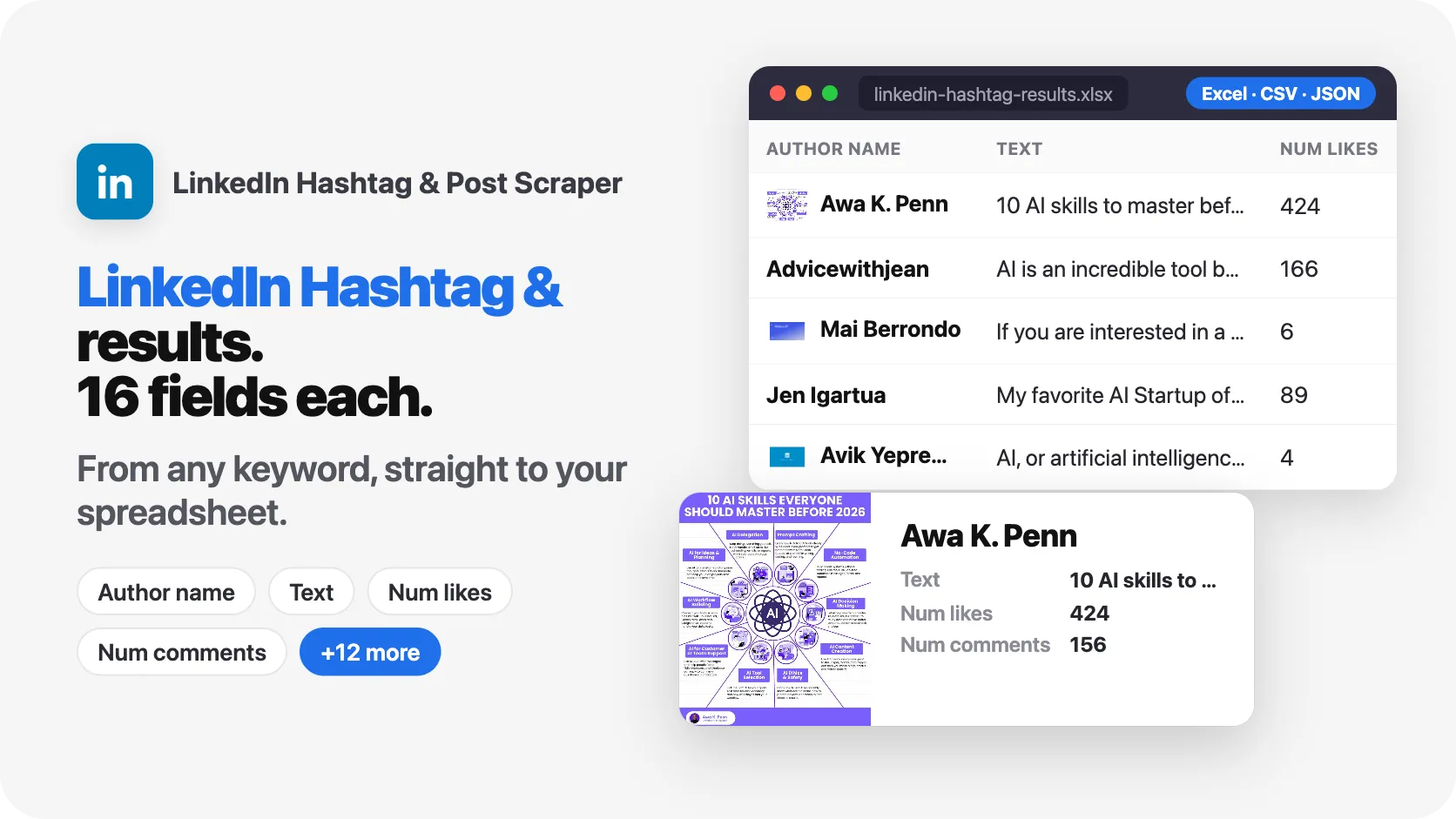
Find LinkedIn posts by hashtag or by keyword and export the full text, author, reactions, comments, images and posting date. Also works from a company page, a profile, or exact post links you already have. No login and no cookies needed, in any language LinkedIn publishes worldwide worldwide.
Pricing
from $1.25 / 1,000 results
Rating
0.0
(0)
Developer

SilentFlow
Maintained by CommunityActor stats
2
Bookmarked
37
Total users
3
Monthly active users
5 days ago
Last modified
Categories
Share
🔥 LinkedIn Post Scraper - No Login Required
From SilentFlow. Creators of Facebook Search Scraper and Pinterest Scraper, with 570,000+ combined lifetime runs.

Scrape LinkedIn posts without a login. Get the post text, the author, the posting date, the reactions and the images, ready for a spreadsheet. 🌐🔍
🌟 Features
- 🔓 No Login: Nothing to connect, nothing to keep alive on your side
- 🔍 Three ways in: Search by keywords, paste post links, or follow a profile or company page
- 📝 Full post content by default: Post text, posting date and post type come back filled in on most rows, and the run tells you how many rows it delivered without them
- 📈 Engagement: Reactions and comment counts on the posts that publish them
- 👤 Author details: Name, profile link and avatar
- 🌍 Any language LinkedIn publishes
💡 Use Cases
- 📊 Content Analysts: Analyze trending topics and viral posts
- 💼 Marketers: Monitor brand mentions and competitor content
- 🎯 Sales Teams: Find engaging content from prospects
- 🔬 Researchers: Gather social media data for studies
- 📰 News Aggregators: Track industry announcements
| SilentFlow · LinkedIn Hashtag & suite | |
 LinkedIn Post Search Scraper LinkedIn Post Search ScraperKeywords, Hashtags & |  LinkedIn Hashtag & Post Scraper LinkedIn Hashtag & Post ScraperYou are here |
🚀 How to Use
Search by Keywords (Most Common)
Scrape Specific Posts
Get Posts from Profile/Company
⚙️ Input Parameters
| Parameter | Type | Description | Default |
|---|---|---|---|
keywords | Array | Search terms (e.g., ["AI", "startup"]) | [] |
postUrls | Array | Direct LinkedIn post URLs | [] |
postIds | Array | LinkedIn post IDs or URNs (e.g. 7130134007584808962), read like post URLs | [] |
profileUrls | Array | Profile or company URLs to get posts from | [] |
dateFilter | Enum | past-week, past-month. Posts take a few days to become searchable, so the freshest results are about three days old. | None |
limit | Integer | Max posts per keyword/profile (1-100) | 10 |
fetchDetails | Boolean | Collect the full post content: text, posting date, post type, reaction and comment counts. Turn it off only if you want a fast list of links with the other columns left empty | true |
proxy | Object | Proxy configuration | Apify Residential |
📤 Output Format
Output Field Reference
Availability below is with the default settings, that is with fetchDetails left on.
A ⚠️ means the column is filled on most rows but not on every one. How many is
measured in Row completeness, measured.
| Field | Type | Always Present | Notes |
|---|---|---|---|
postId | string | ✅ | Unique post identifier |
url | string | ✅ | Full LinkedIn post URL |
text | string | ⚠️ | Post content. Filled on most rows, see the completeness note below. Empty when fetchDetails is turned off |
type | string | ⚠️ | text, image, or video. Comes with the text, so a row without the post text has no type either |
authorName | string | ✅ | Author display name |
authorProfileUrl | string | ✅ | Author's LinkedIn profile URL |
authorProfileId | string | ✅ | Author's LinkedIn ID |
authorImage | string | ⚠️ | Author avatar URL (may be null) |
authorHeadline | string | ❌ | Rarely published by LinkedIn |
postedAt | string | ⚠️ | Posting date. Comes with the text, so a row without the post text has no date either |
numLikes | number | ⚠️ | Reaction count. A few posts do not publish it and come back at 0 |
numComments | number | ⚠️ | Comment count. A few posts do not publish it and come back at 0 |
numShares | number | ❌ | LinkedIn no longer publishes this, expect 0 |
images | array | ⚠️ | Present when the post carries images, absent from the row otherwise. Measured: on 51 rows of 73 |
hashtags | array | ⚠️ | Present when the post carries hashtags, absent from the row otherwise. Measured: on 20 rows of 73 |
isRepost | boolean | ✅ | Whether post is a repost |
isSponsored | boolean | ✅ | Whether post is sponsored |
scrapedAt | string | ✅ | When data was collected |
📊 What each setting gives you
| Data | Default (fetchDetails: true) | fetchDetails: false |
|---|---|---|
| Post URL | ✅ | ✅ |
| Full text | ⚠️ most rows | ❌ empty |
| Post type | ⚠️ with the text | ❌ empty |
| Posting date | ⚠️ with the text | ❌ empty |
| Author name | ✅ | ⚠️ from the link only |
| Author image | ⚠️ most rows | ❌ empty |
| Reactions | ⚠️ most rows | ❌ 0 |
| Comments | ⚠️ when the post has any | ❌ 0 |
| Hashtags | ⚠️ when the post has any | ❌ empty |
| Images | ⚠️ when the post has any | ❌ empty |
⚠️ Turning
fetchDetailsoff returns a list of post links and little else. It is faster, and that is the only reason to use it.
📐 Row completeness, measured
Some rows come back without the post text, and with them without the posting date and the post type. It happens when LinkedIn does not serve that particular post's page during the run, and the row is still delivered, with its link and its author, because a link you can open is worth more than a row that was dropped in silence.
How often depends on the mode. Measured over three runs and 73 delivered rows:
| Mode | Rows carrying the post text |
|---|---|
keywords | 20 of 20, two searches in one run |
profileUrls | 31 of 33 over three company pages, 18 of 20 over two |
postUrls | a post link is read in full or reported as unread, so there is no half row |
Across those same 73 rows: 69 carried the post text, the posting date and the post type, 73 carried the author name and the author profile link, 69 carried the author avatar, 68 carried a reaction count above zero, and none carried the author headline.
You never have to count any of this yourself. Every run ends by saying how many rows it delivered and how many of those came back without the post text, on the run page in the Console. Those figures are counted on the rows in your dataset, so what the run announces is what you can open.
⚡ Speed
| Setting | Speed | Data |
|---|---|---|
fetchDetails: true (default) | ~30-80 posts/min | Full rows |
fetchDetails: false | ~150 posts/min | Post links only |
⚠️ What this scraper cannot do
- Personal profiles: The
profileUrlsmode works best on company pages (OpenAI, Google, Microsoft). Personal profiles are barely indexed publicly, so search by keywords with the person's name instead. - Private posts: Posts limited to connections are not public and cannot be collected.
- Share counts: LinkedIn stopped publishing them, so
numSharesis 0 on nearly every post. - Reaction and comment counts: A handful of posts publish neither, and those rows come back at 0. Measured over 73 rows: 68 came back with a reaction count above zero, 41 with a comment count above zero.
- A complete row on every single line: some rows arrive without the post text, the posting date and the post type. Counts per mode are in Row completeness, measured, and every run states its own figure when it finishes.
- Deleted posts: A link to a post that no longer exists returns nothing.
💡 Tips for Best Results
- Leave
fetchDetailson: it is what fills the text, the posting date and the counts - Use
dateFilter: keep only recent posts - Start small: try
limit: 5before scaling up - Be specific: precise keywords bring back posts you can actually use
- For personal profiles: search by keywords with the person's name instead of
profileUrls
🔧 Troubleshooting
| What you see | What it means | What to do |
|---|---|---|
| No posts found | The profile has no public posts indexed, or the keyword is too narrow | Search by keywords with the person or company name, or widen the date filter |
| Every row has an empty text column | fetchDetails was turned off | Turn it back on, it is on by default |
| A few rows have an empty text column | LinkedIn did not serve those posts during the run. The run says how many when it finishes | Open the post link on those rows, or start the run again to pick them up |
| Run stops before the limit | The public posts that keyword can reach have run out. The final message names both numbers | Add more keywords. Running the same keyword again returns the same posts |
| Invalid URL message | The link is not a LinkedIn post or profile address | Use the full link: https://www.linkedin.com/posts/... |
Understanding empty results
- Profile mode returns 0 posts: that profile has no publicly indexed posts. Search by keywords with the person's name instead.
- Keywords return 0 posts: the term is too specific. Try a broader one.
- A column is empty on one row: LinkedIn does not publish that detail on that post.
When to use each mode
More SilentFlow scrapers
🛒 E-commerce
 Pinterest - Pinterest Scraper | Pins, Boards and Profiles
 JD - JD Products Scraper | JD.com Prices, Brands and Barcodes
 Leboncoin - Leboncoin Scraper | Classified Ads, Prices and Sellers
 Leboncoin - Leboncoin Ad Details Scraper
 TikTok Shop - TikTok Shop Scraper | Products, Sellers and Creator Videos
 ImportYeti - US Customs Records, Suppliers & Trade Data - ImportYeti Scraper - US Customs Records, Suppliers & Trade Data
 Back Market - Back Market Scraper | Refurbished Prices
 Naver - Naver Scraper | Shopping Products, Prices and Reviews
 Udemy Course - Udemy Course Scraper
 Naver - Naver Products Scraper | Shopping Prices, Sellers and Ratings
 1688 - 1688 Scraper | Products, Details, Wholesale Prices, Suppliers
 Amazon Seller - Amazon Seller Scraper | Emails, Phones and Ratings
 Naver - Naver Reviews Scraper | Shopping Product Reviews
 Store Leads Ecommerce - Store Leads Ecommerce Scraper
 Store Leads - Store Leads Scraper | Shopify Data
 Allegro - Allegro Scraper | Products, Prices and Sellers
 Leboncoin - Leboncoin Scraper
 Lowes - Lowes Products Scraper | Prices, Stock and Specs
 Mobile.de - Mobile.de Scraper
 Taobao - Taobao Scraper | Products, Details, Prices and Sellers
 Agoda - Agoda Scraper | Hotel Prices and Guest Ratings
 Alibaba - Alibaba Products Scraper | Wholesale Prices and MOQ
 Avito - Avito Scraper | Listings, Prices and Sellers
 Bring a Trailer - Bring a Trailer Scraper
 Pinterest - Pinterest Scraper
 Udemy - Udemy Scraper
 Alibaba - Alibaba Scraper | Products, Supplier Companies and Prices
 AliExpress - AliExpress Reviews Scraper | Feedback, Ratings and Photos
 AliExpress - AliExpress Scraper | Products, Prices and Sales
 Avito - Avito Profiles Scraper | Sellers, Ratings and Reviews
 Back Market - Back Market Scraper | Refurbished Electronics Prices
 BAUHAUS - BAUHAUS Scraper | Product Prices, EAN and Specs
 CARFAX - CARFAX Scraper | Used Cars, Prices and History
 Coupang - Coupang Detail Scraper | Product Prices and Options
 eBay Marketplace - eBay Marketplace Scraper
 Europages - Europages Scraper | Suppliers and B2B Companies
 Eventim - Eventim Scraper | Events, Ticket Prices and Venues
 Google Hotels - Google Hotels Scraper | Prices, Offers and Ratings
 Homedepot - Homedepot Reviews Scraper | Customer Reviews and Ratings
 Leboncoin - Leboncoin Details Scraper | Full Ad Data and Sellers
 Mafengwo - Mafengwo Scraper | Attractions, Ratings and Tickets
 Mercari - Mercari Scraper | Listings, Sold Prices and Sellers
 Vinted Marketplace - Vinted Marketplace Scraper
 Webmotors - Webmotors Scraper | Car Listings, Prices and FIPE
 Amazon - Amazon Product Scraper
 Amazon Marketplace - Amazon Marketplace Scraper
 AutoScout24 - AutoScout24 Scraper
 eBay Listings - eBay Listings Scraper
 Europages Deep Dive Extractor - Europages Deep Dive Extractor | VAT, Decision Makers, ISO Certs
 GasBuddy - GasBuddy Scraper | Gas Prices by Station
 Goofish - Goofish Detail Scraper | Listings, Prices and Sellers
 Trip - Trip Scraper | Hotels, Prices and Reviews
 Vinted - Vinted Scraper
 Walmart - Walmart Scraper | Prices, Reviews, Sellers, Availability
 Walmart - Walmart Product Scraper
💼 Jobs
 ZipRecruiter - ZipRecruiter Jobs Scraper | Salary, Company & Location Filters
 Indeed - Indeed Company Reviews Scraper
 Multi Board - Multi Board Job Scraper
 Glassdoor Job Listings - Glassdoor Job Listings Scraper
 Malt - Malt Scraper | Freelance Profiles
 🔥 Glassdoor - 🔥 Glassdoor Scraper
 Jobright - Jobright Scraper | Jobs, Salaries and H1B Sponsors
 Jora - Jora Jobs Scraper
 LinkedIn Job Search - LinkedIn Job Search Scraper | Salaries & Seniority
 Malt Freelancer - Malt Freelancer Scraper
 ATS - ATS Jobs Scraper | Greenhouse, Lever and Ashby
 Glassdoor - Glassdoor Jobs Scraper
 Arbeitsagentur - Arbeitsagentur Jobs Scraper
 Cutshort - Cutshort Jobs Scraper | Salaries, Skills and Companies
 Dice - Dice Jobs Scraper | US Tech Jobs, Salaries, Skills
 Dice Tech - Dice Tech Jobs Scraper
 iimjobs - iimjobs Jobs Scraper | MBA, Finance and Hirist Tech Jobs
 Indeed - Indeed Jobs Scraper | Job Listings in 73 Countries
 Instahyre - Instahyre Jobs Scraper | Companies, Recruiters and Ratings
 Jora - Jora Scraper | Jobs in Australia, New Zealand, Singapore
 StepStone - StepStone Scraper
 Welcome to the Jungle - Welcome to the Jungle Job Scraper
 YCombinator - YCombinator Jobs Scraper | Startup Jobs, Salaries and Founders
 All - All Jobs Scraper
 Arbeitsagentur - Arbeitsagentur Scraper | German and Austrian Job Board
 iimjobs - iimjobs Scraper | Jobs, Companies and Recruiters
 Indeed - Indeed Companies Scraper | Reviews, Salaries, Interviews
 Indeed - Indeed Jobs Scraper | NLP Skills
 LinkedIn - LinkedIn Jobs Scraper
 Naukri & NaukriGulf - Naukri & NaukriGulf Jobs Scraper
 Seek - Seek Job Scraper
 Welcome to the Jungle - Welcome to the Jungle Scraper | Jobs and Company Data
 Ziprecruiter - Ziprecruiter Scraper
🏠 Real estate
 SeLoger - SeLoger Scraper | Real Estate Listings
 Realtor Rental Listings - Realtor Rental Listings Scraper
 Airbnb Pro Host Contact & - Airbnb Pro Host Contact & Email Scraper
 Airbnb Professional Host - Airbnb Professional Host Scraper | Emails, Phones, SIRET
 Trulia Rental Listings - Trulia Rental Listings Scraper
 Bien'ici - Bien'ici Scraper | Property Listings
 Rightmove - Rightmove Scraper
 Bienici - Bienici Scraper
 SeLoger - SeLoger Scraper | French Property Listings and Agencies
 Airbnb Search - Airbnb Search Scraper
 Idealista - Idealista Scraper
 Realestate.com.au - Realestate.com.au Scraper
 Airbnb Search - Airbnb Search Scraper | Prices, Fees, Amenities, Hosts
 Anjuke - Anjuke Scraper | Rental Listings, Prices and Agents
 Idealista - Idealista Scraper
 Realtor Rental - Realtor Rental Scraper
 Trulia Rental - Trulia Rental Scraper | US Rentals, Prices, Pet Policy
 Zillow - Zillow Scraper
📣 Social media
 Facebook Search - Facebook Search Scraper
 Instagram - Instagram Story Scraper | Stories & Highlights
 LinkedIn Leads - LinkedIn Leads Scraper | Sales Navigator Export
 Facebook Search - Facebook Search Profiles Scraper | People by Name or Keyword
 YouTube - YouTube Channel Scraper | Videos, Shorts and Views
 TikTok - TikTok Scraper
 Instagram Engagement - Instagram Engagement Scraper
 OnlyFans - OnlyFans Profile Scraper
 TikTok Trend - TikTok Trend Scraper | Trending Hashtags and Videos
 Discord - Discord Scraper | Servers, Member Counts and Invites
 Meta Ad Library - Meta Ad Library Scraper
 OnlyFans - OnlyFans Creator Scraper
 Skool Community - Skool Community Scraper
 TikTok Creative - TikTok Creative Ads Scraper | Top Ads, Landing Pages & Metrics
 Douyin - Douyin Comments Scraper | Comments, Likes and IP Regions
 Facebook Thread - Facebook Thread Profiles Scraper | Followers, Bios & Engagement
 Kuaishou - Kuaishou Scraper | Videos, Comments and Creator Stats
 Likee - Likee Scraper | Videos, Hashtags and Creators
 LinkedIn Ads Library - No Cookies - LinkedIn Ads Library Scraper - No Cookies
 LinkedIn Event - LinkedIn Event Scraper
 Pinterest - Pinterest Ads Scraper | Ad Library, Reach & Targeting
 Pinterest - Pinterest Profiles Scraper | Followers, Emails and Bios
 Pinterest - Pinterest Videos Scraper | Video Downloader, MP4 Links, Stats
 Reddit - Reddit Comments Scraper | Search, Threads and Replies
 Reddit - Reddit Profiles Scraper | User Karma, Activity and Communities
 Reddit - Reddit Scraper | Posts, Comments and Subreddits
 Reddit - Reddit Scraper | Comments, Posts and Users
 RedNote - RedNote Detail Scraper | Xiaohongshu Details, Images, Videos
 RedNote - RedNote Videos Scraper | Downloader, Transcripts and Stats
 Snapchat - Snapchat Contacts Scraper | Phones, Emails and Websites
 Snapchat - Snapchat Videos Scraper | Spotlight Videos, MP4 and Stats
 TikTok Lookalike - TikTok Lookalike Scraper | Influencers, Emails and Engagement
 Weibo - Weibo Scraper | Posts, Profiles and Engagement
 Xigua - Xigua Scraper | Videos, Creators and Downloads
 YouTube Autocomplete - YouTube Autocomplete Scraper | Keyword Suggestions
 Facebook - Facebook Company Scraper | Emails, Phones, Ratings
 Facebook Business Page - Facebook Business Page Scraper
 Kwai - Kwai Scraper | Videos, Creators and Hashtags
 Skool Group - Skool Group Scraper
 Snapchat - Snapchat Ads Scraper | Ad Library, Impressions & Targeting
 TwitchTracker - TwitchTracker Scraper | Twitch Streamer Stats and Rankings
 YouTube - YouTube Transcript Scraper
🏢 Business data
 Tencent - Tencent Scraper | Maps Places, Phones and Ratings
 LinkedIn Company Search - LinkedIn Company Search Scraper | Profiles & Firmographics
 LinkedIn People Search - LinkedIn People Search Scraper | Profiles & Companies
 ForexFactory - ForexFactory Scraper | Economic Calendar and Forecasts
 Bilibili - Bilibili Scraper | Videos, Profiles, Comments, Danmaku
 Ctrip - Ctrip Scraper | Attractions, Tickets and Reviews
 LinkedIn Sales Navigator - LinkedIn Sales Navigator Scraper
 OpenTable - OpenTable Reviews Scraper | Restaurant Reviews and Ratings
 SoftwareAdvice - SoftwareAdvice Scraper | Reviews, Ratings and Pros & Cons
 Teachable Course - Teachable Course Scraper
 Website Tech Stack - Website Tech Stack Scraper
 Zomato - Zomato Reviews Scraper | Restaurant Ratings and Replies
 2GIS - 2GIS Reviews Scraper | Ratings, Photos and Owner Replies
 Teachable - Courses, Prices & Instructors - Teachable Scraper - Courses, Prices & Instructors
 Trustpilot - Trustpilot Scraper | Reviews, Ratings and Company Contacts
✈️ Travel
 Google Maps - Google Maps Scraper
 Flight Price - Flight Price Scraper
 Booking.com Hotel - Booking.com Hotel Scraper
 Kakao - Kakao Scraper | Map Places, Reviews and Phones
 TheFork - TheFork Scraper | Restaurants, Menus and Ratings
 Trip - Trip Reviews Scraper | Hotel Reviews and Ratings
 Booking - Booking Scraper | Hotel Prices, Photos, Availability
🎯 Lead generation
 Northdata - Northdata Company Scraper
 ZocDoc - ZocDoc Scraper | Doctors, Reviews and Availability
 Dealroom - Dealroom Scraper | Companies and Investors
 UK Companies House - UK Companies House Enricher
 CNPJ Brazilian - CNPJ Brazilian Company Enricher
 Google Ads Transparency - Google Ads Transparency Scraper
 BuiltWith - BuiltWith Scraper | Tech Stacks and Top Sites
 Company Data - Company Data Scraper | Emails, Phones and Tech Stack
 Dealroom Startup Data - Dealroom Startup Data Scraper
 Domain - Domain Enricher
 French Company Prospector - French Company Prospector
 Justdial - Justdial Companies Scraper | Business Leads, Phones and Emails
 PagesJaunes - PagesJaunes Scraper | French Business Emails and SIRET
 SEC - SEC Scraper | EDGAR Filings and Company Data
 SIRET - SIRET Company Enricher
 USPTO - USPTO Scraper | Trademark Search and Status
 Clutch - Clutch Scraper | Agencies, Reviews, Ratings, Services
 Clutch Agency - Clutch Agency Scraper
 G2 - G2 Reviews Scraper
 PagesJaunes - PagesJaunes Business Scraper
 SIRET French - SIRET French Company Enricher
 ThomasNet Suppliers - ThomasNet Suppliers Scraper
 ZocDoc - ZocDoc Scraper
🔎 SEO
 Similarweb - Similarweb Scraper | Website Traffic, Rankings and Competitors
 Apple - Apple Reviews Scraper | App Store Reviews and Ratings
 Apple - Apple Scraper | App Store Apps, Ratings and Charts
 Bing - Bing Enricher Scraper | Mobile Friendly Test and Indexing
 Google News - Google News Scraper
📈 Marketing
 Pexels - Pexels Scraper | Photos, Videos and Download Stats
 Douyin - Douyin Transcript Scraper | Subtitles and Speech to Text
🧰 More tools
 FanDuel - FanDuel Scraper | Odds, Spreads and Player Props
 PrizePicks - PrizePicks Scraper | Player Props, Lines and Projections
📬 Support
The run itself tells you what it delivered: a finished run ends with the number of rows collected and how many of those came back without the post text, and a run that returns nothing says why on the run page. Those numbers are counted on the rows in your dataset, never on what the run tried to read.
Made by SilentFlow


![LinkedIn Posts Scraper - Keyword & Hashtag [NO COOKIES] ✅ avatar](https://images.apifyusercontent.com/lm3D8sWH7kDwZlj2xMmsok9U5yz3qJt21mCq7viMVq0/rs:fill:76:76/cb:1/aHR0cHM6Ly9hcGlmeS1pbWFnZS11cGxvYWRzLXByb2QuczMudXMtZWFzdC0xLmFtYXpvbmF3cy5jb20vc0NDU2R3bm1LTUoxUTJzVG4tYWN0b3ItTkRqOGZmQ2N0WGNqS2xyQmQtNkl3Q2Zsdm1KeS1wbmctY2xpcGFydC1jb21wdXRlci1pY29ucy1saW5rZWRpbi1sb2dvLWF0cmlvLXN5c3RlbXMtaW5jLWxpbmtl.webp)


![Profile Posts Scraper for LinkedIn [No Cookies] avatar](https://images.apifyusercontent.com/2r1MxY4feneklD8BD7qTRtzsL_II2yIB-xqoqgYECkI/rs:fill:76:76/cb:1/aHR0cHM6Ly9hcGlmeS1pbWFnZS11cGxvYWRzLXByb2QuczMudXMtZWFzdC0xLmFtYXpvbmF3cy5jb20vdFhKaEQ5SFNvdTY4N2NEUTQtYWN0b3ItTFFRSVhOOU90aGY4ZjdSNW4tOFpidkNJbW9JUy1hbS1sb2dvLnBuZw.webp)


